If you've been running a WordPress site while quietly bouncing between your editor and ChatGPT, you already know the friction. Write something here, paste it there, fix the formatting, come back. It works, but it's clunky — and it doesn't account for the actual structure and content of your site.
Automattic just closed that loop. On February 17, WordPress.com announced a native AI assistant embedded directly into the platform, built to understand your site's content, layout, and design context. No external tab required.
This isn't a thin wrapper dropped on top of the existing editor. The assistant is integrated across three distinct areas of the platform simultaneously: the site editor, the media library, and block notes. For the millions of site owners, bloggers, and small businesses running on WordPress.com, the workflow implications are significant.
What the WordPress AI Assistant Actually Does
Inside the Editor
The most visible piece of the assistant lives in the site editor, where it handles both content and design. You can ask it to rewrite your bio to sound more confident, translate a section into another language, or clean up a block of text — and the changes appear in real time as you work.
What makes this more interesting than a standard writing tool is that the assistant also understands your site's visual structure. You can tell it to make a section feel more modern, change your site's colors to something bolder, or try different font options — and it acts on those requests within your actual layout rather than generating generic suggestions you have to interpret and apply yourself.
Layout adjustments are also on the table. Asking it to add a contact page or insert a testimonials section below a specific block works through conversational commands rather than manual editor navigation. The company notes the assistant works best with block themes — users on classic themes won't see it in the editor, though image generation in the media library still applies to them.
Inside the Media Library
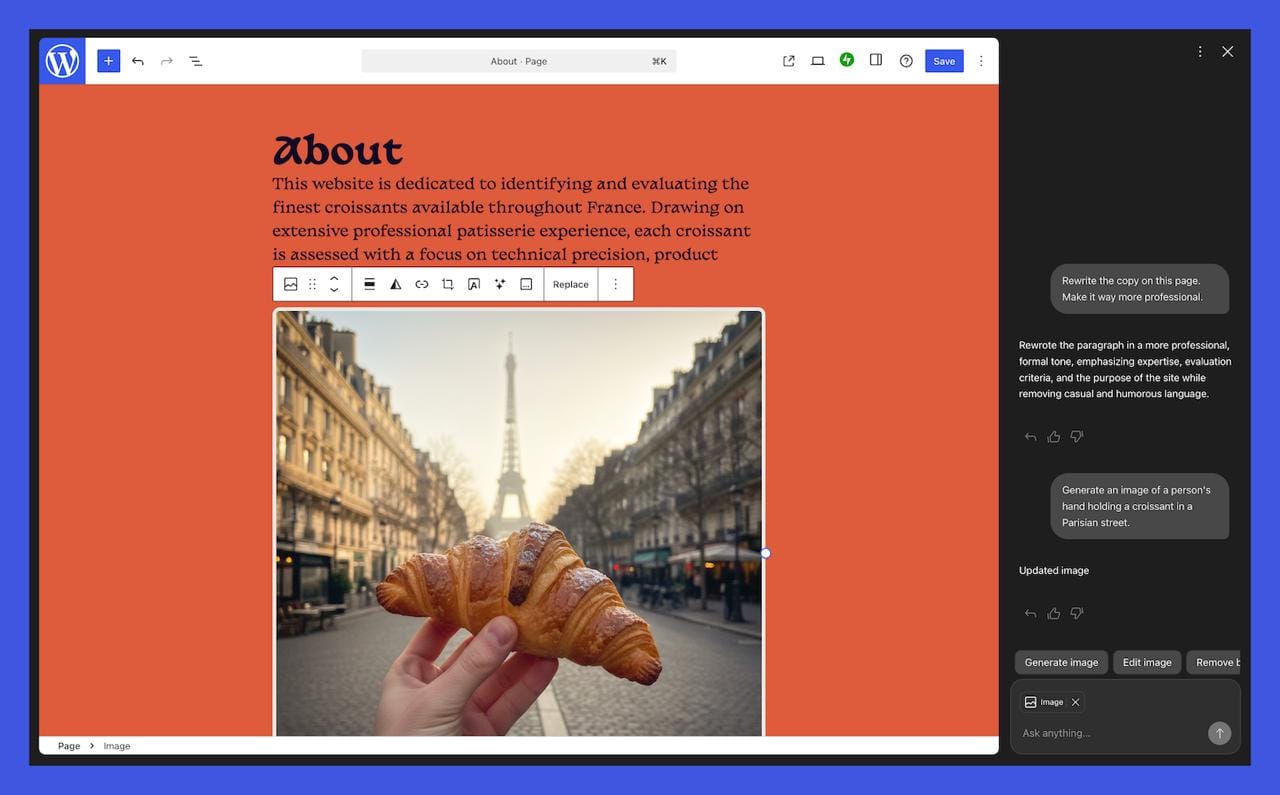
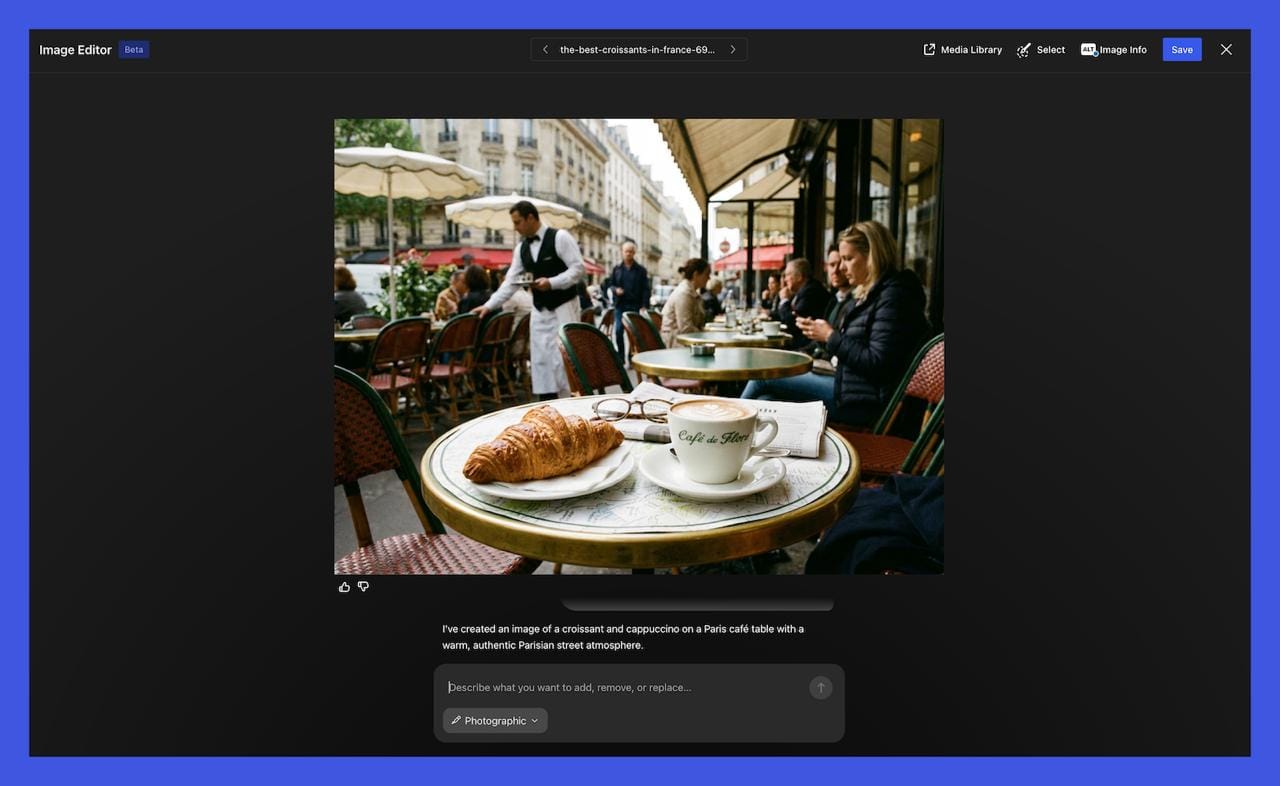
Image generation and editing are built directly into the media library through Google's Nano Banana models, which means no separate subscription to a generative image tool. You can generate a new image from a text prompt, specify aspect ratios and visual styles, and keep the output consistent with your site's existing aesthetic.
Editing existing images is also supported. You can ask the assistant to convert an image to black and white, swap elements, or adjust the visual treatment — all from within the media library itself rather than exporting to an external tool and re-uploading.
Inside Block Notes
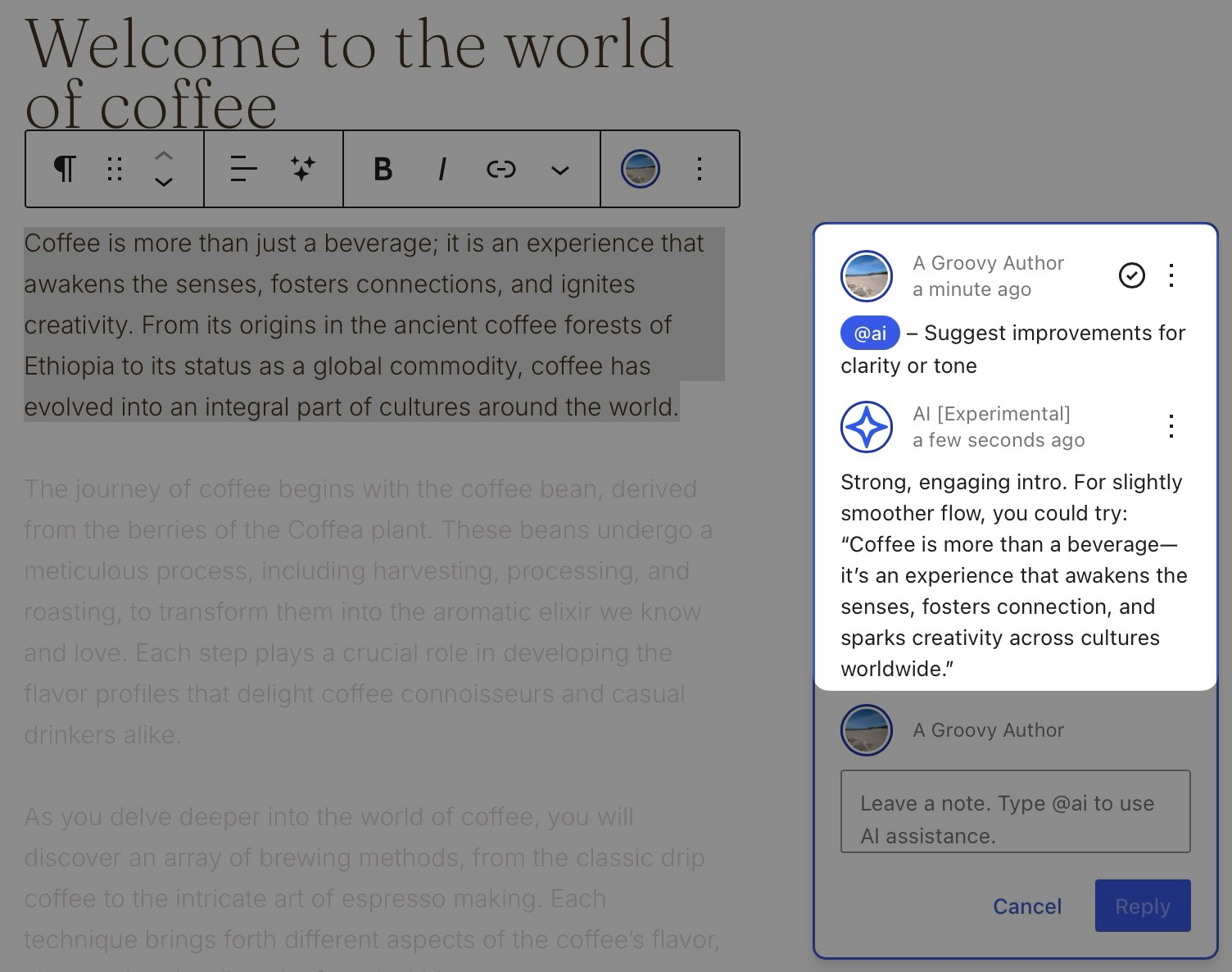
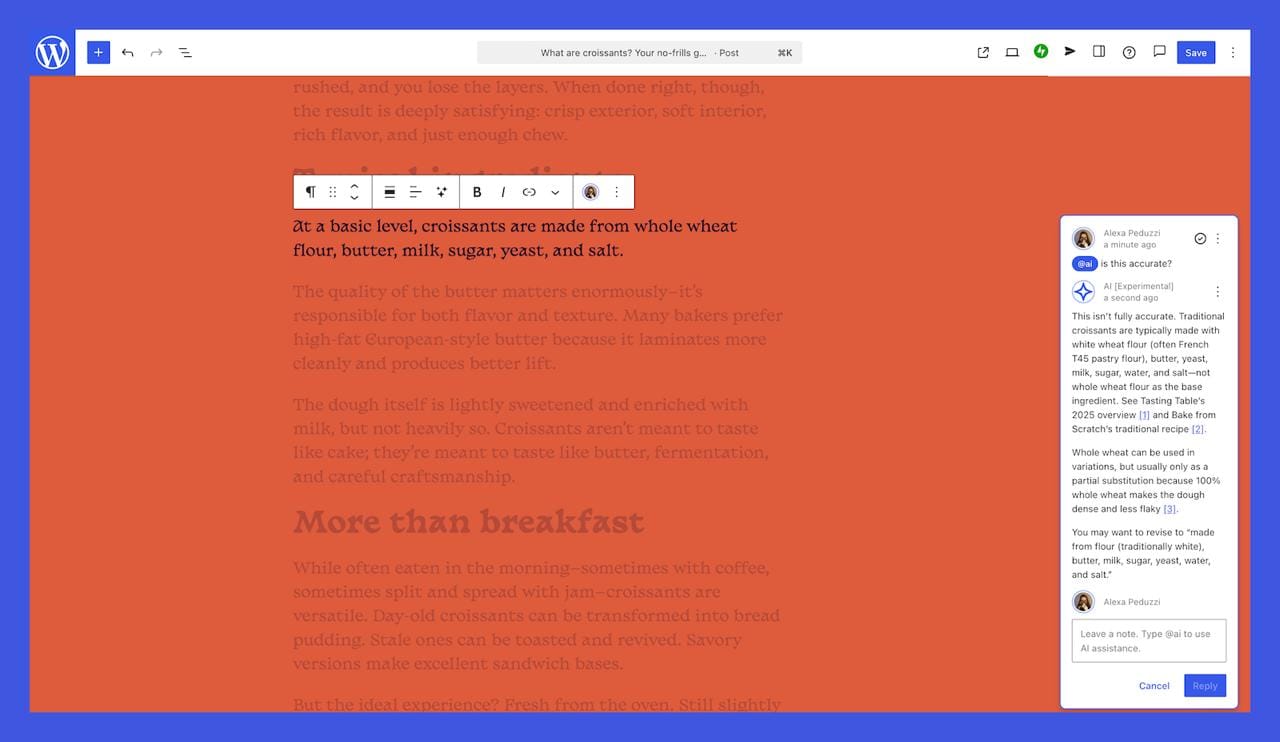
Block notes, introduced in WordPress 6.9 as a team collaboration feature, now pulls the AI into that workflow. By typing @ai followed by a request inside a block note comment, you can ask the assistant to fact-check content, suggest headlines, improve a paragraph, or pull in relevant links and context with cited sources.
This makes the assistant genuinely useful for editorial teams — not just solo site owners — where content review and refinement happen collaboratively inside the editor rather than in a separate document or messaging thread.
The Technical Details Worth Knowing
- The image generation component runs on Nano Banana, which is Google's latest generation of efficient multimodal models. WordPress.com's decision to use these models rather than OpenAI's image generation means site owners don't need a separate subscription to access the feature — it's included in the plan.
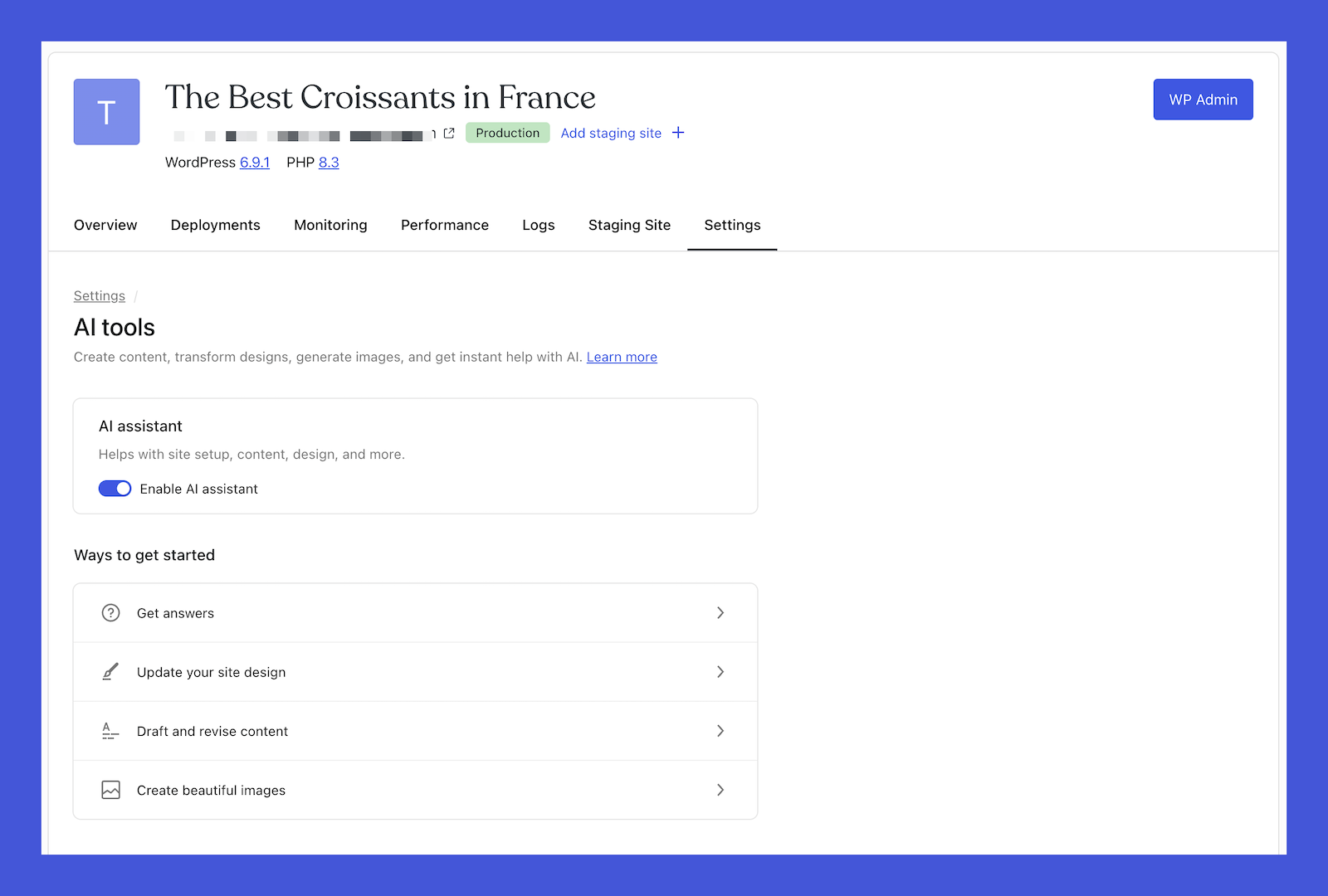
- The assistant is opt-in. To enable it, you go to your Sites list, click your site name, navigate to Settings, scroll to "AI tools," and toggle it on. Users who built their site using the WordPress AI website builder will have it enabled by default regardless of plan. Everyone else needs to activate it manually.
- Availability is currently limited to Business and Commerce plans at no additional cost — which is a meaningful pricing decision. Rather than creating a separate AI tier, Automattic is folding the assistant into existing paid plans, making it accessible without a separate budget line for the substantial portion of its user base already on those plans.
What It Doesn't Do (Yet)
- The assistant works best with block themes — users on classic themes have significantly reduced functionality in the editor. The company has acknowledged that capabilities are still evolving rapidly, and some users in early testing have noted that the assistant performs more reliably with targeted, specific requests than with broad site-wide redesign instructions.
- The assistant also operates within the boundaries of your existing site structure. It can add blocks, adjust content, and modify styles, but complex structural changes that require custom development or plugin-level functionality remain outside its scope.
- For teams with highly specific brand standards or complex editorial workflows, the assistant is likely most useful as a speed layer for routine tasks — first drafts, style adjustments, image generation — rather than as a replacement for human editorial judgment.
What This Means for Creators, Founders, and Developers
For individual creators and small business owners, the immediate benefit is speed. Tasks that previously required switching tools, hiring a designer for minor updates, or learning the deeper mechanics of the block editor are now accessible through plain-language requests.
For developers building on the WordPress ecosystem, this launch sends a signal worth paying attention to. Automattic is investing in AI at the platform level, which means the bar for what a WordPress plugin needs to offer to remain competitive is rising. Plugins that provided AI writing assistance or basic image generation as standalone features now have a much larger native competitor.
For content teams, the block notes integration is the feature to watch. Editorial collaboration that involves AI suggestions, fact-checking, and headline testing — all within the same tool where the content actually lives — reduces the coordination overhead that has made AI-assisted content workflows more complicated than they needed to be.
The Bigger Picture
This launch is part of a broader acceleration in AI integration across every major publishing and website platform. What's notable about WordPress.com's approach is the emphasis on context-awareness — building an assistant that understands the specific site it's working on, rather than providing a generic AI layer that treats every request in isolation.
The promise of an AI that knows your layout, your content, your brand style, and your existing media library is more ambitious than what most standalone tools offer. Whether the execution fully delivers on that promise will become clearer as more users put it through real-world workflows.
But the direction is unambiguous. The era of bouncing between your CMS and a separate AI tool to manage your site is ending. WordPress.com just made a significant move to ensure that workflow lives in one place — its own.
Frequently Asked Questions
What is the WordPress AI assistant? The WordPress AI assistant is a native AI tool built directly into WordPress.com. It works across the site editor, media library, and block notes to help users write and edit content, adjust layouts and styles, generate and edit images, and collaborate on editorial tasks — all without leaving the WordPress interface.
Which WordPress.com plans include the AI assistant? The AI assistant is available on Business and Commerce plans at no additional cost. Users who created their site using the WordPress AI website builder have it enabled automatically, regardless of plan.
How do I enable the WordPress AI assistant? Go to your Sites list, click your site name, navigate to Settings, scroll down to "AI tools," and toggle on the "Enable AI assistant" option. The feature is entirely opt-in and does nothing unless you activate it.
Does the WordPress AI assistant work with classic themes? The assistant works best with block themes. If you are using a classic theme, the AI assistant will not appear in the editor, but you can still use image generation and editing features in the media library.
What AI models power the image generation feature? Image generation and editing in the media library are powered by Google's Nano Banana models. No separate subscription is required to access these features — they are included with the Business and Commerce plans.
How does the @ai feature work in block notes? In the block notes editor — introduced in WordPress 6.9 for team collaboration — you can type @ai followed by a request to ask the assistant to fact-check content, suggest headlines, improve writing, or pull in relevant links with cited sources directly within your editorial workflow.
How is the WordPress AI assistant different from using ChatGPT separately? Unlike using an external AI tool, the WordPress assistant understands your site's specific content, layout, and design structure. It can make changes directly within your site in real time rather than generating text or ideas you have to manually apply.
Is the WordPress AI assistant available on the open-source WordPress.org platform? No. The built-in AI assistant is specific to WordPress.com, the hosted platform run by Automattic. The open-source WordPress.org software does not include this feature natively, though third-party plugins may offer similar capabilities.
Related Articles
 Mark
Mark
 Dani
Dani
 Mark
Mark