I have 47 browser tabs open right now. Seventeen of them are AI tools I'm supposedly "evaluating." Three are actually open because I use them daily. The rest? They're digital tombstones to my optimism about automation.
Let me tell you how I got here. Back in March, I convinced myself that AI tools would finally make me productive. I'd automate everything, reclaim my time, maybe even start that newsletter I've been threatening to write since 2019. So I did what any reasonable person would do: I went on a subscription spree that would make a SaaS company's CFO weep with joy.
Eight months and nearly three grand later, I'm using exactly four tools regularly. The others send me cheerful emails about features I'll never use, while quietly draining $47/month from my credit card.
But here's the thing – those four tools I do use? They're legitimately incredible. They've saved me probably 15-20 hours a week. And I've discovered some absolute hidden gems that nobody's talking about because they're too busy hyping the same five tools everyone already knows about.
This article is my attempt to save you from my mistakes. I've been using these tools in real production work – not just for "testing" or making cute demos for LinkedIn. I'm talking about actual client projects, actual deadlines, actual moments of panic at 11 PM when something breaks.
I'm going to be annoyingly specific about what works and what doesn't. I'll tell you exactly what I paid, what surprised me, and what made me want to throw my laptop out the window. Some of these tools are going to sound amazing until I tell you about the one dealbreaking limitation that the marketing site conveniently forgot to mention.
I've organized this into tools I actually use, tools I wanted to love but couldn't, and tools that might be worth watching. And yes, I'll tell you about the $97 tool that does the job better than the $300/month enterprise solution.
Let's start with the ones that earned their place on my actual desktop.

Can't decide between two tools?
Compare them side-by-side to see detailed feature breakdowns.
The Tools I Actually Open Every Single Day
Claude (Anthropic) - The One That Actually Replaced My Junior Analyst
Price: $20/month (Pro), Free tier available
Verdict: Worth every penny, borderline essential
What it promises: Advanced AI assistant for writing, coding, analysis, and research with improved reasoning.
What actually works ridiculously well:
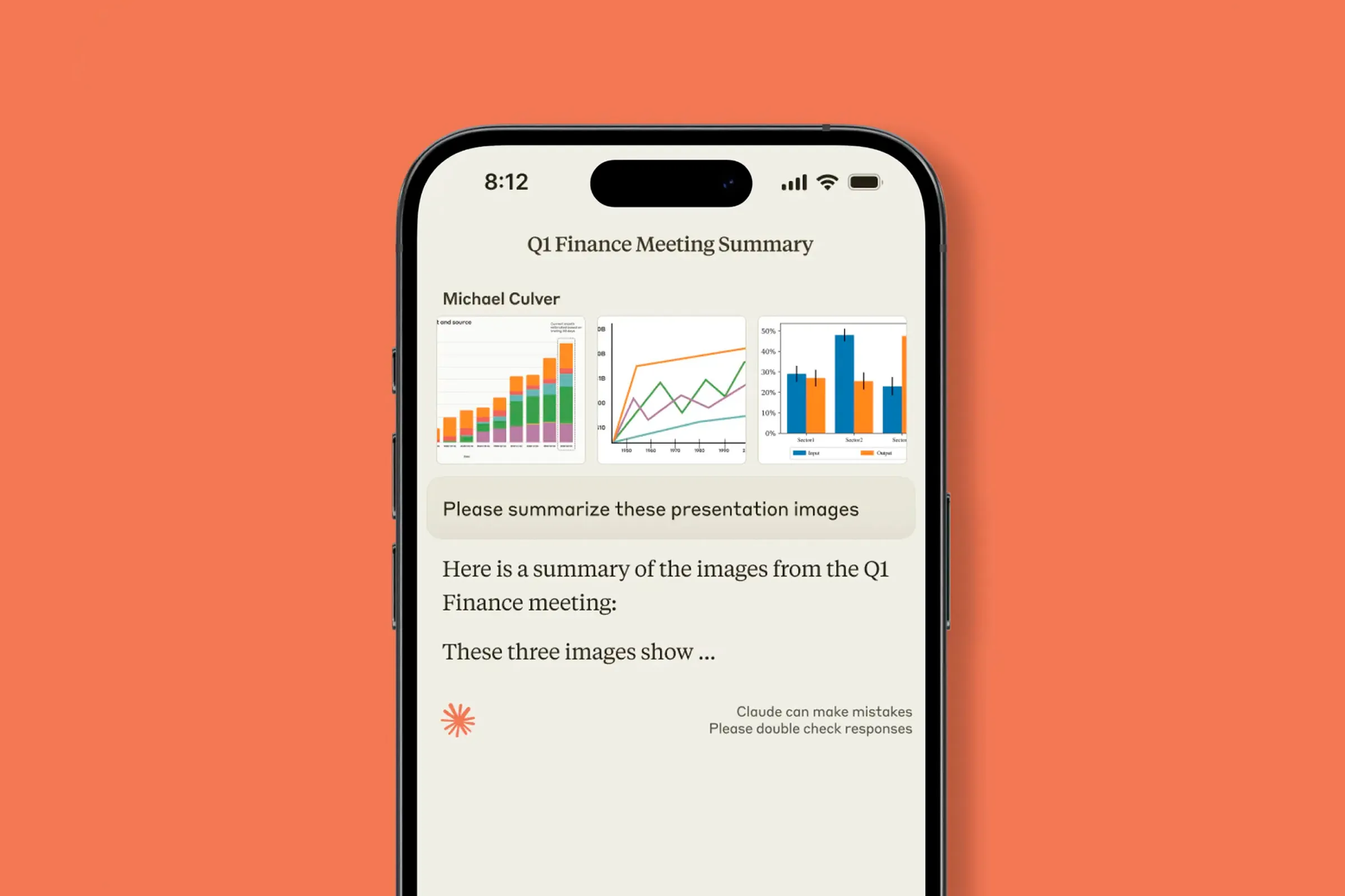
Claude has become my thought partner in a way that feels slightly unsettling. I'm writing this article with it right now, which feels very meta, but here's what I mean: it's not writing for me (I tried that, it sounds like corporate AI slop), but it's catching my logical gaps, suggesting better structures, and remembering context across our entire conversation.
The breakout feature nobody talks enough about: its 200K token context window. I regularly dump entire client briefs, competitive analyses, and previous campaign documents into a single conversation. Then I ask it to synthesize patterns across all of it. This would take me 3-4 hours of manual work. Claude does it in 90 seconds and often catches things I missed.
Last week, I gave it six competitor websites, three market research PDFs, and my client's brand guidelines. Asked it to identify positioning gaps. It came back with seven distinct opportunities, each with supporting evidence pulled from the materials. Two of those insights made it into our final strategy deck. The client literally said "this level of competitive analysis usually takes agencies a month."
The artifacts feature is secretly genius. When it generates code, charts, or documents, they appear in a separate panel you can edit and iterate on. I've built entire React components, data visualizations, and HTML emails without leaving the conversation. It remembers what we built three weeks ago and can update it contextually.
What disappoints or has limitations:
The usage limits on the Pro plan are vague and frustrating. You get "5x more usage" than the free tier, but they don't tell you what that actually means in concrete terms. I hit the limit twice last month during crunch time, which is enraging when you're paying $20/month. The limit resets every 5 hours, but when you're in flow state, that's an eternity.
The web search feature is hit or miss. Sometimes it finds exactly what I need. Other times it confidently cites sources that say the opposite of what it claims. I've learned to always verify anything it pulls from search, which defeats the time-saving purpose.
It occasionally "forgets" instructions mid-conversation, even with the context window. I'll give it detailed formatting requirements, it'll follow them perfectly for five responses, then randomly revert to its default style. Minor annoyance, but breaks the flow.
The mobile app is mediocre. The interface works fine, but you can't access artifacts on mobile, which eliminates like 60% of why I use Claude in the first place.
Real-world usage:
I use Claude for:
- First-draft research synthesis (daily): Drop in messy research, get organized insights
- Code debugging (3-4x per week): It's better than Stack Overflow for explaining why something broke
- Strategy brainstorming (weekly): Acts as a smart sounding board without the ego
- Document editing (constantly): Catches logic gaps and unclear explanations better than Grammarly
Who should buy it:
- Anyone doing research-heavy work (analysts, strategists, consultants)
- Developers who are tired of context-switching to documentation
- Writers who need a smart editor, not a ghostwriter
- People who work with large documents and need to extract insights quickly
Who should skip it:
- People who just want ChatGPT for casual questions (the free tier works fine)
- Anyone expecting it to fully automate their job (it won't, it augments)
- Folks who primarily need image generation (Claude doesn't do images)
Notion AI - The Feature I Mocked Until I Actually Used It
Price: $10/month (add-on to existing Notion subscription)
Verdict: Surprisingly essential if you're already in the Notion ecosystem
What it promises: AI-powered writing, summarization, and data management inside Notion.
What actually works:
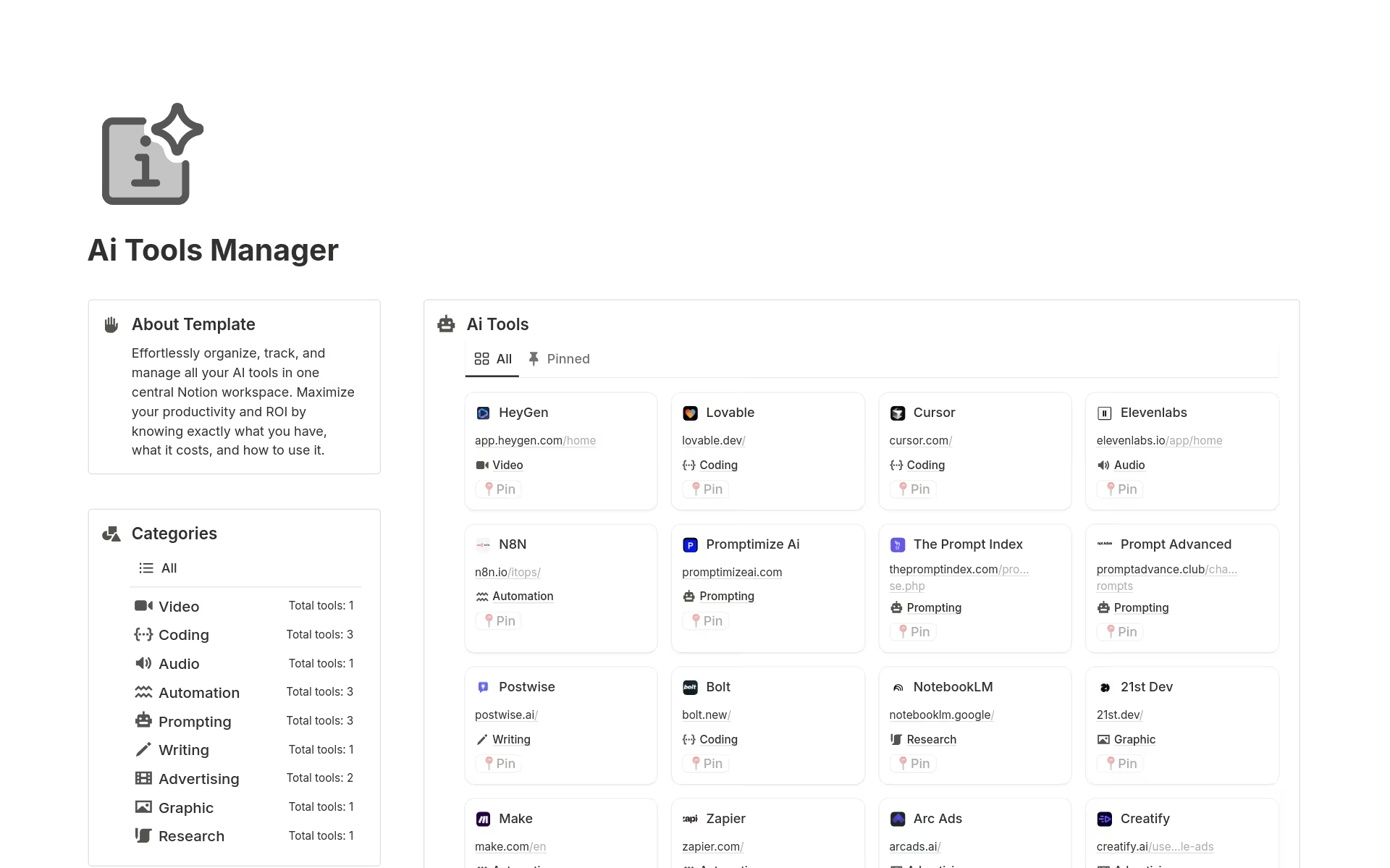
I resisted this for months because it felt like Notion jumping on the AI bandwagon. Then I tried the "autofill database" feature and it fundamentally changed how I manage projects.
Here's the thing: I have a database of 300+ content ideas with columns for topic, target audience, keyword difficulty, search volume, and priority. Filling this out manually was soul-crushing. With Notion AI, I just paste a rough idea and it auto-populates most fields with surprising accuracy. It pulls keyword data, suggests audiences, and rates priority based on our content strategy (which it learned from existing entries).
What used to take 10 minutes per entry now takes 30 seconds. That's 40+ hours saved on database maintenance alone.
The meeting notes feature is clutch. I record client calls, paste the transcript, and hit "summarize in action items." It pulls out decisions, to-dos with owners, and open questions. I've compared it against my manual notes from the same meetings – it catches things I miss when I'm actively participating in the conversation.
What disappoints:
The writing assistance is... fine. It's good for expanding bullet points into paragraphs or making things more concise. But it's not as sophisticated as Claude for actual writing tasks. The tone always ends up slightly corporate and bland.
It doesn't work offline at all, which seems ridiculous for a writing tool. If my internet hiccups, all AI features just disappear. Regular Notion works offline, but the AI component doesn't.
The cost adds up fast. It's $10/month per person, which seems cheap until you realize your whole team needs it to collaborate on AI-enhanced databases. For our 6-person team, that's $60/month on top of our existing Notion subscription.
Translation features are overhyped. They work okay for common languages but produced hilariously bad results for our client work in Polish. We had to scrap an entire draft after the client gently informed us we'd accidentally used very informal slang in a formal business proposal.
Real-world usage:
- Database autofill (multiple times daily): Massive time saver
- Meeting note processing (after every client call): Catches what I miss
- Quick summaries (weekly): Good for condensing long documents into briefs
- Writing assistance (rarely): Only for super basic cleanup
Who should buy it:
- Heavy Notion users who maintain complex databases
- Teams that take a lot of meeting notes
- People who aggregate information from multiple sources into Notion
- Solo operators managing client projects in Notion
Who should skip it:
- Anyone not already using Notion (the AI isn't worth switching for)
- Teams that need advanced writing assistance (use Claude instead)
- People who primarily work offline
- Anyone on a tight budget (the costs multiply fast)
Perplexity Pro - Google If Google Actually Wanted to Help You
Price: $20/month
Verdict: Worth it for research-heavy work, maybe skip if you're casual
What it promises: AI-powered search that provides direct answers with sources instead of just links.
What actually works brilliantly:
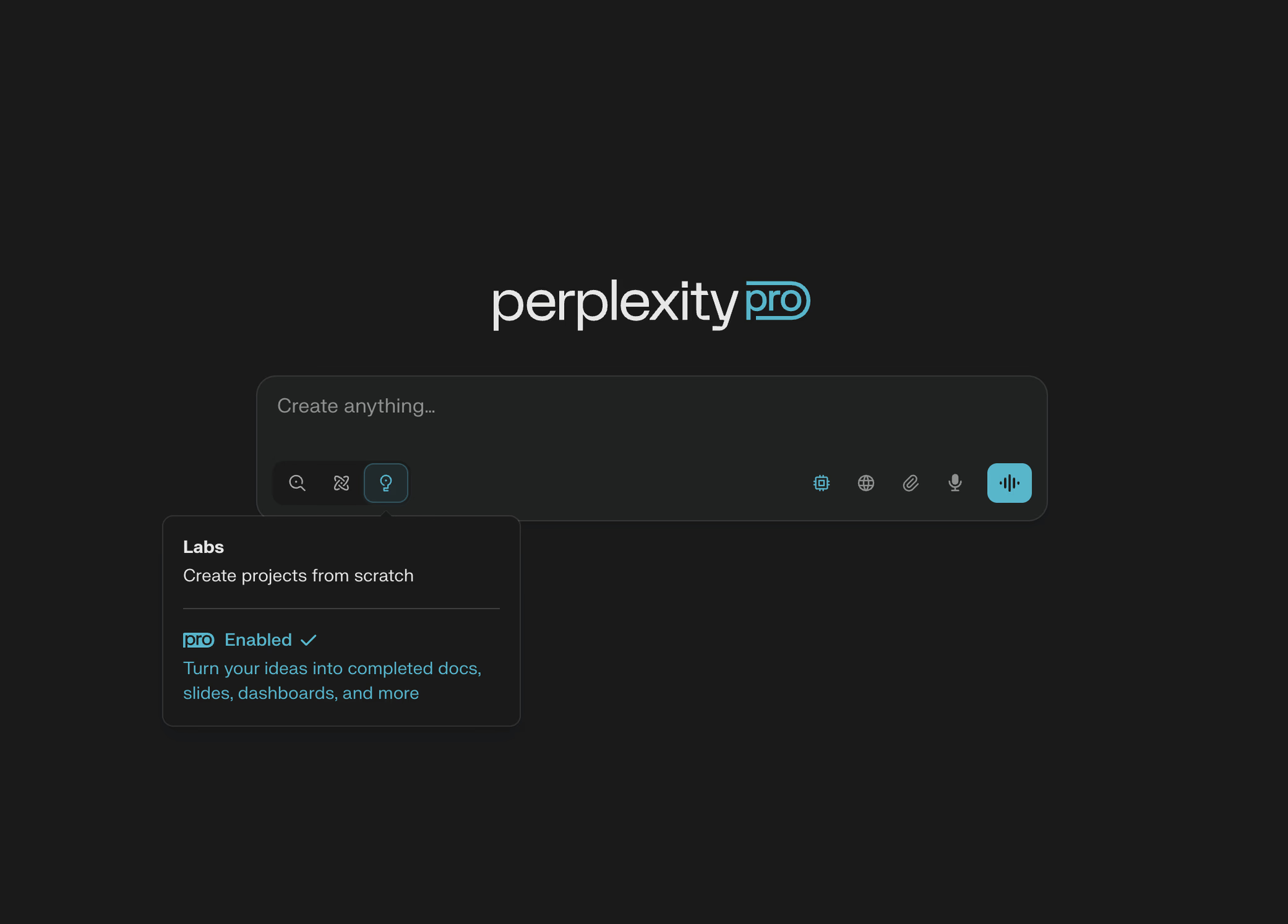
Perplexity has replaced Google for 80% of my research queries, and I'm genuinely shocked by this. The "Pro Search" feature (you get 600 per day) is like having a research assistant who actually reads the sources and synthesizes them.
Last month, I needed to understand Poland's new AI regulations for a client pitch. With Google, I'd have opened 15 tabs, skimmed articles, cross-referenced conflicting information, and spent 2 hours building a coherent picture. With Perplexity, I got a comprehensive summary with direct quotes from official sources, explanation of implications, and links to verify everything. Twenty minutes, done.
The killer feature: "Focus" modes. When I'm researching academic topics, I use Academic mode and it prioritizes peer-reviewed papers. For news research, Reddit mode surfaces actual user experiences instead of SEO-optimized garbage. YouTube mode finds relevant video content with timestamps for specific information.
The "Collections" feature is underrated. I create a collection for each client project and all my research queries stay organized with full context. When someone asks "where did we get that stat about AI adoption?" I can find it instantly with the original source.
What frustrates me:
The 600 Pro searches per day sounds generous until you're deep in research mode. I've hit the limit three times, usually when comparing multiple products or researching competitive landscapes. When you hit it, you're stuck with basic searches that aren't much better than Google.
Follow-up questions don't always maintain context. I'll ask about "AI regulations in the EU," get a great answer, then ask "how does this compare to US regulations?" and it sometimes forgets we were discussing AI specifically. I have to repeat context, which defeats the conversational promise.
The mobile app's "voice search" feature is awkward. It works, but the interface makes it feel like you're talking to Siri from 2015. The desktop experience is vastly better.
Sources aren't always reliable. It'll confidently cite a random blog post alongside the New York Times without indicating credibility differences. You still need to verify important information, especially for client work.
Real-world usage:
- Deep research dives (2-3x per week): When I need comprehensive understanding fast
- Fact-checking (daily): Verifying claims with sourced information
- Competitive analysis (weekly): Finding what competitors are actually doing
- Quick lookups (constantly): Replacing Google for complex questions
Who should buy it:
- Researchers, analysts, consultants who live in information
- Content creators who need to verify facts quickly
- Anyone tired of Google's SEO-spam problem
- Students or academics (there's an education discount)
Who should skip it:
- Casual users who just need occasional searches (free tier is fine)
- People who primarily search for local information (Google's still better)
- Anyone who doesn't regularly hit research rabbit holes
- Folks on tight budgets (it's a luxury, not a necessity)
I keep both Perplexity and Google because each excels at different things. Perplexity for "explain this complex thing," Google for "find me that specific website I visited last week."
Fireflies.ai - The Meeting Recorder I Actually Trust
Price: $10/month (Pro), free tier available
Verdict: Essential if you do 3+ video calls per week
What it promises: AI meeting assistant that records, transcribes, and summarizes your calls.
What actually works absurdly well:
Fireflies joins your Zoom, Google Meet, or Teams calls as a participant and records everything. I was skeptical because I thought this would be creepy or make people uncomfortable, but here's the reality: after the first "oh, we're recording this?" moment, everyone forgets it's there.
The transcription accuracy is genuinely impressive. I'd say 95% accurate for clear speakers, 85% for people with strong accents or bad audio. It catches technical jargon, brand names, and acronyms that would stump most transcription services.
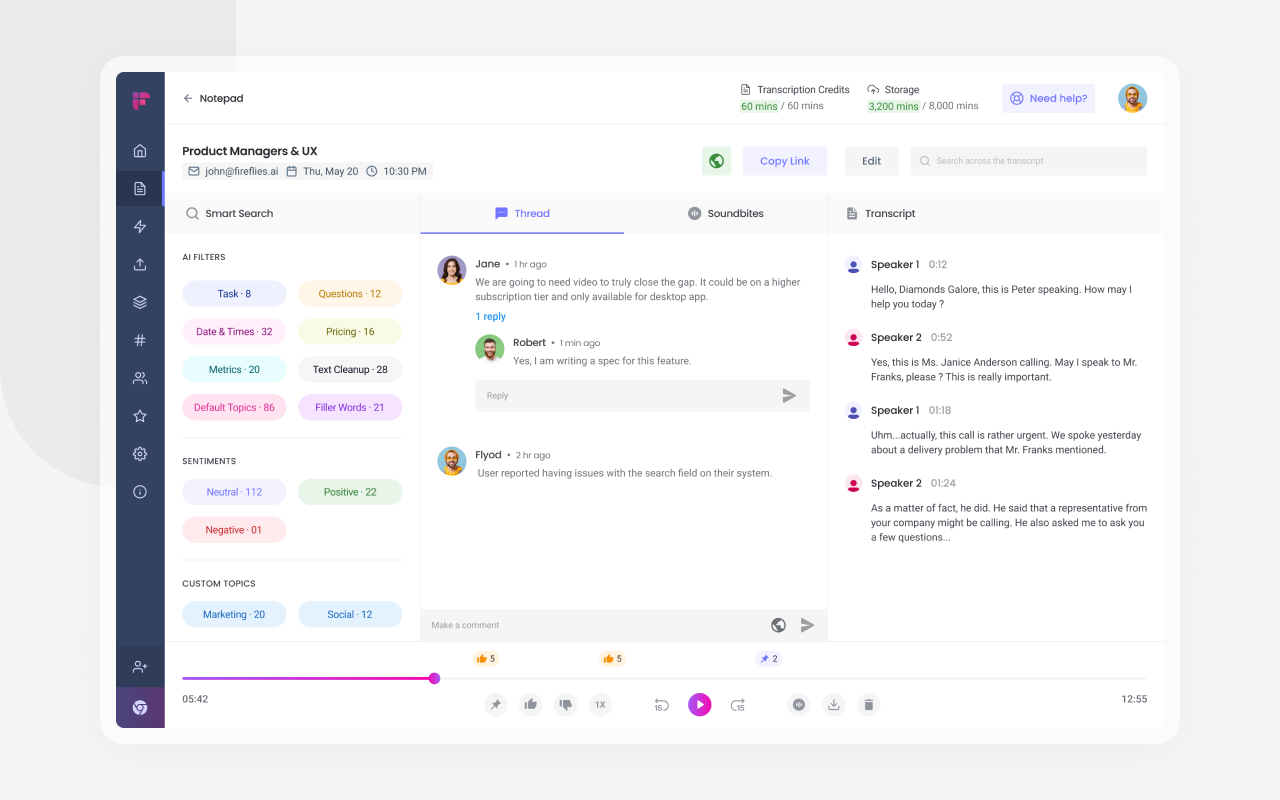
But the real magic is what it does after the call. Within 5 minutes of ending, I get:
- Full transcript with speaker labels
- Auto-generated summary of key points
- Action items with timestamps
- Questions that were asked
- Topics discussed with timestamps
I use the search feature constantly. Client says "didn't we already discuss this?" I search our meeting history for keywords, find the exact conversation with timestamp, and play it back. This has saved me from so many "he said/she said" situations.
The Smart Search is lowkey brilliant. I can search "all meetings where we discussed pricing" across months of calls and it finds every relevant mention, even if we used different words like "cost" or "budget."
What disappoints:
The AI summary sometimes misses nuance or context. It's great for factual action items ("John will send the proposal by Friday") but terrible at capturing tone or complex discussions. I've had it summarize a contentious client debate as a "productive discussion of options" when it was actually a heated argument about scope creep.
The free tier is basically unusable. You get 3 transcription credits per month, and each meeting uses one credit. That's not even one meeting per week. It's a demo, not a usable free tier.
The bot joining calls can be awkward with external clients or first-time contacts. I've had people ask "what's Fireflies?" and I have to explain it's my note-taking assistant, which sometimes creates a weirdly formal vibe. Some clients have asked me to remove it, which defeats the purpose.
Speaker identification struggles with crosstalk or similar voices. I had a call with two people named "Sarah" and the transcript kept mixing up who said what. Had to manually correct the entire thing.
Integration with CRM tools (they advertise Salesforce, HubSpot integration) is clunky. It works but requires so much manual setup that I just gave up and export notes manually.
Real-world usage:
- Client calls (4-5x per week): Primary use case, absolute lifesaver
- Internal team meetings (2-3x per week): Good for action item tracking
- Interviews (occasionally): Better than manual transcription services
- Retrospective review (weekly): Search old calls for specific topics
Who should buy it:
- Consultants, salespeople, or anyone doing frequent client calls
- Remote team leads who need meeting accountability
- People who conduct interviews or user research
- Anyone who's ever forgotten what was decided in a meeting
Who should skip it:
- People who rarely do video calls (obviously)
- Anyone working with highly confidential information (recording creates risks)
- Solopreneurs without regular meetings
- People whose clients are uncomfortable with recording
I tried Otter.ai, Tactiq, and Fathom before settling on Fireflies. Otter's UI is confusing, Tactiq's free tier is better but paid features aren't worth it, and Fathom is good but more expensive. Fireflies hit the sweet spot of features, price, and reliability.
The Tools I Wanted to Love But Can't Recommend (Yet)
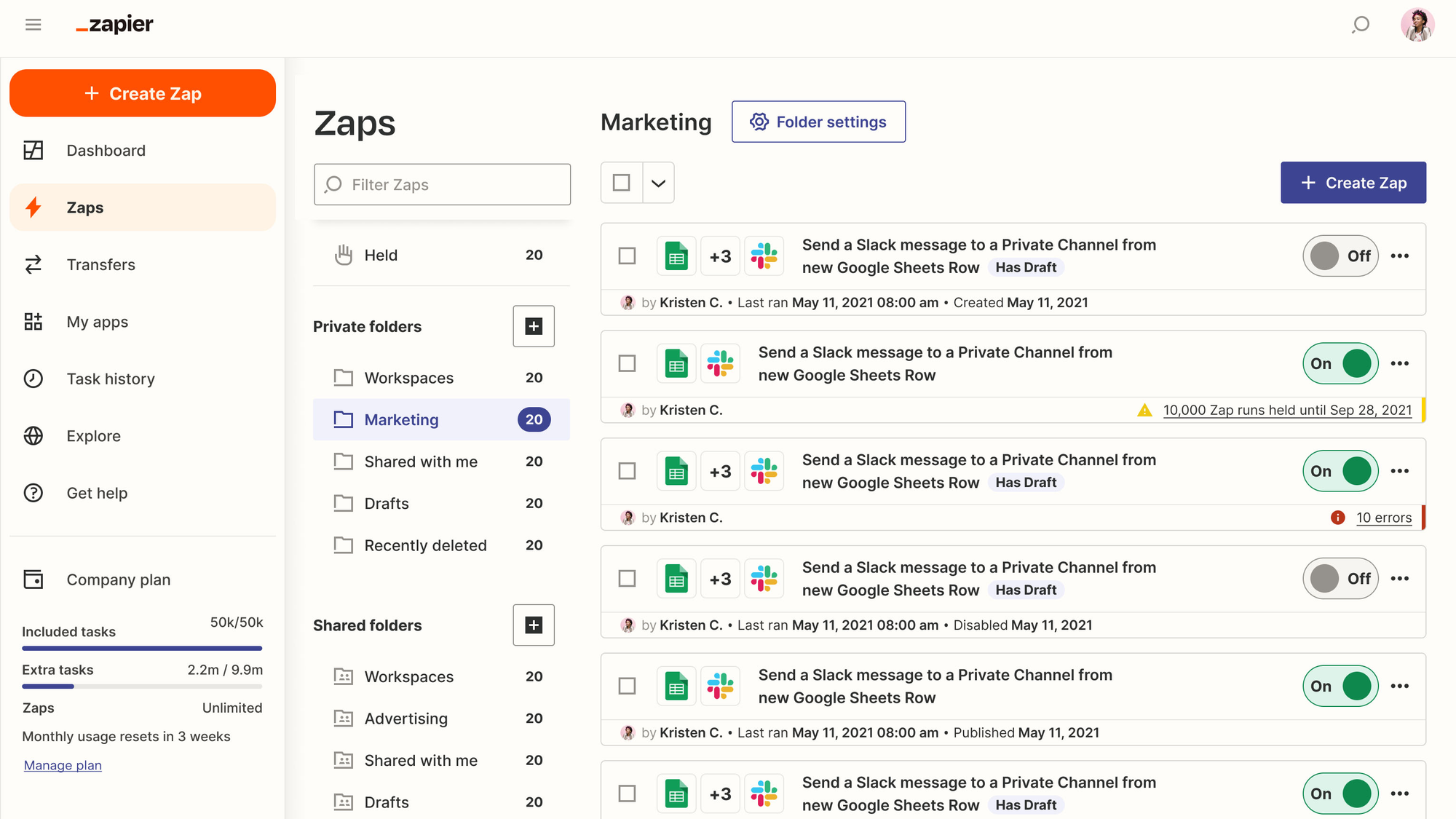
Zapier AI - Expensive Hope That Mostly Disappoints
Price: Starting at $29.99/month (Professional), AI features require higher tiers ($69+/month)
Verdict: Skip unless you're already a Zapier power user
What it promises: No-code automation with AI that "understands" what you want to automate.
What occasionally works:
The traditional Zapier automations (non-AI) still work fine. I have workflows for saving email attachments to Google Drive, posting social media content, and syncing data between apps. These are solid.
The new AI features let you describe what you want in plain English: "when I get an email with an invoice, extract the data and add it to my spreadsheet." In theory, it builds the automation for you.
When it works, it's magical. I built an automation that monitors specific Slack channels, identifies client questions, and drafts responses based on our documentation. Worked perfectly for about three weeks.
What breaks constantly:
Then it just... stopped working. The AI couldn't parse new questions correctly. It started drafting responses that made no sense. I spent 4 hours debugging, recreating the automation, and finally gave up. This is the pattern with most AI features – works great initially, then mysteriously degrades.
The AI often misunderstands context. I tried to create an automation for "when someone mentions a competitor in our Slack, create a note in Notion with the context." It created notes for literally any company name mentioned, including our own company. Created 47 useless notes before I caught it.
Cost spirals out of control. Each automation consumes "tasks" and the AI features burn through tasks incredibly fast. What Zapier advertised as a $69/month solution ended up costing me $130/month because I kept hitting task limits.
The AI can't handle edge cases at all. It works for the exact scenario you describe, but the moment something slightly different happens, it breaks or produces garbage output. Traditional Zaps with manual configuration are actually more reliable.
Who might consider it:
- Enterprise teams with budget for automation (they'll need it)
- People already paying for Zapier's higher tiers
- Folks with very simple, repetitive automation needs
Who should absolutely skip:
- Anyone on a budget (Make.com does similar things cheaper)
- People wanting reliable AI automations (it's not there yet)
- Beginners (the learning curve isn't worth it)
Gamma AI - Beautiful Presentations Nobody Actually Needs
Price: $20/month (Plus), free tier available
Verdict: Wait for version 2.0 or stick with Canva
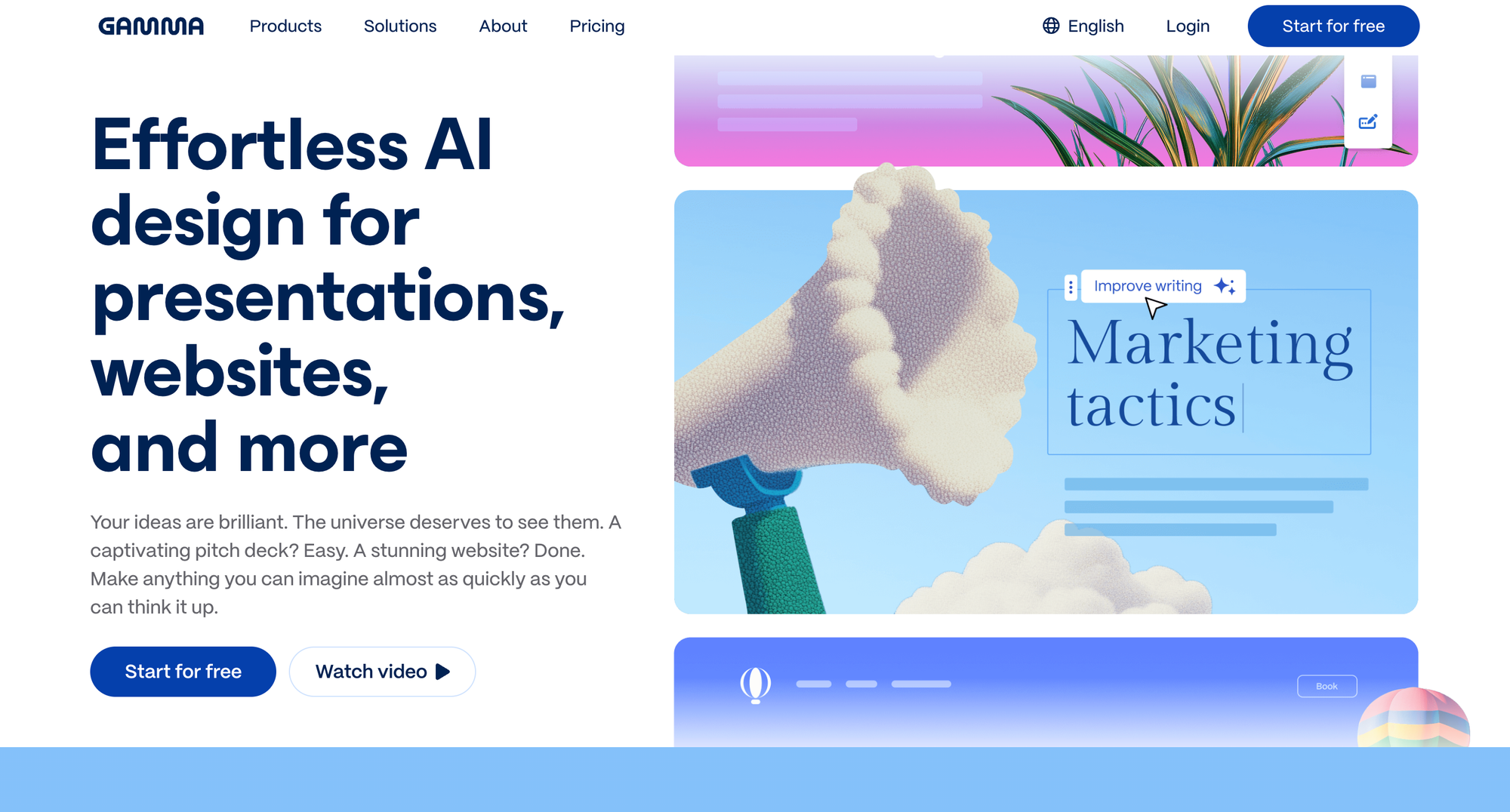
What it promises: AI-generated presentations that look professional in seconds.
The good parts:
Gamma creates genuinely beautiful presentations. The templates are modern, the layouts are thoughtfully designed, and the color schemes don't look like PowerPoint's greatest hits from 2003.
The AI can take a document and turn it into slides automatically. I fed it a strategy brief and got a decent first-draft deck in about 3 minutes. For internal presentations or quick mockups, this is useful.
The dealbreakers:
But here's the problem: the presentations all look the same. After seeing three Gamma presentations, you can spot them instantly. The layouts, the transitions, the styling – there's a "Gamma aesthetic" that's beautiful but homogeneous.
You can't escape this aesthetic without fighting the tool. Want to deviate from their templates? The editing experience becomes frustrating. Moving elements around breaks layouts. Customizing colors affects things you didn't touch. It's like the AI is fighting you.
The real issue: clients don't care that you made it faster. They care that it looks good and communicates clearly. Gamma helps with the first, but you still need to do all the strategic work on the second. So you're not actually saving meaningful time – you're just using a fancier tool to do the same work.
Export options are limited. PDFs come out fine, but if you need to hand off an editable file to a client who uses PowerPoint, you're stuck. The exports often break formatting in ways that require manual fixes, which again, defeats the time-saving promise.
Who might like it:
- Internal teams doing frequent presentations
- Startups needing investor decks quickly (until they need to customize)
- People who genuinely struggle with design (it's foolproof)
Skip if:
- You need client-ready, customized presentations
- You already have a design workflow that works
- You're on a budget (Canva Pro does this for less)
Hidden Gems: The AI Tools Nobody's Talking About (But Should Be)
Let me tell you about the tools that don't have massive marketing budgets but are quietly solving real problems.
Fabric - The AI Note-Taking System That Finally Makes Sense
Price: Free (for now), paid tiers coming
Current status: Public beta
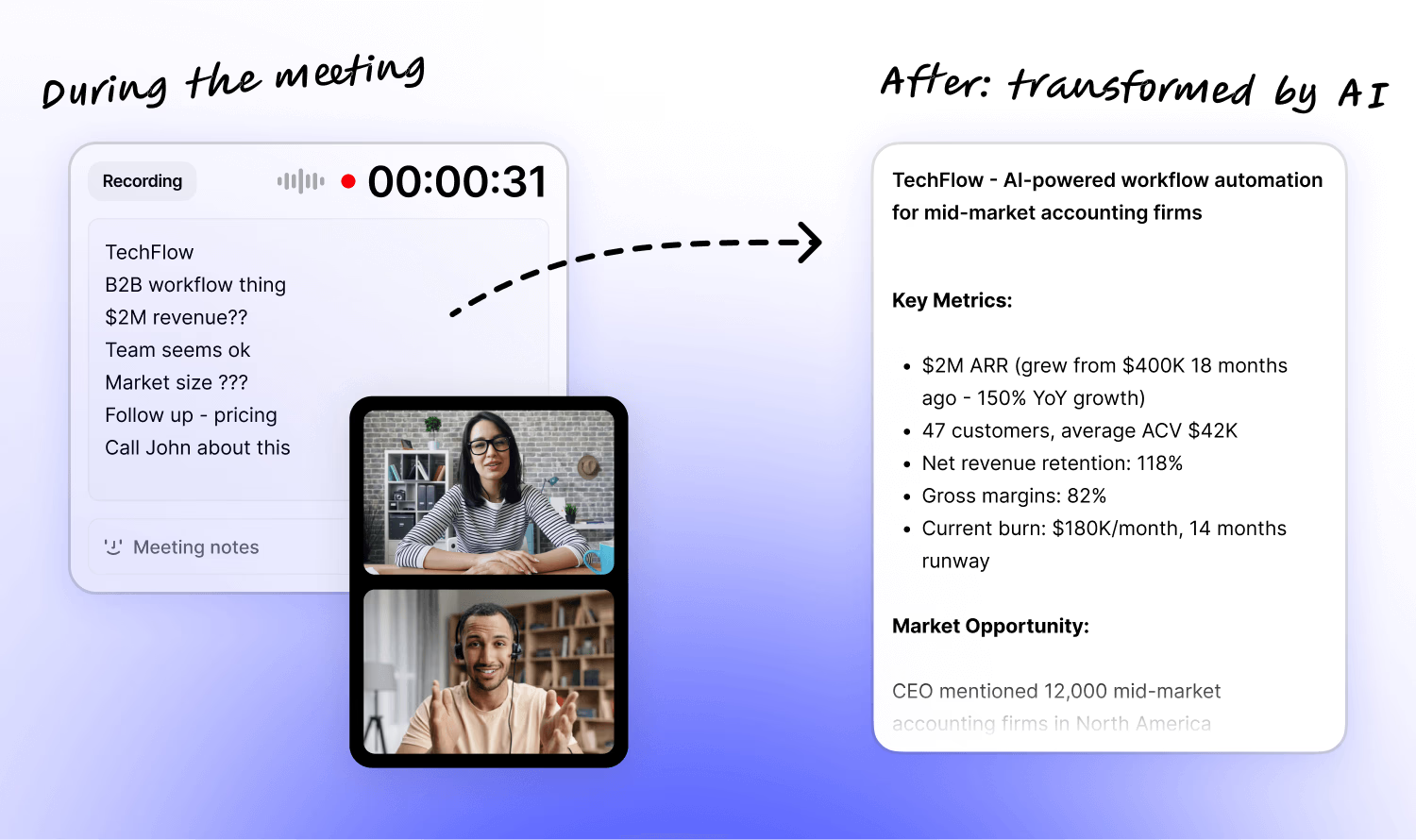
Fabric is what happens when someone actually thinks about how humans organize information. Instead of folders or tags, it uses AI to create a semantic web of your notes, saved links, and thoughts.
I save articles, voice memos, screenshots, and random thoughts into Fabric throughout the day. When I need something, I just describe it: "that article about AI regulation I saved last month." It finds it instantly based on content, not filename.
The killer feature: automatic linking. When I save something new about AI ethics, Fabric automatically connects it to my previous notes on the topic, papers I've saved, and relevant discussions I've had. It's building a knowledge graph without me thinking about it.
Limitations: Still in beta, occasional bugs, no mobile app yet. But I'm betting on this one – they raised $3M from good investors and the product vision is sound.
Descript - Video Editing By Deleting Text (Seriously)
Price: $24/month (Creator), $40/month (Pro)
Verdict: Worth it if you edit videos regularly
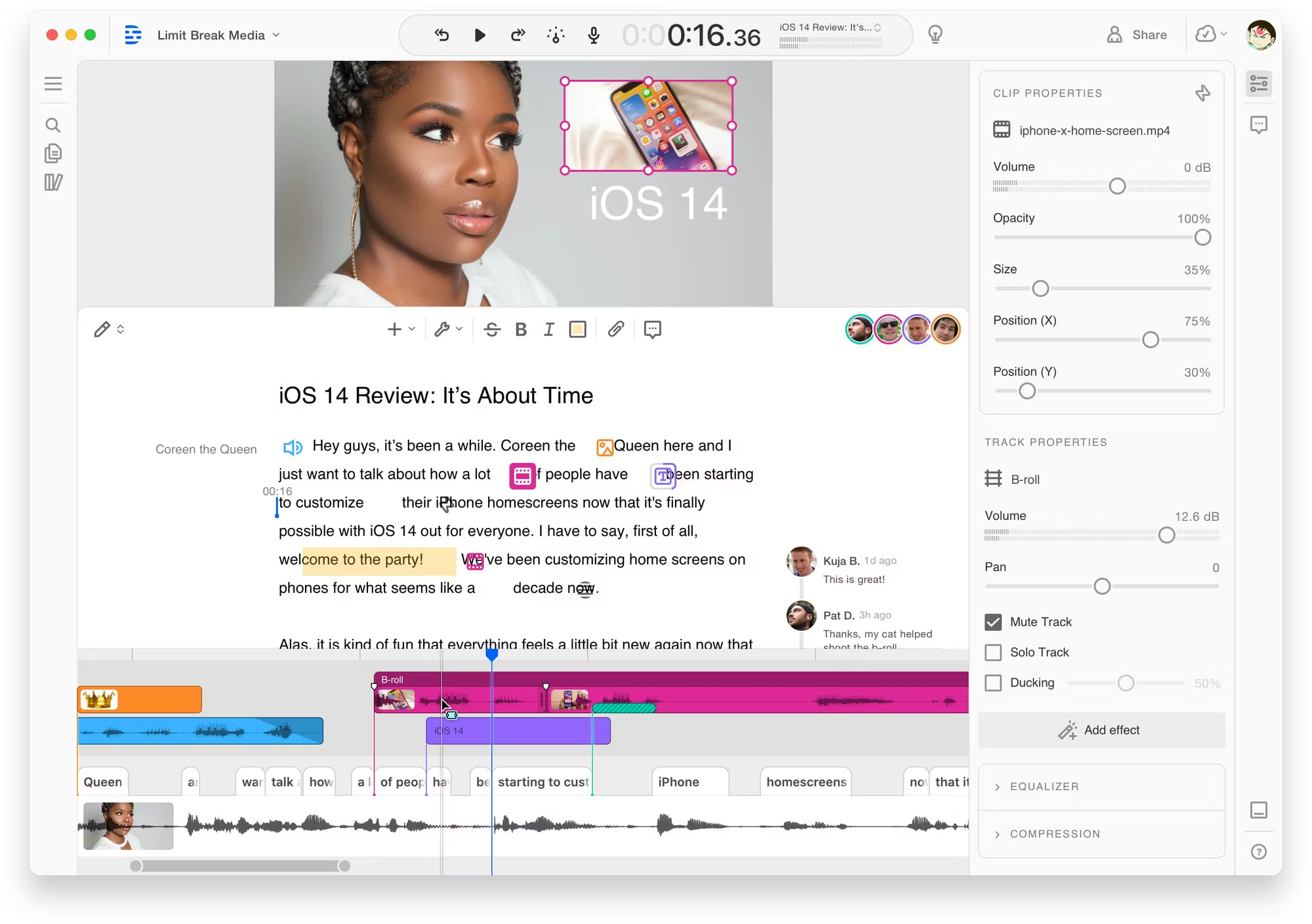
You edit videos by editing the transcript. Delete a sentence from the transcript, that section disappears from the video. Move a paragraph, the video rearranges. It sounds gimmicky until you actually use it.
I produce a weekly video newsletter. Before Descript, editing took 3-4 hours of scrubbing through timeline, trimming clips, and removing "ums." Now? Thirty minutes. I read the transcript, delete filler words (there's a button that automatically finds and removes them), rearrange sections if needed, and export.
The AI voices feature lets you fix mistakes by typing. If I flubbed a word in the recording, I just type the correction and it generates my voice saying it correctly. It's uncanny and saves reshoots.
Downsides: The AI voice detection occasionally misses words, leaving awkward gaps. Professional videographers will find it limiting for complex edits. But for content creators doing simple talking-head videos or podcasts? It's transformative.
Worth noting: They were acquired by Spotify-backed companies and just hit 1M users. The Reddit community loves it.
Superhuman with AI Triage - Email That Doesn't Make Me Hate Life
Price: $30/month
Verdict: Expensive but legitimately life-changing if email is your job
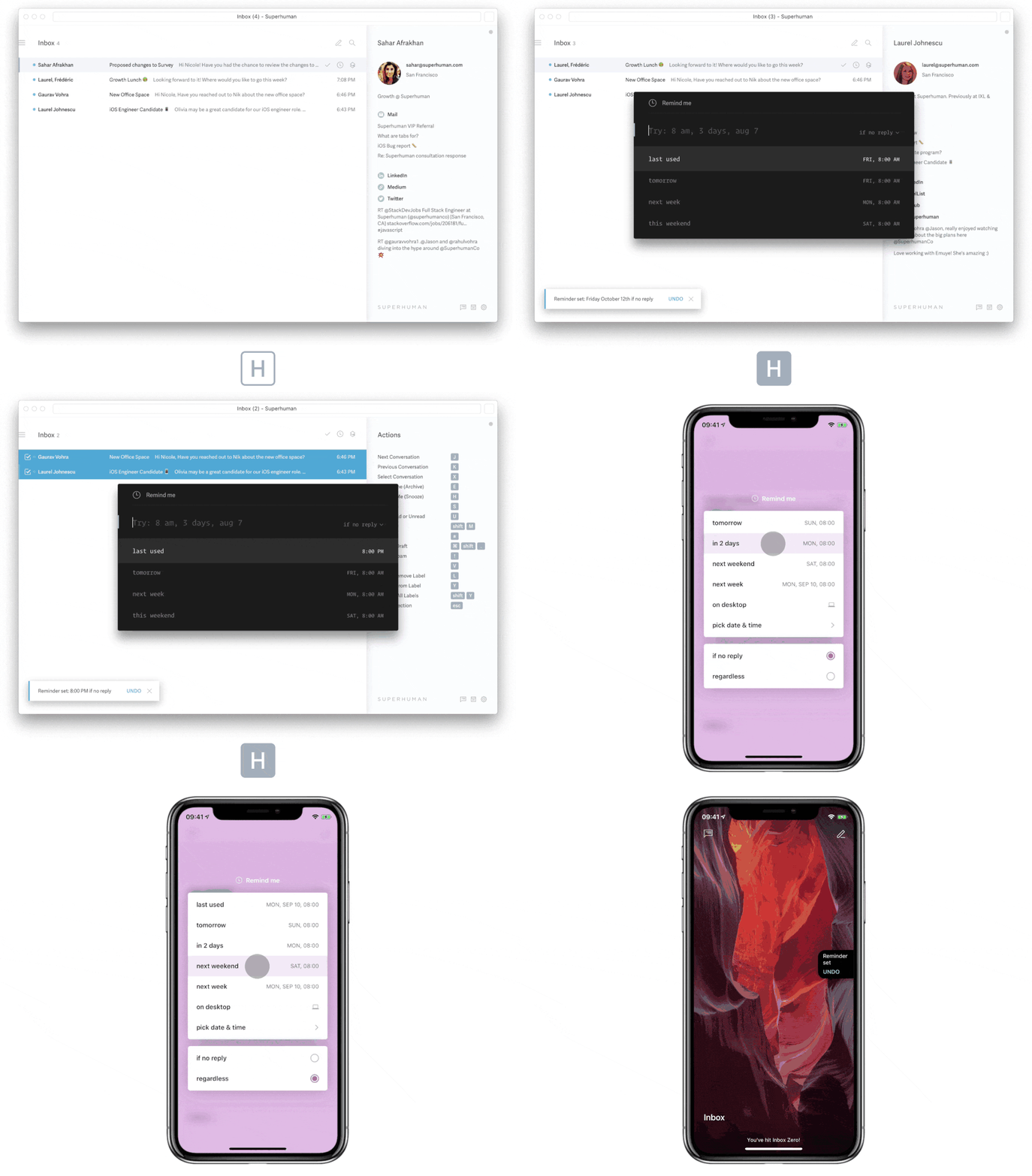
Superhuman is the fastest email client I've ever used, and the new AI features make it worth the premium price (which I initially thought was insane).
The AI auto-triages my inbox into "Important," "Can Wait," and "FYI." It's scary accurate. Over six months, I'd say it's wrong maybe 5% of the time, and usually on edge cases where I disagree with my past self about what's important.
"Write with AI" drafts context-aware responses. Unlike ChatGPT where you paste the email and ask for a response, Superhuman knows my writing style from months of sent emails. The drafts actually sound like me, just more efficient. I edit them, but it's usually just tweaking, not rewriting.
The catch: $30/month is a lot for email. I justify it because email is literally 40% of my job. If you get fewer than 50 emails per day, stick with Gmail. If you're drowning in email and it's costing you hours daily? The math works out.
Fun fact: They have a 35% conversion rate from free trial to paid, which is insane for a $30/month product. That tells you something about whether it actually delivers value.
Mem - The "Second Brain" That Actually Remembers
Price: $14.99/month
Status: Recently acquired by Notion, future uncertain
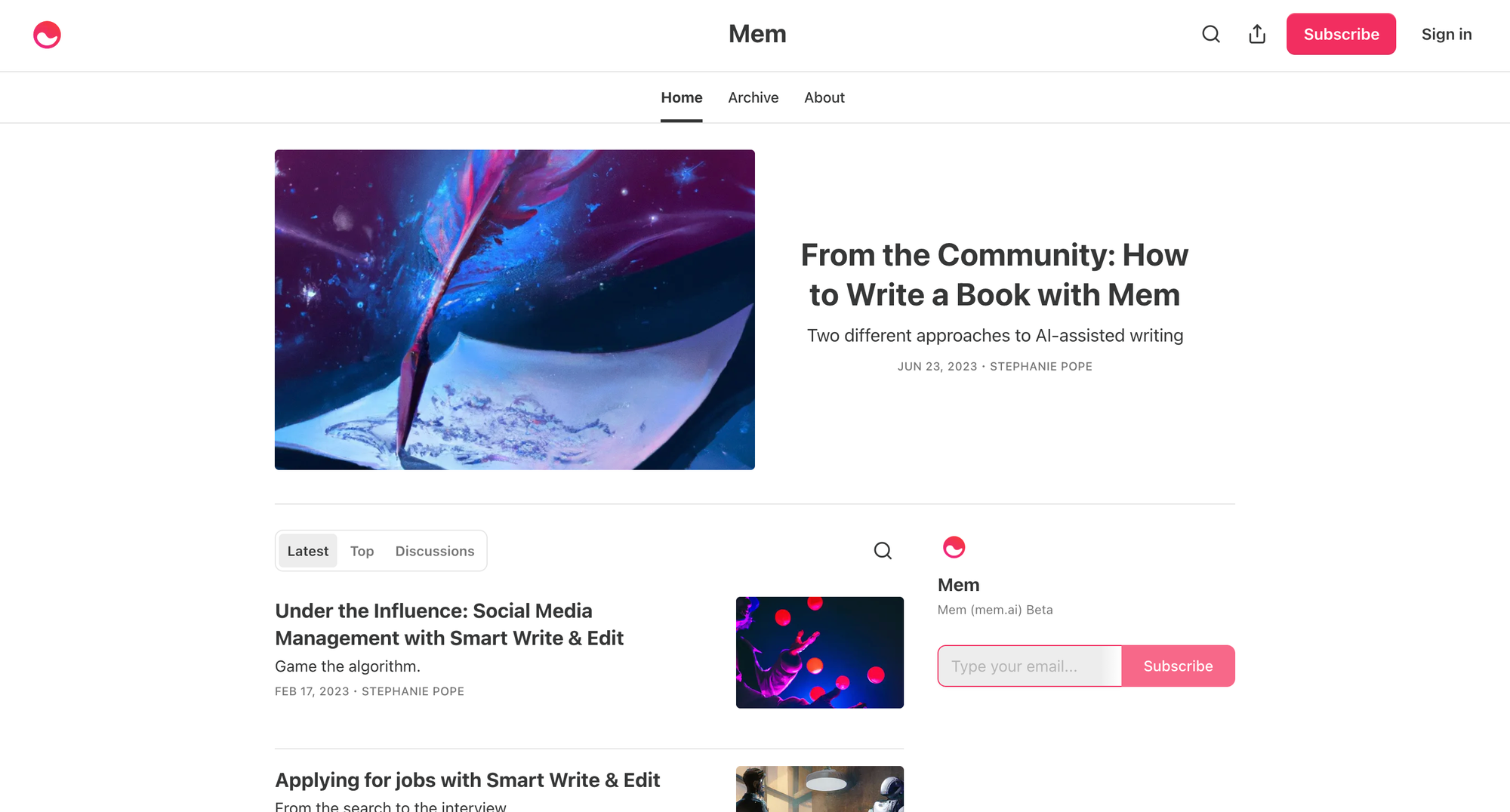
Mem is a note-taking app that automatically organizes everything using AI. No folders, no tags, no filing system. You just dump thoughts in and it figures out how they connect.
I used it for six months as my primary knowledge management system. The search is phenomenal – I can describe what I'm looking for conceptually and it finds it. "That conversation about pricing strategy with the SaaS client" pulls up the exact note, even though I never tagged it or titled it that way.
The uncertainty: Notion acquired them in September 2025. The product still works but there's been no roadmap communication. I'm gradually migrating back to Notion because I don't trust the integration will preserve what makes Mem special.
Worth watching: If they integrate Mem's AI-native approach into Notion properly, it could be the knowledge management tool everyone's been waiting for.
Lex - Writing Tool Built by Actual Writers
Price: $12/month
Verdict: Best AI writing assistant for people who actually enjoy writing
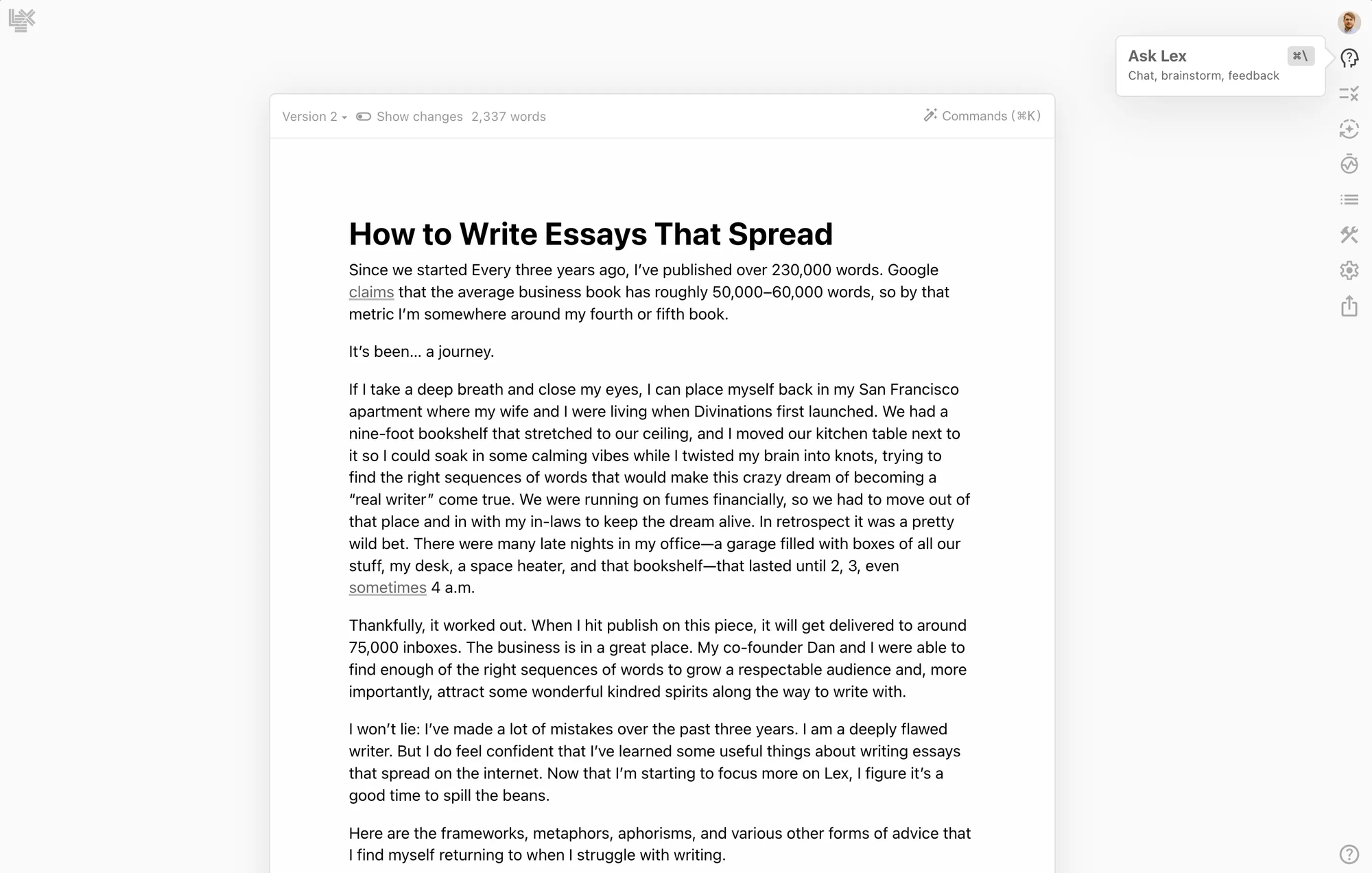
Most AI writing tools want to write for you. Lex helps you write better. Big difference.
The autocomplete feature is context-aware in a way that feels genuinely helpful rather than intrusive. It suggests next sentences based on your argument flow, not just word prediction. I'd say I accept maybe 30% of suggestions, but even the rejected ones help me think through what I actually want to say.
"Ask Lex" lets you highlight a section and ask questions. "Is this clear?" "How can I strengthen this argument?" "What am I missing?" The responses are thoughtful and specific to your actual text, not generic writing advice.
Why I don't use it more: I'm already in Claude for most writing. Lex is better for long-form focused writing, but Claude's flexibility wins for my workflow. If I were writing a book, I'd use Lex exclusively.
Community note: Built by Every.io, the team behind popular tech newsletters. They hit $1M ARR in 8 months, mostly through word-of-mouth from writers.
Elicit - Research Assistant for Academic Work
Price: Free tier, $12/month (Plus), $42/month (Pro)
Verdict: Essential for anyone doing literature reviews
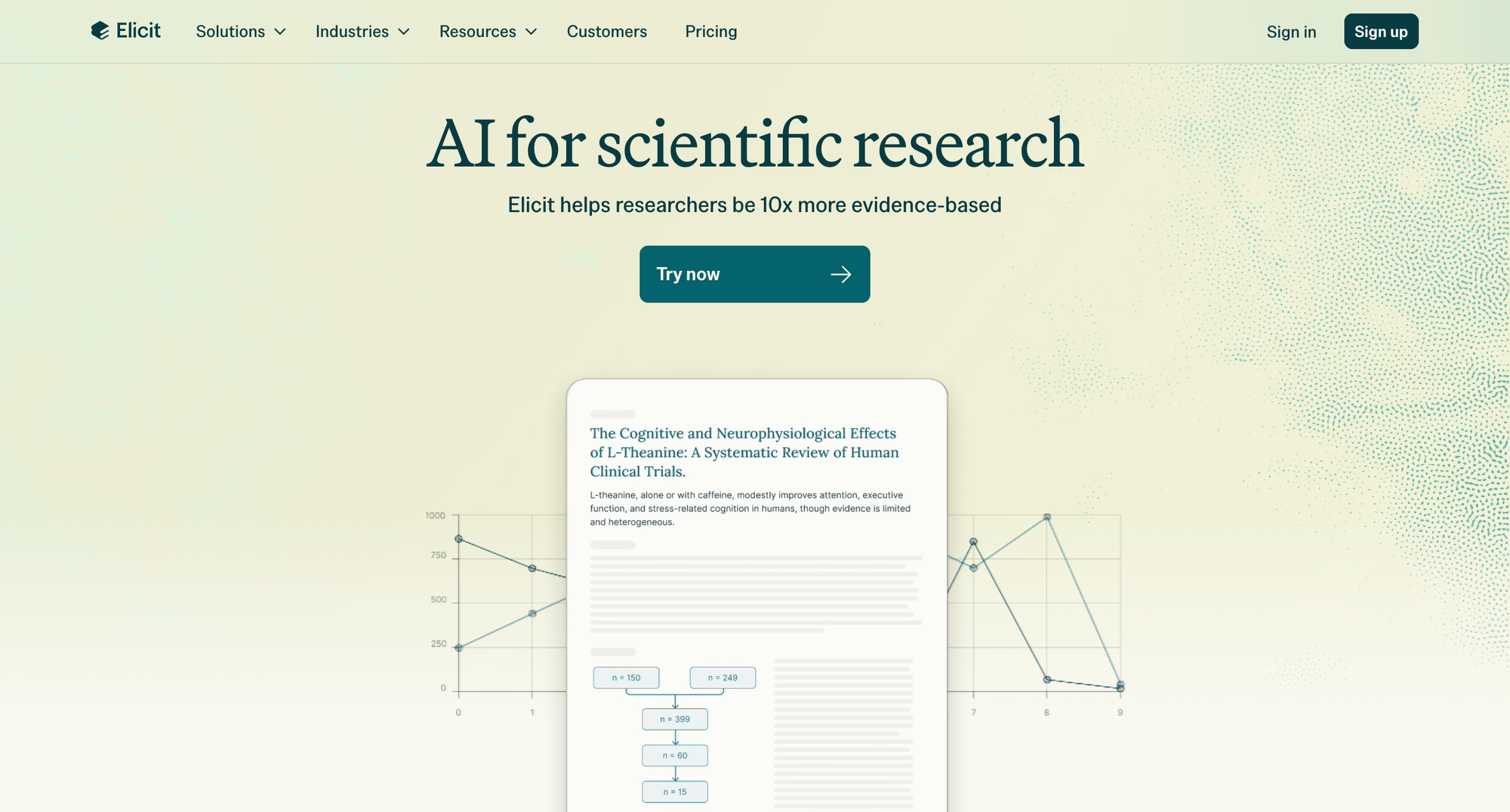
Elicit searches academic papers and extracts specific information across studies. You can ask questions like "What sample sizes did studies on AI bias use?" and it'll create a table with data from 20+ papers.
I used this for a market research project about AI adoption. Instead of manually reading 40 academic papers, I asked Elicit specific questions and it extracted relevant findings with citations. What would've been a week of work took 6 hours.
Limitations: Only works well for published research. If you need general knowledge or recent information, it's not the right tool. But for academic literature review? Nothing else comes close.
Worth noting: They raised $9M from OpenAI's startup fund and just hit 500K users, mostly academics and researchers.
Synthesia - AI Video That Doesn't Look Completely Fake (Mostly)
Price: $29/month (Creator), custom enterprise pricing
Verdict: Useful for training videos, skip for marketing
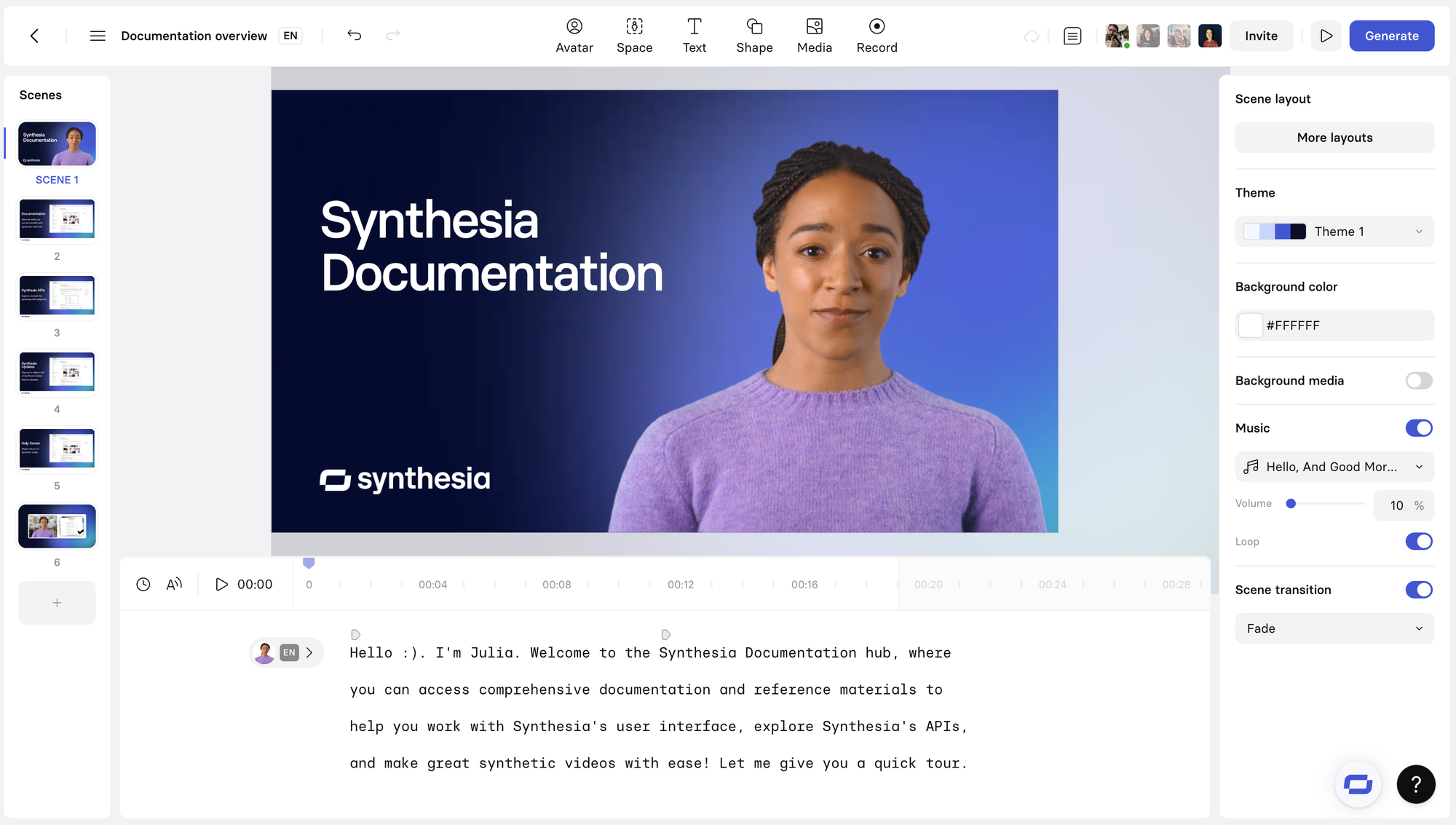
Create videos with AI avatars that speak your script. Sounds dystopian, is actually useful for specific use cases.
I made training videos for a client's internal team. Instead of filming someone or hiring voiceover talent, I typed the script and an AI avatar delivered it. For internal training where production value isn't critical? Totally works and saved thousands.
Major limitations: The avatars still fall into uncanny valley. They work for educational content where viewers expect something slightly artificial, but for customer-facing marketing? No. The lip sync occasionally drifts, gestures are repetitive, and there's something off about the eyes.
The customization is limited. You can't make the avatar do specific gestures or expressions beyond their presets. For scripted, straightforward content, fine. For anything requiring emotional range or personality? Nope.
Cost warning: The entry tier seems cheap but limits video minutes. If you're producing regular content, you'll hit limits fast. Enterprise pricing starts at $1000/month, which is wild.
Controversy note: They caught flak for deepfake concerns and had to implement strict verification. Can't create avatars of people without consent.
Runway ML - The Video Editing Tool From the Future
Price: $12/month (Standard), $28/month (Pro), $76/month (Unlimited)
Verdict: Incredible for specific effects, not a general video editor yet
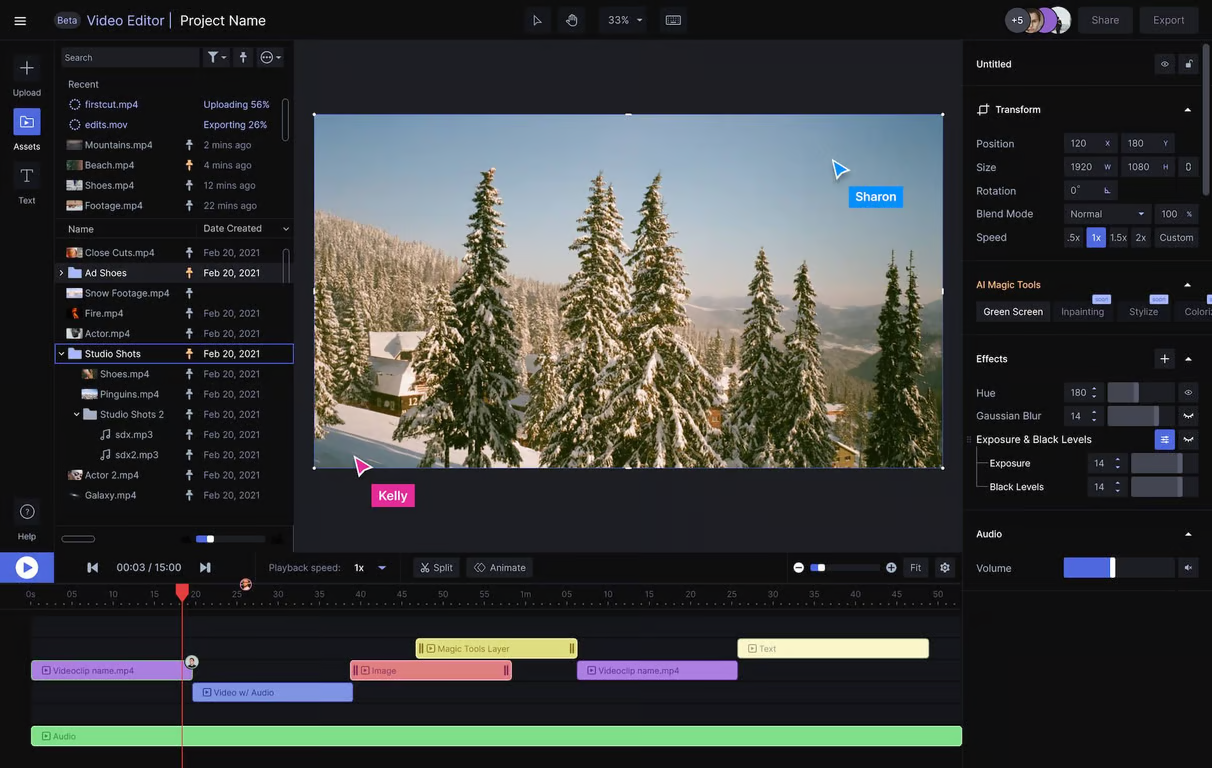
Runway's Gen-2 model creates video from text prompts. More practically, it does specific video editing tasks that would be impossible or take hours:
- Remove objects from video (I removed a distracting sign from footage in 10 minutes)
- Extend video edges to change aspect ratio (saved a vertical video for horizontal use)
- Generate B-roll from text descriptions (hit or miss, but occasionally brilliant)
The motion tracking and masking tools are AI-powered and shockingly good. I rotoscoped a person out of a background in the time it'd usually take me to eat lunch.
Reality check: The text-to-video generation is impressive as a tech demo but rarely produces usable footage. It's dreamlike, surreal, and inconsistent. Good for experimental art projects, not client work.
The real value is in the editing tools. If you're a video editor, the AI-powered cleanup and effects tools will save you hours. If you're trying to replace a video editor with AI? Not there yet.
Stats: Used by over 10M people, recently released Gen-3 model (better but not revolutionary), raised $141M. They're playing the long game on video AI.
Copy.ai - Content Generation That Actually Understands Brand Voice
Price: $49/month (Pro), custom enterprise pricing
Verdict: Worth it for marketing teams, overkill for solo creators
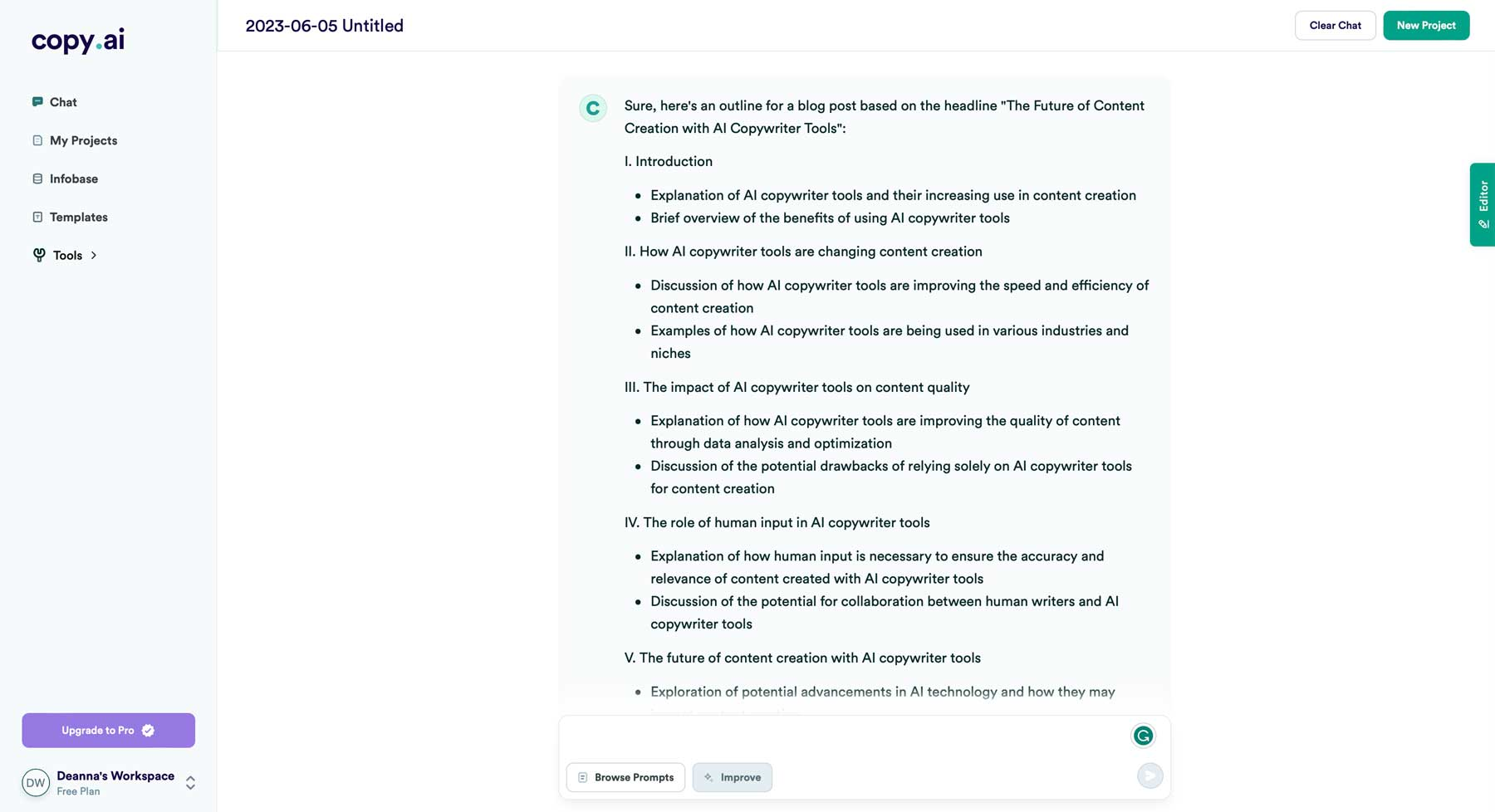
Copy.ai is a content generation tool that focuses on maintaining brand voice consistency. You train it on your existing content and it learns to write like your brand.
For our agency, this has been useful for generating first drafts of social posts, email campaigns, and ad copy. It's not publish-ready, but it's a solid starting point that sounds like us, not generic AI marketing speak.
The training process: You feed it 20-30 examples of your best content. It analyzes tone, vocabulary, sentence structure, and preferred messaging angles. Then it generates new content in that style. In our testing, about 60% of the output was usable with minor edits.
What frustrates me: The template library is overwhelming. There are literally hundreds of templates and most are redundant. "Social media post," "engaging social post," "viral social content" – these all do basically the same thing.
The pricing jump is steep. Free trial is generous, but then it's immediately $49/month with no middle tier. For freelancers or small businesses, that's hard to justify.
Better alternative: Honestly, Claude with a good custom prompt about your brand voice does almost the same thing for less money. Copy.ai wins on workflow optimization and team collaboration features, but solo operators can probably skip it.
Mem2 (Obsidian with AI plugins) - The True Knowledge Management System
Price: Obsidian is free, AI plugins vary ($8-20/month total)
Verdict: Best setup for knowledge workers willing to invest setup time
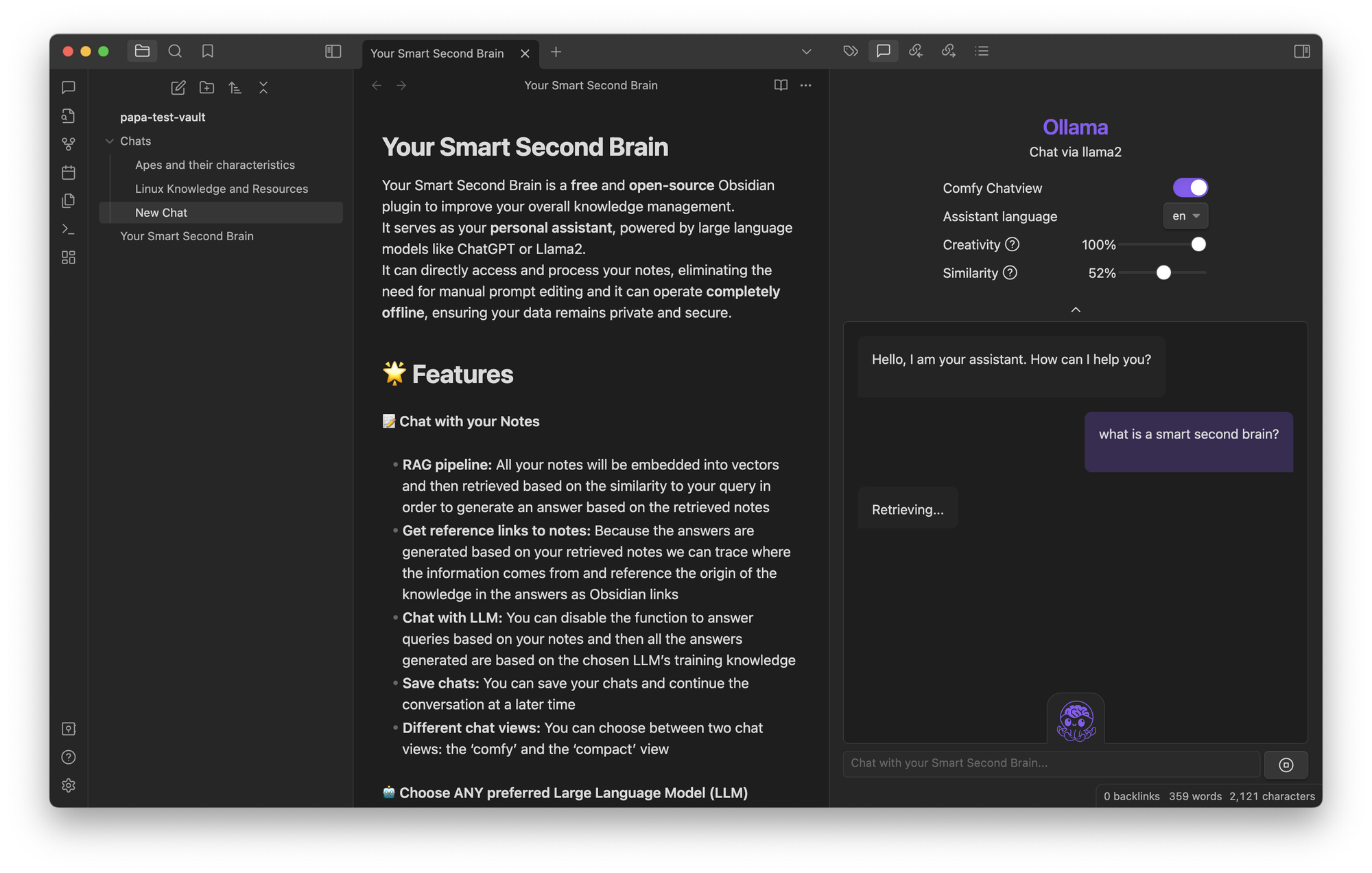
This isn't a single product but a combination: Obsidian as the base + Smart Connections plugin + Copilot plugin. Together they create an AI-powered knowledge management system that's local-first and incredibly powerful.
Your notes stay on your computer (privacy win), but AI features analyze connections, suggest related notes, and can answer questions about your entire knowledge base.
I have three years of notes in here. When I type "what did I learn about pricing strategy?" it searches semantically and pulls up relevant notes from different projects, even if I never used those exact words.
The downsides: Setup is technical and time-consuming. You need to configure plugins, understand markdown, and probably spend a few hours optimizing your workflow. Not for everyone.
The AI features require API keys (you pay directly to OpenAI or Anthropic), which adds complexity but also means you're not locked into one vendor's pricing.
Who this is for: Knowledge workers who want full control over their data, aren't afraid of a learning curve, and value flexibility over convenience. If you're still using Evernote, this will blow your mind. If you barely take notes, it's overkill.
Krisp - AI Noise Cancellation That Actually Works
Price: $12/month
Verdict: Essential for remote workers in noisy environments
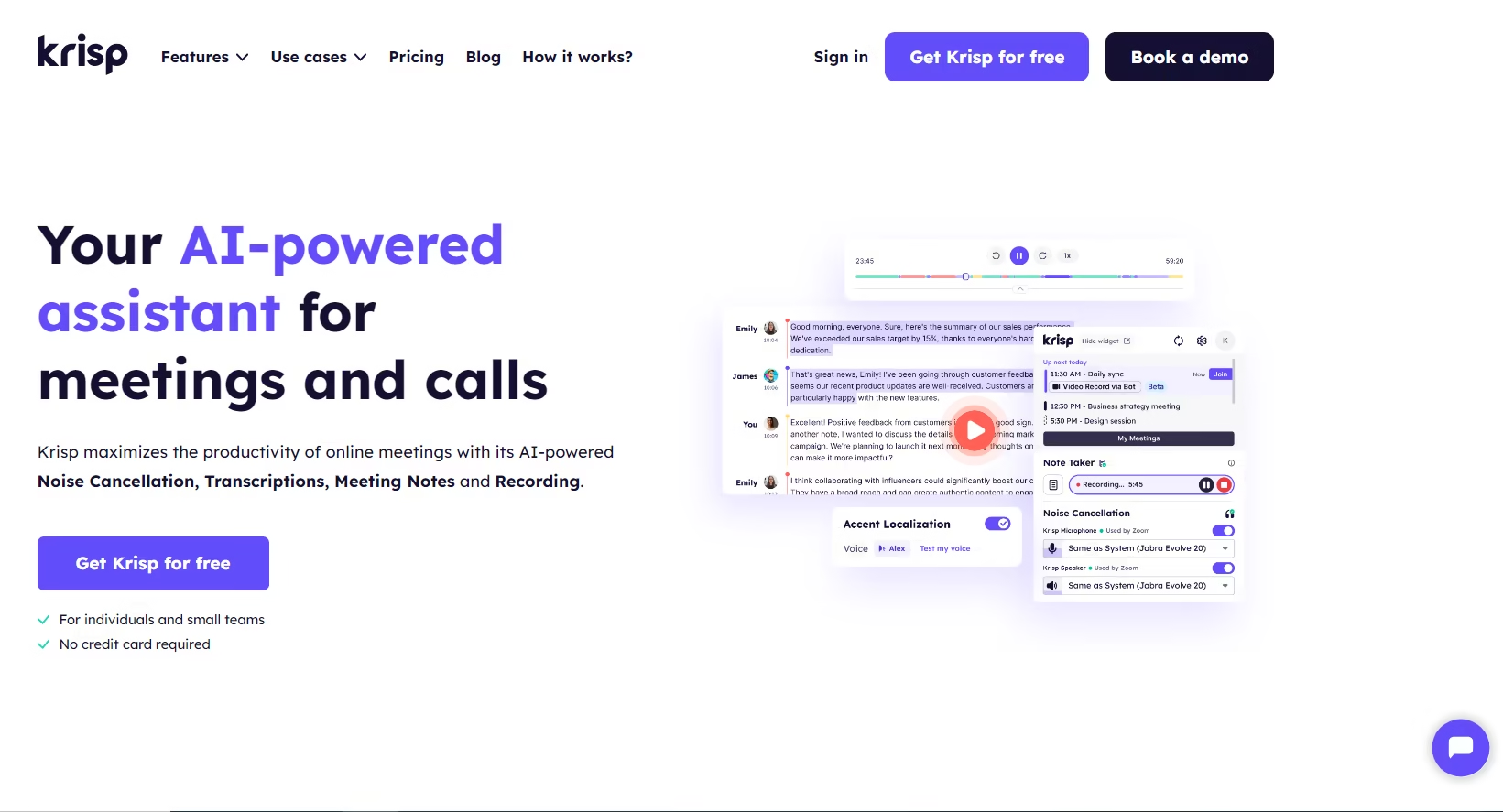
Krisp sits between your microphone and video calls, using AI to remove background noise in real-time. I mean actually remove it – construction noise, barking dogs, crying babies, all gone.
I've taken client calls with jackhammer construction outside my window. The client heard nothing. I've done podcast recordings at a coffee shop. Perfect audio. It's borderline magical.
The AI can also remove filler words from recordings ("um," "uh," "like") and generate meeting notes, but honestly, those features are fine. The noise cancellation is the killer app.
Limitation: Only works on your audio, not the other person's. If they have background noise, you're still hearing it. And very occasionally it'll cut out a word if it mistakes it for noise, but this is rare.
Comparison: Better than the built-in noise suppression in Zoom or Krisp's predecessor tools like RTX Voice. The AI model is more sophisticated and makes fewer mistakes.
Worth noting: Used by teams at Apple, Google, and Salesforce. Not just a consumer tool.
Opus Clip - AI That Finds Viral Moments (Sometimes)
Price: $9.50/month (Starter), $29.50/month (Pro)
Verdict: Useful for content repurposing, overrated for "viral" predictions
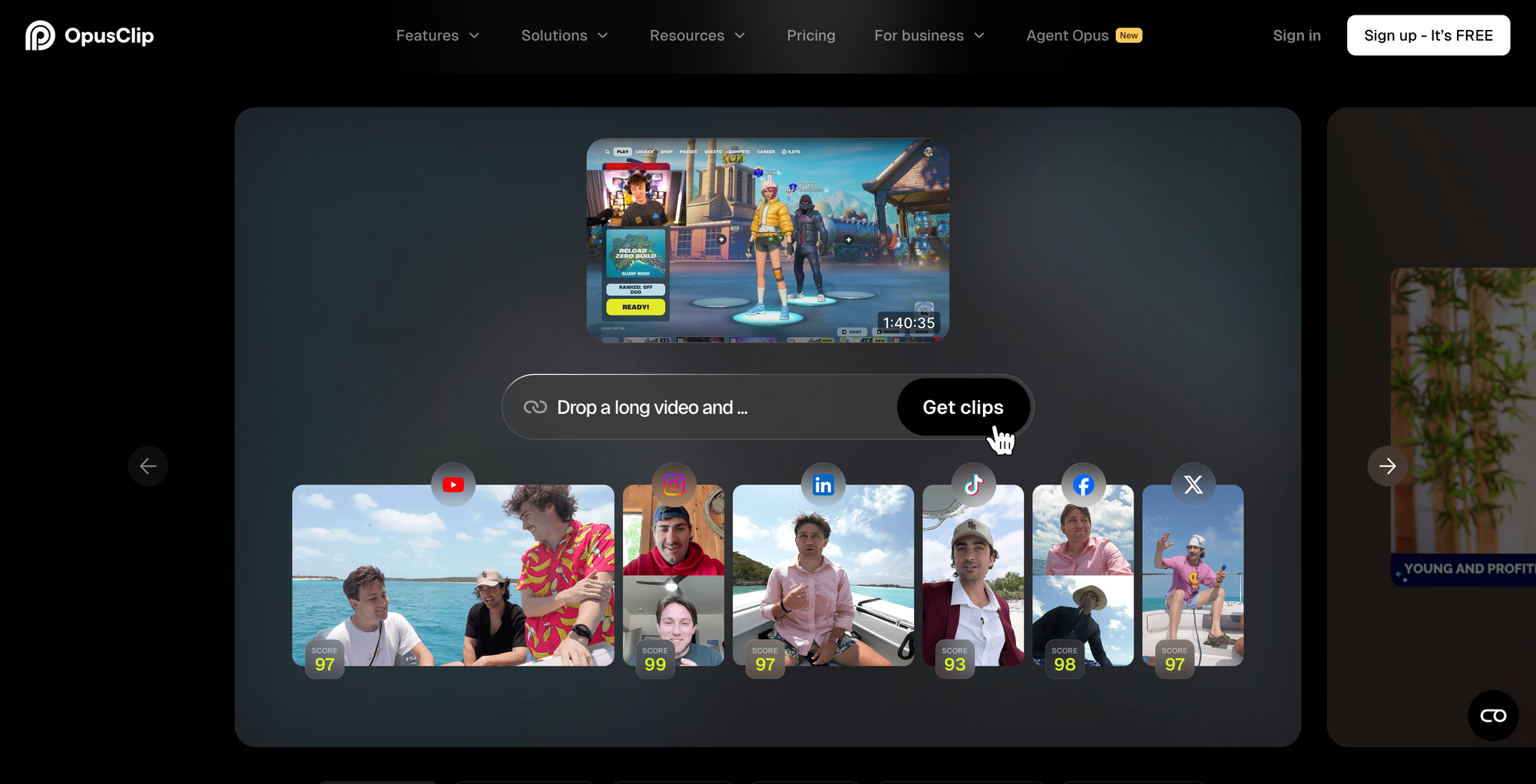
Takes long-form video content and automatically cuts it into short clips for social media. Adds captions, crops to vertical format, and even rates each clip's "virality potential."
I use it weekly to repurpose our podcast episodes into YouTube Shorts and Instagram Reels. What used to take me 3 hours of editing is now 30 minutes of reviewing AI-generated clips.
The viral score is BS: It rates clips 1-100 on virality potential. I've posted dozens of "90+ viral score" clips that got 200 views and "40 score" clips that got 50K views. The algorithm doesn't understand context, timing, or actual audience preferences. Ignore the scores.
What does work: The caption generation, auto-cropping to keep faces centered, and clip selection (identifying coherent segments). These features alone justify the price for content creators.
Alternative: Descript now does similar features. If you're already using Descript, you probably don't need Opus Clip.
Reclaim AI - Calendar Automation I Actually Trust
Price: Free tier available, $8/month (Pro), $12/month (Business)
Verdict: Worth it for anyone juggling multiple priorities
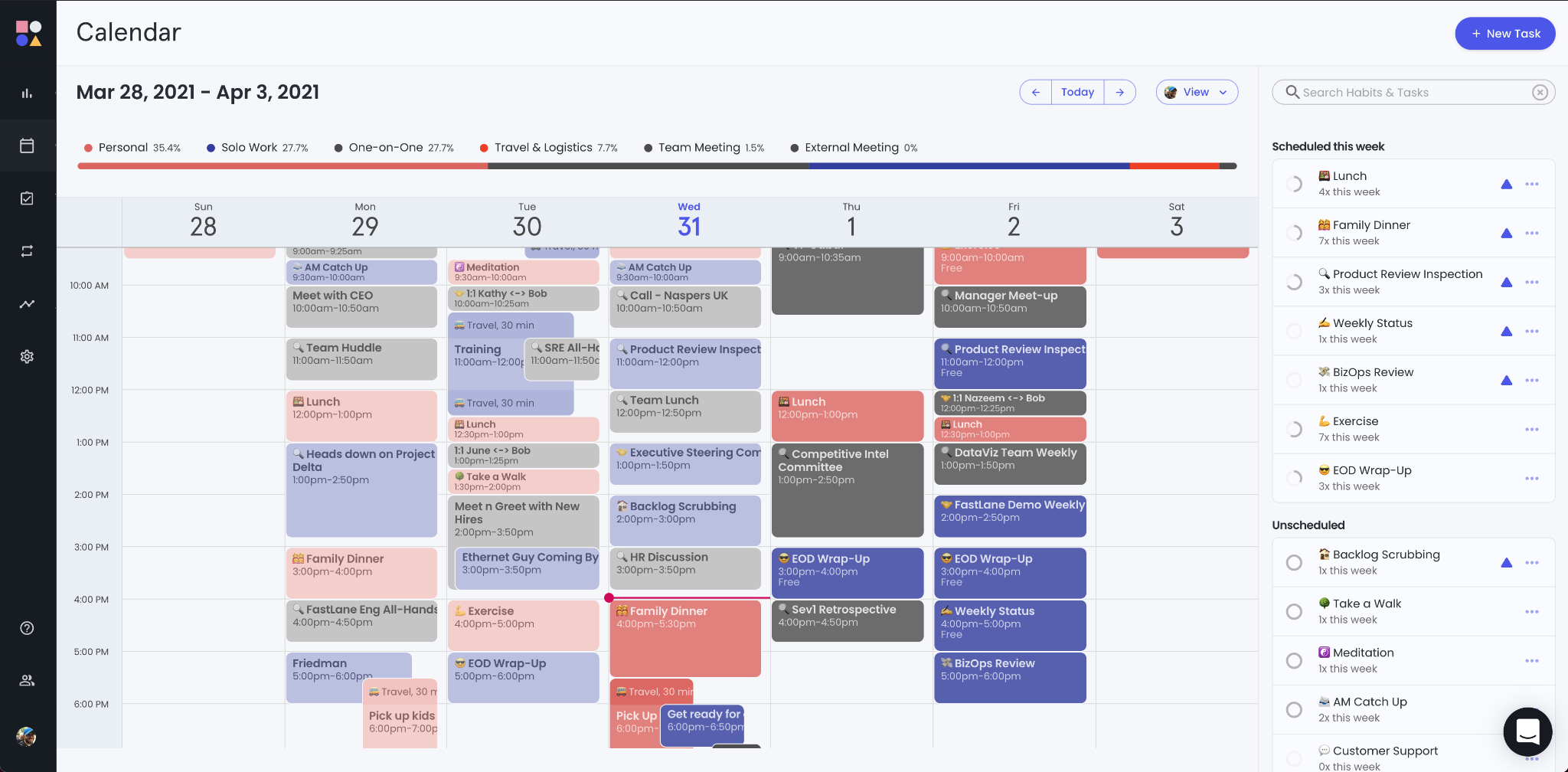
Reclaim connects to your calendar and automatically schedules tasks, habits, and meetings based on your priorities and availability. It sounds simple but the execution is sophisticated.
I told it I need 2 hours daily for deep work, 30 minutes for email, and 1 hour for client work. It automatically blocks time for these, moves them around when meetings pop up, and protects focus time from being scheduled over.
What makes it different: It's not just blocking time. It's constantly rescheduling based on changing priorities. Meeting gets canceled? It instantly reallocates that time to your next priority. New urgent task? It finds time by moving less urgent blocks.
The learning curve: First week is rough. You need to teach it what's flexible, what's protected, and how you actually work. But after that initial setup, it's mostly hands-off.
Limitations: Works best if your team uses it too. If you're the only one protecting focus time, people will still try to schedule over it. And it requires Google Calendar – Outlook integration is limited.
Stats: Free tier is generous (great sign), over 250K users, recently raised $7.5M. The product is mature and reliable.
Wordtune - AI Writing Assistant That Knows How to Rewrite
Price: $9.99/month (Plus), $14.99/month (Unlimited)
Verdict: Better than Grammarly for actual rewriting
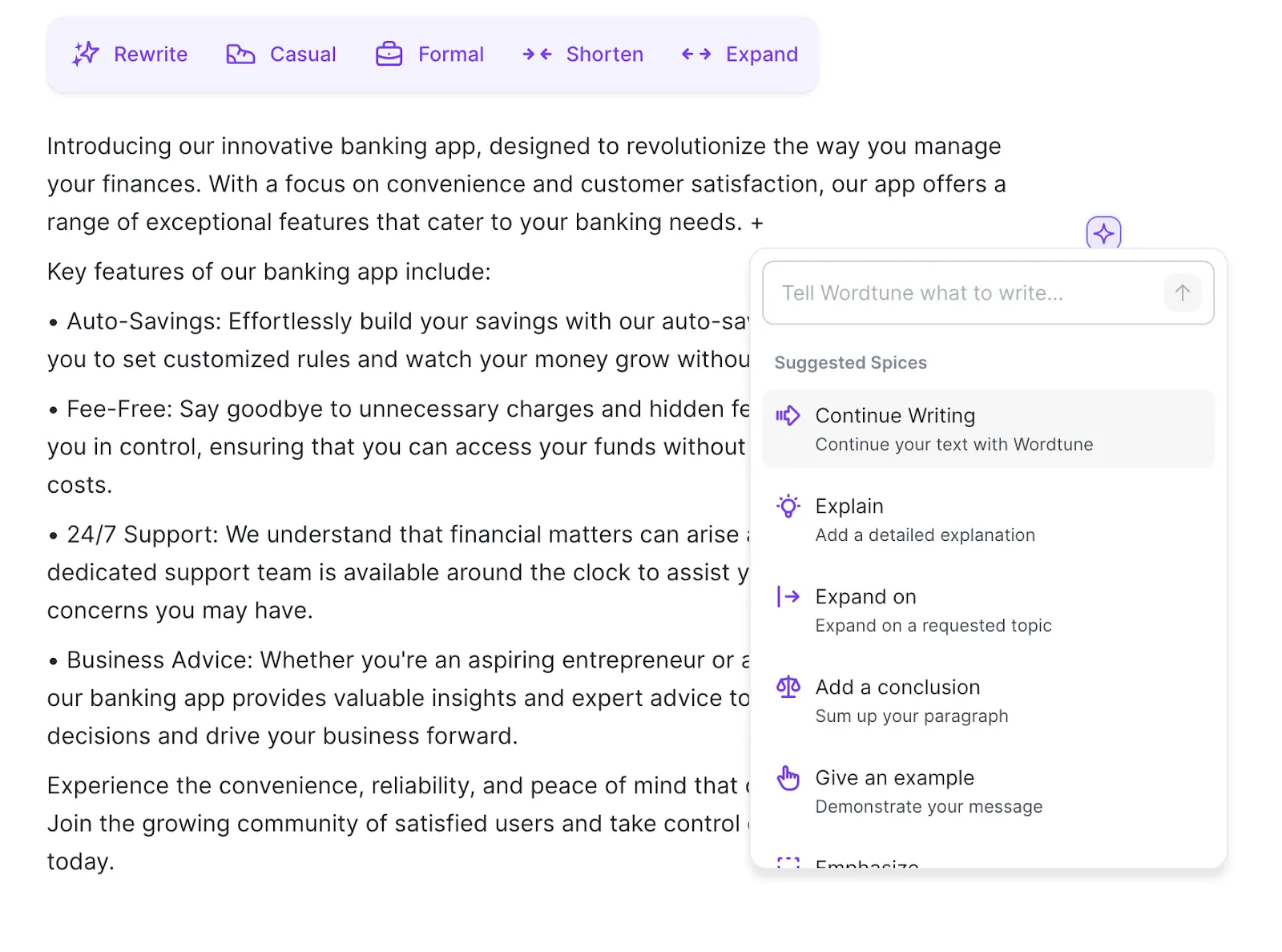
Grammarly finds errors. Wordtune shows you different ways to say the same thing. Big difference.
Highlight a sentence and it offers 3-5 alternative versions: more casual, more formal, longer, shorter, different emphasis. For email writing and messaging, this is incredibly useful. I use it when I've written something that's technically correct but feels off tonally.
The "Spices" feature adds specific elements: counterarguments, examples, analogies, or statistical claims. It's like having writing techniques on-demand.
Where it falls short: The suggestions can be uneven. Sometimes brilliant, sometimes they miss the mark entirely. You need judgment to know which rewrites improve things.
The AI facts feature (adding statistics or claims) regularly hallucinates. I've caught it suggesting "facts" that are completely fabricated. Never use these without verification.
Who needs this: People who write a lot but aren't confident writers. If you know exactly how you want to phrase things, you don't need it. If you often think "there's a better way to say this but I can't figure out how," Wordtune helps.
Bearly AI - Swiss Army Knife of AI Tools
Price: Free tier, $20/month (Pro)
Verdict: Good all-in-one option, doesn't excel at anything specific
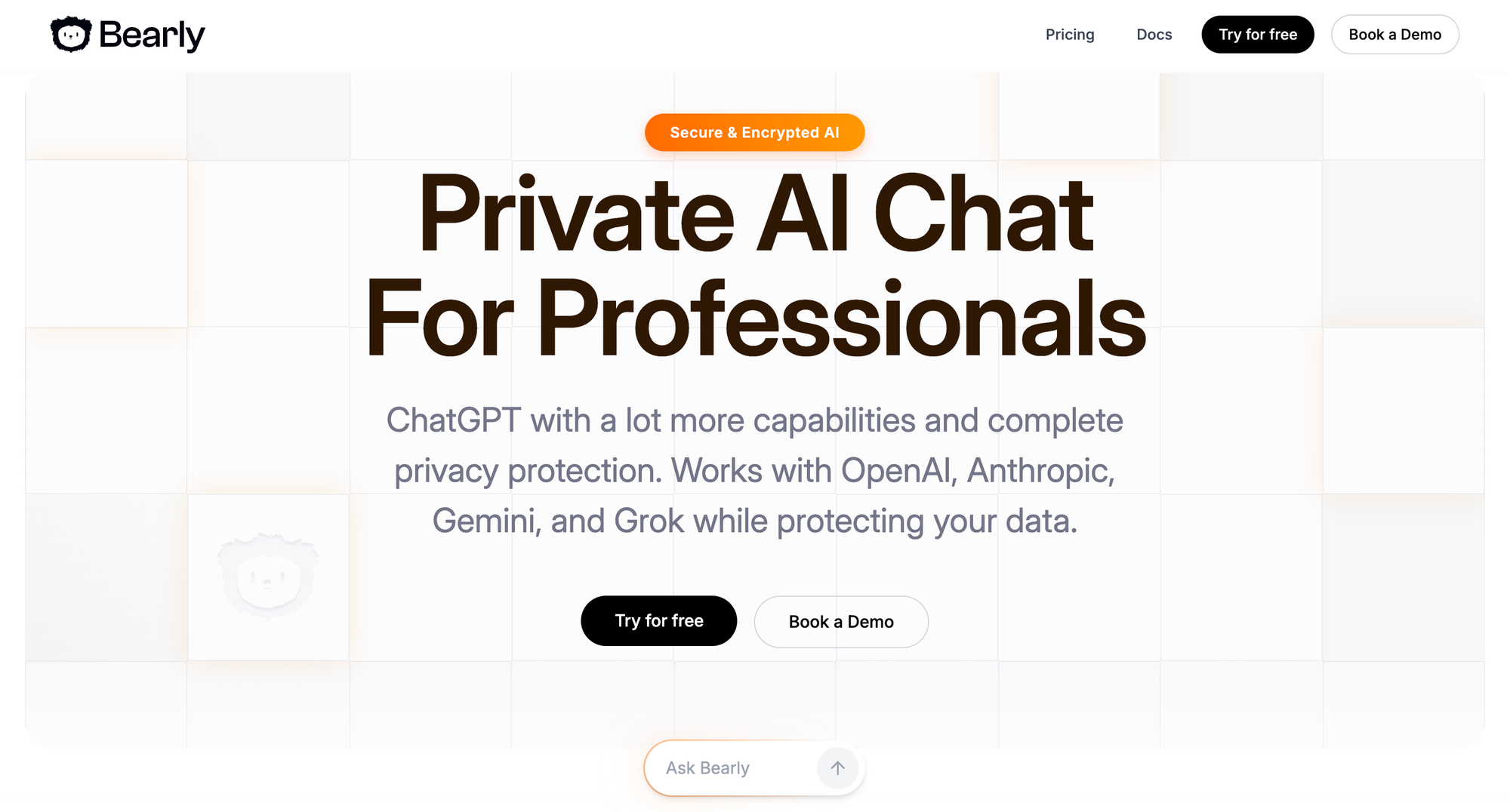
Bearly is a single app that gives you access to multiple AI models (GPT-4, Claude, Gemini) plus tools for summarizing, transcribing, and analyzing documents.
The pitch: instead of subscribing to five different AI tools, subscribe to one that accesses them all. In practice, it's useful for trying different models or for people who only occasionally need AI features.
What works: Quick access to AI from anywhere (keyboard shortcut), document analysis is solid, the reading mode for articles removes clutter and summarizes content.
What doesn't work well: It's a jack of all trades, master of none. If you use AI heavily for any specific task, dedicated tools are better. But for casual users who want occasional AI help, the all-in-one approach makes sense.
The free tier is surprisingly usable, which suggests they're optimizing for wide adoption over immediate revenue.
Jasper - The AI Writing Tool That's Lost Its Edge
Price: $49/month (Creator), $125/month (Teams)
Verdict: Skip it, better alternatives exist
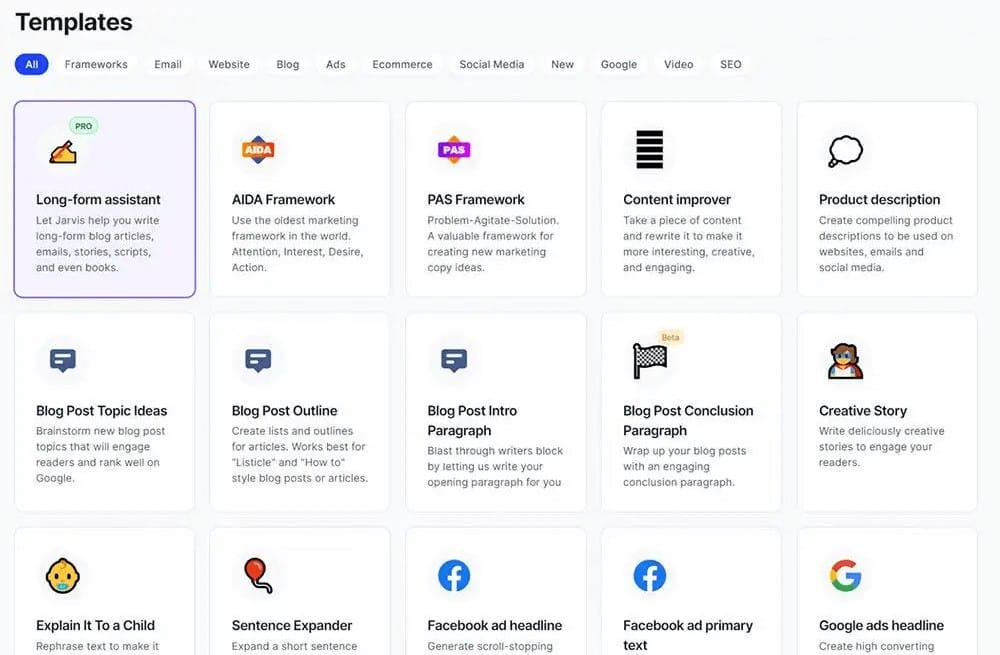
Jasper was the first AI writing tool to hit mainstream adoption. They raised $125M at a $1.5B valuation. They were the AI content tool for a hot minute in 2022-2023.
But here's the hard truth: they've been lapped by cheaper, better alternatives. ChatGPT, Claude, and even specialized tools like Copy.ai now do what Jasper does, often better, for less money.
What made Jasper special: They had templates, brand voice, and a good UI before anyone else. They made AI writing accessible to non-technical marketers.
Why it's no longer worth it: At $49/month for basic features, you're paying mostly for their first-mover advantage, not current capabilities. The output quality is comparable to ChatGPT Plus ($20/month). The templates are useful but not $29/month of additional value useful.
Exception: Large marketing teams already embedded in their workflow with custom templates and team collaboration might stick with it. But new users? Look elsewhere.
The lesson here: AI tools can become obsolete incredibly fast. Being first doesn't mean staying relevant when the technology democratizes rapidly.
What Successful AI Tools Actually Have in Common
After spending eight months with these tools, I've noticed clear patterns separating the ones I actually use from the ones gathering digital dust.
The Success Patterns
1. They solve a specific, frequent pain point
The tools I use daily (Claude, Fireflies, Notion AI) each address something I do constantly. Claude helps me think through complex problems. Fireflies solves my "what did we decide?" problem. Notion AI fills in tedious database fields.
The tools I abandoned tried to be everything. Zapier AI promises to "automate anything" but fails at specific things. Gamma creates "any presentation" but doesn't excel at any particular type.
Lesson: Beware AI tools with vague value propositions. "Make you more productive" isn't specific enough. "Transcribe meetings and extract action items" is.
2. They augment skills, not replace them
Every tool I still use makes me better at something I already do. Claude makes me a better researcher and writer. Descript makes me a better video editor. Superhuman makes me better at email management.
The tools that disappointed promised to replace skills. "AI will write your content!" "AI will handle your sales outreach!" These don't work because they try to eliminate your judgment entirely, which is where the actual value lives.
Lesson: If a tool claims to replace you, it's probably overpromising. If it claims to make you 10x better at what you already do, that's achievable.
3. They get better with use, not worse
Notion AI improves as my database grows. Claude's responses get more relevant as our conversation develops context. Reclaim AI's scheduling gets smarter as it learns my patterns.
Failed tools often degrade with use. Zapier AI's automations break over time. Mem's organization system becomes cluttered. Gamma's templates feel repetitive after the fifth presentation.
Lesson: Good AI tools have a feedback loop that improves their usefulness. Bad ones have a novelty factor that wears off.
4. They have transparent, reasonable pricing
The tools I pay for happily have clear pricing that aligns with value delivered. $20/month for Claude is reasonable when it saves me 15+ hours weekly. $10/month for Fireflies is obvious value when I do 20 meetings per month.
Tools with problematic pricing: vague usage limits, sudden overages, required upgrades for basic features, or massive jumps between tiers. Zapier's task consumption was unpredictable. Jasper's pricing feels detached from competitive alternatives.
Lesson: If you can't easily calculate the ROI of a tool's pricing, that's a red flag.
5. They respect your existing workflow
The best tools fit into what I'm already doing. Notion AI works inside Notion (where I already live). Superhuman enhances email (which I'm doing anyway). Fireflies joins meetings I'm already having.
Failed tools required me to build new workflows around them. Mem wanted me to change how I think about notes. Gamma wanted me to rethink presentation creation. Maybe they're right, but adoption friction killed them for me.
Lesson: Revolutionary workflow changes require revolutionary value. Incremental improvements can use incremental integration.
The Failure Patterns
1. Overpromising on automation
Tools that promise "just set it and forget it" almost never work that way. Automation requires maintenance, edge case handling, and oversight. Every heavily automated tool I've tried became a project itself.
2. Solving problems nobody actually has
Some tools are solutions looking for problems. "AI-generated art for your presentations" sounds cool, but how often do you actually need custom presentation art? "AI voice for reading your notes back to you" – when would I use this?
3. Ignoring the uncanny valley
AI avatars, AI-generated faces, AI voices – they're almost good enough, which makes them worse than obviously artificial alternatives. The almost-right-but-something's-off quality is more distracting than useful.
4. Making everything a subscription
Not every feature needs a monthly fee. Some tools are useful quarterly or occasionally but charge monthly. This creates subscription fatigue and forces users to evaluate "am I getting $X of value every single month?"
5. Ignoring privacy and data concerns
Tools that want access to everything (email, calendar, documents, messages) without clear data policies create anxiety. I've avoided several tools simply because their data handling felt sketchy, even if the features were good.
How to Actually Decide What to Buy Right Now
Here's my framework after wasting money so you don't have to:
Immediate Buys (Available Now, High Confidence)
If you do research or analysis work:
- Claude Pro ($20/month) - No brainer if you work with complex information
- Perplexity Pro ($20/month) - Only if you do deep research daily
- Budget option: Use Claude free tier + regular Google search
If you do frequent video calls:
- Fireflies ($10/month) - Essential if you do 3+ calls per week
- Krisp ($12/month) - If you have background noise issues
- Budget option: Use built-in recording + manual notes
If you're drowning in email:
- Superhuman ($30/month) - Only if email is 30%+ of your job
- Budget option: Gmail with better filters and labels (free)
If you create video content:
- Descript ($24/month) - Worth it if you edit videos weekly
- Budget option: DaVinci Resolve (free, steeper learning curve)
If you're a heavy Notion user:
- Notion AI ($10/month) - Useful for database management
- Budget option: Manual entry (time-consuming but free)
Wait for Version 2.0
Gamma - Beautiful presentations but limited customization. Wait for better export options and more template flexibility.
Mem/Note-taking AI - In transition after Notion acquisition. See how integration plays out before committing.
Zapier AI - Automation is promising but reliability isn't there. Traditional Zaps still work better.
Synthesia - Video avatars are close but not quite there. Wait for next-gen models that clear uncanny valley.
Text-to-video generation - Runway, Pika, and others are impressive tech demos but not production-ready. Give it another year.
Skip Entirely (For Now)
Jasper - Overpriced for what you get. ChatGPT Plus or Claude does the same for less.
Most AI art generators for business use - Great for personal projects, rarely appropriate for professional work. Exception: concept visualization for internal use.
AI social media schedulers - The automation isn't sophisticated enough to maintain brand voice. Human oversight required anyway.
AI email writers that fully automate - They can draft, but you'll rewrite so much that you might as well write from scratch.
All-in-one AI platforms - They're mediocre at everything instead of great at something specific.
FAQ
Which AI tools are actually worth paying for in 2025?
Tools that consistently prove valuable include Claude Pro, Fireflies, Notion AI, Superhuman, Descript, Perplexity, and Reclaim AI.
These solve real, frequent problems and integrate smoothly into daily workflows.
Is Opus Clip worth using for Reels?
Opus Clip’s viral score is unreliable, but its captioning, auto-cropping, and clip-selection features save a lot of editing time.
If you already use Descript, you may not need Opus Clip.
Is Reclaim AI actually good for calendar automation?
Yes — Reclaim AI automatically schedules tasks and habits based on priority, adapts in real time, and gets smarter with use.
It works best with Google Calendar and when whole teams adopt it.
Is Wordtune better than Grammarly?
Wordtune is better for rewriting, offering multiple variations in tone and length.
Grammarly is stronger for grammar and correctness.
Wordtune may occasionally generate inaccurate suggestions, so verify facts.
Is Jasper still worth the price?
For most users, no. More capable and cheaper tools like ChatGPT, Claude, and Copy.ai outperform Jasper for writing and ideation.
Its pricing no longer reflects modern alternatives.
Which AI tools should I skip for now?
Tools that aren’t worth it today include:
Jasper
AI art generators for business
AI social media schedulers
Fully automated email-writing tools
All-in-one AI platforms lacking specialization
What AI tools should I wait before buying?
Consider waiting on:
Gamma
Mem (post-acquisition by Notion)
Zapier AI
Synthesia
Runway / Pika text-to-video tools
They need more reliability and customization.
How do I choose the right AI tools without overspending?
Use this simple framework:
Identify your biggest time drain.
Test one tool for two weeks on a free tier.
Review subscriptions quarterly.
Avoid hype and vague “all-in-one” tools.
Pick tools that integrate with your existing workflow.
What upcoming AI innovations are worth waiting for?
Key upcoming breakthroughs include:
Reliable multimodal AI
Agentic automation that performs tasks end-to-end
Privacy-first local models
AI that automatically learns your business context
Collaborative AI for teams
These are expected to mature between 2025–2026.
Wrap up
I've spent almost three grand on AI tools in eight months. Was it worth it?
Honestly? Kind of?
The four tools I actively use have probably saved me 15-20 hours per week. At my hourly rate, that's worth way more than what I'm paying. But I also wasted $1,500+ on tools I tried once and never opened again.
The uncomfortable truth about AI productivity tools: They only work if you change your behavior to use them. The tool sitting in your bookmarks bar isn't saving you time. The workflow you redesigned around it is.
I had to learn to trust Claude enough to actually work with it instead of checking its answers obsessively. I had to get comfortable with Fireflies joining my calls. I had to stop manually managing my calendar and let Reclaim do it. Each required a mindset shift, not just clicking "subscribe."
The question to ask yourself:
Not "Which AI tools should I buy?" but "What specific part of my work is so painful that I'm willing to change how I do it?"
If you can't identify that painful part, start with free tiers and experiment. If you can identify it, buy one tool that addresses it specifically, use it for a month, then evaluate.
Here's my actual advice as someone who's made these expensive mistakes:
- Start with one tool that solves your biggest specific problem
- Use free tiers for at least a week of real work before paying
- Audit subscriptions quarterly and cancel what you're not actually using
- Ignore the hype cycles - good tools stick around
- Focus on integration with your existing workflow, not revolutionary new processes
The AI tool revolution is real, but it's not about collecting tools. It's about thoughtfully integrating the right ones into what you already do well.
I'm keeping four subscriptions. Canceling four others. And I'm going to stop impulse-buying the next hyped tool just because everyone's talking about it.
You should probably do the same.
Related Articles
 Dani
Dani
 Mark
Mark
 Dani
Dani