The promise of AI hardware has always outrun the reality. Humane's AI Pin raised $230 million and ended up in e-waste bins. Rabbit R1 shipped to a wave of disappointed early adopters. The pattern in consumer AI gadgets has been: bold vision, underwhelming execution.
The three products reviewed here break that mold to varying degrees. The Oura Ring 4 is a mature, well-tested product that earns its premium price. The Plaud NotePin is a genuinely useful tool for a specific kind of professional. Lenovo Qira is a promising system-level AI layer that is still in its early weeks. All three represent where AI hardware is heading in 2026, which is less about replacement and more about augmentation.
Oura Ring 4: The Sleep Tracker That Actually Changes Behavior
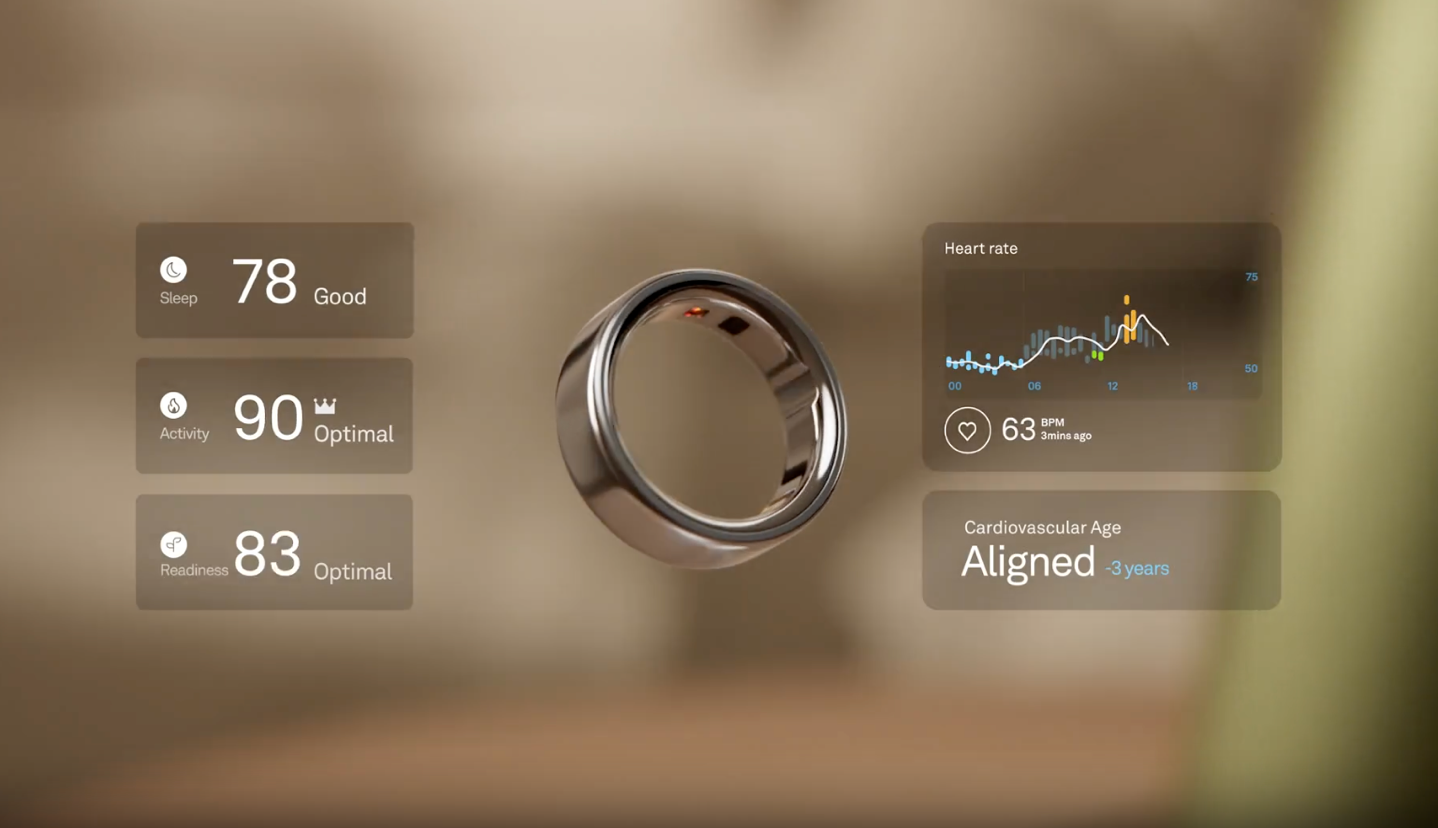
Price: Starting at $349 (Silver, Black) | Up to $499 (Gold, Ceramic) Subscription: $5.99/month or $69.99/year (required for most features) Battery life: Up to 8 days
Best for: Knowledge workers, founders, and anyone who wants passive biometric data without wearing a smartwatch
What It Does
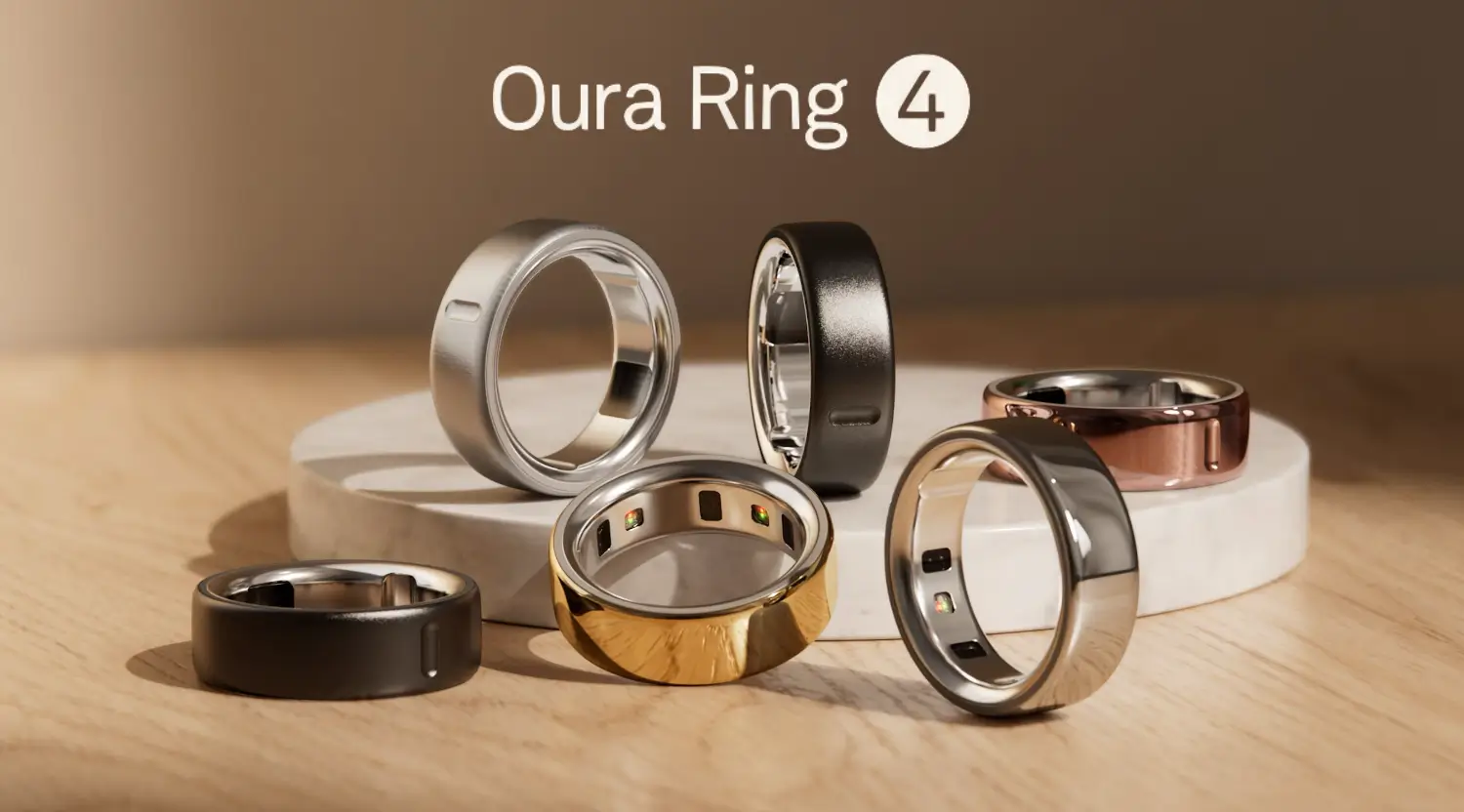
The Oura Ring 4 is a titanium ring with 18 infrared LEDs and a suite of sensors inside the band. It tracks heart rate continuously, heart rate variability, blood oxygen, skin temperature, respiration rate, and movement. None of this requires any interaction on your part. You wear it, and it generates data.
Each morning, the Oura app presents three scores: Sleep, Readiness, and Activity. The Sleep score breaks down how much time you spent in each stage (light, deep, REM), how long it took you to fall asleep, and how restful the night was. The Readiness score synthesizes everything into a single number that reflects how recovered you are and how much capacity you have for demanding work that day. The Activity score tracks movement and exercise against targets calibrated to your baseline.
What distinguishes Oura from competitors is the accuracy of the sleep data. Most wrist-based wearables misclassify sleep stages at rates that make the data unreliable for decision-making. Oura's ring-based sensors, positioned at the finger where blood flow readings are cleaner, perform closer to clinical polysomnography in independent comparisons.
Why It Matters for Productivity
The practical use case is not wellness tracking for its own sake. It is using biometric data to make better scheduling decisions. When a readiness score is in the 80s or 90s, that is a day for deep creative work or difficult conversations. When it dips to the 60s, that signals lighter work, admin tasks, and recovery. Users who actually use the data this way consistently report that the ring's most meaningful contribution is not what it tracks but the behavioral changes it produces over time.
The Gen 4 hardware addressed the biggest friction point of earlier generations: comfort. Previous Oura rings had raised sensor bumps on the interior that caused discomfort during sleep, particularly as fingers swell overnight. The Gen 4 has a completely flat interior surface. The sizing range expanded from size 6-13 to size 4-15. These changes matter because the best sleep tracker is the one you actually wear every night.
What to Know Before Buying
The subscription is effectively mandatory. Without the $5.99/month membership, you receive only your three daily scores with no supporting data, no trends, no insights. Budget for the subscription when evaluating the total cost.
The ring does not replace a sports watch for real-time workout tracking. It lacks GPS, and the automatic activity detection is inconsistent with anything more complex than walking or running. For people who train seriously, the Oura is a recovery and sleep companion, not a primary fitness tracker.
The titanium build scratches with heavy use, particularly during weightlifting. For most desk workers, this is not a practical concern.
Verdict: One of the few AI gadgets that demonstrably changes behavior for people who use the data. The subscription cost is the only real friction point, and for anyone who takes their energy management seriously, it earns back that cost quickly.
Plaud NotePin: The Meeting Companion That Replaces Your Notes App
Price: $159-$179
Subscription: Free plan includes 300 transcription minutes/month; Pro and Unlimited plans available
Battery: 20 hours continuous recording, 40 days standby
Storage: 64GB local storage
Best for: Consultants, sales professionals, executives, and anyone whose best thinking happens in conversations
What It Does
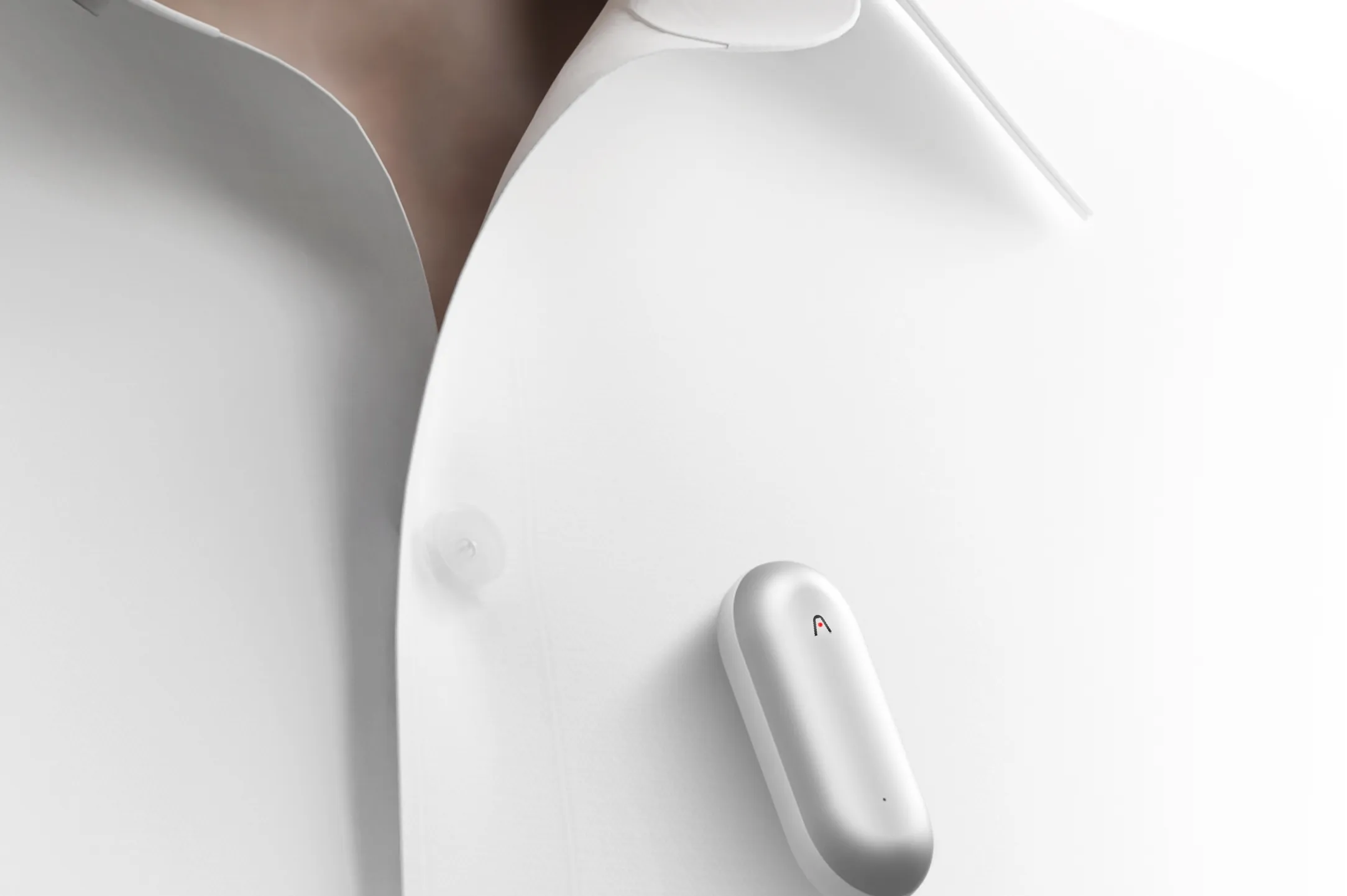
The Plaud NotePin is a small metal capsule, roughly the size of a large pill, that you wear clipped to your lapel, on a lanyard, as a wristband, or tucked in a jacket pocket. One press starts recording. The NotePin captures audio locally at 64GB of storage capacity, syncs to the Plaud app, and then uses AI to produce transcripts, summaries, speaker labels, and structured action items.
The transcription supports 112 languages and includes speaker diarization, meaning it attempts to attribute different sections of a transcript to different speakers. The summary layer is where the real value sits. Plaud offers over 10,000 templates for different use cases: sales call notes, meeting minutes, project briefs, interview notes, research summaries. You choose the template, and the AI generates a formatted output from the raw recording.
The use case the device is designed for is clear: conversations that happen in person, in meetings, on site visits, at conferences, in hallways. Not video calls, where apps like Otter.ai or tl;dv handle transcription natively and often better. The NotePin is for the professional whose most important conversations happen in rooms where no one is on Zoom.
What Works Well
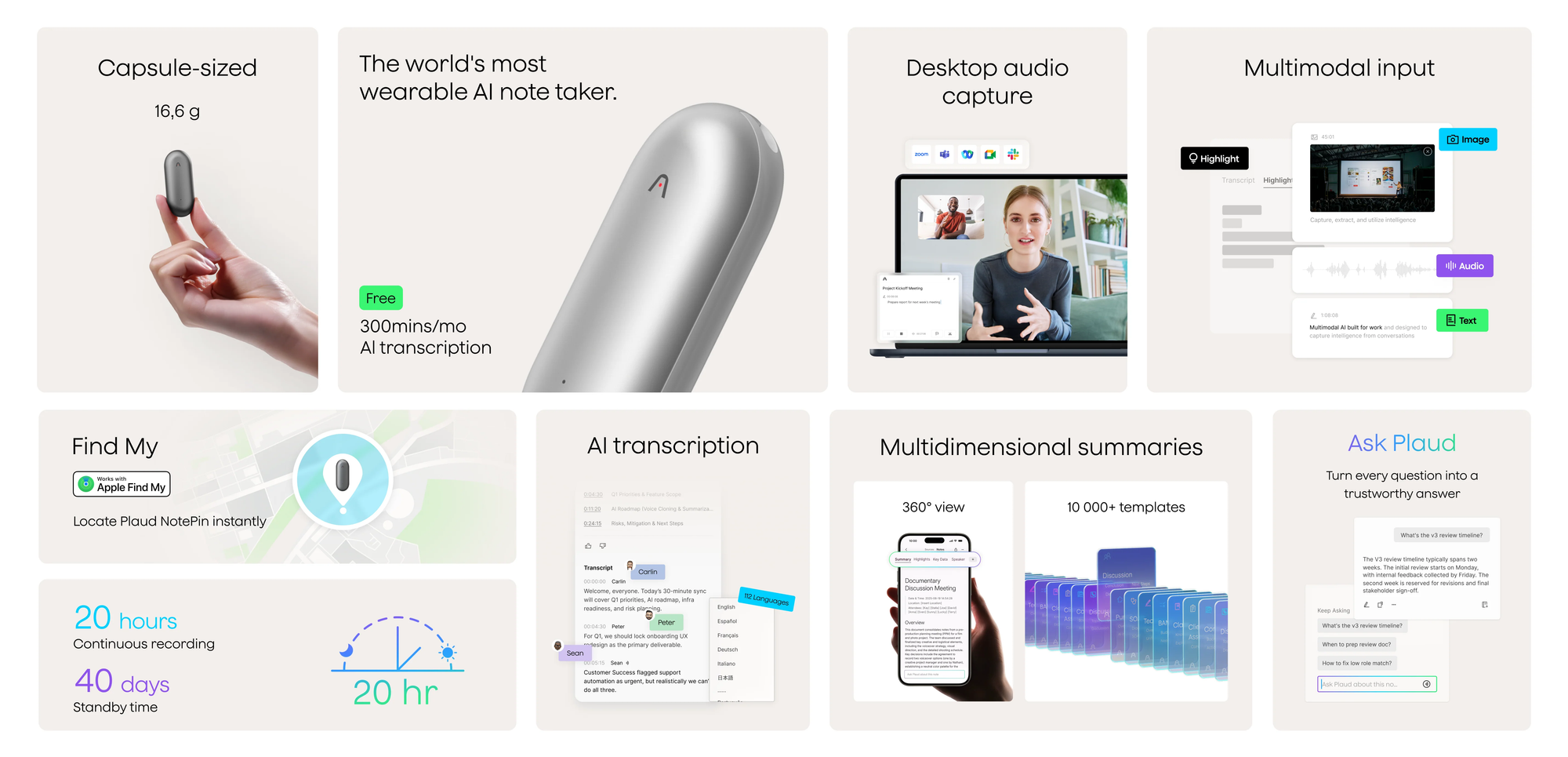
In tested conference environments covering large rooms and hallway conversations, the NotePin consistently captured usable audio across distances where pulling out a phone would have been disruptive or impractical. The hands-free design is the core value: you start a recording, put it in your pocket, and stay present in the conversation. The friction of the traditional approach (unlocking a phone, opening an app, losing the recording if you get a call) disappears.
The device has a premium build quality for its size and won the Red Dot Design Award in Product Design for 2025. Multiple wearing options make it easy to integrate into different contexts without the device feeling out of place.
What to Know Before Buying
The free tier offers 300 transcription minutes per month, which is enough for occasional use but not for daily heavy meeting schedules. Anyone running more than a few hours of meetings per week will hit that limit. The subscription economics are worth calculating before purchase.
The NotePin is primarily in-person. Its advantage over phone-based recording collapses for remote or hybrid workers whose meetings mostly happen on video. For that use case, software tools are faster, cheaper, and more integrated into existing workflows.
Workflow integration is the platform's weakest point. Notes and transcripts live inside the Plaud ecosystem unless you manually export them or build Zapier automations. For teams using Notion, Salesforce, or other structured knowledge systems, getting data out requires extra steps that reduce the practical value.
The AI summaries are solid but not infallible. In noisy environments, transcription accuracy drops. Some users report summary outputs that misread context or produce generic action items that require significant editing. The AI is better at capturing what was said than understanding what it means.
Verdict: A genuinely useful tool for in-person professionals who lose ideas, details, and decisions between meetings. Less compelling for hybrid or remote workers, and the subscription cost should be evaluated realistically against your actual usage patterns.
Lenovo Qira: Ambient AI That Follows You Between Devices
Price: Free for one year on new Lenovo devices; $4.99/month after that | Enterprise: $8/device/month
Availability: Rolling out to ThinkPad and Yoga devices April 2026, Tab devices May, ThinkPhone June
Best for: Lenovo ecosystem users who want persistent context across laptop, tablet, and phone
What It Is
Qira is not a standalone device. It is a system-level AI layer built into Lenovo PCs, Motorola phones, and Lenovo tablets that Lenovo describes as a "Personal Ambient Intelligence." The idea is that instead of opening a separate AI app every time you need help, Qira is always present in the background, aware of what you are working on, and ready to assist without requiring you to switch contexts.
Announced at CES 2026 in January and detailed further at MWC on March 1, Qira is built around three principles. Presence: it is integrated at the system level and can be invoked by saying "Hey Qira," pressing a dedicated key, or tapping a persistent pill in the interface. Actions: it can execute tasks across apps and devices, coordinating agents to move work forward without requiring manual handoffs. Perception: it builds a personalized knowledge base from documents, interactions, and memories the user selects, learning over time.
The cross-device continuity is the most distinctive feature. Start analyzing a research document on your ThinkPad, continue annotating on a Tab, and reference the same context during a phone call on a ThinkPhone. Qira maintains shared conversation history and document context across all three devices with under 200 milliseconds of synchronization latency over local Wi-Fi, according to Lenovo's MWC technical specifications.
What It Can Actually Do
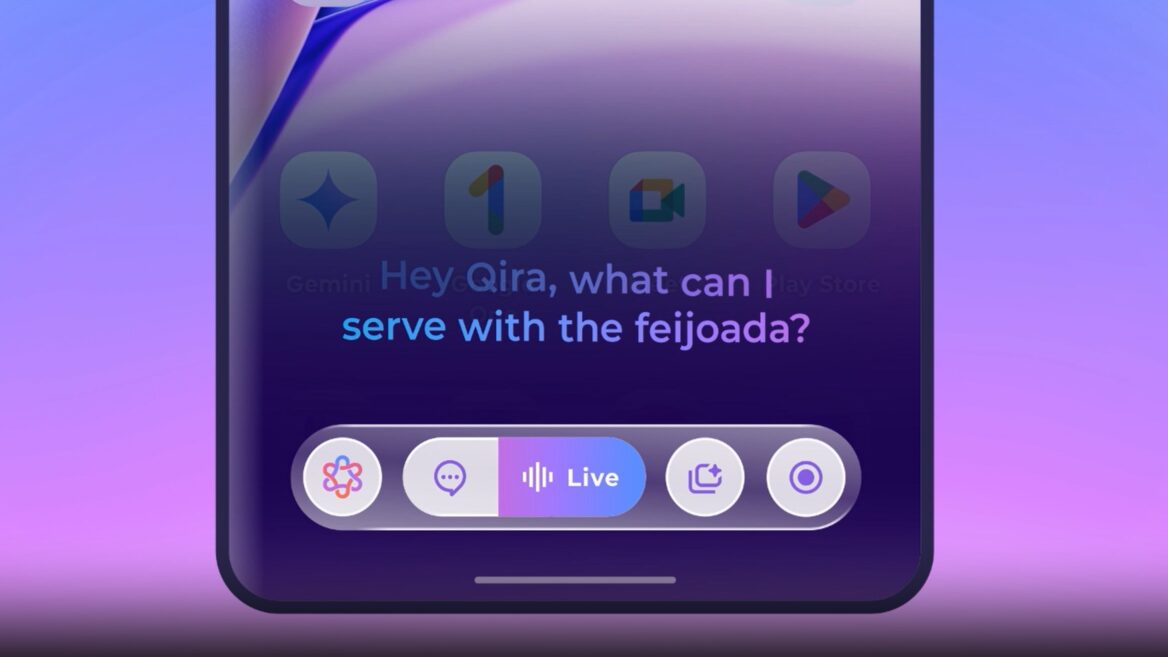
Qira includes several practical functions. "Catch Me Up" summarizes what you have missed across notifications and open threads when you return to a device. "Pay Attention" transcribes and summarizes meetings and conversations in real time. "Write for Me" generates text in your voice and style. The system integrates natively with Microsoft 365, Google Workspace, and Slack, pulling action items from calendar events and posting summaries to Slack channels.
The processing architecture prioritizes on-device inference. Qira runs at 40 tokens per second on Snapdragon X Elite NPU hardware and handles documents up to 120,000 tokens in context, roughly 90,000 words, without sending them to the cloud. Cloud processing is optional and triggered only for tasks that explicitly require external connections. For enterprise users handling sensitive documents, this architecture is a meaningful differentiator from cloud-first AI assistants.
At MWC, Lenovo CEO Yuanqing Yang demonstrated Qira across three devices simultaneously, with continuous workflow context maintained throughout. The demo showed real capability, though the product is still in its early rollout phase.
What to Know Before Buying
Qira is a Lenovo ecosystem product. Its value is proportional to how many compatible Lenovo and Motorola devices you use. Single-device users get something closer to a sophisticated on-device assistant. Multi-device users get the cross-device continuity that makes Qira distinctive.
The product is in its initial rollout phase as of Q1 2026, which means real-world user feedback is limited. Lenovo's track record with AI software features has been mixed: the previous AI Now platform had useful ideas without compelling execution. Whether Qira delivers on its ambient intelligence vision will become clearer as more users spend extended time with it.
Privacy questions remain partially unanswered. Lenovo has committed to transparency about what is processed on-device versus in the cloud, and the default behavior favors local processing. But the full details of what is retained, for how long, and how Qira's personalization data is handled across a product lifetime have not been published in detail. Users handling highly sensitive work should review the privacy documentation before enabling Qira's deeper personalization features.
The competitive context matters. Microsoft Copilot Pro costs $30 per user per month compared to Qira's $4.99 personal tier. For multi-device Lenovo users, that pricing gap is meaningful. For users already embedded in the Microsoft 365 ecosystem with Copilot enabled, the switching calculus is more complex.
Verdict: A promising vision for what ambient AI across devices should feel like, but one that is still proving itself in the real world. Worth paying attention to if you are in the Lenovo ecosystem, worth waiting on if you need confidence in the experience before committing.
The Broader Picture: What These Gadgets Have in Common
Three themes connect these products and reflect where AI hardware is heading in 2026.
- They each solve one specific problem well. The Oura Ring 4 tracks sleep and recovery. The Plaud NotePin captures and structures in-person conversations. Qira maintains context across devices. None of them tries to be everything. The AI gadgets that failed in the last two years, the AI Pin, the Rabbit R1, the initial wave of AI glasses, failed because they tried to replace too much at once.
- The subscription layer is now a given. All three products have recurring costs layered on top of hardware purchase prices. For each, the practical value of the product lives in the software and AI features, not the physical device. Buyers should evaluate total annual cost rather than sticker price when deciding whether these tools justify their space in a workflow.
- The data question is still not fully resolved. All three capture sensitive personal data: sleep biometrics, private conversations, or cross-device behavioral patterns. All three have made genuine efforts to address privacy, including on-device processing for Qira, local storage for the NotePin, and opt-in controls for Oura. But the detailed questions about data retention, derivative use in model training, and long-term data portability remain partially unanswered across all three platforms. Users handling legally or commercially sensitive information should read the privacy documentation before connecting these tools to their primary workflows.
Wrap up: Which One Is Worth Buying?
If you manage your energy and schedule based on how you feel, and you want objective data to make better decisions, the Oura Ring 4 is the most mature and immediately useful product in this group. It has years of development behind it and a user base large enough that the software reflects real-world feedback. The subscription cost is the only meaningful friction.
If your work involves a high volume of in-person conversations and you consistently lose details, decisions, or ideas between meetings, the Plaud NotePin is worth evaluating. The free tier is enough to determine whether the transcription quality and summary outputs work for your specific use case before committing to a subscription.
If you are already in the Lenovo device ecosystem, Qira is worth enabling and testing as it rolls out. The vision is compelling, the pricing is fair, and the cross-device continuity is genuinely differentiated from what Microsoft and Google currently offer. The appropriate posture is optimistic patience rather than immediate adoption as a core workflow dependency.
Frequently Asked Questions
Is the Oura Ring 4 subscription mandatory?
Effectively yes. Without the $5.99/month membership, users receive only their three daily scores with no underlying data, trends, or insights. The subscription unlocks everything that makes the ring useful: sleep stage breakdown, readiness detail, cardiovascular age, guided meditation, and all trend analysis. Budget for the subscription when evaluating total cost.
How is the Plaud NotePin different from just using your phone to record meetings?
The core difference is form factor and friction. Starting a recording on a phone requires unlocking it, opening an app, and keeping the screen active or risk losing the recording if another call comes in. The NotePin records with a single press, stores locally on 64GB of built-in storage, and stays out of the way while you remain engaged in the conversation. The AI transcription and summary layer then processes the recording through the Plaud app, which is where the real productivity value sits.
Does the Plaud NotePin work for online meetings?
Not optimally. The NotePin's advantage is in-person, hands-free recording. For video calls, dedicated transcription tools like Otter.ai, tl;dv, or Fireflies are faster, more integrated with video platforms, and often less expensive. The NotePin is best positioned for consultants, executives, sales professionals, and others whose most important conversations happen in person.
What devices is Lenovo Qira available on?
Qira is rolling out across Lenovo ThinkPad and Yoga devices in April 2026, Tab devices in May, and ThinkPhone in June. The system also operates on Motorola phones, with that rollout following the Lenovo hardware timeline. It requires compatible hardware with Snapdragon X Elite or Intel Core Ultra processors for on-device AI inference.
How does Qira handle privacy compared to Microsoft Copilot?
Qira's core architectural difference is its preference for on-device processing. The local inference engine on Snapdragon X Elite NPU handles sensitive documents and personal data without sending them to external servers by default. Cloud processing is optional and only triggered when the user explicitly requests internet-connected tasks. Microsoft Copilot is primarily cloud-based. For users handling confidential documents or legally sensitive information, Qira's architecture provides a meaningful privacy advantage, though the full details of Lenovo's data retention and use policies should be reviewed before deploying at an enterprise scale.
Can you wear the Oura Ring 4 during workouts?
Yes, and it is water resistant to 100 meters. However, it is not designed as a primary workout tracker. It lacks GPS and does not provide real-time heart rate zones during exercise. Automatic activity detection works reasonably well for walking and running, but is inconsistent for weightlifting, cycling, and sports. For serious athletes, the Oura Ring works best as a recovery and sleep monitor paired with a sports watch for workout tracking.
Is Lenovo Qira available on non-Lenovo devices?
Not currently. Qira is initially exclusive to Lenovo PCs, Lenovo tablets, and Motorola phones. Lenovo has said it intends to expand beyond its own ecosystem in the future, but no timeline has been confirmed for third-party device support. Its cross-device continuity features only function across compatible Lenovo and Motorola hardware.
How do these gadgets compare on total annual cost?
The Oura Ring 4 starts at $349 plus $69.99/year subscription, totaling roughly $419 in year one and $70/year thereafter. The Plaud NotePin starts at $159-$179; the free plan covers 300 transcription minutes per month, with paid plans required for heavier users. Qira Personal is free for one year on new Lenovo devices, then $4.99/month or roughly $60/year. Qira Business starts at $8/device/month for enterprise deployments.
Related Articles
 Dani
Dani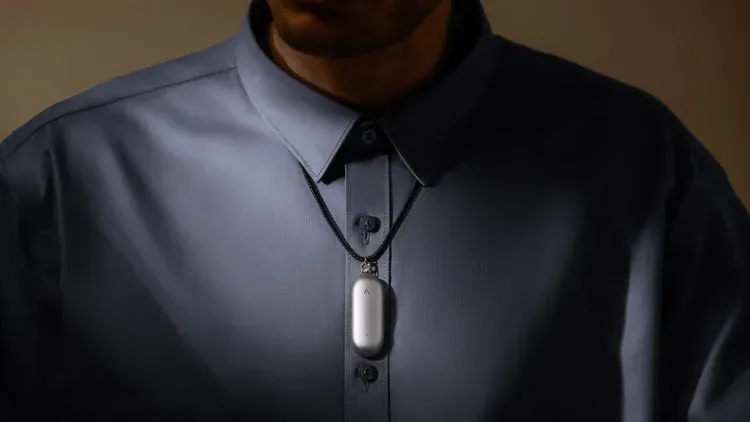
 Dani
Dani