Every conversation with AI used to start the same way. I would paste my brand guidelines. Explain my tone preferences. Upload the same reference documents. Describe my audience for the hundredth time. Then I would finally ask my actual question.
This ritual consumed the first five minutes of every session. Multiply that by dozens of daily conversations, and the overhead became absurd. I was spending more time setting context than actually getting work done.
Claude Projects changed it. Not because the AI got smarter, but because I stopped treating every conversation like a first date.
The concept is deceptively simple. Instead of starting fresh each time, you create persistent workspaces where Claude already knows your context, has read your documents, and follows your specific instructions. You walk into a room where the AI has already been briefed.
This is not a minor quality of life improvement. It fundamentally transforms how AI fits into professional workflows.
What Claude Projects Actually Does
At its core, a Claude Project is a container for three things:
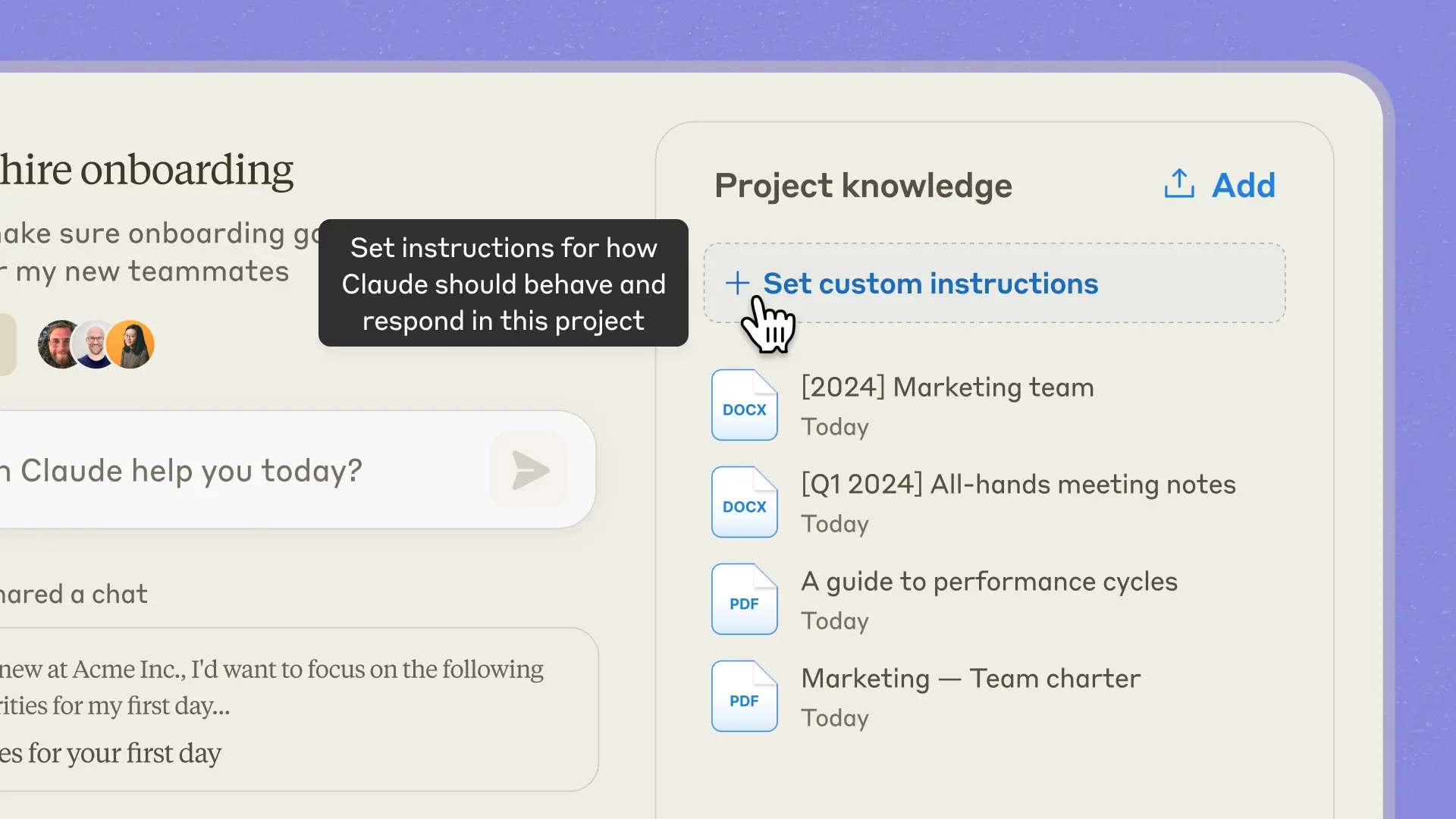
Custom Instructions tell Claude how to behave in this specific context. You might want formal language for client deliverables but casual tone for internal brainstorming. You might need Claude to always cite sources in a research project but prioritize speed over thoroughness for quick drafts. Instructions let you define these behaviors once and apply them automatically to every conversation within the project.
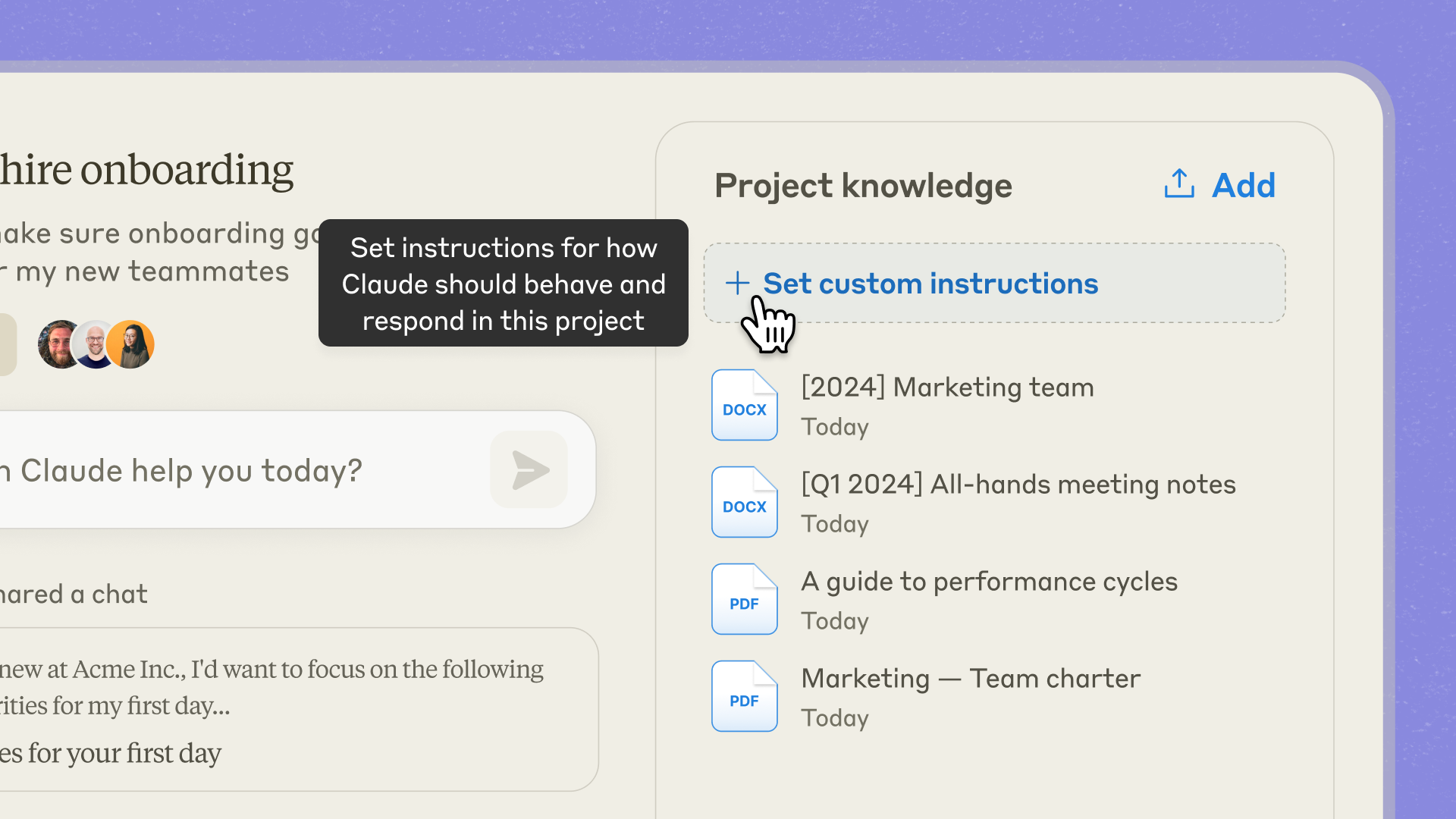
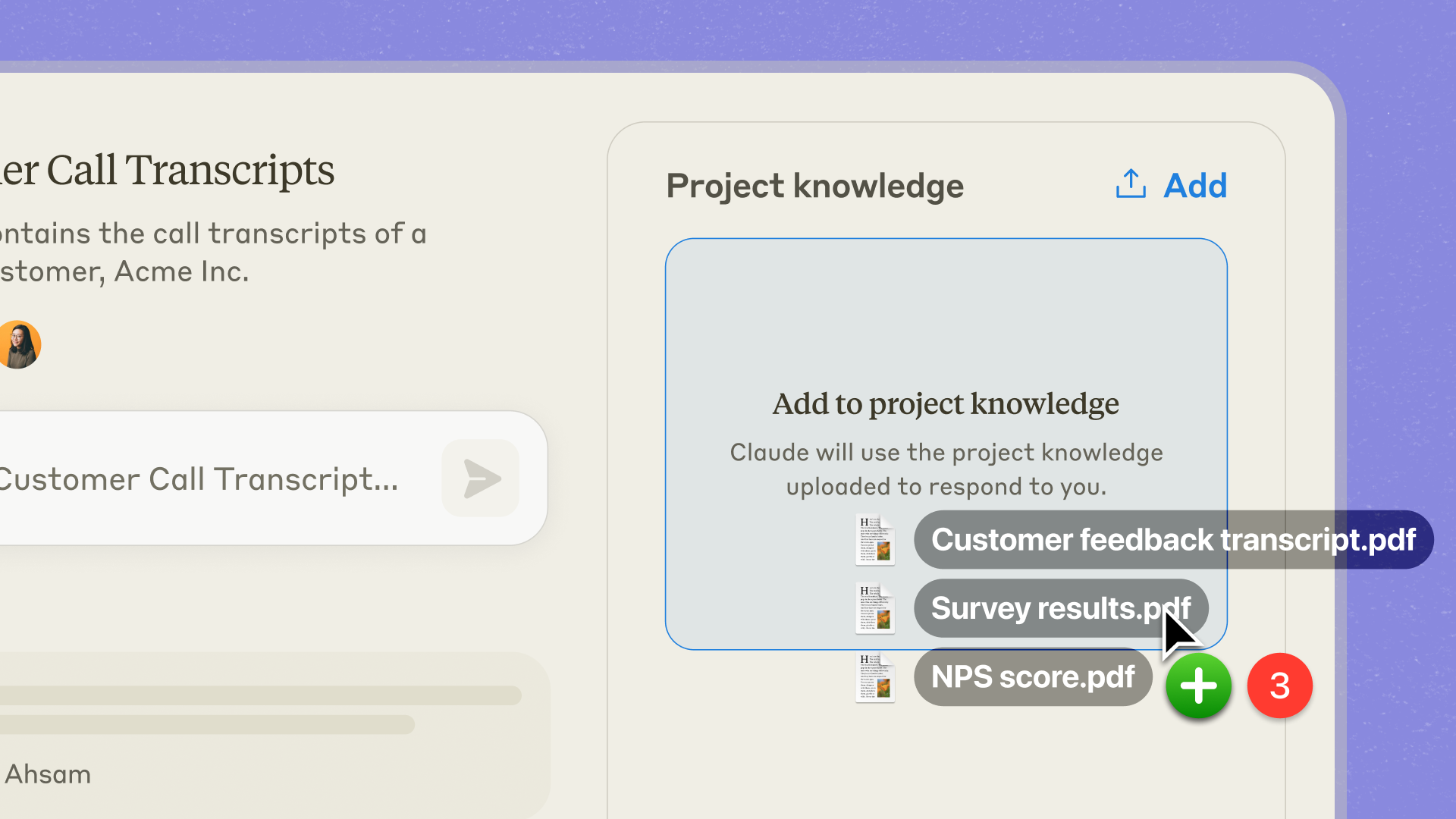
The Knowledge Base holds your reference materials. Upload documents, code snippets, style guides, research papers, or any file type Claude can read. When you ask questions, Claude draws from this material without you needing to paste or reference it manually. The AI essentially reads your documentation before every conversation.
Conversation History persists within projects. Unlike standard chats that evaporate when you close them, project conversations remain accessible. You can return to a thread after days or weeks and pick up exactly where you left off. Claude remembers what you discussed, what decisions you made, and what context you established.
The result feels less like using a tool and more like collaborating with a colleague who has studied your playbook.
The Real Value: Eliminating Context Overhead
Every prompt that includes "please write in a professional but approachable tone" or "remember, our audience is small business owners" represents cognitive and typing overhead you repeat endlessly.
Projects eliminate this repetition by front-loading context into the workspace itself.
The time savings compound quickly. Marketing teams using Claude Projects report cutting content production time by 75% or more. Not because the AI writes faster, but because the humans spend less time teaching the AI what to do.
This pattern applies across disciplines:
- Developers maintain code review projects with architecture documentation and coding standards.
- Researchers create literature review projects with uploaded papers and analytical frameworks.
- Customer support teams build FAQ projects where Claude has already studied the knowledge base.
The common thread is consistent, high-quality output without repetitive setup.
Setting Up Your First Project: A Practical Walkthrough
Creating a Claude Project takes about five minutes. The setup quality determines everything downstream, so it is worth getting right.
Step 1: Create and Name Your Project
Start by opening Claude and finding the Projects option in the left sidebar. Click to create a new project. Avoid generic labels like "Work Stuff" or "Project 1." Names should be specific enough that you can identify the project's purpose at a glance weeks later.
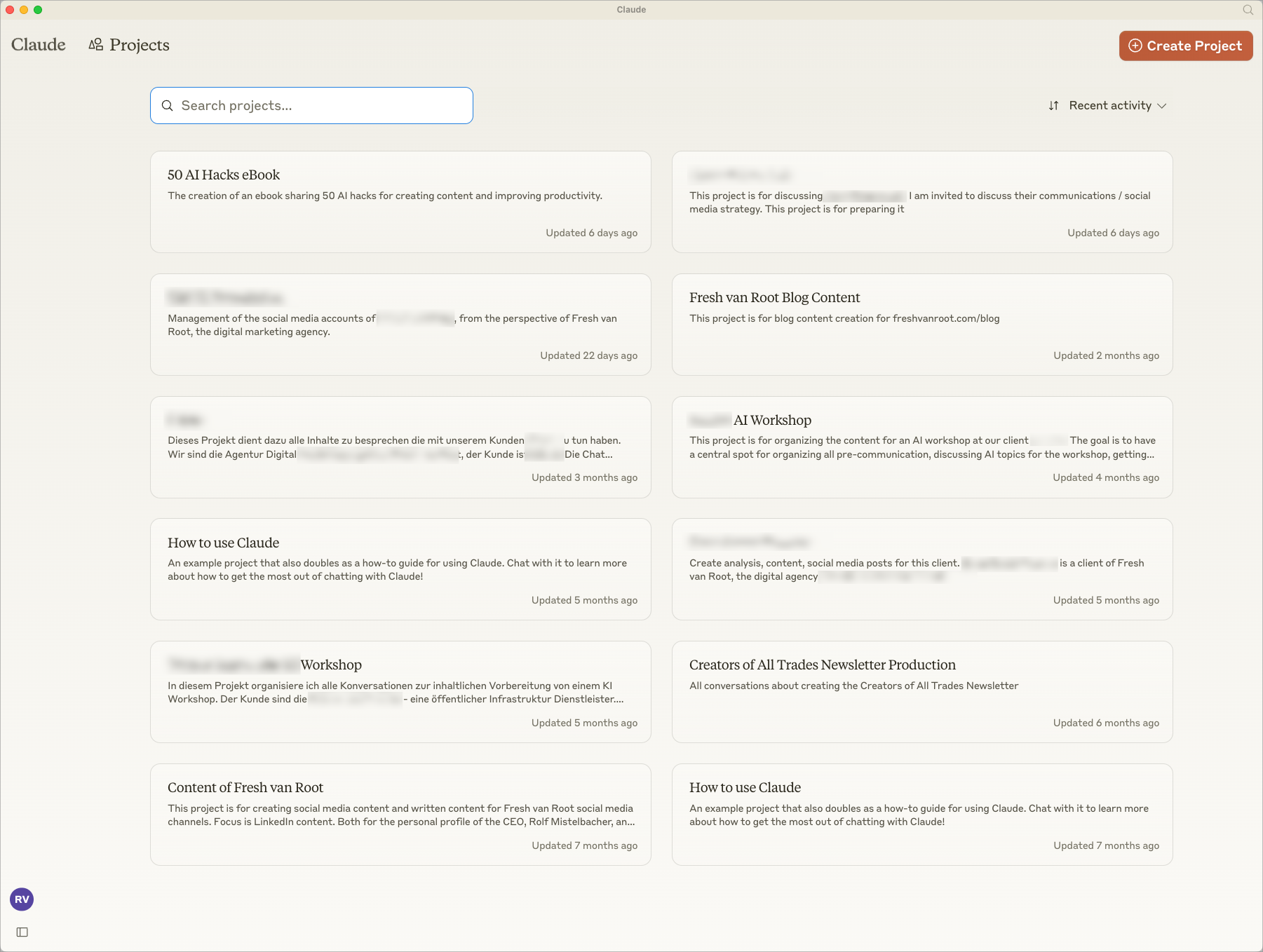
Good examples:
- Q4 Marketing Campaign
- Python Codebase Documentation
- Client Analysis: Acme Corp
When you accumulate a dozen projects, clear naming becomes essential for navigation.
Step 2: Write Custom Instructions
This is where most people either overthink or underthink. The goal is specific guidance without micromanagement.
Bad instructions:
"Be helpful and provide good answers."
Better instructions:
"You are assisting a startup founder who is technical but not a designer. Write in plain English without buzzwords or jargon. Keep paragraphs under three sentences. Support all claims with examples or data. When uncertain, ask clarifying questions rather than making assumptions."
The second example gives Claude actionable constraints that shape every response. The AI knows the audience, the style expectations, the structural preferences, and the behavior when facing ambiguity.
For complex use cases, structure your instructions with clear sections. You might have separate areas for tone guidelines, output format, subject matter scope, and specific behaviors to avoid. Use markdown headers to organize these if the instructions run longer than a few paragraphs.
Step 3: Populate the Knowledge Base
Click the upload button and add relevant materials:
- Style guides
- Reference documents
- Previous successful outputs
- Technical specifications
- Any content Claude should draw from
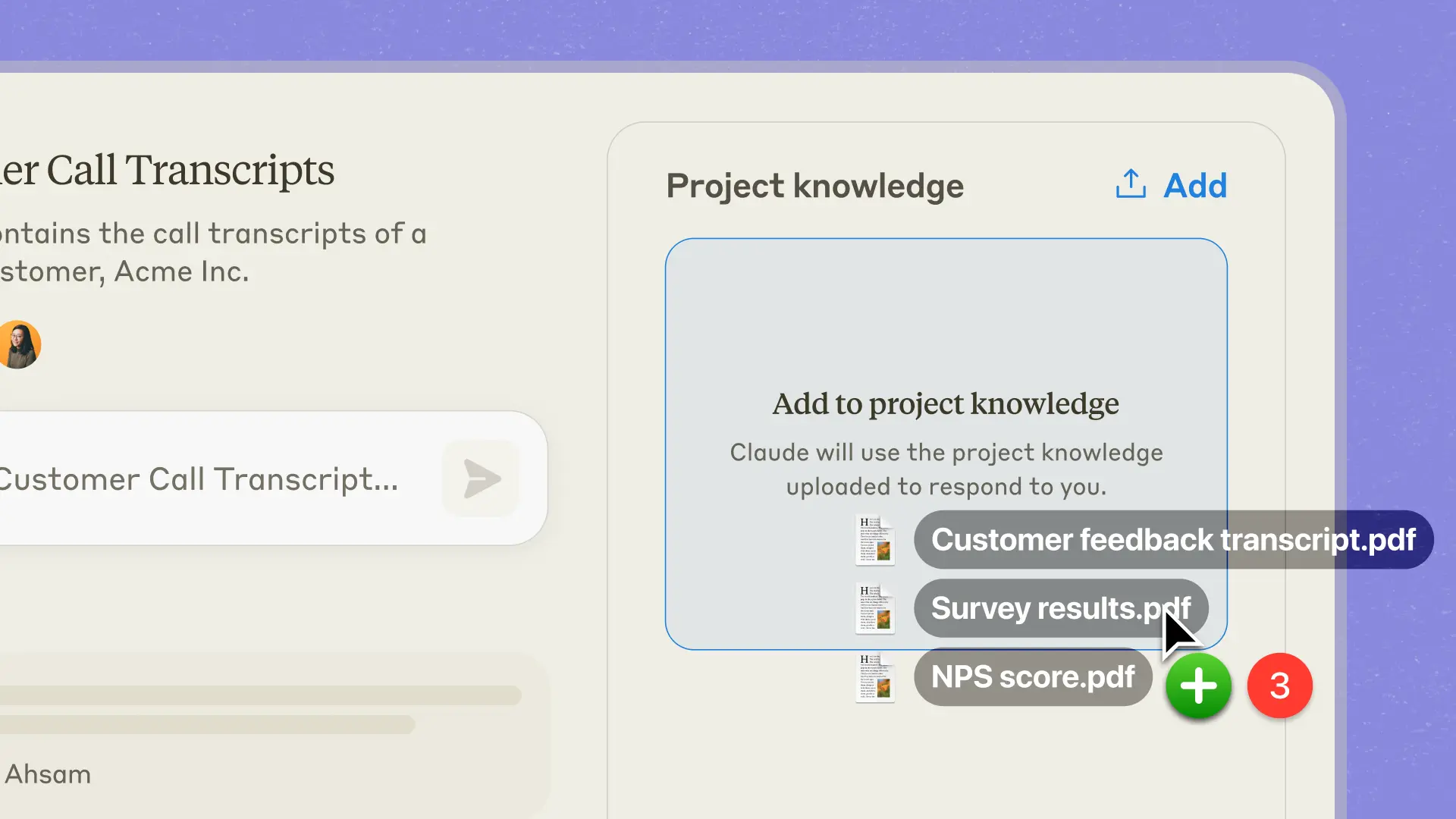
Critical detail: Name your files descriptively. Claude uses filenames to understand what documents contain. A file called "doc1.pdf" gives no signal about its contents, while "brand_voice_guidelines_2024.pdf" immediately clarifies what the AI will find inside.
Once instructions and knowledge are set, you are ready to start conversations within the project.
Custom Instructions That Actually Work
The difference between mediocre and excellent Claude Projects usually comes down to instruction quality. Here are patterns that consistently produce better results.
Core Principles
- Define the persona explicitly. Rather than leaving Claude as a generic assistant, give it a specific role that matches your needs. "You are a senior Python developer reviewing code" produces different output than "You are a technical writer explaining code to non-engineers."
- Specify what Claude should NOT do. Negative constraints often matter more than positive ones. If you never want markdown formatting in your outputs, say so. If you want Claude to avoid corporate jargon, make that explicit.
- Include output format requirements. Do you want responses as bulleted lists? Prose paragraphs? Structured with specific headers? Tell Claude exactly how to structure the information.
- Give examples when possible. If you have samples of ideal output, include them in your instructions or upload them to the knowledge base. Claude learns patterns from examples more reliably than from abstract descriptions.
- Anticipate edge cases. What should Claude do when asked something outside the project's scope? How should it handle ambiguous requests? Instructions that address these scenarios prevent frustrating interactions later.
Example: Content Marketing Project Instructions
Here is an example of comprehensive instructions for a content marketing project:
You are assisting the marketing team at Acme Corp with content creation.
Our audience is small business owners who are technically competent but
time-constrained. They want actionable advice, not theory.

VOICE & STYLE
- Write in first person plural (we, our) to maintain brand voice
- Keep sentences short and punchy
- Avoid passive voice
- Every piece should include at least one specific example or case study

FORMAT REQUIREMENTS
- Use clear headers in sentence case
- Include a key takeaway summary at the end of longer pieces
- Never use the words "synergy," "leverage," or "game-changing"

LENGTH GUIDELINES
- Blog content: 1,200 to 1,500 words
- Social posts: Under 200 characters for X/Twitter
- LinkedIn posts: Under 300 words

SCOPE
If asked about topics unrelated to marketing or our product area, note
that the request falls outside this project's scope and offer to help
find appropriate resources.
These instructions are specific enough to shape behavior while leaving room for Claude to apply judgment within the constraints.
Organizing Your Knowledge Base for Maximum Impact
The knowledge base is only as useful as its organization. Dumping a hundred files into a project without structure creates more confusion than value.
Best Practices for Knowledge Base Organization
Categorize by purpose. A marketing project might need:
- Brand guidelines
- Previous campaign materials
- Competitive analysis
- Audience research
A development project might include:
- Architecture documentation
- API references
- Coding standards
- Relevant code samples
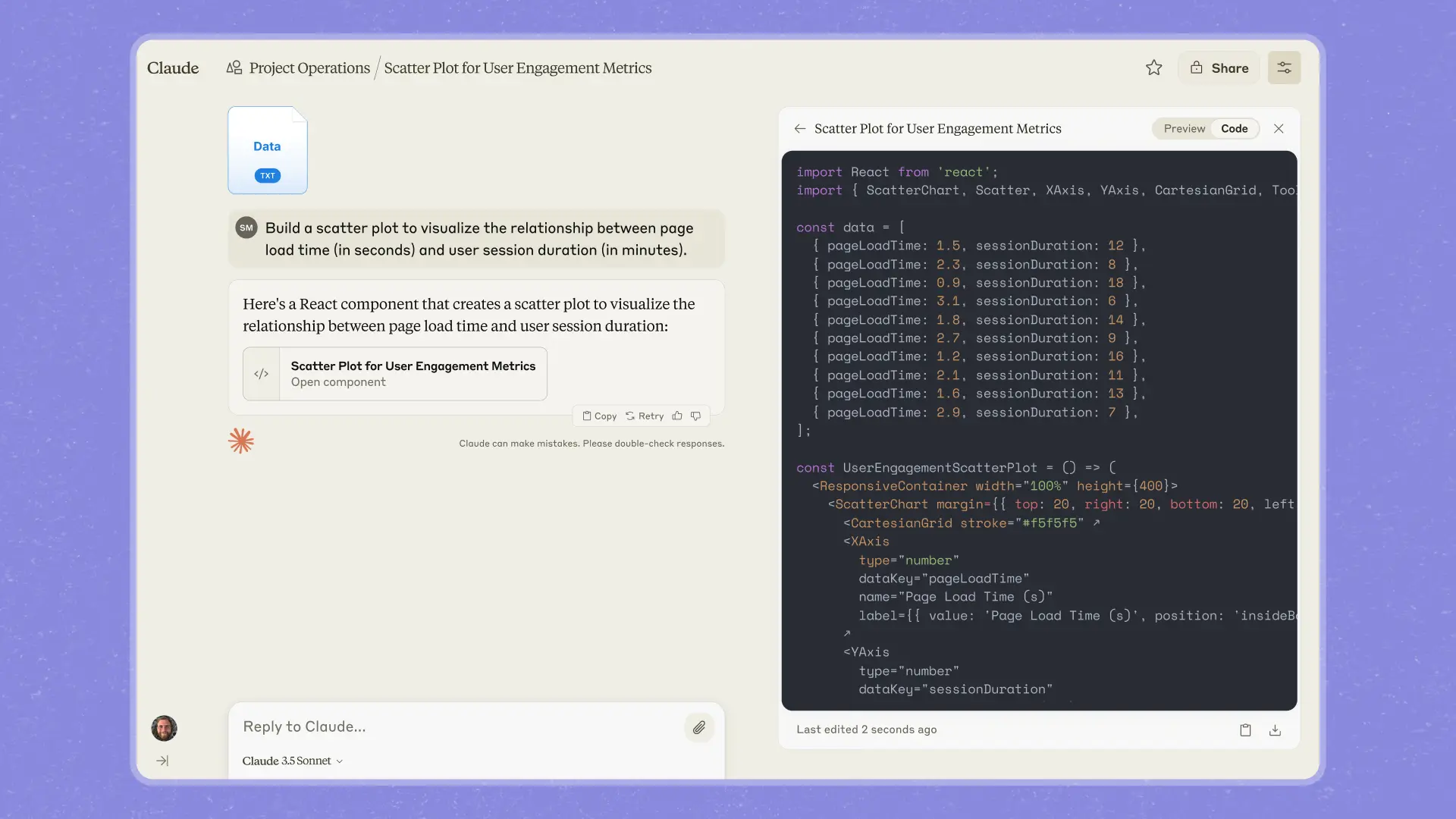
Combine related documents. If you have multiple files about brand voice (one for web copy, another for email, a third for social), consider combining them into a single comprehensive document rather than forcing Claude to synthesize across separate files.
Keep documents current. One of the biggest pitfalls is outdated material in the knowledge base. Claude will reference whatever you provide, even if those guidelines changed six months ago. Schedule regular reviews to remove or update stale content.
Understanding RAG (Retrieval Augmented Generation)
For paid users, RAG activates automatically when knowledge bases grow large. RAG allows Claude to handle document collections that exceed normal context limits by intelligently searching and retrieving relevant sections rather than loading everything into memory simultaneously. You will see an "Indexing" indicator when RAG activates. The behavior is mostly seamless from a user perspective.
Pro Tip: Create Meta-Documentation
Consider creating documentation specifically for Claude rather than only repurposing existing materials. A document that explains "How we approach competitor analysis" gives Claude more useful context than raw competitor reports alone. These meta-documents help the AI understand not just what information exists, but how your organization thinks about and uses that information.
Workflow Patterns That Work
Different professional contexts call for different Project configurations. Here are patterns that have proven effective across various use cases.
Pattern 1: The Research Synthesis Project
Best for: Academics, analysts, strategists
Setup:
- Upload collections of papers, survey data, interview transcripts
- Include analysis frameworks and methodology guidelines
- Set instructions for citation standards and analytical rigor
How it works: Claude synthesizes findings across the entire corpus, identifies contradictions between sources, and surfaces patterns that might take weeks to discover manually.
The key insight: treat Claude as a research assistant with comprehensive knowledge of your source material, not a general-purpose AI that needs education on every query.
Pattern 2: The Content Production Pipeline
Best for: Marketing teams, content creators, agencies
Setup:
- Create separate projects for different content types or campaigns
- Upload style guides and previous high-performing examples
- Define tone requirements and format specifications
How it works: Writers request drafts, outlines, or variations that automatically align with established standards.
Pro tip: Use Few-Shot Learning by uploading 5 to 10 examples of excellent content as reference material. Claude learns patterns from these examples and reproduces the style more accurately than it would from abstract descriptions alone.
Pattern 3: The Development Companion
Best for: Software engineers, technical teams
Setup:
- Upload architecture documentation and API references
- Include coding standards and component structure guides
- Set instructions like "Follow TypeScript conventions, explain reasoning before code"
How it works: Claude becomes a context-aware pair programmer who understands the codebase without repeated explanation.
This pattern becomes especially powerful when combined with Claude Code for actual development work.
Pattern 4: The Client Service Hub
Best for: Agencies, consultants, account managers
Setup:
- Create client-specific projects containing brand materials
- Include past deliverables, project briefs, and communication preferences
- Invite team members with appropriate permissions
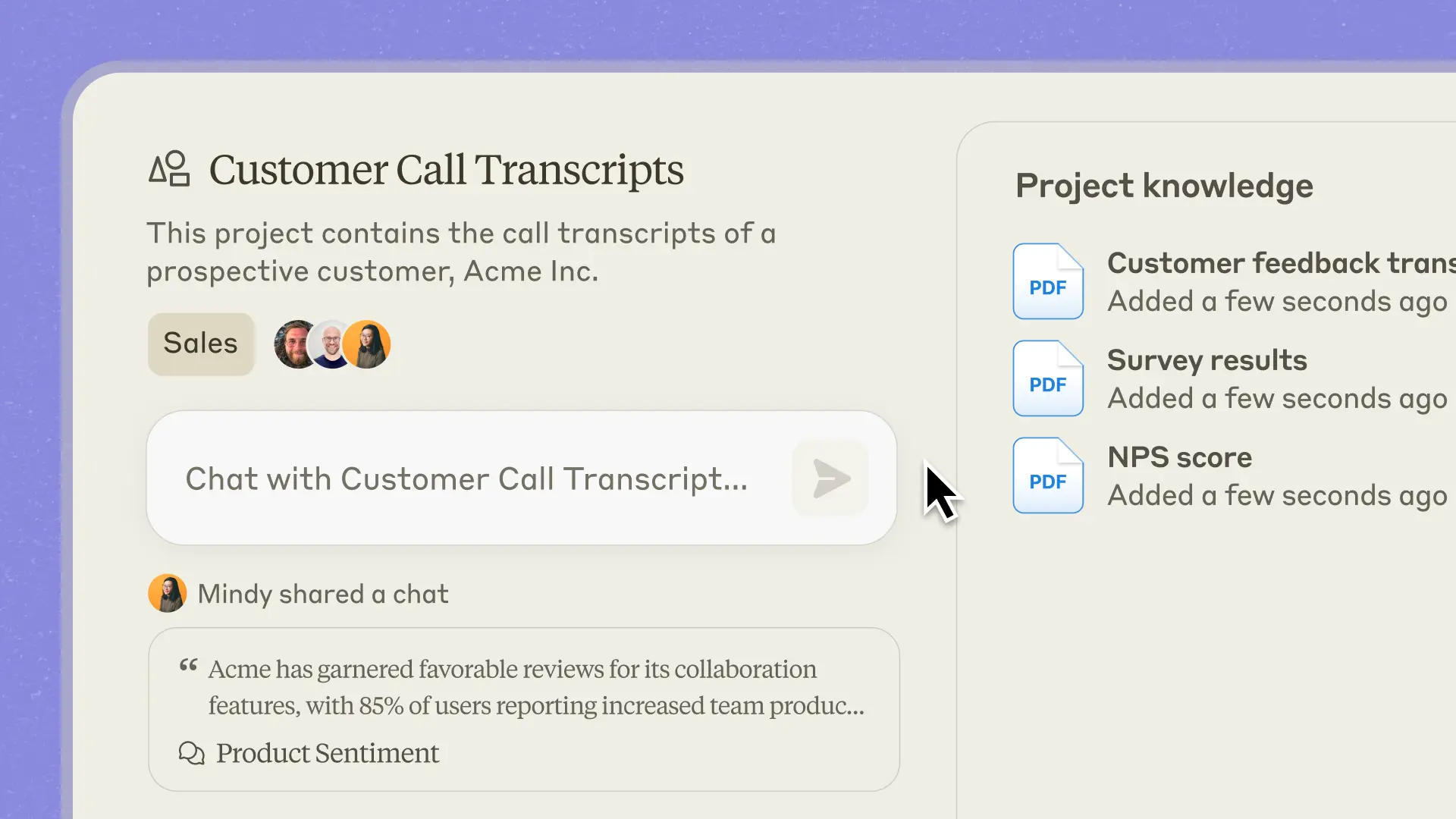
How it works: Every conversation about that client benefits from accumulated context. Team members can be invited to shared projects, ensuring consistent service quality regardless of who handles a particular request.
Pattern 5: The Personal Knowledge Base
Best for: Individual professionals, knowledge workers
Setup:
- Upload your own writing, notes, and reference materials
- Set instructions that match your thinking style
- Use for drafting, research, and processing information
How it works: Over time, the project accumulates understanding of how you work. Claude becomes a personalized assistant that knows your preferences and patterns.
When to Use Projects (And When Not To)
Projects provide maximum value for specific types of work. Understanding this helps you deploy them strategically rather than creating projects for everything.
Use Projects When:
✅ You need context persistence. If you will return to a topic multiple times, establishing context once beats re-establishing it repeatedly. Ongoing campaigns, multi-week research efforts, and client relationships all benefit.
✅ Consistency matters. If outputs need to match specific standards, whether brand voice, coding style, or analytical frameworks, project instructions enforce that consistency automatically.
✅ Knowledge depth helps. If Claude would benefit from reading background materials before answering your questions, the knowledge base provides that foundation.
✅ Team collaboration is needed. Shared projects let multiple people work with the same context, ensuring consistent output quality and shared institutional knowledge.
Skip Projects When:
❌ Quick one-off questions. If you need a fast answer about something unrelated to ongoing work, a standard chat is faster and simpler.
❌ Context changes frequently. If the relevant information shifts substantially between conversations, maintaining an accurate project becomes more overhead than benefit.
❌ General knowledge queries. Asking Claude about historical facts or explaining concepts does not require project infrastructure.
Team Collaboration and Sharing
For Team and Enterprise Claude users, Projects become collaborative workspaces that maintain organizational knowledge.
Permission Levels
When sharing a project, you can assign different permission levels:
| Permission | Can Chat | Can View Contents | Can Edit Instructions | Can Modify Knowledge |
|---|---|---|---|---|
| Can use | ✅ | ✅ | ❌ | ❌ |
| Can edit | ✅ | ✅ | ✅ | ✅ |
Organizational Patterns
Shared projects enable interesting organizational patterns:
Master Brand Project: A marketing team creates one project that everyone uses, ensuring consistent voice across the organization.
Project Templates: Development teams maintain templates that get duplicated for new initiatives, carrying forward established patterns and standards.
Activity Feeds: Team activity feeds show shared conversations, helping members learn effective prompting techniques from each other. Seeing how colleagues interact with Claude often reveals approaches you would not have discovered independently.
The collaboration features transform Projects from personal productivity tools into organizational infrastructure. Institutional knowledge lives in project configurations rather than individual heads, reducing dependency on specific people and enabling faster onboarding.
Common Pitfalls and How to Avoid Them
Even well-intentioned Project setups can go wrong. Here are frequent mistakes and their solutions.
- Vague instructions produce inconsistent results. "Be helpful" tells Claude nothing actionable. Every instruction should pass the test: would a thoughtful human know exactly what to do differently based on this guidance?
- Knowledge base overload creates noise. Uploading everything tangentially related to a topic means Claude may surface irrelevant information or struggle to prioritize. Curate aggressively. Better to have ten highly relevant documents than a hundred loosely related ones.
- Outdated context leads to wrong outputs. Information in your knowledge base shapes every response. Stale guidelines, deprecated documentation, or old examples cause Claude to produce content that no longer matches your current needs. Schedule regular audits and review knowledge bases monthly at minimum.
- One project for everything defeats the purpose. A single project handling marketing, development, research, and personal tasks will have contradictory instructions and diluted knowledge. Separate concerns into separate projects. Projects work because they create focused contexts.
- Forgetting the human review leads to mistakes. Projects make Claude more reliable, not infallible. Every output still needs human judgment, especially for client-facing or high-stakes material. Use Projects to accelerate your workflow, not replace your thinking.
What Projects Cannot Do
Understanding limitations prevents frustration. Projects handle context and instructions well, but they do not turn Claude into something it is not.
| Limitation | What It Means |
|---|---|
| No cross-project memory | Context established in one workspace does not transfer to another. Each project is self-contained. |
| No real-time data access | Unless you update the knowledge base manually, Claude works with whatever information you have uploaded, which may become outdated. |
| No task execution | Claude can draft an email, but it cannot send one. It can recommend a workflow, but it cannot implement one. For actual execution, you need tools like Claude Code or MCP integrations. |
| Not a replacement for specialized tools | Project management requires dedicated software. Data analysis benefits from actual databases. Code execution needs development environments. |
Projects enhance how you interact with Claude, not what Claude fundamentally is.
Getting Started Today
If this is your first Claude Project, start small.
Choose one recurring workflow where you currently waste time establishing context. Create a project specifically for that use case. Write focused instructions, starting simple since you can refine later. Upload essential reference materials, prioritizing quality over quantity. Use it consistently for one week.
After that week, evaluate what worked and what did not. Which outputs matched your expectations? Where did Claude miss the mark? What context was missing? What instructions need clarification? Refine your instructions. Add or remove knowledge base materials. Observe how the outputs compare to your previous workflow.
Once you have one project working well, identify the next candidate. Build your project portfolio gradually, learning from each deployment what makes configurations effective for your specific needs.
The teams seeing the biggest productivity gains share one characteristic: they treat project configuration as an ongoing practice rather than a one-time setup. The best projects evolve continuously based on actual usage patterns and changing requirements.
FAQ
What is a Claude Project and how is it different from regular Claude chat?
A Claude Project is a persistent workspace within Claude that maintains custom instructions, a knowledge base of uploaded documents, and conversation history across multiple sessions. Unlike regular chat, which starts fresh every time with no memory of previous interactions, Projects remember context you have established. This means you do not need to re-explain your brand voice, upload the same documents, or repeat your preferences in every conversation. Projects function as specialized versions of Claude tailored to specific use cases or workflows.
Is Claude Projects free or do I need a paid subscription?
Claude Projects are available on both free and paid plans, but with different capabilities. Free accounts can create up to 5 projects with basic functionality. Paid subscribers (Pro at $20/month, Team at $25/month per person) gain access to additional features including Retrieval Augmented Generation (RAG) technology, which significantly expands how much content the knowledge base can handle. RAG automatically activates when your uploaded documents exceed normal context limits, enabling Claude to intelligently search larger document collections.
What file types can I upload to a Claude Project knowledge base?
Claude Projects accept multiple file formats including PDF, DOCX, CSV, TXT, HTML, ODT, RTF, EPUB, and various code files. Individual files can be up to 30MB in size. You can upload unlimited files as long as the total content remains within context limits, or beyond those limits if you have RAG enabled through a paid plan. Images can also be uploaded for visual reference. When naming files, use descriptive names that help Claude understand the content, as filenames influence how the AI retrieves and references material.
How do I write effective custom instructions for a Claude Project?
Effective custom instructions are specific and actionable rather than vague. Instead of "be helpful," specify exactly how Claude should behave: define the persona or role, describe your audience, set tone and formatting requirements, list things to avoid, and explain how to handle edge cases. Include output format preferences, length guidelines, and examples when possible. Structure longer instructions with clear sections using markdown headers. Test your instructions with real prompts and refine them based on actual outputs. Treat instructions like onboarding documentation for a new team member.
Can I share Claude Projects with my team?
Yes, Claude Team and Enterprise users can share projects with other organization members. When sharing, you assign permission levels: "Can use" allows members to chat within the project and see its contents without editing anything, while "Can edit" grants full modification rights including changing instructions and knowledge base materials. Shared projects enable consistent output quality across teams, help onboard new members faster, and create organizational knowledge infrastructure that does not depend on individual employees.
How much content can the knowledge base hold?
Each Claude Project supports a 200,000 token context window, roughly equivalent to 500 pages of content for in-context processing. For paid users, RAG technology automatically activates when knowledge approaches this limit, expanding capacity by up to 10x while maintaining response quality. The system seamlessly switches between in-context processing and RAG retrieval based on your project size, requiring no manual configuration. You can monitor whether RAG is active through visual indicators in the interface.
What are the best use cases for Claude Projects?
Claude Projects work best for research synthesis where you need to analyze multiple documents, content creation requiring consistent brand voice, software development with established coding standards, client service requiring accumulated context, and any workflow involving repetitive context setup. Projects excel at tasks requiring strict guideline adherence and consistency across multiple conversations. They are less suited for quick one-off questions, topics where context changes constantly, or general knowledge queries that do not benefit from specialized context.
How do Claude Projects compare to ChatGPT custom GPTs?
Both Claude Projects and custom GPTs create specialized AI assistants with persistent instructions. Key differences include how knowledge bases work: Claude tends to put documents directly into context (with RAG for larger collections), while OpenAI uses vector database retrieval. Claude Projects offer larger context windows and more transparent behavior regarding how documents are processed. ChatGPT custom GPTs include an Actions feature for API calls that Claude Projects do not have natively, though Claude can connect to external systems through MCP (Model Context Protocol). The right choice depends on your specific workflow requirements and which AI assistant better matches your tasks.
Can I use Claude Projects for automated workflows?
Claude Projects themselves are for interactive conversations, but they can integrate with broader automation systems. Claude Desktop users can combine Projects with MCP (Model Context Protocol) connections to external tools like Slack, Notion, Google Drive, and databases. More advanced automation workflows use the Claude API to programmatically access project context. The newer Claude Cowork and Claude Code products extend these capabilities further, enabling Claude to actually execute tasks on your computer rather than just advising on them. Projects serve as the knowledge and instruction layer that informs these automated workflows.
How often should I update my Claude Project?
Review project content regularly based on how quickly your requirements change. Marketing teams might update brand projects quarterly when campaigns shift. Development teams should refresh architecture documentation when significant changes occur. At minimum, audit knowledge bases monthly to remove outdated materials that could cause Claude to produce incorrect outputs. Treat projects as living systems that evolve with your work rather than static configurations. Feed successful outputs back as examples, refine instructions when responses miss the mark, and archive completed projects to keep your workspace organized.
Related Articles
 Dani
Dani
 Dani
Dani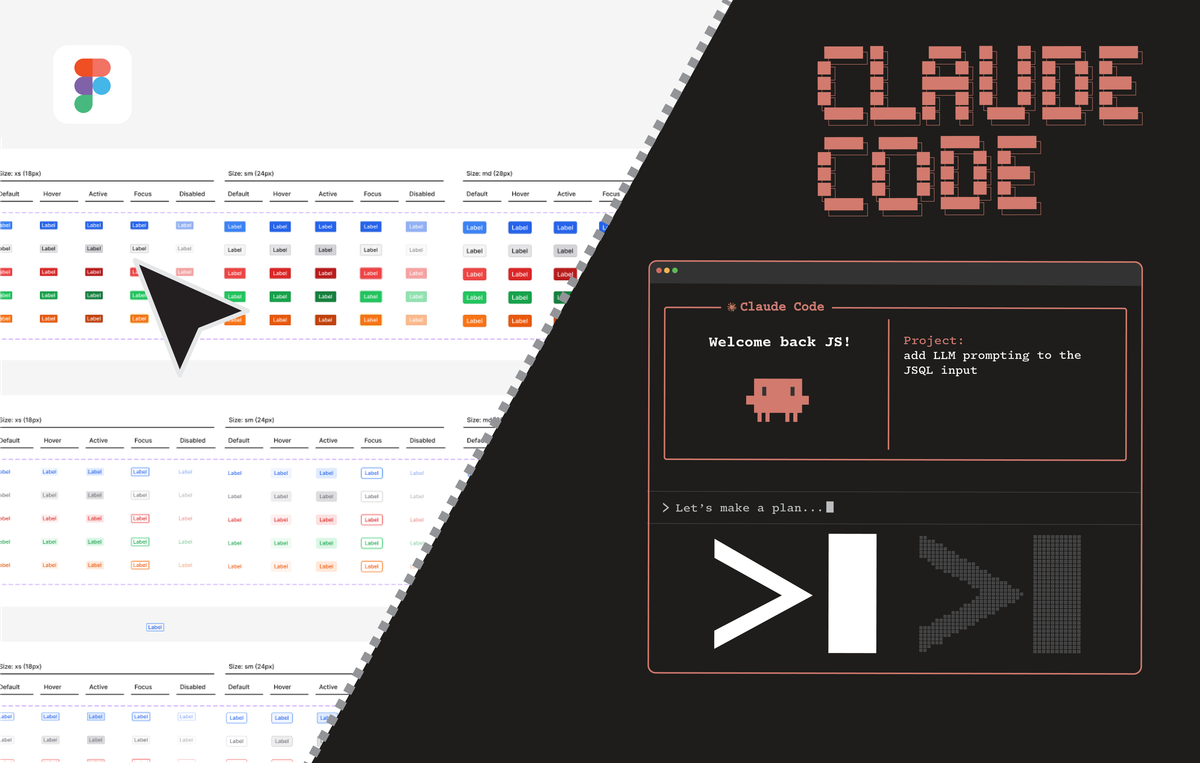
 Dani
Dani