Last Tuesday at 9 PM, I had an idea for a simple habit tracking app. By 11 PM, I had a fully functional web application deployed and live on the internet. No boilerplate struggles. No Stack Overflow rabbit holes. No dependency hell.
Two hours. Start to finish.
If you'd told me this was possible three years ago, I would have laughed. Building a full-stack app used to mean days of setup, weeks of development, and countless hours debugging obscure errors. But something fundamental has changed in how we build software, and it's called vibe coding.
I know that sounds like another overhyped tech buzzword. Trust me, I was skeptical too. But after spending the last six months deep in the vibe coding ecosystem — testing every major tool, shipping real projects, and learning what actually works — I can tell you this: the hype, for once, is mostly justified.
This guide is everything I've learned about building apps with AI coding tools. Not the influencer version where everything magically works on the first try. The real version, with the frustrations, the workarounds, and the moments where it genuinely feels like magic.
What Is Vibe Coding
The term "vibe coding" was coined by Andrej Karpathy – former Tesla AI director and OpenAI researcher – in early 2025. He described it as an approach where you "fully give in to the vibes, embrace exponentials, and forget that the code even exists."
In practical terms, vibe coding means describing what you want in plain English and letting AI generate the code. Instead of writing functions line by line, you have a conversation with an AI assistant that understands programming, frameworks, and architecture. You focus on what you want the app to do; the AI handles how to implement it.
Here's a simple example. Traditional coding might look like this:
function calculateTotal(items) {
  return items.reduce((sum, item) => sum + item.price * item.quantity, 0);
}
With vibe coding, I might just type: "Create a function that calculates the total price of all items in a shopping cart, accounting for quantity."
The AI generates the code, I review it, and if something's off, I describe the fix in plain English. The loop continues until the code does what I need.
But vibe coding isn't just fancy autocomplete. The tools have evolved to handle entire features, multi-file refactors, database schemas, and deployment configurations. The best tools understand your whole project — not just the file you're working in — and can make changes across your entire codebase while keeping everything consistent.
The Vibe Coding Landscape in 2026
Before we dive into the tutorial, let me give you a quick map of the major tools. Each has different strengths, and understanding which to use when will save you a lot of frustration.
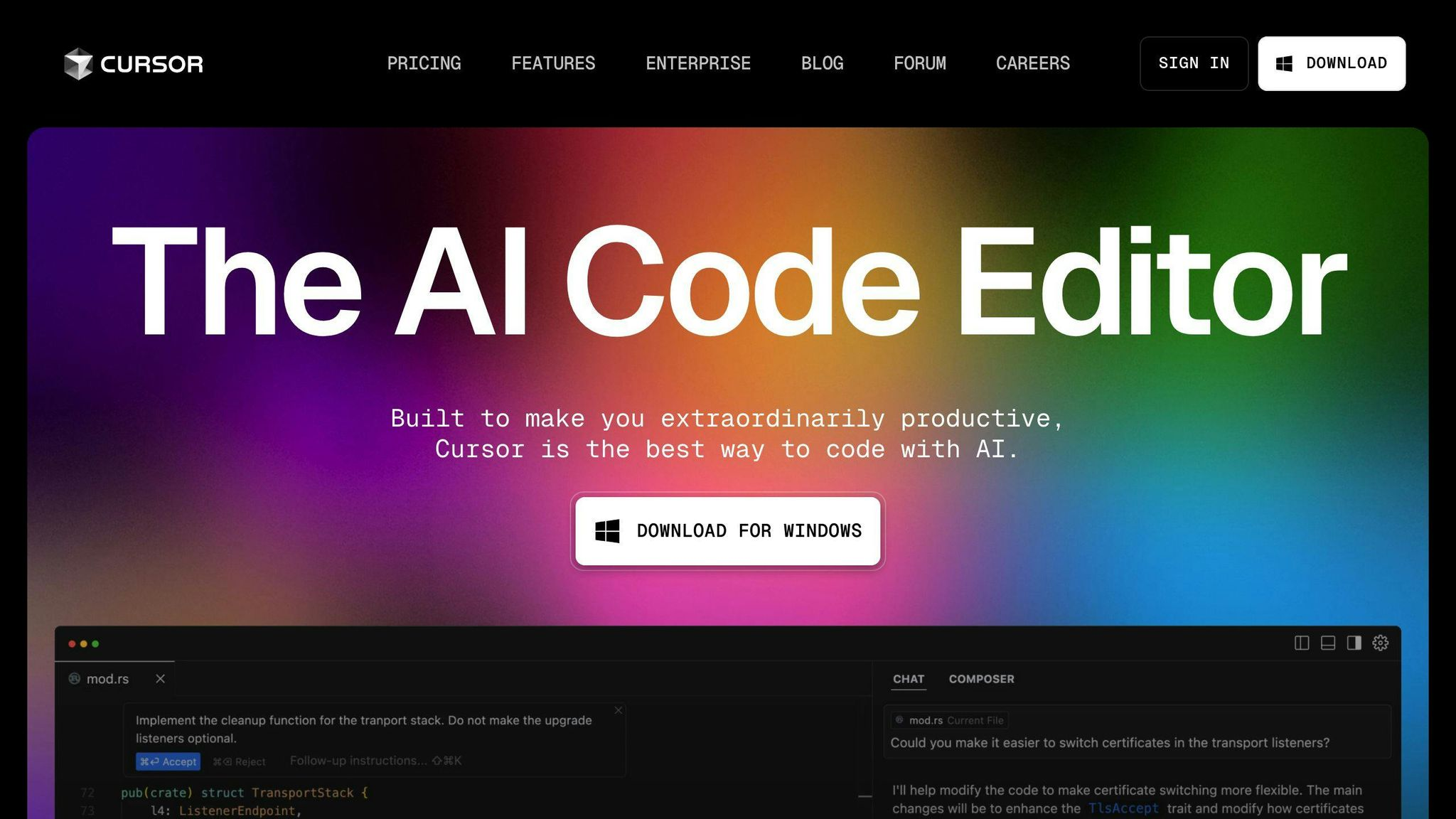
Cursor is an AI-powered IDE built on VS Code. It's designed for developers who want AI assistance while maintaining full control over their code. Cursor understands your entire codebase, can make multi-file edits, and has become the go-to tool for professional developers. Think of it as having a brilliant pair programmer who never gets tired and knows every framework you might use. Pricing starts at $20/month for Pro.
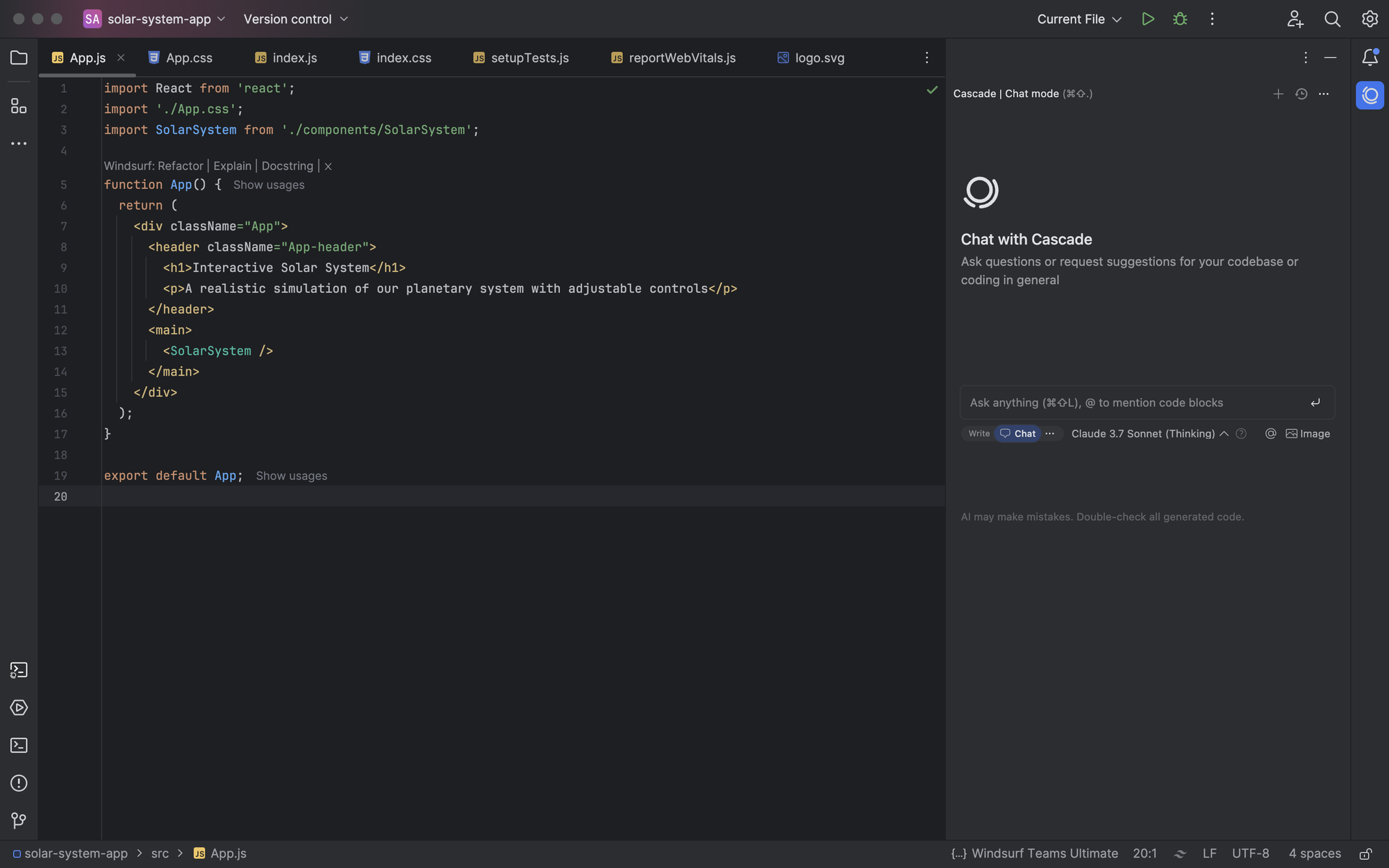
Windsurf (formerly Codeium) is Cursor's main competitor, also built on VS Code. Its standout feature is "Cascade," an agent that maintains deep awareness of your project and can handle complex, multi-step tasks more autonomously. Some developers prefer its UI and find it more intuitive. At $15/month for Pro, it's slightly cheaper than Cursor.
Bolt.new is a browser-based platform where you describe an app and it generates the full stack — frontend, backend, database, everything — right in your browser. No local setup required. It's perfect for rapid prototyping and hackathons. Pricing is token-based, starting at $20/month for 10 million tokens.
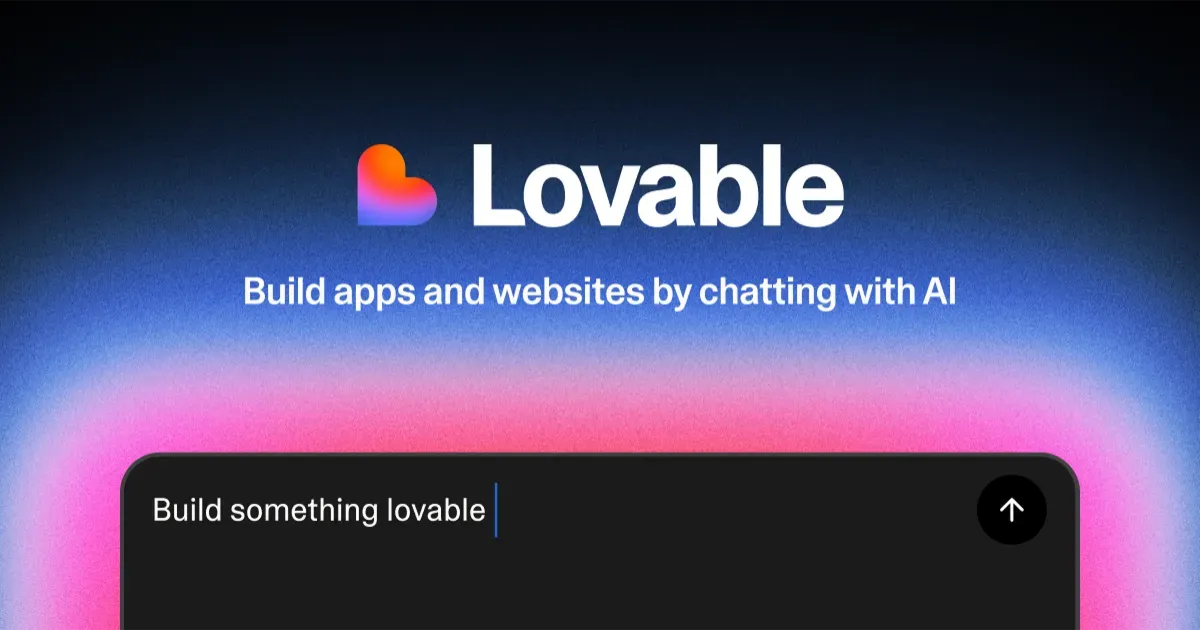
Lovable (formerly GPT Engineer) takes a similar approach to Bolt but focuses more on polished UIs and team collaboration. It's particularly strong at generating beautiful interfaces quickly and integrates well with Supabase for backend functionality. Plans start at $25/month.
Replit offers a complete cloud development environment with AI capabilities. Its Agent can build entire applications autonomously while you watch. It's especially good for beginners and educational projects, though it's also powerful enough for production apps.
Each tool has its place. I use Cursor for serious development work where I need precise control. I use Bolt or Lovable when I want to quickly test an idea before committing to building it properly. And I've found that combining tools — using Lovable to prototype the UI, then bringing that into Cursor for refinement — often gives the best results.
The App I Built: A Habit Tracker
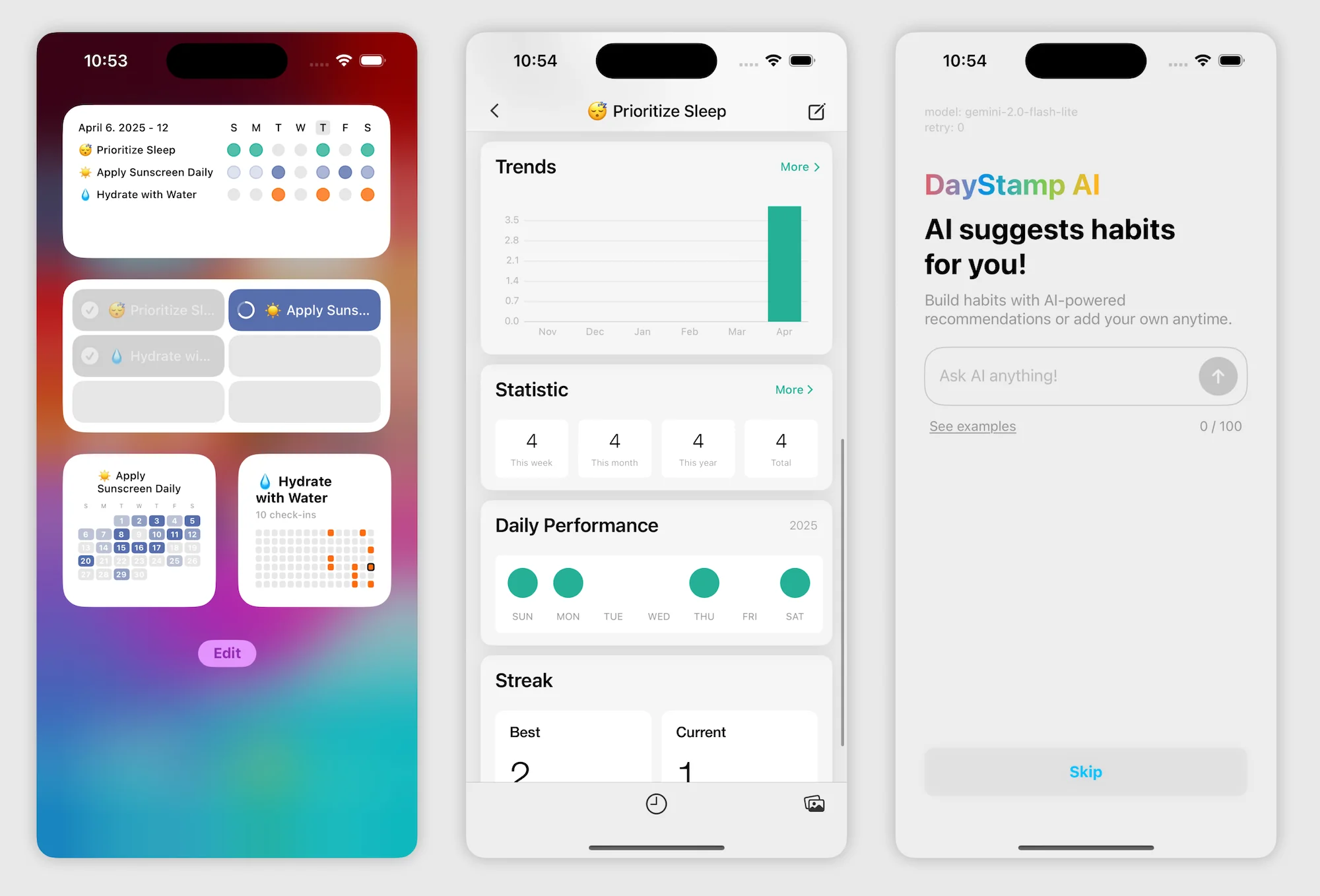
Let me walk you through exactly how I built a habit tracking app in two hours. This wasn't a toy project or a hello world demo – it's a functional application with user authentication, data persistence, and a clean UI that I actually use daily.
The app needed to let users create habits they want to track, mark habits as complete each day, see a streak counter for each habit, view a weekly overview of their progress, and have their data persist across sessions.
Nothing revolutionary, but enough complexity to test whether vibe coding actually works for real applications.
Step 1: Choosing the Right Tool for the Job
For this project, I chose Cursor. Here's my reasoning.
I wanted full control over the code because I planned to add more features later. Browser-based tools like Bolt and Lovable are great for prototypes, but I knew I'd want to refactor and extend this app. Cursor lets me do that easily.
I was comfortable working in an IDE. If you've never touched code before, Lovable or Bolt might be better starting points. But I have development experience, so the IDE environment felt natural.
I wanted to deploy to my own infrastructure. Cursor generates standard code that I can host anywhere. Some other tools have more limited deployment options.
If I were just testing the idea, I might have started with Lovable to get a visual prototype in minutes. But I was committed to building something I'd actually use, so Cursor was the right choice.
Step 2: Setting Up the Project
I opened Cursor and started a new chat with a detailed prompt. This is where many people go wrong — they're too vague in their initial description. The more specific you are upfront, the better results you'll get.
Here's what I typed:
Notice how specific this is. I named the technologies I wanted (Next.js, Tailwind, Supabase). I listed concrete features. I gave UI guidance ("clean, minimalist"). And I told it where to start.
Cursor's Composer agent took this prompt and got to work. Within about 30 seconds, it had created the project structure, set up the Next.js configuration, installed dependencies, created the Supabase client setup, and built the basic authentication pages with login and signup.
I reviewed the generated code. This is important – vibe coding doesn't mean blindly accepting everything. The auth setup looked good, but I noticed it was using an older Supabase auth pattern. I typed:
"Update the authentication to use Supabase's latest auth-helpers for Next.js with the createClientComponentClient pattern."
Cursor made the changes across all relevant files. This is where it really shines — it understood the request, found all the places that needed updating, and made consistent changes everywhere.
Step 3: Building the Core Features
With authentication working, I moved on to the main functionality. I continued the conversation:
Cursor generated the Supabase migration files, the database queries, and the React components. Within minutes, I had a working dashboard.
But here's where the iterative nature of vibe coding becomes important. The first version wasn't perfect. The habit cards looked a bit cramped, and there was no loading state. Instead of manually fixing the CSS, I just described what I wanted:
"The habit cards need more padding and should show a skeleton loader while data is being fetched. Also add a subtle hover effect on each card."
Fixed in seconds.
Step 4: The Streak Logic
The streak calculation was the trickiest part. I needed to count consecutive days of completion, which involves date math that's notoriously error-prone.
I prompted:
The generated code worked, mostly. But I noticed it was counting weekends even though I only wanted to track weekdays for some habits. Rather than trying to explain the fix in words, I just asked:
"Show me the streak calculation function so I can review it."
Cursor displayed the relevant code. I saw the issue and said: "Modify this to accept an optional 'weekdays_only' parameter that, when true, only counts Monday through Friday."
This back-and-forth is the reality of vibe coding. It's not magic – it's a very fast iteration loop. The AI gets you 80% of the way there almost instantly, and the remaining 20% comes through conversation and refinement.
Step 5: The Weekly View
I wanted a visual calendar showing completion history. This is where I leaned heavily on the AI's knowledge of UI libraries:
The first attempt used basic divs, which worked but looked dated. I followed up:
"Actually, let's make this more visually interesting. Use a grid layout with smooth animations when habits are marked complete. Add a satisfying scale-up effect when clicking to complete a habit."
The animations were a nice touch that I probably wouldn't have implemented manually due to the time involved. But with vibe coding, adding polish is nearly free.
Step 6: Deployment
This is often where tutorials get vague, but deployment is where projects actually become useful. I was ready to ship:
"Help me deploy this to Vercel. Walk me through any environment variables I need to set and any configuration changes required."
Cursor gave me step-by-step instructions, generated the necessary configuration files, and even reminded me to set up the Supabase row-level security policies (which I had forgotten about).
Twenty minutes later, the app was live.
What Worked and What Didn't
Let me be honest about the experience, because vibe coding isn't perfect.
The project setup was remarkably smooth. Setting up a Next.js project with Supabase authentication usually takes me an hour or more of configuration and troubleshooting. Cursor did it in minutes, and the code was clean.
Standard CRUD features were nearly instant. Creating, reading, updating, and deleting habits followed common patterns that the AI knew well. I barely had to think about these.
UI iteration was incredibly fast. The ability to say "make this bigger" or "add more spacing" and see immediate results transforms how you approach design. I found myself experimenting with UI options I never would have tried manually.
However, edge cases required more guidance. The streak logic needed several rounds of refinement. The AI's first attempt was close but not quite right, and explaining the exact behavior I wanted took some back-and-forth.
I also had to review security carefully. The generated code wasn't insecure, but it also didn't implement all the row-level security policies I wanted. This is an area where you can't just trust the output – you need to verify.
Performance optimization needed manual attention too. The initial implementation fetched more data than necessary. I had to specifically ask for optimizations like pagination and selective field fetching.
The honest truth is that vibe coding gets you to a working prototype incredibly fast. But getting from prototype to production-quality code still requires developer knowledge. The AI is a powerful collaborator, not a replacement for understanding what good code looks like.
My Vibe Coding Workflow
After months of practice, here's the workflow that works best for me.
- I start with a detailed initial prompt. The more context I provide upfront, the better the results. I include the tech stack, major features, UI preferences, and where I want to start.
- I review code at natural breakpoints. I don't accept everything blindly, but I also don't review every single line. I check the code after major features are complete, looking for obvious issues, security concerns, and architectural problems.
- I iterate in small steps. Instead of asking for huge features all at once, I break things down. "Add the database schema" then "Create the API routes" then "Build the UI component." This gives me more control and makes debugging easier.
- I use specific terminology when I can. Instead of "make it faster," I say "add React.memo to prevent unnecessary re-renders" or "implement pagination with 20 items per page." The more precise your language, the better the output.
I save prompts that work. When I find a particularly effective way to ask for something, I save it for future use. I have a collection of prompts for common patterns like authentication, form handling, and deployment.
Cursor vs. Windsurf vs. Bolt: Which Should You Use?
This is the question I get asked most often, and the honest answer is that it depends on your situation.
Choose Cursor if you're a developer who wants AI to enhance your existing workflow. Cursor fits seamlessly into how developers already work, with the added power of AI assistance. It's the best choice for professional projects, large codebases, and situations where you need precise control.
Choose Windsurf if you want a similar developer experience but prefer slightly different UX and pricing. Many developers find Windsurf's Cascade feature more intuitive for complex, multi-step tasks. At $15/month versus Cursor's $20/month, it's also a bit cheaper. Try both and see which clicks for you.
Choose Bolt.new if you want to prototype quickly without any setup. Bolt is incredible for hackathons, demos, or testing ideas before committing to full development. Everything runs in your browser, so you can start building from any device instantly. The tradeoff is less control over the code and architecture.
Choose Lovable if you're focused on UI and want polished results fast. Lovable excels at generating beautiful interfaces and has strong Supabase integration for backend functionality. It's ideal for MVPs where visual polish matters.
Choose Replit if you want a complete cloud environment with collaboration features. Replit is particularly good for teams, educational settings, or situations where you want everything – coding, hosting, databases in one place.
Many developers use multiple tools. I often prototype in Lovable or Bolt to validate an idea quickly, then rebuild properly in Cursor if it's worth pursuing. The tools complement each other rather than compete.
The Limitations of Vibe Coding (Be Honest About These)
I want to be upfront about where vibe coding falls short, because the hype often oversells these tools.
- Complex business logic still requires thinking. AI can generate code for standard patterns, but when your requirements are truly unique, you need to guide the AI carefully. Sometimes it's faster to just write the code yourself.
- Code quality is inconsistent. Generated code is usually good, but it's not always optimal. You might end up with redundant imports, suboptimal database queries, or missing error handling. Review is essential.
- Security needs extra attention. AI tools don't always implement security best practices by default. Row-level security, input validation, rate limiting — you need to specifically ask for these or add them yourself.
- Large codebases can confuse the AI. As projects grow, context windows fill up, and the AI may lose track of your architecture. Breaking work into smaller, focused sessions helps.
- You're building on a moving target. These tools update constantly, which is mostly good, but occasionally breaking changes affect your workflow. What worked yesterday might behave differently today.
The Cursor CEO himself, Michael Truell, recently warned about vibe coding's limitations: "If you close your eyes and you don't look at the code and you have AIs build things with shaky foundations, as you add another floor, and another floor, things start to crumble."
Getting Started: Your First Vibe Coding Project
If you're ready to try this yourself, here's how I'd recommend starting.
First, pick a simple project. Don't try to build the next Facebook. A todo app, a personal dashboard, a simple game – something you can complete in a few hours. Success builds confidence.
Second, choose one tool and learn it well. Don't bounce between Cursor, Windsurf, and Bolt trying to find the perfect one. Pick whichever appeals to you and spend a week really learning it. You can explore alternatives later.
Third, be specific in your prompts. Vague prompts get vague results. Instead of "make a website," try "create a personal portfolio website with a hero section, about section, project gallery, and contact form, using Next.js and Tailwind CSS with a dark theme."
Fourth, embrace iteration. Your first attempt won't be perfect. Neither will your second. The magic of vibe coding is how fast you can iterate. Instead of getting frustrated when something's wrong, just describe the fix.
Fifth, review and learn. Don't just accept generated code blindly. Look at it. Try to understand it. Ask the AI to explain parts you don't understand. Vibe coding is most powerful when combined with actual knowledge.
Frequently Asked Questions
Do I need to know how to code to use vibe coding tools?
For browser-based tools like Bolt and Lovable, you can get surprisingly far without coding knowledge. You can describe what you want, iterate on the results, and deploy working applications. However, you'll hit limits when things don't work as expected — debugging without understanding code is challenging. For IDE-based tools like Cursor and Windsurf, some programming knowledge significantly improves your results. You don't need to be an expert, but understanding basics like variables, functions, and how web apps work will help you guide the AI more effectively.
How much do these tools cost?
Cursor Pro is $20/month with a free tier available. Windsurf Pro is $15/month with a free tier. Bolt.new starts at $20/month with token-based pricing that can scale up for heavy use. Lovable starts at $25/month. Most tools offer free tiers sufficient for learning and small projects.
Can I build a real business with vibe coding?
You can definitely build and ship an MVP. Many founders have validated ideas and even generated revenue using vibe-coded applications. However, scaling a business typically requires more technical depth eventually. The code generated by AI tools is usually good, but optimization, security hardening, and handling edge cases often require human expertise. Think of vibe coding as an accelerator, not a complete replacement for technical knowledge.
Is the code generated by AI tools secure?
AI tools generally produce code that works but don't always implement security best practices by default. Authentication, input validation, row-level security policies, and rate limiting may not be included unless you specifically ask. Always review generated code for security implications, especially before deploying to production with real user data.
Will vibe coding replace developers?
Not anytime soon. Vibe coding makes developers more productive — it doesn't eliminate the need for them. Someone still needs to understand requirements, make architectural decisions, review generated code, handle edge cases, and maintain systems over time. What's changing is the nature of the work: less typing boilerplate, more directing and curating. Developers who embrace these tools will be significantly more productive than those who don't.
Which tool is best for beginners?
For absolute beginners with no coding experience, I'd recommend starting with Lovable or Bolt.new. They're browser-based, require no setup, and produce visual results quickly, which is motivating. Once you're comfortable with the concept of describing apps in words and iterating on results, you can explore Cursor or Windsurf for more control.
How do I learn to write better prompts?
Practice and observation. Start by being as specific as possible about what you want. Include technology preferences, feature requirements, and UI guidance. When you get unexpected results, analyze what was ambiguous in your prompt. Over time, you'll develop a sense for what information the AI needs. Also, don't hesitate to ask the AI itself: "What additional information would help you implement this better?"
Can I use vibe coding for mobile apps?
Yes, though with some caveats. Tools like Cursor work well with React Native and Flutter for cross-platform mobile development. You describe features in natural language just like with web apps. Some teams also use these tools to build Progressive Web Apps that work on mobile. For native iOS (Swift) or Android (Kotlin) development, the tools work but have less built-in knowledge compared to web technologies.
How do these tools handle large existing codebases?
Cursor and Windsurf are specifically designed to understand and work with existing projects. They index your codebase and can make contextually aware suggestions and changes. However, very large codebases (hundreds of thousands of lines) can strain context windows. Best practice is to work in focused sessions on specific parts of the codebase rather than trying to have the AI understand everything at once.
What happens when the AI generates buggy code?
This happens regularly, and it's part of the workflow. When something doesn't work, you have a few options. You can describe the bug to the AI and ask it to fix it. You can paste error messages directly into the chat for diagnosis. Or you can point the AI to the specific problematic section and explain what should happen instead. Most bugs get resolved within one or two iteration cycles.
Is my code private when using these tools?
This varies by tool and plan. Cursor states that it doesn't train on user code when Privacy Mode is enabled. Windsurf has similar policies for Pro users. Browser-based tools like Bolt and Lovable process your code on their servers. If you're working with sensitive or proprietary code, check each tool's privacy policy and consider using enterprise tiers that typically offer stronger data protection guarantees.
How fast can I realistically build something useful?
For a simple application like a landing page, personal dashboard, or basic CRUD app, you can go from idea to deployed product in under two hours. More complex applications with authentication, multiple user roles, complex business logic, or third-party integrations will take longer — but still significantly faster than traditional development. I'd estimate 10x speed improvement for well-understood patterns and 3-5x improvement for more custom work.
The Future of Building Software
Vibe coding isn't a gimmick. It's a fundamental shift in how software gets built.
A year ago, I was skeptical. These tools seemed impressive in demos but felt like toys for real work. Today, they're an essential part of my workflow. I ship faster, I experiment more, and I spend my mental energy on design and user experience instead of wrestling with syntax and configuration.
The tools aren't perfect, and they won't be for a while. But they're improving rapidly. Features that didn't exist six months ago are now standard. Models are getting smarter. Context windows are expanding. The trajectory is clear.
My advice? Start now. Don't wait for the tools to be perfect. The developers who learn to work effectively with AI assistance today will have a significant advantage as these tools mature.
Pick a project you've been putting off. Open Cursor or Bolt or whatever tool appeals to you. Describe what you want to build.
Then watch the magic happen.
Have questions about vibe coding or want to share what you've built? The communities on Reddit (r/vibecoding, r/cursor) are great places to learn and get help.
Related Articles
 Dani
Dani
 Mark
Mark
 Dani
Dani