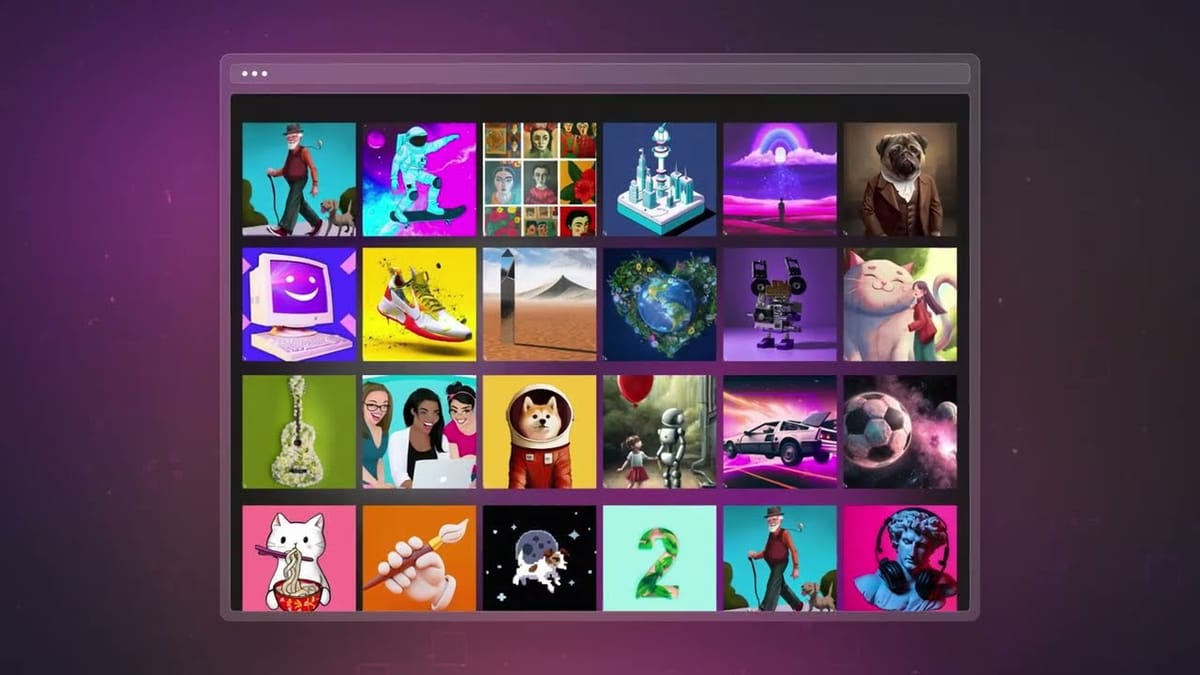
But here's what nobody tells you about AI marketing tools: having more options doesn't make your life easier. With over 90 different AI tools actively being used by marketing teams, the paradox of choice is real. You could spend weeks testing platforms, burning through free trials, and still end up with a disjointed tech stack that creates more problems than it solves.
I've spent considerable time watching content teams transform their output – some cutting production time by 75%, others struggling with tools that promised the world and delivered a paragraph. The difference isn't just which tools they picked. It's understanding what each tool actually does well, where it falls short, and how they work together.
What AI Content Marketing Tools Actually Do
Before diving into specific tools, let's clear up what you're really getting when you add AI to your content workflow.
AI content marketing tools fall into several functional categories.
- Content writing tools help you generate ideas and draft text like blog posts, social media captions, and email copy.
- SEO and optimization tools analyze search engine results and help you structure content that ranks.
- Editing tools improve existing work by checking grammar, tone, and readability.
- Design tools create visuals, from social graphics to presentations.
- Planning tools help you organize content calendars, assign tasks, and track progress.
The best teams aren't picking one tool and hoping it does everything. They're building stacks where each piece handles what it does best. A typical high-performing setup might use ChatGPT for brainstorming and first drafts, Claude for refining long-form content and maintaining brand voice, Surfer SEO for optimization, and Canva for visual assets.
Large Language Models: Your Core Writing Partners
The foundation of most AI content workflows starts with a large language model – the technology that powers conversational AI assistants capable of generating, editing, and refining text. Three platforms dominate this space, and each brings something different to the table.
ChatGPT

ChatGPT remains the most widely adopted AI tool in marketing, used by 90% of marketers according to recent surveys. OpenAI built it to be versatile, and that versatility shows. The platform handles everything from quick social media captions to detailed email sequences without requiring you to switch contexts.
What makes ChatGPT particularly valuable for content teams is its plugin ecosystem and integration capabilities. You can connect it with thousands of marketing tools through Zapier, making it the hub of automated workflows for content generation, email personalization, and social media management. The native HubSpot integration means you can run AI-powered CRM queries and generate reports without leaving your existing systems.
On the practical side, ChatGPT Plus runs $20 per month and gives you access to GPT-4o with image generation through DALL-E, web browsing, and advanced data analysis. The Team plan at $30 per user monthly adds collaborative features like shared workspaces and GPT sharing. For larger organizations, Enterprise plans offer expanded context windows and enhanced security controls.
ChatGPT occasionally generates information that sounds confident but isn't accurate. The hallucination problem that affects all large language models. It also tends to produce content that feels generically polished, which means you'll still need to inject your brand's specific voice and personality.
Claude
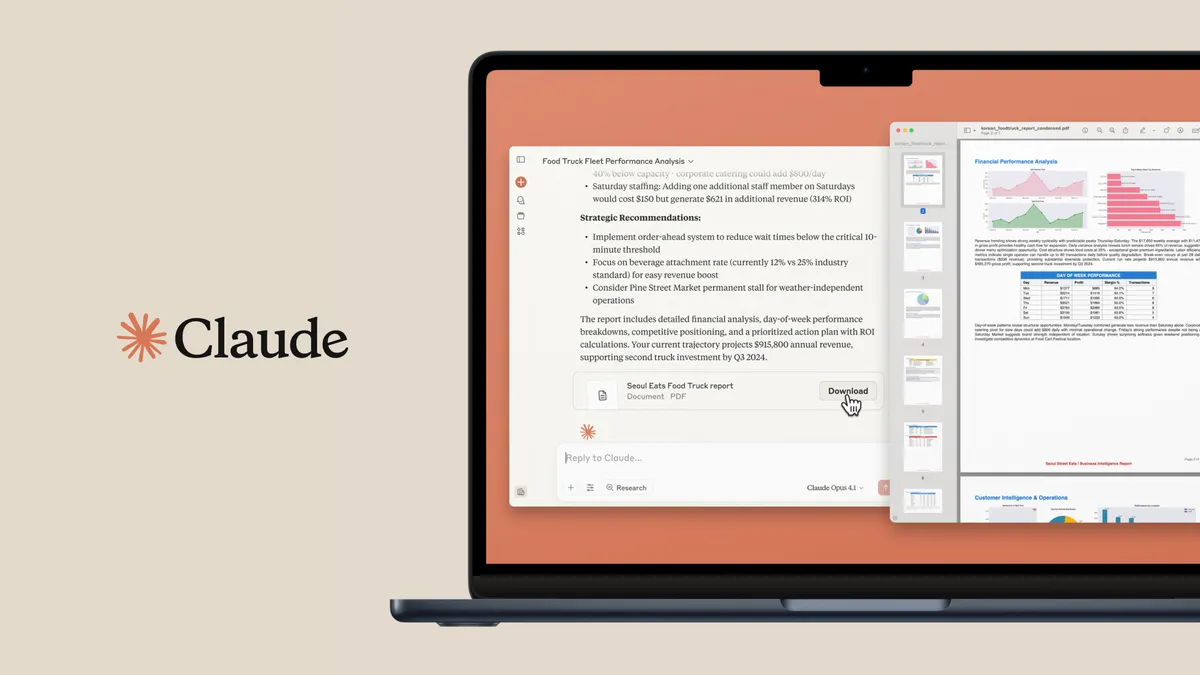
Claude has carved out a distinct position as the tool of choice for long-form content and nuanced writing. Currently used by about 33% of marketers, it's gained traction specifically among teams that need more than quick copy – think whitepapers, detailed guides, and content that requires sustained coherence across thousands of words.
The technical advantage is context window size. Claude can process significantly longer documents in a single conversation, making it ideal for tasks like analyzing lengthy reports, maintaining consistency across multi-section articles, and working with existing brand guidelines. When you paste your style guide and ask Claude to apply it to new content, the results tend to be more aligned than what you'd get from competitors with shorter memory spans.
Testing reveals that Claude handles landing page creation with what researchers call "implementation readiness." Instead of just producing text, it generates HTML that's ready to use, complete with structure and formatting. For marketing teams working on web content, this reduces the translation work between ideation and implementation.
Claude's approach to brand voice consistency makes it particularly suited for organizations managing multiple content pieces across different channels. Once you establish parameters for tone and style, the model maintains them more reliably through longer conversations. Marketing teams report saving hours weekly on blog posts, whitepapers, and technical documentation through Claude's Projects feature, which keeps relevant context accessible across sessions.
The platform's pricing mirrors ChatGPT—$20 per month for Pro access, with Team plans available for organizations. Where it falls behind is in integrations. Claude doesn't offer the extensive third-party plugin ecosystem that ChatGPT has built, which means less automation out of the box for teams with complex workflow needs.
Google Gemini
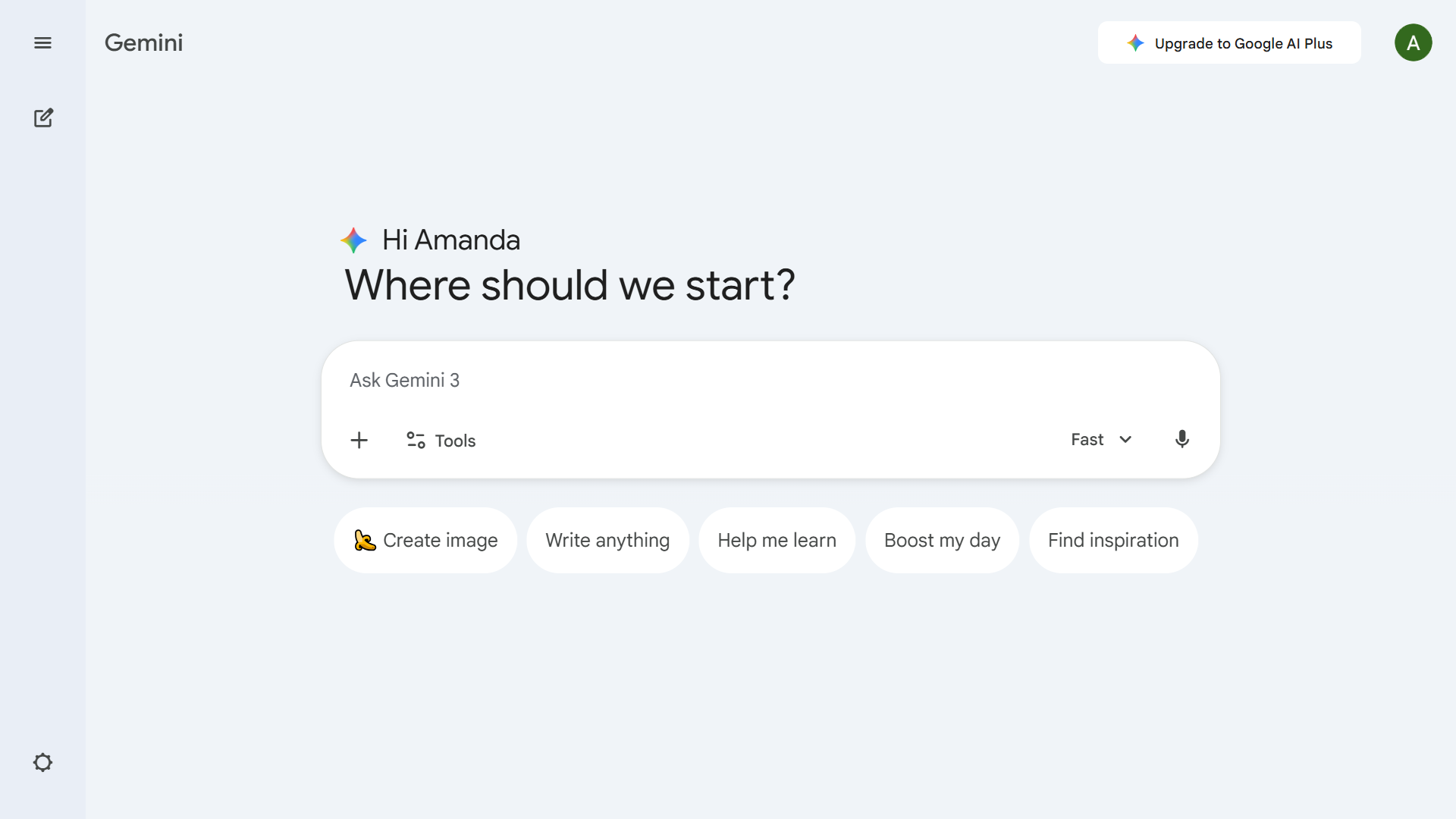
Gemini rounds out the major LLM options with strengths in multimodal processing, handling text, image, code, video, and audio in ways that matter for content teams producing across formats. About 51% of marketers report using Gemini, making it the second most popular option after ChatGPT.
The platform integrates directly with Google's productivity suite, which translates to practical value for teams already embedded in that ecosystem. Creating content that flows seamlessly into Google Docs, Slides, and Sheets reduces friction in collaborative workflows. For teams running campaigns that span multiple formats and platforms, this native integration eliminates export-import cycles.
Veo 3, Gemini's video generation module, creates short cinematic clips from prompts or static images with motion, sound effects, and scene transitions. Content teams needing branded video for social media or advertising can produce rough cuts without external production resources. While the output won't replace professional video production, it handles the quick-turn content that feeds social channels.
Gemini's free tier offers substantial functionality, making it worth testing even if you're committed to another platform. The advanced tier provides deeper model access and longer context windows for users who find the free version limiting.
SEO Optimization
Producing content means nothing if nobody finds it. SEO optimization tools have evolved from keyword suggestion engines into sophisticated platforms that analyze what's actually ranking and translate those patterns into actionable guidance.
Surfer SEO
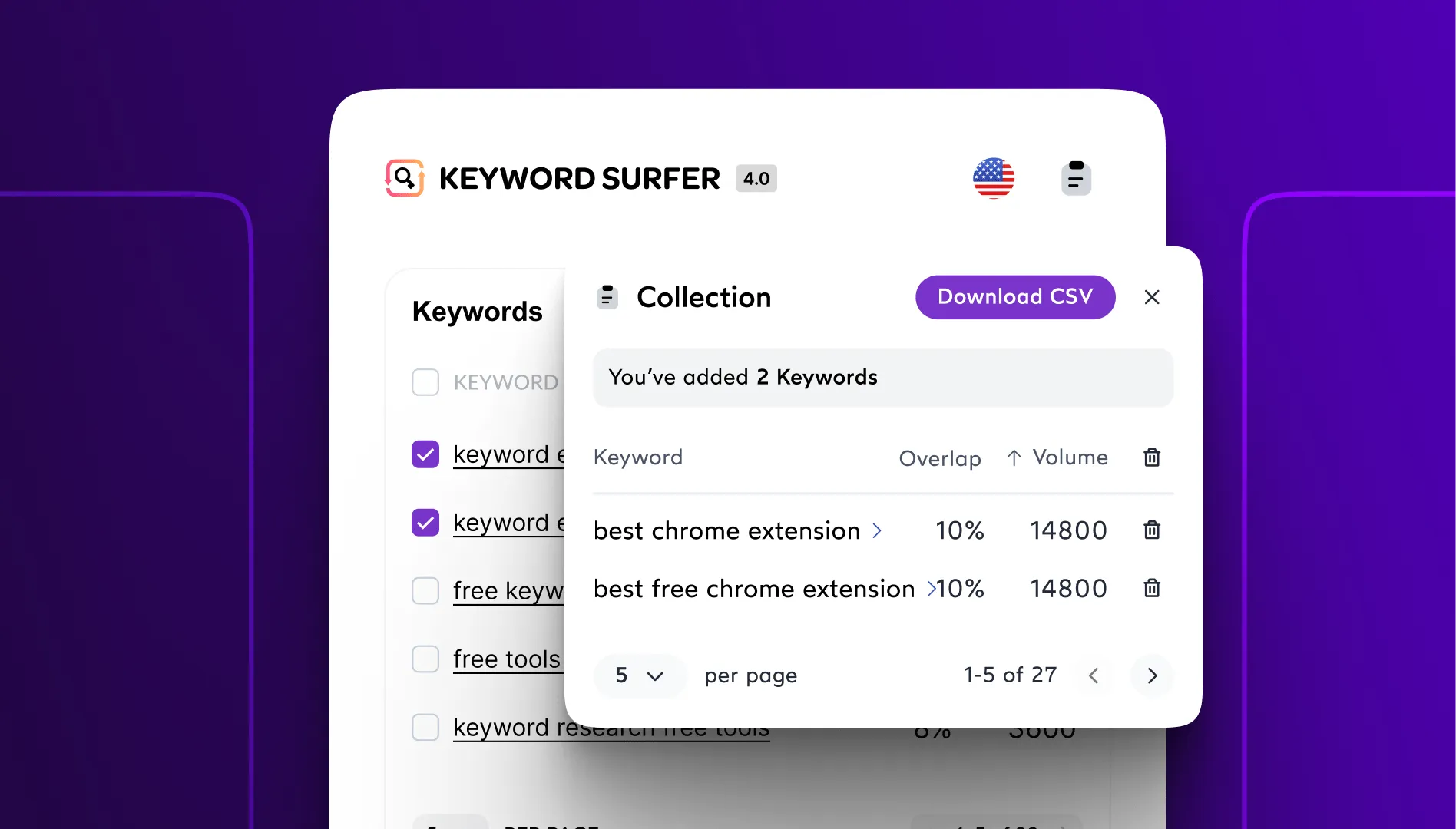
Surfer SEO approaches optimization by analyzing the top-ranking pages for any given keyword and reverse-engineering what they have in common. The Content Editor evaluates your draft against hundreds of on-page factors: word count, heading structure, keyword density, semantic terms, and media depth, providing real-time feedback as you write.
The practical output is a Content Score that tells you how well your article compares to what's currently ranking.
What separates Surfer from simpler tools is the Topical Map feature, which shows content clusters and authority gaps. Instead of optimizing individual pages, you can plan content strategies that build topical authority over time.
Recent updates address the shift toward AI-generated search results. The AI Tracker monitors how your brand appears in AI Overviews and chatbot responses, tracking both mention frequency and accuracy. As tools like ChatGPT and Google's AI Overviews become more common for information seeking, visibility in those contexts matters alongside traditional rankings.
Surfer integrates with Google Docs through a Chrome extension, letting you optimize without leaving your writing environment. WordPress integration enables direct publishing, and connections to Jasper AI allow combining generation with optimization. Pricing starts at $89-99 monthly for the Essential plan with 30 Content Editors, scaling to $219 for Scale with 100 editors.
The limitations are worth noting. Keyword research capabilities don't match dedicated platforms like Ahrefs or Semrush. The tool excels at on-page content optimization but doesn't handle backlink analysis, technical audits, or the broader competitive intelligence that comprehensive SEO platforms provide. Many teams use Surfer specifically for content while running another platform for research and tracking.
Semrush
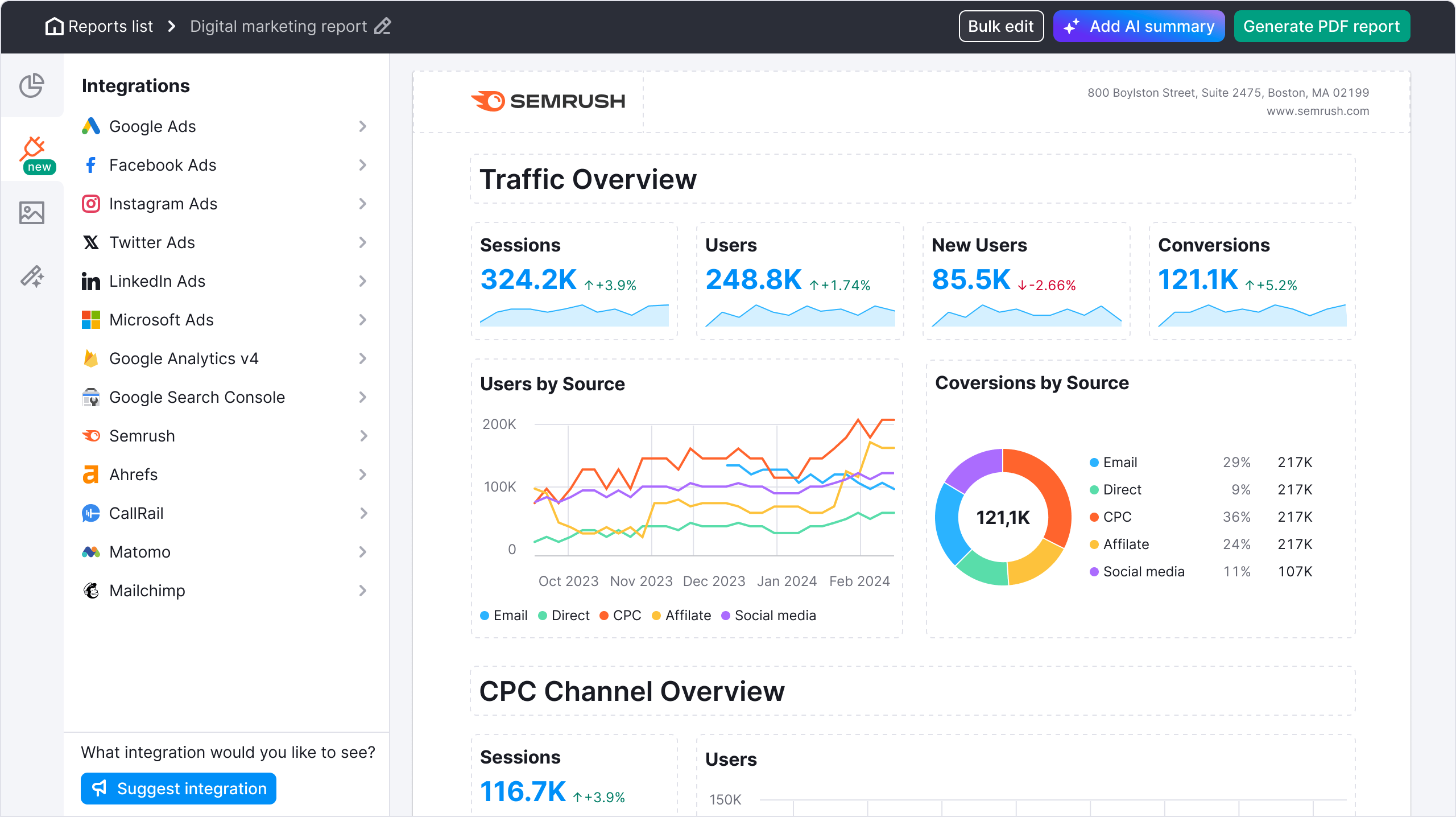
Semrush takes the opposite approach – a comprehensive platform covering SEO, PPC, content marketing, and social media management. Rather than doing one thing exceptionally well, it provides functional tools across the entire digital marketing scope.
For content marketing specifically, Semrush Copilot acts as a built-in assistant that surfaces issues and opportunities. It flags technical problems, identifies toxic backlinks, highlights traffic drops, and spots keyword gaps, then explains why each matters and links directly to features that address them. The cognitive load of monitoring multiple metrics shifts from you to the platform.
The Visibility Overview tool addresses AI's growing role in search, showing how your site performs in both traditional results and AI Overviews. You can track specific prompts you're ranking for, view the generated responses, and filter between AI Overviews and ChatGPT mentions. As AI-generated answers become a primary way people find information, this visibility matters.
ContentShake AI combines generative capabilities with SEO data to produce optimized content. It generates articles, social posts, and images though at additional cost beyond the base subscription. The output quality varies by topic complexity and requires the same human review as other AI-generated content.
Pricing reflects the comprehensive scope: Pro plans start at $139.95 monthly, Guru at $249.95 adds the Content Marketing Toolkit and historical data, and Business at $449.95 includes API access and extended limits. For teams that need keyword research depth, competitive analysis, and content optimization in one platform, the investment consolidates multiple subscriptions.
Semrush's feature breadth means steeper learning curves and interface density that can overwhelm teams focused specifically on content. If on-page optimization is your primary need, Surfer's focused approach might serve better; if you're managing the full SEO picture, Semrush's comprehensive toolkit justifies the investment.
Clearscope
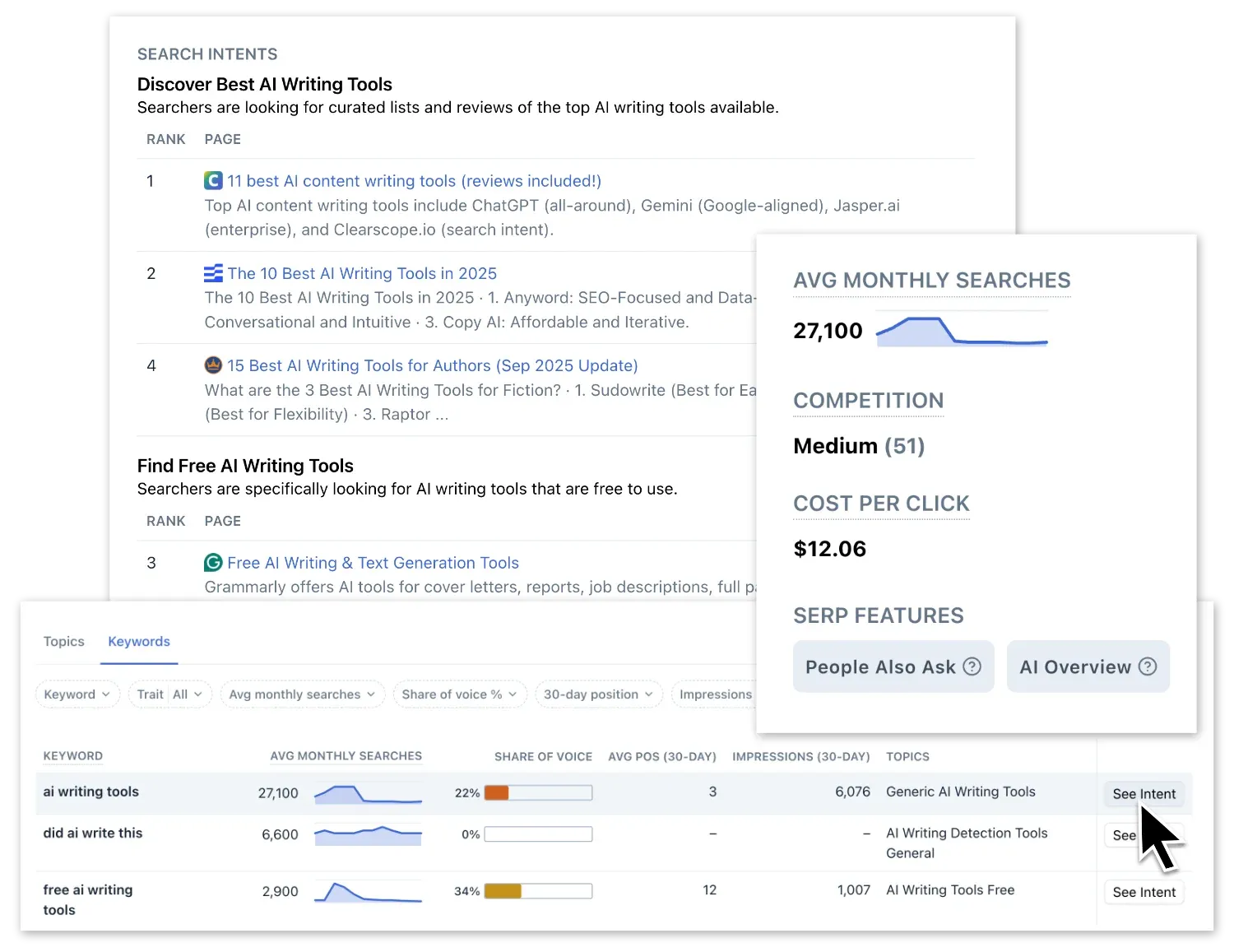
Clearscope focuses on readability alongside SEO optimization, providing content grades that balance technical optimization with writing quality. The cleaner interface appeals to teams that find Surfer's data density overwhelming. Integration with Google Docs and WordPress maintains familiar environments.
Frase
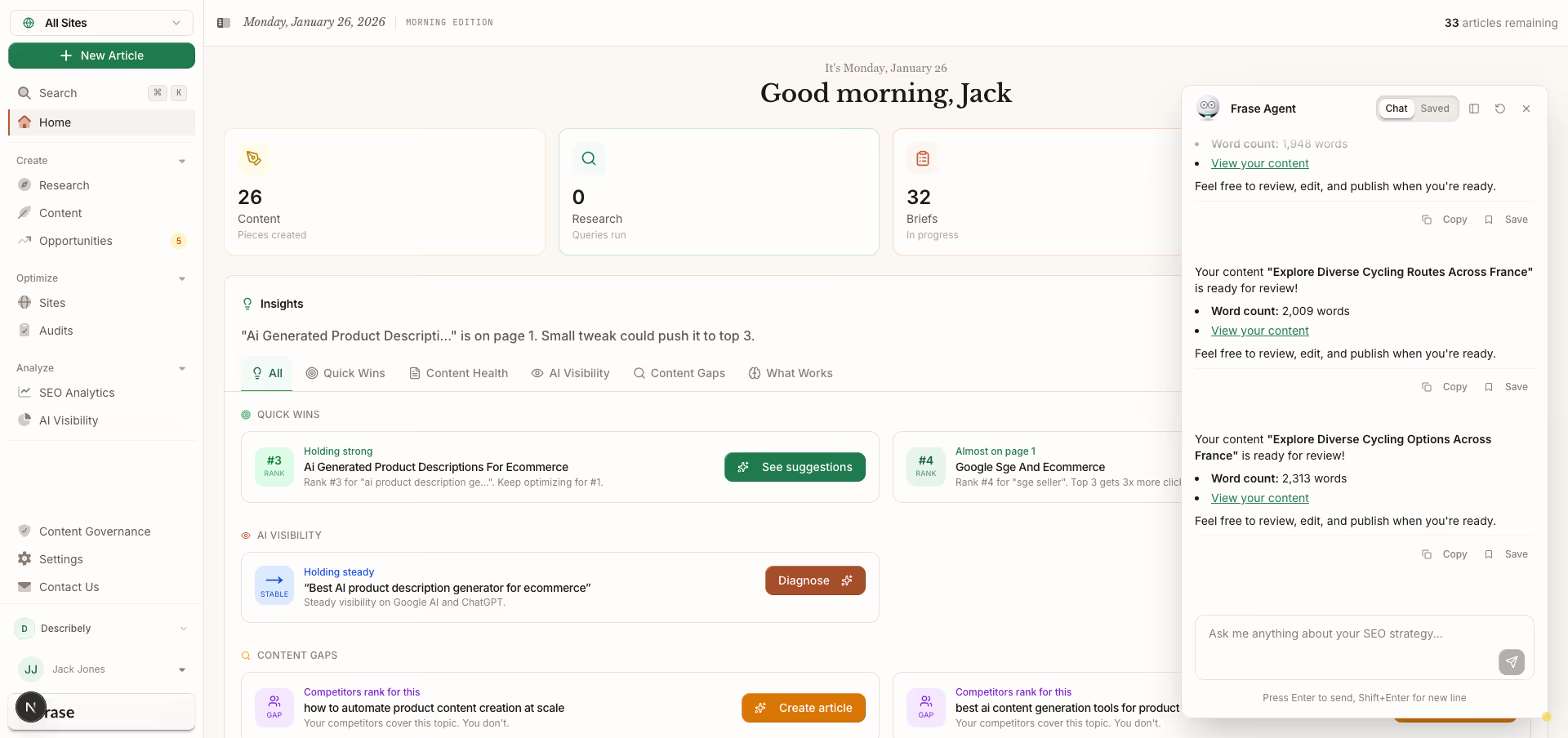
Frase builds AI-assisted research into the optimization workflow. Before you write, the platform compiles information from ranking content into structured briefs, reducing the research phase. For teams producing educational or explanatory content, this research automation accelerates the ideation-to-outline transition.
Visual Content Creation
Content marketing increasingly demands visual assets for every piece of text you produce. Social posts need graphics. Blog articles need featured images. Presentations need consistent design. AI-powered visual tools have evolved to handle this volume without requiring dedicated design resources.
Canva
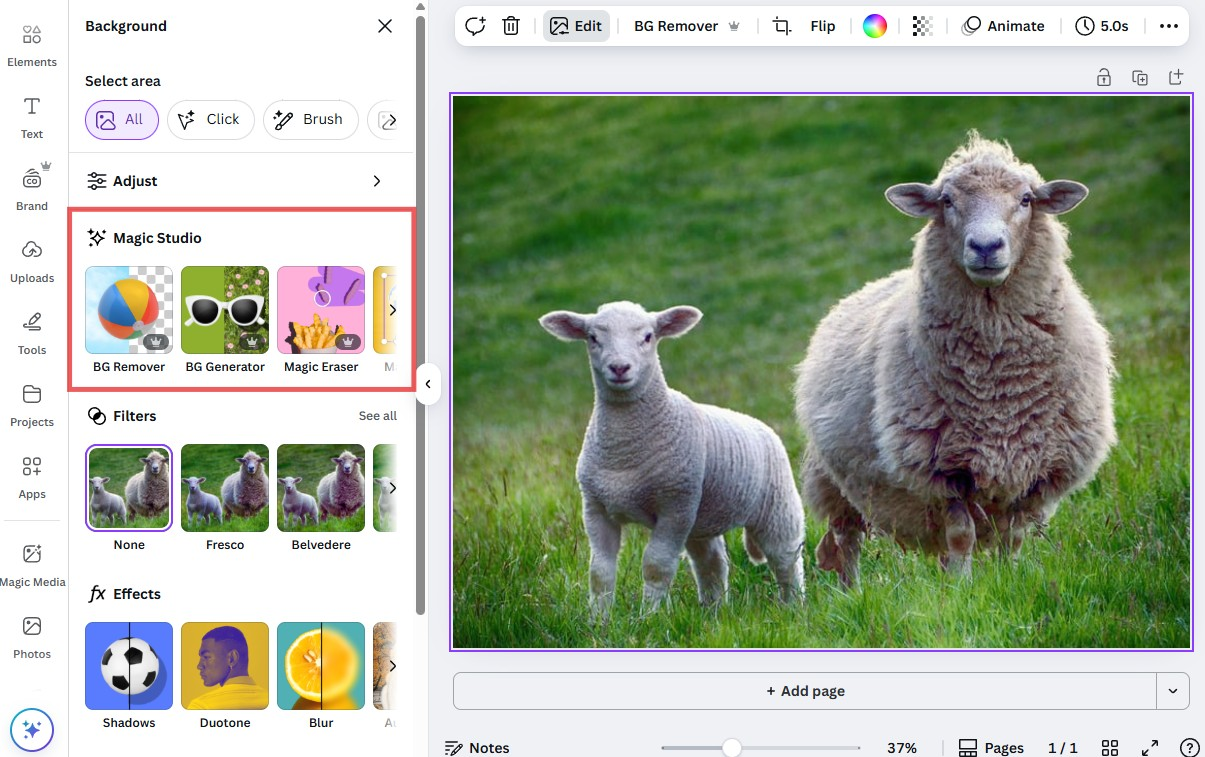
Canva's position in marketing workflows has shifted from "design tool for non-designers" to a comprehensive visual creation platform with AI capabilities embedded throughout. According to Canva's research, 93% of business leaders say visual content accelerates decision-making, and nearly all employees want tools that let them create quality visuals without design expertise.
The platform's AI features center on Magic Studio, which handles everything from generating complete designs to automated resizing and translation. Magic Design takes a text prompt and produces editable layouts, not flat images, but structured designs you can modify. Magic Resize adapts a single design to multiple format dimensions, and Magic Translate handles localization for international teams.
Recent updates introduced Canva AI as a conversational assistant accessible throughout the interface. You can prompt design changes in natural language, request feedback on existing work, and generate variations without navigating menu structures. The ability to mention the AI assistant in comments during collaborative editing streamlines revision workflows.
For marketing teams specifically, Canva Grow represents a significant expansion -combining asset creation, direct publishing to platforms like Meta, and performance analytics. Rather than creating in Canva, downloading, uploading to ad platforms, and tracking in separate tools, the workflow consolidates. The platform scans your website to learn brand colors, tone, and messaging, then generates ad variants aligned with your established identity.
Canva Code lets anyone create interactive elements through prompts – calculators, widgets, and embedded features that work across Canva Docs, Presentations, and Websites. Built on Anthropic's Claude model, it handles the technical implementation while you describe what you want. For content marketers producing interactive assets, this removes the developer bottleneck.
Pricing remains accessible: a robust free tier handles basic needs, Pro at $15 monthly adds Brand Kits and premium features, and Teams pricing supports organizational collaboration. The Enterprise tier adds advanced AI, analytics, and administrative controls for larger deployments.
Midjourney
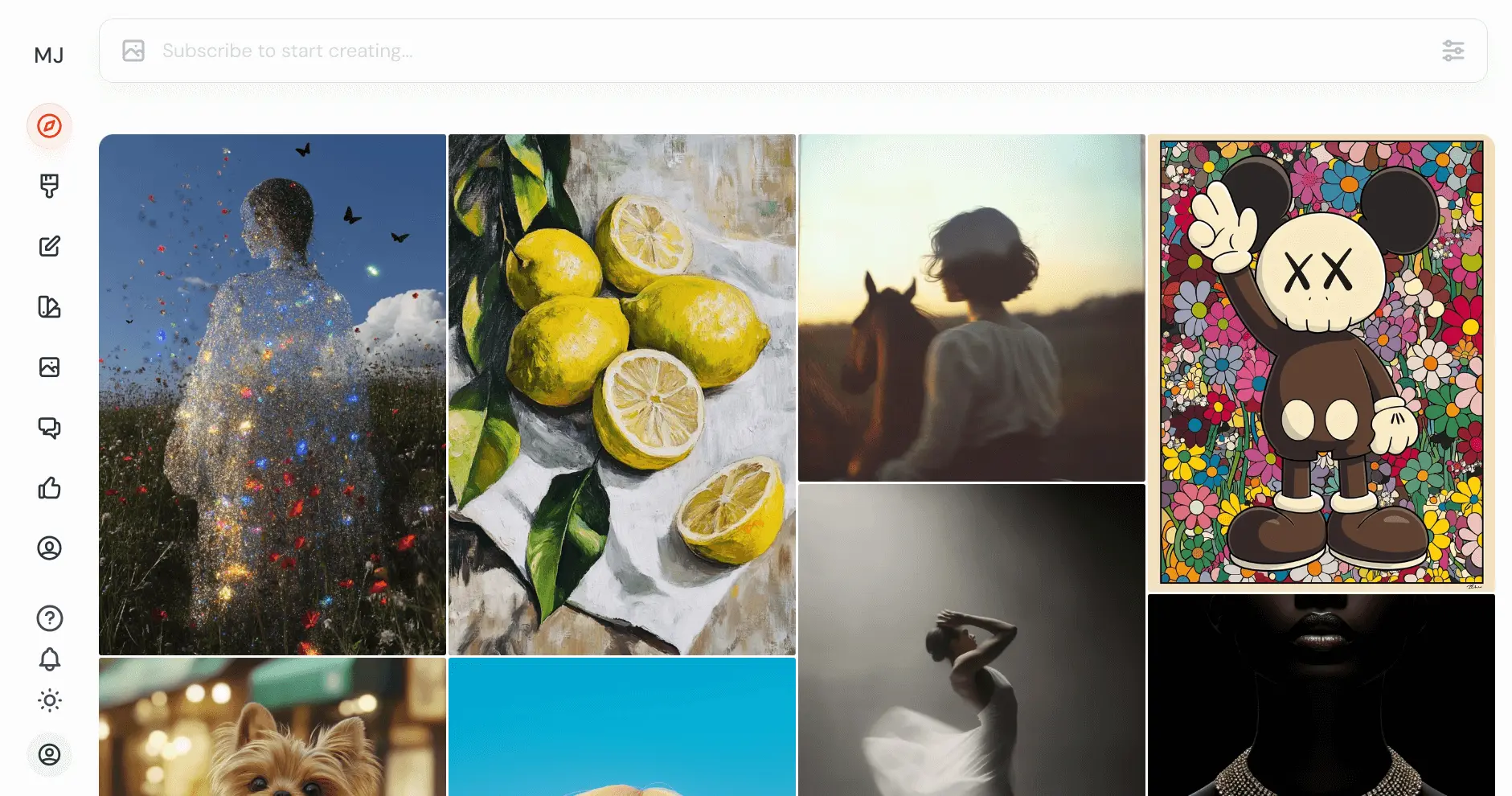
Midjourney produces AI-generated images with distinctive aesthetic quality — stylized visuals that stand out from the generic look that plagues much AI-generated imagery. For teams needing unique visuals that don't read as obviously AI-produced, Midjourney's output often requires less post-processing.
The platform operates through Discord, which feels unintuitive initially but enables community-driven learning as you see prompts and outputs from other users. Image generation requires crafting text prompts that guide style, composition, and content. The learning curve is real but manageable.
For content marketing, Midjourney handles conceptual imagery that stock photos can't provide: visualizing abstract concepts, creating themed series with consistent aesthetic, and producing hero images that differentiate your content. The output works particularly well for editorial content, thought leadership, and brand storytelling where generic stock photography undermines authenticity.
Limitations include slower iteration than some alternatives, the Discord-based interface, and occasional challenges with specific details like text, hands, and precise object arrangements. Teams often combine Midjourney for hero images with Canva for format adaptation and text overlay.
OpusClip
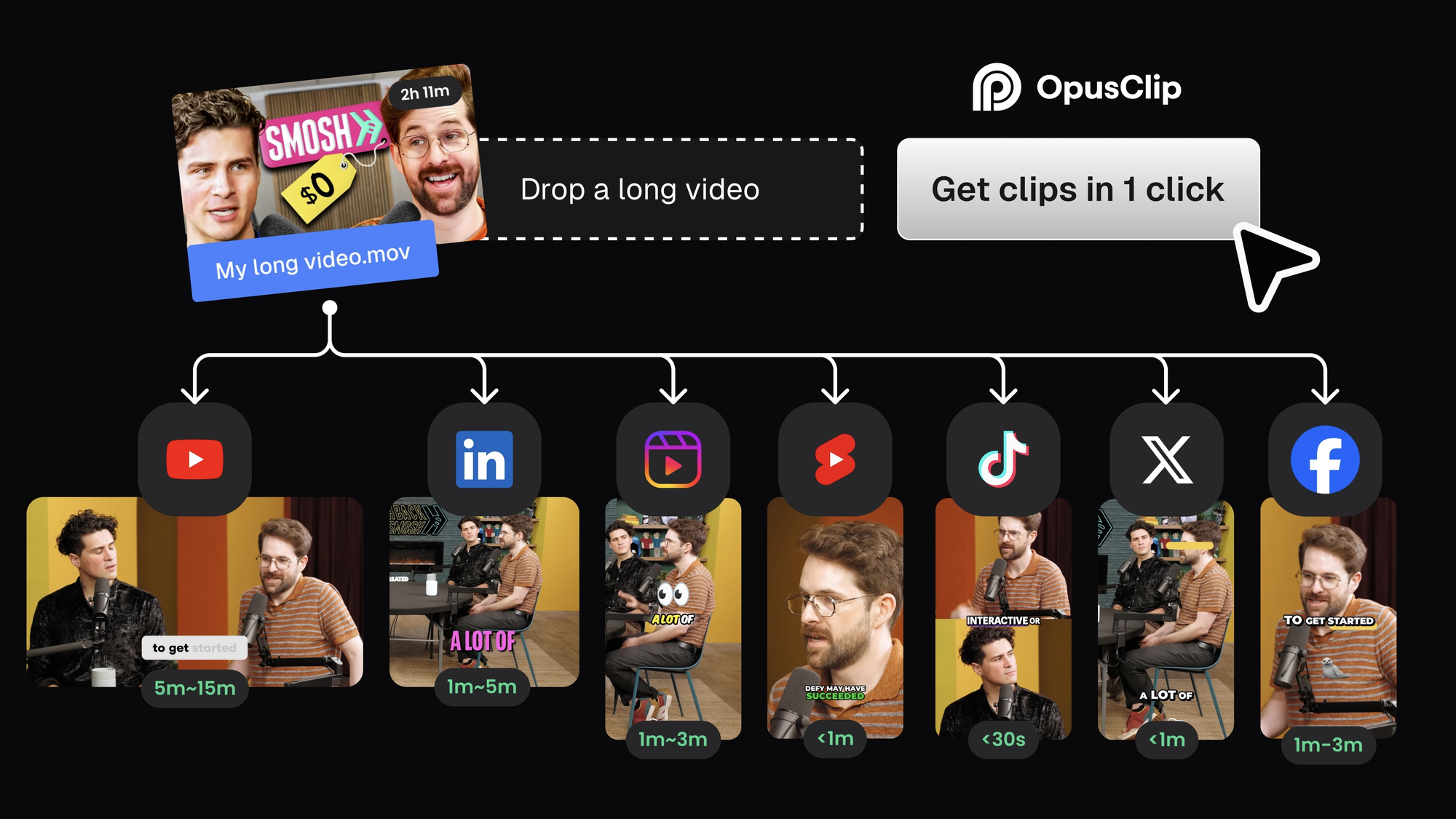
Video content demands continue growing, but production capacity doesn't scale proportionally. OpusClip addresses this by transforming long-form video into short-form clips optimized for social distribution.
The tool analyzes webinars, podcasts, interviews, and presentations to identify compelling segments. It then produces clips with automatic captions, dynamic zooming, jump cuts, and formatting for vertical platforms. A "virality score" predicts which clips are most likely to engage audiences, letting you prioritize distribution.
For content teams producing regular long-form video but struggling to maintain social presence, OpusClip automates the repurposing that otherwise requires hours of editing. A single webinar yields multiple short clips for LinkedIn, Instagram, TikTok, and YouTube Shorts, all formatted appropriately for each platform.
The workflow pairs well with blog content: if you're writing about a topic and have related video, OpusClip extracts relevant clips to embed in posts. This adds multi-format value while improving time-on-page metrics.
Content Planning and Workflow
Producing content at scale requires systems beyond writing and design tools. Planning platforms orchestrate ideation, production, distribution, and performance tracking across teams and channels.
StoryChief
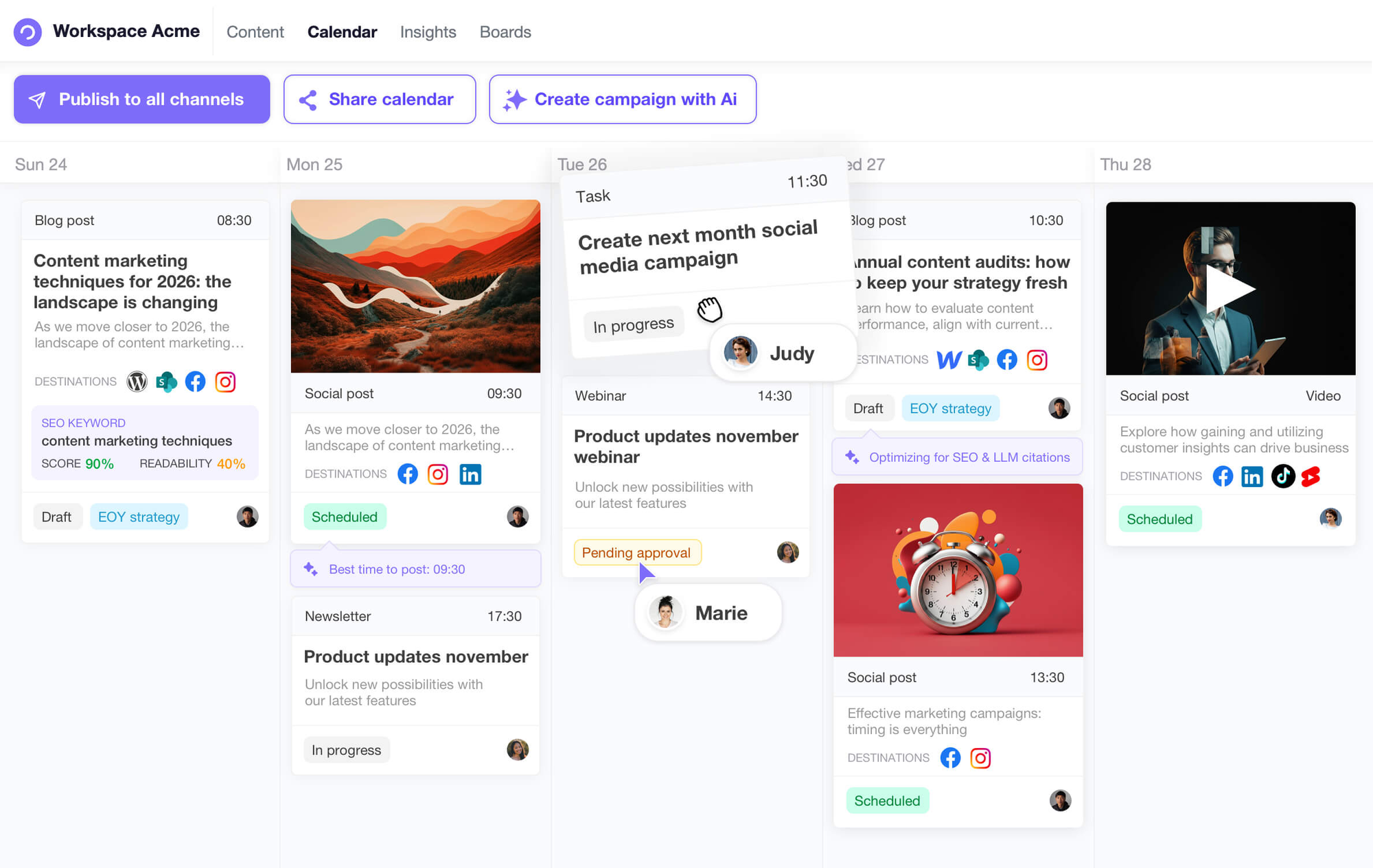
StoryChief solves a specific pain point for content teams: managing multi-channel distribution from a single interface. Instead of manually publishing blogs, social posts, and newsletters separately, you create content once and distribute across LinkedIn, X, email platforms, and CMS systems simultaneously.
The collaborative features address production bottlenecks. Team members work within the platform – planning content, leaving comments, making edits, and moving pieces through approval workflows. For agencies managing client content or internal teams with multiple stakeholders, this consolidation eliminates the chaos of distributed feedback.
Built-in analytics aggregate performance data from connected platforms into unified dashboards. Rather than logging into multiple accounts to assess what's working, you view engagement patterns across channels. This visibility into content performance helps inform future strategy without manual data compilation.
Integration limitations exist with some platforms, and analytics customization doesn't satisfy every reporting need. But for teams whose primary challenge is coordinating content across multiple distribution channels, StoryChief's focused solution outperforms generic project management tools.
Narrato
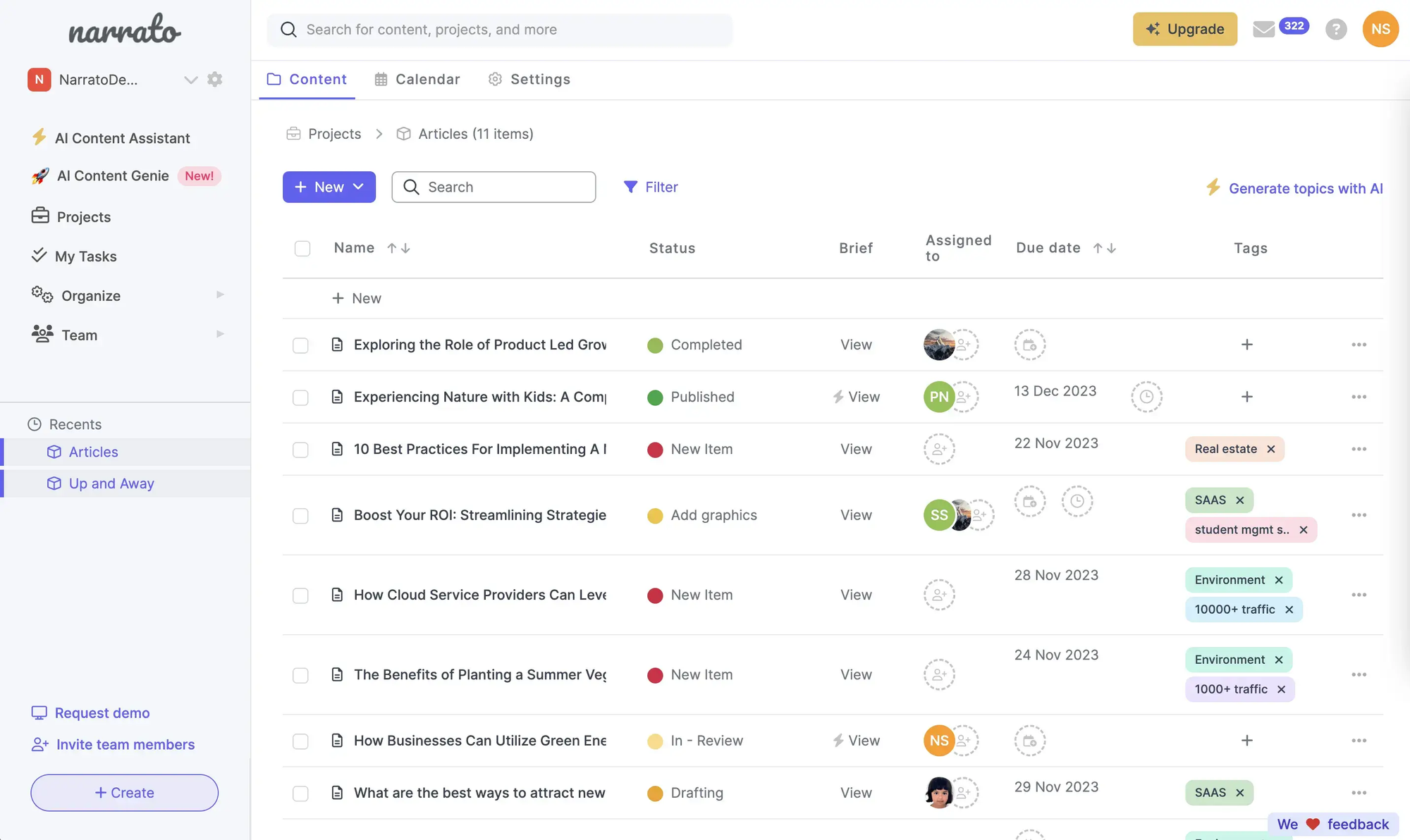
Narrato positions itself as a content operations platform, combining ideation, AI writing, collaboration, and publishing into coordinated workflows. The interface consolidates what many teams manage across Google Sheets, writing tools, project management apps, and distribution platforms.
The AI writing features generate drafts that human editors refine rather than publish directly. Content briefs, outlines, and first drafts come from the platform; strategic direction and final polish come from your team. This division of labor maximizes AI efficiency while maintaining quality control.
Workflow automation through drag-and-drop boards handles task assignment and progress tracking. For teams with multiple content types, deadlines, and stakeholders, this visual management prevents pieces from stalling in production. The platform anticipates where bottlenecks form and provides visibility before deadlines slip.
Narrato's strength is process management – ensuring content moves from idea to publication without falling into gaps between tools. For teams already satisfied with their writing and distribution tools, the value proposition is less compelling. For teams frustrated by coordination overhead, the unified approach may justify consolidation.
Gumloop

Gumloop takes a different approach – AI workflow automation that connects tools rather than replacing them. Instead of adopting a new platform for each capability, you build automations that orchestrate your existing stack.
The platform provides built-in access to premium AI models without requiring API keys, eliminating one barrier to sophisticated automation. Web and app scraping capabilities pull data from sites and feeds into tools like Notion, Slack, or Google Sheets, which then trigger downstream workflows.
For content marketing, Gumloop handles the connective tissue: monitoring competitor content and generating intelligence reports, aggregating brand mentions and sentiment across platforms, automating content production workflows from brief to distribution, and generating analytics presentations from raw performance data.
The value scales with workflow complexity. Teams with straightforward needs may not require automation sophistication. Teams managing high-volume content across multiple channels and platforms find that Gumloop reduces manual coordination that otherwise consumes significant time.
Building Your AI Content Stack
No single tool handles everything well. The teams getting real results build layered systems where each piece does what it's best at, and the tools connect into workflows rather than sitting in isolation.
Here's how a functional content stack breaks down:
At the ideation layer, you're brainstorming topics, generating angles, and developing concepts.
- ChatGPT excels here for most teams, producing rapid variations that human strategists evaluate and refine.
- Claude serves teams needing more nuanced concept development, particularly for complex or technical subjects.
Research and planning turns those concepts into actionable briefs.
- Semrush identifies keyword opportunities and competitive positioning.
- Frase compiles research from ranking content into structured outlines.
- StoryChief or Narrato manages the calendar and keeps assignments moving.
Creation is where actual content gets produced.
- ChatGPT or Claude handles text generation.
- Canva produces visual assets.
- Midjourney generates unique imagery where stock photography falls short. Your choice depends on quality requirements, volume needs, and what your team can actually manage.
Optimization ensures content serves search visibility.
- Surfer SEO provides real-time guidance while you write.
- Clearscope balances readability with technical factors.
- Semrush tracks performance and surfaces improvement opportunities over time.
Distribution gets content to audiences.
- StoryChief handles multi-channel publishing from a single interface.
- OpusClip repurposes long-form video into social clips.
- Canva Grow manages ad creative and placement without leaving the design environment.
Analysis closes the loop. Built-in analytics from distribution platforms combine with dedicated tools to reveal what's working. AI assistants can generate performance summaries from raw data, turning numbers into strategic insights.
Not every team needs sophistication at every layer. A lean operation might run ChatGPT for ideation and drafts, Canva for visuals, Surfer for optimization, and handle distribution manually. A larger team layers in dedicated tools at each stage with automation connecting them.
The real question is: where are your actual bottlenecks? If creation velocity limits output, invest in tools that accelerate production. If strategy suffers from weak research, strengthen that layer. If fragmented distribution wastes hours, consolidate publishing. AI tools solve specific problems – throwing technology at unclear needs just creates expensive complexity.
Getting Results
The productivity gains from AI content tools are real: teams report saving an average of 2.5 hours per day and three hours per piece of content. Content creation can be up to 93% faster. These efficiencies compound across content programs.
But efficiency without strategy just produces more mediocre content faster. The teams seeing genuine results maintain clear human oversight throughout their AI-augmented workflows.
The balance that works: AI handles research, ideation, and first drafts. Humans handle strategic direction, brand voice, and final approval. AI accelerates the tedious parts of content production; humans ensure the output serves business objectives and audience needs.
This division of labor also addresses the authenticity question. Audiences increasingly recognize AI-generated content, and generic output undermines the trust that content marketing builds. Human oversight ensures your content maintains the perspective, voice, and originality that distinguishes your brand.
The writers and strategists who thrive alongside AI aren't those who resist it—they're those who learn to direct it. The skill shifts from pure production to creative direction, from writing every word to shaping outputs that align with strategy. Those who embrace AI as a capable but supervised tool will succeed in the current environment where automation and authenticity must coexist.
FAQ
What are the best AI tools for content marketing teams?
The most effective AI content marketing stack typically includes ChatGPT or Claude for writing and ideation, Surfer SEO or Semrush for optimization, and Canva for visual creation. ChatGPT leads in adoption with 90% of marketers using it for tasks like brainstorming, drafting, and generating variations. Claude excels at long-form content and brand voice consistency. Surfer SEO provides real-time optimization guidance while Semrush offers comprehensive SEO and competitive intelligence. The ideal combination depends on your specific workflow needs and existing tools.
How much do AI content marketing tools cost?
Pricing varies significantly by tool and tier. ChatGPT Plus and Claude Pro both cost $20 monthly for individual access, with team plans around $30 per user. Surfer SEO starts at $89-99 monthly, while Semrush ranges from $139.95 to $449.95 monthly depending on features. Canva offers a robust free tier with Pro at $15 monthly. Many tools offer free trials or limited free versions worth testing before committing. Annual billing typically provides discounts of 15-20%.
Can AI tools replace human content writers?
No. Research shows only 12% of marketers believe AI can manage an entire content strategy independently. AI excels at generating drafts, brainstorming ideas, and handling repetitive tasks, but it lacks strategic thinking, emotional intelligence, and genuine brand voice. The most successful implementations use AI for production assistance while humans provide direction, quality control, and final approval. Writers who learn to direct AI effectively are more valuable, not less relevant.
How do I choose between ChatGPT and Claude for content writing?
ChatGPT works best for quick ideation, generating multiple variations, and workflows requiring extensive integrations with other marketing tools. Its plugin ecosystem connects with thousands of platforms. Claude excels at long-form content, maintaining consistency across lengthy pieces, and situations requiring nuanced brand voice application. Many teams use both: ChatGPT for rapid brainstorming and short-form content, Claude for detailed guides, whitepapers, and content that requires sustained coherence.
What's the best AI tool for SEO content optimization?
Surfer SEO leads for dedicated on-page content optimization with its real-time Content Editor that analyzes ranking competitors and provides specific improvement suggestions. Semrush offers broader SEO capabilities including keyword research, backlink analysis, and competitive intelligence alongside content tools. Clearscope balances optimization with readability scoring. For teams focused specifically on content optimization, Surfer's focused approach often delivers faster results. For comprehensive SEO management, Semrush's broader toolkit justifies the higher investment.
How much time can AI tools save content marketing teams?
Research indicates AI saves content marketers an average of 2.5 hours daily and three hours per piece of content. Content creation can be up to 93% faster when AI handles research and first drafts. Some teams report saving 15 or more hours weekly by automating ideation, caption writing, trend identification, and content personalization. The actual savings depend on implementation quality—teams with clear workflows and proper oversight see greater gains than those using AI haphazardly.
Do AI-generated content articles rank well in search engines?
Yes, when properly optimized and reviewed. Research shows 65% of companies report AI-generated content improved their SEO performance. However, success depends on human oversight, quality standards, and alignment with search intent. Google evaluates content quality regardless of production method. AI content that's generic, inaccurate, or duplicative performs poorly. AI content that's edited for accuracy, optimized for intent, and enhanced with original insights ranks competitively.
What AI tools work best for social media content creation?
Canva handles visual content creation with AI-powered design, automatic resizing for different platforms, and direct publishing integrations. ChatGPT generates post copy, caption variations, and hashtag suggestions efficiently. OpusClip transforms long-form video into short clips optimized for social distribution with automatic captions and formatting. For teams managing high-volume social presence, combining these tools with scheduling platforms like Buffer or Hootsuite creates an efficient production pipeline.
How do marketing teams maintain brand voice when using AI tools?
Successful teams establish clear brand guidelines within their AI tools through custom instructions, uploaded style guides, and consistent prompting patterns. Claude's Projects feature maintains context across sessions, while ChatGPT's custom instructions persist through conversations. Human review before publication catches voice inconsistencies—80% of marketers review AI output before publishing. Some teams create specific AI workflows for different content types, each with calibrated prompts that produce voice-appropriate output.
What are the biggest challenges with AI content marketing tools?
Research identifies three primary barriers: 71.7% of marketers struggle with understanding how to use AI effectively, 70% face technical challenges with implementation, and 64% report difficulty choosing among too many available options. Integration with existing workflows presents ongoing friction, and measuring ROI remains challenging for one-third of marketing leaders. Additionally, concerns about accuracy, brand safety, and content authenticity require ongoing human oversight rather than fully automated workflows.
Related Articles
 Dani
Dani
 Dani
Dani
 Dani
Dani