The spreadsheet landed in my inbox at 4:47 PM on a Friday.
Six tabs. Forty-seven linked formulas. Three years of deferred revenue schedules. And a note from the CFO: "Can you validate this before the board meeting Monday?"
This is the reality of modern accounting. Financial models arrive without documentation. Revenue recognition schedules get inherited during acquisitions. Audit workpapers need validation against standards nobody on the team originally implemented.
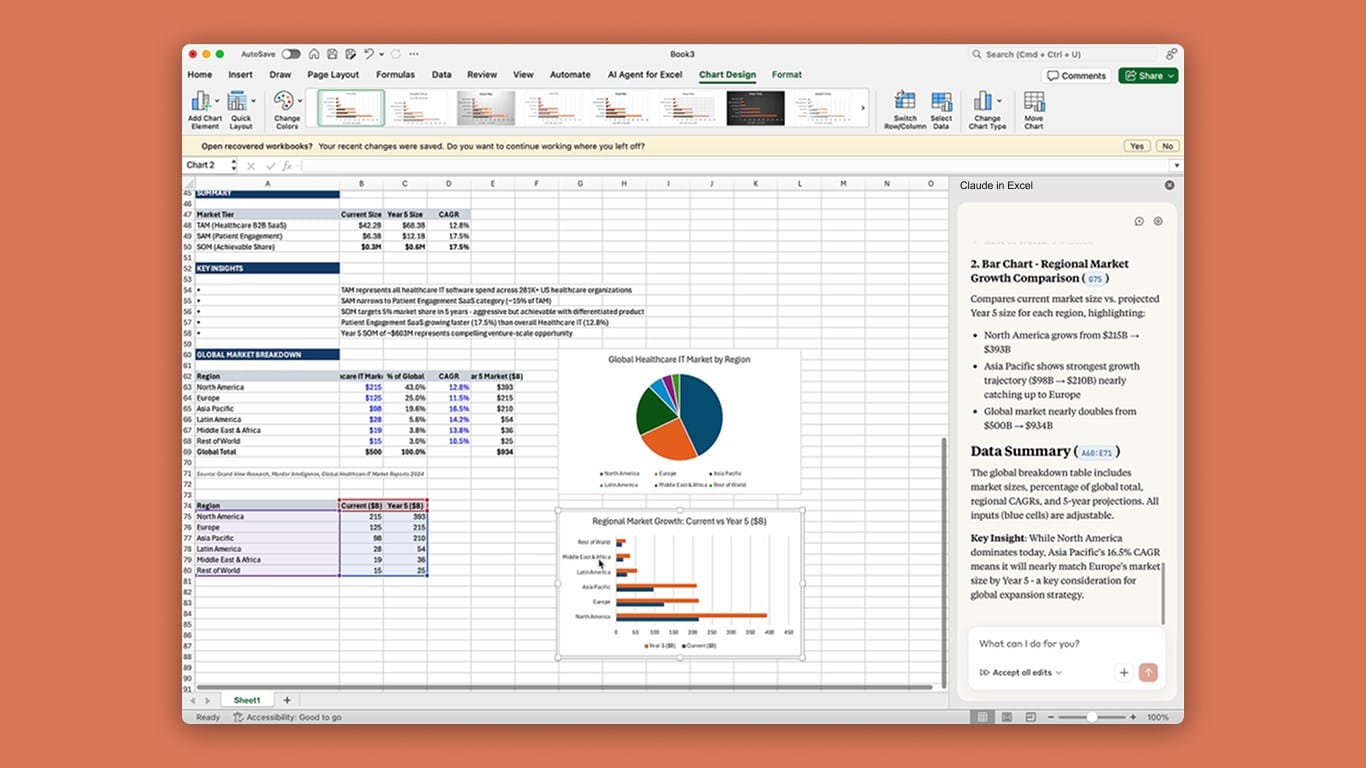
For years, the only solution was brute force: clicking through every tab, tracing every formula, manually reconciling every number. Hours of tedious work that still left you wondering if you missed something buried in cell AZ847.
Claude in Excel changes this equation entirely.
Instead of clicking through tabs yourself, you ask Claude to map the entire workbook structure. Instead of manually hunting for discrepancies, Claude surfaces reconciliation gaps, duplicate entries, and missing data across all sheets simultaneously. Instead of building charts formula by formula, you describe what you need and Claude creates it.
This is not incremental improvement. It is a fundamental shift in how financial professionals interact with complex models.
Why Revenue Model Validation Matters
Revenue recognition is the single most scrutinized line item on any financial statement. Get it wrong, and the consequences cascade: restated earnings, audit failures, investor lawsuits, regulatory action.
ASC 606, the revenue recognition standard that governs how companies report revenue, requires that revenue only be recognized when contractual obligations are fulfilled. For SaaS companies, this creates particular complexity. Subscription contracts span multiple years. Performance obligations are ongoing. Revenue must be allocated across different service components and recognized over time rather than at the point of sale.
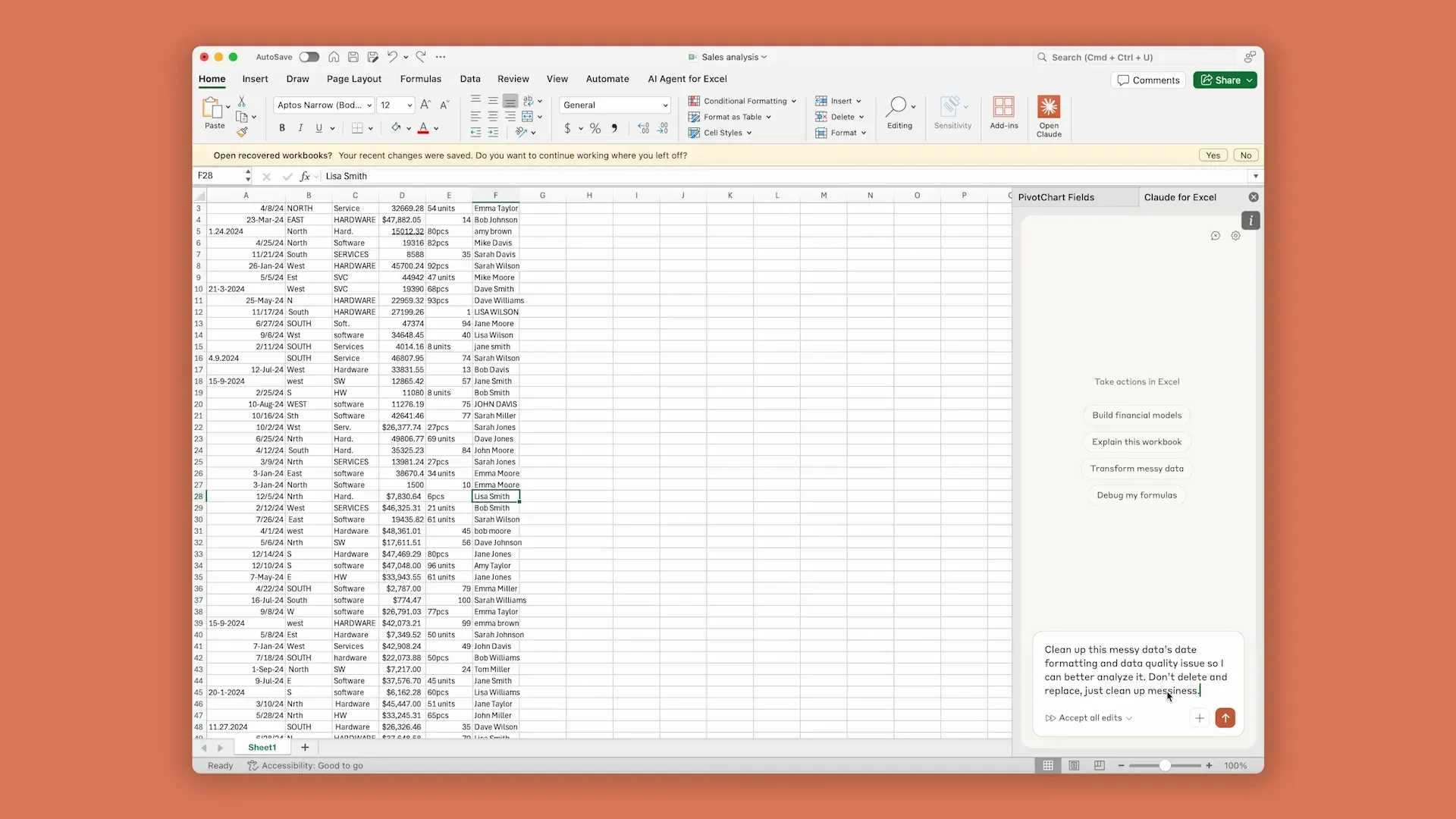
The result is multi-tab workbooks that track deferred revenue, recognize revenue across periods, handle adjustments, and reconcile to the general ledger. These models are essential for compliance but notoriously difficult to validate.
Common problems include reconciliation gaps where schedules do not tie to source data, duplicate entries that inflate or deflate balances, missing journal entries for specific periods, formula errors that propagate through linked cells, and inconsistent application of recognition patterns across contracts.
Traditional validation approaches rely on sampling and spot-checking. An accountant might verify a subset of transactions, trace selected formulas, and hope that the sample represents the whole. This works until it does not, which is usually when auditors or regulators find what the internal team missed.
AI-assisted validation offers a different approach: comprehensive review of every cell, every formula, every relationship between sheets. Not because AI is smarter than accountants, but because AI does not get tired, does not skip steps, and does not assume that what worked last quarter still works today.
How Claude Works with Excel
Claude in Excel operates through a sidebar interface that integrates directly into your spreadsheet workflow. You install it as an add-in from Microsoft AppSource, sign in with your Claude account, and access it through a side panel while working in any workbook.
The key capability that distinguishes Claude from simpler formula assistants is structural awareness. Before responding to any question, Claude reads your entire workbook: every tab, every cell, every formula relationship. It builds a mental map of how data flows through the model, which sheets feed into which calculations, and where the critical dependencies live.
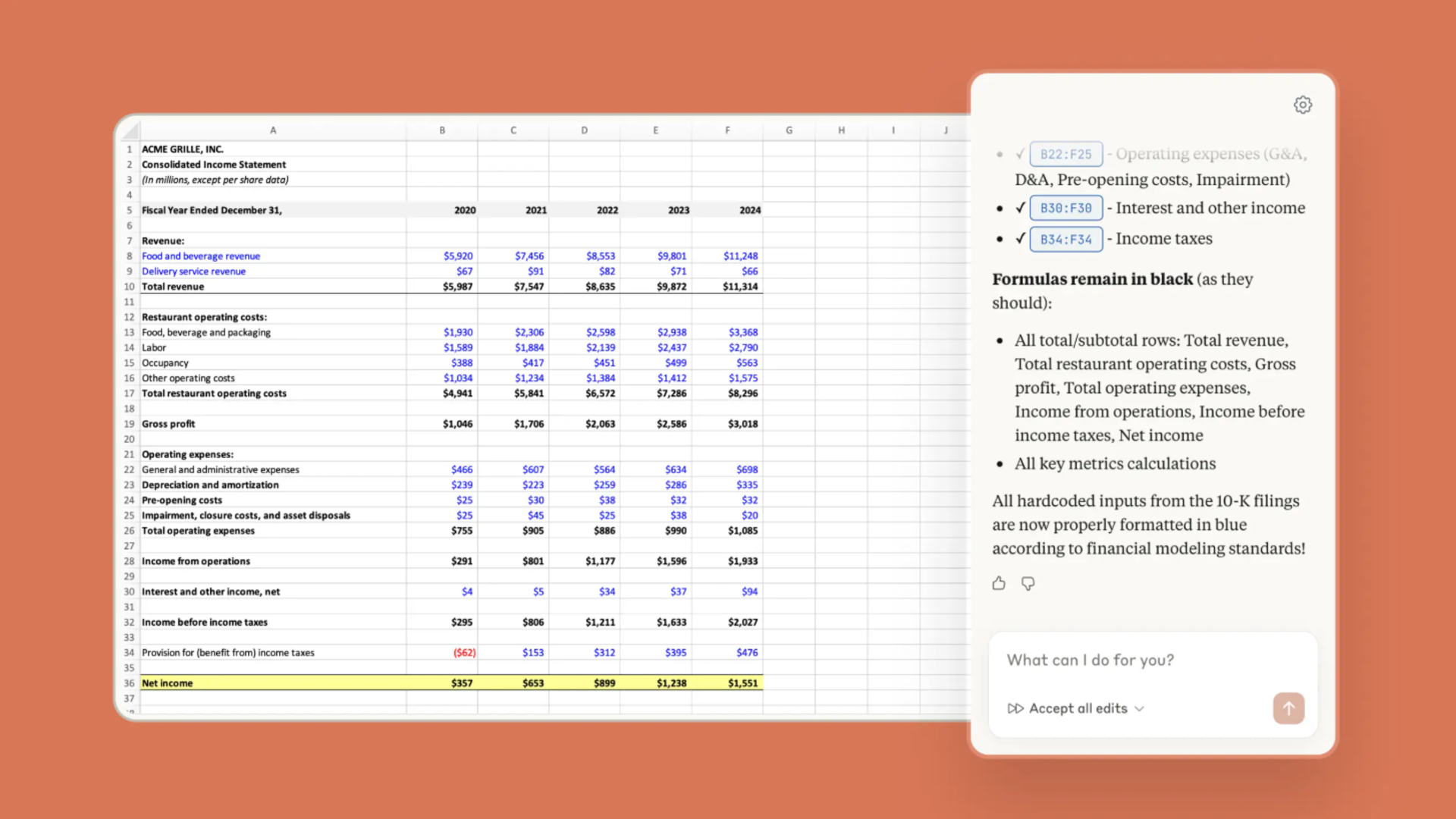
This means you can ask questions like "walk me through this model" and get a meaningful answer. Claude does not guess at structure based on tab names. It actually reads the content and traces the connections.
Several specific capabilities make Claude valuable for financial work.
- Workbook navigation. Claude can reference specific cells, ranges, and sheets. When it explains something, it cites exactly where that information lives. You see cell references, not vague descriptions.
- Change tracking. When Claude modifies your workbook, it shows you exactly what will change before making any edits. You approve or reject modifications explicitly. Nothing happens without your confirmation.
- Formula preservation. Claude understands the difference between values and formulas. When updating data, it maintains formula relationships rather than overwriting them with static numbers. This is critical for financial models where one broken link can cascade through dozens of downstream calculations.
- Pattern recognition. Claude learns from existing data in your workbook. If your July and August journal entries follow a specific allocation pattern, Claude applies that same pattern when creating September entries. Consistency happens automatically.
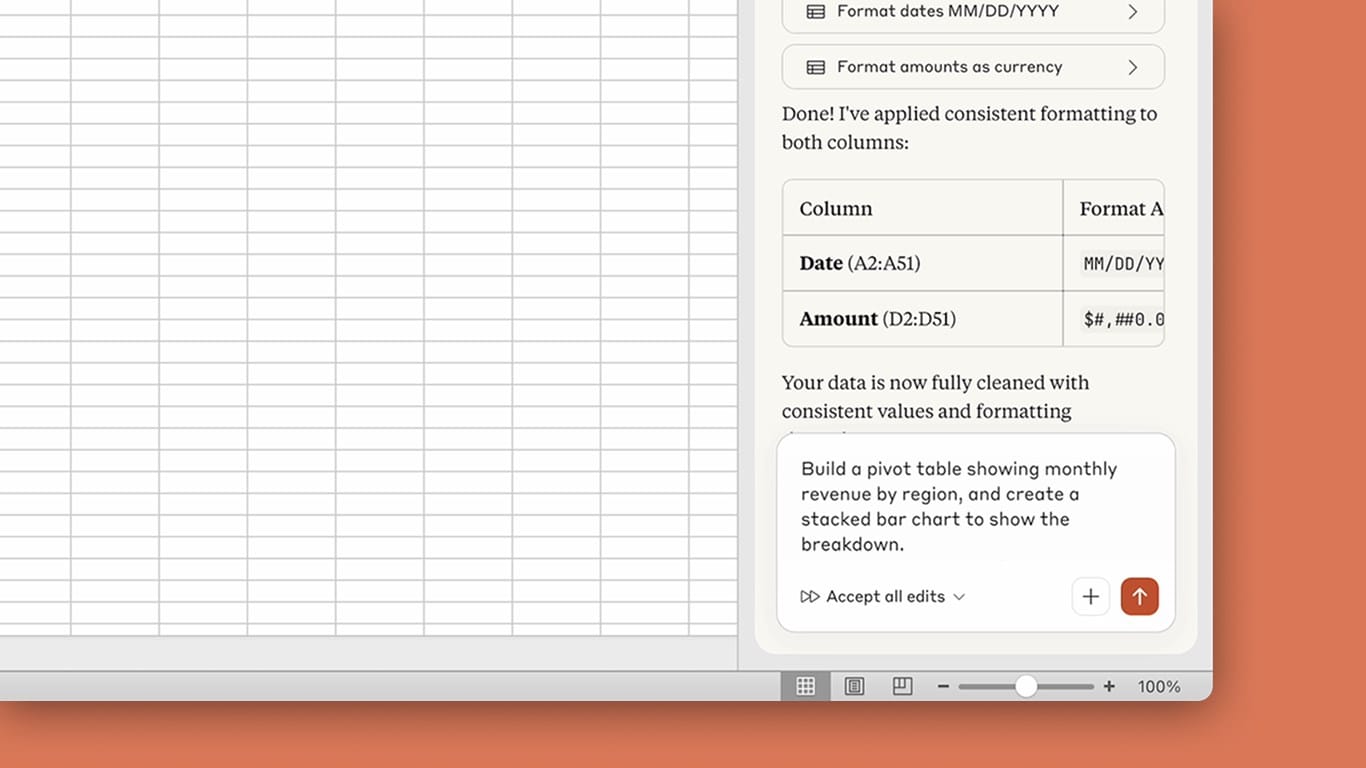
- Native Excel operations. Recent updates added support for pivot table editing, chart modifications, conditional formatting, sorting, filtering, and data validation. Claude works with Excel's native features rather than trying to work around them.
The practical effect is that Claude functions as a knowledgeable colleague who has already read your entire model and can answer questions, spot problems, and make changes without needing to be taught your specific setup from scratch.
Step-by-Step: Validating a Revenue Model
The best way to understand Claude's capabilities is to walk through a realistic workflow. Imagine you have inherited an ASC 606 revenue recognition model during a transaction. The model has six tabs, covers multiple quarters, and you need to validate it before relying on the numbers.
Start by Understanding the Structure
Open the workbook and activate Claude. Your first prompt should establish baseline understanding:
Claude reads all six sheets before responding. It then explains the structure: which tabs contain source data, which perform calculations, how the deferred revenue schedule connects to the revenue recognition schedule, where the reconciliation happens, and what feeds into the summary output.
This orientation takes Claude about thirty seconds. Doing it manually would take fifteen to thirty minutes of clicking through tabs and tracing formulas.
Let Claude Surface Issues Proactively
After understanding the structure, Claude can proactively identify problems. Rather than waiting for you to ask about specific issues, it scans for common problems: reconciliation gaps, duplicate entries, missing data, formula inconsistencies.
You might see output like: "I found several issues in this model. There is a reconciliation gap of $47,000 between the deferred revenue schedule and the GL balance. I also noticed a duplicate contract entry in rows 34 and 67 of the contracts tab, and the September journal entry appears to be missing. Which would you like to address first?"
This is fundamentally different from traditional validation. Instead of discovering problems one at a time as you click through tabs, you see everything Claude found upfront and choose what to tackle first.
Fix Issues with Confirmation
Addressing the reconciliation gap, you might say: "Yes, please look at the reconciliation issue first."
Claude traces the discrepancy, identifies where the numbers diverge, and proposes a fix. Critically, it shows you the math and explains what will change before modifying anything.
The response might be: "The gap traces to the Q3 adjustment schedule. Cell F47 shows $312,000 but the supporting calculation in the adjustments tab sums to $265,000. The difference matches your reconciliation gap. I recommend updating F47 to reference the adjustments tab directly with formula =Adjustments!D23. This will close the gap and ensure future adjustments flow through automatically. Should I make this change?"
You review the logic, verify it makes sense, and respond: "Yes, go ahead."
Only then does Claude make the modification. You stay in control of what actually changes in your model.
Add Columns and Formatting Through Conversation
Validation often requires adding tracking columns or status indicators. Rather than manually formatting these, describe what you need:
Claude creates the column, applies the formatting, and adds the legend. It uses Excel's native features, so the result looks professional and works with Excel's standard tools for sorting and filtering.
Create Visualizations by Describing Them
Financial reporting often requires charts that summarize model outputs. Instead of building these manually:
Claude determines what data it needs, creates helper tables if necessary, and builds the chart. If the first version is not quite right, you can ask for modifications: "Make the positive values green and negative values red" or "Add data labels showing the dollar amounts."
Return to Earlier Issues
Because Claude maintains context throughout your conversation, you can circle back to previously identified issues without re-explaining:
Claude remembers what it flagged and picks up where you left off. You do not need to re-read the model or re-explain the context.
Real-World Use Cases in Accounting and SaaS Finance
The validation workflow applies across many financial modeling scenarios. Here are specific applications where Claude in Excel delivers significant value.
ASC 606 Revenue Recognition Audits
Auditors inherit complex revenue models and need to validate them quickly. Claude can map the entire model structure, identify contracts with unusual recognition patterns, verify that allocation percentages are applied consistently, and flag reconciliation issues between the revenue schedule and general ledger.
What traditionally takes days of sampling and spot-checking becomes hours of comprehensive review.
SaaS Subscription Revenue Modeling
SaaS companies track revenue across multiple dimensions: by product, by customer cohort, by contract term, by expansion and contraction. Models often have dozens of linked sheets tracking these components.
Claude can validate that bookings flow correctly through deferred revenue into recognized revenue, that churn calculations match customer data, and that cohort analysis ties back to underlying contracts. It catches the formula errors and broken links that accumulate as models grow more complex.
Due Diligence Financial Review
When acquiring a company or raising funding, financial models get intense scrutiny. Claude can review deal room models, extract key metrics from dense workbooks, and identify inconsistencies that might indicate errors or manipulation.
The ability to process an entire model and surface issues proactively is particularly valuable when you have limited time and need to assess unfamiliar spreadsheets quickly.
Board Reporting and Investor Decks
Finance teams regularly build summary presentations from complex models. Claude can extract the relevant numbers, ensure they match source data, and create visualizations for board presentations.
Because Claude maintains awareness of the underlying model, it can verify that summary numbers actually tie to detailed calculations rather than being manually entered values that might have drifted from reality.
Month-End Close Reconciliation
Closing the books involves reconciling dozens of accounts across multiple systems. Claude can compare trial balances, identify unreconciled items, and generate reconciliation reports that document what ties and what does not.
The time saved is significant, but the bigger value is completeness. Manual reconciliation inevitably involves judgment calls about what to check. Claude checks everything.
Common Mistakes and How Claude Helps Prevent Them
Financial models fail in predictable ways. Understanding these failure modes helps you use Claude more effectively.
- Broken formula links. Models accumulate broken links over time as sheets get reorganized, rows get inserted, and references get invalidated. Claude traces all formula dependencies and can identify links that point to deleted cells or incorrect ranges.
- Hardcoded values that should be formulas. Analysts sometimes overwrite formulas with static values during analysis, then forget to restore the formulas. Claude distinguishes between values and formulas and can flag cells that appear to have been hardcoded when surrounding context suggests they should calculate dynamically.
- Inconsistent date handling. Revenue models must handle dates correctly for period-based recognition. Off-by-one errors, timezone issues, and inconsistent date formats cause subtle problems. Claude can verify that date logic is applied consistently across the model.
- Circular references. Complex models sometimes develop unintended circular references that Excel resolves through iteration but that produce unreliable results. Claude can identify circular logic paths and suggest resolutions.
- Copy-paste errors. When formulas get copied to new rows, relative references shift appropriately but absolute references may need adjustment. Claude validates that copied formulas reference correct source data rather than shifted ranges.
- Version control failures. Multiple people editing a model can create conflicting versions. While Claude does not replace proper version control, it can compare model outputs to expected results and flag when numbers have drifted unexpectedly.
Limitations and Best Practices
Claude in Excel is powerful but not infallible. Understanding its limitations helps you use it appropriately.
What Claude Cannot Do
- Claude does not have access to external data sources unless you provide them. It cannot pull current exchange rates, market data, or information from your ERP system. It works with what is in the spreadsheet.
- Claude's Excel capabilities do not include macros or VBA. If your model relies heavily on custom code, Claude cannot modify or debug that code directly. It can work with the outputs but not the underlying automation.
- Complex conditional logic sometimes confuses Claude. Very long nested IF statements or intricate array formulas may be interpreted incorrectly. Always verify Claude's understanding of complex formulas before relying on its analysis.
Data Privacy Considerations
- Claude processes your spreadsheet data to provide its capabilities. For most professional uses, this is acceptable, but you should understand what you are sharing.
- Anthropic states that data shared with Claude in Excel is not used to train models without explicit consent. However, if your organization has strict data handling requirements, verify that using Claude in Excel complies with your policies.
- Do not use Claude with spreadsheets from untrusted external sources. Prompt injection attacks can hide malicious instructions in spreadsheet content that trick Claude into taking unintended actions. Use Claude with spreadsheets you trust, not downloaded templates or files from unknown parties.
Best Practices
- Always review changes before finalizing. Claude shows you what it will modify, but you should verify the logic makes sense in context. Human judgment remains essential.
- Verify outputs match your organization's methodologies. Claude applies general best practices, but your company may have specific requirements for how certain calculations should work. Confirm that Claude's approach aligns with your standards.
- Use appropriate permissions and access controls. If your workbook contains sensitive data, ensure that access to Claude in Excel is limited to authorized personnel.
- Maintain human oversight for client-facing work. Claude accelerates analysis but does not replace professional judgment. Final work products should be reviewed by qualified professionals before delivery.
Who Should Use This Workflow
Claude in Excel delivers the most value for specific types of users and situations.
- Financial analysts who regularly inherit unfamiliar models benefit enormously. The ability to quickly understand structure and surface issues transforms what was previously tedious detective work.
- Accounting teams managing complex revenue recognition gain efficiency and confidence. Comprehensive validation catches errors that sampling might miss.
- Auditors reviewing client workbooks can accelerate fieldwork while maintaining thoroughness. Claude does not replace professional skepticism, but it handles the mechanical checking that previously consumed hours.
- CFOs and finance leaders who need to quickly assess models for decision-making get faster access to reliable information. When a model lands on your desk Friday afternoon, you can validate it over the weekend rather than scrambling Monday morning.
- Startup founders building financial projections benefit from Claude's ability to ensure models are structurally sound. Many founders build models without formal finance training; Claude catches errors that might otherwise go unnoticed.
- FP&A professionals managing budgets, forecasts, and variance analysis gain a powerful assistant for the analytical work that supports strategic decisions.
The common thread is professionals who work with complex spreadsheets regularly and need to ensure accuracy without spending excessive time on mechanical validation.
The Future of AI-Assisted Financial Modeling
Claude in Excel represents an early but significant step toward AI-native financial workflows.
The current capability is already transformative for validation and analysis. But the trajectory points toward even deeper integration. Anthropic has developed specialized Skills for financial services that can build integrated three-statement models, create peer benchmarking analyses, construct DCF valuations, and process data room documents into structured formats.
Connectors to financial data providers like LSEG, Moody's, and S&P Capital IQ bring external data directly into Claude's analytical context. Instead of manually exporting and importing data, you can ask Claude to pull current market information and incorporate it into your analysis.
The competitive landscape is evolving rapidly. A recent evaluation of AI tools for financial modeling found that Claude (specifically Opus 4.6) asked thoughtful clarifying questions about modeling choices, produced outputs that followed investment banking formatting standards, and completed complex builds faster than competing tools. The gap between AI assistance and AI capability is narrowing.
For finance professionals, the practical implication is clear: learning to work effectively with AI tools is becoming a core professional competency. Those who master these workflows will deliver higher-quality work in less time. Those who do not will find themselves at a significant disadvantage.
The spreadsheet is not going away. But the way we interact with spreadsheets is fundamentally changing. Claude in Excel is one of the clearest examples of that shift in action.
Getting Started
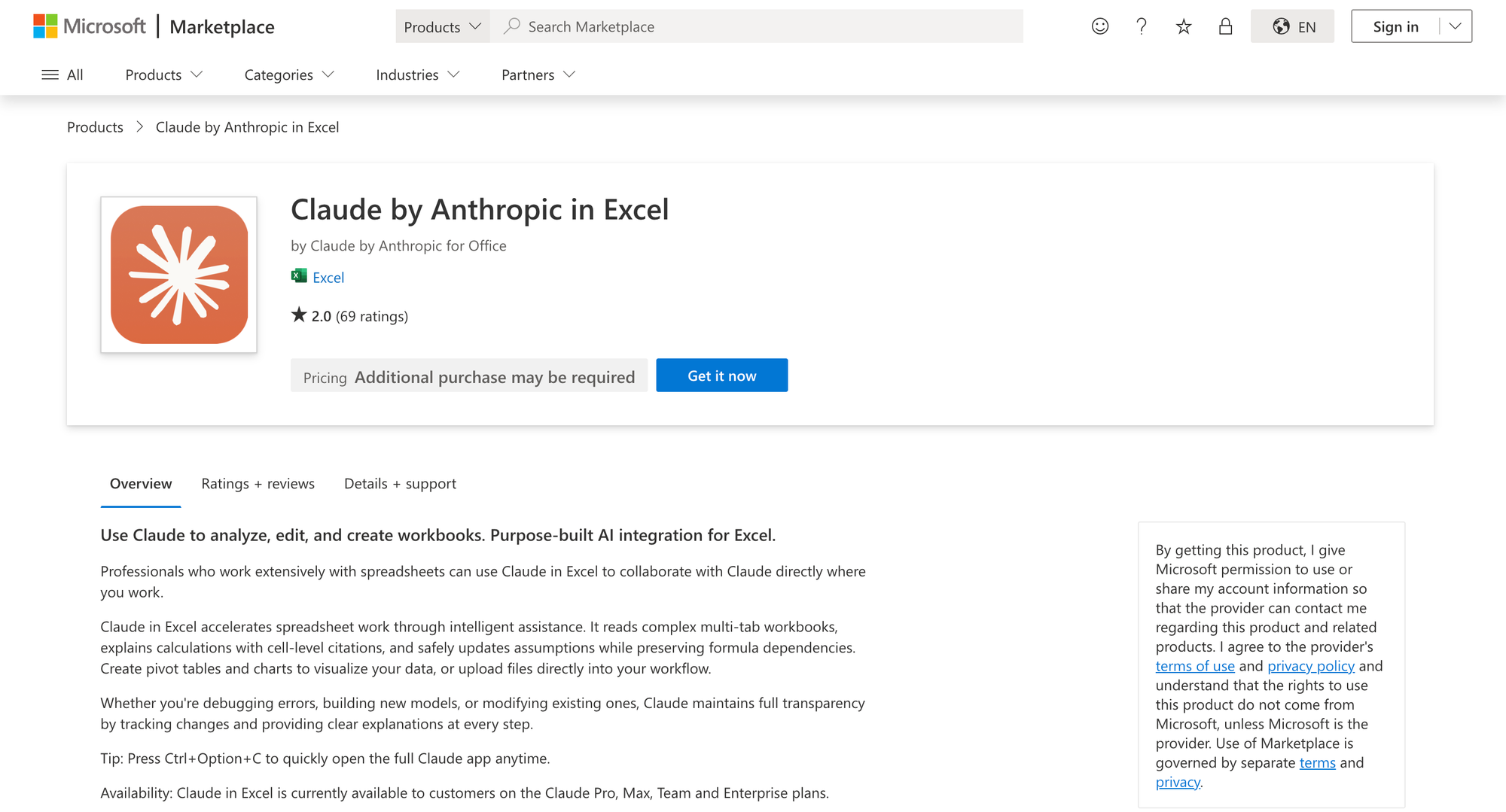
If you are ready to try Claude in Excel, the setup is straightforward.Install the Claude in Excel add-in from Microsoft AppSource. You need a Claude Pro subscription ($20/month) to access the full capabilities. After installation, activate the add-in through the Tools menu on Mac or the Home menu on Windows, then sign in with your Claude credentials
Start simple. Open a workbook you know well and ask Claude to walk you through the model. Compare its understanding to your own knowledge. This calibrates your expectations for what Claude can and cannot do.
Then try it on something you do not know well. The real value emerges when Claude helps you understand unfamiliar models quickly and surface issues you might have missed.
Financial modeling has always required both technical skill and professional judgment. AI does not change that fundamental reality. What it changes is how much of your time goes toward mechanical checking versus meaningful analysis.
That is a trade most finance professionals will happily make.
FAQ
Can Claude analyze Excel financial models?
Yes. Claude in Excel can read entire workbooks, understand formula relationships across multiple sheets, trace data dependencies, and identify errors. It provides explanations with cell-level citations so you can verify its analysis. For complex financial models with linked schedules, deferred revenue calculations, and reconciliation checks, Claude can map the structure and surface issues that manual review might miss.
Is AI reliable for accounting forecasts?
AI improves forecast reliability by eliminating manual errors and ensuring consistent application of methodology, but it does not replace professional judgment. Claude can validate that forecasting formulas work correctly, verify that assumptions are applied consistently, and catch calculation errors. However, the quality of any forecast depends on the underlying assumptions, and those still require human expertise to set appropriately. Use AI to improve accuracy of execution, not to substitute for strategic thinking about what to forecast.
How accurate is AI revenue forecasting?
AI accuracy depends on the quality of historical data and the appropriateness of the forecasting method. Claude can help ensure that forecasts are calculated correctly given your inputs, but it cannot guarantee that your assumptions about future growth, churn, or market conditions are correct. Studies show that AI-assisted forecasting reduces errors from data entry and formula mistakes, which improves accuracy compared to purely manual approaches. The biggest gains come from catching errors that would otherwise propagate through models undetected.
Is financial data safe when using AI tools?
Anthropic states that data shared with Claude in Excel is not used to train models without explicit consent, and the service maintains enterprise-grade security. However, you should verify that using Claude in Excel complies with your organization's data handling policies, especially for sensitive financial information. Do not use Claude with spreadsheets from untrusted external sources, as malicious content could potentially manipulate AI behavior. For highly sensitive data, consult with your compliance and IT security teams before adoption.
What types of financial models work best with Claude in Excel?
Claude works well with structured financial models including revenue recognition schedules, deferred revenue calculations, three-statement models, budget variance analyses, and reconciliation workbooks. Models with multiple linked tabs, complex formula dependencies, and reconciliation requirements benefit most from Claude's ability to trace relationships and surface inconsistencies. Very simple single-sheet calculations may not need AI assistance, while models relying heavily on VBA macros have limitations since Claude cannot modify custom code.
Does Claude in Excel work with ASC 606 revenue recognition?
Yes. Claude can validate ASC 606 revenue models by tracing how revenue is allocated across performance obligations, verifying that recognition patterns are applied consistently, checking that deferred and recognized revenue schedules reconcile, and identifying missing or duplicate entries. The workflow is particularly valuable for inherited models where you need to understand the structure and validate compliance without extensive documentation.
How does Claude in Excel compare to other financial AI tools?
Claude in Excel distinguishes itself through deep structural understanding of workbooks, the ability to make changes with explicit confirmation, and specialized financial services capabilities including connections to data providers. Compared to Microsoft Copilot's Excel integration, Claude tends to produce more investment-banking-style outputs and asks clarifying questions about modeling preferences. Compared to standalone AI chat tools, Claude's direct Excel integration enables seamless workflow without copy-paste friction.
Can Claude replace human accountants?
No. Claude accelerates analysis and catches mechanical errors, but professional judgment remains essential for interpreting results, making accounting policy decisions, and taking responsibility for financial statements. Think of Claude as a highly capable assistant that handles tedious validation work, freeing accountants to focus on higher-value activities like strategic analysis, stakeholder communication, and professional judgment calls that require human expertise.
Related Articles
 Dani
Dani
 Dani
Dani