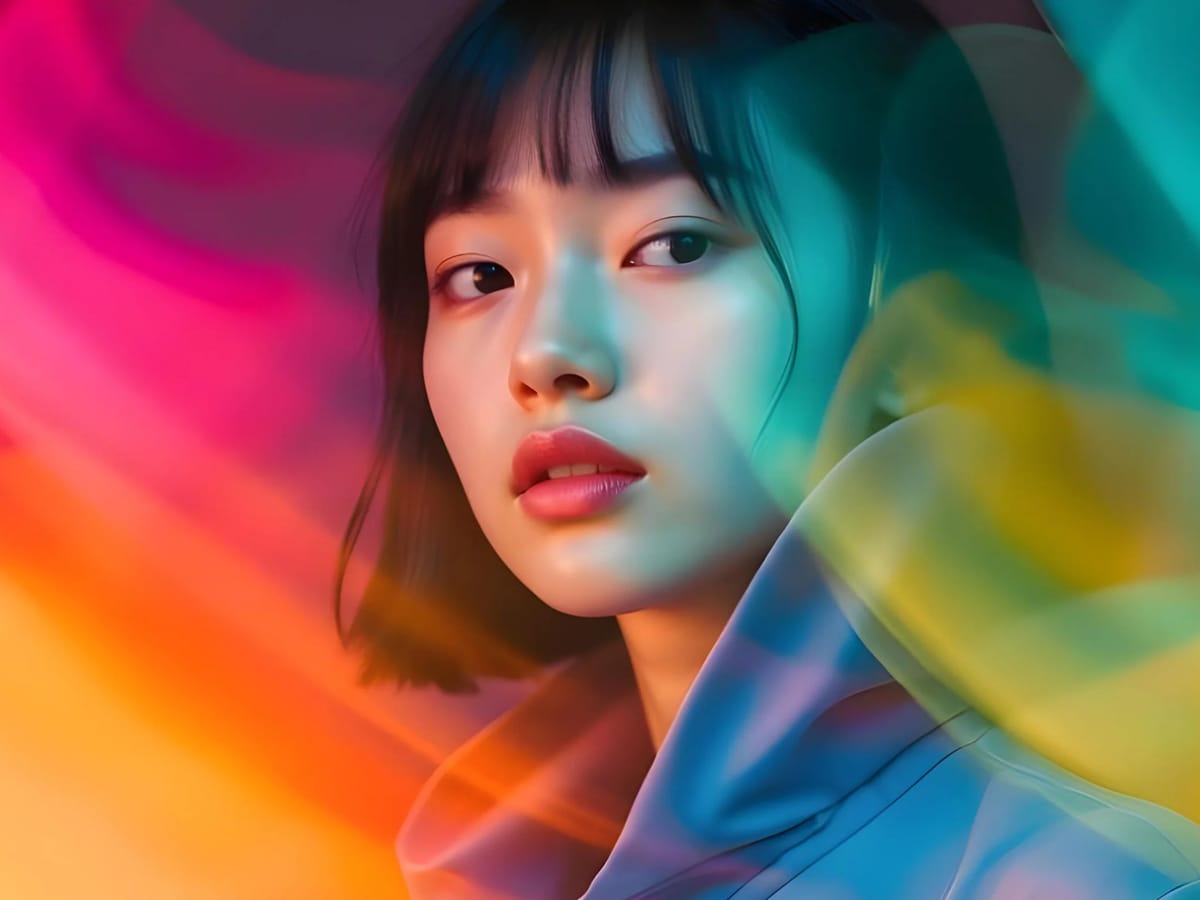
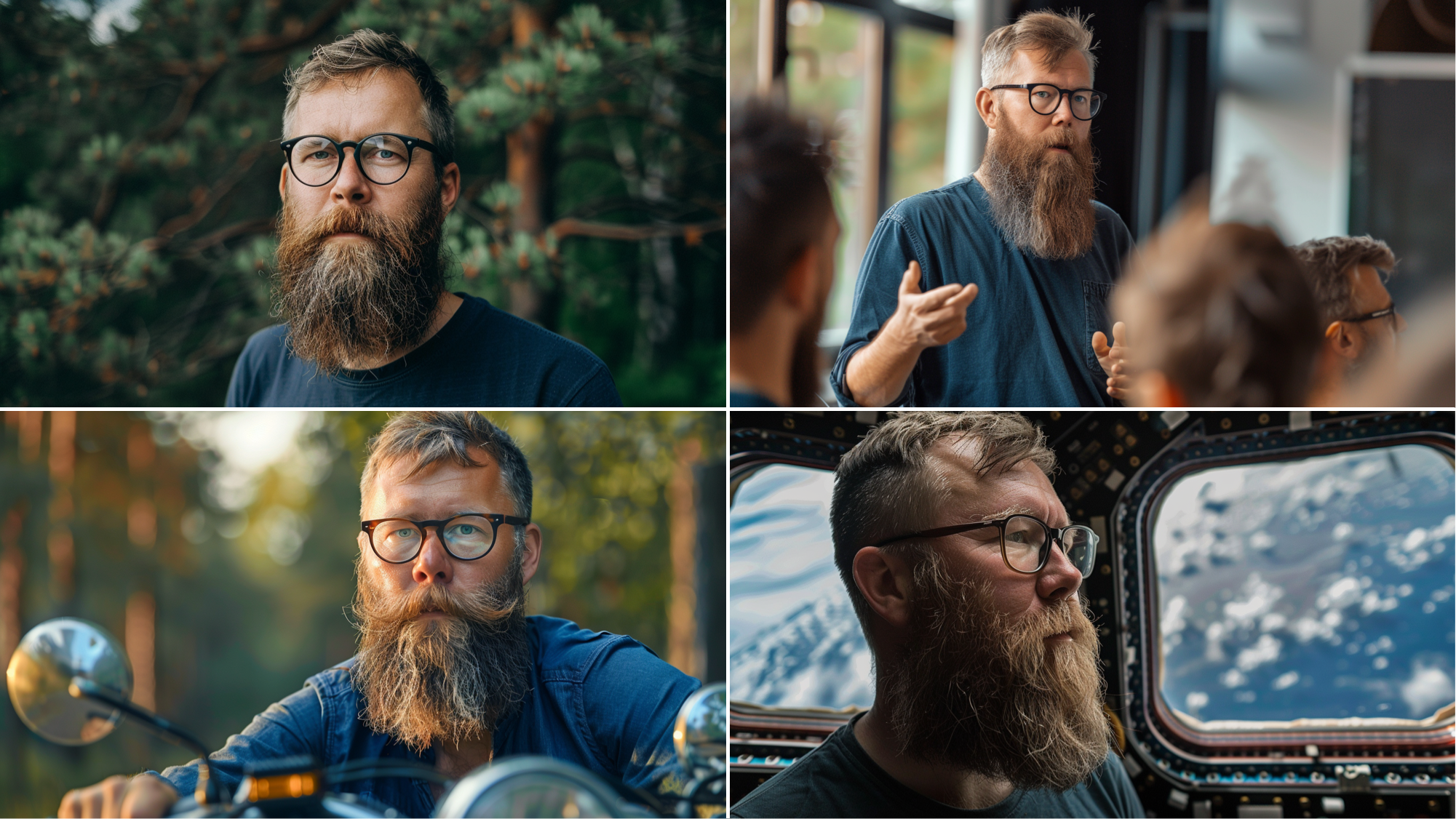
If you've ever tried to generate the same character twice with AI, you know the pain. Your hero looks perfect in the first image – piercing blue eyes, that distinctive scar, the leather jacket you spent twenty minutes describing. Then you ask for a second image, and suddenly they're a completely different person. Different face shape. Wrong hair color. The jacket is now a hoodie.
It's maddening. And until recently, it was basically unavoidable.
The good news? AI image generators have evolved dramatically. Tools like Midjourney, DALL-E 3, Leonardo AI, and Stable Diffusion now offer genuine solutions for character consistency. The bad news? Most tutorials skip the nuances that actually make these techniques work.
This guide covers everything I've learned about creating consistent AI characters – from basic prompt engineering to advanced LoRA training. Whether you're building a graphic novel, developing game assets, or creating content for social media, you'll find practical techniques you can use today.
Why Character Consistency Is So Difficult for AI
AI image generators don't "remember" anything between generations. Each image starts fresh, with the model interpreting your prompt from scratch. When you describe "a woman with red hair and green eyes," the AI doesn't recall what that woman looked like last time. It generates a new interpretation every single time.
This happens because diffusion models work by starting with random noise and gradually refining it into an image based on your prompt. That initial randomness means even identical prompts produce different results. The AI might generate a thousand different women who all technically match "red hair and green eyes"—but none of them look like the same person.
For single images, this randomness is actually a feature. It creates variety and prevents repetitive outputs. For storytelling, branding, or any project requiring visual continuity, it's a fundamental obstacle.
The solutions fall into three categories: prompt-based techniques that guide the AI toward consistency, reference-based features built into modern generators, and custom model training that teaches the AI to recognize your specific character. Each approach has tradeoffs, and the best results often come from combining multiple methods.
Method 1: Prompt Engineering for Character Consistency
The simplest approach requires no special features – just careful prompt construction. While it won't achieve perfect consistency, good prompt engineering dramatically improves your results and forms the foundation for every other technique.
Building a Character Specification
Start by creating a detailed, reusable character description. This isn't just about physical features, it's about creating a prompt template you can use consistently across all generations.
A strong character specification includes physical attributes with specific details rather than vague descriptors. Instead of "brown hair," write "shoulder-length wavy chestnut brown hair with subtle auburn highlights." Instead of "tall," specify "athletic 6'2" build with broad shoulders." The more precise your language, the less room the AI has for interpretation.
Include distinctive features that make your character recognizable. Scars, birthmarks, unique accessories, and clothing choices all help anchor the character's identity. A character described as "a woman with a small crescent-shaped scar above her left eyebrow, wearing vintage round glasses and a navy peacoat" becomes much more identifiable than "a woman in a coat."
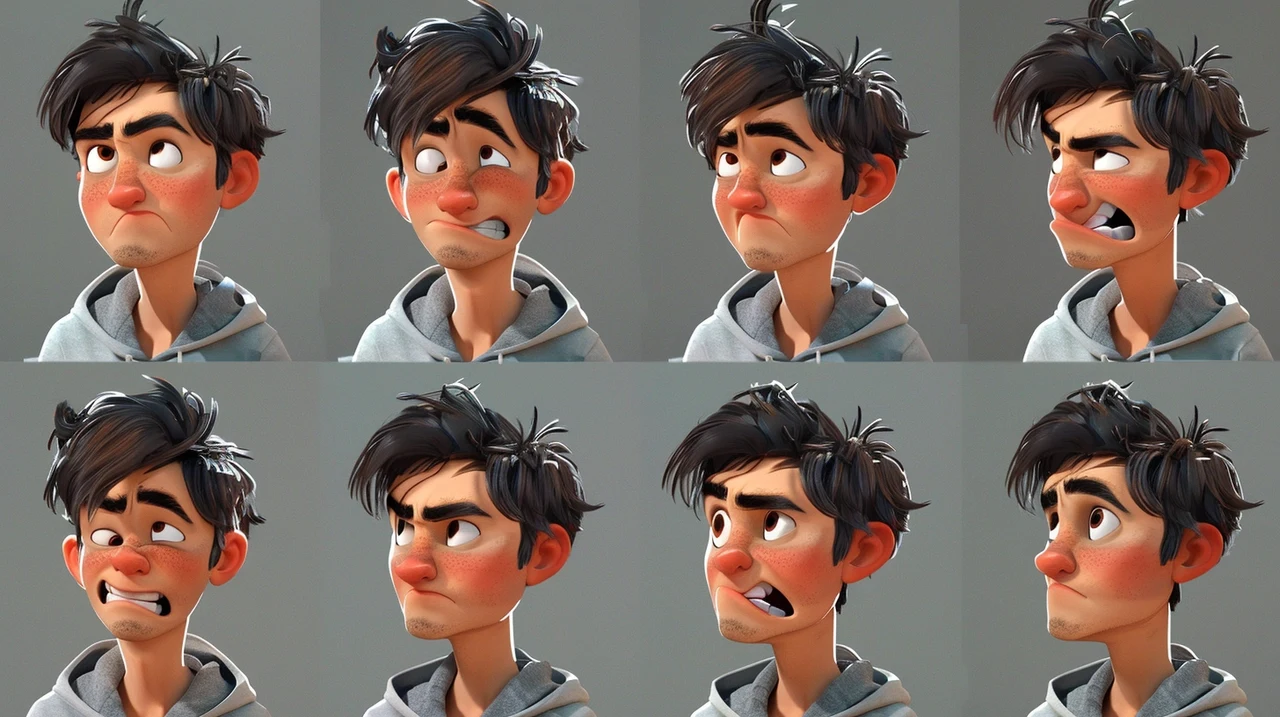
Document your character's typical expression or demeanor. "Confident stance with a slight smirk" or "contemplative expression with downcast eyes" gives the AI consistent emotional context.
The Anchor Word Technique
Professional AI artists often use what I call "anchor words"– unique, specific terms that the AI strongly associates with particular visual elements. Celebrity names, specific art styles, or precise technical terms serve as anchors that help lock in certain aspects of your generation.
For example, if you want a particular nose shape, referencing a specific style ("Roman nose," "button nose," "aquiline profile") gives more consistent results than describing the nose in detail. The AI has been trained on these established terms and interprets them more reliably.
Art style anchors work similarly. Specifying "in the style of Pixar animation" or "Studio Ghibli aesthetic" creates strong visual consistency across generations because the AI has clear reference points for those styles.
Style Locking
Once you generate an image you like, analyze what made it work and incorporate those elements into future prompts. If your first successful generation used "soft diffused lighting, shallow depth of field, muted color palette," include those exact phrases in subsequent prompts.
This extends to compositional elements. "Medium shot from chest up, three-quarter angle, subject centered" creates more consistency than letting the AI choose framing randomly.
Even perfect prompts won't achieve true consistency. The AI will still generate variations in facial structure, proportions, and fine details. For projects requiring exact matches—like comic panels or animation frames—you'll need the reference-based techniques covered next.
Method 2: Midjourney's Character Reference System
Midjourney introduced its character reference feature (--cref) in early 2024, and it changed everything. This single parameter allows you to upload an image of a character and instruct Midjourney to maintain that character's appearance in new generations.
How Character Reference Works
The --cref parameter analyzes a reference image and extracts the character's essential features—face structure, hair, clothing, and overall style. When generating new images, Midjourney attempts to preserve these features while following your prompt for the new scene or pose.
- First generate or upload an image of your character that you want to use as the reference.
- Copy that image's URL.
- Then, in your new prompt, add --cref followed by the URL. The basic format looks like this: "A warrior standing on a cliff at sunset --cref [image URL]"
The system works best with images generated in Midjourney itself, particularly close-up shots with clear facial features. Real photographs work but often produce distorted results – the AI struggles to translate photographic features into its generation style.
Character Weight Controls
The --cw parameter adjusts how strictly Midjourney follows your reference. It accepts values from 0 to 100, with 100 being the default.
At --cw 100, Midjourney attempts to preserve everything – face, hair, and clothing. This works well when you want your character to appear in the same outfit across different scenes.
At --cw 0, the focus narrows to just facial features. The AI will try to maintain the same face but freely interpret clothing, hairstyle, and accessories. This is useful when you need costume changes or want to show your character at different ages.
Values between 0 and 100 create intermediate effects. Many artists find --cw 80 offers a good balance, preserving strong identity while allowing some creative flexibility.
Creating Effective Reference Images
Your reference image quality directly impacts consistency. The ideal reference is a clear, front-facing or three-quarter angle shot with good lighting and minimal background distractions. Generated images work better than photographs, and upscaled versions generally produce better results than smaller generations.
Avoid references with unusual angles, heavy shadows, or complex backgrounds. These introduce variables that make consistency harder to maintain. If your character wears distinctive accessories like glasses or jewelry, include them prominently in the reference – they're part of the character's visual identity.
Combining with Style Reference
Midjourney's style reference (--sref) can work alongside character reference for even more control. This lets you maintain both a consistent character and a consistent art style across your generations. The combination is particularly powerful for projects like illustrated books or game concept art where both character and aesthetic consistency matter.
Limitations to Expect
Character reference isn't magic. The feature works best with characters generated in Midjourney's style and struggles more with photorealistic references. Complex poses sometimes cause the AI to lose track of facial features. Clothing consistency at lower --cw values is unreliable.
Think of --cref as achieving 80-90% consistency rather than perfect matches. For many projects, that's sufficient. For frame-by-frame animation or projects requiring exact matches, you may need additional techniques.
Method 3: Leonardo AI's Character Reference Tools
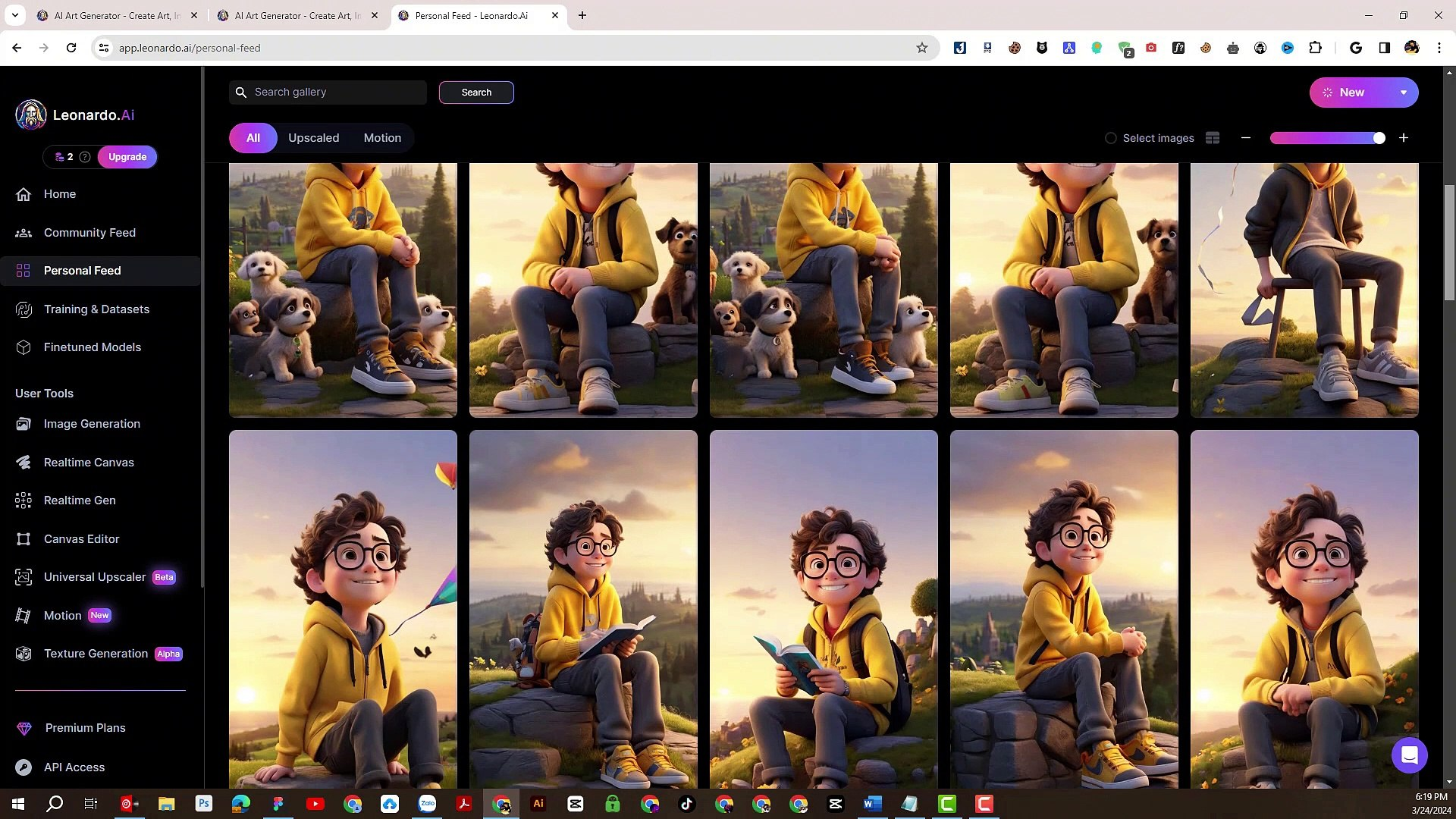
Leonardo AI offers a similar character reference system with some unique advantages. The platform provides more granular control and integrates well with its other features like style references and custom models.
Setting Up Character Reference in Leonardo
Access the Character Reference feature through the Image Generation tool.
- Click the image icon next to the prompt box
- Select Character Reference, and upload your reference image.
- Choose images with clear facial features and plain backgrounds for best results.
Leonardo offers strength settings at Low, Mid, and High. Low strength captures general characteristics while allowing significant variation. Mid balances fidelity with flexibility. High attempts to closely match the reference but may struggle with dramatic pose changes.
Building Reference Sheets
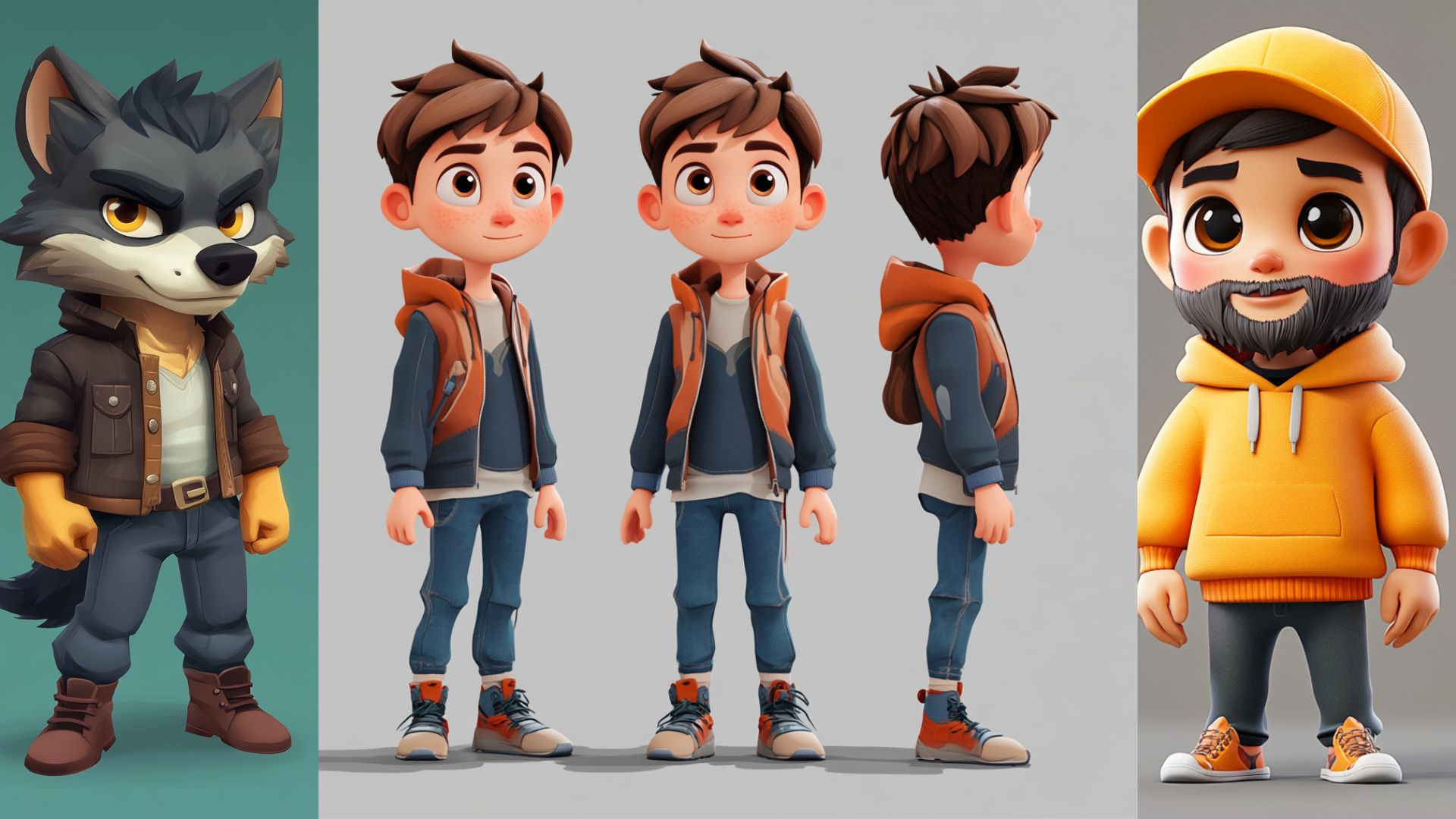
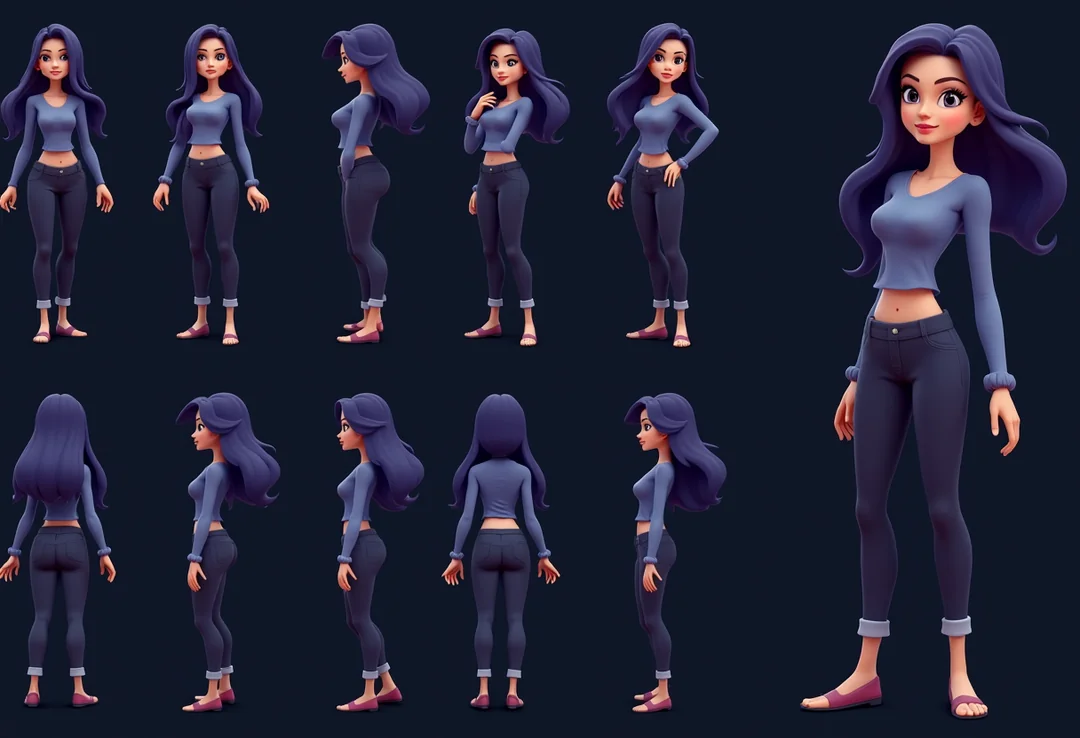
Leonardo excels at creating multi-view reference sheets — grids showing your character from different angles with various expressions. These sheets serve two purposes: they give you reference images for other projects, and they can be used to train more advanced consistency tools. To create a reference sheet, prompt for something like:
"Character reference sheet, multiple views, front view, side view, three-quarter view, various expressions, clean white background, professional character design."
This gives you a comprehensive visual library for your character.
Using Trained Elements
Leonardo's "Elements" feature allows training custom models on your character using multiple reference images. This goes beyond simple reference matching – the AI actually learns your character's distinctive features.
Training requires 8-10 reference images showing your character from different angles with varied lighting and expressions. Upload these to create a training dataset, then let Leonardo build your custom Element. Once trained, you can invoke your character by name in prompts, and the AI will generate them consistently. This approach takes more time upfront but produces significantly better consistency for long-term projects.
Method 4: DALL-E 3 Techniques
DALL-E 3, integrated into ChatGPT, handles character consistency differently. It lacks a dedicated reference feature but offers alternative approaches through its conversational interface and Gen ID system.
The Gen ID Method
Every image DALL-E 3 generates has an associated Gen ID — a unique identifier capturing that specific image's characteristics. By requesting and reusing this ID, you can generate variations that maintain stylistic and character consistency.
After generating an image you like, ask ChatGPT: "What's the Gen ID for this image?" Save the alphanumeric code it provides. In subsequent prompts, include "Using Gen ID [code]" to reference that original image's characteristics.
This method maintains style and general character appearance better than pure prompting but doesn't lock in specific facial features the way Midjourney's --cref does.
Multi-Frame Generation
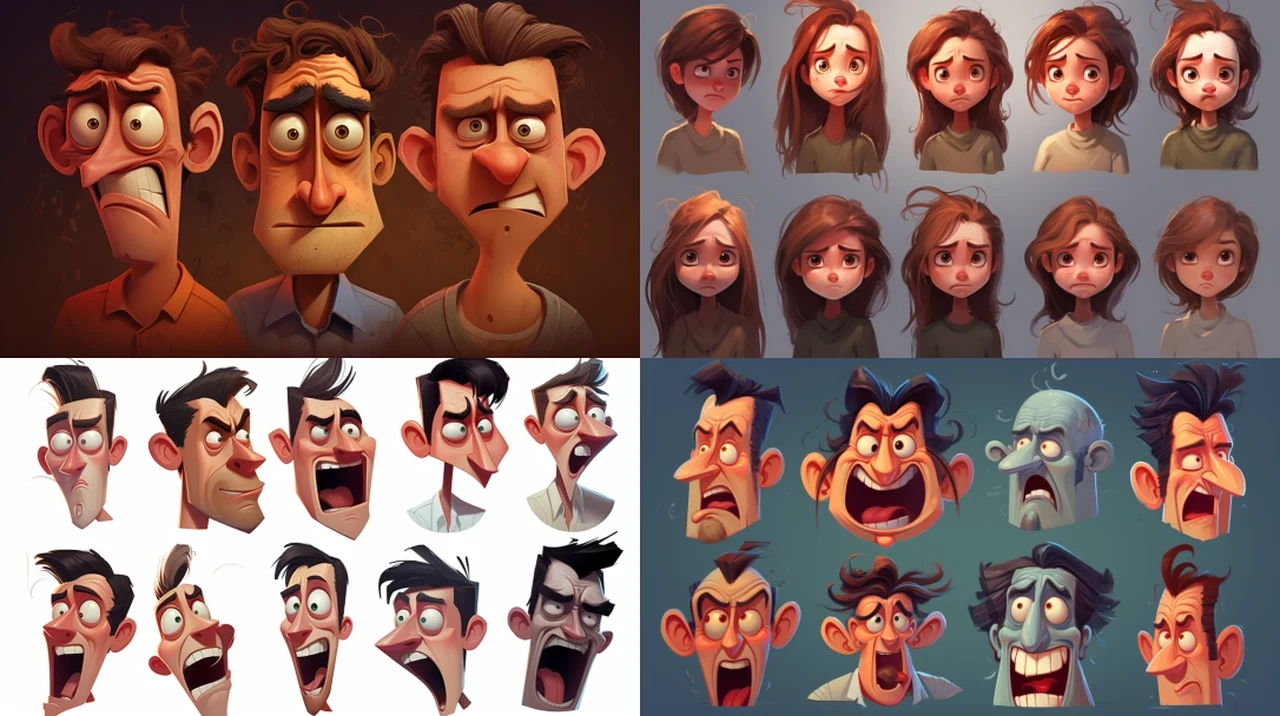
DALL-E 3 can generate multiple views of a character in a single image, which helps establish consistency before creating separate images. Prompt for something like:
"Four panels showing the same character: front view, side profile, three-quarter angle, and back view. Same clothing, same hairstyle, consistent features throughout."
The AI handles within-image consistency better than cross-image consistency. Use these multi-panel generations as reference for describing the character in subsequent prompts.
Seed Numbers for Reproducibility
When ChatGPT generates images with DALL-E 3, you can request the seed number – a value that influences the random elements of generation. Using the same seed with similar prompts produces more consistent results.
Ask "What seed was used for that image?" after generation, then include "Use seed [number]" in future prompts. This doesn't guarantee identical characters but reduces variation significantly.
Working Within DALL-E's Constraints
DALL-E 3 modifies prompts before generation, which can undermine consistency efforts. To prevent this, some users preface prompts with specific instructions like "Generate exactly as described without modifications." Results vary, but explicit instructions help maintain your intended specifications.
The model also avoids generating images resembling real people, which limits certain reference-based approaches. Focus on stylized or clearly fictional characters for best results.
Method 5: Stable Diffusion and LoRA Training
For maximum control over character consistency, nothing beats training your own LoRA (Low-Rank Adaptation) model. This advanced technique teaches the AI to recognize and generate your specific character, producing results that reference-based methods can't match.
Understanding LoRA
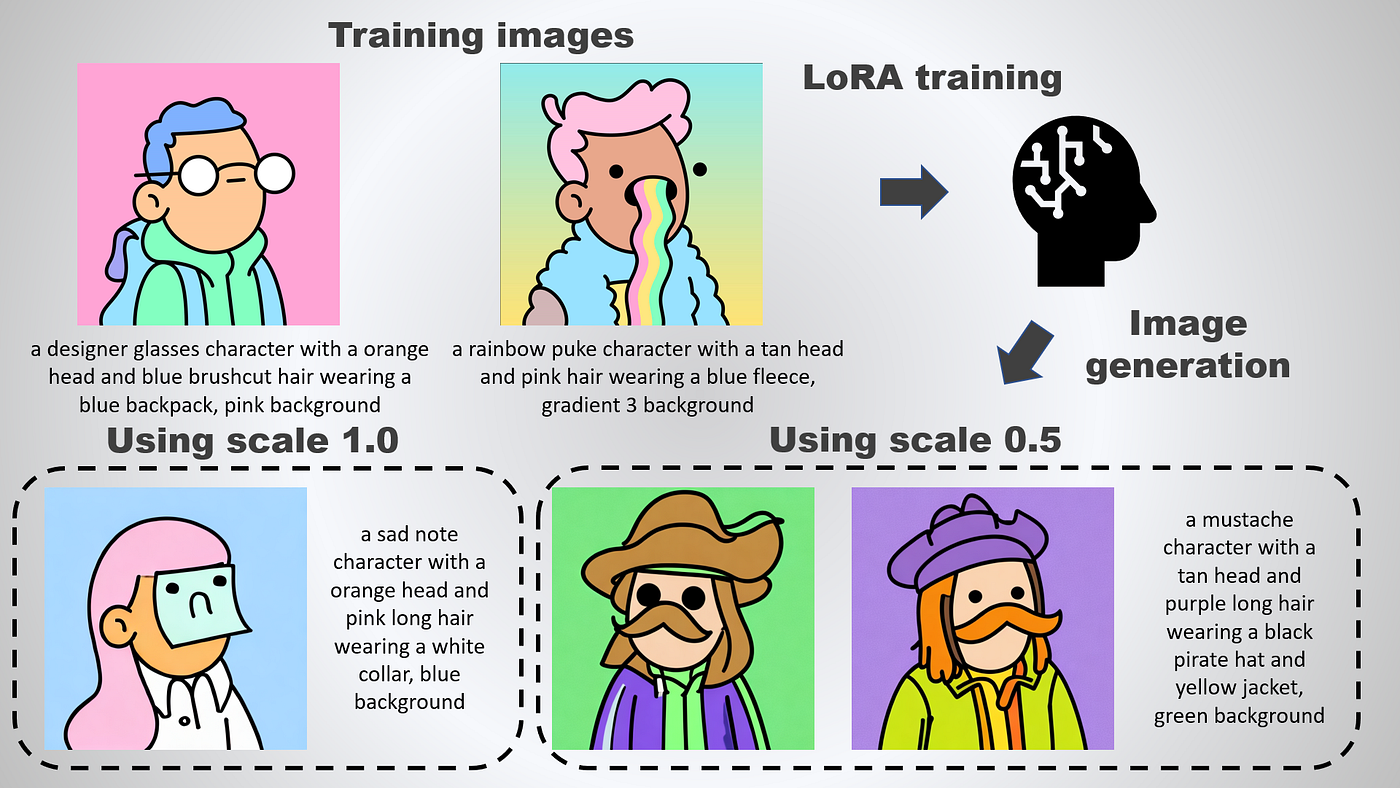
LoRA is a training technique that efficiently adapts large AI models for specific purposes. Rather than retraining the entire model (which requires enormous computational resources), LoRA adds small, specialized weight matrices that modify the model's behavior for your particular use case.
A character LoRA teaches the model what your character looks like at a fundamental level. Once trained, you can generate your character in any pose, scene, or style by simply including a trigger word in your prompt.
Preparing Training Data
Quality training data determines LoRA quality. You need 15-30 images of your character showing varied angles, expressions, poses, and lighting conditions. Consistency in style across training images helps—if you're training from AI-generated images, use the same base model and settings throughout.
Each image should clearly show your character with minimal background distractions. Include close-ups emphasizing facial features, medium shots showing body proportions, and full-body images establishing overall appearance. Vary expressions from smiling to serious to pensive.
Avoid images with unusual angles, heavy stylization, or obstructions covering the face. The AI needs clear examples of your character's features to learn them accurately.
Captioning Your Images
Each training image needs a caption describing what it shows. Captions should include a unique trigger word (like "chrx" or "mycharacter1") followed by relevant details. For example: "chrx, a woman with short black hair and blue eyes, portrait, soft lighting, slight smile."
The trigger word is crucial — it becomes the term you'll use to invoke your character after training. Choose something unique that the AI doesn't already associate with existing concepts.
Be consistent in how you describe fixed features (the character's defining traits) versus variable features (pose, expression, lighting). The AI will learn to associate the trigger word with the consistent elements.
Training Options
Several tools make LoRA training accessible. Kohya_ss GUI provides a full-featured local training environment but requires a capable GPU (typically 16GB+ VRAM for SDXL). Cloud-based options like CivitAI's LoRA Trainer or Google Colab notebooks let you train without local hardware.
Key training parameters include learning rate (how quickly the model adapts), number of epochs (training cycles through your dataset), and network rank (complexity of the LoRA). Default settings work for most character training, but optimization may require experimentation.
Training typically takes 30-60 minutes depending on dataset size and hardware. The output is a small file (usually under 500MB) that can be used with the base model you trained against.
Using Your Trained LoRA
After training, place the LoRA file in your Stable Diffusion installation's LoRA folder. In your prompt, reference it using the format "lora:filename:weight" along with your trigger word. For example: "chrx standing in a forest, autumn leaves, golden hour lighting lora:mycharacter:0.8"
The weight value (0.8 in the example) controls how strongly the LoRA influences generation. Higher values produce closer matches to your training data but may reduce flexibility. Start around 0.7-0.8 and adjust based on results.
Advanced: IP-Adapter for Stable Diffusion
IP-Adapter offers reference-based consistency for Stable Diffusion without requiring LoRA training. It's particularly useful when you need quick consistency for a new character or want to test concepts before committing to training.
The adapter takes a reference image and extracts features the model uses to guide generation. Unlike LoRA, it doesn't require training—you simply provide a reference image at generation time. Results are less consistent than a well-trained LoRA but far better than prompting alone.
ComfyUI workflows make IP-Adapter accessible through visual node-based interfaces. Several community workflows specifically target character consistency, combining IP-Adapter with ControlNet for pose control and other techniques for refined results.
Method 6: Flux and Emerging Tools
Flux represents the newest generation of image models, offering improved quality and consistency features. While the ecosystem is still developing, several approaches already show promise.
Flux's Built-in Consistency
Flux models handle prompt instructions more accurately than earlier architectures, which translates to better character consistency from pure prompting. Detailed character descriptions produce more reliable results, reducing the need for extensive reference-based workarounds.
The model also supports LoRA training, with tools like FluxGym making the process relatively straightforward. Early character LoRAs show excellent fidelity, suggesting Flux may become the preferred base for serious character consistency work.
PuLID for Identity Preservation
PuLID (Pure and Lightning ID Customization) is a technique specifically designed for maintaining facial identity across generations. When combined with Flux, it offers strong consistency without the computational overhead of full LoRA training.
The approach extracts identity information from a reference image and uses it to condition generation. Results maintain facial structure and distinctive features while allowing full flexibility in pose, expression, and environment.
ComfyUI Workflows
The most advanced character consistency currently happens in ComfyUI, a node-based interface for building complex generation pipelines. Community-developed workflows combine multiple techniques—IP-Adapter for reference, ControlNet for pose, LoRAs for style—into unified systems.
These workflows have a learning curve but offer capabilities impossible in single-tool approaches. For professional work requiring maximum consistency, investing time in ComfyUI pays dividends.
Practical Workflow Recommendations
Different projects demand different approaches. Here's how to choose based on your needs.
For Quick Social Media Content
Use Midjourney's --cref with a strong reference image and --cw 80-100. Generate your base character image with care, then iterate on scenes using that reference. The slight variations between images often don't matter for social content and can even add natural variety.
For Illustrated Books or Comics
Combine reference-based generation with post-processing. Use Leonardo AI to create comprehensive reference sheets, then use character reference features for each panel. Accept that you'll need to edit facial details in image editing software for true consistency. Plan your panel compositions to minimize close-ups that reveal inconsistencies.
For Game Asset Development
Train a LoRA. The upfront investment pays off when you need dozens or hundreds of variations. Game assets require consistency at scale, and only trained models deliver reliable results across many generations. Use IP-Adapter during concept phases, then train once you've finalized your character design.
For Animation and Video
Character consistency for animation remains the hardest problem. Current best practices involve generating key frames with strong reference features, then using video interpolation tools to create intermediate frames. Expect significant manual cleanup. AI video tools are improving rapidly but haven't solved frame-to-frame character consistency yet.
For Branding and Marketing
Consistency is non-negotiable for brand characters. Train a LoRA if the character will be used extensively. For one-off projects, use reference-based generation with extensive prompt documentation so results can be replicated later. Archive all reference images and prompt templates.
Common Mistakes and How to Avoid Them
- Using low-quality references. The AI can only work with what you give it. Blurry images, unusual lighting, or heavy filters in reference images propagate those qualities into generations. Always use clean, well-lit references.
- Changing prompts dramatically. Even with character reference, drastically different prompts produce drastically different results. If your reference shows your character in casual clothing and you prompt for "medieval armor," expect the AI to struggle. Make incremental changes and maintain prompt elements that support your character's core appearance.
- Ignoring style consistency. Character consistency without style consistency looks jarring. A character rendered in photorealistic style for one image and anime style for another won't read as the same character, even with identical facial features. Lock down your art style as rigorously as you lock down your character.
- Over-relying on single techniques. The best results combine multiple approaches. Use strong prompts AND reference images AND consistent style keywords. Each technique catches what others miss.
- Not testing before committing. Generate test batches before full production. If you're creating a 50-image project, generate 10 first and verify consistency meets your standards. Adjusting techniques early saves rework later.
The Future of Character Consistency
AI image generation improves monthly. Features that required workarounds become native capabilities. Training that demanded powerful GPUs becomes accessible through cloud services.
Several trends suggest where things are heading. Native character persistence in generation tools seems inevitable—the demand is clear and the technical foundations exist. Better integration between text and image understanding will allow more nuanced character control through natural language. Real-time feedback during generation will let artists adjust character features interactively rather than through prompt iteration.
Video consistency represents the next frontier. Current tools struggle with frame-to-frame coherence, but rapid progress suggests this will be solved within a year or two. Once video achieves character consistency, AI-generated animation becomes practical for independent creators.
The techniques in this guide will remain relevant even as tools improve. Understanding why consistency fails helps you use new features effectively. Prompt engineering skills transfer between platforms. Training concepts apply whether you're using today's LoRAs or tomorrow's more sophisticated methods.
FAQ
What's the easiest way to create consistent characters with AI?
Use Midjourney's character reference feature (--cref). Generate your character once, save the image URL, then include that URL with --cref in future prompts. Add --cw 100 to preserve face, hair, and clothing, or --cw 0 to keep just the face while changing other elements. This requires a Midjourney subscription but delivers the best balance of quality and ease of use.
Can I create consistent characters with free AI tools?
Yes, though with more effort. Leonardo AI offers free credits for character reference features. Stable Diffusion is completely free if you run it locally, and IP-Adapter provides reference-based consistency without training. DALL-E 3's Gen ID and seed methods work through ChatGPT's free tier with limits. Free options require more technical setup but produce professional results.
How many reference images do I need to train a LoRA?
Aim for 15-30 images showing varied angles, expressions, and lighting. Quality matters more than quantity—10 excellent images outperform 50 mediocre ones. Include mostly face close-ups with some medium and full-body shots. Maintain consistent style across all training images.
Why does my character look different even with character reference enabled?
Several factors cause drift. Dramatically different prompts override reference features. Low reference strength settings allow more variation. Non-Midjourney reference images translate poorly. Complex poses confuse facial feature preservation. Try increasing character weight (--cw value), using a clearer reference image, or keeping prompts closer to your reference's context.
What's better for character consistency: Midjourney, Leonardo AI, or Stable Diffusion?
Each excels differently. Midjourney offers the best out-of-box character reference with minimal setup. Leonardo AI provides more control through strength settings and trained Elements. Stable Diffusion with LoRA training achieves the highest consistency for long-term projects but requires the most technical investment. Choose based on your project scope and technical comfort.
Can I use photos of real people as character references?
Technically yes, but results are often poor and raise ethical concerns. AI generators are designed to avoid generating real people, causing distortion when you try. Better approach: generate an AI character inspired by the person's features, then use that generated image as your reference. This produces cleaner results while avoiding likeness issues.
How do I keep my character's clothing consistent?
In Midjourney, use --cw 100 to preserve outfit from your reference. In other tools, include extremely specific clothing descriptions in every prompt—not just "blue jacket" but "navy wool peacoat with brass buttons, slightly oversized fit, collar turned up." Use the same clothing description verbatim across prompts. For Stable Diffusion, include outfit in your LoRA training data.
What resolution should my reference images be?
Higher is better, up to a point. For Midjourney and Leonardo AI, upscaled images (2048x2048 or higher) produce better consistency than standard generations. For LoRA training, 1024x1024 images work well for SDXL. Avoid very low resolution references—detail loss translates to inconsistent interpretations.
Can AI generate consistent characters for animation?
Currently this remains challenging. AI excels at static images but struggles with frame-to-frame consistency needed for smooth animation. Best current approach: generate key frames with strong character reference, then use interpolation tools for in-between frames. Expect manual cleanup. Tools like AnimateDiff are improving but haven't fully solved this problem yet.
How long does LoRA training take?
Training time depends on dataset size, hardware, and settings. On a capable consumer GPU (RTX 3080/4080), expect 30-60 minutes for a character LoRA. Cloud training services take similar time but don't require your own hardware. The process is mostly automated once you've prepared your training images and captions.
My character's face keeps changing between generations. How do I fix this?
This is the core consistency problem. Solutions in order of effectiveness: use character reference features (--cref in Midjourney or equivalent), train a dedicated LoRA if you're using Stable Diffusion, use IP-Adapter for reference-based generation, improve your prompts with highly specific facial feature descriptions, and lock your seed number where supported. Combining multiple approaches produces the best results.
What's the difference between style reference and character reference?
Style reference (--sref) captures artistic style—color palette, line quality, rendering approach, overall aesthetic. Character reference (--cref) captures identity—facial features, body type, distinctive visual elements. You can use both together: --sref maintains your art style while --cref maintains your character's appearance. This combination is powerful for illustrated series.
Are there any copyright issues with AI-generated characters?
This area remains legally unsettled. Generally, AI-generated characters you create for original work are yours to use. Complications arise if your training data or references contain copyrighted material, or if your character closely resembles existing copyrighted characters. For commercial projects, consult a lawyer familiar with AI and intellectual property. Don't base characters on copyrighted properties without permission.
How do I create a character reference sheet?
Prompt for multiple views in a single generation: "Character reference sheet showing [character description], front view, side profile, three-quarter angle, back view, multiple expressions, clean white background, consistent style throughout." Use this generated sheet as your reference for future images. Leonardo AI handles this particularly well.
Can I use AI character consistency for children's books?
Yes, many independent authors use these techniques. Combine character reference with style locking for illustrated book consistency. Expect some variation that may require light editing. For professional publication, consider commissioning an artist to refine AI-generated concepts—the AI handles ideation and layout while human artists ensure consistency and polish.
Related Articles
 Dani
Dani
 Mark
Mark
 Dani
Dani