Let me tell you something that genuinely excited me this week. I've been following smart TV developments for years, and honestly, most announcements make me yawn. Another streaming app. Another minor interface tweak. Who cares, right?
But when Google took the stage at CES 2026 and showed what Gemini is bringing to Google TV, I literally sat up straighter on my couch. This isn't just another incremental update. This is the kind of stuff that makes you realize your TV is about to become something entirely different.
If you've ever fumbled with your remote trying to find that one setting buried seven menus deep, or wondered why your TV can stream 4K content but can't understand when you say "make the picture brighter," well, Google heard you. And their answer is pretty wild.
Let me walk you through everything that's coming, why it matters, and how it's going to change the way you interact with your TV.
Why This Update Actually Matters (And It's Not Just Hype)
I know, I know. We've all heard the "AI is changing everything" pitch a million times. But here's the thing: this time, it genuinely feels different.
Think about the last time you tried to adjust your TV settings. Maybe the dialogue in a movie was too quiet, or the screen was too dark for that evening viewing session. What did you do? If you're like most people, you either suffered through it or spent five frustrating minutes navigating through Picture Settings, then Sound Settings, then back again because you couldn't remember which submenu had the option you needed.
Google's research shows that most smart TV owners never touch their picture or sound settings after the initial setup. Not because they're happy with the defaults, but because the menus are intimidating. They're filled with terms like "gamma correction," "motion interpolation," and "audio delay compensation." Unless you're a home theater enthusiast, that stuff might as well be written in ancient Greek.
What Google is doing with Gemini on Google TV is elegantly simple in concept but revolutionary in execution: you can now just tell your TV what's wrong, in plain English, and it fixes itself.
Voice-Controlled Settings
Here's how it works in practice, and honestly, it's almost embarrassingly simple.
You're watching a movie. The action scenes are great, but whenever characters start talking, you can barely hear the dialogue. Instead of pausing the movie, grabbing the remote, navigating to settings, finding audio options, and trying to figure out which equalizer preset might help, you just say:
"Hey Google, the dialogue is lost."
That's it. Gemini understands what you mean, identifies that you're having trouble hearing speech over other audio elements, and adjusts your TV's audio settings accordingly. It might boost the center channel, adjust the equalizer, or enable dialogue enhancement depending on what your specific TV supports.
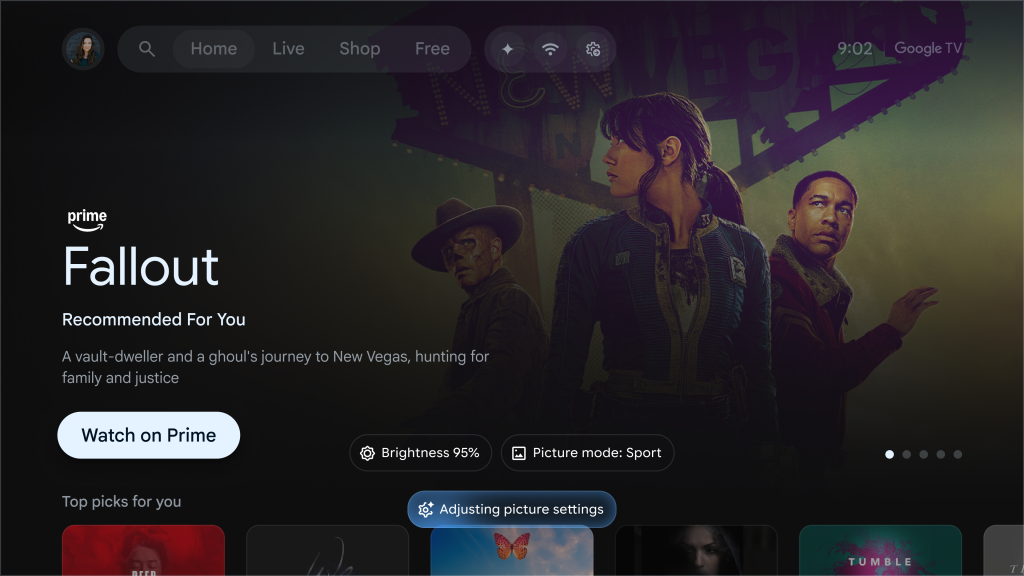
Or let's say you're watching something in a dark room and the picture looks too dim. You say:
"My screen is too dim. Make it brighter."
Gemini bumps up the brightness without you ever leaving your show. A small notification appears at the bottom of the screen confirming the adjustment, and you're back to watching in seconds.
This might sound like a small thing, but it's not. It's actually addressing one of the biggest usability failures in modern TVs. These devices have become incredibly sophisticated, with dozens of picture modes, sound presets, and calibration options. But all that capability means nothing if regular people can't access it without getting a headache.
Gemini on Google TV
Now, let's be clear about something. Google TV already had Google Assistant, and you could already give it voice commands. So what makes Gemini different?
The answer comes down to understanding context and natural language in ways that previous assistants simply couldn't.
With the old Google Assistant on TV, you had to learn its language. Commands had to be relatively specific: "Open Netflix," "Play Stranger Things," "Turn up the volume." If you asked something slightly outside its expected phrases, it would either give you a web search result or just look confused.
Gemini is built differently. You can ask it complex, conversational questions like:
"What's that new hospital drama everyone's been talking about?"
Instead of giving you a generic search result, Gemini actually understands you're looking for TV recommendations based on current cultural buzz. It'll identify shows that match that description and show you where to watch them.
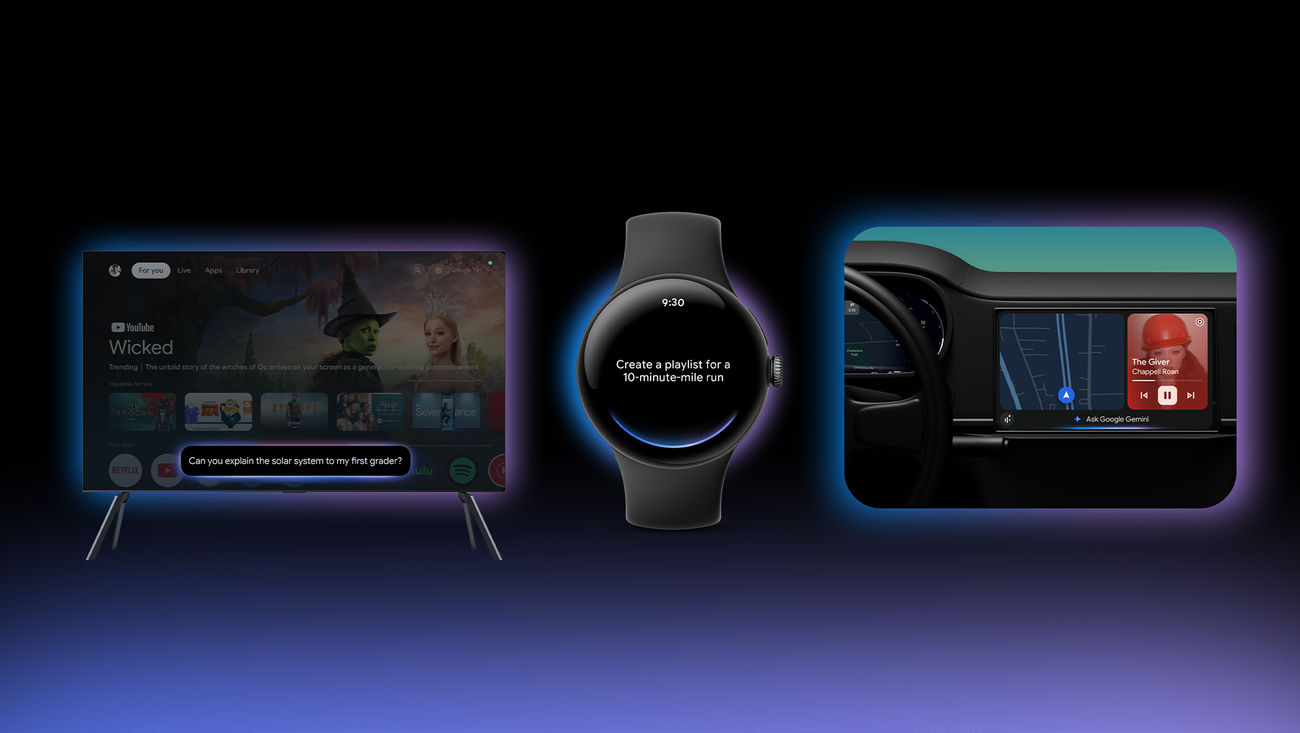
Or try something like:
"Find me something to watch with my wife. I like dramas, but she likes lighthearted comedies."
This is the kind of nuanced request that would have completely stumped previous TV assistants. But Gemini can parse the complexity here: you want a recommendation that somehow bridges two different genre preferences. Maybe a dramedy, maybe a critically acclaimed comedy with dramatic elements, maybe something both parties have expressed interest in based on your viewing history.
The point is, you don't have to think in terms of what your TV can understand anymore. You can just talk to it like you'd talk to a knowledgeable friend.
Nano Banana: Google's Secret Weapon for Visual AI
Okay, let's talk about Nano Banana. Yes, that's really what it's called. And yes, it's a ridiculous name. But underneath that silly branding is some genuinely impressive technology.
Nano Banana is Google's image generation and editing AI model. The original version, officially known as Gemini 2.5 Flash Image, launched in August 2025 and quickly became a viral sensation. Remember when everyone on social media was turning their selfies into those 3D figurine images? That was Nano Banana.
In November 2025, Google released Nano Banana Pro, powered by Gemini 3 Pro, which took things even further with improved image quality, better text rendering in images, and the ability to maintain consistent character appearance across multiple generations.
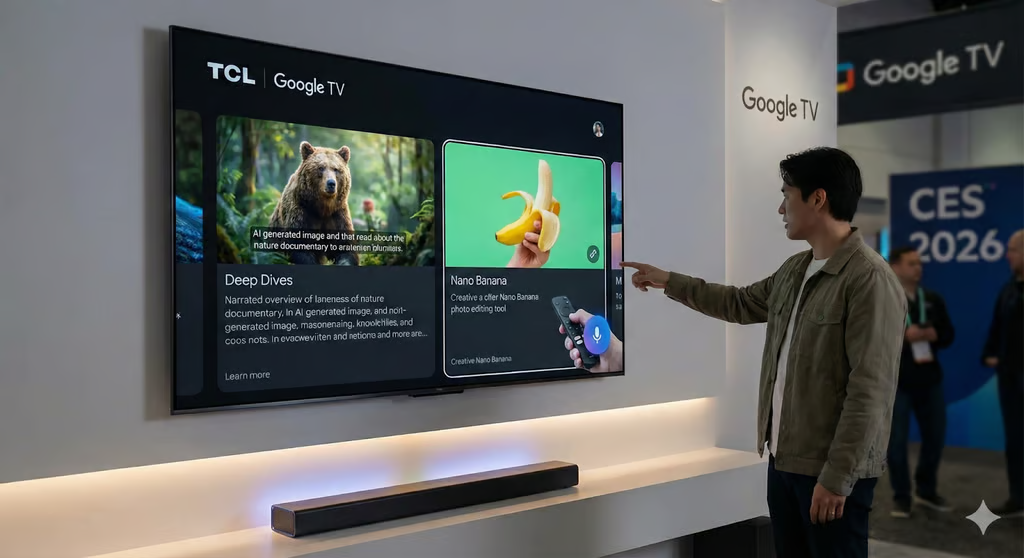
Now, here's where it gets interesting for TV owners. Google is bringing Nano Banana directly to Google TV. This means you can create and edit images right from your television.
I can already hear some of you asking: "Why would I want to edit photos on my TV instead of my phone?"
Fair question. And honestly, for most quick edits, your phone is probably still the better choice. But there are some scenarios where the TV makes surprising sense.
Family gatherings are a big one. Imagine you're having a holiday dinner, and grandma wants to see photos from the family vacation. Instead of everyone huddling around a small phone screen, you pull up your Google Photos library on the TV. Then, using Nano Banana, you can apply artistic styles to those photos in real-time, turning beach snapshots into watercolor paintings or vintage postcards that everyone can enjoy together on the big screen.
Or consider collaborative creativity. Kids especially love this stuff. They can describe an image they want to create, watch Nano Banana generate it on the big screen, and then iterate together as a family activity. It's genuinely entertaining in a way that feels novel.
Veo: AI Video Generation Comes to Your Living Room
If Nano Banana handles still images, Veo is Google's answer for video. And yes, they're bringing that to Google TV too.
Veo, now in its third major version, can generate video clips from text descriptions. You describe what you want to see, and it creates a video. The latest version even generates synchronized audio, including dialogue, sound effects, and ambient noise.
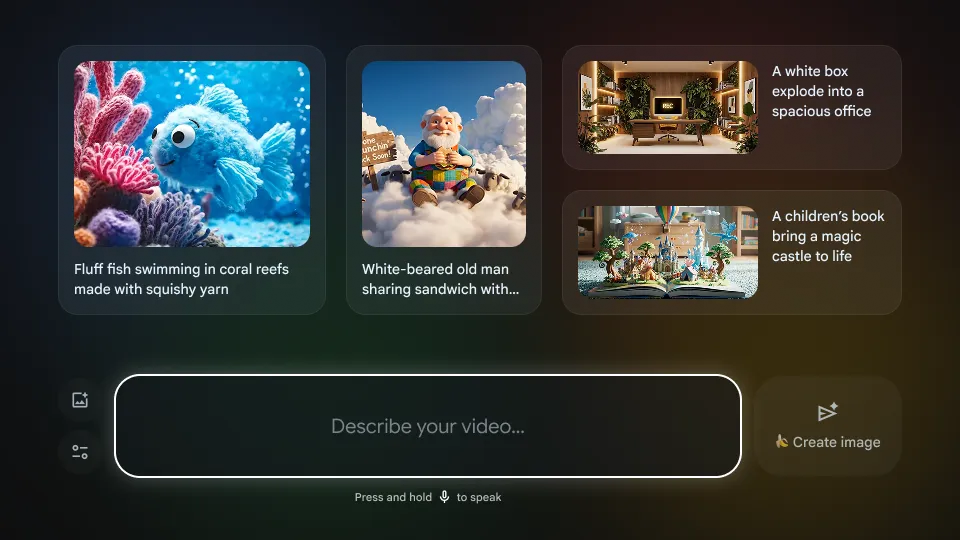
On Google TV, you'll be able to access Veo to create short video clips directly from your couch. The interface includes suggested prompts like "Fluffy fish swimming on coral reefs made with squishy yarn" to give you ideas, and you can describe your own video concepts using your remote's microphone.
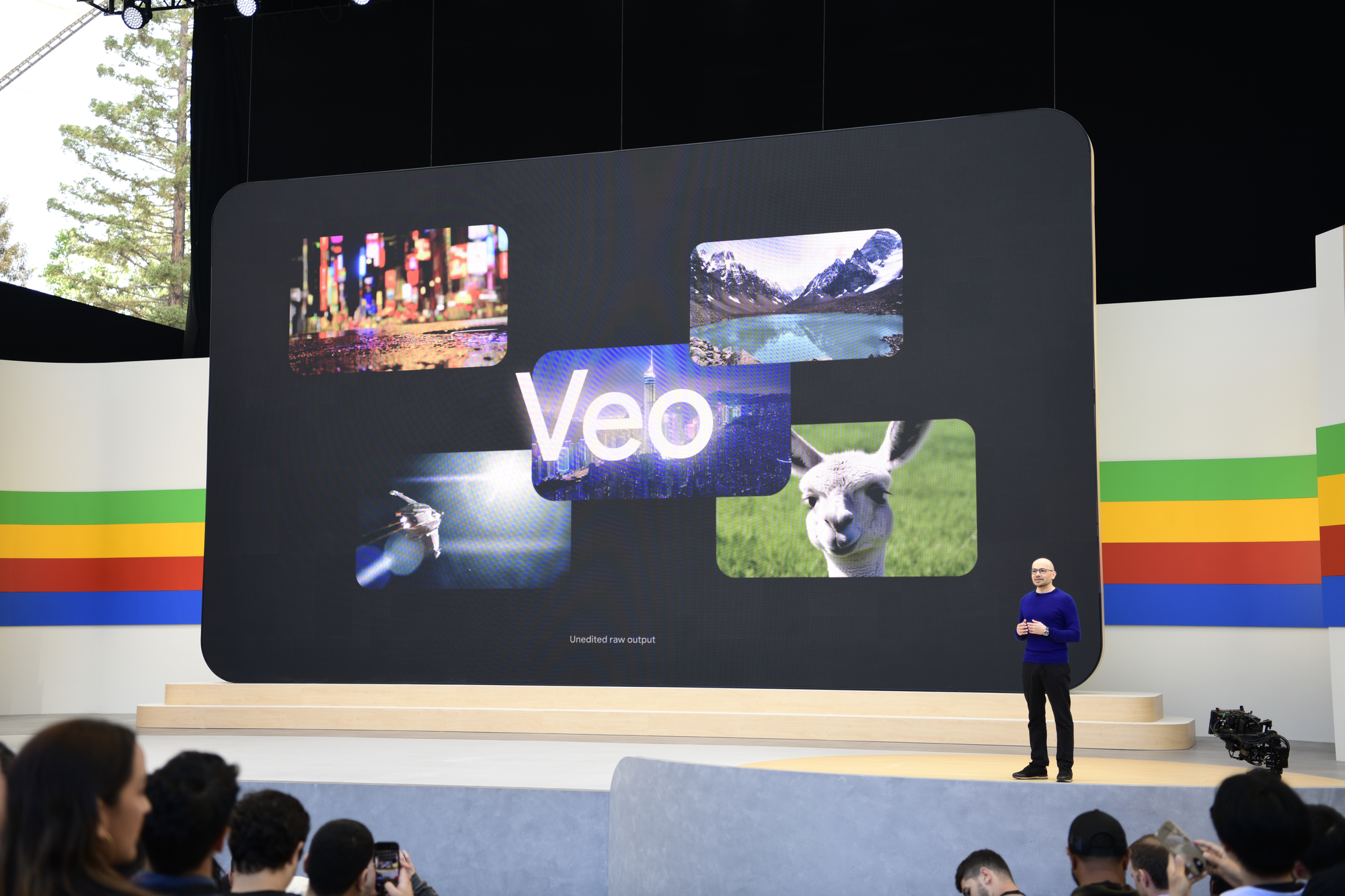
Is this going to replace professional video production? Obviously not. The clips are limited to about eight seconds, and while the quality has improved dramatically, it's still clearly AI-generated to a trained eye.
But as a creative tool for personal entertainment, it's genuinely fun. Think of it like having a magic imagination machine in your living room. Your kids want to see a dinosaur having a tea party? Done. You want to visualize that weird dream you had last night? Give it a shot. It's entertainment in itself.
Photos Remix and Google Photos Integration
Speaking of creative features, let's talk about how Gemini is enhancing the connection between Google TV and Google Photos.
The integration goes way beyond just displaying your photos on the TV (which, to be fair, you could already do). Now you can conversationally search your photo library using natural language.
Want to see "photos from Maya's graduation" or "our beach trips from 2019"? Just ask. Gemini understands the context, searches your library, and displays the results. This is particularly useful for those of us with thousands of photos spanning years of uploads. Trying to find a specific memory manually can take forever, but asking for it directly feels almost magical.
Then there's Photos Remix, which applies artistic styles to your photos. You can transform a regular snapshot into something that looks like a watercolor painting, a pen sketch, or an Art Deco poster. It's not just applying a simple filter; the AI actually reimagines the image in that style.
And if you want to go further, you can create what Google calls "cinematic immersive slideshows" from your photos. These aren't your grandmother's slideshows with awkward transitions. The AI adds motion, creates smooth pans across images, and generates an overall experience that feels more like a mini-documentary about your memories.
Deep Dives: Your TV Becomes a Learning Tool
Here's a feature that surprised me with how useful it could be: Deep Dives.
Let's say you're watching a documentary about space, and your kid asks why planets orbit the sun. You could try to explain it yourself, or you could ask Gemini to provide a Deep Dive on gravitational physics.
What happens next is pretty cool. Instead of just giving you a text answer (which would be pretty useless on a TV where reading isn't the primary interaction mode), Gemini creates a narrated, visual explanation. It shows relevant images and videos, explains concepts in age-appropriate language, and allows follow-up questions.
Google is clearly positioning the TV as more than just an entertainment device. They want it to be an educational hub for families. And honestly, the big screen format makes a lot of sense for this kind of shared learning experience. You're not all huddled around a phone or tablet; you're sitting comfortably in your living room having a communal educational moment.
Will this replace school? Of course not. But as a tool for satisfying curiosity and sparking interest in new topics, it has real potential.
Visual-Rich Responses
One of the most frustrating things about voice assistants on TVs has always been how poorly they used the screen. You'd ask a question, and you'd get a tiny card with text, maybe a single image, displayed in the corner while the rest of your beautiful 65-inch display sat there doing nothing.
Google is fixing this with what they call a "visually rich framework" for Gemini responses on Google TV.
When you ask about something now, the response is designed for a large screen experience. Ask about Van Gogh paintings, and you'll see high-resolution images of his work filling your display. Ask about the Northern Lights, and you might get video clips alongside explanatory text. Ask about your favorite sports team, and you'll get real-time updates with relevant imagery.
This seems obvious in retrospect. Of course a TV should show you visual content when responding to queries. But it's taken until now for anyone to really execute on this idea properly.
When Will You Actually Get These Features?
Here's the part where I have to manage expectations a bit. These features are coming, but they're not all available immediately.
Google announced that the new Gemini features will launch first on select TCL television models, specifically flagships like the QM9K series. From there, they'll expand to other Google TV devices over the coming months.
The requirements are straightforward:
Your device needs to be running Android TV OS 14 or higher. You'll need an internet connection (obviously). And you'll need a Google account to access the Gemini features.
Google hasn't provided an exact timeline for broader rollout, but they've indicated it should reach most Google TV devices within 2026. Given that Google TV currently runs on over 270 million active devices worldwide, that's a massive user base that will eventually get access.
It's also worth noting that these features will initially be available in select countries and languages. If you're in the United States, you're likely in the first wave, but international availability will vary.
The Bigger Picture
Let me step back and put all of this in context, because I think understanding Google's broader strategy helps explain why they're investing so heavily in these features.
Google sees the television evolving from a passive entertainment device into an active AI-powered hub for the home. They want your TV to be a device you interact with throughout the day, not just when you're settling in to watch something.
Think about it: your TV has the biggest screen in your house, it's in a central location where the family gathers, and it's usually connected to a powerful internet connection. In Google's vision, this makes it the perfect platform for AI experiences that benefit from large displays and shared viewing.
The creative tools like Nano Banana and Veo are part of this. Instead of the TV being a black rectangle that does nothing when you're not watching content, it becomes an interactive canvas for creativity and expression.
The educational features like Deep Dives are another part. The TV becomes a tool for family learning, accessible to everyone from young kids to grandparents.
And the voice-controlled settings and natural language queries are about removing barriers. If your TV is going to be a hub for all these interactions, it needs to be effortless to use. No more complicated menus, no more memorizing specific command phrases.
Whether this vision plays out remains to be seen. Consumers have been skeptical of "your TV can do everything" pitches before. But the execution Google is showing here feels more practical and user-focused than previous attempts.
How This Compares to the Competition
Google isn't the only company trying to make TVs smarter. Samsung and LG both announced AI initiatives at CES 2026 as well, including integration with Microsoft Copilot on some models.
But Google has some distinct advantages. The company has been developing AI technology through DeepMind for years, and models like Gemini, Nano Banana, and Veo represent state-of-the-art capabilities that competitors can't easily replicate.
Google also has an ecosystem advantage. If you're already using Google Photos, Google Assistant on your phone, and other Google services, the integration with Google TV feels natural and adds genuine value. Your TV becomes another window into your existing digital life rather than a separate silo.
That said, Google TV's market share is smaller than you might expect. Despite running on over 270 million devices globally, it's competing against Roku, Samsung's Tizen, LG's webOS, and Amazon's Fire TV. Each of these platforms has its own loyal user base and its own AI initiatives.
The question is whether these Gemini features are compelling enough to influence TV purchasing decisions or to convince manufacturers to adopt Google TV over alternatives. TCL's partnership suggests that at least some major manufacturers see the value.
Practical Concerns and Potential Limitations
Let me be realistic about some potential limitations because no technology is perfect.
First, these features require reliable internet connectivity. If your home internet is spotty or if Google's servers experience issues, the AI features won't work well. Your TV's basic functions will still operate, but the Gemini magic relies on cloud processing.
Second, we don't yet know how deep the voice-controlled settings will go. Google has demonstrated adjusting brightness and audio, but what about more advanced settings like motion smoothing, color temperature, or HDMI-CEC controls? If the feature is limited to only basic adjustments, its utility will be constrained.
Third, the AI creative tools raise legitimate questions about value. Do people actually want to generate AI images and videos on their TV? The tech is impressive, but sustained engagement might be limited. After the novelty wears off, will users keep coming back to these features or will they gather digital dust?
Fourth, privacy is always a concern with AI assistants. Gemini on Google TV will be listening for commands, and the creative features involve processing your personal photos and preferences. Google has privacy controls in place, but users who are privacy-conscious should understand what data is being collected and processed.
Finally, there's the question of timing. Features launching on "select TCL devices first" means most people won't have access immediately. By the time these roll out broadly, competing platforms may have caught up with their own implementations.
My Honest Take: Is This Worth Getting Excited About?
After spending considerable time researching and thinking about these announcements, here's my honest assessment.
The voice-controlled settings feature alone makes this update worthwhile. If Google executes on this properly, if it genuinely lets you adjust your TV just by describing what's wrong, this will be one of those "why didn't anyone do this sooner?" moments. The value is immediately obvious and practical.
The Google Photos integration and search capabilities are similarly valuable for anyone already invested in that ecosystem. Being able to conversationally search your photo library on the big screen is genuinely useful.
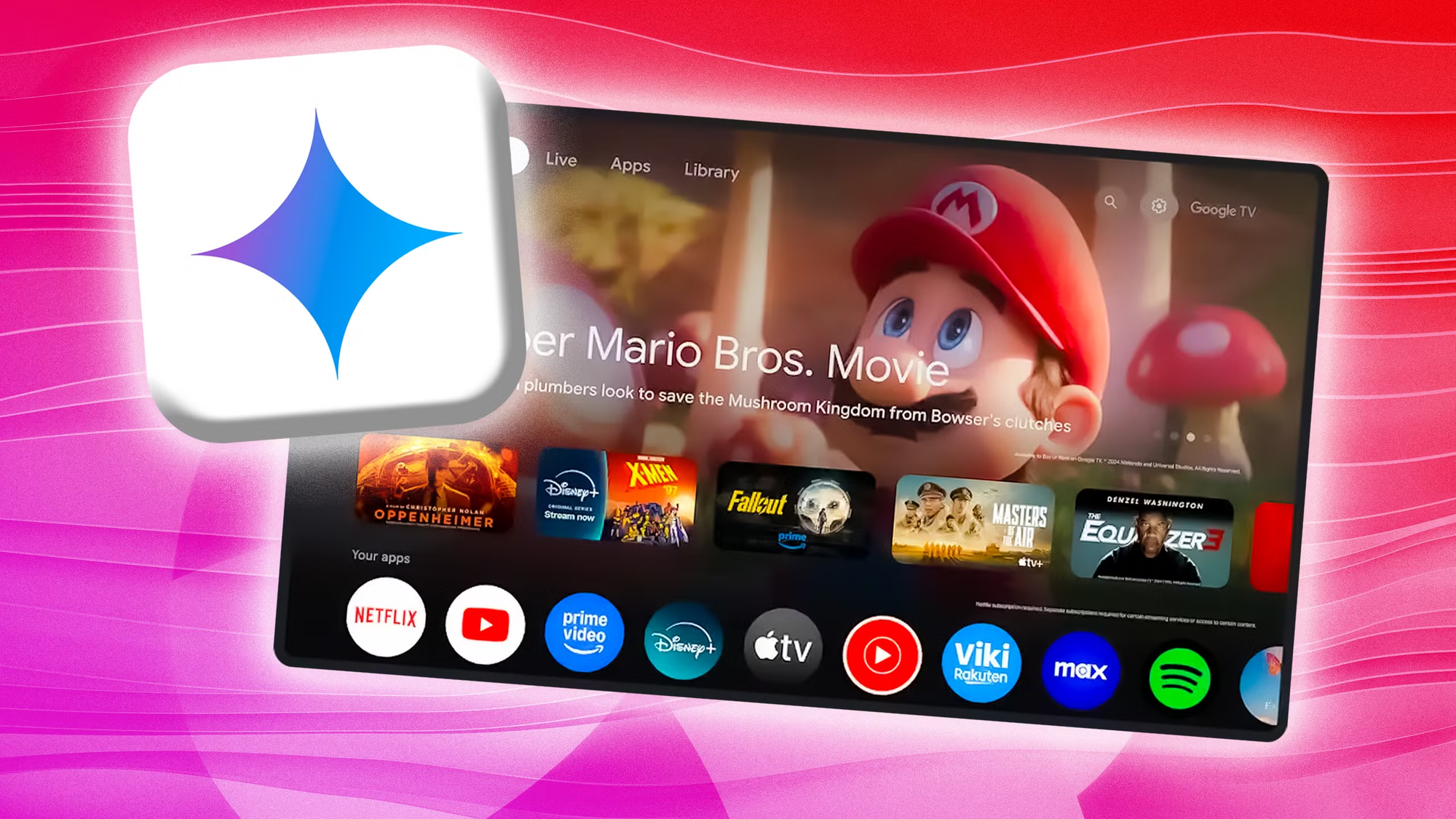
The creative AI features like Nano Banana and Veo are more of a mixed bag. They're impressive from a technology standpoint, and they'll provide entertainment value, especially for families with kids who love creative play. But I'm skeptical about long-term engagement. These feel more like "wow, look what's possible" demonstrations than features that will change your daily TV habits.
Deep Dives and the educational features have real potential but will depend heavily on execution. If the explanations are actually helpful and age-appropriate, this could become a genuine value-add for families. If they're shallow or inaccurate, they'll be ignored after the first few tries.
Overall, I'd say this is the most interesting update to any TV platform in recent memory. Google is clearly putting significant resources into making the television experience smarter, and many of these features address real pain points rather than just adding technology for its own sake.
Whether it transforms how you use your TV will depend on your specific needs and how well Google delivers on these promises. But for the first time in a while, I'm genuinely curious to see how these features work in practice.
Getting Your Google TV Ready
If you have a Google TV device and want to be prepared for these features when they arrive, here are some steps you can take now.
Make sure your device is updated to the latest software version. Go to Settings, then System, then About, and check for updates. While these new features require Android TV OS 14 or later, staying current ensures you're ready when the update rolls out to your device.
If you don't already use Google Photos, consider starting now. The photo-related features depend on having your images in Google Photos, and the more photos you have there, the more valuable the search and creative features will be. Google Photos offers free storage for photos up to certain quality levels, making it easy to upload your existing library.
Familiarize yourself with your current voice assistant setup. Make sure Google Assistant is activated and working on your TV. The Gemini features build on this foundation, so having voice control already working smoothly will make the transition easier.
Finally, if you're in the market for a new TV, keep an eye on TCL's latest Google TV models. These will be the first to receive the new features, giving early adopters a head start on experiencing everything we've discussed.
FAQ
What is Gemini on Google TV?
Gemini is Google's advanced AI assistant that's being integrated into Google TV to replace the previous Google Assistant. It offers more sophisticated natural language understanding, visual responses designed for large screens, and new capabilities like voice-controlled settings adjustment and AI-powered creative tools. Think of it as a major intelligence upgrade for your TV's voice assistant.
When will the new Gemini features be available on my Google TV?
Google has announced that the new features will launch first on select TCL television models, with broader availability planned throughout 2026. The exact timing for your specific device hasn't been announced, but Google has indicated that devices running Android TV OS 14 or higher will eventually receive the update. You'll need an internet connection and a Google account to access the features.
What is Nano Banana on Google TV?
Nano Banana is Google's AI image generation and editing model. On Google TV, it allows you to create new images from text descriptions, edit and transform existing photos with artistic styles, and reimagine your personal photos in creative ways. The feature integrates with Google Photos, so you can apply these AI enhancements to your existing photo library directly from your TV.
Can I really control my TV settings by just describing the problem?
Yes, this is one of the headline features. You can tell Gemini things like "the screen is too dim" or "I can't hear the dialogue," and it will automatically adjust the appropriate settings. This means you don't need to navigate through complicated menus or understand technical terms. However, we don't yet know the full extent of which settings can be controlled this way. Google has demonstrated brightness and audio adjustments, with potentially more capabilities to come.
Do I need to pay for these features?
Google has announced that the Gemini upgrade for Google TV will roll out for free. However, some advanced features, particularly AI image and video generation through Nano Banana Pro and Veo, may have usage limits for free users. Google offers various AI subscription tiers (Google AI Plus, Pro, and Ultra) that provide higher quotas for these generative AI features, though it's not yet clear exactly how this will work on the TV platform.
Will this work on my older Google TV or Chromecast?
The features require Android TV OS 14 or higher, which limits compatibility to newer devices. The original Chromecast with Google TV and some older smart TVs may not support these features. Google hasn't provided a complete compatibility list, but if your device can update to Android TV OS 14, you should eventually receive the Gemini features.
What's the difference between Gemini and the old Google Assistant on TV?
The main differences are in understanding and response quality. Gemini can handle much more complex and conversational queries, understanding context and nuance that the old Google Assistant couldn't manage. It also provides visual-rich responses designed for large screens rather than small text cards. Additionally, Gemini brings new capabilities like settings control through natural language and integration with AI creative tools.
Is Google TV collecting my data with these AI features?
Like other Google products, Google TV with Gemini will process data to provide its features. Voice commands are processed in the cloud, and features like photo search require access to your Google Photos library. Google has privacy controls that allow you to manage what data is collected and retained. If privacy is a significant concern, you should review Google's privacy settings and terms before using the AI features.
Can I use these features in languages other than English?
Google has stated that availability will vary by language and country at launch. English in the United States is likely to be fully supported from the start, with other languages and regions being added over time. Google hasn't provided a specific timeline for additional language support.
What is Veo on Google TV and how does it work?
Veo is Google's AI video generation model that creates video clips from text descriptions. On Google TV, you can describe a video you want to see, and Veo will generate it. The latest version can create videos up to eight seconds long with synchronized audio, including dialogue, sound effects, and ambient noise. It's designed for creative entertainment rather than professional video production.
Will these features work without an internet connection?
No, the Gemini features require an internet connection because the AI processing happens on Google's cloud servers. Your TV's basic functions will still work offline, but you won't be able to use voice-controlled settings, AI image generation, or the enhanced search and recommendation features without connectivity.
Related Articles
 Dani
Dani
 Mark
Mark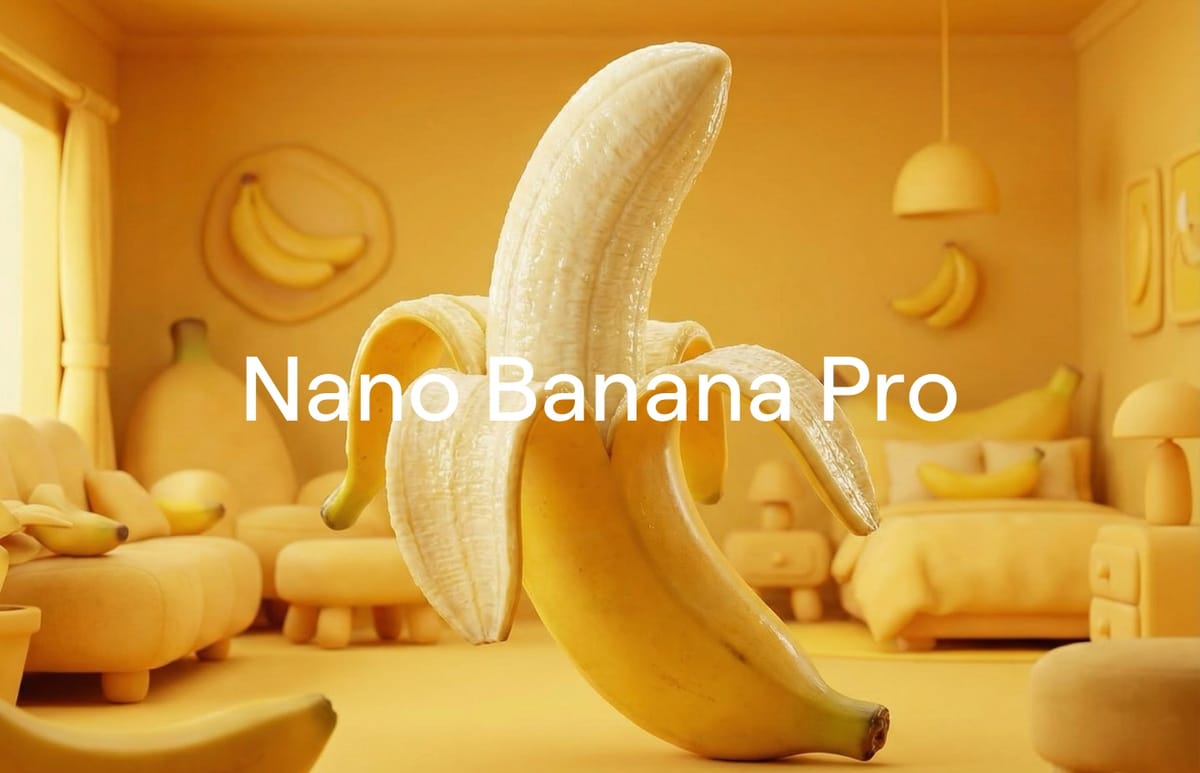
 Dani
Dani