In the fast-evolving world of digital creation, designers and marketers often find themselves juggling a multitude of specialized tools. One for image generation, another for background removal, a third for upscaling. This fragmentation devours time, drains resources, and frankly, it's frustrating. VisualGPT steps in, promising to cut through that complexity.
VisualGPT positions itself as the unified answer to AI-powered image creation and editing. We've put it through its paces to see if it lives up to the hype.
Key Takeaways
- All-in-One Powerhouse: Consolidates diverse AI image tools into a single platform.
- Generous Free Tier: Offers core features without requiring payment.
- Advanced AI Integration: Uses cutting-edge models like Nano Banana, Flux, Ideogram, and Stable Diffusion.
- Web-Based & Accessible: Works directly in your browser on any device.
- Unique Design Tools: Includes specialized AI Interior Design and Room Planning.
What is VisualGPT Actually?

VisualGPT is a comprehensive, web-based AI platform for image generation, editing, and enhancement. Think of it as a digital Swiss Army knife for visual content. It's designed with a zero-learning-curve philosophy, making advanced AI tools accessible to everyone, from casual users to seasoned professionals. The platform emphasizes ease of use, speed, and privacy, ensuring images are processed quickly and not stored on its servers. You can explore its full capabilities at VisualGPT.io.
Why a Unified AI Platform Matters Now
The digital creative space moves at an incredible pace. The demand for high-quality, unique visual content is constant, yet the tools available often force creators into a disjointed workflow. VisualGPT directly addresses this challenge. By centralizing functionalities like AI image generation, photo editing, background removal, and even AI interior design into one intuitive interface, it streamlines the creative process. This approach saves countless hours, allowing users to iterate faster and bring their visions to life without the constant friction of switching applications or learning new software.
Diving Deep into VisualGPT's Capabilities
VisualGPT doesn't just offer a few tools; it provides a robust suite. Here’s a closer look at what it brings to the table:
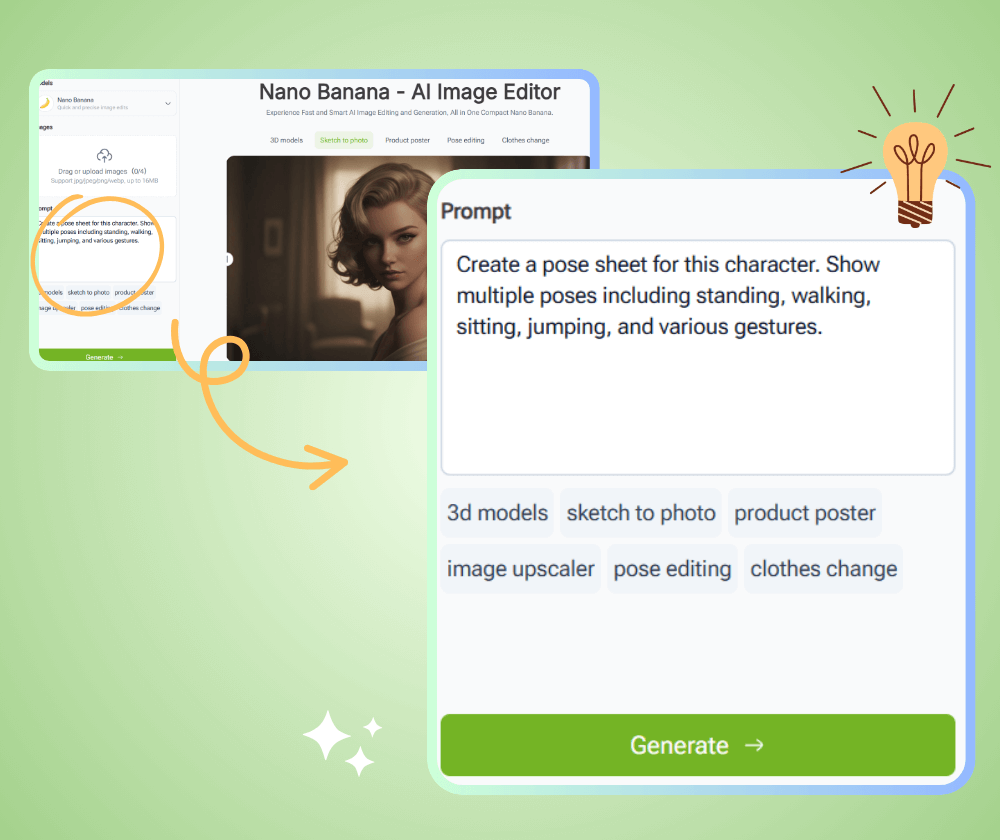
- Intelligent Image Generation: Users input text or provide an image, and VisualGPT's integrated models—including Nano Banana, Flux, Ideogram, and Stable Diffusion—generate stunning visuals. It handles everything from abstract concepts to specific product mockups.
- Precision Editing & Enhancement: Need to adjust lighting, replace an object, or simply clean up a photo? The AI image editor handles precise modifications. It also includes powerful upscaling and enhancement features to boost image quality without pixelation.
- Design & Planning: This is where VisualGPT truly stands out. Its AI Interior Design and Room Planning tools allow users to visualize new room layouts or design aesthetics with remarkable ease. There's even an AI room cleaner to quickly tidy up virtual spaces.
- Efficiency Tools: Background removal is a breeze, even supporting batch processing for multiple images. The platform also features watermark removal and scene expansion, allowing creators to broaden the scope of their existing images.
- Creative Control: A built-in style consistency engine helps maintain a uniform aesthetic across various projects, a crucial feature for branding and coherent visual storytelling. It also supports basic 3D and SVG outputs.
Pricing: The Freemium Model Examined
VisualGPT operates on a freemium model, and it's surprisingly generous. You get access to all core features and tools without an initial payment. Each account starts with a set amount of daily credits. You can earn more credits through simple sharing activities or, for heavy users, purchase additional credit packs. This approach means that for many, especially those with moderate usage, VisualGPT can be entirely free. For professionals requiring high-resolution outputs or extensive batch processing, investing in credit packs becomes a cost-effective way to scale up operations.
VisualGPT: The Honest Pros & Cons
| Pros | Cons |
|---|---|
| All-in-one AI platform | No dedicated mobile app |
| Comprehensive free access | No public API for integration |
| Advanced AI models (Flux, Ideogram) | Account deletion pending (planned) |
| Diverse features (Interior Design) | Credit-based system for heavy use |
| User-friendly, zero-learning-curve | May struggle with highly complex designs |
| Fully web-based, cross-device | Lacks preset templates |
| Privacy-focused (no image storage) | Limited brand-specific customization |
| Optimized for speed and efficiency | Requires an active internet connection |
| Batch background removal | |
| Global user base (120+ countries) |
Who is VisualGPT NOT for?
While VisualGPT serves a broad audience, it isn't a perfect fit for everyone.
- Developers requiring API access: If you need to integrate AI image generation directly into your own applications or workflows, VisualGPT currently doesn't offer a public API.
- Users needing offline capability: As a fully web-based platform, an active internet connection is mandatory. There's no offline mode.
- Brands demanding deep, custom template creation: While it offers style consistency, those requiring highly specific, brand-locked templates or extensive brand asset management might find options limited.
- Professionals requiring pixel-perfect, granular control: While powerful, some highly specialized graphic designers might still prefer traditional desktop software like Photoshop for extremely intricate, manual adjustments.
The Verdict: A Strong Contender in AI Visuals
VisualGPT makes a compelling case for being your primary AI image platform. Its core strength lies in its all-in-one approach, consolidating an impressive array of sophisticated AI tools into an intuitive, web-based experience. The generous free tier lowers the barrier to entry significantly, making advanced AI accessible to a global audience. While it has a few rough edges—the lack of a dedicated mobile app or public API for instance—its unique features, particularly the AI Interior Design tools and the seamless integration of advanced models, position it as a formidable player. For anyone seeking to streamline their visual creation workflow without breaking the bank, VisualGPT is absolutely worth exploring. Find out more and try it yourself at VisualGPT.io.
Frequently Asked Questions
What is VisualGPT?
VisualGPT is an AI-powered, web-based platform that offers a comprehensive suite of tools for generating, editing, and enhancing images using artificial intelligence. It aims to simplify visual content creation.
Is VisualGPT truly free to use?
Yes, VisualGPT operates on a freemium model. It provides a robust free plan that includes access to all core features and a set amount of daily credits. Users can earn more credits or purchase additional packs for heavier usage.
What advanced AI models does VisualGPT integrate?
VisualGPT integrates several cutting-edge AI models, including Nano Banana, Flux, Ideogram, and Stable Diffusion, to deliver high-quality image generation and editing results.
Can I use VisualGPT on my mobile phone?
While VisualGPT does not have a dedicated mobile application, its web-based platform is optimized for mobile browsers, allowing you to access and use its features on smartphones and tablets.
Does VisualGPT store my generated images?
No, VisualGPT is privacy-focused. It processes user images temporarily on its servers and then deletes them, ensuring that your creations are not stored long-term.
Read more about Free Tools for AI:
 Mark
Mark