I'll be honest with you—I was skeptical about the whole "free AI tools" hype until about six months ago. Every list I read felt like a disguised advertisement, pushing tools that either weren't really free or were so limited they weren't worth the signup hassle.
So I did something a little obsessive: I spent the last year testing over fifty different AI tools across every category I could think of. Chatbots, image generators, video creators, coding assistants, writing helpers, music generators, productivity tools—if it claimed to be free and useful, I gave it a real shot.
What I found surprised me. The gap between free and paid AI tools has narrowed dramatically. Some free tools now outperform what premium subscriptions offered just two years ago. Others turned out to be cleverly disguised trials that lock everything useful behind a paywall the moment you get comfortable.
This guide is everything I wish I had when I started. No sponsored picks. No affiliate links driving my recommendations. Just honest assessments of what works, what doesn't, and which free AI tools are actually worth your time in 2026.
Whether you're a student trying to work smarter, a freelancer building your toolkit on a budget, or just someone curious about AI without wanting to commit to $20 monthly subscriptions, I wrote this for you. Let's dig in.
Free AI Chatbots
Let's start with the foundation of most AI workflows — the general-purpose chatbots. These are the Swiss Army knives of the AI world, handling everything from answering questions and brainstorming ideas to writing code and analyzing documents.
ChatGPT
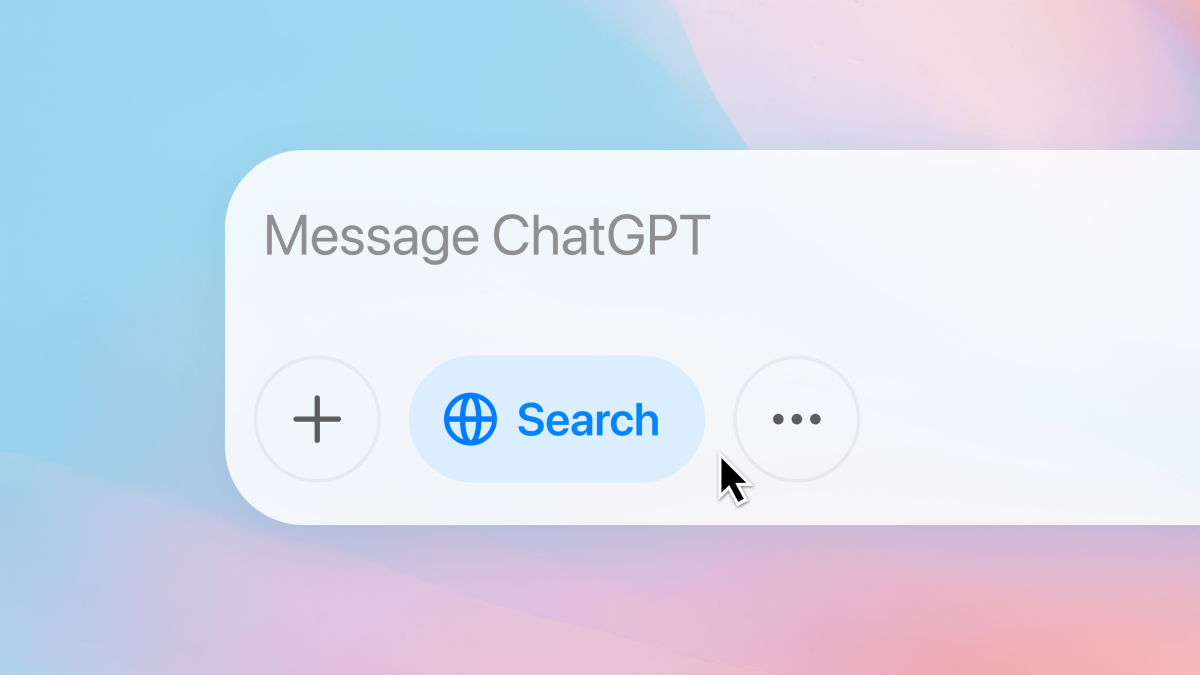
After testing extensively throughout 2025 and into 2026, I keep coming back to ChatGPT's free tier for everyday tasks. OpenAI has actually expanded what you get without paying, which wasn't something I expected given their history.
The free version now includes access to GPT-4o, which handles text, images, and voice in a single conversation. You can upload photos, ask follow-up questions, and get surprisingly nuanced responses. The voice feature feels genuinely conversational now, I've used it while cooking to convert recipes on the fly, and it handles the back-and-forth naturally.
What makes ChatGPT particularly valuable is the memory feature. It remembers things about you across conversations, which means less time re-explaining your preferences or projects. If you mention you're working on a marketing campaign for a sustainable clothing brand, it'll remember that context next time you ask for help with social media captions.
The main limitation on the free tier is access to the most advanced reasoning models. When you hit questions that require deep, multi-step thinking – complex math problems, intricate coding challenges, or tasks that benefit from the "chain of thought" approach – you'll notice the difference. The free tier also caps your usage during peak times, which can be frustrating if you're in the middle of something important.
Drafting emails, brainstorming ideas, explaining concepts, getting feedback on writing, answering questions – free ChatGPT handles it beautifully.
Claude
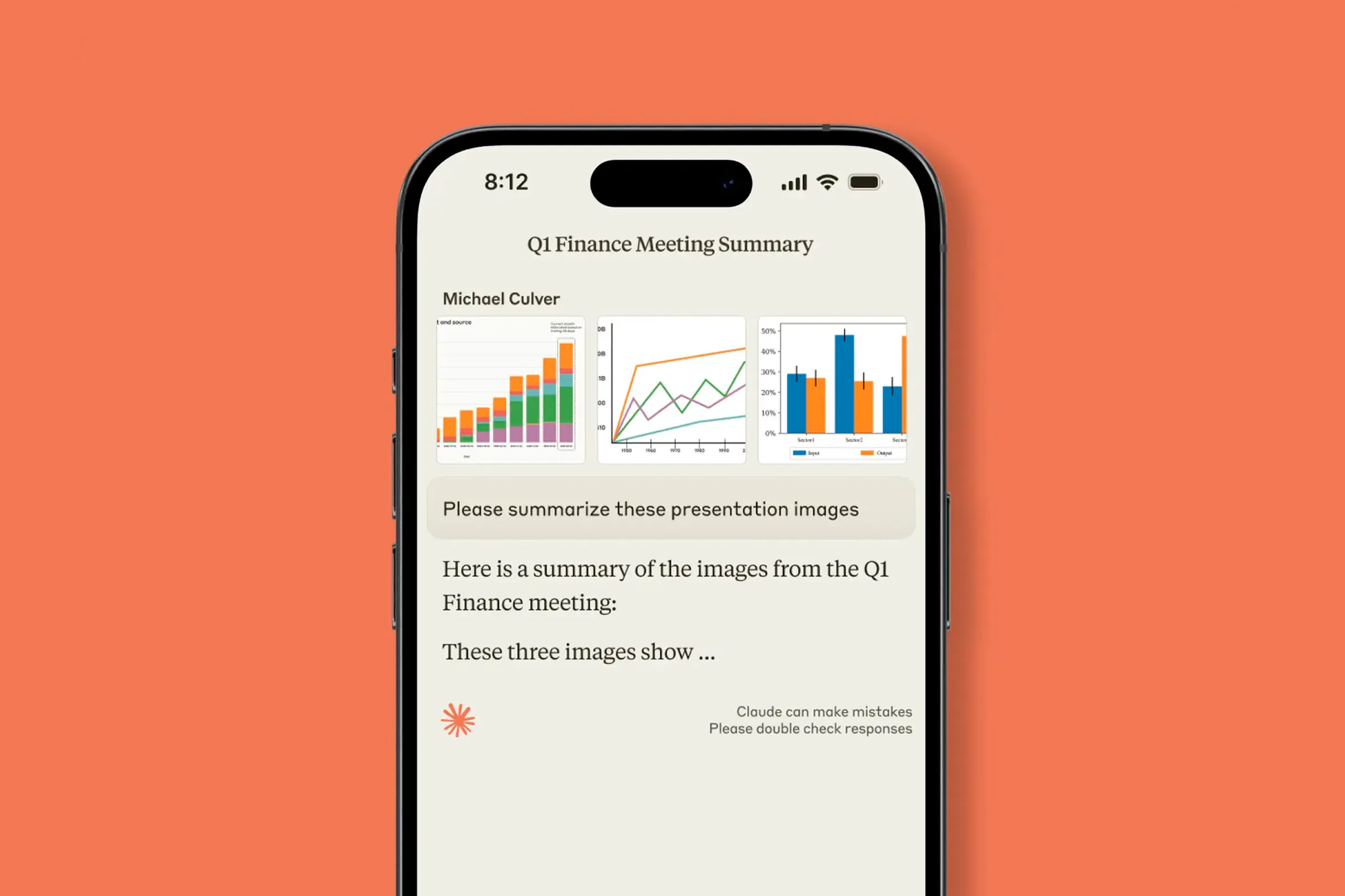
Here's a confession: when I need to work through something complex and nuanced, Claude is usually my first choice. Anthropic's free tier is genuinely generous, and there's something about Claude's communication style that clicks with how I think.
Claude excels at tasks requiring careful reasoning and ethical consideration. When I'm working on sensitive content, like a difficult email or a project that requires balancing competing concerns – Claude's responses feel more thoughtful. It's hard to quantify, but after hundreds of conversations, the difference in conversational quality stands out.
The standout feature for free users is the context window. Claude can process much longer documents than most free alternatives, which makes it invaluable when you need to analyze a research paper, summarize a lengthy report, or work with extensive codebases. I've uploaded entire project folders and gotten meaningful assistance without hitting the walls you encounter elsewhere.
For coding specifically, Claude's suggestions tend to be cleaner and better documented. When I'm debugging tricky issues or trying to understand someone else's code, Claude's explanations feel like working with a patient colleague rather than consulting a reference manual.
The daily usage limits on the free tier are real, though. If you're planning to hammer Claude with requests all day, you'll hit the cap. I've learned to be strategic – saving Claude for tasks where its strengths matter most and using other tools for simpler queries.
Google Gemini
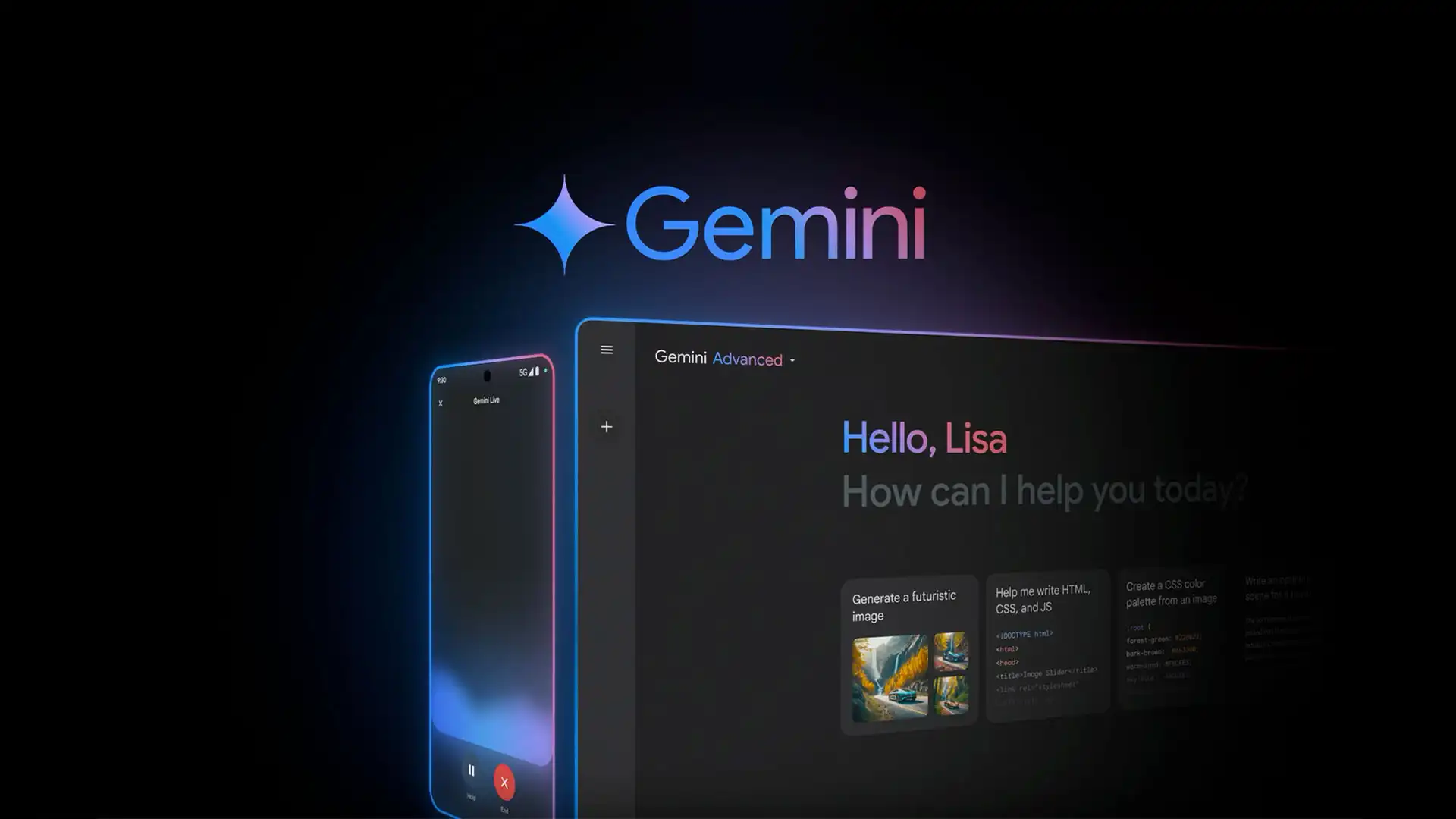
I'll admit I slept on Gemini for too long. Google's AI assistant felt like an also-ran when it launched, but the recent updates have changed my opinion substantially.
Gemini's killer feature is integration with the Google ecosystem. If your life runs through Gmail, Google Docs, Google Calendar, and Google Drive, Gemini understands your context in ways other chatbots can't match. Ask it to summarize your recent emails about a project, and it actually can. Request help drafting a document, and it pulls relevant information from your Drive automatically.
The free tier includes access to Gemini 2.5, which handles multimodal inputs impressively well. Upload an image, and it doesn't just describe what it sees – it understands context and can answer nuanced questions about the content. I've used it for everything from identifying plants in my garden to getting feedback on design mockups.
Where Gemini struggles is creative writing and tasks requiring a distinctive voice. The outputs tend toward a neutral, slightly corporate tone that requires more editing than what you get from Claude or even ChatGPT. For factual tasks and research, though, Gemini's connection to Google's search infrastructure gives it an edge in providing current information.
The really underrated play is using Gemini for coding if you work within Google Cloud. The integration with Vertex AI and other Google services makes it more practical for certain development workflows than standalone chatbots.
Quick Comparison: When to Use Which
After testing all three extensively, here's my practical guide:
I've stopped trying to pick one winner. Having all three in my rotation means I'm rarely stuck, and the free tiers combined cover probably ninety percent of what I need on any given day.
Free AI Image Generators
The image generation space has exploded, and the good news is you don't need a Midjourney subscription to create impressive visuals anymore.
Leonardo AI
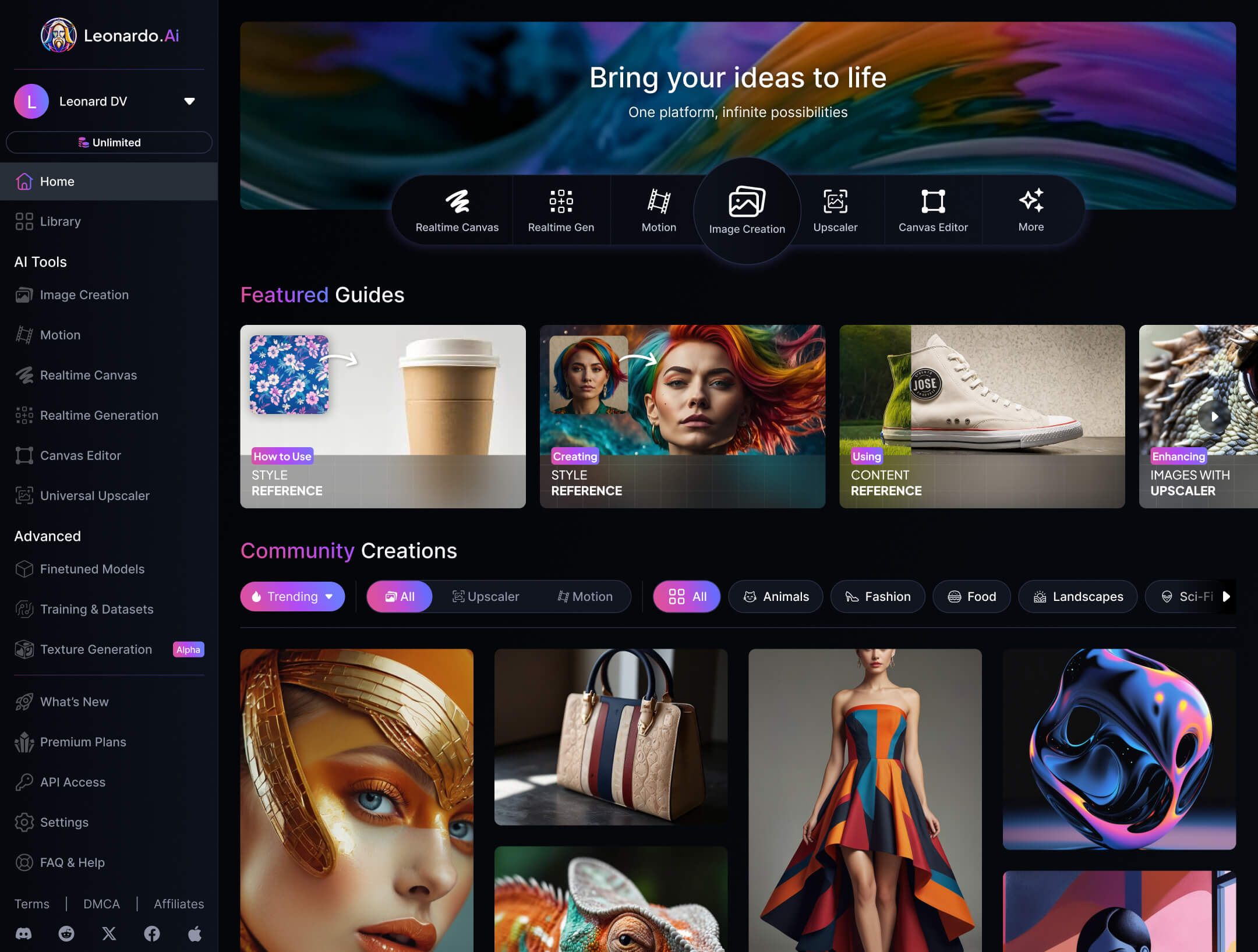
After testing a dozen image generators, Leonardo.ai consistently delivers the best value for free users. The daily allocation of 150 tokens is generous enough for real work, and the quality rivals paid alternatives from just a year ago.
What sets Leonardo apart is the variety of models and styles available even on the free plan. You can generate photorealistic images, anime-style illustrations, concept art, or game assets by switching between their pre-trained models. The Canvas Editor lets you refine and iterate on generations, which is crucial for getting images that match your vision.
I've used Leonardo for blog thumbnails, social media graphics, and mockups for client presentations. The output quality is professional enough that I've stopped second-guessing whether to spring for a paid tool. Are the images perfect? Not always. But they're good enough for most real-world applications, and the iteration speed means I can generate alternatives until something works.
The limitation is that free-tier generations are public – other users can see what you create. For most purposes, this doesn't matter. But if you're working on something confidential or commercial, you'll need to weigh that exposure.
Bing Image Creator
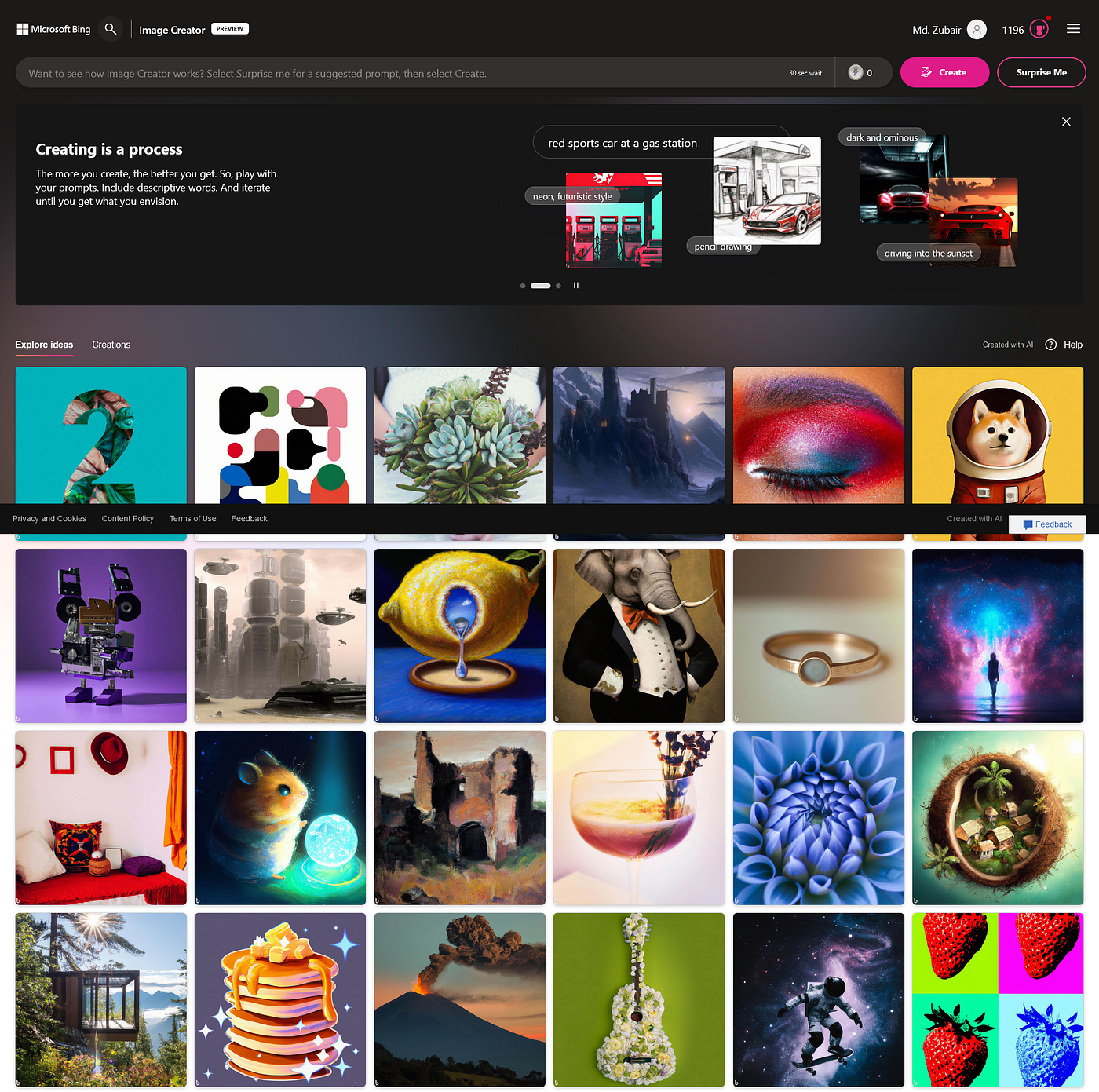
Here's a tip that saves a lot of people money: Microsoft's Bing Image Creator runs on DALL-E 3, the same model powering the premium image generation in ChatGPT Plus. And it's completely free.
The interface is simple – type a description, get images. You receive 100 credits daily, which resets, meaning consistent access without worrying about monthly limits. The quality matches what you'd get paying $20/month for ChatGPT Plus, at least for the image generation component.
Where Bing Image Creator shines is prompt adherence. It follows complex descriptions more accurately than many alternatives, rendering text in images (a historically weak point for AI generators) reasonably well. When I need images with specific text elements – posters, social graphics, conceptual designs—I start here.
The downside is limited customization. You describe what you want, you get what you get. There's no inpainting, no style transfer, no advanced editing. For straightforward generation, that's fine. For projects requiring iteration and refinement, Leonardo's toolset is more practical.
Ideogram
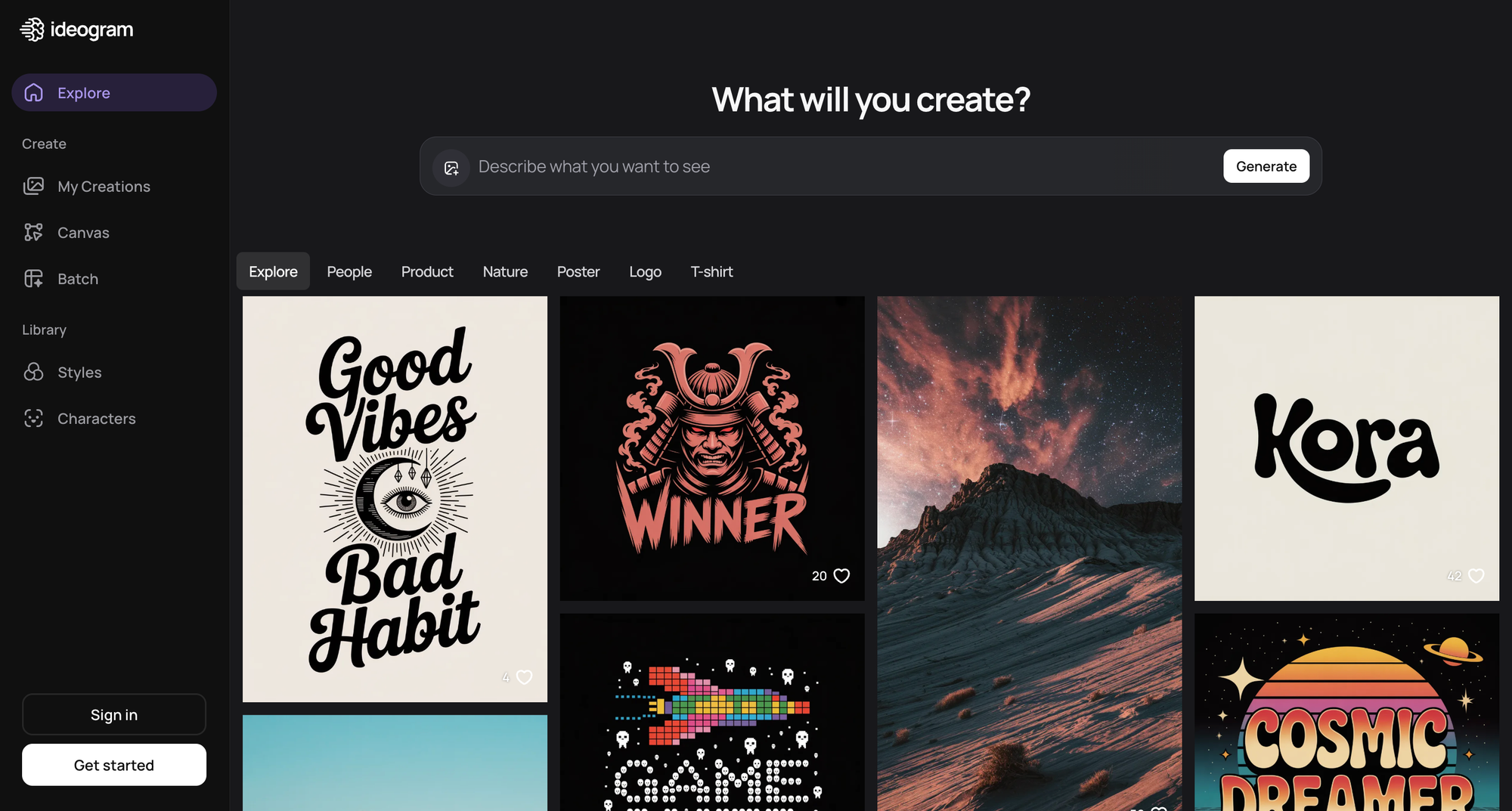
If your project requires readable text within the image—logos, posters, marketing materials, memes – Ideogram is the specialist tool worth knowing about.
Text rendering has been AI image generation's Achilles heel. Most tools produce garbled or partially correct text that ruins otherwise good images. Ideogram was built specifically to solve this problem, and it shows. The text comes out clean, properly spelled, and integrated naturally into the visual design.
The free tier gives you limited daily generations, but for the specific use case of text-heavy graphics, it's worth the signup. I've used Ideogram for quote graphics, event announcements, and simple logo concepts. It won't replace a professional designer, but it handles jobs that previously required Canva templates or basic Photoshop skills.
Canva's AI Features
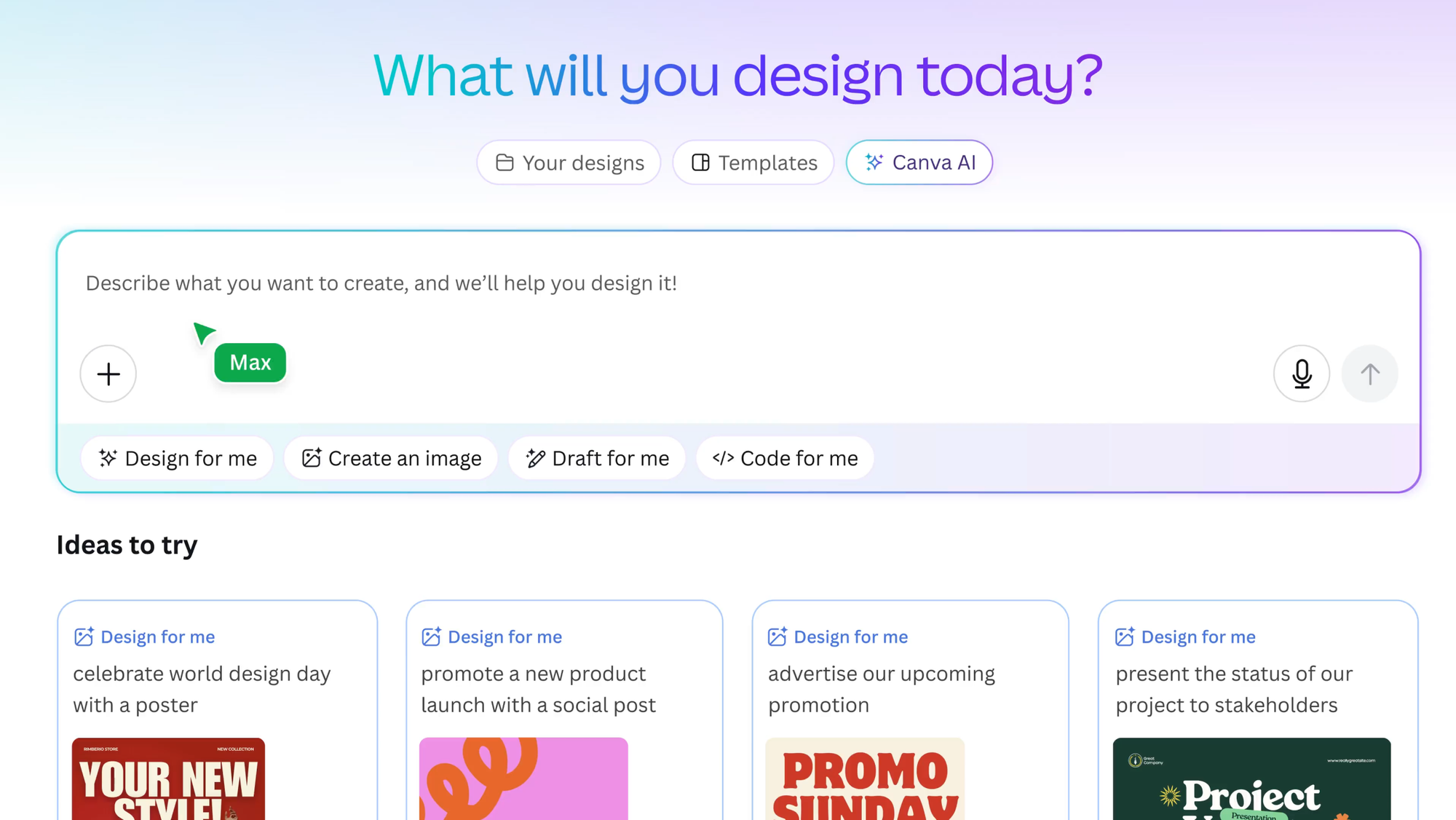
If you're already using Canva for design work and millions of people are – the integrated AI features deserve attention. They're not going to win any awards for cutting-edge technology, but they solve real problems without requiring you to leave your workflow.
Magic Studio handles background removal, image expansion, and style adjustments directly within your Canva projects. The text-to-image generation is fine for basic needs. What makes it valuable is the integration: generate an image, drop it into your presentation, adjust the layout, export—all without switching applications.
The free tier includes limited AI credits monthly. For heavy users, this gets restrictive fast. But for occasional design needs where convenience matters more than pushing boundaries, Canva's AI features hit the sweet spot between capability and practicality.
Free AI Video Tools
Video generation has progressed more dramatically than any other AI category this past year. What required expensive software and hours of work can now happen in minutes with free tools.
Pika Labs
Pika's free tier surprised me. Most AI video generators offer such limited free access that you can barely evaluate the tool, let alone produce anything useful. Pika bucks this trend with enough credits for real experimentation.
The standout features are Pikaffects and Pikatwists – tools that let you add effects to generated videos or transform existing clips into different styles. Upload a video and reimagine it as a different mood, setting, or aesthetic. It's not production-quality for professional work, but for social media content, creative projects, and concept visualization, the results are impressive.
The limitation is resolution – free tier outputs at 480p, which looks dated on modern screens. You'll want to upscale through another tool if the output matters beyond quick previews. But for ideation and creative exploration, the free tier delivers genuine value.
CapCut
CapCut deserves a spot on any list of free AI tools, even though it's primarily a video editor rather than a pure AI generator. The AI features integrated into the editing workflow – auto-captions, background removal, voice effects, and smart editing suggestions – make it substantially more capable than traditional free editors.
What I use most is the auto-caption feature. Upload a video, and CapCut generates accurate captions automatically, with style options and timing adjustments built in. For anyone creating content for social media where captions are essential for engagement, this single feature saves hours.
The app handles the basics well: cutting, transitions, effects, export in multiple formats. The AI enhancements layer on top without complicating the core workflow. If you're creating video content and not using premium software, CapCut with its AI features should be your starting point.
OpusClip
If you create or repurpose long-form video content, OpusClip solves a specific problem elegantly. Give it a YouTube video or long recording, and it automatically identifies highlight-worthy moments and cuts them into short-form clips ready for TikTok, Shorts, or Reels.
The AI analyzes the content for engaging moments – emotional peaks, key points, compelling statements and generates clips with captions and formatting for vertical video platforms. What would take an editor hours happens in minutes.
The free tier limits how many videos you can process and the export quality. But for testing whether the tool fits your workflow, you get enough to evaluate properly. Content creators who regularly repurpose long content will likely find the paid tier worth the investment, but the free version handles occasional use fine.
Free AI Coding Assistants
Developers have more free options than almost any other category, and the impact on productivity is measurable.
GitHub Copilot Free for Students
If you're a student, GitHub Copilot is completely free through the GitHub Student Developer Pack. This isn't a limited trial – it's full access to one of the best coding assistants available, at no cost, for as long as you maintain student status.
Copilot integrates directly into VS Code and other popular editors, suggesting code completions as you type. Not just single lines, but entire functions, boilerplate, and common patterns. For learning a new language or framework, having an assistant that suggests idiomatic code is genuinely educational.
The caveat is you need to verify student status through GitHub's education program. If you qualify, not using this is leaving substantial value on the table.
Codeium
For everyone who doesn't qualify for student pricing, Codeium offers a free alternative that handles most of what Copilot does. It integrates with the same editors, provides inline suggestions, and supports dozens of programming languages.
What makes Codeium's free tier remarkable is the lack of restrictions. There's no daily limit on completions, no timeouts, no feature lockouts. It's free for individual use, period. The company makes money from enterprise customers, which means individual developers get a genuinely complete product.
Codeium recently evolved into the Windsurf Editor, a full AI-powered IDE. If you're open to switching environments, Windsurf offers more aggressive AI integration than plugins to existing editors. The underlying technology is the same, just with tighter integration.
Amazon CodeWhisperer
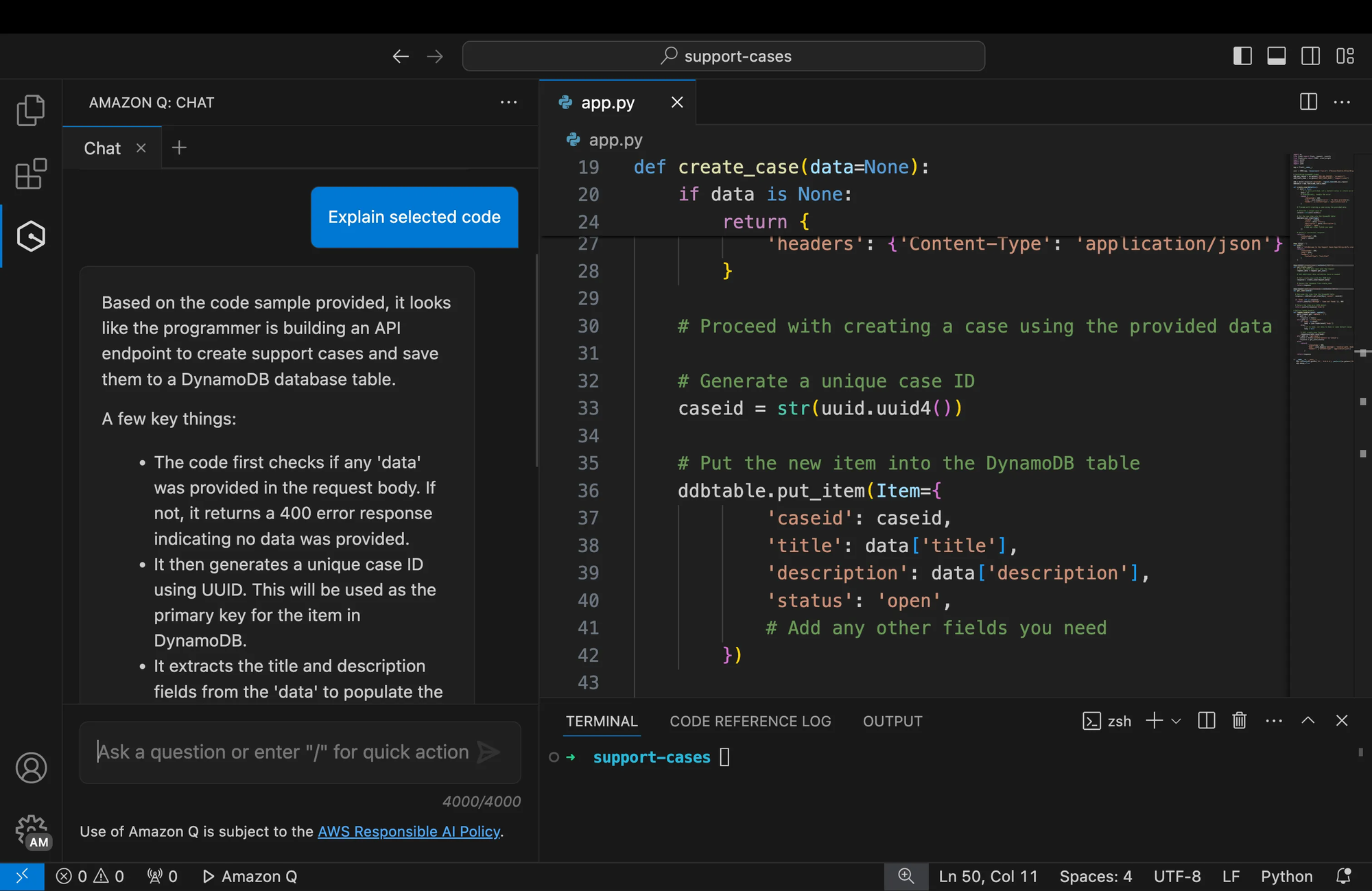
Amazon's entry into the coding assistant space is completely free for individual developers. If you work with AWS services, this is worth trying – CodeWhisperer understands AWS APIs and patterns particularly well, suggesting code that follows AWS best practices.
Even outside AWS, CodeWhisperer handles general coding tasks competently. It's not my first choice for everyday development, but having a free option from Amazon that integrates with major IDEs adds to your toolkit without cost.
Claude for Code
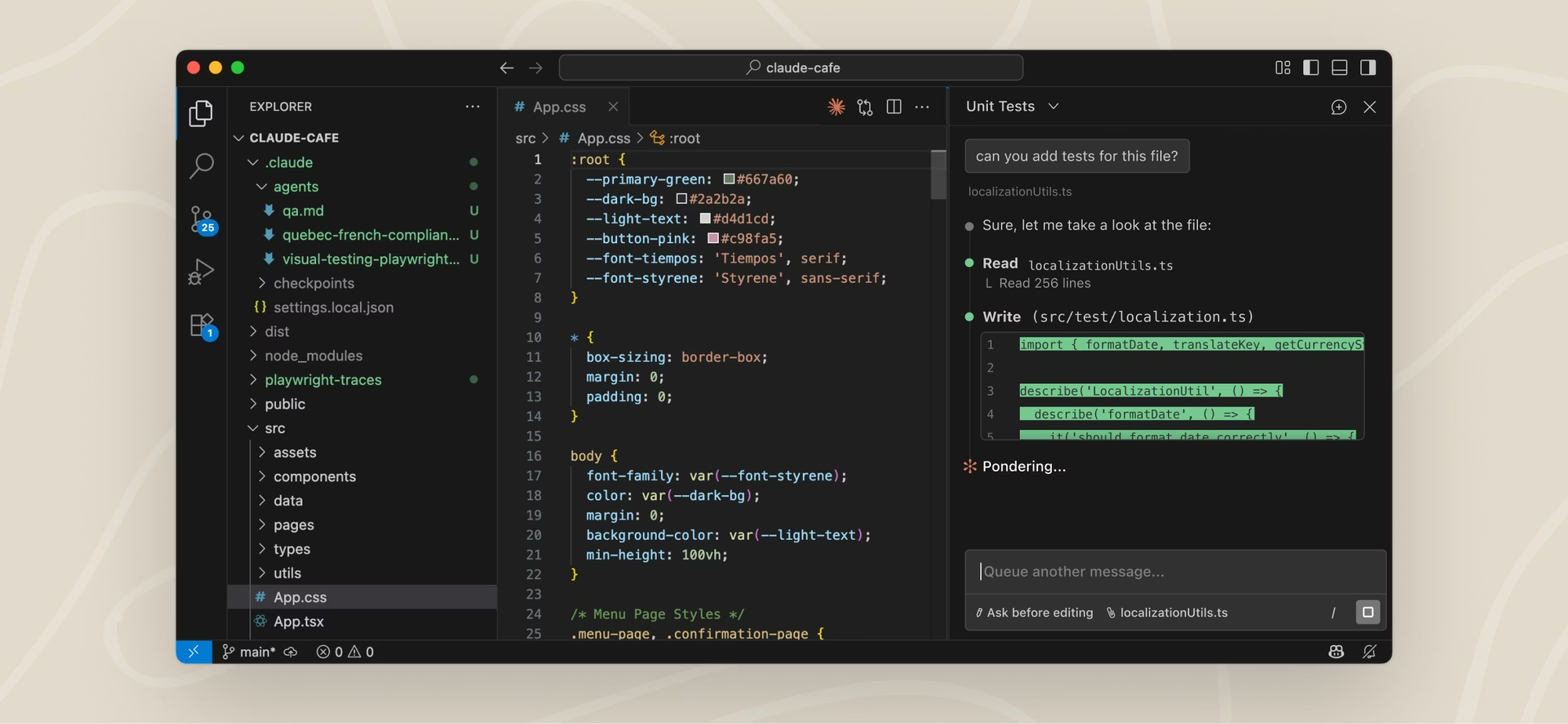
While not a coding-specific tool, Claude handles programming questions and code review better than most dedicated assistants in my experience. When I'm stuck on a debugging problem or trying to understand unfamiliar code, Claude's explanations are clearer and more educational than simply getting a code suggestion.
The workflow is different — you're having a conversation rather than getting inline completions. But for complex problems where you need to understand the solution, not just implement it, Claude earns its place in my coding toolkit.
Free AI Writing and Grammar Tools
The writing assistance category has matured significantly, with free options now covering most professional needs.
Grammarly Free
Grammarly's free tier remains the benchmark for grammar and spelling checking. It catches errors, suggests improvements, and integrates with virtually every writing environment – browsers, email clients, document editors.
What elevates Grammarly beyond basic spell check is contextual awareness. It understands that the same word can be correct or incorrect depending on usage, catches common mistakes that simple pattern matching misses, and explains why something is wrong rather than just flagging it.
The free tier limits access to advanced suggestions around clarity, engagement, and style. You'll see these suggestions locked behind the premium paywall, which can feel nagging. But the core functionality – catching errors and basic improvements, works fully on the free plan.
QuillBot
When you need to rephrase text, avoiding repetition, adjusting tone, simplifying complex language. QuillBot's free tier handles the job. The paraphrasing tool rewrites passages while maintaining meaning, with different modes for formal, casual, creative, and other styles.
I use QuillBot when I've written something that feels clunky but I can't figure out how to fix it. Drop the paragraph in, see alternative phrasings, and often the tool suggests something better than I would have found on my own. The grammar checker and summarizer are useful additions, though more limited than dedicated tools.
The free tier restricts word count per use and locks some modes behind premium. For occasional use on shorter texts, these limits don't bite. For heavy paraphrasing of long documents, you'll hit walls.
Hemingway Editor
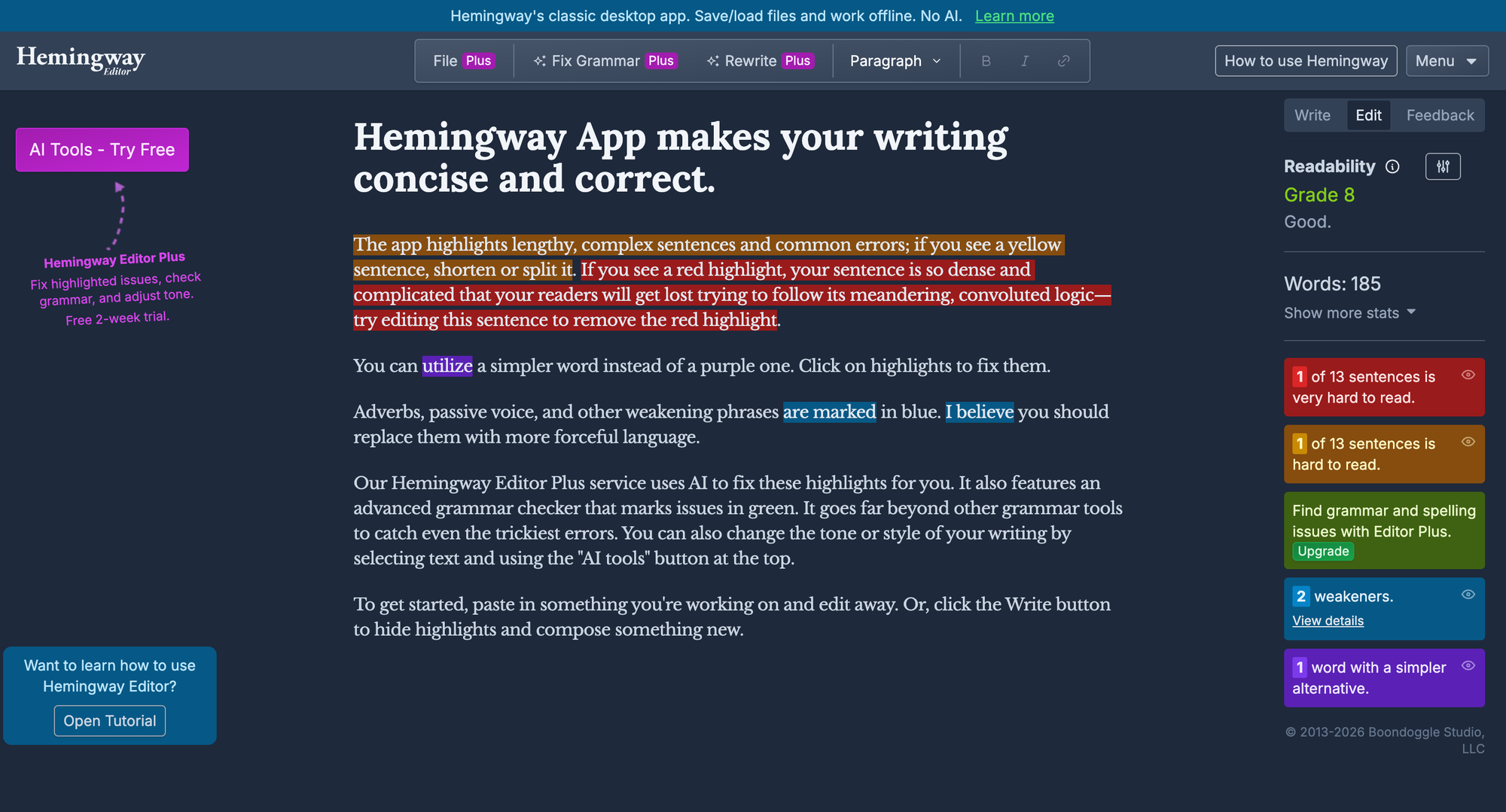
Hemingway Editor takes a different approach—rather than fixing grammar, it analyzes readability and highlights issues with complexity. Sentences that are hard to read, passive voice, adverb overuse, and other stylistic problems get flagged.
The tool is completely free on the web version, with no account required. Paste your text, see the analysis, make improvements. There's a paid desktop app with more features, but the free web version handles the core use case fully.
I find Hemingway most valuable for professional writing where clarity matters—emails, documentation, content that needs to communicate efficiently. It's opinionated about what makes good writing, and not everyone agrees with those opinions. But for checking whether your prose might be alienating readers with unnecessary complexity, it's a useful reality check.
Free AI Music Generators
The ability to generate complete songs from text descriptions still feels like magic, and several platforms offer meaningful free access.
Suno
Suno has emerged as the leading AI music generator, and the free tier is surprisingly generous. You receive daily credits sufficient to generate multiple complete songs, not just short clips, but full-length tracks with lyrics, vocals, and instrumentation.
The quality genuinely surprised me. Generated songs have structure, emotional variation, and production polish that sounds professional. Are they going to top the charts? No. But for background music, creative projects, personal entertainment, and prototyping musical ideas, Suno delivers results that would have required real musicians and studio time just years ago.
You describe the style you want – "upbeat indie pop with female vocals about summer road trips" or "melancholic jazz instrumental for a rainy day"—and Suno creates a complete track. The lyrics sometimes miss, and certain genres work better than others, but the hit rate is high enough to be useful.
The free tier includes commercial use rights, which matters if you're creating content for platforms or projects. The main restriction is the daily credit limit, which casual users won't exhaust but heavy creators will bump against.
Udio
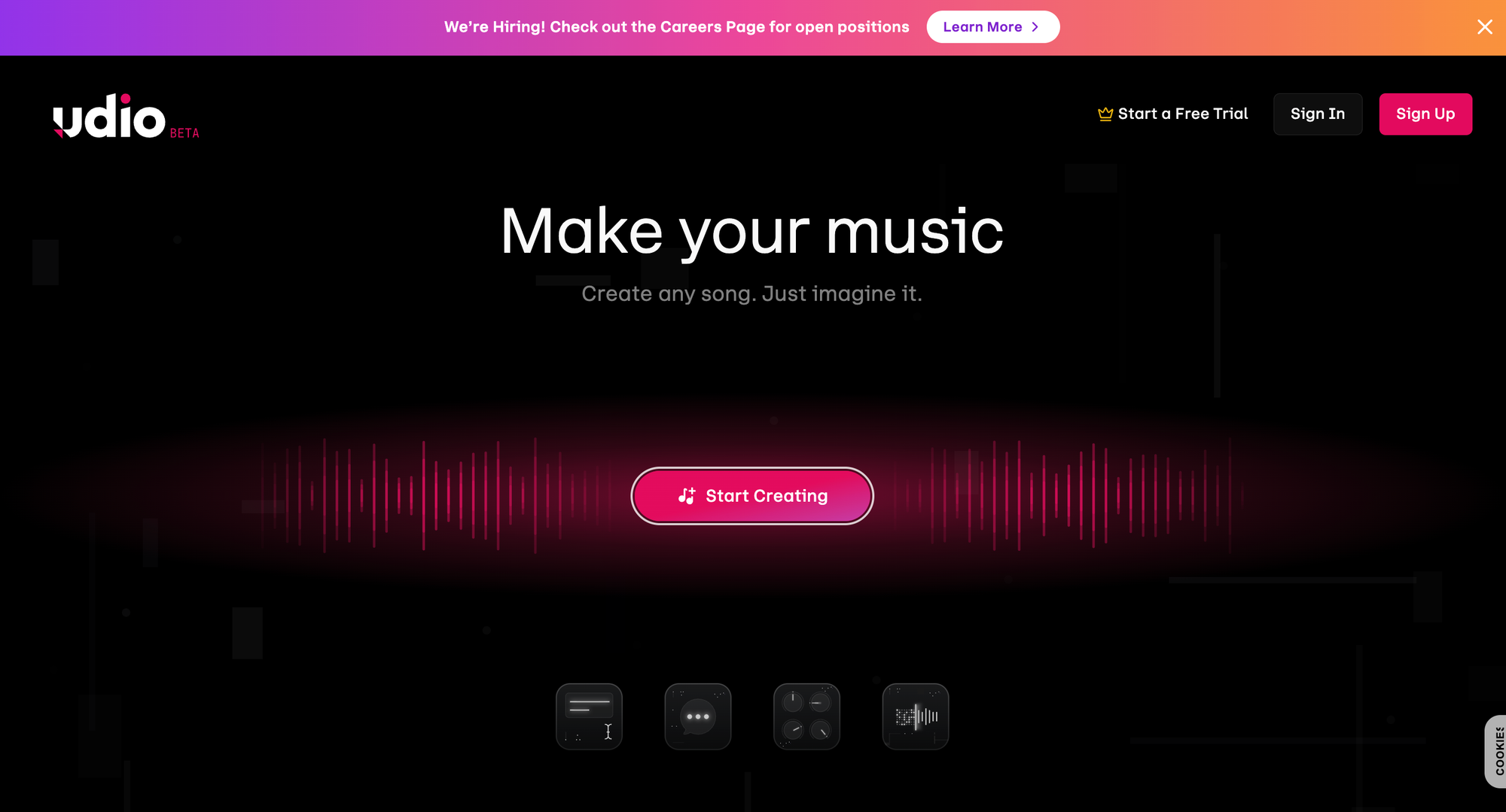
Udio approaches music generation differently than Suno, offering more control at the cost of more complexity. Rather than generating complete songs in one shot, Udio creates 30-second segments that you extend and shape.
This workflow appeals to users who want to influence the creative direction rather than accepting whatever the AI produces. You can iterate on specific sections, adjust the arrangement, and build a track that matches your vision more precisely.
The free tier provides daily credits and even includes commercial use – uncommon in this space. For users comfortable with a more hands-on approach, Udio offers creative control that Suno's simpler interface doesn't provide.
Soundraw
If you need instrumental background music for videos, podcasts, or presentations, Soundraw specializes in this use case. Rather than generating songs with vocals and complex arrangements, Soundraw creates functional background tracks that fit content without competing for attention.
The interface is template-based: select a mood, tempo, instruments, and length, and Soundraw generates a track to match. The results are reliable if not remarkable, they sound like professional background music without any specific character.
The free tier lets you generate and preview tracks, though downloading requires a subscription for most uses. Still, previewing helps determine whether the paid tier would serve your needs before committing.
Free AI Research and Productivity Tools
Beyond the headline categories, several AI tools address specific productivity needs without requiring payment.
Perplexity
Traditional search engines return links. Perplexity returns answers. Ask a question, and it synthesizes information from across the web into a direct response with citations to sources.
The free tier includes generous daily searches with the basic model, enough for regular use. For research tasks where you want answers rather than search results to read through, Perplexity saves substantial time.
What makes Perplexity valuable beyond basic chatbot queries is the citation system. Every claim links to its source, letting you verify information or dig deeper into specific aspects. For factual research where accuracy matters, this transparency beats the black-box nature of most AI chatbots.
NotebookLM
Google's NotebookLM takes a different approach to AI assistance: rather than searching the web, it works exclusively with documents you upload. Feed it your notes, research papers, meeting transcripts, or any other sources, and it becomes an AI assistant specialized in your specific content.
The standout feature is Audio Overview, which generates a podcast-style conversation discussing your uploaded materials. It's surprisingly engaging – two AI voices discuss your documents as if reviewing interesting reading material. For absorbing information in a different format or sharing document summaries with others, Audio Overview offers something no other tool matches.
The free tier is generous, supporting multiple notebooks with substantial content. For students and researchers working with specific materials, NotebookLM provides focused assistance that general chatbots can't match because it stays grounded in your actual sources.
Notion AI
If you use Notion for notes and project management, and millions do, Notion AI adds AI capabilities directly in your workspace. Ask questions about your notes, generate content, summarize pages, and brainstorm ideas without leaving the environment where your work lives.
The integration matters more than the underlying AI capabilities, which are solid but not exceptional. Having AI assistance available exactly where you're already working removes friction that separate tools introduce.
Free Notion accounts include limited AI credits to try the feature. The limits are restrictive enough that heavy users will need the paid tier, but casual use stays within free bounds.
n8n
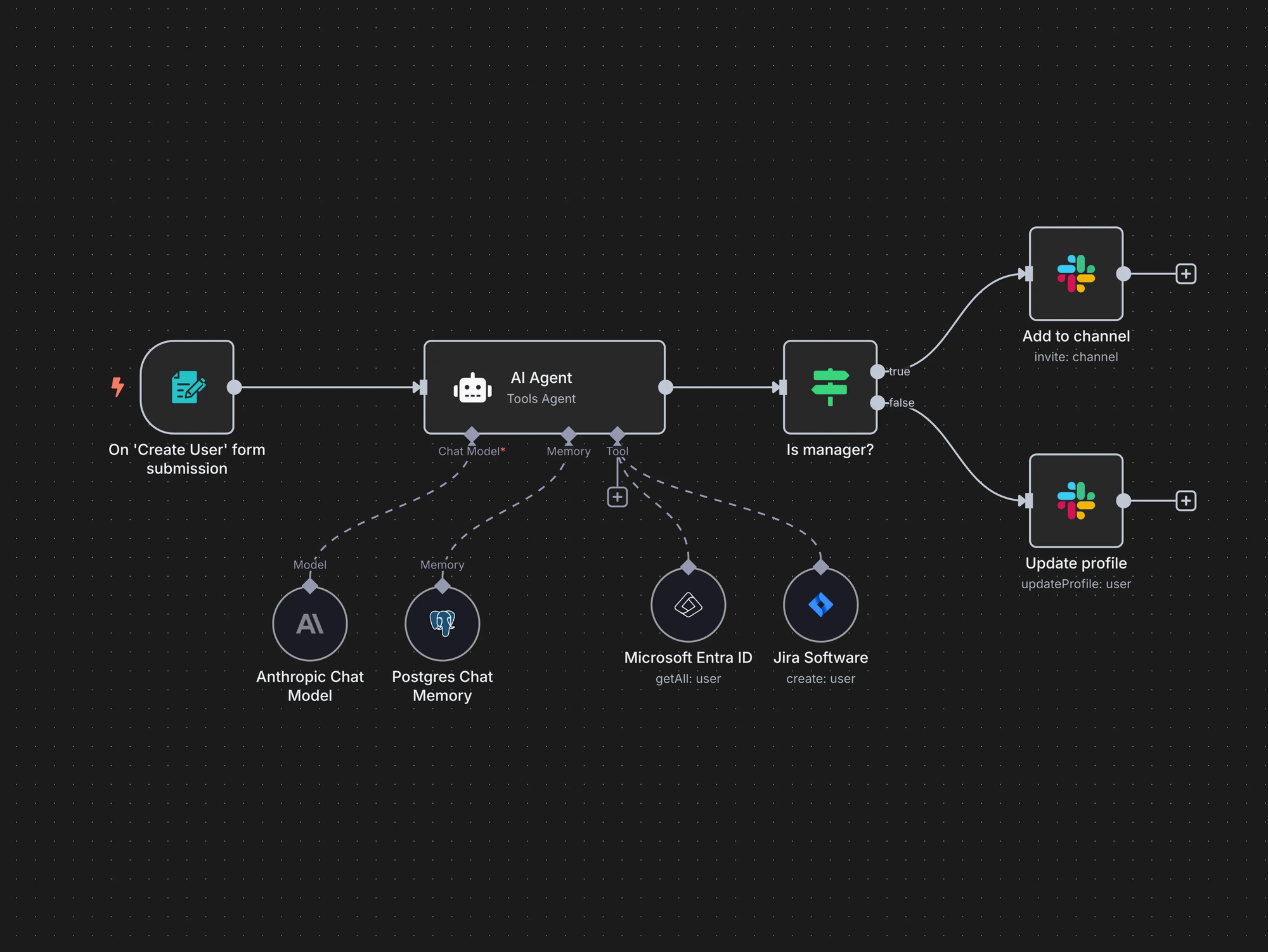
For technical users comfortable with workflow automation, n8n offers an open-source platform that can incorporate AI into automated processes. Connect AI services with other tools, trigger workflows based on conditions, and build systems that would cost substantial monthly fees through commercial automation platforms.
The self-hosted version is completely free. You run it on your own server or local machine, connect your services, and build workflows without subscription costs. The trade-off is technical complexity – this isn't a plug-and-play solution for non-technical users.
For those with the skills to use it, n8n enables AI-powered automation that enterprise tools charge hundreds per month to provide. If you're building systems rather than using tools, n8n belongs on your radar.
How to Choose: Building Your Free AI Toolkit
After testing all these tools, the biggest insight isn't about which single tool is best – it's that different tools excel at different things, and the free tiers combined cover an enormous range of needs.
My practical approach: keep two or three general-purpose chatbots available (I use ChatGPT for quick queries, Claude for nuanced work, and Gemini for Google-integrated tasks), pick specialty tools based on your actual needs (Leonardo for images, Codeium for coding, etc.), and don't try to learn everything at once.
Start with one tool in each category you actually need. Use it enough to understand its strengths and limits. Then expand strategically when you hit walls that another tool would solve. Trying to master every free AI tool simultaneously leads to overwhelm without proportionate benefit.
The free landscape changes constantly. Tools add features, adjust limits, and occasionally remove free tiers entirely. What works today might shift tomorrow. But the overall trend points toward more capability at no cost as competition intensifies and AI becomes commoditized.
For most individual users, the free tier of AI tools in 2026 is genuinely sufficient for real work. The paid tiers unlock higher limits, advanced features, and priority access – valuable for power users and professionals. But the gap between free and paid has compressed to the point where cost alone shouldn't prevent anyone from benefiting from AI assistance.
Frequently Asked Questions
Are free AI tools actually free, or do they just have free trials?
Both exist, and it's worth distinguishing them. Tools like ChatGPT, Claude, and Gemini offer ongoing free tiers with usage limits—you can use them indefinitely without paying. Others like Jasper or some premium features offer time-limited trials that require payment to continue. I've focused this guide on tools with genuine ongoing free access, though I've noted where trial-only options exist.
Which free AI chatbot is best for everyday use?
For most people, ChatGPT's free tier offers the best balance of capability, ease of use, and reliability. Its memory features, multimodal support, and consistent availability make it the practical default. Claude edges ahead for tasks requiring nuance or long-document work. Gemini wins if you're deeply embedded in Google's ecosystem. Having access to all three gives you options without cost.
Can I use free AI image generators for commercial projects?
This varies by tool and requires checking current terms of service. Leonardo AI, Bing Image Creator, and Ideogram allow commercial use of generated images under their respective terms. Some tools restrict commercial use to paid tiers. Always verify the specific licensing before using generated images in projects where commercial rights matter.
What's the best free AI coding assistant in 2026?
GitHub Copilot is best if you qualify for free access through the student program. Codeium is the best free alternative for everyone else, offering unlimited completions without restrictions. Amazon CodeWhisperer is worth adding if you work with AWS services. Claude handles complex debugging and code explanation better than dedicated assistants but works differently—through conversation rather than inline suggestions.
Are free AI tools safe to use for sensitive work?
This requires careful consideration. Most free tools process your inputs through cloud servers, meaning your data passes through systems you don't control. For genuinely sensitive information—personal data, proprietary business content, confidential communications—either use tools with clear privacy policies you're comfortable with, or consider paid enterprise tiers with stronger data protections. General queries and non-sensitive work are fine on free tiers, but know what you're sharing.
How do free AI music generators handle copyright?
Suno and Udio allow commercial use of generated music under their terms of service—you can use what you create for content, projects, and commercial purposes. However, the broader legal landscape around AI-generated music remains unsettled, with ongoing lawsuits and evolving regulations. For background music in content, you're generally fine. For commercial release as standalone music, understand that legal questions remain open.
What are the biggest limitations of free AI tools?
The common restrictions include: usage caps that reset daily or monthly, reduced access to the most advanced models, lower priority during high-demand periods, features locked behind premium tiers, and sometimes lower output quality or resolution. These limitations matter more for power users than casual ones. Most people won't exhaust free tier limits with typical use.
Should I pay for AI tools or stick with free versions?
This depends on how central AI is to your work and whether free tier limitations actually impact you. For occasional use and personal projects, free tiers are genuinely sufficient. For professional work where AI drives significant productivity gains, paid tiers often justify their cost through higher limits, better models, and additional features. Start free, identify what limitations actually affect you, then upgrade strategically where the value is clear.
How do I stay current as free AI tools change?
The landscape evolves rapidly. Tools add features, adjust pricing, and modify free tier limits regularly. Following AI-focused newsletters, checking official announcements from major platforms, and periodically testing tools you haven't used recently helps maintain awareness. Don't try to track everything—focus on tools you actually use and check alternatives when your current tools fall short.
Are there privacy concerns with free AI tools?
Yes, and they deserve attention. Free AI services often use your inputs to improve their models, unless you explicitly opt out (where that option exists). Your queries, uploaded documents, and generated content pass through external servers. For privacy-sensitive work, read privacy policies carefully, use tools with clear data handling practices, and consider whether local or self-hosted alternatives make sense for your situation.
What free AI tools work offline or locally?
Most of the tools covered in this guide require internet connectivity and process requests in the cloud. For offline use, options are more limited but include: Stable Diffusion can run locally with sufficient hardware for image generation, various open-source language models can be self-hosted, and some coding assistants like Tabnine offer local processing modes. Local processing requires more technical setup and typically more powerful hardware but provides privacy and offline capability that cloud services cannot.
Will free AI tools remain free or will they eventually require payment?
History suggests some tools will restrict free tiers over time while others maintain or expand them. Companies use free tiers for user acquisition and market share, but ultimately need revenue. The most sustainable free tiers come from companies with alternative revenue sources (enterprise customers, advertising, ecosystem lock-in). Enjoy current free access while it exists, but don't build critical workflows around free tiers without considering what happens if they change.
Related Articles
 Dani
Dani
 Mark
Mark
 Mark
Mark