When Apple announced Creator Studio on January 13, 2026, my first reaction was probably the same as yours: finally, a real competitor to Adobe's expensive subscription machine. At $12.99 a month versus Adobe's $69.99, the math seems obvious. You could pay for Apple Creator Studio for over five years before hitting what you'd spend on a single year of Adobe Creative Cloud Pro.
But here's what I've learned after spending serious time with both platforms: the price difference exists for a reason. And depending on what you actually create, the "cheaper" option might cost you more in the long run — or it might be exactly what you need.
I've been using Adobe's tools since the days of perpetual licenses (remember those?), and I've watched Final Cut Pro and Logic Pro evolve from professional-only tools into genuinely accessible creative software. So let me walk you through everything I've discovered about these two creative suites, what they're actually good at, where they fall short, and how to decide which one makes sense for your work.
This isn't going to be a simple "Apple good, Adobe bad" or vice versa. The reality is much more nuanced, and I think you deserve a honest assessment rather than marketing speak.
The Big Picture: What You Actually Get
Let me start by laying out exactly what's included in each subscription, because the difference is more significant than most coverage suggests.
Adobe Creative Cloud Pro is massive. You're getting access to over 20 applications covering virtually every creative discipline imaginable. The core apps that most people care about include Photoshop for image editing, Premiere Pro for video, After Effects for motion graphics, Illustrator for vector work, InDesign for layouts, Lightroom for photography, Audition for audio, and Animate for animation work. Beyond those, you get specialized tools like Dreamweaver for web development, Adobe XD for UI/UX design, Character Animator for bringing drawings to life, Media Encoder for format conversion, and professional tools like Acrobat Pro, Adobe Scan, and Fill & Sign.
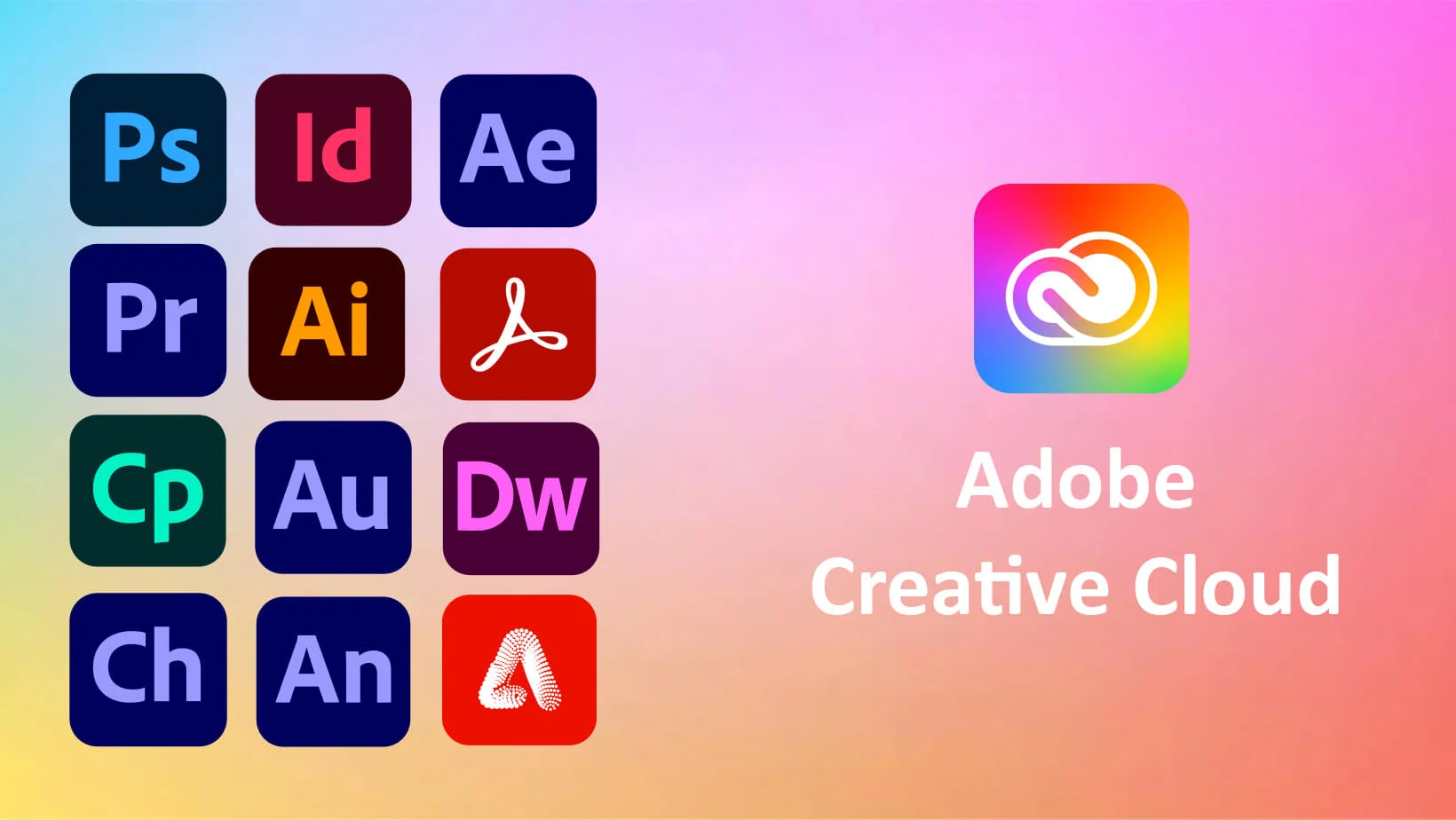
The subscription also includes services that extend beyond just software. You get 100GB of cloud storage, access to Adobe Fonts with over 30,000 fonts in the catalog, Adobe Portfolio for showcasing your work, Adobe Stock integration for stock media, and most importantly in 2026, generous generative AI credits for Adobe's Firefly-powered features. Creative Cloud Pro subscribers get unlimited credits for standard generative features like Generative Fill in Photoshop, plus 4,000 monthly credits for premium AI features including video generation.
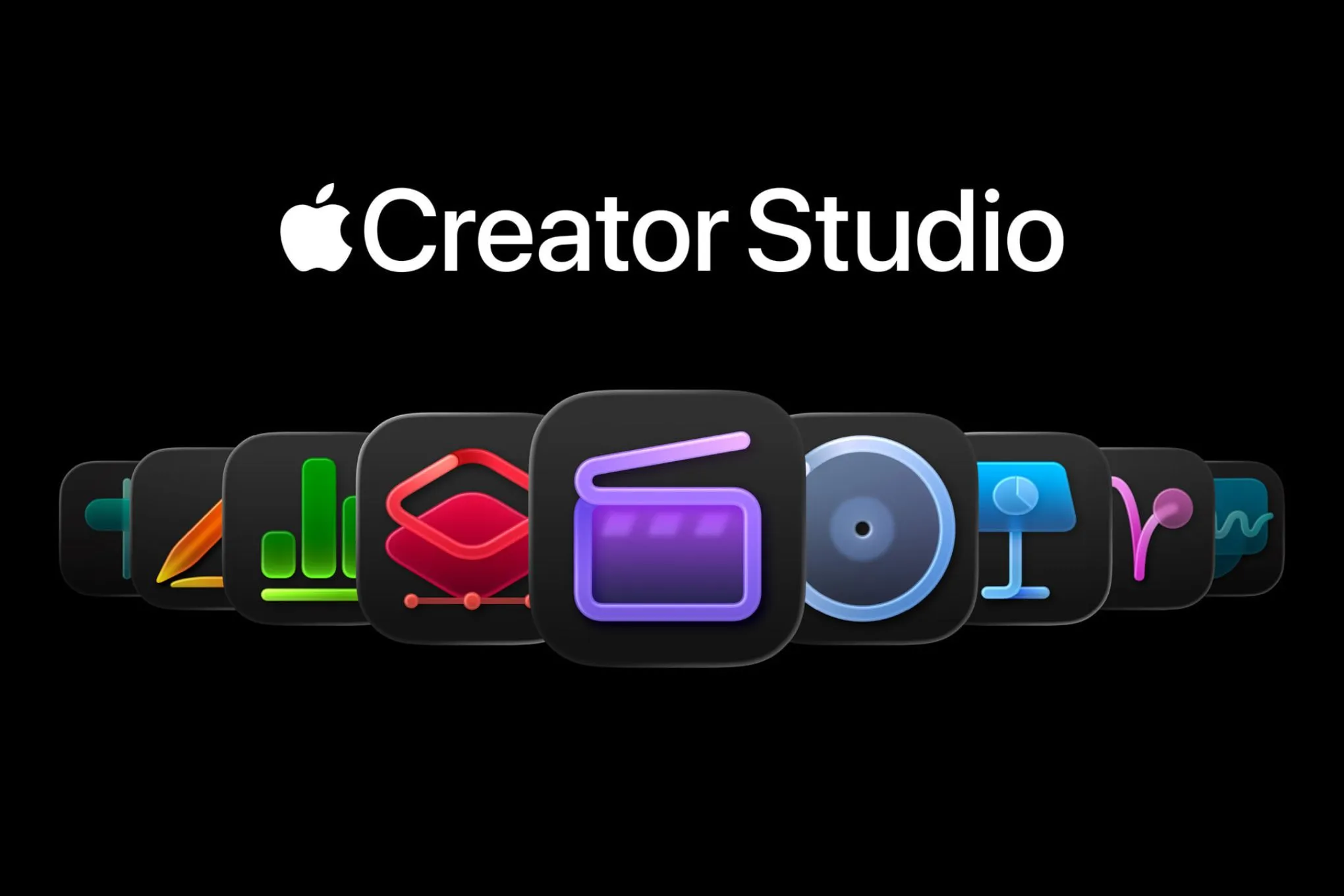
Apple Creator Studio is deliberately focused. You get six core applications: Final Cut Pro for video editing on Mac and iPad, Logic Pro for music production on Mac and iPad, Pixelmator Pro for image editing on Mac and iPad (Pixelmator Pro on iPad is new with this release), Motion for motion graphics on Mac, Compressor for video encoding on Mac, and MainStage for live music performance on Mac.
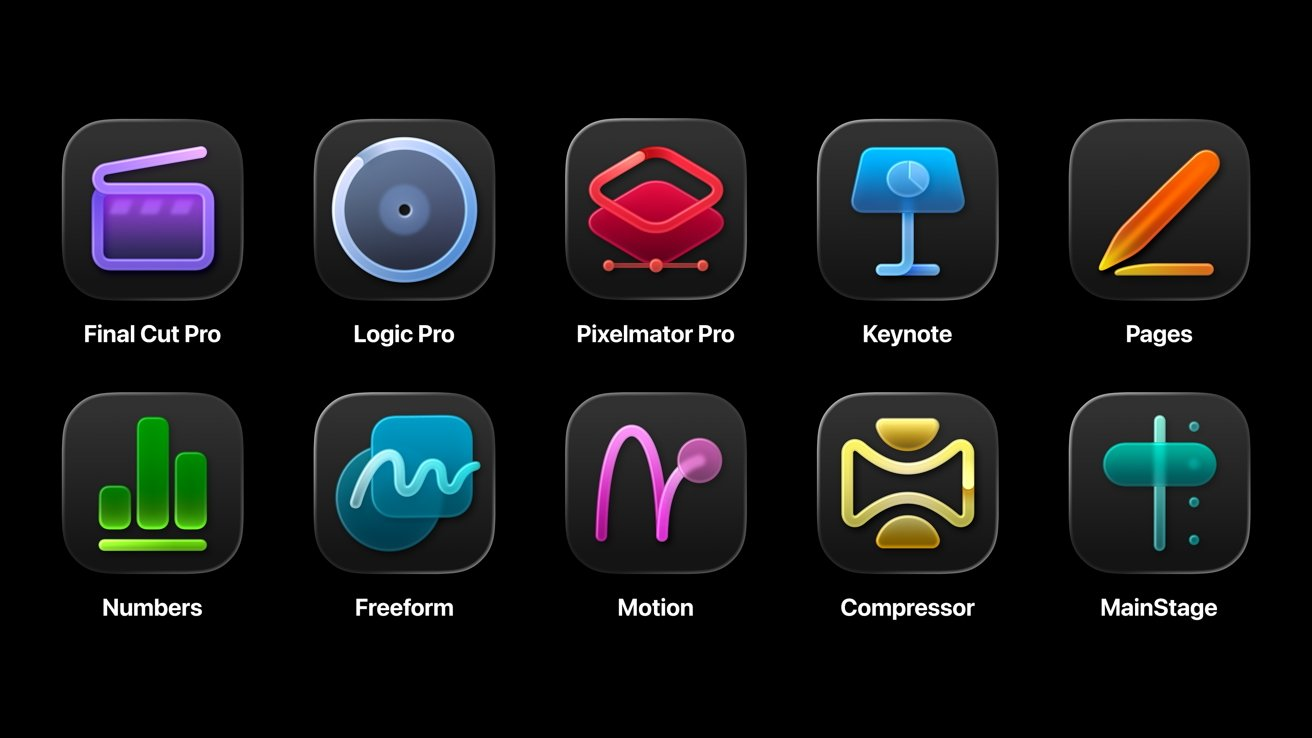
Additionally, you get premium features and content for the iWork suite — Keynote, Pages, Numbers, and eventually Freeform. These apps remain free for everyone, but Creator Studio subscribers unlock premium templates, a Content Hub with royalty-free photos and graphics, and AI-powered features including image generation tools powered by Apple Intelligence and OpenAI integration.
Looking at raw app count, Adobe wins overwhelmingly. But app count doesn't tell the whole story.
Video Editing: Final Cut Pro vs Premiere Pro
This is probably the most important comparison for a huge number of creators, so let me dig into the details.
Adobe Premiere Pro has earned its reputation as the industry standard for professional video editing. It's used by major studios, broadcast networks, and YouTube creators alike. The software runs on both Windows and macOS, which matters enormously for collaborative environments where team members use different systems.
Premiere Pro's strengths include exceptional multi-camera editing workflows, tight integration with After Effects for motion graphics, Dynamic Link that lets you work between Adobe apps without rendering, comprehensive format support, and robust team collaboration features through productions and shared projects. The Essential Sound panel makes audio cleanup remarkably accessible, and Adobe's AI-powered features, including auto-reframing, speech-to-text captioning, and color matching, continue to improve with each update.
If you're working in a professional environment where you need to share projects with editors, colorists, and motion graphics artists who might be on different platforms, Premiere Pro's ecosystem is hard to beat. Frame.io integration (Adobe acquired Frame.io) provides professional-grade review and collaboration tools.
Final Cut Pro takes a different approach. It's Mac-exclusive, which immediately disqualifies it for some workflows. But within that limitation, it offers arguably the best performance of any video editor on Apple Silicon Macs.
The Magnetic Timeline remains controversial, some editors love it, others hate it, but there's no denying it speeds up certain editing workflows once you internalize how it works. Everything snaps together intelligently, and the compound clip system keeps complex projects organized without the visual clutter of traditional track-based timelines.
Where Final Cut Pro genuinely excels is performance. On M-series Macs, Final Cut Pro renders faster, scrubs smoother, and handles 4K and 8K footage more responsively than Premiere Pro. This isn't Adobe's fault exactly — Final Cut Pro benefits from being developed by the same company that makes the hardware and operating system. But the performance gap is real and substantial.
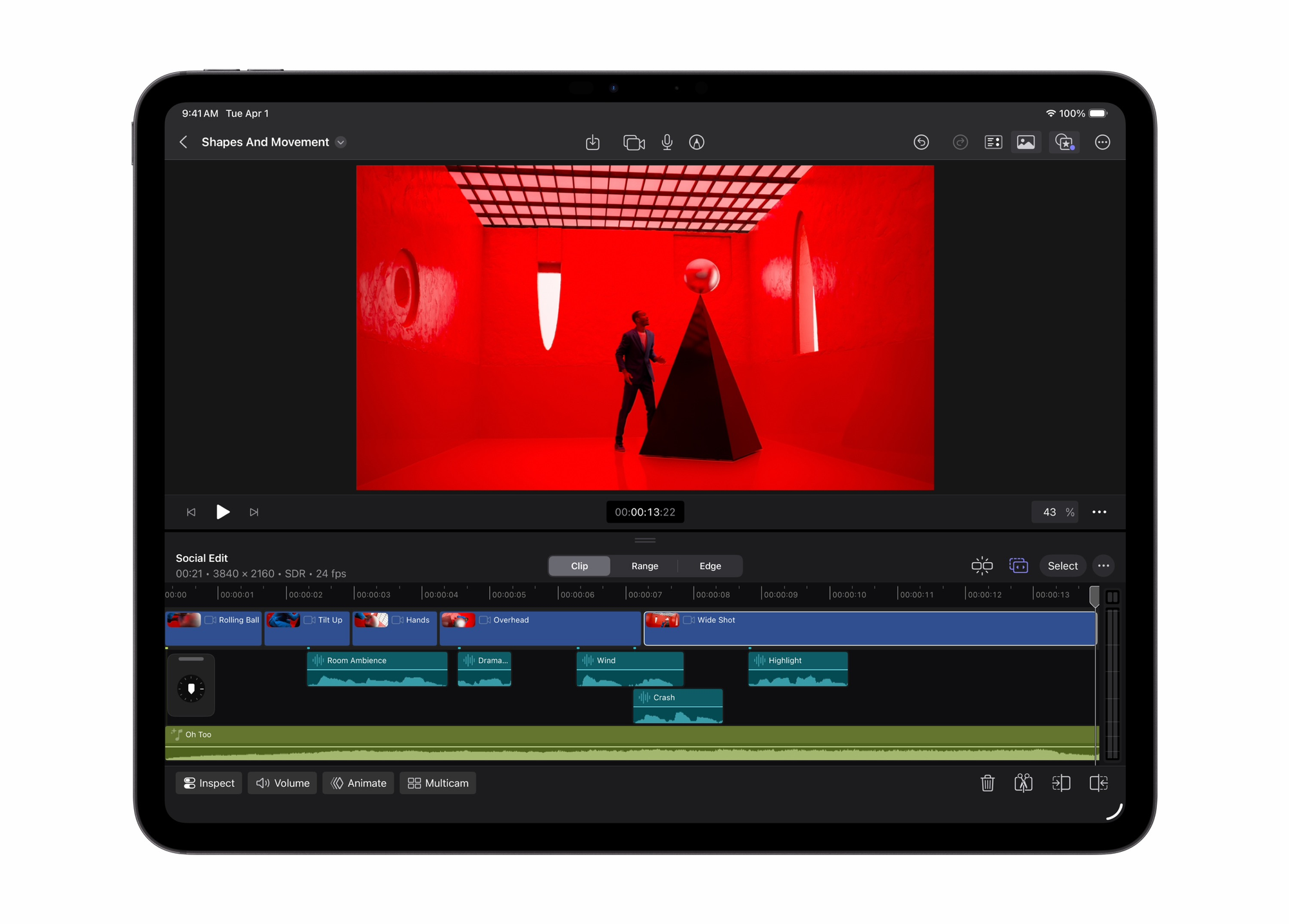
The January 2026 update adds several AI-powered features to Final Cut Pro: Transcript Search lets you find soundbites by searching spoken words, Visual Search finds specific moments by describing what you're looking for, and Beat Detection automatically identifies musical beats for sync editing. These features are available in both the subscription and one-time purchase versions.
Final Cut Pro is also available on iPad now, which creates genuinely mobile professional editing workflows. You can start a project on your iPad during a shoot, continue editing on your Mac at home, and everything syncs automatically.
The market share numbers tell an interesting story. Adobe Premiere Pro holds roughly 35% of the video editing software market, while Final Cut Pro holds about 25%. Premiere Pro's lead is substantial but not overwhelming, and Final Cut Pro's share has remained stable despite being limited to a single platform.
My take: If you need cross-platform compatibility, work with a team on mixed systems, or require tight After Effects integration, Premiere Pro is the obvious choice. If you're a Mac user who values performance above all else and works primarily solo or with other Mac users, Final Cut Pro might actually be the better tool despite its smaller market share.
Image Editing and Graphic Design: Pixelmator Pro vs Photoshop (and Friends)
This comparison is trickier because Adobe's Creative Cloud includes multiple apps for different image-related tasks, while Apple's bundle has just Pixelmator Pro covering the entire category.
Adobe Photoshop is the 800-pound gorilla of image editing. It's been the industry standard for over three decades, and that status comes with both advantages and baggage. Photoshop can do essentially anything you might want to do with a raster image — photo retouching, digital painting, compositing, graphic design, even basic video editing.
The AI features in Photoshop are genuinely impressive. Generative Fill and Generative Expand use Adobe Firefly to intelligently add content to images. The selection tools powered by Adobe Sensei make complex selections remarkably easy. Neural Filters offer one-click transformations that would take hours manually.
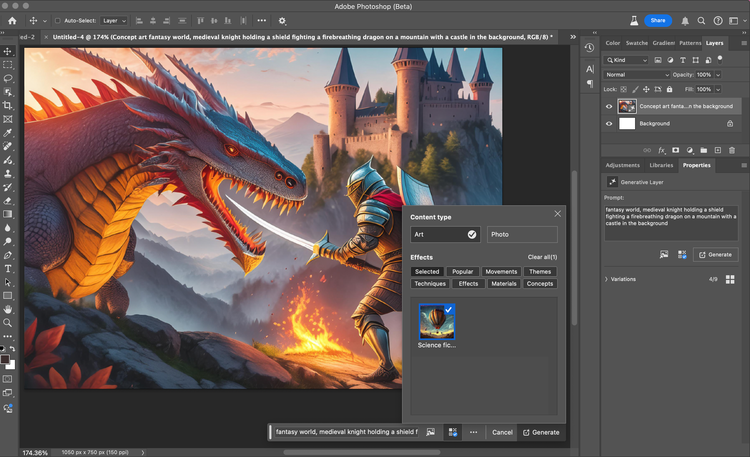
Beyond Photoshop, Creative Cloud Pro includes Lightroom and Lightroom Classic for photography workflows, Illustrator for vector graphics, InDesign for page layouts, Fresco for digital painting, and Express for quick design tasks. Each of these is a professional-grade tool in its own right.
Pixelmator Pro is a single application that attempts to handle the same range of tasks. Apple acquired Pixelmator in late 2024, and the January 2026 update brings it to iPad for the first time with a touch-optimized interface.
Pixelmator Pro handles basic to intermediate photo editing remarkably well. Color adjustments, retouching, layer-based compositing, and effects application all work smoothly. The interface is cleaner than Photoshop's, which some users find more approachable. Machine learning features automatically name layers, improve selection accuracy, and enable Super Resolution upscaling.
For Creator Studio subscribers, new features include a Warp tool for distorting image layers, advanced image generation powered by OpenAI models, and access to the Content Hub with royalty-free assets.
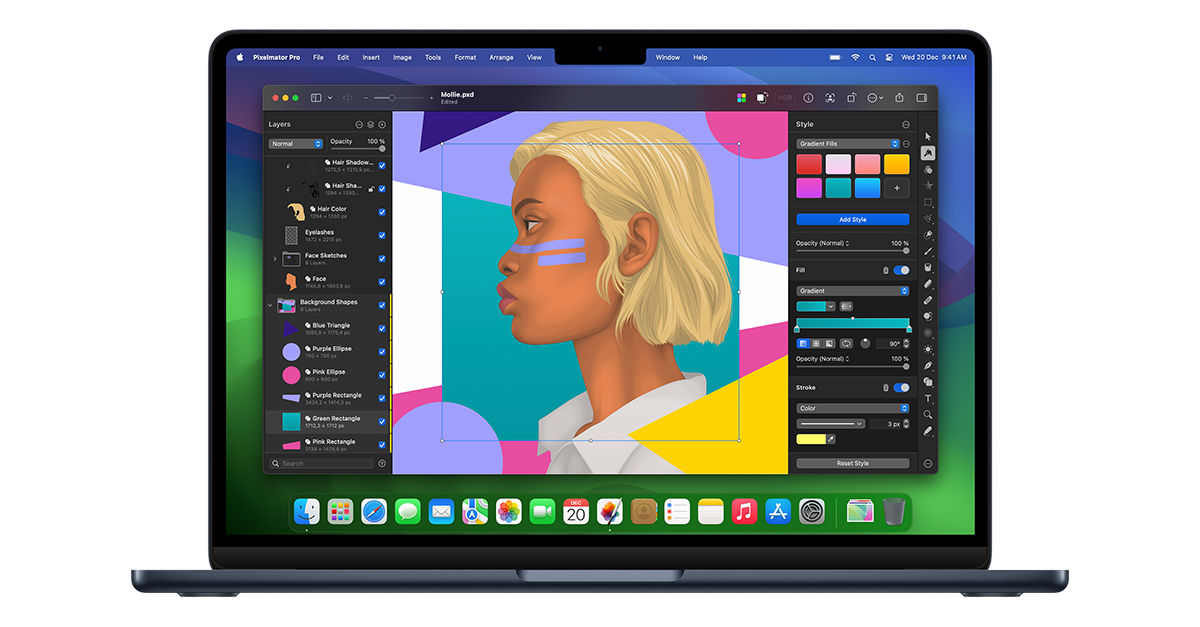
Here's my honest assessment: Pixelmator Pro is genuinely good software, but it's not Photoshop. It lacks the depth of tools professional designers rely on — there's no equivalent to Photoshop's comprehensive layer styles, no history palette for non-linear editing, limited animation capabilities, and no comparable ecosystem of plugins and extensions.
If you're a photographer who needs solid retouching and color grading, Pixelmator Pro might be all you need. If you're a graphic designer creating logos, layouts, and complex compositions, you're going to miss Illustrator and the advanced features of Photoshop.
The price comparison for standalone purchases tells the story clearly. Pixelmator Pro costs $49.99 as a one-time purchase. A Photoshop-only subscription costs $22.99 per month, meaning Pixelmator Pro pays for itself in about two months if you're switching from Adobe. But the features you lose might matter more than the money you save.
Music and Audio: Logic Pro vs Adobe Audition — Different Philosophies
This comparison highlights a fundamental difference in philosophy between the two companies' creative tools.
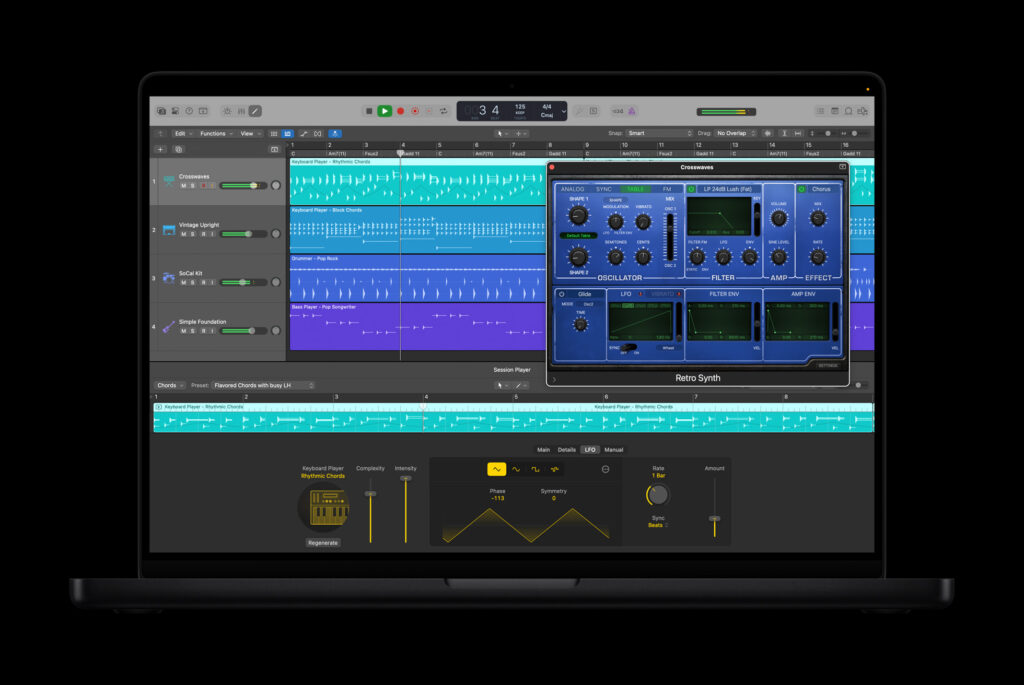
Logic Pro is a Digital Audio Workstation (DAW) — a complete environment for music creation from scratch. You can record live instruments, program virtual instruments, arrange compositions, mix tracks, and master final audio all within Logic Pro. It comes with a massive library of virtual instruments, samples, loops, and effects. The Drummer feature uses AI to generate realistic drum performances that respond to your playing.
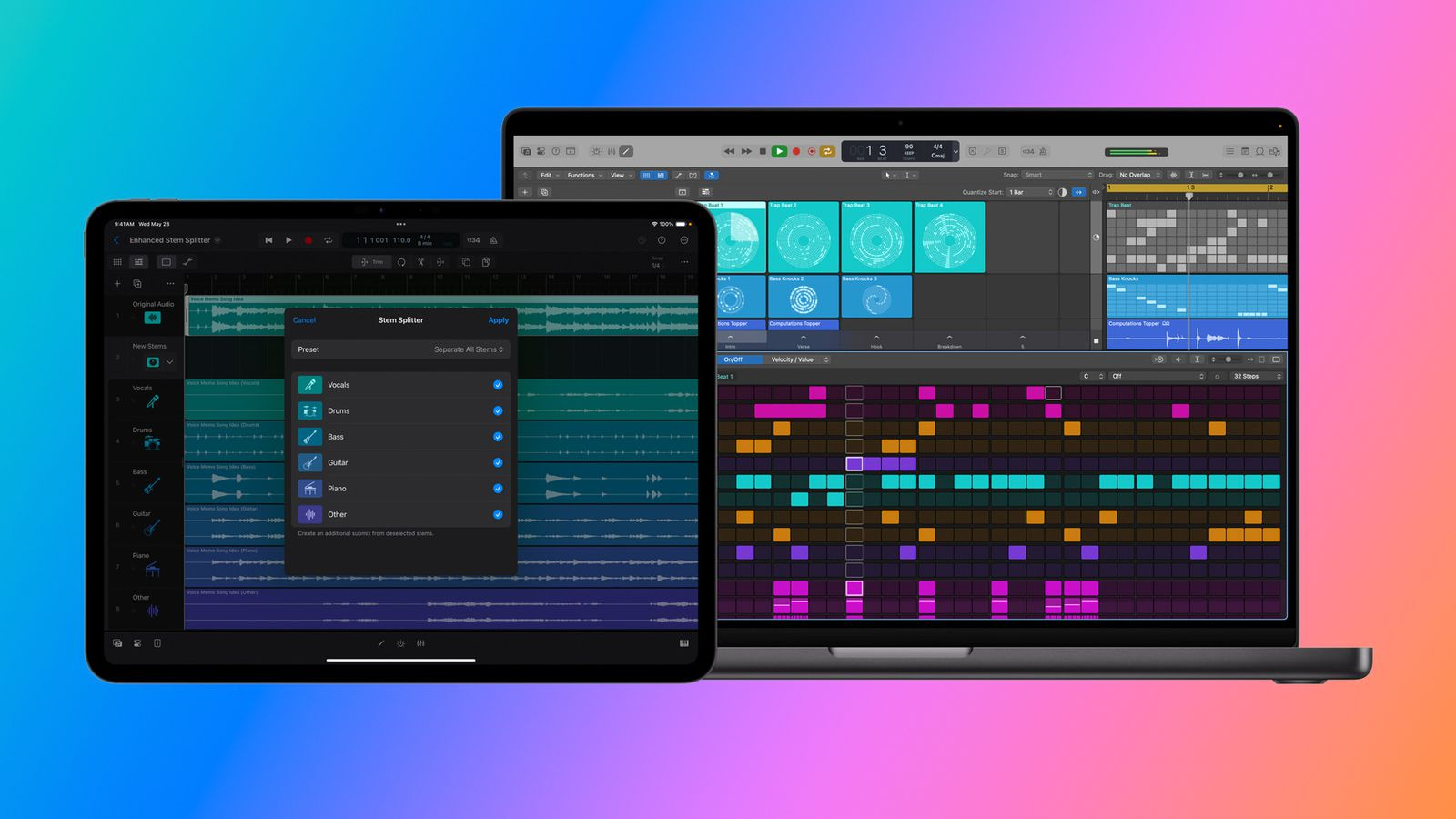
The January 2026 update adds Synth Player and Chord ID features that use intelligence to help users write, produce, and mix music more efficiently. MainStage, also included in Creator Studio, extends Logic Pro's instruments and effects for live performance situations.
Adobe Audition is fundamentally different. It's an audio editing tool rather than a music creation environment. Audition excels at editing existing recordings, cleaning up audio, mixing podcast episodes, and handling post-production audio for video. It integrates seamlessly with Premiere Pro through Dynamic Link.
Audition doesn't include virtual instruments, doesn't have the MIDI sequencing capabilities of a proper DAW, and isn't designed for creating music from scratch. It's designed for people who work with audio recordings — podcasters, video editors, radio producers, and audio engineers working on spoken content.
This isn't a criticism of either tool, they're designed for completely different purposes. If you want to make music, Logic Pro is the choice. If you need to edit and mix existing audio recordings, Audition is excellent at that specific task.
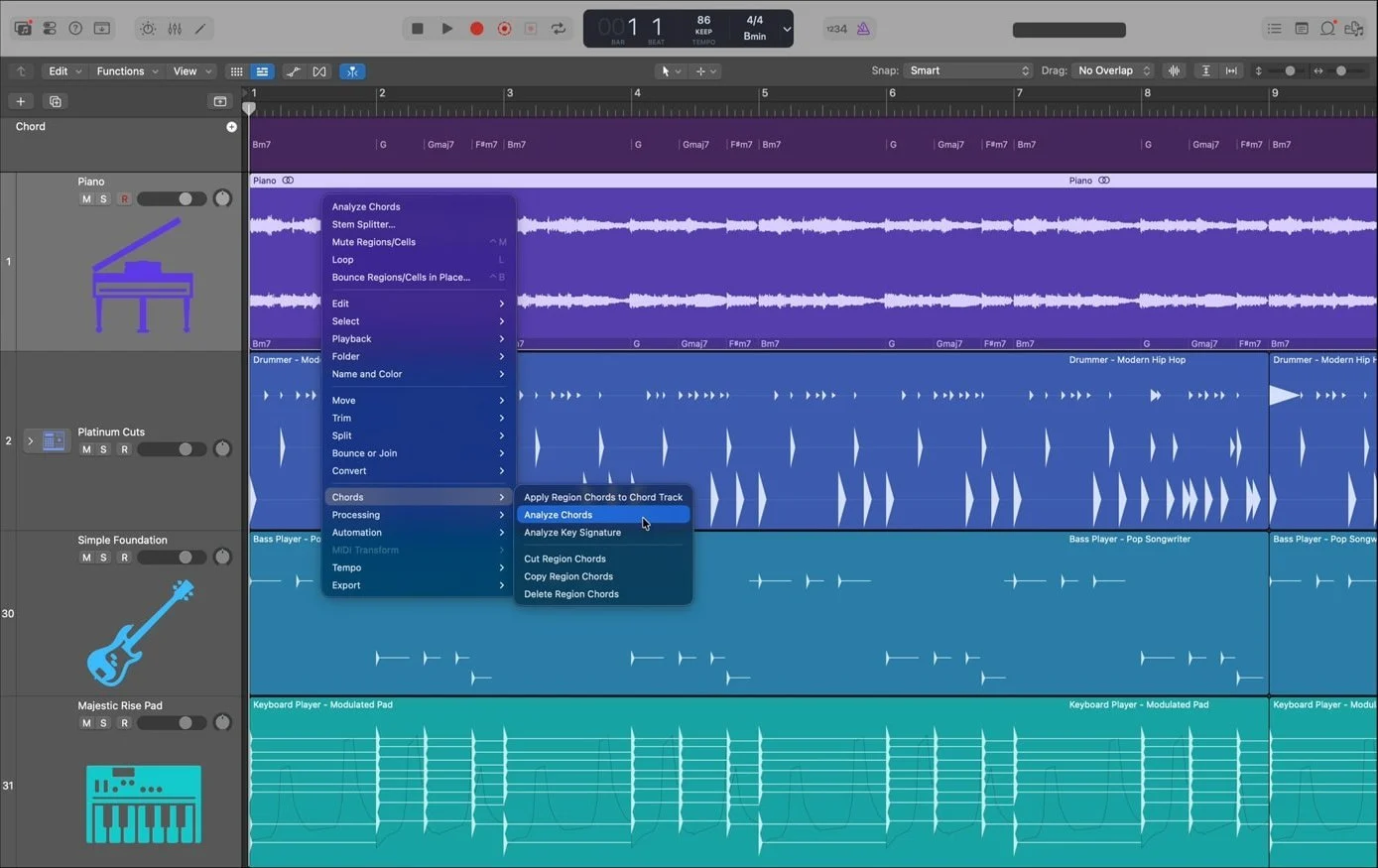
The market context matters here too. Logic Pro competes against other DAWs like Ableton Live, Pro Tools, FL Studio, and Cubase. Audition competes against audio editors like Audacity, Hindenburg, and the audio editing capabilities built into various video editors.
If you're choosing between Apple Creator Studio and Adobe Creative Cloud based primarily on audio capabilities, you need to first decide whether you're a music creator or an audio editor. They're not the same thing.
Motion Graphics and Animation
This is an area where Adobe Creative Cloud Pro has significant advantages that Apple Creator Studio simply can't match.
Adobe After Effects is the industry standard for motion graphics and visual effects. Essentially every motion graphic you see on television, YouTube, or social media was either made in After Effects or in software designed to integrate with it. The plugin ecosystem is enormous. The tutorial and training resources are endless. The templates and presets available (many free, many paid) number in the hundreds of thousands.
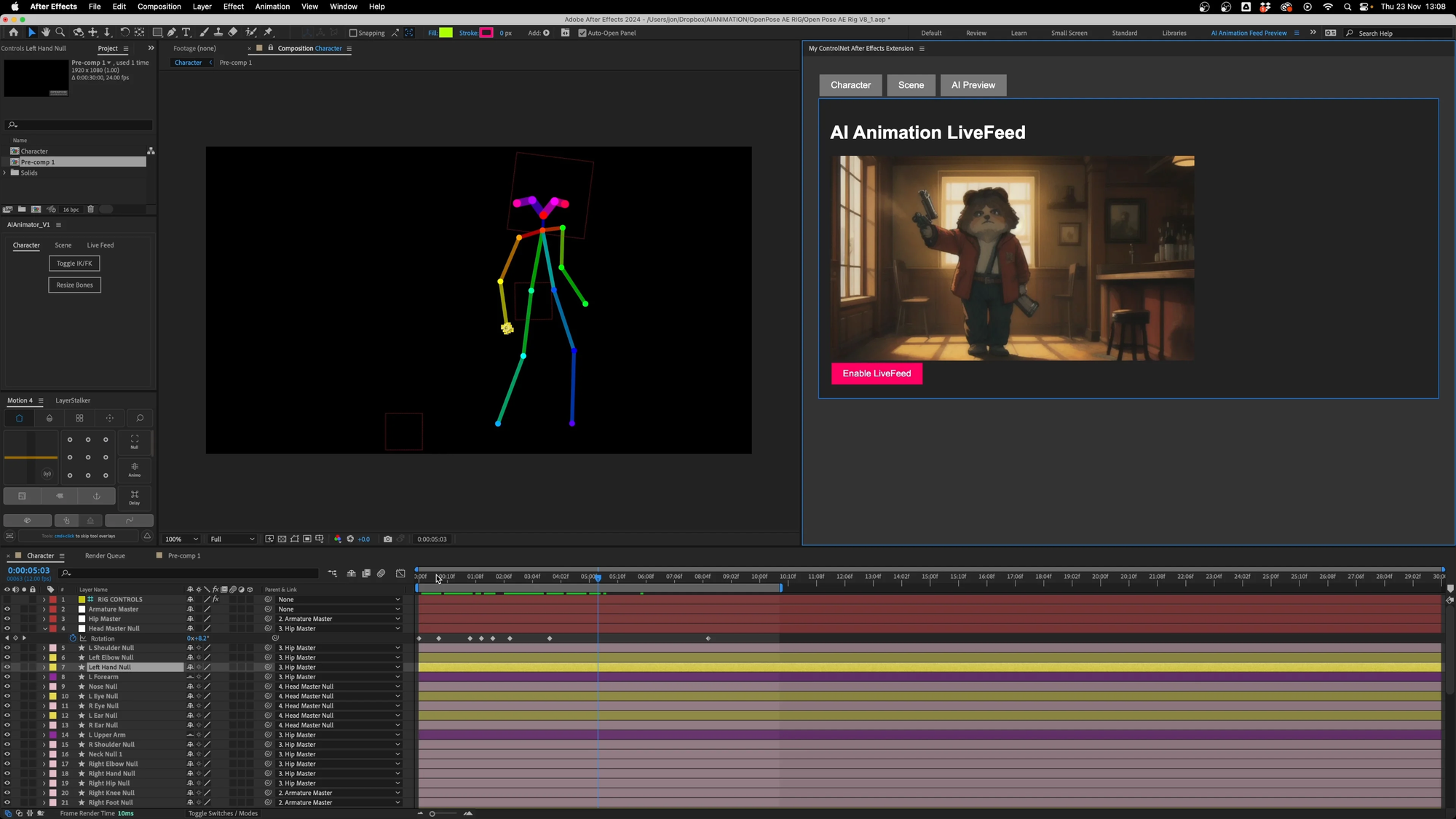
Adobe Animate provides tools for traditional animation, cartoon creation, and interactive content. Character Animator lets you animate characters in real-time using your webcam.
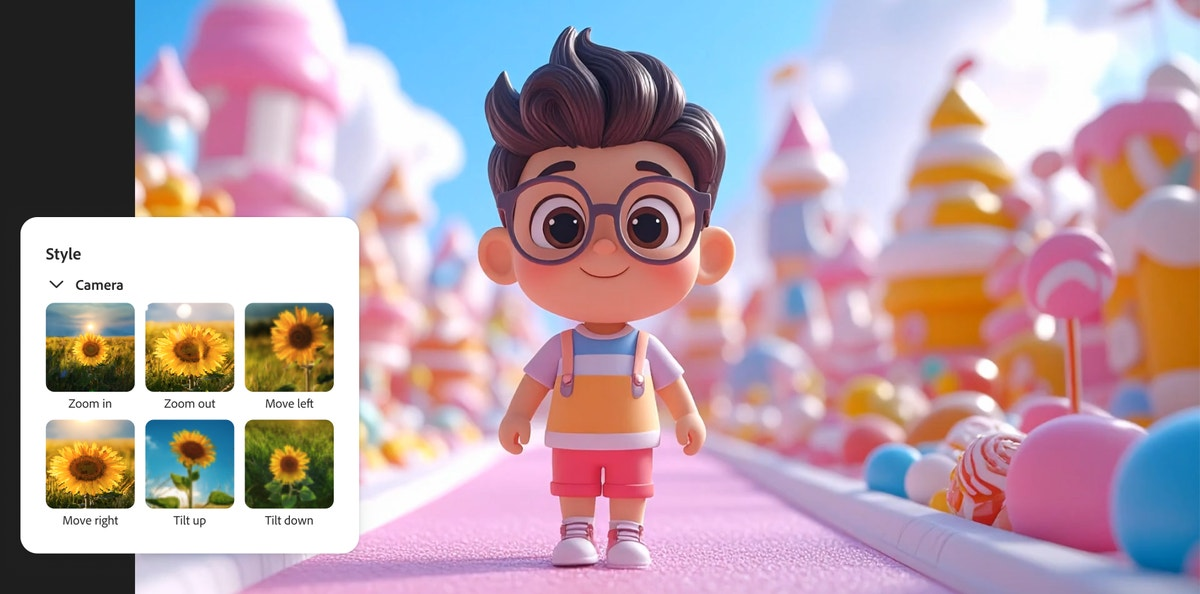
Apple's Motion is a capable motion graphics application, but it's not in the same league as After Effects. Motion was designed primarily as a companion to Final Cut Pro, creating titles, effects, and templates for use in video projects. It does that job well, but it's not the comprehensive motion graphics environment that After Effects provides.
Apple Creator Studio has no equivalent to Animate or Character Animator. If animation is part of your creative work, you'll need to look elsewhere. Options exist outside both ecosystems — Procreate Dreams on iPad is excellent for animation at $12.99 one-time purchase, and the Affinity suite (now free following Canva's acquisition) includes some vector capabilities.
For motion graphics professionals, this gap is likely a dealbreaker for Apple Creator Studio as a primary creative suite. You might still use Final Cut Pro for editing, but you'd need After Effects for serious motion work.
Productivity and Document Creation: The iWork Advantage
Apple Creator Studio includes something Adobe doesn't: premium features for productivity applications.
Keynote, Pages, Numbers, and Freeform remain free for everyone, but Creator Studio subscribers get access to premium templates, the Content Hub with royalty-free media, and AI-powered features. In Keynote, subscribers can generate presentation drafts from text outlines, create presenter notes from existing slides, and clean up layouts automatically. Numbers gains Magic Fill for pattern-based table completion and formula generation.
These aren't creative tools in the traditional sense, but they're genuinely useful for content creators who also need to create presentations, documents, and spreadsheets.
Adobe's equivalent would be Acrobat Pro (included in Creative Cloud Pro) for PDF workflows, but there's no presentation or document creation software comparable to iWork included. You'd need separate Microsoft 365 or Google Workspace subscriptions for those capabilities.
This is a minor advantage for Apple Creator Studio, but it's worth mentioning for users who value having these tools integrated with their creative subscription.
The Price Reality: What You're Actually Paying
Let me break down the real costs because the headline numbers don't tell the complete story.
Adobe Creative Cloud Pro costs $69.99 per month on an annual commitment (billed monthly), or $779.88 if you prepay for a full year. If you want month-to-month flexibility without annual commitment, it jumps to $104.99 per month.
For students and teachers, Creative Cloud Pro costs $29.99 per month for the first year, then $39.99 per month afterward.
Apple Creator Studio costs $12.99 per month or $129 per year. For students and educators, it's $2.99 per month or $29.99 per year.
The annual price difference is staggering: $779.88 for Adobe versus $129 for Apple. That's a $650.88 difference per year — enough to buy a base model Mac mini and still have change left over.
But here's the important nuance: Apple Creator Studio can be shared with up to five other family members through Family Sharing at no additional cost. Adobe Creative Cloud Pro has no family sharing option — each user needs their own subscription.
For a family of creators, Apple's value proposition becomes even more compelling. Six people can use Apple Creator Studio for $129/year total, while the same six people would pay $4,679.28/year for individual Adobe subscriptions.
The one-time purchase alternative still exists for Apple's apps. Final Cut Pro costs $299.99, Logic Pro $199.99, Pixelmator Pro $49.99, Motion $49.99, Compressor $49.99, and MainStage $29.99. That's $677.94 total for permanent licenses to all six apps — roughly equivalent to one year of Adobe Creative Cloud Pro.
However, Apple has indicated that some new "intelligent features and premium content" will be exclusive to Creator Studio subscribers. The one-time purchase versions will continue to receive updates, but certain AI-powered features and premium content may only be available through the subscription. Logic Pro and MainStage will have feature parity between purchase and subscription versions, but Final Cut Pro and Pixelmator Pro may have some subscription-exclusive features.
This is a concerning trend toward subscription lock-in, but it's worth noting that Apple is being relatively transparent about it, and the core functionality remains available through one-time purchases.
Who Should Choose Apple Creator Studio
Based on everything I've explored, Apple Creator Studio makes the most sense for specific types of creators.
You should seriously consider Apple Creator Studio if you work exclusively on Apple devices. The Mac and iPad optimization is genuine — these apps perform better on Apple hardware than Adobe's equivalents.
If video editing and music production are your primary creative activities, Apple Creator Studio includes world-class tools in both categories. Final Cut Pro and Logic Pro are genuinely professional applications used in major productions.
If you're a solo creator or small team without cross-platform collaboration requirements, the Mac-only limitation of Final Cut Pro doesn't matter to your workflow.
If budget is a significant concern, the $650+ annual savings compared to Adobe Creative Cloud Pro is substantial — enough to invest in better hardware, training, or other business expenses.
If you're a student or educator, Apple Creator Studio's $2.99/month pricing is remarkable value for professional-grade tools.
If your family includes multiple creators, the Family Sharing feature makes Apple Creator Studio almost unfairly cost-effective compared to Adobe's per-person pricing.
If your image editing needs are moderate — photo retouching, social media graphics, basic compositing — Pixelmator Pro can handle that work without needing Photoshop's full complexity.
Who Should Choose Adobe Creative Cloud Pro
Adobe Creative Cloud Pro remains the better choice for many professional situations.
If you work in a professional environment with team collaboration across different platforms, Adobe's cross-platform support and collaboration tools are essential.
If motion graphics and animation are significant parts of your work, After Effects has no real competitor in Apple Creator Studio. Motion is useful but limited by comparison.
If you need the full Adobe ecosystem's integration — the Dynamic Link between Premiere Pro and After Effects, the seamless workflow between Photoshop and Illustrator, the media browser in Bridge — Creative Cloud Pro provides that unified experience.
If your work requires industry-standard file formats and compatibility. PSD, AI, and INDD files are ubiquitous in professional creative environments, and while alternatives can often open these files, Adobe's apps are the authoritative source.
If you need advanced graphic design capabilities, Illustrator and InDesign provide functionality that Pixelmator Pro simply can't match. Logo design, vector illustration, multi-page layouts, and print preparation all require tools Apple doesn't offer.
If you rely heavily on generative AI features, Adobe's Firefly integration is more mature and extensive than Apple's current offerings. The unlimited standard generative credits and 4,000 monthly premium credits provide substantial AI capability.
If you need comprehensive photography tools, Lightroom and Lightroom Classic offer workflow capabilities beyond what Pixelmator Pro provides — catalog management, preset synchronization, mobile editing, and cloud storage integration.
What This Means for the Future of Creative Software
Apple Creator Studio represents something significant in the creative software market: genuine competition for Adobe at the subscription bundle level.
For years, Adobe has faced competition from individual apps — Affinity challenging Photoshop, DaVinci Resolve challenging Premiere Pro, various DAWs challenging Audition. But nobody offered a competing subscription bundle that covered multiple creative disciplines at once.
Apple's entry changes that dynamic. Creators now have a real choice between ecosystems, not just between individual tools. The price difference is dramatic enough that many users will seriously consider switching, even if it means some compromises.
Adobe's response will be interesting to watch. Price reductions seem unlikely given their recent price increases, but enhanced features, better cross-platform support, and improved AI capabilities seem certain as competitive responses.
For creators, this competition is unambiguously good. More choice, pressure on pricing, and incentives for innovation benefit everyone who makes things with software.
Performance and System Requirements
One area where Apple Creator Studio has a genuine, measurable advantage is performance on Apple Silicon Macs. This isn't marketing fluff — it's a real technical difference worth understanding.
Final Cut Pro, Logic Pro, Motion, and Compressor are all developed by Apple specifically for Apple hardware. They're optimized for Metal (Apple's graphics API), the Neural Engine (Apple's machine learning accelerator), and the unified memory architecture of M-series chips. When you're rendering video in Final Cut Pro on an M3 Max MacBook Pro, the software can take full advantage of every transistor Apple designed into that chip.
Adobe's applications are cross-platform, meaning they need to work on Windows systems with Intel or AMD processors and NVIDIA or AMD graphics cards, as well as on Macs with Apple Silicon. This cross-platform requirement means Adobe can't optimize as aggressively for Apple's specific architecture without maintaining two separate codebases.
The practical impact is noticeable. Final Cut Pro renders faster, scrubs smoother, and handles high-resolution footage more responsively than Premiere Pro on the same Mac hardware. I've seen 4K timeline playback that stutters in Premiere Pro while Final Cut Pro handles it without breaking a sweat.
This doesn't mean Premiere Pro is poorly optimized — it's actually quite good on Apple Silicon compared to where it was during the Intel transition. But Final Cut Pro's home-court advantage is real.
For Logic Pro, the performance story is similar. The application can run more simultaneous tracks, more plugins, and more virtual instruments than most competing DAWs on the same hardware. Apple's tight integration between software and silicon pays dividends for music producers working on complex projects.
Pixelmator Pro benefits from the same optimization. Machine learning features that use the Neural Engine run significantly faster than comparable features in applications not specifically optimized for Apple's hardware.
If you're investing in high-end Apple hardware — the M3 Max or M4 Pro chips that Apple charges premium prices for — using Apple's own creative software lets you actually take advantage of that hardware investment. There's something frustrating about paying extra for faster hardware and then running software that can't fully utilize it.
That said, Adobe's applications still perform well. If you need Creative Cloud for other reasons, you're not going to have a bad experience on Apple Silicon. But if pure performance is a priority and you have the choice, Apple's first-party applications have an edge.
File Compatibility and Industry Standards
Let me address something that matters for professional workflows: file format compatibility.
Adobe's file formats have become de facto industry standards. PSD (Photoshop), AI (Illustrator), INDD (InDesign), PRPROJ (Premiere Pro), and AEP (After Effects) files are the common exchange formats in many creative industries. When a client sends you a PSD file to edit, or a motion graphics studio needs your After Effects project, or a print shop requires an InDesign package — these expectations are built into professional creative workflows.
Apple's applications use different formats. Final Cut Pro's library structure, Logic Pro's projects, and Pixelmator Pro's native format aren't industry standards. They work well within Apple's ecosystem, but they're not what you'll typically receive from or send to external collaborators.
Now, this matters less than it used to. Final Cut Pro imports and exports all standard video formats. Pixelmator Pro can open PSD files (with varying degrees of success depending on complexity). Logic Pro works with standard audio formats and can export stems for use in any DAW.
But if your work involves extensive collaboration with external parties using Adobe tools, you'll face friction. Project files won't transfer directly. Round-trip workflows won't be as seamless. You might need to exchange rendered outputs rather than editable projects.
For solo creators or teams standardized on Apple tools, this isn't a problem. For freelancers working with varied clients who expect Adobe format compatibility, it's a genuine consideration.
The Learning Curve Reality
If you're considering switching between these ecosystems, the learning curve deserves honest discussion.
Adobe's applications share a common interface language. Once you learn Photoshop's panels, tools, and keyboard shortcuts, you'll find them familiar in Illustrator, InDesign, and to some extent Premiere Pro. The consistency across Adobe's suite is a real advantage for learning — invest time in one application, and that knowledge transfers to others.
Apple's creative applications don't share the same level of interface consistency. Final Cut Pro's Magnetic Timeline works fundamentally differently from traditional track-based timelines. Logic Pro's interface resembles other DAWs but has its own conventions. Pixelmator Pro is deliberately approachable but still different from Photoshop.
Switching from Premiere Pro to Final Cut Pro requires unlearning some habits. The Magnetic Timeline is powerful once internalized, but users coming from track-based editors often find it frustrating initially. Some editors never adjust; others wonder how they ever worked any other way.
Switching from Photoshop to Pixelmator Pro is generally easier. The core concepts — layers, adjustments, selections, tools — transfer reasonably well. The reduced feature set in Pixelmator Pro actually makes it easier to learn, though that simplicity comes with capability tradeoffs.
If you're established in Adobe's ecosystem with years of muscle memory, switching costs are real. If you're newer to creative software or willing to invest time in learning different approaches, Apple's tools aren't inherently harder — just different.
Making Your Decision
After all this analysis, here's my honest recommendation:
Take the free trials. Both Apple Creator Studio and Adobe Creative Cloud Pro offer trial periods. Actually use them for real projects, not just brief exploration. The right choice depends on your specific workflows, and there's no substitute for hands-on experience.
Start with your core creative work. What do you spend most of your time doing? If it's video editing on a Mac, Final Cut Pro might be the right choice. If it's graphic design requiring vector work and layouts, Adobe's ecosystem is stronger. If it's music production, Logic Pro is exceptional. Match your primary needs first.
Consider your collaboration requirements. If you work alone or with others on the same platform, Apple Creator Studio's limitations matter less. If you collaborate across platforms or need to exchange files with the broader creative industry, Adobe's compatibility advantages matter more.
Think about the next few years. Your creative work might evolve. Apple Creator Studio is smaller but growing; Adobe Creative Cloud is comprehensive but expensive. Consider not just what you need today but what you might need as your work develops.
Don't overthink the price difference. Yes, $650/year is significant. But if Adobe's tools make you significantly more productive or enable work you couldn't otherwise do, that price difference might pay for itself. Conversely, if you're paying for Adobe features you never use, switching to Apple Creator Studio could be immediate savings with no real downside.
The creative software landscape is more competitive than it's been in years. That's good for all of us who make things.
Where to buy Adobe Creative Cloud Pro and Apple Creator Studio
Adobe Creative Cloud Pro is available from Adobe's website. Alternative subscriptions are available for single apps, such as Photoshop, Premiere, and Ilustrator.
Apple Creator Studio will be available from January 28, from Apple directly. One-time purchase versions are available for Final Cut Pro, Logic Pro, Pixelmator Pro, Motion, Compressor, and MainStage on Mac, with other apps available for free or under a subscription.
Frequently Asked Questions
What apps are included in Apple Creator Studio?
Apple Creator Studio includes Final Cut Pro (Mac and iPad), Logic Pro (Mac and iPad), Pixelmator Pro (Mac and iPad — iPad version is new), Motion (Mac), Compressor (Mac), and MainStage (Mac). Subscribers also get premium features and content for Keynote, Pages, Numbers, and later Freeform, though these apps remain free for everyone with basic features.
What apps are included in Adobe Creative Cloud Pro?
Adobe Creative Cloud Pro includes over 20 applications: Photoshop, Premiere Pro, After Effects, Illustrator, InDesign, Lightroom, Lightroom Classic, Audition, Animate, Character Animator, Media Encoder, Dreamweaver, Adobe XD, Fresco, Express, Bridge, Dimension, Acrobat Pro, Adobe Scan, Fill & Sign, and others. It also includes services like Adobe Fonts, Adobe Stock integration, 100GB cloud storage, and generative AI credits for Firefly features.
How much does Apple Creator Studio cost?
Apple Creator Studio costs $12.99 per month or $129 per year. Students and educators can subscribe for $2.99 per month or $29.99 per year. The subscription can be shared with up to five family members through Family Sharing at no additional cost. A one-month free trial is available, extended to three months with purchase of a new Mac or qualifying iPad.
How much does Adobe Creative Cloud Pro cost?
Adobe Creative Cloud Pro costs $69.99 per month on an annual plan (billed monthly) or $779.88 prepaid annually. Month-to-month without annual commitment costs $104.99 per month. Students and teachers pay $29.99 per month for the first year, then $39.99 per month afterward. There is no family sharing option.
Can I still buy Final Cut Pro and Logic Pro outright?
Yes. One-time purchase versions remain available: Final Cut Pro ($299.99), Logic Pro ($199.99), Pixelmator Pro ($49.99), Motion ($49.99), Compressor ($49.99), and MainStage ($29.99). However, Apple has indicated that some new "intelligent features and premium content" may only be available to Creator Studio subscribers. Logic Pro and MainStage will have feature parity between purchase and subscription versions.
Is Final Cut Pro better than Premiere Pro?
Neither is objectively "better" — they excel in different areas. Final Cut Pro offers superior performance on Apple Silicon Macs, a unique Magnetic Timeline workflow, and excellent iPad integration. Premiere Pro offers cross-platform compatibility (Mac and Windows), industry-standard status, tight integration with After Effects and other Adobe apps, and stronger team collaboration features. Final Cut Pro holds about 25% market share; Premiere Pro holds about 35%.
Is Pixelmator Pro a replacement for Photoshop?
For basic to intermediate image editing, yes. For professional graphic design work, not entirely. Pixelmator Pro handles photo retouching, color adjustment, layer-based compositing, and effects application well. However, it lacks Photoshop's depth of features — no comprehensive layer styles, no history palette, limited animation capabilities, and no equivalent ecosystem of plugins. It also doesn't replace Illustrator for vector work or InDesign for layouts.
Does Apple Creator Studio work on Windows?
No. Apple Creator Studio is exclusively for Apple devices — Mac and iPad. Final Cut Pro, Logic Pro, Pixelmator Pro, Motion, Compressor, and MainStage are all Apple-platform exclusive. This is a significant limitation for users who work across platforms or collaborate with Windows users.
Does Apple Creator Studio include cloud storage?
Apple Creator Studio does not include additional cloud storage. However, iCloud storage can be purchased separately or as part of an Apple One subscription. Adobe Creative Cloud Pro includes 100GB of cloud storage.
Can I share Apple Creator Studio with my family?
Yes. Apple Creator Studio supports Family Sharing, allowing up to five additional family members to access all included apps and features at no additional cost. This is a significant advantage over Adobe Creative Cloud Pro, which requires separate subscriptions for each user.
When does Apple Creator Studio launch?
Apple Creator Studio launches on Wednesday, January 28, 2026, through the App Store. The subscription will be available as a universal purchase with a one-month free trial for all new subscribers.
What AI features does Apple Creator Studio include?
Apple Creator Studio includes AI features across multiple apps. Final Cut Pro gains Transcript Search, Visual Search (describe what you're looking for), and Beat Detection. Pixelmator Pro includes Super Resolution upscaling and a new Warp tool. Keynote, Pages, and Numbers gain Content Hub access, image generation powered by Apple Intelligence and OpenAI, intelligent layout cleanup, formula generation, and Magic Fill for pattern-based table completion.
What AI features does Adobe Creative Cloud Pro include?
Adobe Creative Cloud Pro includes extensive Firefly-powered AI features: Generative Fill and Generative Expand in Photoshop, text-to-image and text-to-video generation, automated captioning and transcription in Premiere Pro, Neural Filters for image transformation, and intelligent selection tools. Pro subscribers get unlimited credits for standard generative features and 4,000 monthly credits for premium features like video generation.
Should I switch from Adobe to Apple Creator Studio?
It depends on your needs. Consider switching if: you work exclusively on Apple devices, your primary work is video editing and/or music production, you're a solo creator without cross-platform collaboration needs, budget is a significant concern, or your image editing needs are moderate. Consider staying with Adobe if: you need cross-platform support, require motion graphics/After Effects, need advanced graphic design tools, work in collaborative environments with mixed platforms, or rely heavily on Adobe's generative AI features.
Can I use Apple Creator Studio and Adobe apps together?
Yes. Many creators use a hybrid approach — Apple Creator Studio for video and music, specific Adobe apps for specialized needs. For example, Final Cut Pro + After Effects, or Logic Pro + Photoshop. This approach can be more cost-effective than full Creative Cloud Pro while accessing both ecosystems' strengths.
Related Articles
 Dani
Dani
 Dani
Dani
 Mark
Mark