The promise of AI coding assistants has always been simple: write code faster, debug easier, ship sooner. The reality is more nuanced. Some tools excel at quick prototypes but fall apart on complex architecture. Others handle debugging beautifully but generate code that requires constant cleanup.
After months of daily use with both Claude and Gemini across real projects, from simple scripts to full-stack applications, the differences between these tools have become crystal clear. They are not interchangeable. They serve different purposes, and choosing the right one depends entirely on what you are trying to build.
This is not a synthetic benchmark comparison. It is a practical assessment of how these tools perform when you are actually shipping software.
The Fundamental Difference
Before diving into specific capabilities, it helps to understand what each company is optimizing for.
Anthropic built Claude with a focus on careful reasoning. The model is designed to think through problems methodically, acknowledge uncertainty when it exists, and prioritize getting answers right over getting them fast. This philosophy shows up in how Claude approaches code: it tends to consider edge cases, ask clarifying questions when requirements are ambiguous, and produce more structured outputs.
Google built Gemini as a multimodal platform that integrates across their ecosystem. The model emphasizes speed, broad capability, and seamless connection to other Google services. In coding contexts, this translates to fast responses, excellent integration with tools like Firebase and Android development, and a massive context window that can hold entire codebases.
These are not just marketing differences. They produce meaningfully different experiences when you are writing software.
Code Quality
The single biggest differentiator between these tools is the quality of generated code.
Claude consistently produces cleaner, more idiomatic code with better structure. Variable names make sense. Functions are properly scoped. Error handling is thoughtful rather than tacked on as an afterthought. When you ask Claude to write a React component, you get something that looks like it was written by a senior developer who cares about maintainability.
Gemini writes functional code that often requires cleanup. The logic is usually correct, but the implementation tends toward quick solutions rather than elegant ones. Naming conventions are inconsistent. Sometimes you get code that works but violates basic principles of the framework you are using.
One pattern I noticed repeatedly: Gemini has a habit of adding stray closing braces to SwiftUI files. Not occasionally. Frequently. The model would report that compilation succeeded, I would run the build, and it would fail because of an extra } at the end of a function. This happened so often that I started automatically checking for it before attempting any build.
Claude simply does not make that kind of mistake. The code compiles the first time. The structure is correct. When issues do arise, they tend to be logical rather than syntactical.
Debugging
Debugging is where the philosophical differences between these models become most apparent.
When you give Claude a broken piece of code, it does not immediately spit out a fix. It reasons through the problem. It identifies what the code is supposed to do, traces the logic to find where it breaks, and explains its reasoning before proposing a solution.
This process takes longer. But the fixes work.
Claude's "extended thinking" capability allows it to spend more time on complex problems, working through intricate logic step by step. For particularly challenging bugs, this methodical approach is invaluable. The model catches subtle issues that other tools miss entirely.
Gemini is faster at debugging but less reliable. It will identify obvious issues quickly, often with good technical explanations of what went wrong. But for complex bugs that span multiple files or involve subtle logic errors, Gemini tends to propose fixes that address symptoms rather than root causes.
The debugging experience also differs in communication style. Claude explains what it is doing and why. Gemini tends to jump straight to code. If you are learning or want to understand the fix deeply, Claude is the better teacher. If you just want something to try quickly, Gemini gets you there faster.
Context Window
If there is one area where Gemini clearly wins, it is context window size.
Gemini offers a one million token context window. That is enormous. You can feed it entire codebases, complete documentation sets, and long conversation histories without hitting limits. For large refactoring projects that touch dozens of files, this capacity is genuinely useful.
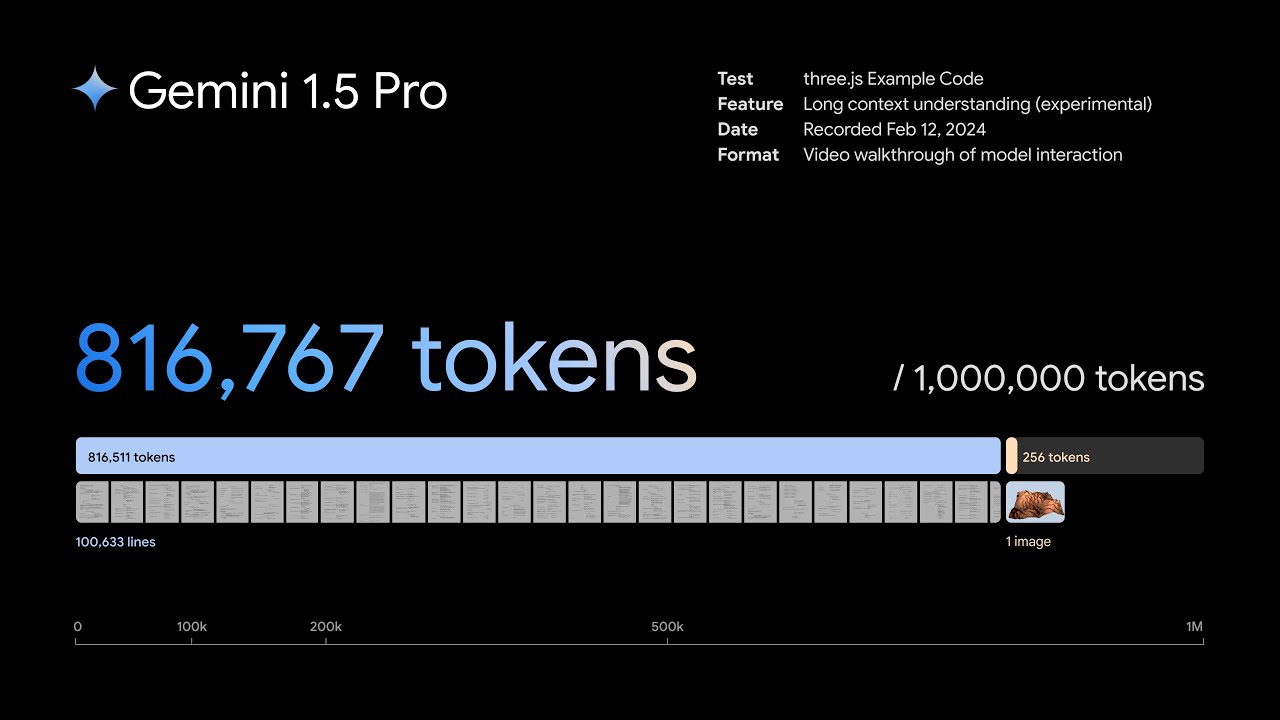
Claude's context window is smaller at 200,000 tokens, though still substantial. For most projects, this is plenty. But if you are working on a massive legacy codebase and need the AI to understand the entire system at once, Gemini has a clear edge.
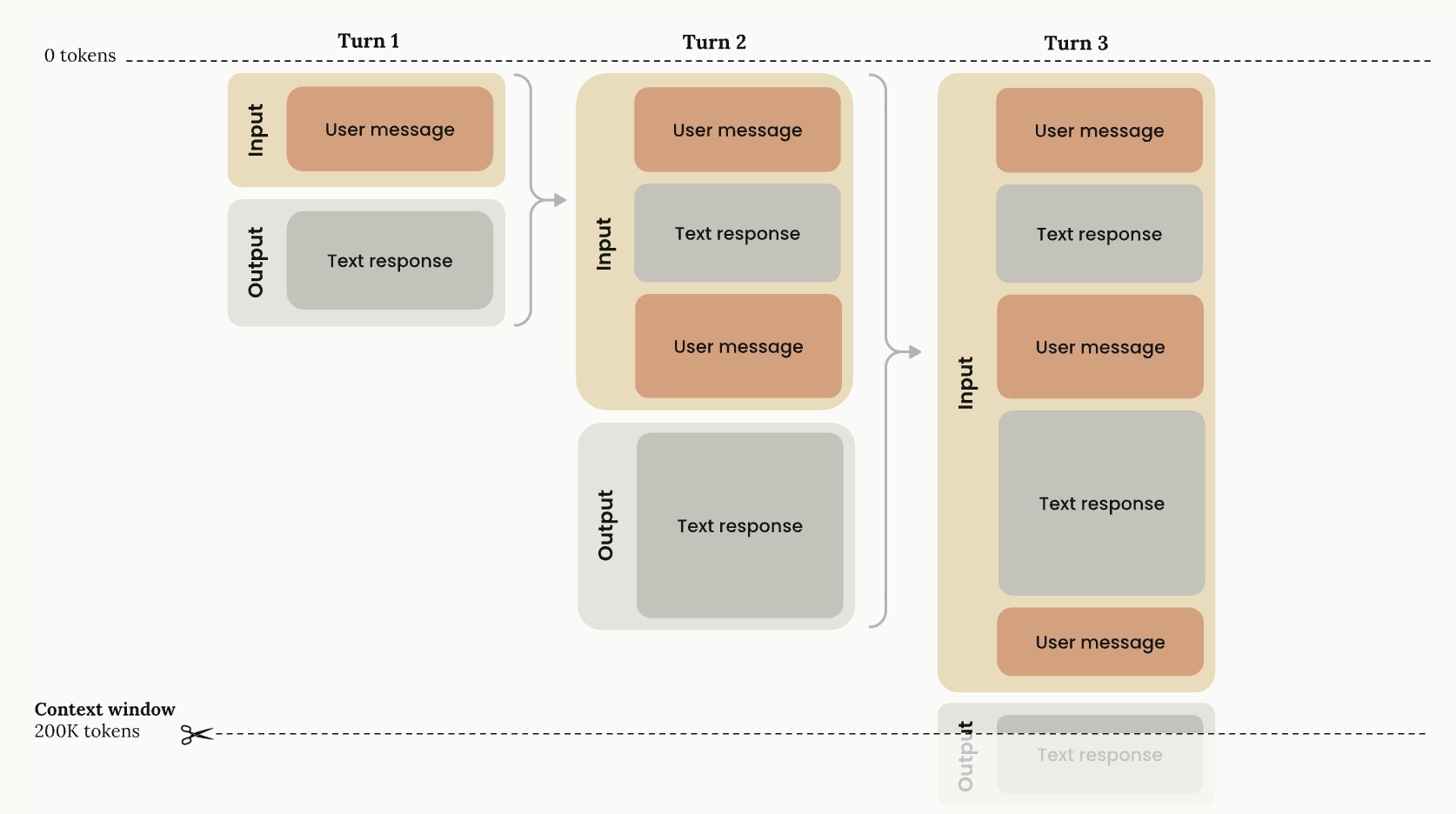
The practical impact depends on your project size. For typical web applications, mobile apps, or microservices, Claude's context window is more than sufficient. For enterprise monoliths or situations where you need to analyze an entire repository, Gemini's larger window becomes a real advantage.
It is worth noting that context window size does not automatically translate to better results. Some developers report that Gemini becomes less focused with very large contexts, while Claude maintains clarity even as conversations grow longer. The ability to hold more information is only valuable if the model uses that information effectively.
Language and Framework Support
Both tools support a wide range of programming languages and frameworks, but with different strengths.
Claude excels at:
- Python, JavaScript, and TypeScript with excellent idiomatic code
- React and modern frontend frameworks
- Complex algorithmic problems and data structures
- Detailed code explanations and documentation
Gemini excels at:
- Google ecosystem tools like Firebase, Google Cloud, and Android development
- Rapid prototyping when you need something working quickly
- Processing large codebases and multi-file refactoring
- Tasks where speed matters more than polish
For mainstream languages like Python, JavaScript, and Go, both tools perform well. The differences emerge more in edge cases and specialized domains. If you are building for Google's ecosystem specifically, Gemini's native integration provides genuine advantages. If you are working outside that ecosystem, Claude generally produces better results.
The IDE Question: Different Approaches to Integration
How you access these AI assistants matters for your workflow.
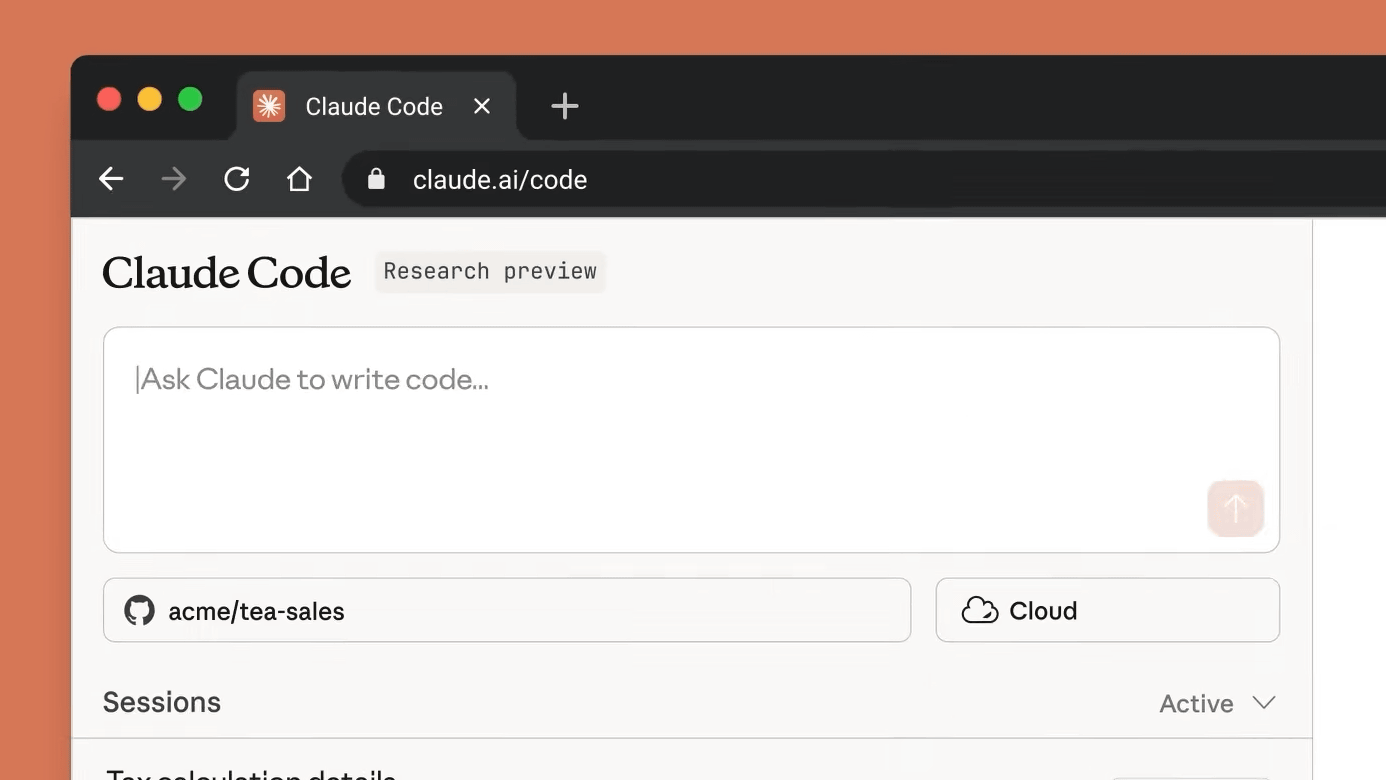
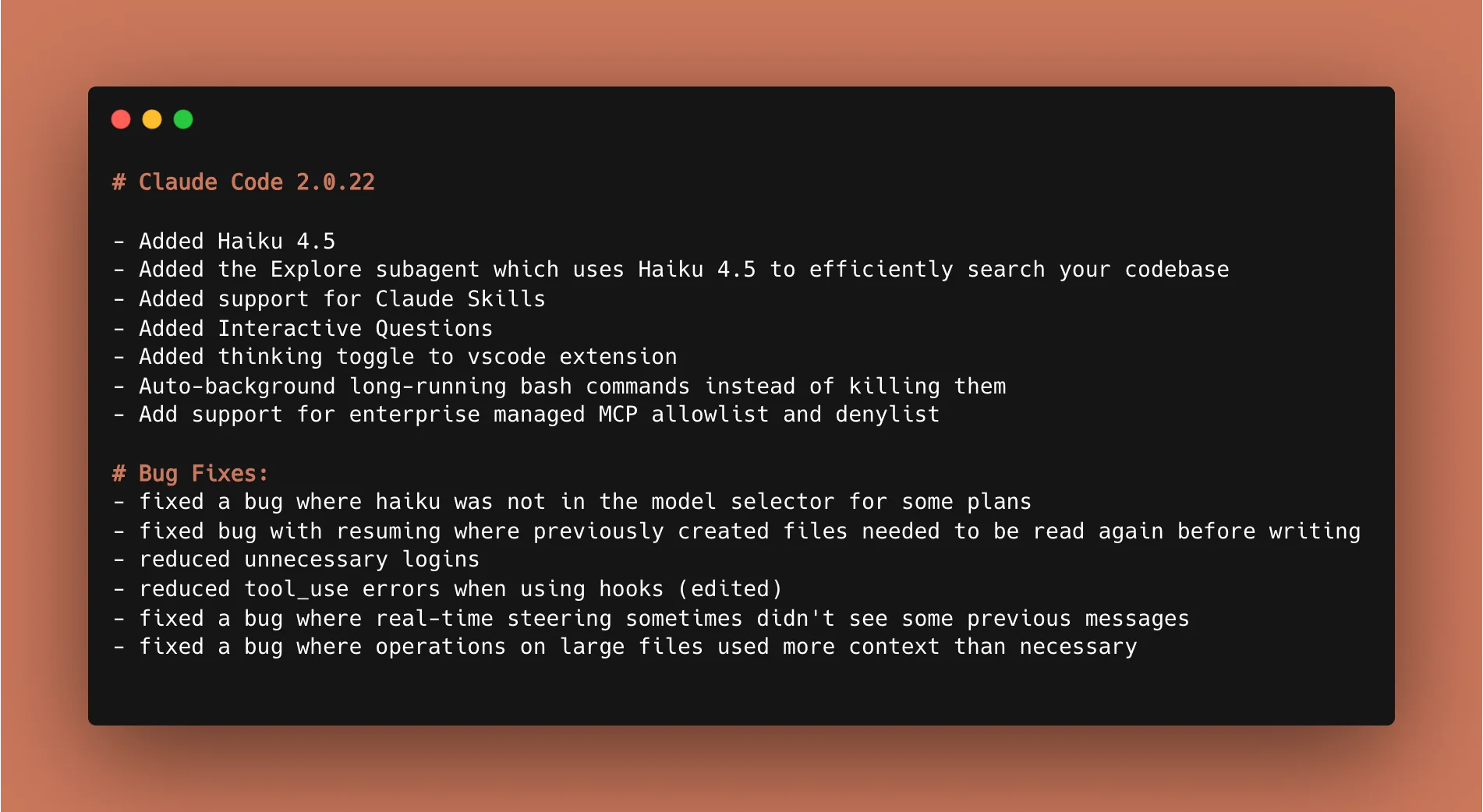
Claude Code operates primarily through the terminal. You run it as a command-line tool, and it works directly with your filesystem. There are IDE integrations available, but the core experience is terminal-based. For developers comfortable in the command line, this feels natural and fast. For those who prefer visual interfaces, there is a learning curve.
Gemini integrates more tightly with IDEs through extensions for VS Code and JetBrains. It also works seamlessly with Google's tools like Android Studio. If you want AI assistance without leaving your editor, Gemini provides lower friction.
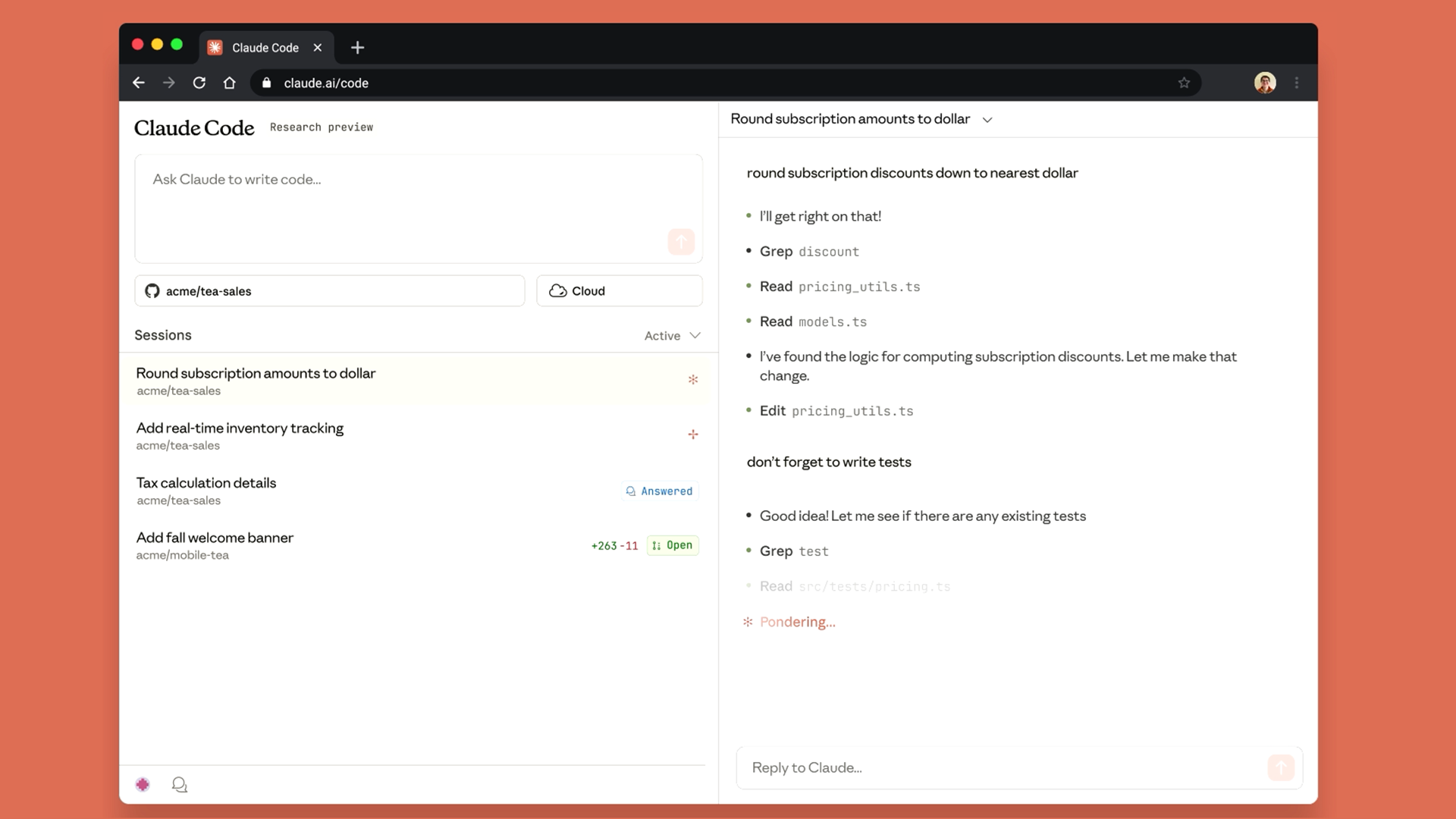
The terminal versus IDE distinction is not just about preference. It affects how the tools fit into your workflow. Claude Code encourages thinking in terms of complete tasks: "implement this feature," "fix this bug," "refactor this module." You give it a goal and let it work. Gemini's IDE integration encourages more incremental interaction: suggestions as you type, quick answers to small questions, inline code generation.
Neither approach is objectively better. They suit different working styles and different types of tasks.
Plugins and Extensibility: Claude's Growing Ecosystem
One of Claude Code's strongest features is its plugin ecosystem.
Plugins extend Claude Code's capabilities by connecting it to external services and tools. You can install plugins for GitHub integration, database access, project management tools like Linear and Jira, design tools like Figma, and dozens of other services. These are not just convenience features. They fundamentally change what the AI can do.
With the right plugins configured, Claude Code can read your Linear tickets, understand the requirements, implement the feature, run tests, create a pull request, and update the ticket status. The entire development workflow happens in one place, orchestrated by a single tool.
Some notable plugins include:
- GitHub MCP for repository management, pull request creation, and code review
- Figma integration that reads design files and generates matching frontend code
- Linear and Jira connections for issue tracking integration
- PostgreSQL and Supabase plugins for database operations
- Slack integration for team communication
The plugin architecture also supports custom development. Teams can build plugins specific to their internal tools and workflows, then share them across the organization.
Gemini has integrations with Google services but lacks the same extensibility. If your workflow lives primarily in the Google ecosystem, Gemini's native connections work well. If you use a diverse set of tools, Claude's plugin system offers more flexibility.
Real-World Performance: What Actually Matters
Benchmarks are useful, but they do not capture the full experience of using these tools daily.
Claude Code has become my default for any non-trivial development work. When I need to implement a new feature, debug a complex issue, or refactor existing code, Claude produces better results with less back-and-forth. I spend less time fixing AI-generated code and more time shipping features.
Gemini still has a place in my workflow. For quick prototypes where I want something working immediately, Gemini's speed is an advantage. For Android development specifically, the native Google integration makes certain tasks much smoother. For processing very large codebases, the context window is genuinely helpful.
The cost difference also matters. Gemini's free tier is quite capable, and even the paid tier is affordable. Claude Code requires a subscription, and heavy usage can get expensive. For individual developers on a budget, Gemini provides significant value at lower cost.
Who Should Use Claude?
Claude is the right choice if you prioritize code quality over speed. If you are building production software where maintainability matters, if you are working on complex problems that require careful reasoning, or if you want an AI that catches its own mistakes, Claude delivers.
Claude works best for:
- Production codebases where quality matters
- Complex debugging sessions
- Architectural decisions and code reviews
- Projects where you need detailed explanations
- Workflows that benefit from plugin extensibility
- Teams that want standardized AI-assisted development
The cost is higher and the speed is sometimes slower, but the output quality justifies the investment for serious development work.
Who Should Use Gemini?
Gemini is the right choice if you need speed and scale. If you are rapidly prototyping ideas, building for Google's ecosystem, or working with massive codebases that need a huge context window, Gemini fits those needs well.
Gemini works best for:
- Rapid prototyping and MVPs
- Google ecosystem development (Firebase, Android, Google Cloud)
- Large codebase analysis and refactoring
- Budget-conscious development
- Tasks where "good enough" code is acceptable
- Multimodal projects involving code, images, and documentation together
The code will need more cleanup, but you will get there faster and cheaper.
Best Use Cases for Each Tool
Use Claude For:
- Complex feature implementation. When you need to build something substantial that spans multiple files and requires careful architecture, Claude's methodical approach produces better results.
- Bug fixing in production code. Claude's extended thinking and attention to edge cases means fixes are more likely to actually solve the problem without introducing new issues.
- Code review and security analysis. Claude catches subtle vulnerabilities and code smells that other tools miss. It is particularly good at identifying SQL injection risks and authentication issues.
- Learning and documentation. If you want to understand why code works a certain way, Claude explains its reasoning clearly. It is a better teacher.
- Agentic workflows. With plugins configured, Claude Code can handle multi-step development tasks autonomously. Give it a ticket, let it work, review the pull request.
Use Gemini For:
- Quick experiments and prototypes. When you want to test an idea quickly and do not need production-quality code, Gemini's speed is an advantage.
- Android and Firebase development. Native Google integration makes these workflows smoother than with any other tool.
- Large-scale refactoring. The million-token context window lets you load entire repositories and make coordinated changes across many files.
- Budget-limited projects. The free tier is surprisingly capable, and even the paid tier costs less than Claude for heavy usage.
- Multimodal development. If your project involves analyzing screenshots, processing images, or working across multiple media types alongside code, Gemini handles this natively.
The Hybrid Approach
The most productive developers in 2026 are not choosing one tool exclusively. They are using the right tool for each task.
A practical hybrid workflow might look like this:
- Use Gemini for initial prototyping and exploration
- Switch to Claude for implementing production features
- Use Claude for debugging complex issues
- Use Gemini for large refactoring projects
- Use Claude for security review and code quality checks
This approach maximizes the strengths of each tool while minimizing their weaknesses. The switching cost is minimal since both tools work with standard codebases and file formats.
Looking Ahead
The AI coding assistant landscape is evolving rapidly. Both Anthropic and Google are releasing updates frequently, and the capabilities gap is constantly shifting.
Claude's advantage in code quality and reasoning depth is currently significant. Gemini's advantage in context window size and ecosystem integration is equally real. Neither advantage is permanent.
What matters more than picking the "winner" is understanding what each tool does well and matching that to your needs. A developer building Android apps for Google Cloud will have a very different optimal choice than a developer building financial software where code quality and security are paramount.
The good news is that both tools have matured to the point where either one can meaningfully accelerate development. The competition between them is pushing both to improve faster than they would otherwise. Developers benefit regardless of which tool they choose.
Final Verdict
If you can only pick one and quality matters most, choose Claude. The code is cleaner, the debugging is more reliable, and the plugin ecosystem enables workflows that simply are not possible with Gemini.
If you need speed, scale, or deep Google integration, choose Gemini. The context window is unmatched, the price is lower, and the ecosystem integration with Google services is genuinely useful.
If you can use both, do that. They complement each other well.
The best AI coding assistant is the one that fits your workflow, matches your priorities, and helps you ship better software faster. For many developers, that will be Claude. For others, it will be Gemini. For the most productive teams, it will be both.
FAQ
Is Claude or Gemini better for beginners learning to code?
Claude is generally better for learning because it explains its reasoning more thoroughly. When Claude writes code, it often describes why it made certain choices, which helps beginners understand not just what to write but why. Gemini tends to provide code with less explanation, which is faster but less educational.
Can I use Claude or Gemini for free?
Gemini offers a capable free tier that works for many development tasks. Claude requires a paid subscription for Claude Code, though there is limited free access to Claude through the web interface. For serious development work, both tools work better with paid subscriptions that provide higher rate limits and access to the most capable models.
Which AI is better for web development?
Claude generally produces better code for web development, particularly with React, Next.js, and TypeScript. The code is cleaner and follows best practices more consistently. Gemini works well for rapid prototyping but often requires more cleanup before the code is production-ready.
How do Claude and Gemini handle large codebases differently?
Gemini has a one million token context window, allowing it to process entire large codebases at once. Claude has a 200,000 token context window, which is smaller but still substantial. For very large projects, Gemini's context window is a real advantage. For typical projects, Claude's window is sufficient, and it tends to use context more effectively.
Which tool is better for debugging?
Claude is significantly better at debugging complex issues. Its extended thinking capability allows it to reason through problems methodically, identifying root causes rather than just symptoms. Gemini is faster at spotting obvious bugs but less reliable for subtle or complex issues.
Can these tools replace human developers?
No. Both tools accelerate development and handle routine tasks well, but they still require human oversight for architectural decisions, security review, and quality assurance. They are best thought of as productivity multipliers rather than replacements.
What programming languages do Claude and Gemini support best?
Both tools support most mainstream languages well. Claude excels at Python, JavaScript, TypeScript, and languages where code style and structure matter. Gemini has advantages with Kotlin for Android development and languages commonly used in the Google ecosystem.
Is the code from these AI tools production-ready?
Claude's code is often production-ready with minimal modification. Gemini's code typically works but benefits from review and cleanup before going to production. Neither tool should be trusted to write security-critical code without human review.
How much does each tool cost for heavy development use?
Gemini's free tier handles many tasks, and the paid tier runs about $20 per month. Claude Code requires a subscription starting around $20 per month for the Pro tier, with costs increasing based on usage for heavy development work. For enterprise teams, both companies offer custom pricing.
Which AI writes faster code?
Gemini generates code faster than Claude. If speed is your primary concern and you are willing to do more cleanup afterward, Gemini will get you to a working prototype sooner. If you want code that needs less fixing, Claude's slightly slower output is typically worth the wait.
Related Articles
 Dani
Dani
 Mark
Mark
 Dani
Dani