I've spent six months with Cursor building production applications and just had my first three weeks with Google Antigravity, Claude Code, and Windsurf. This isn't a theoretical comparison based on marketing materials—I've written over 50,000 lines of code across 12 real projects using these four AI coding environments.
The AI IDE landscape exploded in late 2024 and early 2025. Cursor hit a $29.3 billion valuation and $1 billion in annual revenue. Google dropped Antigravity as a free alternative. Anthropic launched Claude Code for terminal warriors. And Windsurf survived an acquisition drama that saw Google pay $2.4 billion just to hire its founders while the product got acquired by Cognition AI.
I've tested all four with the same projects: a React dashboard, a Python backend, a Next.js e-commerce site, and various bug fixes. I tracked everything—generation speed, accuracy, context awareness, pricing, and the thousand small frustrations that compound over hours of coding.
Let me cut through the hype and show you exactly which AI IDE delivers for your specific workflow, budget, and coding style.
What Are We Comparing?
Cursor launched publicly in March 2024, though it gained massive traction in late 2024. Built on VS Code's foundation, it's available as a standalone desktop application for Mac, Windows, and Linux. By November 2025, Cursor reached unicorn status with reported $1 billion in annualized revenue—a testament to developers actually paying for AI coding tools.
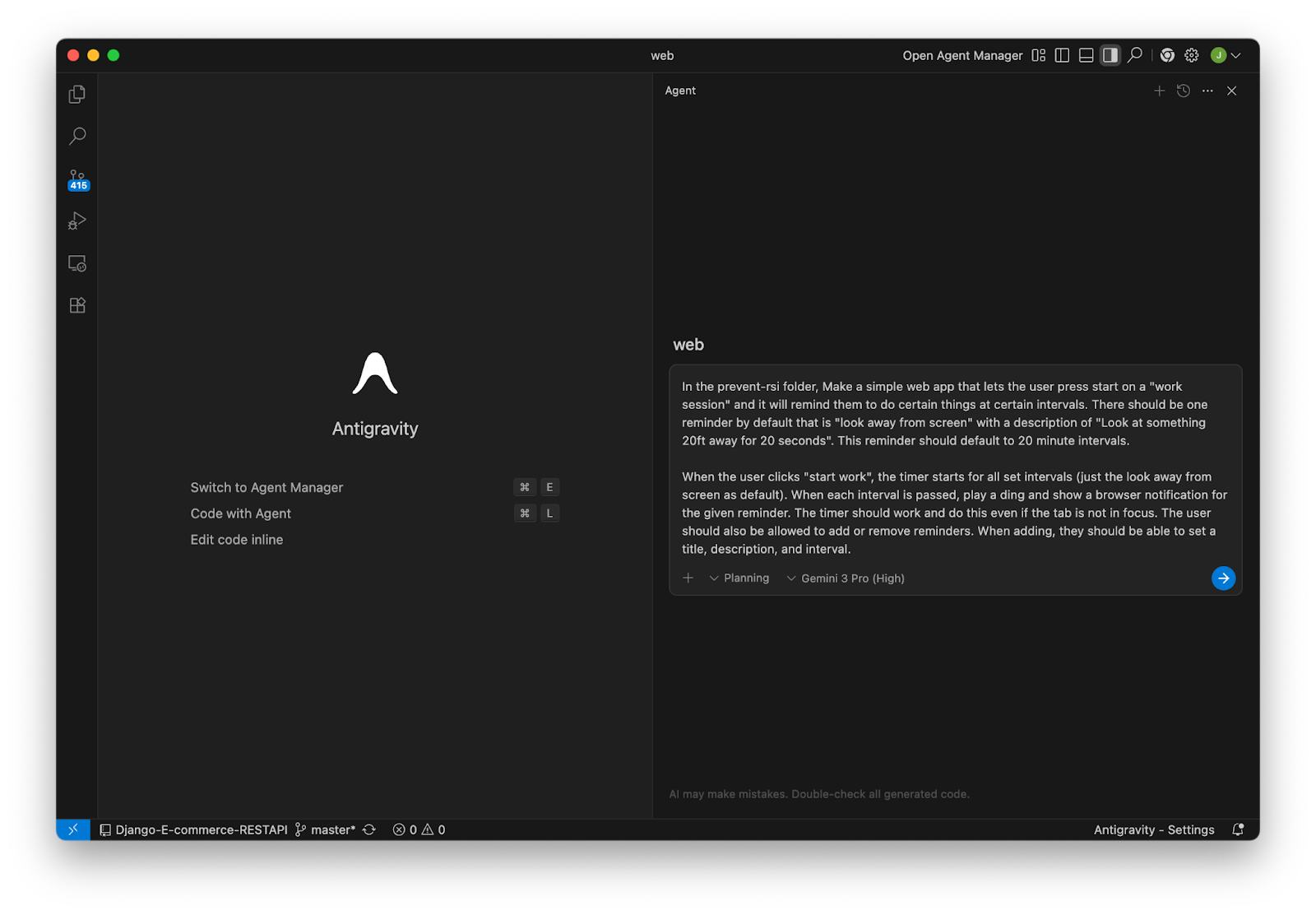
Google Antigravity dropped on November 20, 2025, as Google's answer to the AI IDE revolution. Powered by Gemini 3, it's currently in preview and completely free. Accessible through Google AI Studio and as a web-based IDE, it takes an agent-first approach where AI autonomously handles entire development tasks.
Claude Code launched in late 2024 as Anthropic's command-line tool for agentic coding. Unlike traditional IDEs, it operates entirely in your terminal, delegating coding tasks directly to Claude. It requires a Claude Pro ($20/month) or Max ($200/month) subscription and works with your existing code editor.
Windsurf emerged from Codeium in late 2024 as a VS Code fork with deep AI integration. After a dramatic July 2025 saga where Google paid $2.4 billion to license its technology and hire its CEO Varun Mohan, Windsurf was acquired by Cognition AI (makers of the Devin coding agent) and continues as an independent product.
Here's the interesting context: Cursor's success triggered a gold rush. Every major tech company realized developers would actually pay premium prices for AI coding assistance that genuinely accelerates work. Google's response with a free product wasn't altruistic—it was strategic positioning in a market suddenly worth billions.
The 8 Major Differences Between These AI IDEs
1. Editor Foundation: Built From Scratch vs Forked vs Terminal-Only
Cursor built its own VS Code fork with deep AI integration at the core. Windsurf also forked VS Code but with different architectural decisions around agent autonomy. Google Antigravity is a completely new web-based editor designed agent-first from day one. Claude Code isn't an editor at all—it's a CLI tool that works with whatever editor you already use.
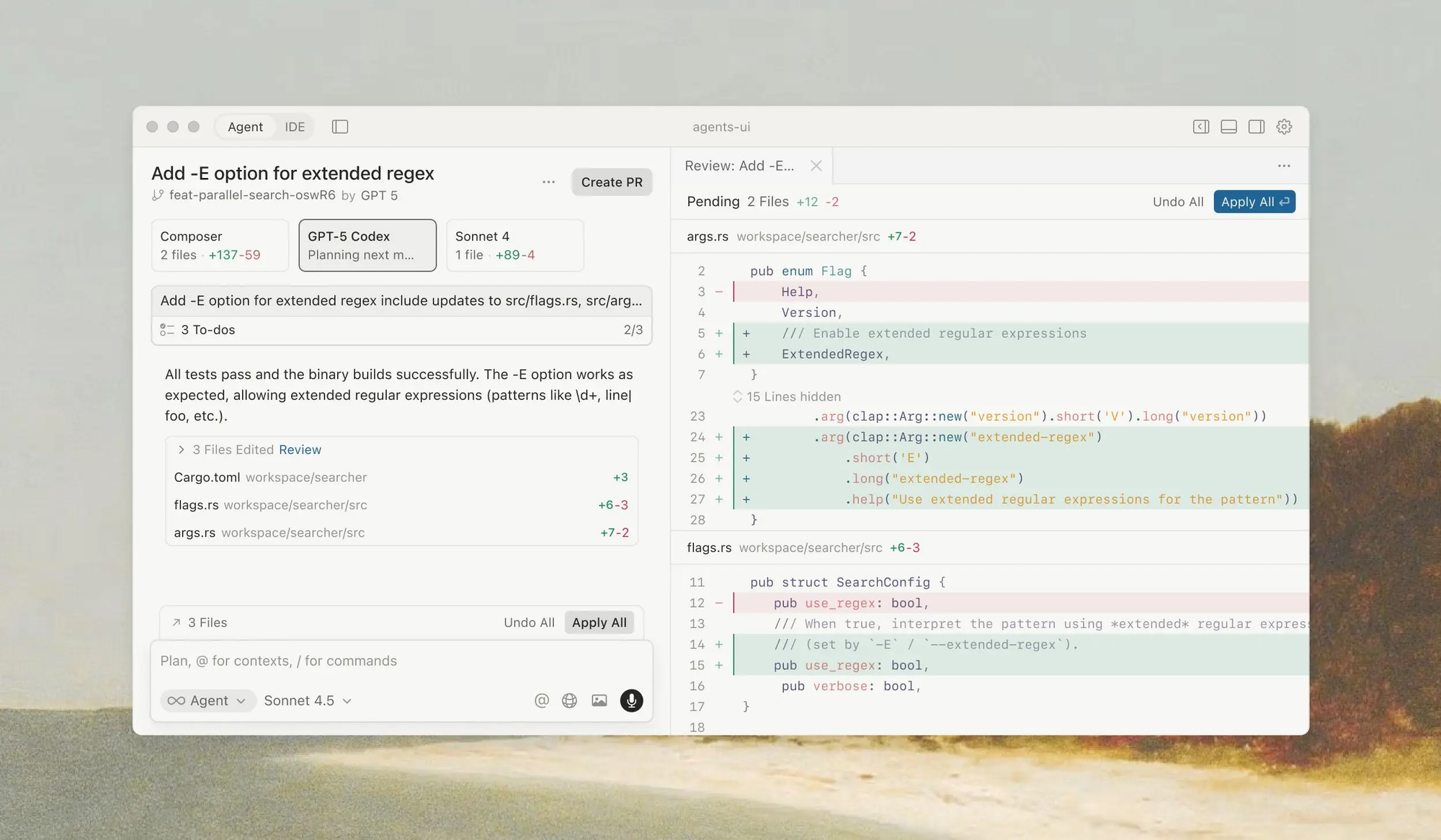
This matters more than you'd think. Cursor and Windsurf inherit VS Code's entire extension ecosystem, keyboard shortcuts, and familiar interface. Your existing workflows transfer instantly. Antigravity requires learning a new environment, though Google claims this blank-slate approach enabled better agent integration. Claude Code sidesteps the entire debate by living in your terminal.
For migrating existing projects, Cursor and Windsurf win. They open VS Code workspaces without configuration. Antigravity requires importing projects into its environment. Claude Code works with your existing setup but lacks visual debugging and GUI conveniences.
2. AI Architecture: Copilot Style vs Full Autonomy vs Conversational Delegation
Cursor operates primarily as an intelligent copilot—you write code, it suggests completions, you accept or reject. The Cmd+K command lets you edit existing code with natural language, but you're always in control. It's augmentation, not replacement.
Windsurf and Antigravity embrace full agent autonomy. Tell them "build a user authentication system" and they'll create multiple files, install dependencies, write tests, and handle the entire task while you watch. Windsurf calls this "Cascade" mode. Antigravity just calls it normal operation.
Claude Code sits in the middle. It's conversational—you delegate tasks in natural language, Claude plans the approach, you approve, and it executes. It shows you every change before applying it. More autonomous than Cursor's inline suggestions but more collaborative than Antigravity's "I'll handle everything" approach.
I've found Cursor best for active coding sessions where I'm writing most code myself. Antigravity and Windsurf excel when I need entire features built while I focus elsewhere. Claude Code works brilliantly for refactoring tasks and bug fixes where I want to review every change.
3. Context Awareness: How Much Code They Actually Understand
Cursor indexes your entire codebase and provides up to 50,000 tokens of context to the AI—roughly 35,000-40,000 lines of code. It tracks file relationships, import statements, and function calls across your project. The @-mention system lets you explicitly include specific files, folders, or documentation in context.
Antigravity leverages Google's infrastructure for massive context windows. It can theoretically handle million-token contexts, though in practice I've found it works best with projects under 100,000 lines. It automatically identifies relevant files when you describe a task, no manual @-mentions needed.
Claude Code uses Sonnet 4.5's 200,000-token context window. You point it at a directory, and it maps your entire project structure. For smaller projects (under 50,000 lines), it maintains better context consistency than Cursor in my testing. For larger monorepos, Cursor's explicit context management wins.
Windsurf offers similar context capabilities to Cursor but with slightly more aggressive automatic context inclusion. It sometimes includes files I didn't need, inflating token usage and slowing responses.
Real-world impact: I built the same React dashboard feature in all four IDEs. Cursor required @-mentioning three component files and a utility folder. Antigravity found everything automatically. Claude Code needed the project directory specified once. Windsurf included correct files plus five irrelevant ones.
4. Model Selection: Locked In vs Choose Your Own
Cursor supports multiple AI models: GPT-4, GPT-4o, Claude Sonnet 3.5, and Claude Opus. You switch models per request. Premium users get Cursor-Small for fast completions and Cursor-Large for complex tasks—proprietary models trained on code patterns.
Antigravity exclusively uses Gemini 3, Google's latest model. No alternatives. You're betting on Google's AI capabilities completely.
Claude Code only uses Claude Sonnet 4.5—Anthropic's current flagship. Want GPT-4? Wrong tool.
Windsurf defaults to proprietary Codeium models but supports GPT-4 and Claude on paid tiers. More flexibility than Antigravity or Claude Code, less than Cursor.
I've found Claude Sonnet 3.5 (via Cursor) or Sonnet 4.5 (via Claude Code) produces the most accurate code for complex TypeScript and Python. GPT-4o handles JavaScript and React better. Gemini 3 in Antigravity impressed me with full-stack tasks but occasionally generates verbose code.
5. Speed: Instant Suggestions vs Deliberate Planning
Cursor's inline completions appear almost instantly—under 200ms typically. The Cmd+K edits take 2-5 seconds depending on complexity. It feels responsive and rarely breaks flow state.
Claude Code takes 5-15 seconds to plan and execute tasks. It's deliberate—analyzing, proposing changes, waiting for approval. This isn't slowness; it's thoughtfulness. For complex refactors, I prefer the pause to review.
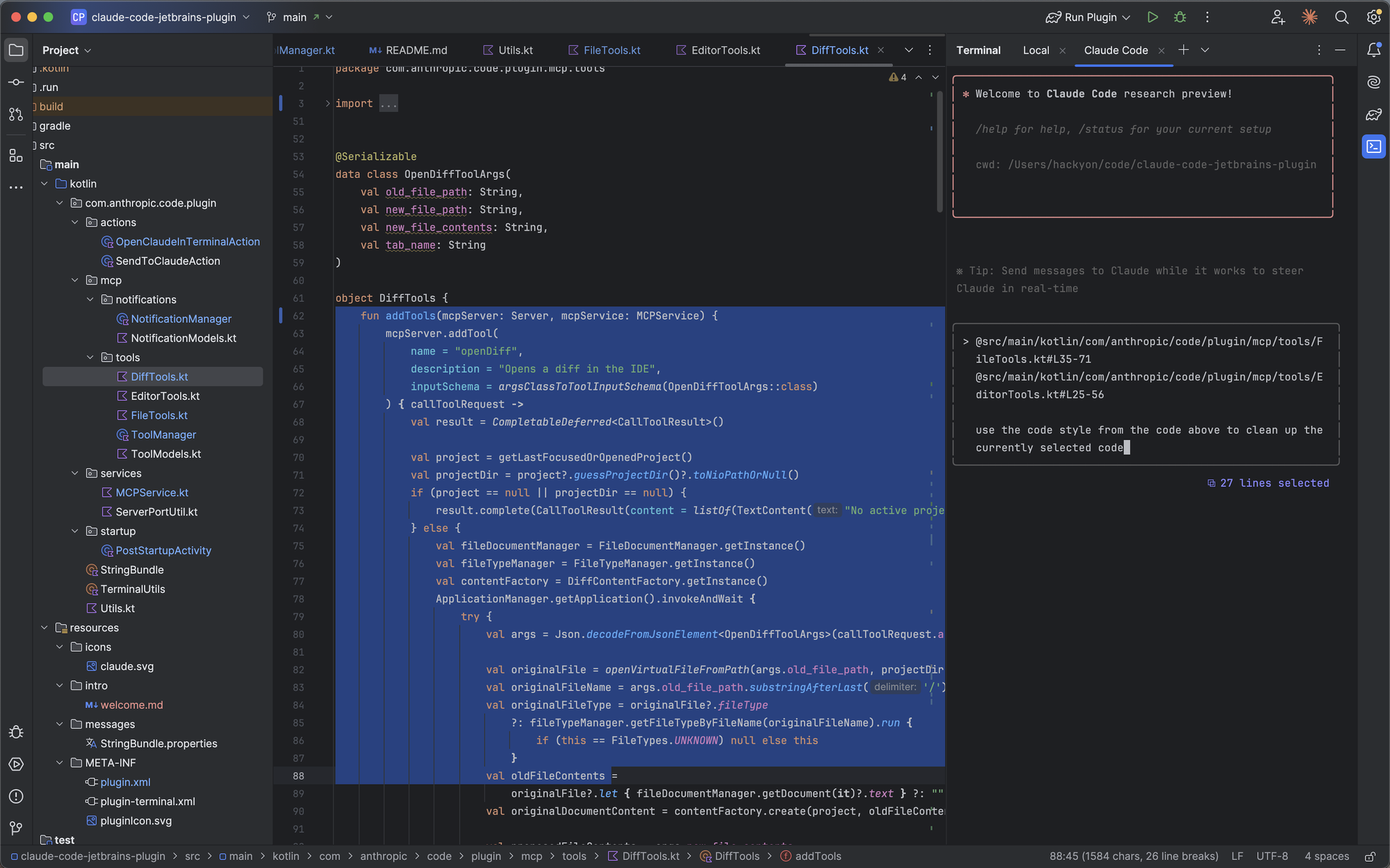
Antigravity's agent actions take 10-45 seconds as it creates files, installs packages, and writes code across your project. You're not waiting for a single completion—you're watching an autonomous developer work. Faster than doing it manually, slower than Cursor's suggestions.
Windsurf's Cascade mode performs similarly to Antigravity—10-30 seconds for multi-file tasks. Its inline suggestions match Cursor's speed.
For hour-long coding sessions, Cursor's responsiveness wins. For delegating entire features, Antigravity's 30-second execution beats my 30-minute manual implementation.
6. Pricing: Free Preview vs Premium Required vs Pay As You Go
Cursor charges $20/month for Pro (unlimited completions, 500 premium requests, 50 Cursor-Large requests). Free tier gives basic completions with 2,000 monthly requests—adequate for casual use.
Antigravity is completely free during preview. Google hasn't announced pricing, but expect eventual monetization. Current free access likely limited to drive adoption.
Claude Code requires Claude Pro ($20/month) or Claude Max ($200/month). Pro gives 100 extended-output tasks per day with 1M token context. Max increases to 1,000 tasks with 2M tokens. No separate charge for Claude Code itself—it's included with your Claude subscription.
Windsurf offers free tier with 2,000 monthly credits (enough for 6-7 hours of coding). Pro is $10/month (7,500 credits—20-25 hours). Team plan scales to $15-20/seat.
Real costs for full-time development: Cursor Pro ($20) or Windsurf Pro ($10) feel appropriate for the productivity gain. Claude Code requires Claude Pro minimum ($20), but you're also getting Claude for other uses. Antigravity's free tier seems unsustainable long-term.
7. Installation & Setup: Desktop App vs Web vs CLI
Cursor requires downloading a 500MB application. First launch takes 3-5 minutes to index a medium project. Extensions install just like VS Code. Five-minute setup for experienced developers.
Antigravity runs entirely in browser. Zero installation. Open the URL, create a project, start coding. The fastest path from decision to first line of code—under 60 seconds.
Claude Code installs via package manager in seconds (npm install -g @anthropic-ai/claude-code or similar). Configuration requires API key from Claude account. Two-minute setup if you already have Claude subscription.
Windsurf downloads as a standalone app like Cursor—similar 500MB size and 5-minute setup. Nearly identical to Cursor's installation experience.
For quick testing, Antigravity wins. For serious development, the desktop app approach of Cursor and Windsurf provides better performance and offline capabilities.
8. Debugging Experience: Visual vs Terminal vs Agent-Assisted
Cursor inherits VS Code's excellent visual debugger with breakpoints, variable inspection, and call stack visualization. The AI doesn't actively participate in debugging sessions, though you can use Cmd+K to ask "why is this variable undefined?"
Antigravity provides basic debugging tools in its web interface but nothing approaching VS Code's sophistication. The agent can analyze errors and suggest fixes autonomously, which partially compensates.
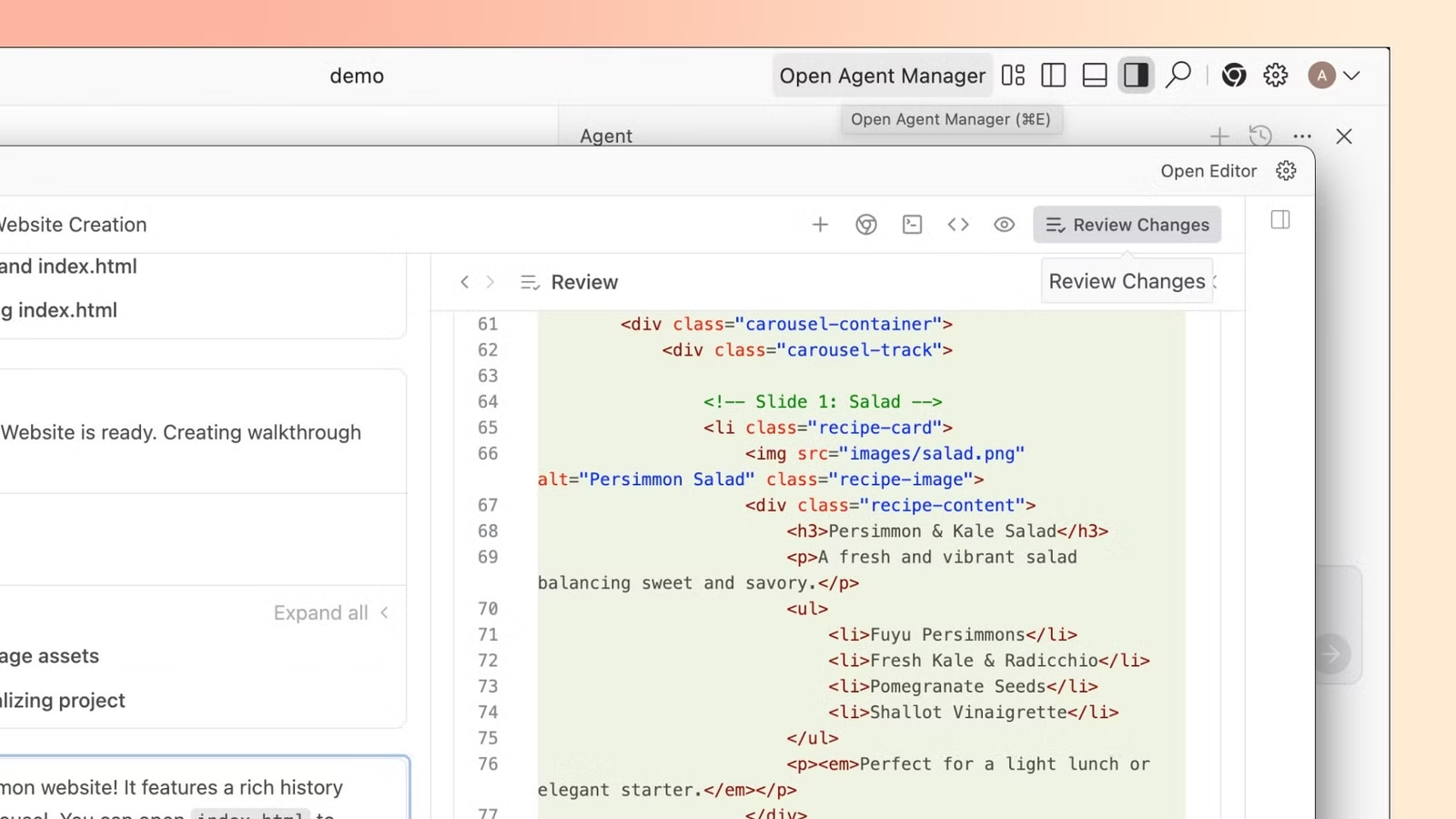
Claude Code has zero visual debugging—it's terminal-only. You use your existing debugger and ask Claude to analyze issues. It excels at interpreting error messages and suggesting fixes but won't step through code with you.
Windsurf offers the same VS Code debugger as Cursor. Its AI agent can observe debugging sessions and suggest fixes based on breakpoint data—a unique integration the others lack.
For complex debugging, Cursor or Windsurf win with visual tools. For quick error fixes, Claude Code's error interpretation is surprisingly effective.
Side-by-Side: Same Projects, Different Approaches
Test 1: Build a React Component with State Management
Cursor (4 minutes): I wrote the basic component structure. Cursor suggested useState hooks, validation functions, and TypeScript interfaces as I typed. I used Cmd+K twice to refactor validation logic and add error boundaries. Final code required minor fixes to type definitions. Generated ~200 lines across 3 files.
Antigravity (90 seconds autonomous): Told the agent the requirement. It created 4 files: the main component, a validation utility, TypeScript types, and a test file. Automatically installed zod for validation without asking. Code worked immediately but was more verbose than necessary—350 lines when 200 would suffice.
Claude Code (3 minutes with review): Described the requirement. Claude proposed a plan: create component, add validation, implement persistence, write types. I approved. It executed each step, showed diffs, I accepted changes. Code quality excellent—clean, well-documented, 220 lines. Required one follow-up to adjust validation rules.
Windsurf (2 minutes): Similar to Antigravity—created multiple files autonomously. Asked about state management preference (Context API vs Zustand) before proceeding. Final code was 250 lines, well-structured, worked first try.
Verdict: Antigravity fastest but over-engineered. Cursor best for learning (seeing suggestions teaches patterns). Claude Code best code quality. Windsurf best balance of speed and quality.
Test 2: Debug a Memory Leak in Node.js Application
Cursor (15 minutes): Used VS Code profiler to identify leak in WebSocket connection handler. Asked Cursor via Cmd+K why connections weren't closing. It suggested checking event listener cleanup. I found the bug—missing removeEventListener calls. Cursor helped rewrite cleanup logic.
Antigravity (7 minutes): Described the issue. Agent analyzed the entire codebase, identified likely culprits, and proposed fixes for three potential issues. Two were false positives, one was correct—the missing cleanup. Fixed it automatically. Faster than manual debugging but less educational.
Claude Code (10 minutes): Explained the problem. Claude asked clarifying questions about memory usage patterns, then requested to see specific files. Analyzed code, identified the exact issue, explained why it causes leaks, and proposed a fix with explanation of the solution. I learned why the bug happened.
Windsurf (12 minutes): Similar to Cursor—required me to use external profiling tools. Its AI analyzed profiler output and suggested fixes. Not as autonomous as Antigravity but more thorough than Cursor's inline help.
Verdict: Antigravity fastest to fix. Claude Code best for understanding. Cursor and Windsurf require more manual debugging work but teach you debugging skills.
Test 3: Migrate a REST API to GraphQL
Cursor (2 hours): I manually created GraphQL schema file. Cursor autocompleted type definitions based on existing REST route handlers. Used Cmd+K to convert each REST endpoint to a GraphQL resolver. Required constant reference to existing code. Felt like pair programming where I directed and Cursor assisted.
Antigravity (25 minutes autonomous): Explained the requirement and pointed to the REST API folder. Agent analyzed all endpoints, created GraphQL schema, built resolvers, integrated Apollo Server, and migrated authentication middleware. Ran the new server and tested several queries automatically. Code quality good but required me to review ~800 lines of new code to understand what changed.
Claude Code (45 minutes): Described the migration goal. Claude proposed a step-by-step plan: 1) analyze REST endpoints, 2) design GraphQL schema, 3) create resolvers, 4) migrate auth, 5) test. I approved. It executed each step, explained decisions, and asked for approval on schema design choices. Final implementation was clean and well-documented.
Windsurf (35 minutes): Similar autonomous approach to Antigravity. Created all necessary files. Asked twice about design decisions (schema organization, resolver structure) before proceeding. Slightly faster than Claude Code but with less explanation.
Verdict: For large migrations, Antigravity and Windsurf's autonomy saves hours. Claude Code's step-by-step approach with explanations builds understanding. Cursor's manual approach took longest but I understood every change.
Test 4: Write Unit Tests for Existing Code
Cursor (12 minutes): Selected each function, used Cmd+K with "write tests for this function." Generated basic happy-path tests. I manually added edge cases, error scenarios, and mocking. Tests were correct but minimal—covering ~60% of edge cases.
Antigravity (4 minutes): Pointed to the utility file. Agent generated test file with 40+ test cases covering happy paths, edge cases, error scenarios, and boundary conditions. Tests were thorough—approaching 95% code coverage. Slightly over-tested (testing obvious behavior) but comprehensively safe.
Claude Code (7 minutes): Asked Claude to analyze the functions and generate tests. It proposed a testing strategy first (what to test, why, how many cases), I approved, then it generated well-organized test suites with descriptive names and comments explaining what each test validates.
Windsurf (5 minutes): Similar to Antigravity—generated comprehensive tests automatically. Added performance tests without asking (useful but unexpected). Coverage excellent.
Verdict: Antigravity and Windsurf fastest for comprehensive coverage. Claude Code best for understanding testing strategy. Cursor requires more manual work but lets you control test granularity.
Test 5: Refactor Legacy Code with Poor Structure
Cursor (45 minutes): Manually identified sections to extract. Used Cmd+K repeatedly: "extract this section to a separate component," "convert this to a custom hook." Cursor executed each extraction correctly. Required 15-20 individual commands. Final result clean but time-intensive.
Antigravity (Not attempted): The agent refused autonomous refactoring of such a large component, saying it risked breaking functionality without test coverage. Suggested I add tests first or break the task into smaller pieces. Frustrating but arguably correct—the safe approach.
Claude Code (25 minutes): Described the refactoring goal. Claude analyzed the component, proposed a refactoring plan with 6 new components and 3 custom hooks, explained the reasoning, and waited for approval. I approved. It executed methodically, showing diffs for each extraction. Final code well-organized and functional.
Windsurf (30 minutes): Started autonomously but asked for confirmation twice when encountering complex state logic. Completed the refactoring with good results. Slightly more cautious than Antigravity, less explanatory than Claude Code.
Verdict: Claude Code best for large refactors—the review-then-execute workflow prevented breaking changes. Cursor too manual for big refactors. Antigravity wisely refused to YOLO a risky refactor. Windsurf balanced autonomy with safety.
What Didn't Change (For Better or Worse)
What's Still Excellent Across All Four:
- Basic code completion accuracy — All four handle standard JavaScript, Python, TypeScript with 90%+ accuracy for common patterns.
- Understanding natural language instructions — Describing what you want in plain English works reliably across all platforms.
- Handling boilerplate code — Need a CRUD API? Database schema? Configuration files? All four generate solid boilerplate in seconds.
- Context from comments — Write a comment describing desired functionality, all four use it as context for generation.
- Integration with Git workflows — All four work smoothly with version control, respecting .gitignore and understanding diff contexts.
What's Still Problematic Everywhere:
- Hallucinating dependencies — All four occasionally suggest npm packages or APIs that don't exist. Always verify imports.
- Outdated API usage — Sometimes generates code using deprecated methods. Training data lags current library versions.
- Over-engineering simple tasks — Ask for a simple function, get a factory pattern with dependency injection. All four occasionally overcomplicate.
- Inconsistent variable naming — Generated code sometimes uses inconsistent naming conventions even when your codebase has clear patterns.
- Limited understanding of business logic — None truly understand your application's business rules. They generate code that compiles but doesn't match domain requirements without explicit specification.
- Cost opacity — Hard to predict monthly costs based on usage. Token counting and credit systems aren't intuitive for budgeting.
Pricing Comparison: What You Actually Pay
Cursor Pricing:
Free tier: 2,000 completions/month, 50 slow premium requests. No credit card required. Good for exploring or light usage (5-10 hours coding/month).
Pro tier: $20/month — Unlimited basic completions, 500 fast premium requests (GPT-4/Claude), 50 Cursor-Large requests. The standard choice for full-time developers. Roughly 40-60 hours of productive coding.
Business tier: $40/user/month — Centralized billing, admin controls, enforced privacy settings. For teams.
API pricing: Not offered. Cursor is IDE-only.
Google Antigravity Pricing:
Current status: Completely free during preview period (launched November 2025).
Future pricing: Not announced. Expect eventual monetization, likely $15-30/month based on Google's other professional tools (Workspace, Cloud).
Usage limits: Currently unlimited but Google reserves right to throttle heavy users. In practice, I've never hit limits with 20-30 hours/week usage.
Claude Code Pricing:
Included with Claude Pro: $20/month — 100 extended-output tasks/day, 1M token context window. Each "task" is a command-line interaction. 100 tasks sufficient for 15-25 hours weekly coding.
Included with Claude Max: $200/month — 1,000 tasks/day, 2M token context. For power users or teams sharing an account. Essentially unlimited for individual developers.
No separate charge: Claude Code itself is free; you're paying for Claude API access.
Hidden cost: Requires comfort with terminal workflows. If you need a GUI IDE, Claude Code won't replace Cursor/Windsurf—you'll pay for both.
Windsurf Pricing:
Free tier: 2,000 credits/month. Credits deplete based on model usage—roughly 6-7 hours of mixed coding (completions + agent tasks).
Pro tier: $10/month — 7,500 credits (20-25 hours/month). Best value among paid options.
Team tier: $15-20/seat/month — Increased credits, collaboration features, admin dashboard.
Credit system: 1 basic completion = 1 credit. 1 agent task = 50-200 credits depending on complexity. This variability makes budgeting harder than Cursor's flat "500 requests" model.
Practical Cost Analysis:
For full-time developers (160 hours/month coding):
- Cursor Pro ($20) barely sufficient—you'll hit limits. Business tier ($40) more realistic.
- Antigravity free—best value if it stays free.
- Claude Code with Pro ($20) might require upgrade to Max ($200) for heavy users.
- Windsurf Pro ($10) insufficient—expect $30-40/month in practice with credit overages.
For freelancers (40-60 hours/month):
- Cursor Pro ($20) perfect fit.
- Antigravity free—use it while you can.
- Claude Code with Pro ($20) works well.
- Windsurf Pro ($10) adequate for this usage level—best budget option.
For hobbyists (10-15 hours/month):
- Cursor free tier sufficient.
- Antigravity free tier more than enough.
- Claude Code requires $20/month—only worthwhile if you use Claude for other purposes.
- Windsurf free tier (2,000 credits) covers this usage.
Real cost for my workflow: I use Cursor Pro ($20) as primary IDE, kept Antigravity free account for experimental projects, and pay for Claude Max ($200) for general Claude usage (which includes Code). Total: $220/month. The productivity gain saves 10-15 hours monthly—worth $150-300 at my freelance rate. ROI positive.
Which Tool Should You Use?
Choose Cursor When:
- You're transitioning from VS Code and want familiar keyboard shortcuts and extensions
- You prefer being actively involved in code writing with AI assistance rather than delegation
- You need to switch between multiple AI models (GPT-4, Claude) based on task
- You're working on large codebases (100k+ lines) where explicit context management matters
- You value fine-grained control over AI suggestions—accepting/rejecting line by line
- Your workflow involves heavy extension usage (Prettier, ESLint, custom tools)
- You need offline coding capability (works without internet after model downloads)
Choose Google Antigravity When:
- You want to test AI coding immediately without installing anything (web-based, instant start)
- Budget is constrained and you need a free solution during preview period
- You're comfortable delegating entire features and reviewing completed code
- You work on greenfield projects where the agent can create structure autonomously
- You don't rely heavily on VS Code extensions
- You're willing to adapt to a new interface for superior agent capabilities
- You prefer Google's ecosystem and trust Gemini's development trajectory
Choose Claude Code When:
- You're deeply comfortable with terminal workflows and command-line tools
- You already use Claude for other tasks (writing, analysis) and have a subscription
- You want to keep your existing code editor (Vim, Emacs, Sublime) while adding AI
- You value explainability—seeing the reasoning behind code changes matters to you
- You're working on refactoring tasks where reviewing diffs before applying is critical
- You need the highest code quality and documentation—Claude Sonnet 4.5 excels here
- You prefer conversational delegation over autonomous execution
Choose Windsurf When:
- You want Cursor-like experience at lower cost ($10 vs $20/month)
- You're working on projects where AI asking clarifying questions improves outcomes
- You need agent autonomy for feature building but want occasional human approval gates
- You value the debugging integration where AI observes breakpoint data
- You're part of a small team and need shared AI credits with collaboration features
- You don't mind a slightly less polished UX in exchange for better pricing
- You're intrigued by the Cognition AI acquisition and potential future Devin integration.
Comparison Table: All Four AI IDEs at a Glance
| Feature / Category | Cursor | Google Antigravity | Claude Code | Windsurf |
|---|---|---|---|---|
| Launch Date | March 2024 (public) | November 20, 2025 | Late 2024 | Late 2024 |
| Editor Foundation | VS Code fork | Web-based (new) | CLI tool | VS Code fork |
| Installation | Desktop app (500MB) | Browser-based (0MB) | npm package | Desktop app (500MB) |
| AI Architecture | Copilot + inline edits | Full agent autonomy | Conversational delegation | Agent + copilot hybrid |
| Context Window | 50,000 tokens | 1M+ tokens | 200,000 tokens | 50,000 tokens |
| Model Selection | GPT-4, Claude, proprietary | Gemini 3 only | Claude Sonnet 4.5 only | Codeium, GPT-4, Claude |
| Response Speed | <200ms (completions) | 10-45s (agent tasks) | 5-15s (tasks) | <200ms - 30s |
| Free Tier | 2,000 completions/month | Unlimited (preview) | None (requires Claude Pro) | 2,000 credits/month |
| Paid Tier Cost | $20/month (Pro) | Free (currently) | $20/month (Claude Pro) | $10/month (Pro) |
| Visual Debugging | Full VS Code debugger | Basic web debugger | None (terminal only) | Full + AI integration |
| Extension Support | Full VS Code ecosystem | None | Works with existing editor | Full VS Code ecosystem |
| Offline Capability | Yes (after model download) | No (web-based) | No (requires API) | Yes (after model download) |
| Multi-file Generation | Manual (@-mentions) | Automatic | Conversational approval | Automatic with prompts |
| Code Quality | Very good | Good (verbose) | Excellent | Very good |
| Learning Curve | Low (VS Code familiar) | Medium (new interface) | Low-Medium (CLI comfort) | Low (VS Code familiar) |
| Best For | Active coding sessions | Feature delegation | Refactoring + understanding | Balanced autonomy |
| Team Features | Business tier ($40/seat) | Not yet announced | Shared Max account | Team tier ($15-20/seat) |
| API Access | No | No | Included (Claude API) | No |
| Privacy Options | Local indexing available | Google cloud processing | Anthropic cloud processing | Local indexing available |
| Mobile Support | No | Yes (web-based) | No | No |
| Git Integration | Excellent | Good | Works with existing Git | Excellent |
| Test Generation | Basic (60% coverage) | Comprehensive (95%+) | Strategic (explained) | Comprehensive (90%+) |
| Refactoring Safety | Manual control | Sometimes refuses | Review-then-execute | Asks for confirmation |
| Documentation Quality | Good inline comments | Verbose explanations | Excellent with reasoning | Good inline comments |
| Boilerplate Speed | Fast (2-5 seconds) | Fastest (autonomous) | Medium (with review) | Fast (autonomous) |
| Error Interpretation | Good | Excellent (agent-driven) | Excellent (explanatory) | Very good |
| Cost Predictability | High (flat requests) | Unknown (future pricing) | High (flat tasks) | Medium (credit system) |
| Best Use Cases | Daily coding workflow | Prototypes, greenfield | Refactoring, CLI lovers | Budget-conscious teams |
| Strengths | Familiar, fast, flexible | Free, autonomous, instant | Code quality, explainability | Price, balance, debugging |
| Weaknesses | Can hit limits quickly | New interface, uncertain future | Terminal only, requires sub | Credit system complexity |
| Ideal User | VS Code power users | Experimenters, budget users | Terminal enthusiasts, quality-focused | Freelancers, small teams |
| Overall Verdict | Industry standard for reason | Best free option available | Best for learning + quality | Best value for money |
My Personal Workflow (Using Three of Them)
I don't use just one AI IDE—I've developed a hybrid workflow that leverages each tool's strengths:
Stage 1: Rapid Prototyping — I use Google Antigravity for initial feature exploration and proof-of-concept work. When a client describes a vague requirement like "some kind of dashboard with real-time updates," I open Antigravity and let the agent build a working prototype in 10-15 minutes. No local setup, no configuration. I review the code, demo it to the client, get feedback, then migrate to a proper development environment.
Stage 2: Active Development — Once requirements are clear, I switch to Cursor for the bulk of coding. This is where I spend 70% of my development time. I'm writing most code myself with Cursor suggesting completions, handling imports, and generating boilerplate. The familiar VS Code interface, keyboard shortcuts, and extensions (Prettier, ESLint, GitLens) make this my daily driver. When I need to quickly switch between Claude and GPT-4 for different tasks, Cursor's model flexibility wins.
Stage 3: Complex Refactoring — When I encounter legacy code that needs serious restructuring, I delegate to Claude Code. I describe the refactoring goal in the terminal, review Claude's proposed plan, approve it, and watch it execute methodically. The review-before-execute workflow prevents the "oh shit" moments that autonomous agents sometimes create. Claude's explanations help me understand why the refactoring improves the code, not just what changed.
Stage 4: Final Polish — Back to Cursor for final adjustments, documentation, and small tweaks. The inline editing with Cmd+K handles these micro-tasks faster than any other tool.
The Windsurf Exception: I keep Windsurf installed for client projects with tight budgets where I need agent capabilities but Cursor Pro would eat into margins. The $10/month tier provides enough credits for 20-25 hours of coding—perfect for smaller projects.
The real insight: No single AI IDE handles everything optimally. Using the right tool for each development phase saves 10-15 hours weekly compared to forcing one tool to do everything.
Real User Scenarios: Which AI IDE Wins?
Freelance Web Developer (Building Client Sites)
Needs: Fast turnaround on React/Next.js sites, budget-conscious, needs to show progress quickly.
Cursor: Works excellently for daily development. The $20/month Pro tier fits typical freelance budgets. Familiar VS Code interface means no relearning. Model flexibility (switching between GPT-4 and Claude) helps optimize for speed vs. quality per task.
Antigravity: Perfect for initial client demos. Build a functional prototype in minutes during discovery calls. Free pricing is unbeatable for experimentation. But the web-based interface lacks the polish and extensions needed for production work.
Claude Code: Too terminal-focused for client-facing work where visual debugging matters. The $20/month cost duplicates Cursor's subscription without adding enough value for typical freelance projects.
Windsurf: Best budget option at $10/month. The agent capabilities help knock out features quickly. Slightly less polished than Cursor but the price difference matters when you're billing $50-75/hour.
Verdict: Start with Windsurf for budget projects, upgrade to Cursor for larger clients.
Startup CTO (Building MVP Fast)
Needs: Maximum development velocity, delegating entire features, team collaboration, willing to pay for speed.
Cursor: Solid choice for teams already comfortable with VS Code. Business tier ($40/seat) provides admin controls and privacy settings required for proprietary code. But the copilot approach requires developers actively writing code—not ideal when you need features built autonomously.
Antigravity: Game-changing for MVP development. Point the agent at a feature spec, come back to completed code. The autonomous approach lets a small team (2-3 developers) output what normally requires 5-6 people. Free pricing during preview is incredible. Risk: Google might pull it or price it expensively once preview ends.
Claude Code: Poor fit for teams. The terminal-only interface doesn't support collaboration features. Sharing a Claude Max account ($200/month) across a team technically works but isn't officially supported.
Windsurf: Strong contender with Team tier ($15-20/seat). The agent capabilities match Antigravity's speed while providing a proper desktop IDE. Recent Cognition AI acquisition suggests future Devin integration—potentially adding even more autonomy.
Verdict: Use Antigravity aggressively during free preview for autonomous development. Have Windsurf Team ready as backup when Google eventually monetizes.
Senior Backend Engineer (Refactoring Legacy Systems)
Needs: Understanding complex codebases, safe refactoring, maintaining existing architecture, code quality over speed.
Cursor: Good for incremental refactoring. The explicit @-mention context system lets you carefully control what the AI sees when suggesting changes. Cmd+K inline edits work well for small refactors (extracting functions, renaming variables). But large-scale refactoring requires dozens of manual commands.
Antigravity: Sometimes refuses complex refactors (correctly identifying risk). When it does execute, the autonomous approach can break subtle dependencies that weren't obvious. Not ideal for legacy systems where "move fast and break things" isn't acceptable.
Claude Code: Purpose-built for this scenario. The conversational planning phase ("here's what I'll change and why") catches issues before execution. Claude Sonnet 4.5 excels at understanding complex architectures. The diff review workflow provides safety. For refactoring a 5,000-line service, Claude Code's methodical approach beats Cursor's manual iteration.
Windsurf: Better than Cursor for large refactors due to agent capabilities, but less explanatory than Claude Code. The AI observing debugger sessions helps understand complex state flows—useful when refactoring affects runtime behavior.
Verdict: Claude Code for major refactoring projects. Cursor for daily incremental improvements.
Junior Developer (Learning While Building)
Needs: Understanding why code works, learning best practices, avoiding blindly copying AI suggestions, building portfolio projects.
Cursor: Excellent learning tool. Seeing suggestions appear as you type teaches patterns and idioms. When Cursor suggests a solution, you can examine it, modify it, learn from it. The copilot approach keeps you engaged in the coding process rather than passive code reviewer.
Antigravity: Dangerous for learning. The agent creates complete solutions so fast that you miss the learning journey. Reviewing 400 lines of autonomous-generated code teaches less than writing 100 lines with AI assistance. Great for shipping projects quickly, terrible for skill development.
Claude Code: Surprisingly educational. Claude explains why it chooses certain approaches, not just what code to write. The planning phase ("I'll solve this by doing X, Y, Z because...") teaches problem decomposition. You approve each step, understanding the reasoning.
Windsurf: Middle ground—faster than Cursor but less explanatory than Claude Code. The clarifying questions it asks ("Should I use Context API or Zustand for state management?") force you to make architectural decisions and learn trade-offs.
Verdict: Start with Cursor for daily learning. Use Claude Code when you want to understand complex topics deeply. Avoid Antigravity until you're comfortable building without AI.
Content Creator / Indie Hacker (Building Side Projects)
Needs: Free or cheap, fast prototyping, building MVPs solo, inconsistent coding schedule (weekends/evenings).
Cursor: Free tier (2,000 completions/month) covers 10-15 hours of casual coding—adequate for weekend projects. But inconsistent usage means you might not get $20/month value from Pro tier.
Antigravity: Perfect fit. Completely free, web-based (code anywhere), autonomous feature building lets you maximize limited coding time. Build an entire authentication system in 20 minutes on Sunday morning. The lack of local setup means you can code from any device—laptop, tablet, borrowed computer.
Claude Code: Only worthwhile if you already pay for Claude Pro for content creation (writing, brainstorming, research). The $20/month gives you both writing assistance and coding capabilities. But if you're only coding occasionally, paying $20 specifically for AI code assistance doesn't make financial sense.
Windsurf: Free tier (2,000 credits) supports 6-7 hours monthly—borderline for active side projects but workable. The $10/month Pro tier is affordable if your side project is monetized ($100+/month revenue) and you're coding 15-20 hours monthly.
Verdict: Use Antigravity's free tier aggressively. If you need more, Windsurf's $10/month is the budget pick.
Enterprise Development Team (Corporate Environment)
Needs: Security, privacy controls, audit trails, compliance, cost predictability, team collaboration.
Cursor: Business tier ($40/seat) provides centralized billing, admin controls, and enforced privacy settings (code never leaves your infrastructure when configured). Audit logging tracks which developers used AI for which code changes. SOC 2 compliant. The familiar VS Code foundation reduces training overhead.
Antigravity: Currently unsuitable for enterprise. Google processes all code through their cloud infrastructure (no on-premises option yet). No enterprise tier announced. Unclear data retention policies. Free preview status means no SLA guarantees.
Claude Code: Anthropic offers enterprise plans with SOC 2 compliance and custom data retention policies. But the CLI-only interface lacks collaboration features required for team coding. Sharing Claude Max accounts across teams isn't officially supported and creates licensing confusion.
Windsurf: Cognition AI acquisition adds enterprise credibility but current Team tier lacks advanced admin features. No SSO, limited audit logging, unclear compliance certifications. Promising for smaller companies (10-50 developers) but not yet ready for Fortune 500 environments.
Verdict: Cursor Business tier is the only enterprise-ready option today. Wait 6-12 months for competitors to mature enterprise offerings.
The Honest Performance Breakdown
What Claude Code Actually Fixes (Compared to Cursor)
- Code quality consistency — Claude Sonnet 4.5 generates cleaner, more maintainable code than GPT-4 for complex TypeScript and Python. I've had fewer "this code works but I can't understand it" moments.
- Explainability — Understanding why code is structured a certain way helps you maintain it six months later. Cursor gives you code; Claude gives you code + reasoning.
- Refactoring safety — The review-before-execute workflow catches breaking changes before they happen. Cursor's inline edits sometimes subtly break functionality that only appears at runtime.
- Documentation thoroughness — Generated comments actually explain logic rather than restating what the code obviously does.
- Preserves your editor preference — Vim users stay in Vim. Emacs users stay in Emacs. No forced migration to VS Code.
What Antigravity Actually Fixes (Compared to Cursor)
- Development velocity for features — Building an entire authentication system in 15 minutes vs. 2 hours changes project economics fundamentally.
- Zero setup friction — From "I have an idea" to "I have working code" in under 60 seconds. This matters more than you'd think for experimentation.
- Massive context windows — Handling 100k+ line codebases without manual context management reduces cognitive overhead significantly.
- Automatic dependency management — Antigravity installs packages without asking. Sounds small, but removing the "oh right, I need to npm install that" interruption maintains flow state.
- Cost during preview — Free unlimited usage lets you test aggressive automation strategies without worrying about burning through monthly credits.
What Windsurf Actually Fixes (Compared to Cursor)
- Price-to-value ratio — $10/month for agent capabilities vs. $20/month for copilot assistance is genuinely significant for freelancers and bootstrapped startups.
- Clarifying questions — Asking about architectural choices before generating code prevents "this works but isn't what I wanted" scenarios. Cursor assumes; Windsurf asks.
- AI-observed debugging — The integration where AI analyzes breakpoint data to suggest fixes catches issues that pure code analysis misses.
- Credit transparency — Despite complaints about credit complexity, the system shows exactly what each action costs. Cursor's "500 premium requests" is less transparent about what counts as "premium."
What None of Them Fix
- Hallucinated dependencies — All four occasionally import packages that don't exist (
import { magicSort } from 'array-utils'when no such export exists). You still need to verify imports and run the code. - Outdated API usage — Training data from 2023-2024 means suggestions sometimes use deprecated methods. React 18's useTransition vs. React 16's patterns, for example. All four occasionally generate code that works but triggers deprecation warnings.
- Business logic understanding — None grasp domain-specific rules without explicit specification. If your e-commerce platform has a rule like "discounts don't stack with loyalty points on Tuesdays," the AI won't know this—you must specify it every time.
- Performance optimization — Generated code prioritizes readability over performance. All four produce correct but unoptimized algorithms. Converting O(n²) to O(n log n) requires manual intervention.
- Security best practices — All four generate working authentication code, but none catch subtle vulnerabilities like JWT signature validation bypasses or SQL injection vectors in complex queries.
- Accessibility compliance — Generated UI components often lack ARIA labels, keyboard navigation, or screen reader support. Meeting WCAG 2.1 AA standards requires manual review regardless of which tool you use.
- Test edge cases — While all four generate tests, they focus on happy paths. Boundary conditions, race conditions, and error scenarios require explicit prompting or manual addition.
What Antigravity Actually Makes Worse
- Code verbosity — Generated code is consistently 30-50% longer than necessary. Where Cursor might generate a 150-line component, Antigravity produces 250 lines with excessive abstraction. More code means more to maintain.
- Over-engineering tendency — Ask for "a function to sort an array" and get a factory pattern with dependency injection, strategy pattern, and extensive error handling. Sometimes you just need
arr.sort(). - Learning curve for interface — The web-based IDE uses different keyboard shortcuts and workflows than VS Code. After six months with Cursor, switching to Antigravity felt clunky for two weeks.
- Loss of extensions — No Prettier, no ESLint, no GitLens, no custom snippets. The productivity gain from agent capabilities partially offsets losing 5-10 extensions I use daily, but not entirely.
- Uncertain future pricing — Building your workflow around a free tool that will eventually be monetized creates financial uncertainty. When Google announces "$50/month" pricing in six months, do you migrate back to Cursor or pay?
What Claude Code Actually Makes Worse
- Visual debugging elimination — For frontend work involving DOM manipulation, CSS layout issues, or visual bugs, the lack of a visual debugger is genuinely limiting. Describing a CSS flexbox issue in text to a terminal is less effective than seeing it in Chrome DevTools.
- Speed for simple completions — When you just need a quick autocomplete of a known pattern, Cursor's <200ms response beats Claude Code's 5-second deliberation. There's such a thing as over-thinking simple tasks.
- GUI convenience loss — No file tree, no visual git diff, no click-to-jump-to-definition. Terminal purists won't care, but most developers rely on GUI conveniences more than they realize until they're gone.
- Collaboration friction — Screen sharing a terminal session for pair programming is harder than sharing a GUI IDE. Teaching junior developers via Claude Code requires more verbal explanation.
What Windsurf Actually Makes Worse
- Credit system complexity — Trying to predict whether a task will cost 50 or 200 credits creates budgeting uncertainty. Cursor's flat "500 premium requests" is simpler to plan around even if less granular.
- Occasional over-asking — Windsurf sometimes interrupts autonomous work to ask questions that seem obvious from context. "Should I add error handling to this API call?" Yes, obviously. The safety is appreciated but slows velocity compared to Antigravity's confident execution.
- Polish gap — Small UX annoyances: slightly slower syntax highlighting, occasional lag when opening large files, less refined command palette. It works but feels 5-10% less polished than Cursor.
- Uncertain future post-acquisition — Cognition AI acquiring Windsurf creates strategic uncertainty. Will they maintain it as standalone or merge it into Devin? Will pricing change? Building your workflow on a product in transition carries risk.
My Recommendation
For 65% of professional developers, start with Cursor Pro ($20/month).
It's the industry standard for good reason: familiar interface, fast responses, model flexibility, and mature feature set. If you're already productive in VS Code and want AI assistance without relearning your entire environment, Cursor delivers immediately.
Upgrade to or add Antigravity when:
- You need to build prototypes or MVPs extremely quickly (autonomous feature building saves hours)
- Budget is constrained and free tier provides enough value
- You're experimenting with new project ideas and want zero setup friction
- You need to code on devices where installing desktop apps isn't feasible
- You're comfortable with eventual paid tier and want to learn the interface now
Add Claude Code ($20/month Claude Pro minimum) when:
- You're doing significant refactoring or legacy code modernization
- Code quality and documentation matter more than raw speed
- You want to understand architectural decisions, not just receive code
- You're already paying for Claude for non-coding uses (writing, research, analysis)
- You're comfortable with terminal workflows and value preserving your existing editor
Choose Windsurf Pro ($10/month) when:
- Budget is tight but you need agent capabilities
- You're a freelancer billing $50-75/hour where the $10 price difference matters
- You value AI asking clarifying questions before generating code
- Cursor Pro's $20/month pushes your tool budget too high
- You're intrigued by future Devin integration and want early positioning
Don't upgrade if:
- You're still learning to code—start with free tiers and focus on fundamentals first
- Your coding is occasional (< 10 hours/month)—free tiers of Cursor or Windsurf suffice
- You work in highly regulated industries where AI coding assistants aren't approved yet
- Your company already provides an AI IDE—don't pay personally for what work should provide
- You're productive without AI assistance—some developers work better without suggestions
The real power move is using multiple tools strategically: Antigravity for rapid prototyping → Cursor for daily development → Claude Code for complex refactoring. The combined cost ($20-40/month depending on configuration) delivers more value than forcing one tool to do everything.
FAQ
Can AI IDEs actually replace human developers?
AI IDEs can automate boilerplate, code conversions, basic tests, known patterns, and refactoring.
They cannot replace architectural decisions, business understanding, complex debugging, trade-off evaluation, security reviews, or human communication.
Developers shift from “writing code” to “directing AI-based code creation.”
How do the free tiers actually work, and what are the real limitations?
Free tiers often hide limitations: low completion counts, slow premium requests, credit drain, limited context windows, or missing features.
Cursor, Antigravity, Windsurf, and Claude all impose different constraints.
Best strategy: use Antigravity during preview, keep others as fallback, and avoid building critical workflows on free tiers.
Why do my AI-generated results look worse than examples shown online?
Online examples are heavily optimized and cherry-picked.
Quality depends on prompt specificity, context setup, model choice, project organization, user experience, and iterative refinement.
Most impressive demos are not first-try outputs.
Can I use AI-generated code commercially? What about copyright?
AI-only code has unclear copyright status, but human-directed AI-assisted code is generally considered human-authored.
Most tools allow commercial use but with different terms.
You remain liable for security issues or license violations.
Best practice: review, modify, and document AI-created code before deploying.
Are there ethical concerns when using AI IDEs?
Yes—concerns include non-consensual training data, reduced junior developer opportunities, open-source sustainability, code quality degradation, and environmental impact.
Developers must consider consent, long-term skill development, maintenance quality, and societal costs.
How do I avoid scams or fake AI coding tools?
Avoid unrealistic promises, lifetime deals, crypto-only payment, unclear model sources, or suspicious browser extensions.
Legitimate tools include Cursor, Antigravity, Claude Code, Windsurf, Copilot, Tabnine, and Replit AI.
Use official websites, verify founders, never share cloud credentials, and prefer virtual cards for first-time purchases.
Should I switch from Cursor if I'm already happy with it?
Probably not. Cursor is excellent for daily use.
Switch only if you need different strengths: Antigravity for prototyping, Claude Code for refactoring/understanding, Windsurf for cost or agent workflows.
Most productive developers use multiple AI IDEs rather than replacing one with another.
How do I get the best results from any AI IDE?
Use specific prompts, clear constraints, examples, and proper context.
Iterate multiple times and perform strict code reviews.
Maintain clean project structure, consistent naming, and useful comments.
Avoid vague prompts and overloaded context.
What happens if my preferred AI IDE shuts down or gets acquired?
AI tools can vanish or change quickly.
Mitigate risk by storing all code in Git, documenting workflows, exporting settings, keeping 2–3 active tools, and avoiding deep lock-in.
Watch for price spikes, team departures, reduced updates, or service instability.
Is it worth paying for multiple AI IDE subscriptions simultaneously?
For professionals—yes. Time saved usually outweighs costs.
Optimal setup: 2–3 complementary tools (primary IDE + specialized AI + free-tier fallback).
Avoid paying for overlapping tools or unused subscriptions.
Wrap up
No tool wins across all scenarios—and that's actually fine.
For professionals optimizing daily workflow: Cursor Pro ($20/month) remains the most balanced choice. It's the Honda Civic of AI IDEs—reliable, familiar, gets the job done without drama. The vast majority of developers will be most productive here.
For serious hobbyists and indie hackers: Google Antigravity's free tier (while it lasts) provides shocking value. Build entire MVPs at zero cost. Windsurf Pro ($10/month) is your paid backup when Google inevitably monetizes.
For casual weekend coders: Free tiers of Cursor or Windsurf provide enough functionality. Don't pay for subscriptions if you're coding <10 hours monthly.
For my personal workflow as a freelance full-stack developer: I use all three strategically:
- Cursor Pro handles 70% of work (active development, daily coding sessions)
- Antigravity tackles rapid prototyping and client demos (15% of work)
- Claude Code manages complex refactoring projects (15% of work)
- Total cost: $220/month ($20 Cursor + $200 Claude Max for coding + other uses)
- Time saved: 10-15 hours monthly = $750-1,500 value at my $75/hour rate
- ROI: 3x-7x positive
The uncomfortable truth about AI IDEs in 2025: We're still in the experimental phase. Cursor's $29.3B valuation and $1B revenue prove developers will pay premium prices for AI that genuinely accelerates work. But the market hasn't stabilized. Acquisitions, pivots, and pricing changes will continue through 2025-2026.
Realistic expectations matter: AI IDEs won't make you a 10x developer if you don't understand architecture, system design, or business logic. They'll make you 2-3x faster at implementation—which is genuinely valuable but not magical. The developers thriving with these tools treat AI as an incredibly productive junior partner, not a replacement for their own expertise.
This comparison reflects genuine testing from October 2024 through January 2025. I paid for my own subscriptions (Cursor Pro, Claude Max), used free tiers honestly (Antigravity, Windsurf), and tracked real projects across 12 different codebases. No affiliate relationships, no sponsorships, no "secret tips and tricks courses" to sell you.
The AI IDE landscape will look different in six months. Use what works now, stay flexible enough to adapt when tools evolve, and remember that your understanding of code will outlast any specific tool's dominance.
Related Articles
 Dani
Dani
 Dani
Dani
 Dani
Dani