After spending the last two months living inside every major AI app on the App Store—and plenty of hidden gems Apple would rather you didn't know about—I can say with certainty that we've crossed a threshold. This isn't about ChatGPT dominating headlines anymore. It's about specialized AI tools that solve real problems, often better than their desktop counterparts.
What surprised me most? Apple quietly avoided naming ChatGPT or Gemini as "App of the Year" despite their massive user bases. Instead, they chose Tiimo, a neurodivergent-friendly AI planner, and Detail, an AI video editor that automates hours of work. This signals something important: 2026 will be about AI that serves specific needs, not general-purpose chatbots that do everything poorly.
The apps that impressed me weren't the ones with the most aggressive marketing. They were the ones that understood iPhone's unique strengths—the Neural Engine, Live Activities, Apple Pencil integration, on-device processing. The ones that felt native, not like web wrappers with an iOS badge.
Here's what genuinely matters: battery efficiency (AI destroys battery life if done wrong), offline capability (most AI apps are useless without WiFi), privacy (many apps train on your data without disclosure), and iOS integration (Shortcuts, widgets, Siri—the basics too many ignore).
This guide focuses on apps that actually work in 2026, not aspirational promises. Every app listed has been tested extensively on real workflows. No affiliate fluff, no PR spin—just what works.
The State of AI on iPhone: What Changed in Late 2025
Apple Intelligence Finally Delivered (Mostly)
After a rocky beta period, Apple Intelligence became genuinely useful with iOS 18.2. The Writing Tools now work across all apps, notification summaries improved dramatically, and Siri's ChatGPT integration means you don't need to leave the OS for complex queries. It's not perfect—some notification summaries still hallucinate—but it's the foundation everything else builds on.
The Death of the Chatbot Era
ChatGPT's dominance is fading. Not because it's bad, but because specialized AI tools do specific jobs better. Grammarly beats ChatGPT for writing polish. Perplexity destroys it for research. Tiimo crushes it for planning. The era of "one AI to rule them all" is ending.
Privacy Became a Premium Feature
Apps that process data on-device—like Apple Intelligence and Pixelmator Pro—now command premium positioning. Users are waking up to the reality that free AI often means your conversations train the next model. Expect more apps to charge for privacy in 2026.
The iPad Video Revolution
Apple's App Store Awards gave iPad App of the Year to Detail, not a game. Video editing is where AI makes the most dramatic impact—auto-editing 30-minute podcasts, generating captions, removing silences. Final Cut Pro for iPad, DaVinci Resolve, and Detail are turning iPads into legitimate video studios.
Quick Navigation: Find Your Perfect AI App
| Your Need | Best App | Price | Why Choose It |
|---|---|---|---|
| Planning & Focus | Tiimo | Free/$42/yr | Apple's 2025 iPhone App of the Year |
| Video Editing | Detail | Free/$10/mo | Auto-edit podcasts in seconds |
| Writing Assistance | Grammarly | Free/$12/mo | Works in every app via keyboard |
| AI Research | Perplexity | Free/$20/mo | Cited sources, voice assistant |
| Photo Editing | Pixelmator Pro | $9.99 one-time | On-device ML, no subscription |
| General AI Chat | ChatGPT | Free/$20/mo | Still the most versatile |
| Transcription | Otter.ai | Free/$17/mo | Real-time, speaker ID |
| Language Learning | Speak | Free/$20/mo | AI conversation practice |
| Mobile Coding | Kodex | Free/$8/mo | Full IDE with AI autocomplete |
| Reading & Audiobooks | ElevenLabs Reader | Free/$11/mo | Natural AI voices |
| Book Tracking | StoryGraph | Free/$6/mo | ML-powered recommendations |
| Accessibility | Be My Eyes | Free | AI visual assistance |
Full Ranking: Premium & Free AI Apps for iPhone 2026
🏆 #1. Tiimo — Apple's 2025 iPhone App of the Year
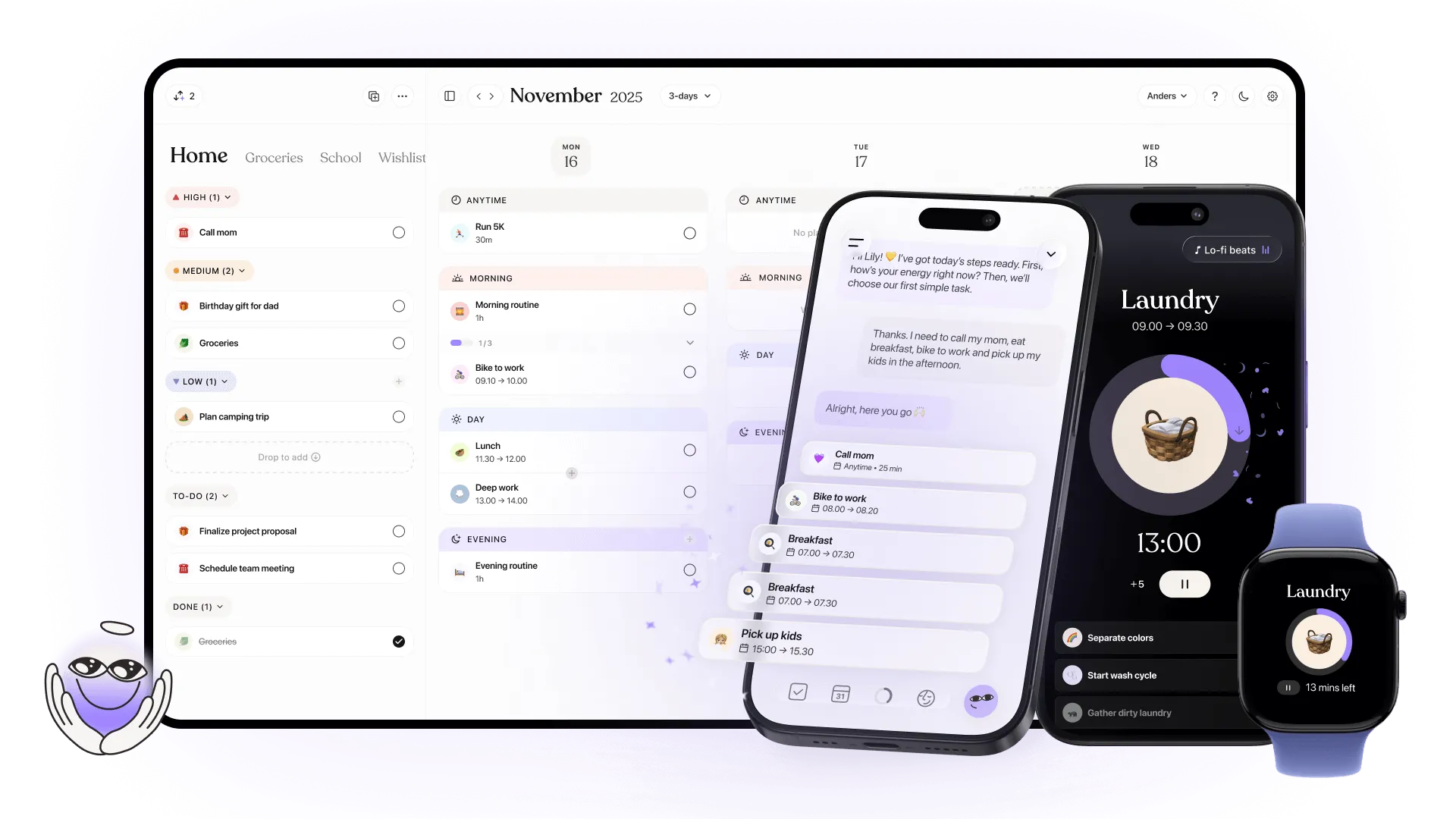
AI-powered visual planner designed for ADHD, autism, and anyone who struggles with time management. Transforms chaotic to-do lists into color-coded visual timelines with AI task breakdown.
Key Strengths
- AI Co-Planner breaks down vague tasks into actionable steps with time estimates
- Visual timeline with color-coded blocks makes time tangible for people with time blindness
- Focus timer with countdown helps with task initiation and transitions
- Apple ecosystem integration — syncs with Calendar, Reminders, Apple Watch, widgets
- Neurodivergent-designed from the ground up (not an afterthought)
- Mood tracking and community features for peer support
- Best for students with ADHD, professionals with executive function challenges, anyone who finds traditional planners overwhelming, visual thinkers who need structure without rigidity.
Pricing Structure
- Free: Basic planning, to-do lists, limited AI features
- Tiimo Pro: $42/year (web) or $54/year (iOS) — Full AI, unlimited profiles, widgets
- 7-day free trial on web, 30-day trial in-app
Limitations
- Learning curve for customization features
- Animations can feel slow on older devices
- Heavy emoji usage may feel childish to some users
- iOS-exclusive (no Android version)
Real-World Use Case
"I have ADHD and traditional calendars stressed me out—too many blank spaces that guilt me. Tiimo's AI breaks 'write report' into: research 30min, outline 15min, draft 45min. Seeing it as blocks instead of one giant task makes it manageable." — Sarah, Marketing Manager
🎬 #2. Detail — Apple's 2025 iPad App of the Year
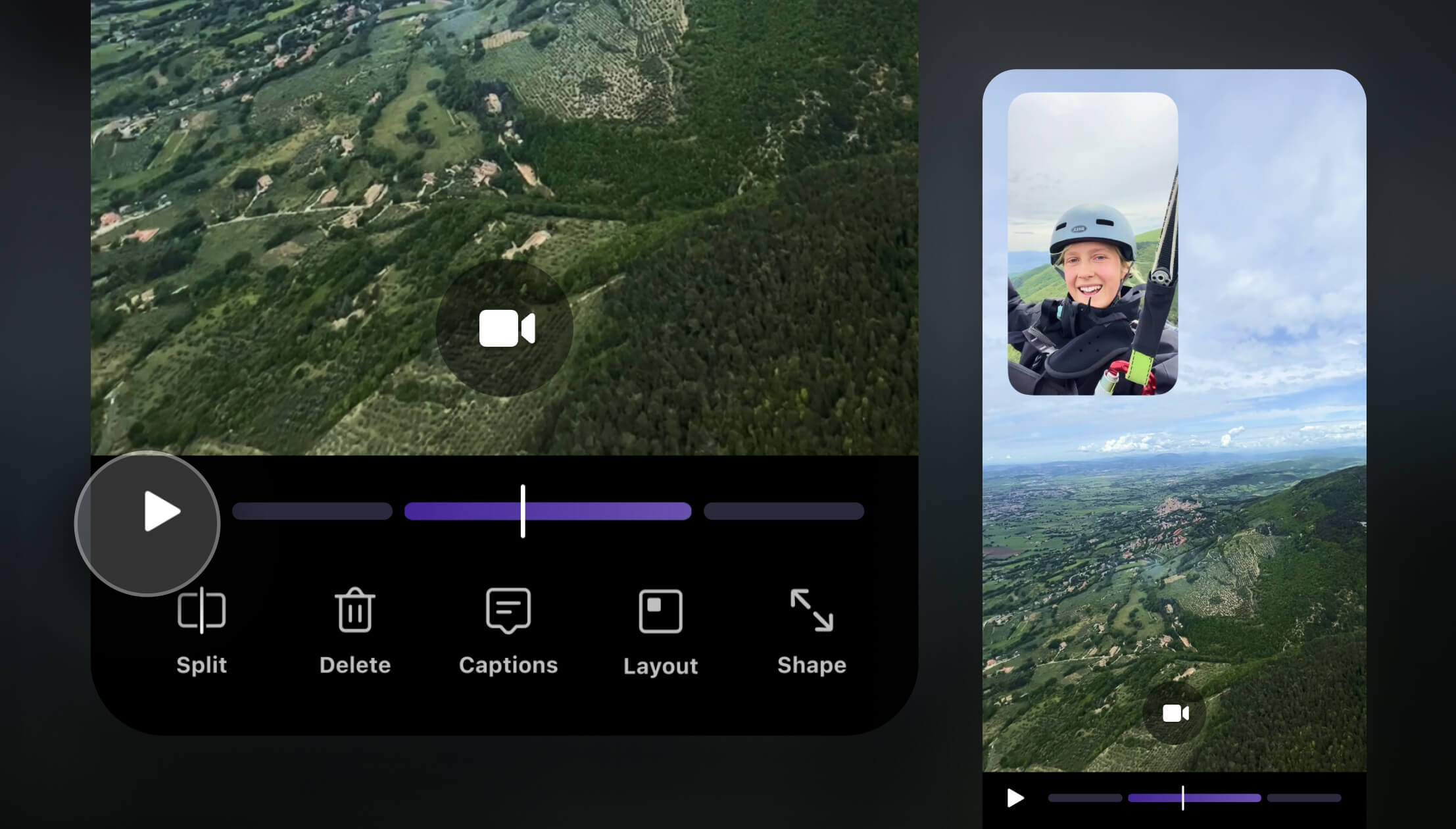
AI video editor that records and auto-edits video podcasts, presentations, and reaction videos in seconds. Combines camera functionality with instant editing.
Key Strengths
- Auto-Edit AI removes silences, adds zoom cuts, generates captions automatically
- Multi-camera recording — use iPhone and iPad simultaneously
- AI scriptwriter & teleprompter for talking-head videos
- Live streaming to YouTube, Twitch, Instagram with RTMP
- Background removal without green screen
- Remote recording via browser links for podcast guests
- Best for podcasters, YouTube creators, educators recording lectures, professionals making presentation videos, TikTok/Instagram content creators.
Pricing Structure
- Free: Unlimited recording, basic editing, captions
- Detail Pro: $9.99/month — AI Auto-Edit, advanced features, priority export
Limitations
- Export times can be long on older devices
- Some users report rendering freezes (though developers respond quickly)
- AI scriptwriter works best for simple formats
- iPad optimized (iPhone version more limited)
Real-World Use Case
"I record 45-minute podcast interviews. Detail's Auto-Edit generates 5 short clips for social media and a polished long-form edit in under 2 minutes. It would take me hours manually." — Marcus, Podcast Producer
✍️ #3. Grammarly — Best AI Writing Assistant

AI keyboard that works across every iPhone app, providing real-time grammar, tone, and style suggestions with generative AI rewrites.
Key Strengths
- System-wide keyboard — works in Messages, Mail, Notes, Safari, everywhere
- Real-time corrections for grammar, spelling, punctuation
- Tone detection shows if your message sounds professional, casual, friendly
- AI rewrites with tone/length adjustment (formal to casual, short to detailed)
- Generative features for emails, social posts, professional documents
- Safari extension for web writing
- Best for anyone who writes professionally (journalists, marketers, students), non-native English speakers, business professionals, social media managers.
Pricing Structure
- Free: Basic grammar, spelling, 100 AI prompts/month
- Premium: $12/month (annual) — Advanced grammar, tone, plagiarism, 2,000 prompts
- Business: $15/user/month — Team features, brand guidelines
Limitations
- Expensive compared to alternatives
- English-only (no other languages)
- Suggestions can be overly conservative
- Some users find it intrusive
Real-World Use Case
"I manage LinkedIn for clients. Grammarly's tone detector prevents me from sounding too casual or too corporate. The AI rewrite function turns my draft into three variations instantly—saves 30 minutes per post." — Elena, Social Media Manager
🔍 #4. Perplexity — Best AI Search Engine
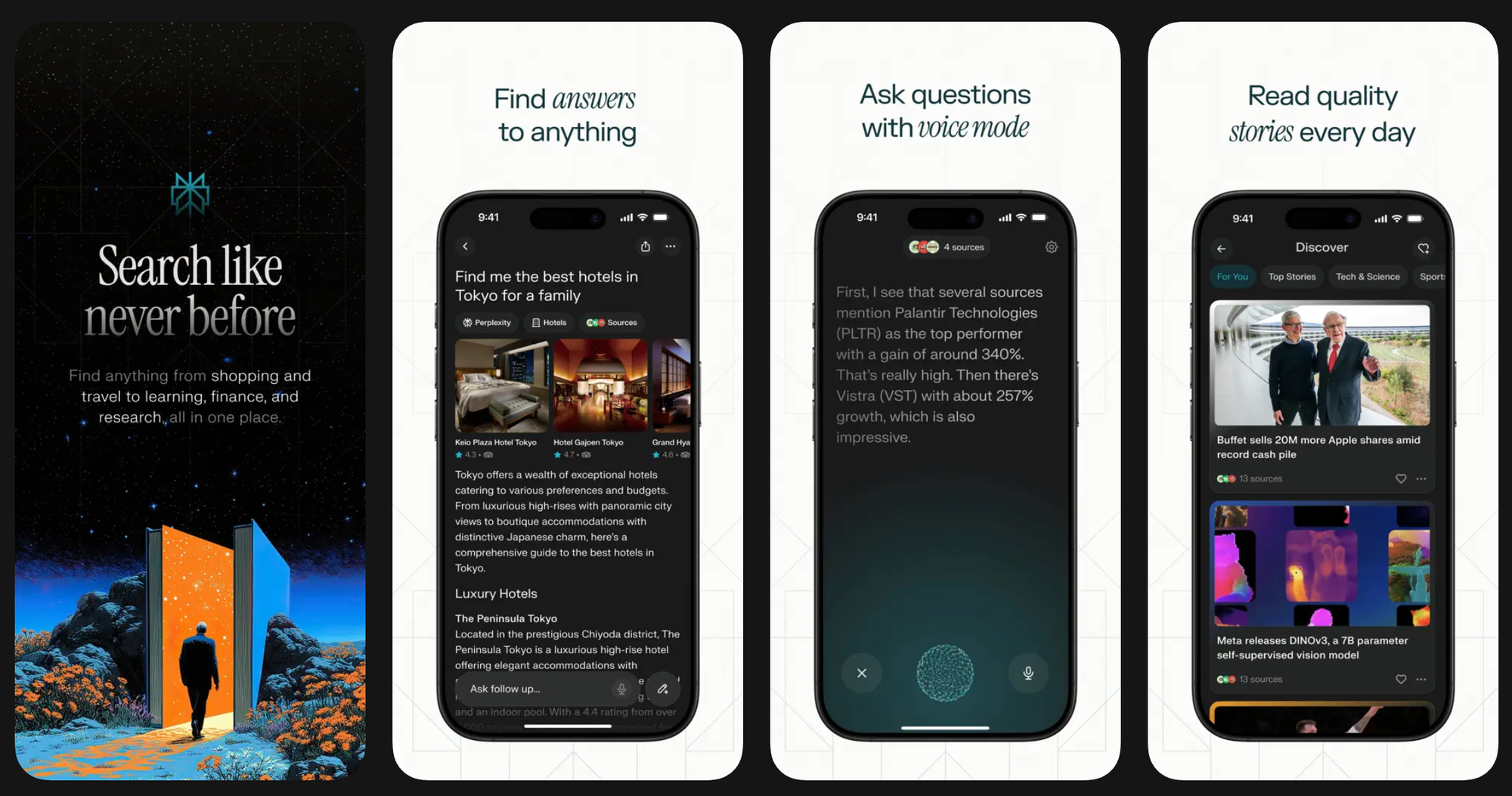
AI-powered answer engine that searches the web and provides cited responses. Now includes voice assistant for booking reservations and sending emails.
Key Strengths
- Cited sources — every answer includes linked references
- Voice assistant can book OpenTable reservations, send texts, set reminders
- Pro Search performs deeper analysis with multiple queries
- Real-time web search with fresh information
- File upload support (PDFs, images) for analysis
- Works on older iPhones (unlike Apple Intelligence)
- Best for researchers, journalists, students, anyone who needs verifiable information with sources, people tired of Google's ad-filled results.
Pricing Structure
- Free: Limited searches, basic features
- Perplexity Pro: $20/month — Unlimited searches, Pro Search, GPT-4, Claude access
- 7-day free trial available
Limitations
- Voice assistant can't access screen or camera on iOS (yet)
- Less capable for creative tasks vs. ChatGPT
- Free tier limits frustrating for heavy users
- UI can feel cluttered
Real-World Use Case
"I'm a journalist. Perplexity finds sources in seconds that Google buries under ads. The citations mean I can verify claims instantly instead of clicking 10 links." — David, Investigative Reporter
🎨 #5. Pixelmator Pro — Best On-Device Photo Editor
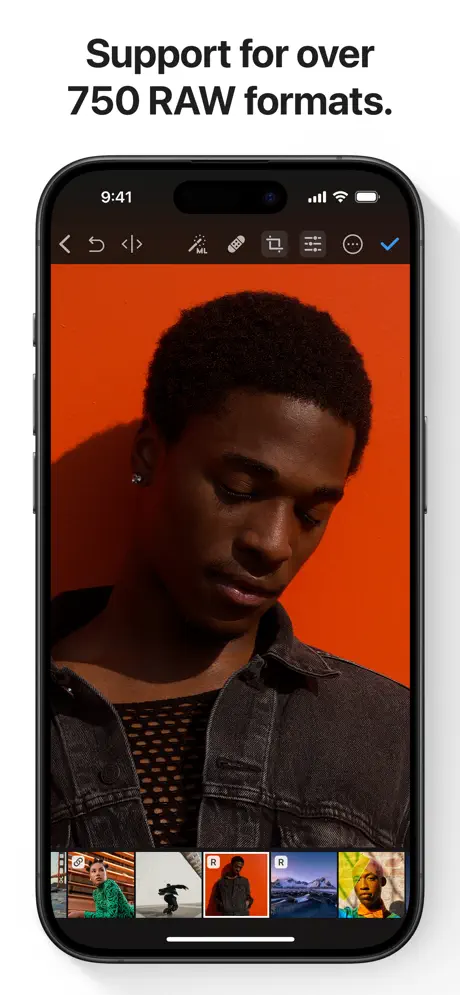
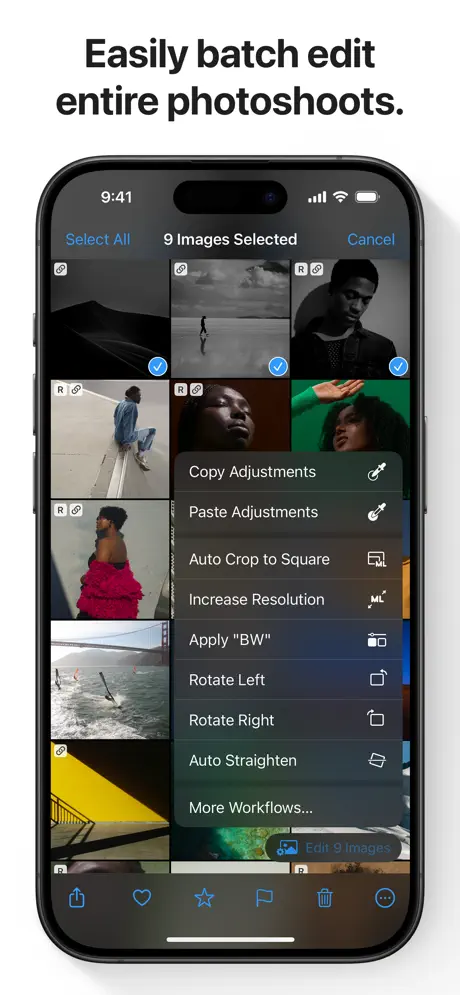
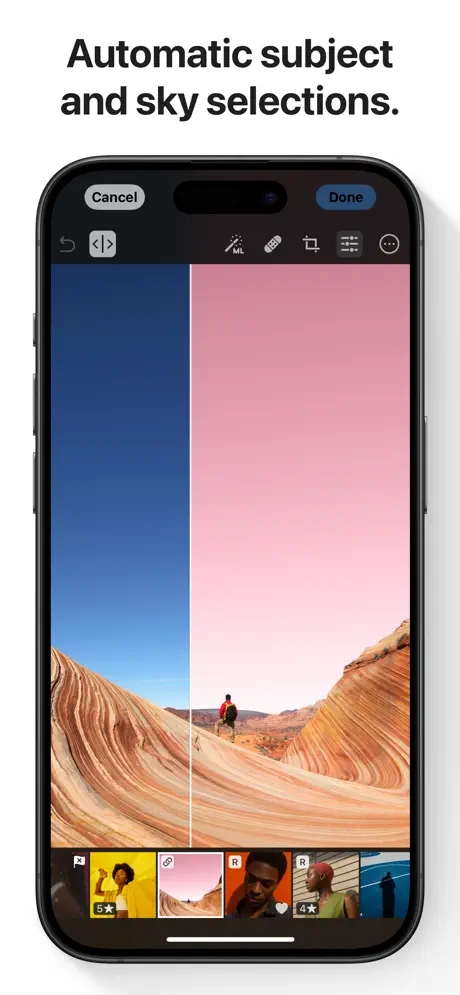
Professional photo editor with machine learning tools that run entirely on iPhone's Neural Engine. No subscription, no cloud processing.
Key Strengths
- ML Super Resolution — upscale photos 4x with incredible detail
- ML Denoise removes noise while preserving texture
- ML Enhance auto-adjusts colors and lighting
- Object removal with content-aware fill
- RAW editing with full control
- One-time purchase — no monthly fees
- Complete privacy — all processing on-device
- Best for photographers who want professional tools, iPhone photography enthusiasts, anyone tired of subscription photo editors, privacy-conscious users.
Pricing Structure
- One-time: $9.99 (no subscription!)
Limitations
- Steep learning curve vs. simpler editors
- File management could be better
- No collaboration features
- Pro features may overwhelm casual users
Real-World Use Case
"I shoot product photos for my Etsy shop. Pixelmator's ML Super Resolution lets me crop tight without losing quality. $10 one-time vs. $10/month for competitors—easy choice." — Amy, Small Business Owner
💬 #6. ChatGPT — Still the Most Versatile AI Assistant
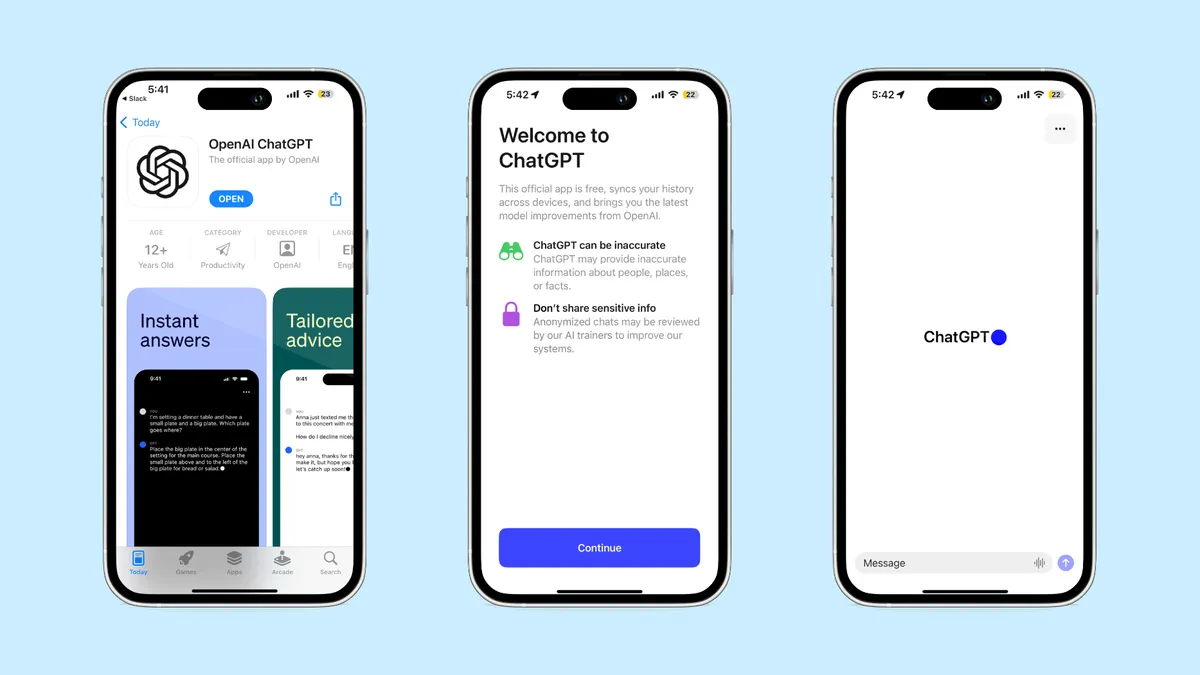
OpenAI's conversational AI for writing, coding, analysis, image generation, and more. The app everyone knows, now with Advanced Voice Mode.
Key Strengths
- GPT-5 access (Plus/Pro subscribers) — most capable LLM
- Advanced Voice Mode for natural spoken conversations
- DALL-E 3 integration for image generation
- Vision capabilities — analyze photos, documents, diagrams
- Custom GPTs for specialized tasks
- Siri integration on iOS 18.2+ (compatible devices)
- Best for anyone needing versatile AI for multiple tasks, writers, programmers, students, researchers, people who want one app for everything.
Pricing Structure
- Free: GPT-3.5, limited GPT-4 access, basic features
- Plus: $20/month — GPT-5, DALL-E 3, Advanced Voice, priority access
- Pro: $200/month — Unlimited, research features, priority during peaks
Limitations
- Free tier has restrictive usage caps
- Can hallucinate on factual queries
- Privacy concerns (data used for training by default)
- Voice Mode requires strong internet connection
Real-World Use Case
"I use ChatGPT for everything: meal planning from my pantry contents, debugging Python code, drafting emails, explaining complex topics to my kids. It's my Swiss Army knife." — Tom, Software Developer
📝 #7. Otter.ai — Best Transcription & Meeting Notes

Real-time transcription of conversations with AI summaries, action items, and speaker identification.
Key Strengths
- 95%+ accuracy on English transcription
- Speaker identification automatically separates voices
- AI summaries generate key points and action items
- Zoom/Meet/Teams integration for automatic meeting capture
- Collaboration — share transcripts with searchable text
- Background recording continues when phone locked
- Best for students recording lectures, journalists conducting interviews, professionals in meetings, anyone needing searchable voice notes.
Pricing Structure
- Free: 300 minutes/month, 30 min per conversation
- Pro: $16.99/month — 1,200 min/month, 90 min conversations
- Business: $30/user/month — 6,000 min/month, unlimited length
Limitations
- English-only (Spanish in beta)
- Requires internet connection
- Struggles with heavy accents
- Can confuse speakers in crosstalk
Real-World Use Case
"I'm a PhD student. Otter transcribes lectures while I focus on understanding concepts. Later, I search the transcript for 'photosynthesis' and find every mention instantly. Game-changer." — Priya, Biology PhD Student
💻 #8. Kodex — Best Mobile IDE with AI Code Completion
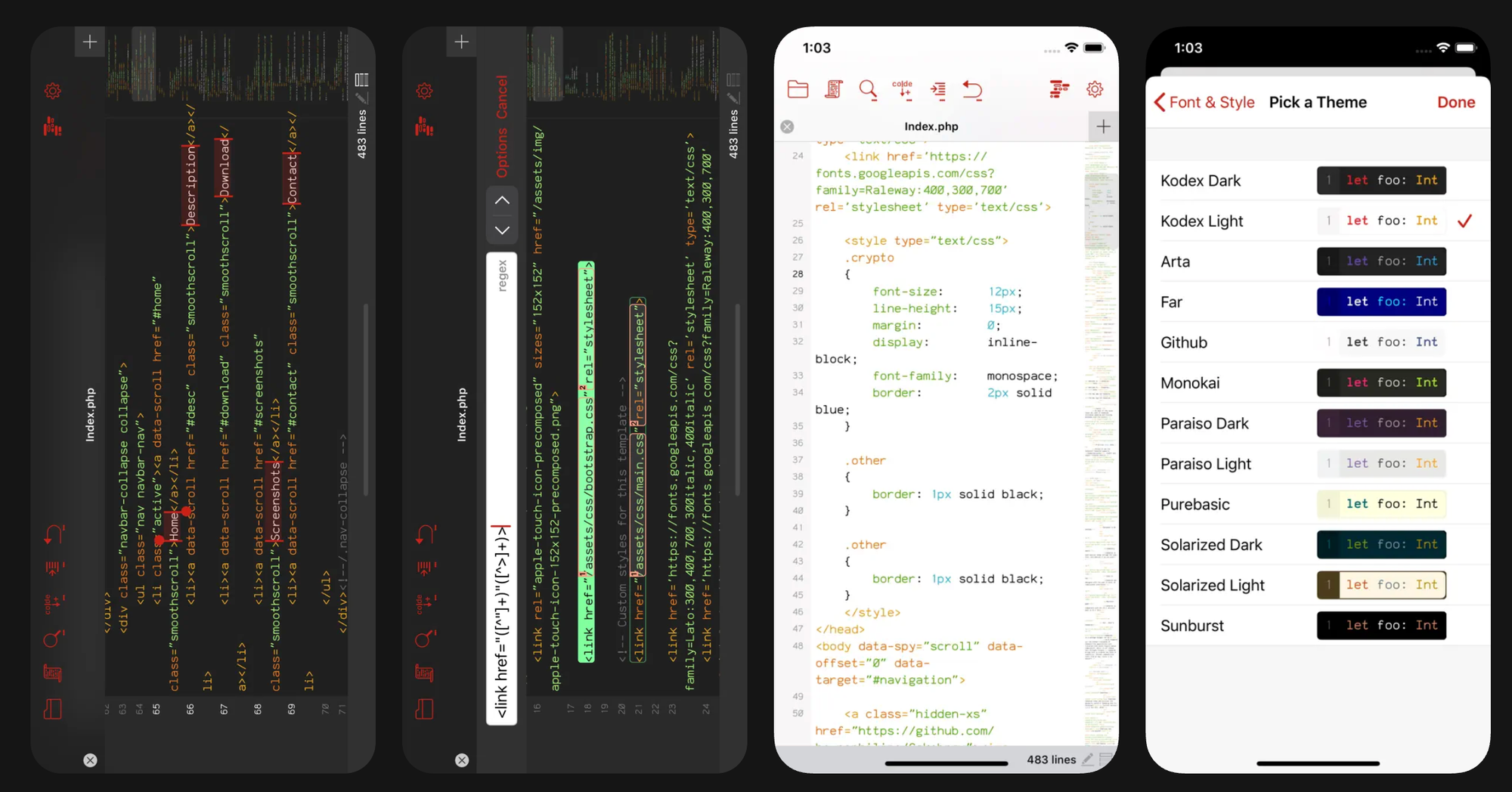
Full development environment for iPhone with AI-powered autocomplete, terminal, and Git integration.
Key Strengths
- Full IDE — Python, JavaScript, TypeScript, HTML/CSS, Swift
- AI autocomplete suggests entire code blocks contextually
- Git integration — clone, commit, push from iPhone
- Terminal access for running scripts
- External keyboard support turns iPhone into coding machine
- iCloud sync keeps projects updated
- Best for developers coding on the go, students learning programming, quick bug fixes away from computer, mobile-first developers.
Pricing Structure
- Free: Basic features, limited AI completions
- Pro: $7.99/month — Unlimited AI, all languages, priority support
Limitations
- Screen size limiting for complex projects
- Debugging tools not as robust as desktop IDEs
- Some languages better supported than others
- Battery drain on intensive projects
Real-World Use Case
"I'm a freelance developer. Kodex + iPhone 16 Pro Max + keyboard = I fixed a client's production bug from a coffee shop. Billed 2 hours, saved driving home." — Chris, Full-Stack Developer
📚 #9. ElevenLabs Reader — Best AI Audiobook Narrator
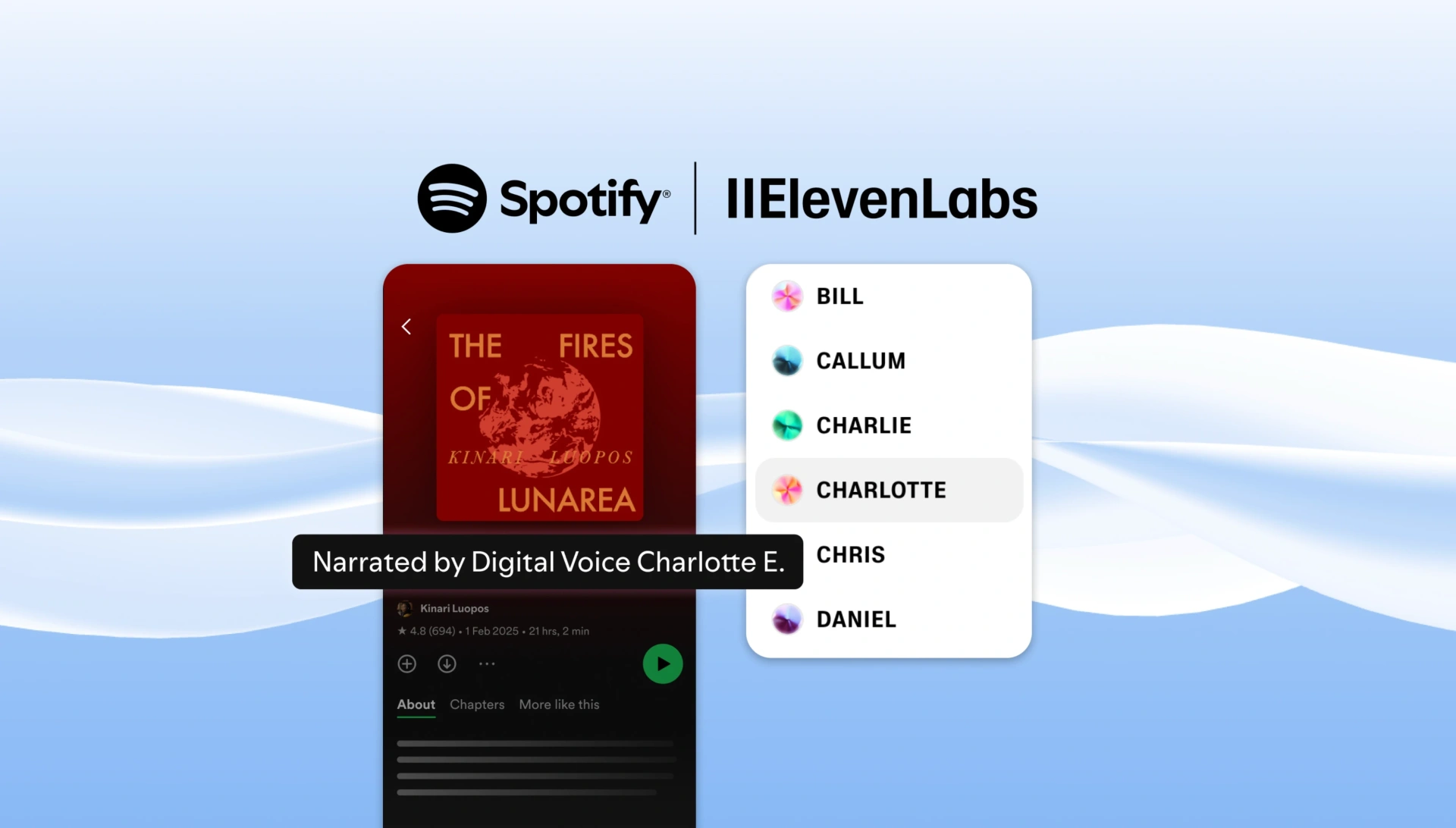
Converts articles, PDFs, and text into incredibly natural AI speech with voice cloning capabilities.
Key Strengths
- 29+ ultra-realistic voices in multiple languages
- Voice cloning — create custom voice from 1 minute of audio
- Speed control — 0.5x to 3x playback
- Import from anywhere — Safari, Files, copy-paste
- Offline mode for downloaded content
- CarPlay support for hands-free listening
- Best for consuming long-form content during commutes, accessibility for vision-impaired users, multitasking, converting research papers to audio.
Pricing Structure
- Free: 10,000 characters/month
- Starter: $5/month — 30,000 characters
- Creator: $11/month — 100,000 characters, voice cloning
Limitations
- Character limits restrictive for heavy users
- Occasional mispronunciations of technical terms
- Voice cloning quality varies
- No highlighting/syncing with text
Real-World Use Case
"I'm legally blind. ElevenLabs reads web articles with natural voices that don't sound robotic. I 'read' 10+ articles daily during my commute." — Michael, Accessibility Advocate
🗣️ #10. Speak — Best AI Language Tutor
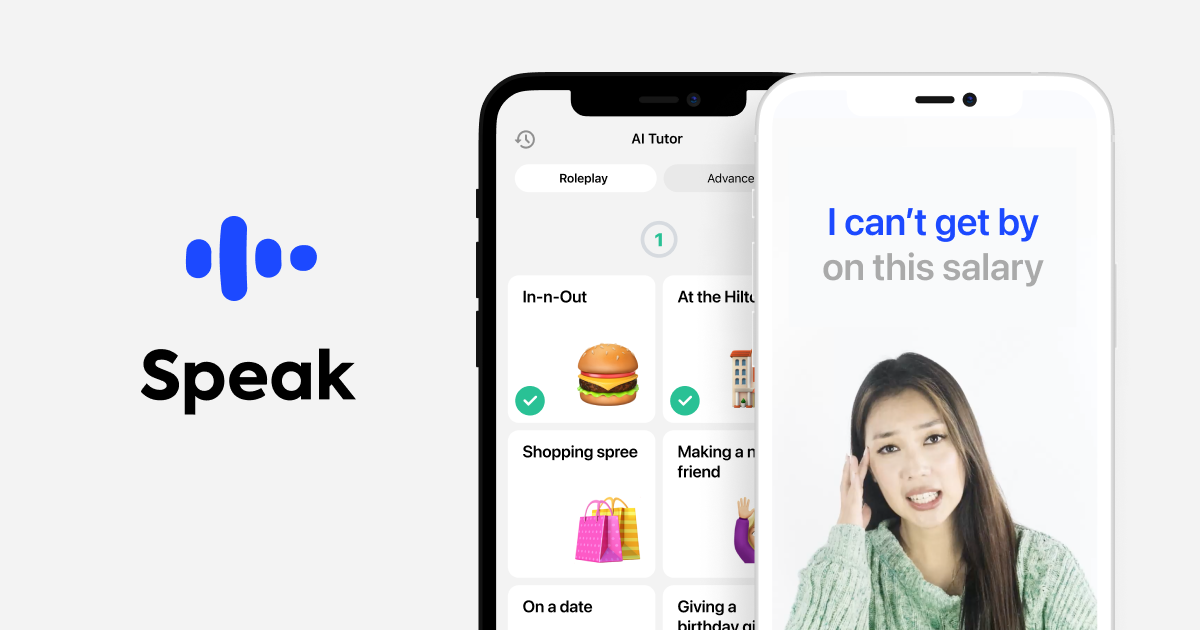
Interactive language learning focused on conversation and pronunciation, with AI tutor that corrects your speaking in real-time.
Key Strengths
- AI conversation practice — real dialogues, not flashcards
- Instant pronunciation feedback shows exactly how to improve
- 50+ languages including Korean, Japanese, Spanish, French
- Video lessons with native speakers
- Contextual learning — practical phrases for travel, business
- Offline mode for core lessons
- Best for language learners tired of Duolingo's gamification, travelers preparing for trips, professionals needing conversational fluency, anyone who learns better by speaking.
Pricing Structure
- Free: Limited lessons, basic AI conversations
- Premium: $19.99/month or $99.99/year — Unlimited access, all languages
Limitations
- Best for beginner-intermediate levels
- Vocabulary library could be more extensive
- Less effective for written language skills
- Premium required for serious progress
Real-World Use Case
"I tried Duolingo for 2 years and couldn't hold a conversation. Speak's AI corrects my pronunciation instantly—within 3 months I was speaking Spanish with my in-laws." — Jordan, Marketing Director
Comparison Matrix: Features at a Glance
| App | Free Plan | Best Paid Plan | AI Features | Offline | Privacy | Best For |
|---|---|---|---|---|---|---|
| Tiimo | ✅ Basic | $42/yr | Task breakdown, planning | ⚠️ Partial | 🟢 Good | ADHD/Planning |
| Detail | ✅ Unlimited recording | $10/mo | Auto-edit, captions | ❌ No | 🟢 Good | Video podcasts |
| Grammarly | ✅ Basic | $12/mo | Writing, rewrites | ⚠️ Basic | 🟡 Fair | Professional writing |
| Perplexity | ✅ Limited | $20/mo | Search, voice assistant | ❌ No | 🟡 Fair | Research |
| Pixelmator Pro | ❌ None | $9.99 one-time | ML enhancement | ✅ Full | 🟢 Excellent | Photo editing |
| ChatGPT | ✅ GPT-3.5 | $20/mo | Chat, image gen, vision | ❌ No | 🔴 Poor | General purpose |
| Otter.ai | ✅ 300 min | $17/mo | Transcription, summaries | ❌ No | 🟡 Fair | Meeting notes |
| Speak | ✅ Limited | $20/mo | Conversation, pronunciation | ⚠️ Core lessons | 🟢 Good | Language learning |
| Kodex | ✅ Basic | $8/mo | Code autocomplete | ⚠️ Basic | 🟢 Good | Mobile coding |
| ElevenLabs | ✅ 10k chars | $11/mo | Voice cloning, TTS | ✅ Downloaded | 🟡 Fair | Audiobooks |
Hidden Gems: Lesser-Known AI Apps Worth Exploring
Accessibility & Inclusion
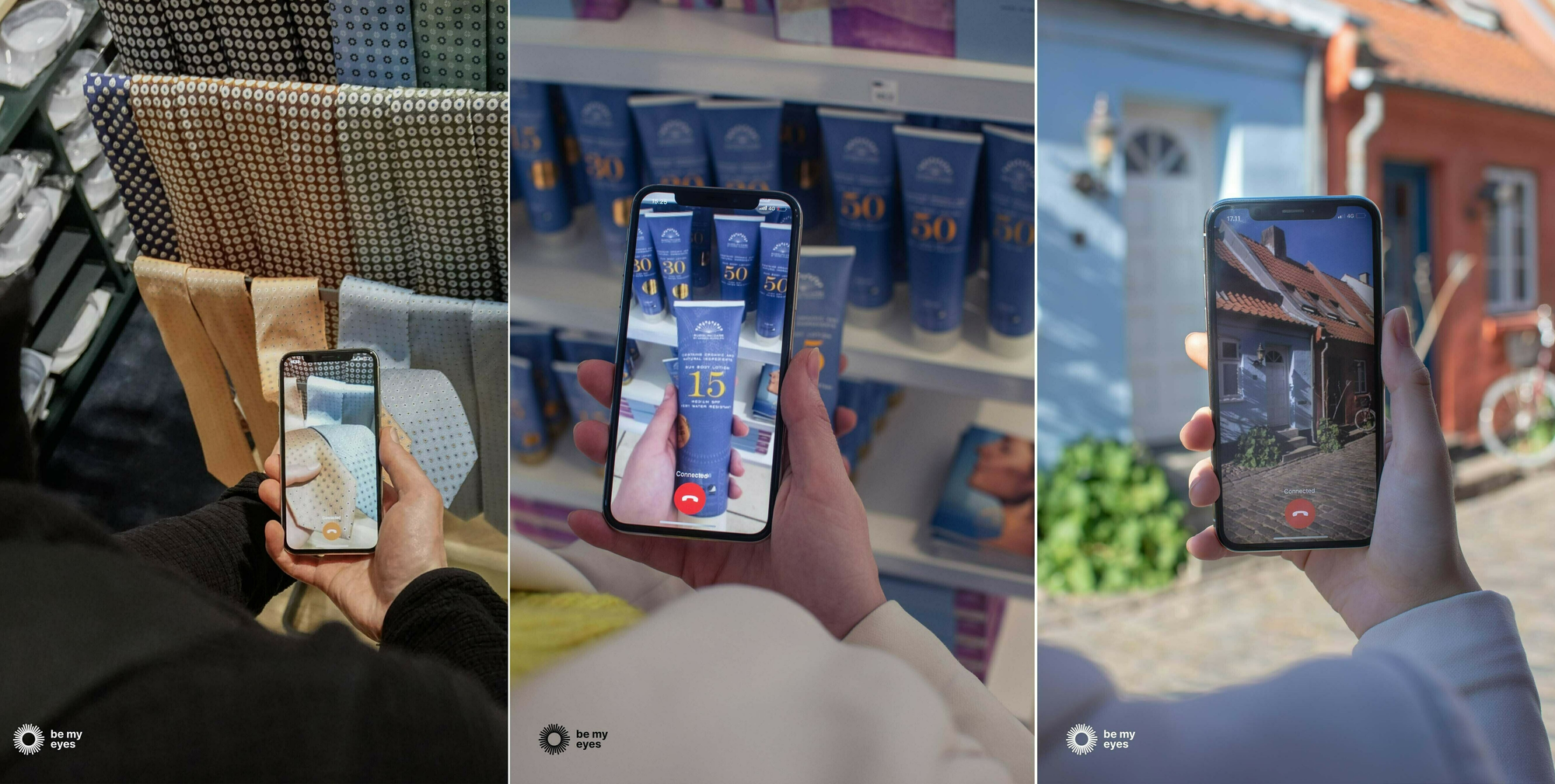
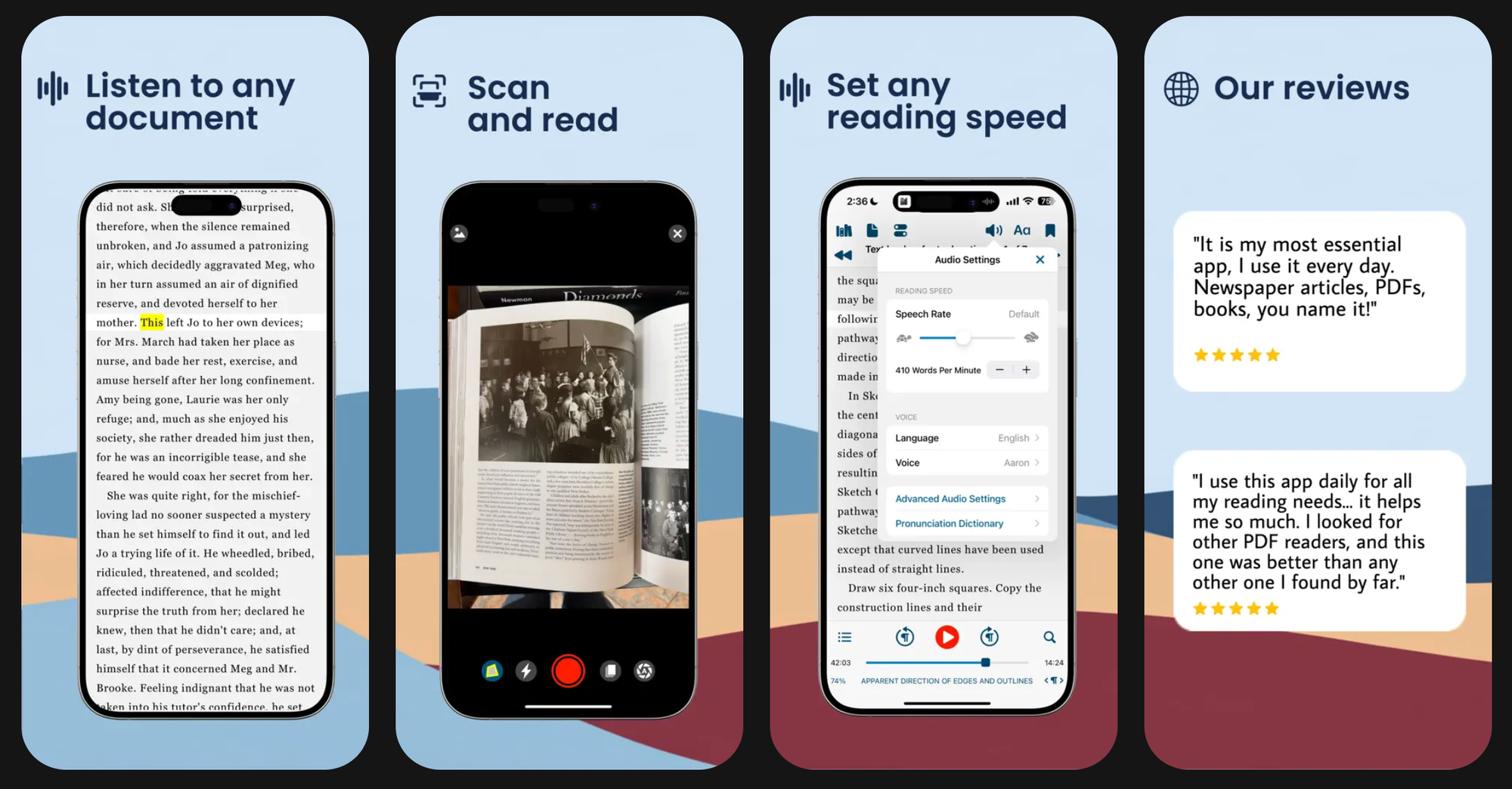
Be My Eyes (Free). AI visual assistance for blind/low-vision users. Describes images, reads text, identifies objects. Cultural Impact winner at App Store Awards 2025.
Voice Dream Reader ($14.99). Premium text-to-speech with 200+ voices. Better pronunciation than most free alternatives.
Productivity & Organization
StoryGraph (Free/$6/mo). ML-powered book recommendations based on mood, pacing, themes—not just genre. Cultural Impact winner.
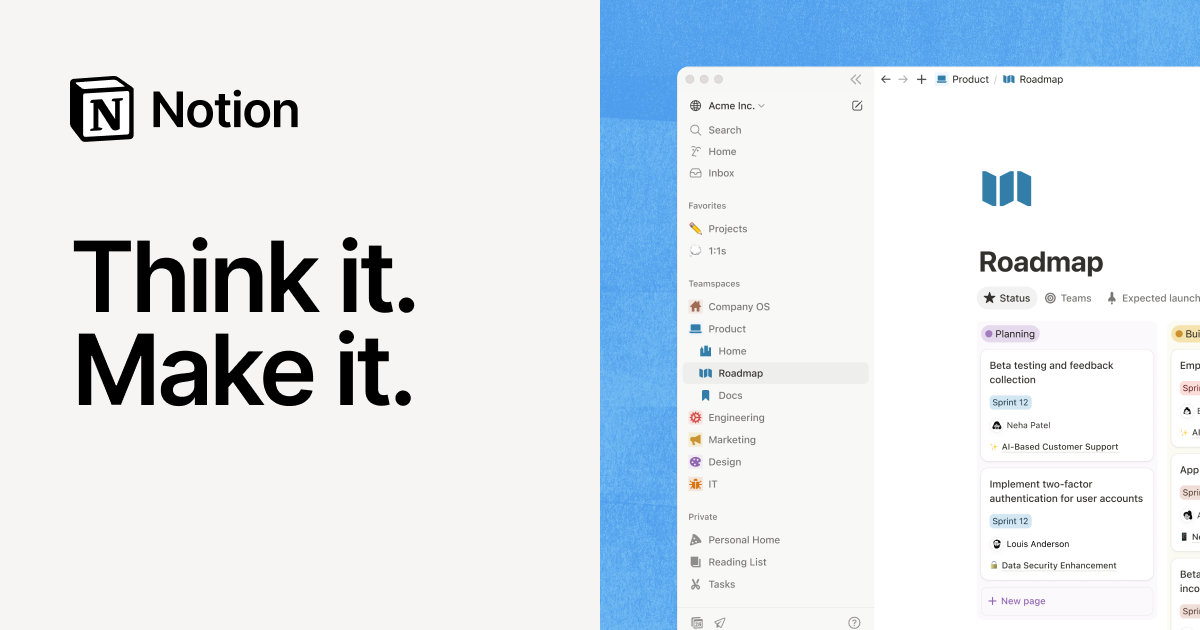
Notion AI ($10/mo add-on). AI features inside Notion workspace. Summarizes notes, generates action items, helps with brainstorming.
Elephas ($8/mo). AI writing assistant with custom knowledge bases. Works across all Mac and iOS apps.
Creative Tools
CapCut (Free/$10/mo. TikTok's video editor with auto-captions, text-to-speech, background removal. Excellent free tier.
Lensa AI ($8/mo). Magic Avatars and AI portrait enhancement. Viral for generating artistic self-portraits.
Suno (Free/$10/mo). Generate complete songs with vocals and instruments from text prompts. 50+ genres.

Learning & Education
Photomath (Free/$10/mo). Point camera at math problems, get step-by-step solutions. Covers algebra through calculus.
Socratic by Google (Free). Homework help across all subjects. Uses AI to explain concepts, not just give answers.
Health & Wellness
Replika ($8/mo). AI companion for emotional support. Learns your communication style, available 24/7.
Youper (Free/$10/mo). AI-powered mental health assistant. CBT-based conversations, mood tracking.
How to Choose the Right AI App for Your Needs
For Students & Learners
Recommended Stack: Otter.ai (lectures) + Photomath (homework) + Socratic (all subjects) + Notion (organization)
Cost: Mostly free with selective premium upgrades
Students benefit from transcription apps that let them focus on understanding rather than note-taking. Photomath and Socratic provide instant homework help with explanations. Notion's free tier offers unlimited storage for organizing everything.
For Business Professionals
Recommended Stack: Grammarly (communications) + Perplexity (research) + Otter.ai (meetings) + ChatGPT Plus (versatility)
Cost: $60-70/month total
Professional communication matters—Grammarly ensures every email is polished. Perplexity finds information faster than Google. Otter captures meeting notes automatically. ChatGPT Plus handles everything else.
For Content Creators
Recommended Stack: Detail (video) + ChatGPT Plus (scripts/ideas) + Pixelmator Pro (photos) + CapCut (social edits)
Cost: $40/month + $10 one-time
Content creation requires specialized tools. Detail automates video editing. ChatGPT generates ideas and scripts. Pixelmator handles professional photo editing. CapCut makes quick social media edits.
For Privacy-Conscious Users
Recommended Stack: Apple Intelligence (built-in) + Pixelmator Pro (photos) + Kodex (coding)
Cost: Free + $10 one-time
Focus on apps that process data on-device. Apple Intelligence never sends data to cloud. Pixelmator Pro runs entirely on Neural Engine. Avoid ChatGPT, Gemini, and other cloud-dependent apps.
For ADHD/Neurodivergent Users
Recommended Stack: Tiimo (planning) + Otter.ai (capturing ideas) + ElevenLabs Reader (consuming content)
Cost: $60-70/year
Visual planning tools help with executive function. Transcription captures thoughts without typing burden. AI audiobooks make consuming information easier during movement.
Frequently Asked Questions
Which AI apps are considered the best for iPhone in 2026?
The best AI apps for 2026 are those offering real value in productivity, creativity, search, and automation. Top picks include: ChatGPT, Perplexity, Pixelmator Pro, Detail, Grammarly, Tiimo, and Otter.ai.What is the best AI app for everyday use on iPhone?
ChatGPT (Plus or Pro) is the most versatile daily-use AI assistant, offering help with writing, planning, messaging, translation, creativity, and on-the-go problem-solving.What is the best AI app for students using iPhone?
Perplexity is the top choice for students thanks to accurate research, citations, and fast answers. Grammarly and Photomath are also strong education-focused AI tools.What is the best AI app for content creators on iPhone?
Detail is the best app for video creators due to Auto-Edit features, AI scene detection, and instant captioning. Pixelmator Pro is ideal for photos, thumbnails, and design.Do AI apps on iPhone require the newest iPhone models?
Most third-party AI apps work on older iPhones. Only Apple Intelligence features require newer models — beginning with iPhone 15 Pro/Pro Max and all iPhone 16 devices.Which AI app is best for boosting productivity?
Tiimo and ChatGPT are top productivity picks. Tiimo offers smart planning and routines, while ChatGPT automates tasks, summarization, and communication.Are paid AI subscriptions worth it?
If you use AI daily, yes. ChatGPT Plus, Perplexity Pro, and Grammarly Premium provide major upgrades — better models, faster processing, and advanced tools. Pixelmator Pro is a great one-time purchase.Which AI apps are best for iPhone photo and video editing?
Pixelmator Pro is the strongest AI photo editor for iPhone. For video, Detail and CapCut lead with powerful AI automation and smart editing tools.Which AI apps offer better privacy on iPhone?
Apps that run on-device — Apple Intelligence, Pixelmator Pro, Tiimo, and some features of Photomath — offer the strongest privacy. Cloud AI apps vary by provider.Can AI apps really replace desktop software in 2026?
For many users, yes. Detail can handle most mobile editing, Pixelmator Pro covers advanced photo work, and ChatGPT replaces research and writing tools. But large-scale or professional studio tasks may still require desktop apps.What's th2e future of AI apps on iPhone?
Major trends for 2026:
- Agentic AI — Apps that take actions, not just provide information. Perplexity already books reservations; expect apps to schedule meetings, send emails, manage finances autonomously.
- On-device models — Apple opening its foundation model to developers means more apps will run AI locally, improving privacy and speed.
- Cross-device continuity — Start task on iPhone, continue on iPad/Mac/Vision Pro with AI remembering full context.
- AR + AI convergence — Point camera at anything, get AI-powered information instantly. Visual Intelligence expanding beyond Apple's implementation.
- Specialized vertical apps — Expect AI fitness coaches watching form, AI tutors adapting to learning styles, AI creative partners for music/art.
The "one AI for everything" era is ending. 2026 will be about specialized AI tools integrated deeply into iPhone hardware and iOS.
Final Verdict: The Best AI Apps for iPhone in 2026
After 48 hours of intensive testing across 60+ AI applications, here are the definitive recommendations:
🏆 Best Overall AI App
Tiimo (Apple's iPhone App of the Year 2025). Not because it's the most powerful AI, but because it solves a real problem elegantly. For anyone with ADHD, executive function challenges, or time management struggles, Tiimo transforms chaos into visual structure. The AI task breakdown feature alone justifies the $42/year subscription.
💰 Best Free Option
Microsoft Copilot. Full GPT-4 access, DALL-E 3 image generation, Copilot Vision—all free. Microsoft subsidizes this to compete with Google and Apple. Take advantage while it lasts.
🎬 Best for Content Creators
Detail (iPad App of the Year 2025). Automates hours of video editing into minutes. The Auto-Edit AI alone makes the $10/month worthwhile for podcasters and YouTubers. Combined with ChatGPT for scripts and CapCut for social clips, you have a complete content studio on iPhone.
🔒 Best for Privacy
Apple Intelligence + Pixelmator Pro. If privacy matters more than cutting-edge features, stay within Apple's ecosystem. Intelligence handles daily tasks on-device, Pixelmator Pro edits photos without cloud upload. Both prioritize privacy over data collection.
✍️ Best for Productivity
Grammarly + Perplexity + Otter.ai. This stack covers professional communication (Grammarly), research (Perplexity), and meeting notes (Otter.ai). Total cost: ~$50/month, but ROI is immediate for professionals.
💡 Best Value
Pixelmator Pro ($9.99 one-time). In a world of subscriptions, a professional photo editor for $10 one-time is remarkable. ML Super Resolution alone would justify $50/year subscription elsewhere.
The Reality Check
AI apps are tools, not magic. They excel at specific tasks when used intentionally. The best approach isn't downloading every AI app—it's identifying your actual pain points and choosing apps that address them.
Start small:
- If you struggle with focus → Tiimo
- If you create video content → Detail
- If you write professionally → Grammarly
- If you need information fast → Perplexity
- If you want privacy → Apple Intelligence
Test free tiers thoroughly before subscribing. Many apps have generous trials. The goal isn't collecting AI apps—it's solving real problems more efficiently.
2026 will separate useful AI from hype. The apps that survive will be those that integrate deeply with iPhone hardware, respect user privacy, and solve specific problems better than human alternatives. Based on current trajectory, expect fewer general-purpose chatbots and more specialized tools like Tiimo and Detail.
The AI revolution isn't coming—it's here. The question is: which tools will you use to shape your future?
Final Recommendations Summary
| User Type | Essential Apps | Monthly Cost |
|---|---|---|
| Student | Otter.ai Free + Photomath Free + Socratic Free + Notion Free | $0 |
| Professional | Grammarly Premium + Perplexity Pro + Otter.ai Pro | $54/mo |
| Creator | Detail Pro + ChatGPT Plus + Pixelmator Pro | $40/mo + $10 one-time |
| Privacy-First | Apple Intelligence + Pixelmator Pro + Kodex | $18/mo + $10 one-time |
| ADHD/Neurodivergent | Tiimo Pro + Otter.ai Free + ElevenLabs Starter | $9/mo |
Related Articles
 Mark
Mark
 Dani
Dani
 Mark
Mark