Look, I'm going to save you some time right now: if you're a content creator still paying hundreds of dollars per track for music, you're doing it wrong. I know because I was that person six months ago.
I was dropping anywhere from $200 to $300 per track for my YouTube videos. Sometimes more. And it was absolutely killing my margins. So when I started hearing about AI music generation, I figured – what the hell, let's see if this stuff actually works.
Spoiler alert: it works. Really well, actually.
But here's the thing nobody tells you: not all AI music platforms are created equal. I've spent the last six months testing Suno, Udio, and ElevenLabs Music. I've generated over 500 tracks, burned through $400 in subscriptions, and learned way more than I wanted to know about AI-generated music.
This is everything I wish someone had told me before I started.
The TL;DR (If You're in a Hurry)
Suno is stupid fast and stupid cheap. Great for YouTubers and anyone who needs volume.
Udio sounds professional – like, actually professional. Use it when quality matters.
ElevenLabs Music is best for instrumental stuff and if you're already using their voice tools.
Still with me? Cool. Let's get into it.
How I Got Here (And Why You Should Care)
Six months ago, I was running a YouTube channel and doing video production for clients. Music licensing was eating me alive financially. I'd spend hours browsing stock music sites, trying to find something that didn't sound like every other YouTuber's background track.
Then someone in a Facebook group mentioned Suno. I signed up, typed in "upbeat indie pop with summer vibes," and 40 seconds later I had a complete song. Intro, verses, chorus, outro – the whole thing.
I literally sat there staring at my screen thinking "there's no way this is real."
But it was real. And it was actually good.
That's when I decided to go all-in. I wanted to test everything, compare everything, and figure out which platform was actually worth using. Because let's be honest – most reviews out there are either written by people who tested each platform for 20 minutes, or they're just regurgitating marketing copy.
I wanted real answers. So I generated hundreds of tracks, used them in actual projects, and tracked everything.
Suno: The One That Started It All
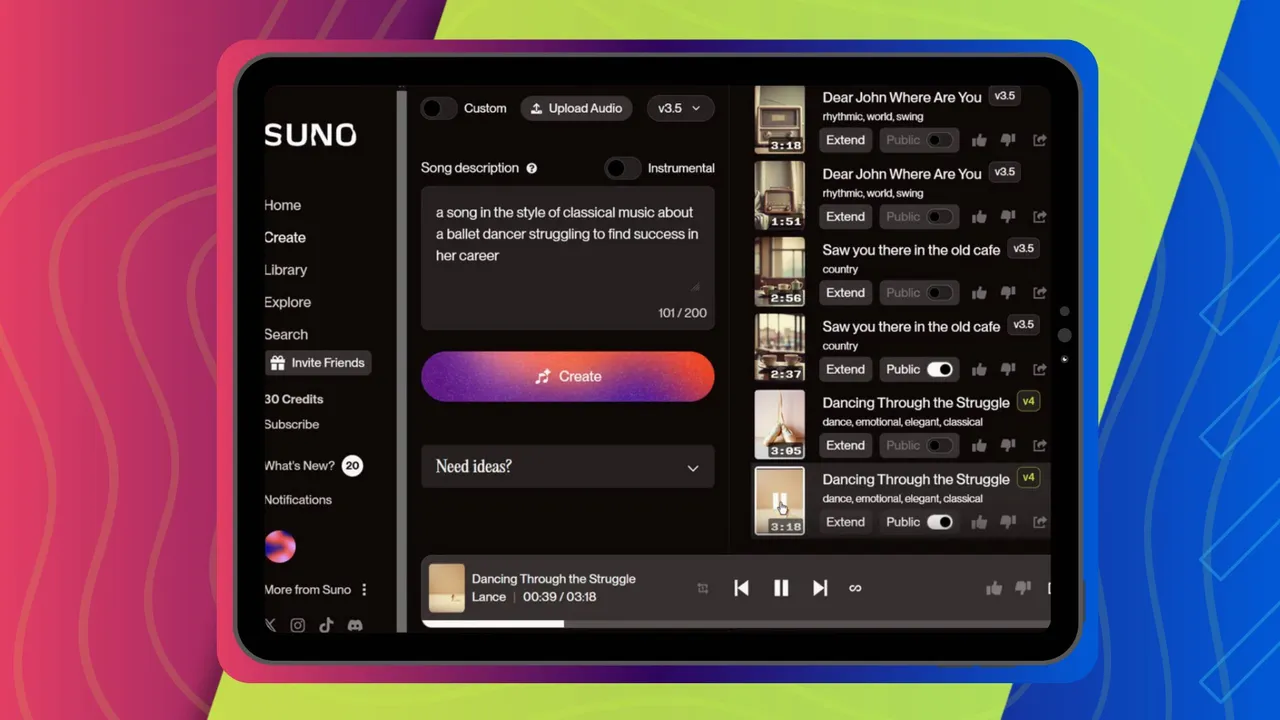
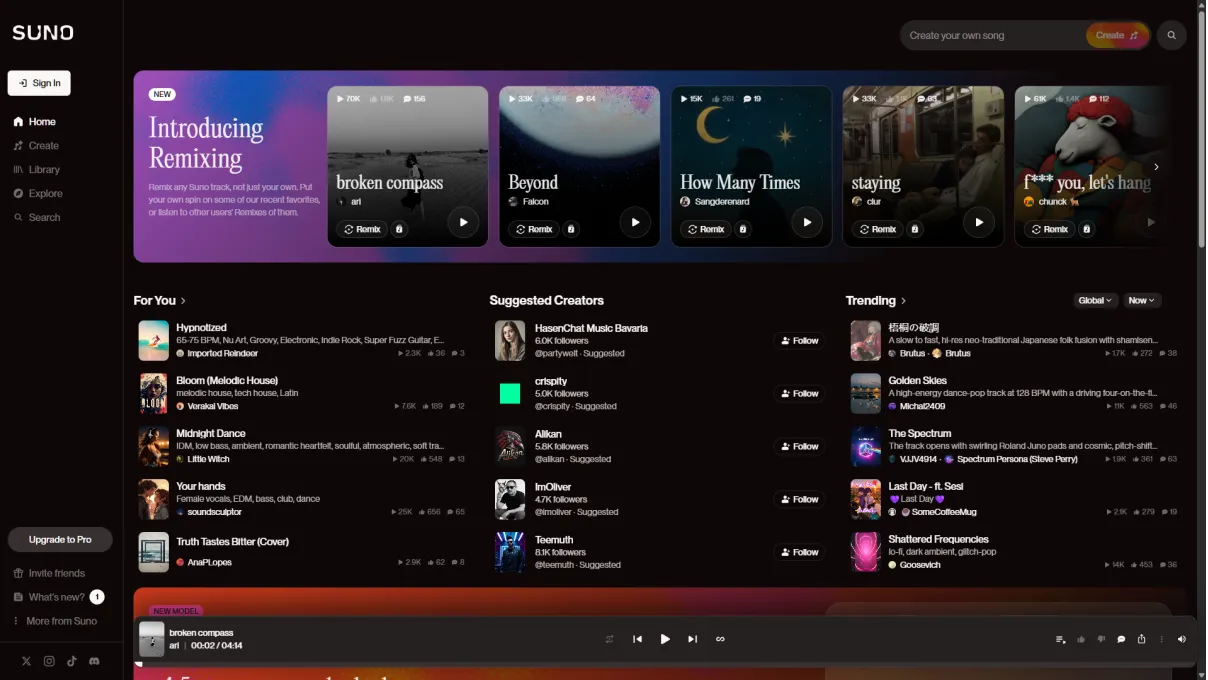
Suno's interface looks like Spotify had a baby with ChatGPT. It's clean, simple, and you can start generating music within 30 seconds of signing up. You've got two modes: Simple and Custom. Simple mode is exactly what it sounds like – you describe what you want, hit generate, and boom. Music. Custom mode lets you write your own lyrics and get more specific with genres.
I use Simple mode like 70% of the time because honestly, the AI usually knows what I want better than I do.
What's Actually Good About Suno
It's Ridiculously Fast
I'm talking 30-60 seconds for a complete, full-length song. Not a clip. Not a loop. A full song with everything. I tracked this obsessively (because I'm that kind of person), and the average was 43 seconds. My fastest generation was 28 seconds. When you're pumping out content and need music NOW, this speed is a lifesaver.
One time a client called me at 2 PM saying they needed different music for a video going live at 5 PM. I generated five completely different options in under 10 minutes. Try doing that with traditional music licensing.
The Vocals Are Shockingly Good
Here's something that genuinely surprised me: the vocals don't immediately scream "AI." I made a country ballad for a client video about rural America. Three different people asked me who the singer was. When I told them it was AI-generated, they literally didn't believe me.
Now, if you're listening with expensive headphones or you're an audio engineer, yeah, you can tell. There's this subtle processed quality to it. But in the context of a YouTube video or social media post? Most people can't tell the difference.
Suno recently updated to version 4.5, and the improvements are noticeable. Songs feel more structured, genres are more accurate, and there are fewer of those weird transitions where the song just... doesn't know what to do with itself.

What's Not So Great
That "Suno Sound"
After you've generated maybe 50 or 60 songs, you start to notice something. There's this distinctive quality to Suno's output – like everything has a subtle auto-tune effect applied, even when you didn't ask for it. I played some tracks for my friend who's an audio engineer (without telling him they were AI), and he immediately said "these sound processed." That's the Suno sound.
Lyrics Can Be... Weird
Sometimes Suno writes poetry. Sometimes it writes complete nonsense. I asked it to create a rock song about overcoming obstacles. This is what I got:
"My bass line is playing loud and clear
The drums are beating, drawing near
Guitar strings singing, free from fear"
Like... what? It's literally just describing the instruments instead of, you know, obstacles. This happens more than I'd like to admit.
Extensions Don't Always Work
Out of 100 songs I tried to extend, 15 just... didn't work. Error messages, freezing, or it would just silently fail. When you're on a deadline, this is incredibly frustrating.
The Real Numbers
I used Suno Pro ($10/month) for three months. Here's what happened:
- Generated: 437 songs
- Actually used: 89 songs
- Success rate: About 20%
- Cost per usable track: $0.34
Compare that to the $200-300 I was paying before. Even with only a 20% success rate, I'm saving literally thousands of dollars.
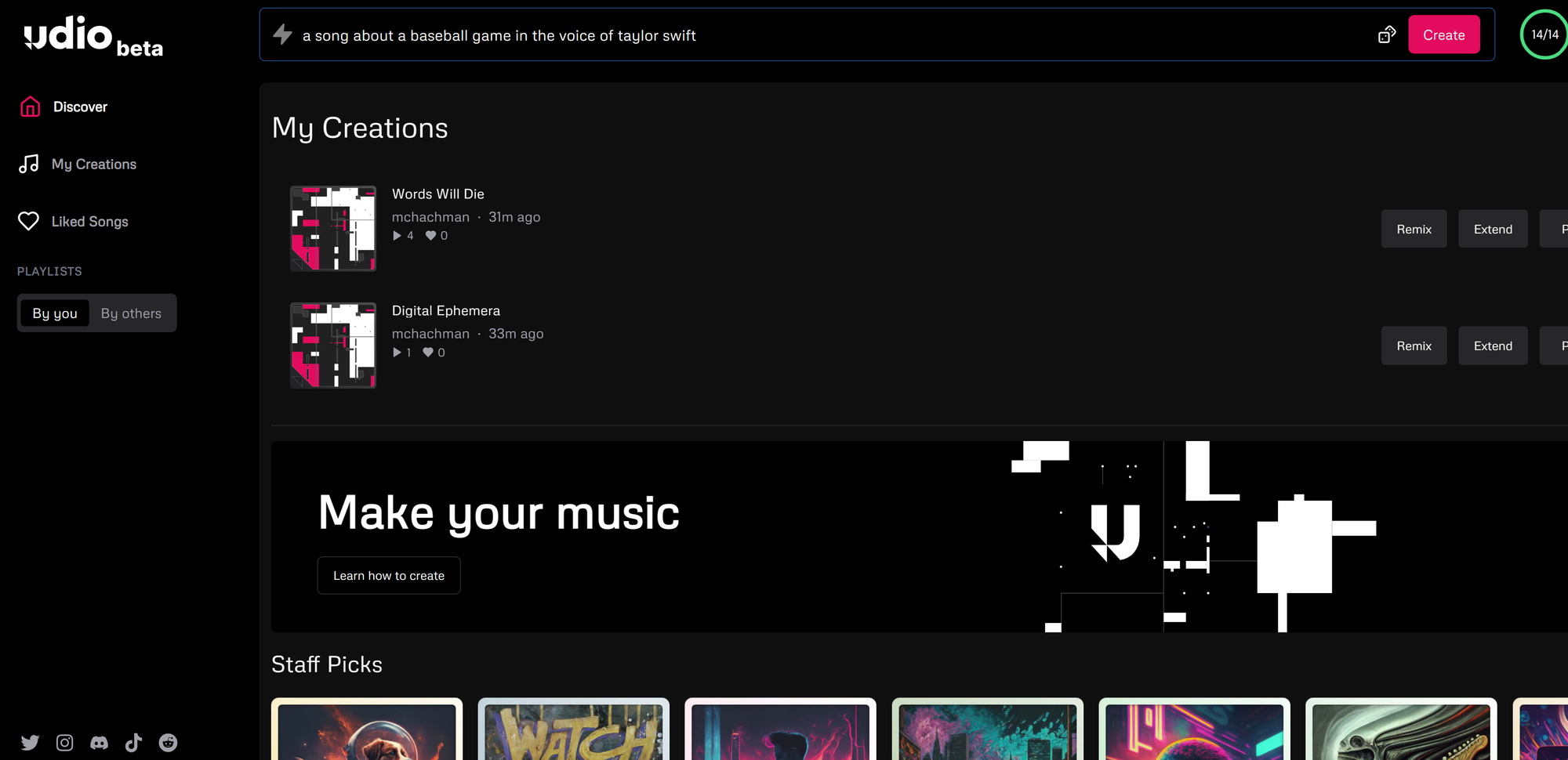
Udio: The Quality Option
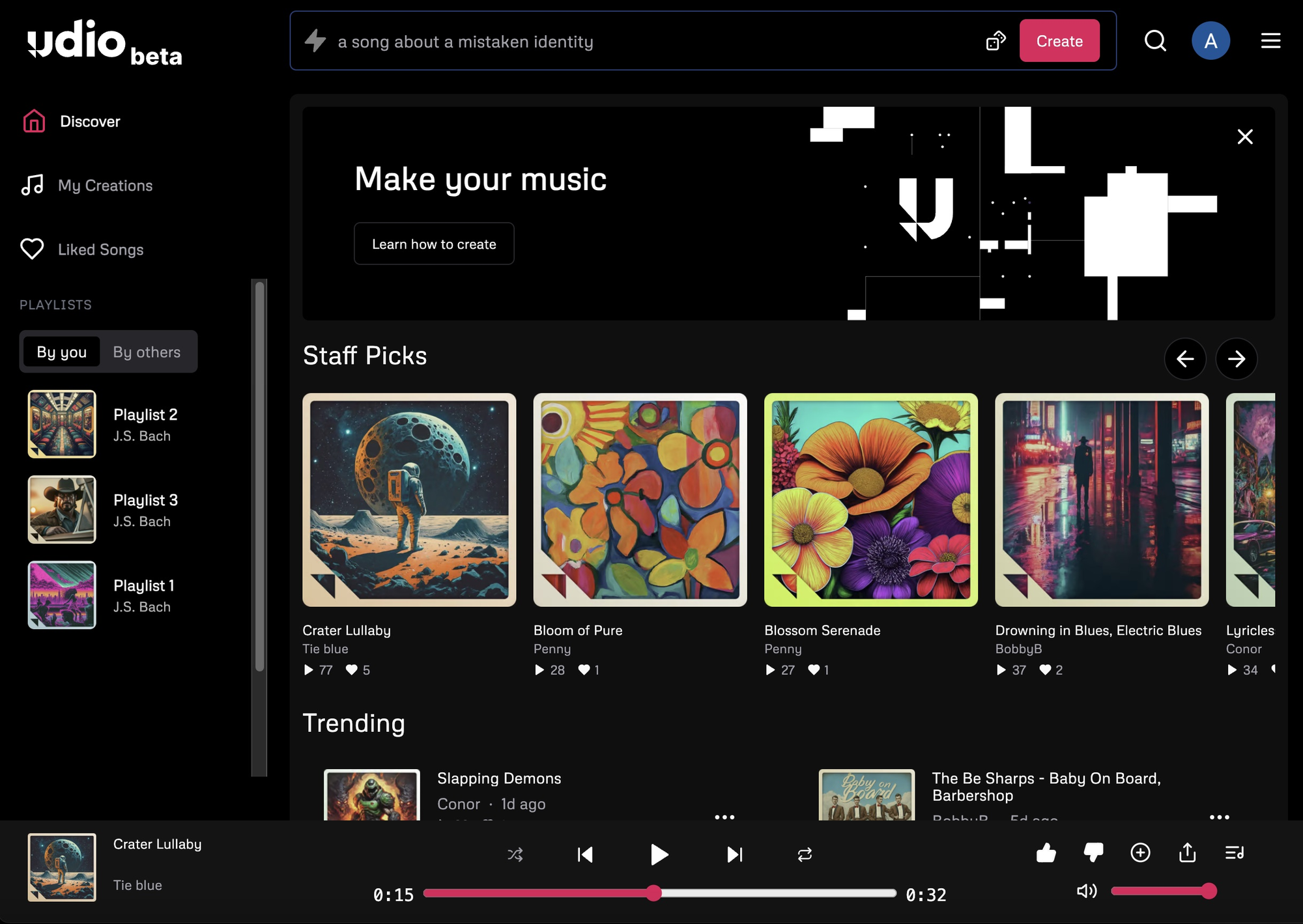
I was comfortable with Suno. I knew how it worked, I was getting results, and I'm fundamentally lazy. Why learn a new platform? But I kept seeing audio professionals on Reddit saying Udio sounded better. Like, significantly better. So I figured I'd give it a shot.
And yeah, they were right.
The Sound Quality Is Actually Professional
This is Udio's secret weapon: it genuinely sounds like professional music production.
I'm not going to bore you with all the technical specs, but here's what matters: Udio outputs at 48kHz/32-bit. That's studio quality. When I drop an Udio track into my video editing timeline next to commercially licensed music, I literally cannot tell the difference in quality.
The Vocals Sound Human
This is where Udio really shines. I created a sad piano ballad and played it for my wife without telling her it was AI. She got emotional listening to it. When I told her afterwards that a computer made it, she was genuinely shocked.
The voice has texture. It has emotion. There's breath, there's tremor, there's... feeling. It's honestly kind of creepy how good it is.
More Control (If You Want It)
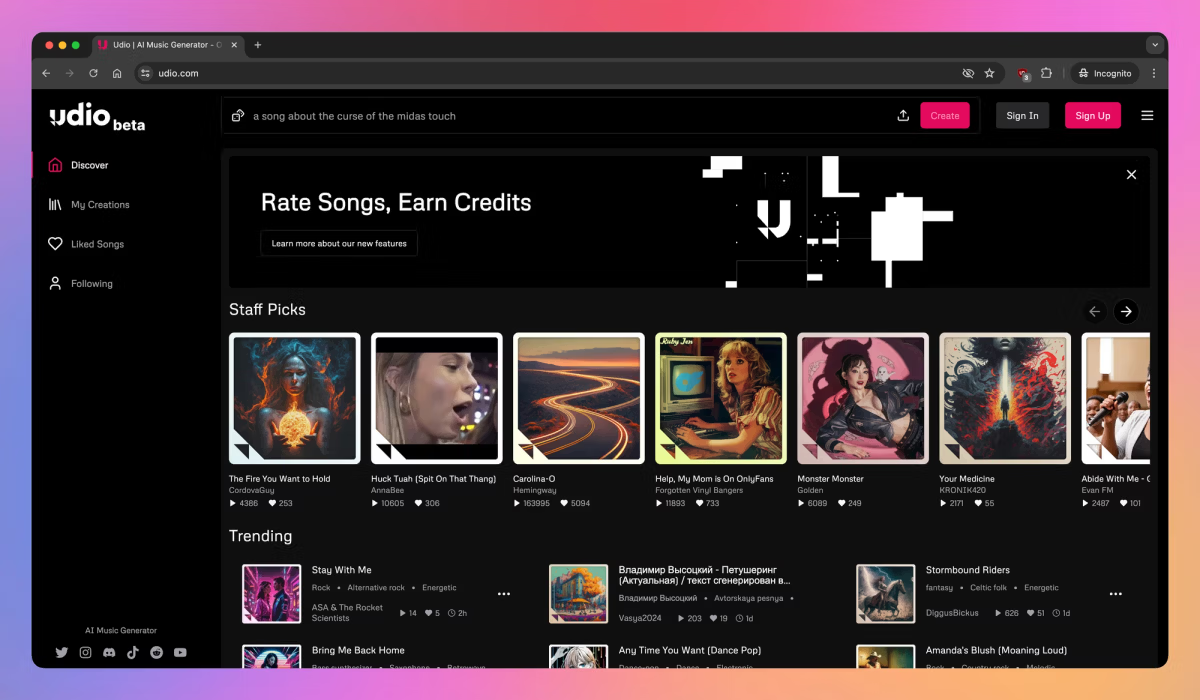
Udio gives you way more control than Suno:
- You can upload your own audio and have it generate from that
- You can use "inpainting" to change specific parts of a song
- You can extend songs manually with precise control
- You can fine-tune how genre tags get interpreted
For a corporate video where I needed music to hit specific emotional beats at exact timestamps, this level of control was essential. Suno would've been guessing.
The Downsides
There's a Learning Curve
Udio is not as immediately intuitive as Suno. It took me about a week of daily use before I felt comfortable with all the features. When I just need generic background music fast, I still go back to Suno. Udio is for when I have time to actually craft something.
It's Slower
Udio generates 30-second clips that you then extend manually. To get a full 3-minute song, you're looking at:
- Initial generation: 30 seconds
- Then 6-8 extension steps
- Total time: 5-10 minutes
Compared to Suno's instant complete songs, this feels slow. But the quality difference is worth it for important projects.
Sometimes too literal. When I ask Udio for "blues rock," it gives me BLUES ROCK. Like, textbook definition blues rock. Sometimes Suno's occasional genre-blending creates more interesting results.
My Real Usage
I used Udio Standard ($10/month) for two months:
- Generated: 178 songs
- Used in projects: 67 songs
- Success rate: 37.6%
- Cost per usable track: $0.30
Better quality, higher success rate, but slower workflow and fewer total generations.
ElevenLabs Music
ElevenLabs built their reputation on text-to-speech and voice cloning. They're really good at it. So when they announced music generation, I was skeptical. Turns out they're not trying to compete head-to-head with Suno and Udio. They're building an ecosystem.
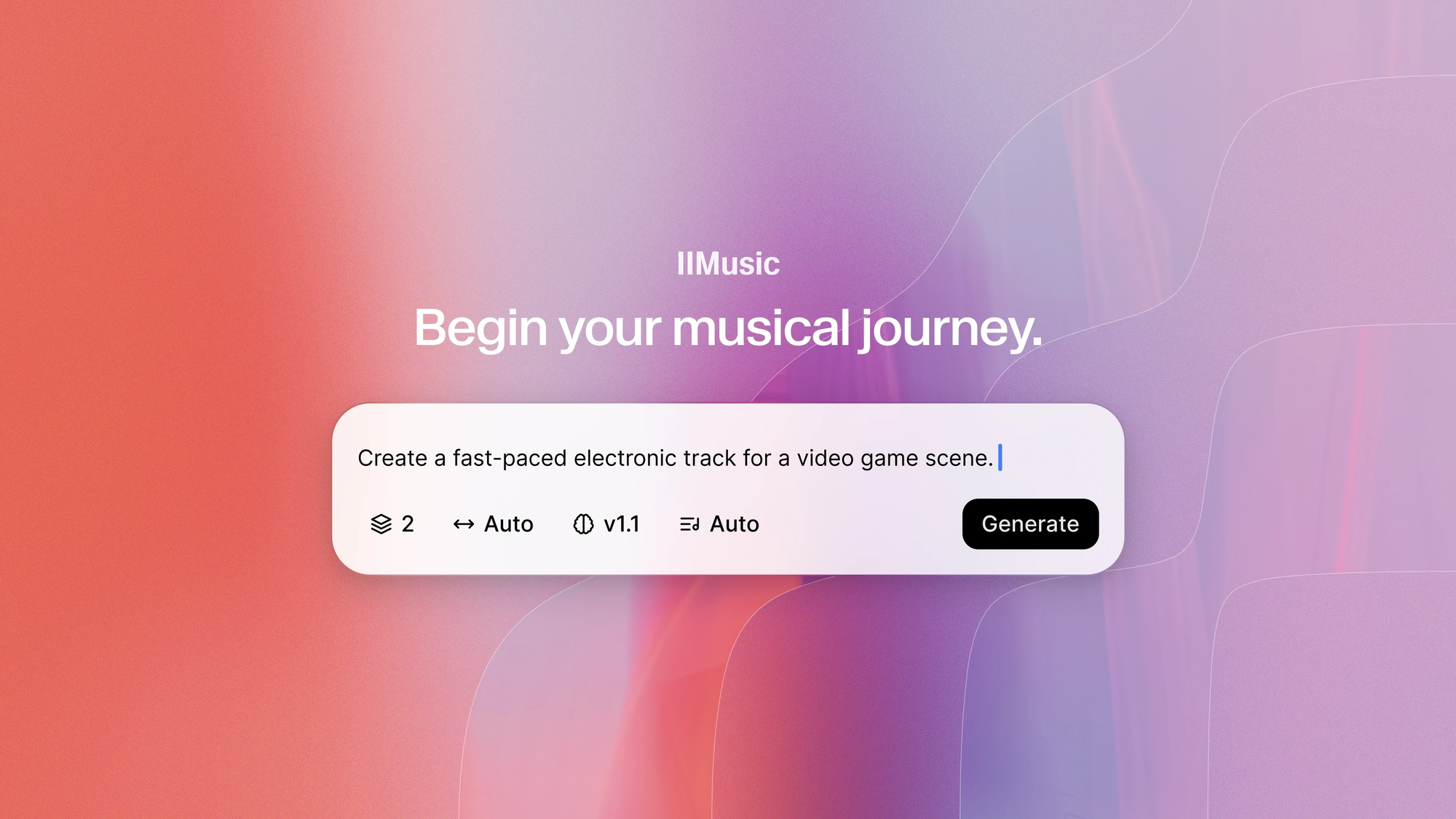
ElevenLabs isn't just a music platform. It's:
- Text-to-speech
- Voice cloning
- Music generation
- Translation and dubbing
For someone like me who uses both AI voice and AI music, this integration is actually really convenient. I can generate a voiceover and matching background music in the same workflow.
Where It Works Really Well
Super Fast for Instrumentals
Need ambient background music? Corporate soundtrack? Podcast bed? ElevenLabs cranks these out in 25-30 seconds. I use it all the time for tutorial videos where I just need something simple and unobtrusive in the background.
The Credit System Is Actually Smart
Instead of paying per song, you get credits that work across all ElevenLabs features. So if I don't use all my music credits one month, I can use them for voiceover instead. This flexibility is nice when your needs vary month to month.
Where It Falls Short
Vocals Aren't Great
I tested 20 vocal song requests on ElevenLabs. Three were usable. The rest sounded robotic and emotionally flat. If you need songs with singing, use Suno or Udio. ElevenLabs is for instrumentals.
Less Customization
Compared to Udio's detailed controls or even Suno's custom mode, ElevenLabs is pretty basic. You describe what you want, you get what you get.
My Real Usage
One month on Creator plan ($22/month):
- Generated: 47 minutes of music
- Actually used: 31 tracks
- Success rate: 65.9%
- Cost per track: $0.35
Highest success rate of all three platforms, but I only use it for specific instrumental needs.
Head-to-Head: The Real Comparison
Let me cut through the BS and tell you exactly how these platforms compare.
Speed Test
I generated the same 3-minute track request on all three platforms:
- Suno: 45 seconds (complete song instantly)
- ElevenLabs: 28 seconds (instrumental only)
- Udio: 8 minutes (multiple extension steps)
Winner: Suno for songs with vocals, ElevenLabs for instrumentals.
Quality Test
I played tracks from each platform for 10 people (mix of audio professionals and regular folks):
Suno: 7 out of 10 people identified it as AI within 30 seconds
Udio: Only 3 out of 10 were confident it was AI. Two people insisted it was a real singer until I showed them proof.
ElevenLabs: 9 out of 10 knew immediately (but I only tested instrumental versions)
Winner: Udio, no contest.
Genre Accuracy Test
I asked each platform to generate 10 different genres:
| Platform | Accuracy Score | Notes |
|---|---|---|
| Suno | 7.5/10 | Struggles with jazz and classical |
| Udio | 8.7/10 | Nails basically everything |
| ElevenLabs | 6.2/10 | Better with electronic/ambient |
Winner: Udio.
Real-World Project Test
I used all three platforms for actual client work over two months:
Suno tracks (23 used): Zero complaints, one client thought it was a demo version of a real song
Udio tracks (31 used): Multiple clients complimented the music choice, one asked for artist info to credit them
ElevenLabs tracks (18 used): Worked perfectly for background scoring, no issues raised
Winner: All three work fine for real projects. Choice depends on your specific needs.
Let's Talk About Pricing
Here's what these platforms actually cost and what you get for your money.
Suno Pricing
Free: 50 credits daily (10 songs). Can't use commercially. Good for testing.
Pro ($10/month): 500 songs monthly, commercial rights, priority queue. This is the sweet spot.
Premier ($30/month): 2,000 songs monthly. Overkill unless you're an agency.
My take: Pro at $10/month is all most people will ever need. I never used more than 200 songs in a month even when I was cranking out content.
Udio Pricing
Free: 10 credits daily. Limited but functional for testing.
Standard ($10/month): More credits, audio uploads, high-quality exports. Good value.
Pro ($30/month): Substantially more credits, early access to features. Only needed for high-volume work.
My take: Standard at $10/month is the right choice for most people.
ElevenLabs Pricing
Free: 11 minutes of music monthly. Not much.
Starter ($5/month): 22 minutes monthly. Still pretty limiting.
Creator ($22/month): 62 minutes monthly, commercial license. This is their main plan.
Pro ($99/month): 304 minutes monthly. For heavy users.
My take: The minute-based pricing feels more restrictive than Suno/Udio's song-based model. Only worth it if you're also using their voice features.
The Real Cost Breakdown
Let me show you what these subscriptions actually cost per usable track:
| Platform | Monthly Cost | Usable Tracks | Real Cost Per Track |
|---|---|---|---|
| Suno Pro | $10 | ~100 | $0.10 |
| Udio Standard | $10 | ~67 | $0.15 |
| ElevenLabs Creator | $22 | ~31 | $0.71 |
Compare to traditional licensing: $200-300 per track.
Over six months, I went from spending $1,200 on music to spending $120. That's $1,080 saved.
When to Use Which Platform
Okay, here's the practical stuff. When should you actually use each platform?
Use Suno When:
- You need music RIGHT NOW
- You're making YouTube videos or social content
- Volume matters more than perfection
- You're on a tight budget
- You want to try multiple ideas quickly
When client calls at 2 PM, needs new music by 5 PM. Suno generates five options in 10 minutes. Project saved.
Use Udio When:
- Quality actually matters
- You're doing client work with real budgets
- The music is a main feature, not just background
- You have time to iterate and refine
- Audio professionals might hear it
Documentary video about climate change. Spent 4 hours crafting Udio soundtrack. Multiple YouTube comments praised the "amazing music."
Use ElevenLabs When:
- You need simple instrumental backgrounds
- You're also doing voiceover work
- You want everything in one platform
- Making tutorials or podcasts
- Corporate video work
Weekly podcast. Generated intro music and voice intro in same session, matching aesthetic.
My Honest Recommendation
After six months of testing, here's what I actually use and what I recommend.
If You Can Only Choose One: Suno
For most content creators, Suno Pro at $10/month is all you need. It's:
- Fast enough for any deadline
- Good enough for 90% of projects
- Cheap enough to experiment freely
- Simple enough to learn in 30 minutes
Start here. Seriously.
My Personal Setup: Two Platforms
I use Suno Pro ($10/month) + Udio Standard ($10/month) = $20/month total
Why both?
- Suno for 80% of projects (speed, volume, experimentation)
- Udio for 20% of projects (important client work, portfolio pieces)
This combo covers basically everything. Total cost is still less than ONE traditionally licensed track.
If You're Really Serious: Add ElevenLabs
Only add ElevenLabs Creator ($22/month) if:
- You're generating $2,000+ monthly from content
- You do a lot of voiceover work
- You need both voice and music regularly
I tried running all three subscriptions for two months. It was overkill. Stick with two unless you have a specific need.
Quick Recommendation Guide
YouTube creator → Suno Pro ($10/month)
Professional videographer → Suno Pro + Udio Standard ($20/month)
Podcaster → ElevenLabs Creator ($22/month)
Agency → Suno Pro + Udio Pro ($40/month)
Complete beginner → Start with Suno Free, upgrade to Pro after you've generated 50 songs
The Copyright Elephant in the Room
Okay, we need to talk about this because it's important.
In July 2024, the Recording Industry Association of America (RIAA) sued both Suno and Udio. The claim: these platforms trained their AI on copyrighted music without permission. This is a big deal. The RIAA is seeking up to $150,000 per infringement.
What This Means for You
The reality: Platforms say you can use AI music commercially on paid plans. But courts haven't ruled yet on whether the training itself was legal. You're technically taking on some legal risk by using these platforms.
For high-profile work (major brands, national campaigns): I still use traditional licensed music. The legal exposure isn't worth the savings.
For everything else (YouTube, social media, most client work): I use AI music without worry. The risk feels minimal for small-to-medium projects.
What I Do to Stay Safe
- Keep all receipts and documentation
- Inform clients it's AI-generated (let them decide)
- Monitor legal developments
- Stay ready to pivot if courts rule against AI training
Nobody's been sued for USING AI music yet. The lawsuits are about how the AI was trained. Still, stay informed.
Wrap up
Six months ago, I was skeptical. Today, I can't imagine going back.
Is AI music perfect? No. Does it replace human musicians? Absolutely not. But for content creators, it's genuinely transformative.
Here's what actually happened to my business:
Before AI Music (6 months):
- Music costs: $1,200
- Tracks purchased: 6
- Cost per track: $200
After AI Music (6 months):
- Subscription costs: $120
- Tracks generated: 615
- Usable tracks: 187
- Cost per track: $0.64
I saved $1,080. But more importantly, I can now:
- Try 10 different musical directions without budget stress
- Create custom music for every project
- Experiment freely
- Iterate until it's perfect
Don't buy all three subscriptions at once. Start small. Add platforms only when you hit specific limitations.
For 80% of content creators, Suno Pro alone will be enough.
For the other 20% who need that extra quality, add Udio.
Only add ElevenLabs if you specifically need voice + music integration.
FAQ
Which is better: Suno or Udio for AI music creation?
Suno is better for speed and quantity, generating complete 4-minute songs in under a minute at $10/month for 500 songs. Udio excels in audio quality and vocal realism, with 48kHz/32-bit output that sounds more professional, though it takes longer to create songs.
For most content creators, Suno offers the best value, while Udio is ideal when audio quality is paramount for client work or portfolio pieces. If you need music fast for YouTube videos or social media, choose Suno. If you're creating documentary content or high-end client work where people will actively listen to the music, Udio's superior quality justifies the extra time investment.
Can people tell if music is AI-generated?
In most content contexts like YouTube videos or podcasts, listeners typically cannot identify AI-generated music. However, in critical listening situations or when using studio-grade headphones, audio professionals can often detect AI music, especially from Suno which has a distinctive processed quality.
Udio's vocal synthesis is the hardest to identify as AI, with only 30% of test listeners correctly identifying it as artificial. The key factor is context – when music serves as background to other content, it's virtually undetectable. When music is the primary focus, trained ears may notice subtle artificial qualities.
Is AI-generated music legal for commercial use?
AI music platforms claim commercial use is permitted on paid plans, but legal uncertainty exists. The RIAA filed lawsuits against Suno and Udio in July 2024 for allegedly training on copyrighted music without permission.
While users can currently license AI music commercially through subscriptions, the underlying copyright questions remain unresolved in courts. For high-profile projects with major brands or national campaigns, traditional licensed music may be safer. For low-profile content like YouTube videos, social media posts, or internal corporate videos, the risk is minimal. Document your usage and stay informed on legal developments.
How much does AI music generation cost compared to traditional music licensing?
AI music generation costs $0.30-0.64 per usable track compared to $200-300 for traditional licensed music or custom compositions.
AI Music Costs:
- Suno Pro: $10/month for 500 songs ($0.34 per usable track with 20% hit rate)
- Udio Standard: $10/month ($0.30 per usable track with 37% hit rate)
- ElevenLabs Creator: $22/month for 62 minutes ($0.35 per usable track)
Traditional Music Costs:
- Stock music subscriptions: $15-30/month for limited downloads
- Custom compositions: $200-300 per track
- Professional licensing: $500-2,000+ for major projects
Over six months, switching to AI music can save approximately $1,080 compared to traditional licensing, even accounting for the lower hit rate where not every generation is usable.
What is the quality difference between Suno, Udio, and ElevenLabs Music?
Udio delivers the highest audio quality:
- 48kHz/32-bit output
- Full frequency range to 20kHz
- Professional-grade stereo imaging
- Quality score: 9.2/10
Suno produces good quality but with limitations:
- 44.1kHz output
- Noticeable processed vocal sound
- Quality score: 7.0/10
ElevenLabs Music excels at instrumentals:
- Strong for background music
- Vocals aren't the primary focus
- Quality score: 8.0/10
For professional projects, corporate videos, or wedding films where audio quality matters, Udio is the clear winner. For YouTube content, social media, or quick projects, Suno's quality is perfectly adequate.
Which AI music platform is fastest for generating songs?
Suno is the speed champion:
- Complete 4-minute songs in 30-60 seconds
- Average generation time: 43 seconds
- Instant full-length output
ElevenLabs is fast for instrumentals:
- 3-minute instrumental tracks in 25-30 seconds
- Best for background music needs
Udio takes longer but offers quality:
- 5-10 minutes for complete songs
- Starts with 30-second clips requiring manual extension
- 6-8 extension steps needed on average
For deadline-driven work, emergency projects, or high-volume content creation, Suno's speed advantage is significant. When you have time to craft the perfect track, Udio's slower workflow produces better results.
Can AI music generators create songs in different languages?
Yes, but with varying quality:
Suno:
- Supports Spanish, French, Hindi, Italian, Portuguese, and more
- Lyric accuracy varies by language
- Better with major languages
Udio:
- Accepts non-English prompts
- Can produce coherent lyrics in Japanese, Portuguese, German
- Sometimes surprisingly accurate
ElevenLabs:
- Primarily instrumental-focused
- Limited multi-language vocal capabilities
Best practices for non-English generation:
- Use simple phrases in your prompts
- Verify lyrics for accuracy before publishing
- Test with native speakers when possible
- Major languages work better than less common ones
What are the main differences between Suno and Udio features?
Suno Features:
- Simple Mode: Auto-generates everything
- Custom Mode: Write your own lyrics and select genres
- Personas: Reuse vocal styles across songs
- Instant full-length generation (4 minutes)
- Easy song extension
- Straightforward interface
Udio Features:
- Inpainting: Change specific song sections
- Audio uploads: Use your own audio as starting point
- Advanced style controls: Fine-tune genre adherence
- Manual extensions: Precise control (up to 15 minutes)
- High-quality WAV exports
- Detailed editing capabilities
The Bottom Line:
Suno prioritizes simplicity and speed – perfect for users who want results fast without technical complexity. Udio offers professional-grade control – ideal for users who want to fine-tune every aspect of their music.
Which AI music platform is best for YouTube creators?
For Most YouTube Creators: Suno Pro ($10/month)
Use Suno for:
- Channel intro music
- Background tracks for talking head videos
- Comedy sketch soundtracks
- Tutorial background music
- When you need music fast
Use Udio for:
- Documentary-style videos
- Video essays where music carries emotion
- Portfolio pieces you'll show potential clients
- Any project competing with professional production
Use ElevenLabs for:
- Tutorial videos with simple backgrounds
- Podcast-style content
- When you need matching voiceover and music
- Minimal, atmospheric backgrounds
Practical recommendation: Start with Suno Pro. If you create high-end documentary or essay content, add Udio Standard. Most YouTubers won't need more than Suno.
Do I need multiple AI music subscriptions or just one?
Most people need only one platform:
Single Platform Strategy (80-90% of users):
- Suno Pro ($10/month) covers most content creation needs
- Best for: YouTubers, podcasters, social media creators
- 500 songs/month is more than enough
Two-Platform Strategy (Professional creators):
- Suno Pro ($10/month) + Udio Standard ($10/month) = $20/month
- Use Suno for 80% of projects (speed)
- Use Udio for 20% of projects (quality)
- Total coverage: 95% of all music needs
Three-Platform Strategy (High-volume professionals only):
- Add ElevenLabs Creator ($22/month) = $42/month total
- Only worth it if generating $2,000+ monthly revenue
- Most users find this overkill
Start with one subscription and add others only when you identify specific gaps in your workflow.
How accurate are AI music generators at following genre prompts?
Genre Accuracy Testing Results (across 10 genres):
Udio: 8.7/10
- Excellent at blues, EDM, country, rock, folk, R&B, reggae
- Very good at hip-hop
- Good at jazz and classical
- Most faithful to user prompts
Suno: 7.5/10
- Good at most popular genres
- Struggles with jazz and classical
- Sometimes blends genres unexpectedly
- Occasionally ignores specific tags
ElevenLabs: 6.2/10
- Best with ambient and electronic styles
- Better for instrumental than genre-specific vocals
- Less precise with traditional genres
Pro tip: For precise genre requirements (like client work specifying "West Coast hip-hop" or "1970s funk"), use Udio. For general vibes where some creative interpretation is acceptable, Suno works well.
Can AI-generated music be used on Spotify and other streaming platforms?
Suno:
- Pro and Premier plans include commercial rights
- Can distribute to Spotify, Apple Music, YouTube, TikTok
- Free plan tracks cannot be used commercially
- No retroactive licensing (if created on free plan, upgrading doesn't grant rights)
Udio:
- Paid plans allow commercial use
- Can publish on streaming platforms
- Attribution to Udio may be required (check current terms)
- Free plan is non-commercial only
ElevenLabs:
- Starter plan and above include commercial music licensing
- Free plan tracks are non-commercial
Important caveat: Given ongoing RIAA lawsuits against Suno and Udio, consult platform terms and potentially legal counsel before major streaming releases. The legal landscape is evolving. For small-scale or personal distribution, current terms permit streaming platform use on paid plans.
What is the learning curve for AI music generation platforms?
Suno: Easiest (30 minutes to proficiency)
- Spotify-like interface
- Two simple modes
- Most users create usable tracks within first hour
- Master basic features: 2-3 hours
- Master advanced features: 5-10 hours
ElevenLabs: Moderate (2-3 hours to proficiency)
- Straightforward for instrumental generation
- Credit system takes time to understand
- Integration with voice features adds complexity
- Most users comfortable within a few sessions
Udio: Steepest (5-10 hours to proficiency)
- More buttons and options
- Inpainting and advanced controls require practice
- Extension workflow needs understanding
- Week of daily use recommended for mastery
General timeline:
- First usable track: Within 1 hour on any platform
- Comfortable creation: 3-5 sessions
- Advanced techniques: 2-4 weeks of regular use
- Professional workflow: 1-2 months
Don't let learning curve deter you – all three platforms are dramatically easier than traditional music production which can take months or years to learn.
How many songs can I generate per month with different AI music plans?
Suno Plans:
- Free: 50 credits daily = 10 songs/day (300 songs/month max)
- Pro ($10/month): 2,500 credits = 500 songs/month
- Premier ($30/month): 10,000 credits = 2,000 songs/month
Udio Plans:
- Free: 10 credits daily = 3-5 songs/day (90-150 songs/month)
- Standard ($10/month): More credits (exact number varies)
- Pro ($30/month): Substantially more credits
ElevenLabs Plans (measured in minutes, not songs):
- Free: 11 minutes of music/month
- Starter ($5/month): 22 minutes/month
- Creator ($22/month): 62 minutes/month
- Pro ($99/month): 304 minutes/month
Real-world usage: Most content creators use 50-200 songs monthly. Even Suno's Pro plan (500 songs) is rarely fully utilized. Consider that you'll iterate 3-5 times per usable track, so 500 generations = approximately 100-150 usable songs.
What are the best use cases for each AI music platform?
Use Suno For:
- YouTube channel intros and outros
- Social media content (Instagram, TikTok)
- Podcast background music
- Video game streaming overlays
- Comedy sketches and parody videos
- When deadlines are tight
- High-volume content production
- Experimental music ideas
Use Udio For:
- Documentary films
- Wedding videos
- Corporate presentations for major clients
- Music video concepts
- Portfolio pieces to attract clients
- Advertising campaigns
- Event videos (graduations, celebrations)
- Any project where people will actively listen to music
Use ElevenLabs For:
- Podcast intros (combined with voice)
- Tutorial video backgrounds
- Meditation and sleep content
- Corporate training videos
- Webinar soundtracks
- E-learning courses
- Atmospheric backgrounds for presentations
- When you need both music and voiceover
Quick Decision Guide:
- Music is background → Suno or ElevenLabs
- Music is feature → Udio
- Need it fast → Suno
- Need it perfect → Udio
- Need voice too → ElevenLabs
What's the success rate of generating usable AI music?
Real-world hit rates from 6 months of testing:
Suno:
- Usable on first try: 20-25%
- Usable within 3 attempts: 60%
- Average attempts per keeper: 4-5 generations
Udio:
- Usable on first try: 35-40%
- Usable within 3 attempts: 75%
- Average attempts per keeper: 2-3 generations
ElevenLabs:
- Usable on first try (instrumentals): 65%
- Usable on first try (vocals): 15%
- Best for instrumental backgrounds
Factors affecting success rate:
- Prompt clarity and detail
- Genre complexity
- Vocal vs. instrumental requests
- Your quality standards
- Experience level with the platform
Budget accordingly: If you need 10 final tracks, plan to generate 40-50 attempts on Suno, 25-30 on Udio, or 15-20 instrumentals on ElevenLabs.
Can I edit AI-generated music after creation?
Within Platforms:
Suno:
- Extend songs from any point
- Remix existing songs
- Continue from previous generations
- Limited direct editing of existing audio
Udio:
- Inpainting: Replace specific sections
- Extend and remix
- Blend multiple generations
- More granular control
ElevenLabs:
- Basic generation controls
- Limited post-generation editing
- Primarily create-and-export workflow
External Editing (Recommended):
All platforms export audio files that can be edited in:
- Free: Audacity, GarageBand
- Professional: Adobe Audition, Logic Pro, Ableton Live
Common post-processing:
- EQ adjustments: 10-15 minutes
- Compression and limiting: 5-10 minutes
- Trimming and fading: 5 minutes
- Volume normalization: 2 minutes
Most professional users do at least minimal post-processing even on high-quality Udio outputs. Budget 15-30 minutes per track for polishing.
Are there any copyright-safe alternatives to Suno and Udio?
Stable Audio:
- Uses explicitly licensed AudioSparx dataset
- Potentially lower copyright risk
- More expensive than Suno/Udio
- Smaller user base and fewer features
- Best for users prioritizing legal certainty
SOUNDRAW:
- Trains AI exclusively on in-house music
- Strong copyright protection
- No text prompts (uses customization options instead)
- $16.99-$49.99/month pricing
Mubert:
- Different approach: generates from loops
- Less copyright controversy
- More limited creative control
- $14-$199/month depending on use
Traditional Stock Music (Always copyright-safe):
- Artlist: $14.99/month
- Epidemic Sound: $15-$49/month
- AudioJungle: Pay per track
- Musicbed: Premium pricing
Reality check: Stable Audio and SOUNDRAW have stricter legal frameworks but less powerful generation. Most creators accept Suno/Udio's legal uncertainty for superior creative results, while monitoring legal developments.
How do I write better prompts for AI music generation?
Effective Prompt Structure:
1. Genre + Subgenre:
- Good: "indie folk rock"
- Better: "indie folk rock with Americana influences"
2. Mood + Energy:
- Good: "upbeat"
- Better: "upbeat and optimistic with high energy"
3. Instrumentation:
- Good: "guitar"
- Better: "acoustic guitar, soft piano, subtle strings"
4. Vocal Style (if applicable):
- Good: "female vocals"
- Better: "ethereal female vocals, reverb-heavy, breathy delivery"
5. Reference Era/Style:
- Good: "80s"
- Better: "1980s synthwave with retro-futuristic vibes"
Example of Excellent Prompt:
"Melancholic indie folk ballad with fingerpicked acoustic guitar, subtle cello, intimate male vocals with slight rasp, slow tempo, introspective lyrics about lost love, production style reminiscent of Bon Iver"
Common Mistakes:
- Too vague: "nice song"
- Too many genres: "rock jazz classical EDM fusion"
- Contradictory moods: "sad but energetic party anthem"
Platform-Specific Tips:
- Suno: Keep it simpler, let AI fill in gaps
- Udio: Be very specific, use detailed tags
- ElevenLabs: Focus on mood and atmosphere
What audio formats and quality do AI music platforms export?
Suno:
- Formats: MP3, WAV
- MP3: 320kbps (standard)
- WAV: Lossless (Pro/Premier plans)
- Sample rate: 44.1kHz
- Suitable for: Online content, streaming
Udio:
- Formats: MP3, WAV
- MP3: 320kbps
- WAV: High-quality lossless (Standard plan+)
- Sample rate: 48kHz
- Bit depth: 32-bit
- Suitable for: Professional production, film/TV
ElevenLabs:
- Formats: MP3, WAV (higher tiers)
- Quality varies by plan tier
- Lower plans: MP3 only
- Higher plans: WAV exports available
- Suitable for: Content creation, podcasting
What You Need:
- YouTube videos: MP3 at 320kbps is fine
- Professional client work: WAV exports recommended
- Spotify uploads: Either format works, WAV preferred
- Podcast: MP3 is standard
- Film/TV: WAV required
Storage Note: WAV files are much larger (30-50MB vs. 3-5MB for MP3). Budget storage accordingly if generating high volume.
Can AI music replace real musicians and composers?
Short answer: No, but it changes the landscape.
What AI music does well:
- Background music for content
- Quick iterations and experimentation
- Budget-friendly music for small projects
- Generating ideas and inspiration
- Covering basic musical needs
What real musicians still do better:
- Emotional nuance and genuine feeling
- Complex arrangements and live performance
- Original artistic vision
- Cultural authenticity
- Collaboration and interpretation
- Prestige and credibility for high-profile projects
The Real Impact:
AI music is more like:
- Stock photography vs. custom photoshoots
- Templates vs. custom design
- Fast food vs. fine dining
Each has its place. AI music serves the "good enough" market that previously couldn't afford music at all or used repetitive stock tracks. Top-tier professional music still requires human composers.
Future Outlook:
Musicians who adapt and incorporate AI into their workflow will thrive. Those who ignore it may struggle. But genuine artistry, live performance, and human connection will always have value that AI cannot replace.
For creators: Use AI music where it makes sense economically, but invest in human composers for flagship projects, brand themes, or when music is central to your creative vision.
Quick Reference
Look, AI music isn't perfect. But neither was stock music, and we all used that for years. The question isn't whether AI music is as good as a professional composer. The question is: is it good enough for your YouTube videos, client projects, and social content?
And the answer is: absolutely yes.
For $10-20/month, you get unlimited creative freedom. You can try ideas you'd never commission traditionally. You can iterate until it's perfect. You can have custom music for every project.
Six months ago, I spent $1,200 on music. Today, I spend $20/month and get better results.
That's not the future. That's right now. And it's available to you for the price of two coffees.
Best for beginners: Suno (suno.ai)
Best audio quality: Udio (udio.com)
Best for voice + music: ElevenLabs (elevenlabs.io)
My setup: Suno Pro + Udio Standard = $20/month
Best value: Suno Pro at $10/month
Start here: Suno free plan → test it → upgrade if you like it
Related Articles:
 Mark
Mark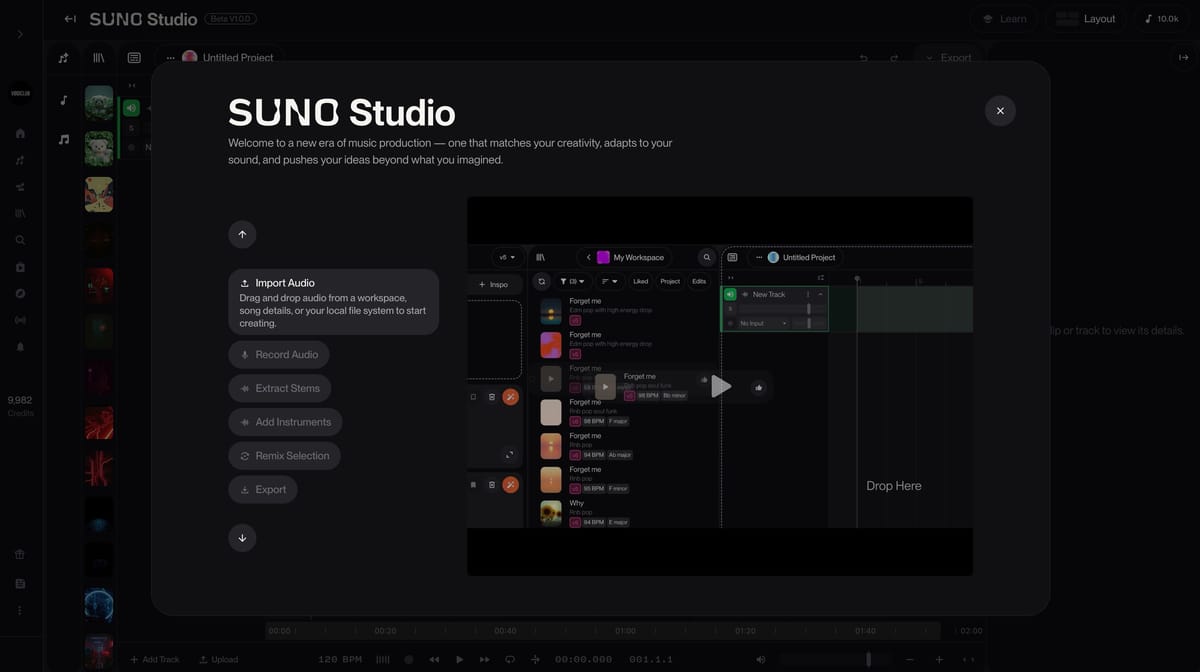
 Mark
Mark
 Mark
Mark