Let me tell you something—moving into your first apartment is one of those life moments that hits different. There's this incredible mix of excitement and "oh no, what did I sign up for" that happens the moment you get those keys. Suddenly, you realize your old roommates were doing a lot more than you gave them credit for. Who knew someone had to actually buy light bulbs? Or remember to check the smoke detector batteries?
I remember walking into my first apartment with nothing but a mattress on the floor and a box of ramen noodles. Within the first week, I'd stubbed my toe in the dark at least four times, burned microwave popcorn badly enough to set off the alarm, and discovered that dust bunnies multiply faster than actual bunnies.
If I could go back and tell myself one thing, it would be this: the right gadgets aren't just nice to have—they're the difference between your apartment feeling like a temporary crash pad and an actual home. And no, you don't need to spend a fortune. Some of the best apartment gadgets are surprisingly affordable, and they'll pay for themselves in convenience, peace of mind, and time saved.
So whether you're moving into a studio apartment in a big city, a one-bedroom in the suburbs, or your first place after graduating, I've put together a list of ten gadgets that will genuinely make your life easier. These aren't just random tech toys—these are the things I wish someone had told me about when I was figuring out adult life for the first time.
Let's dive in.
1. SimpliSafe Home Security System
Here's the thing about your first apartment: you're probably not living in a gated community with 24/7 doormen. And even if your building seems safe, there's something deeply unsettling about being alone in a new place for the first time. I don't say this to scare you—I say it because a good security system completely transforms how you feel in your space.
SimpliSafe has become the gold standard for apartment security, and for good reason. It's specifically designed for renters, which means no drilling holes in walls you don't own and no long-term contracts that follow you when you move. Everything attaches with adhesive strips, and when your lease is up, you literally peel the sensors off and take the whole system with you to your next place.
What You Get and How It Works
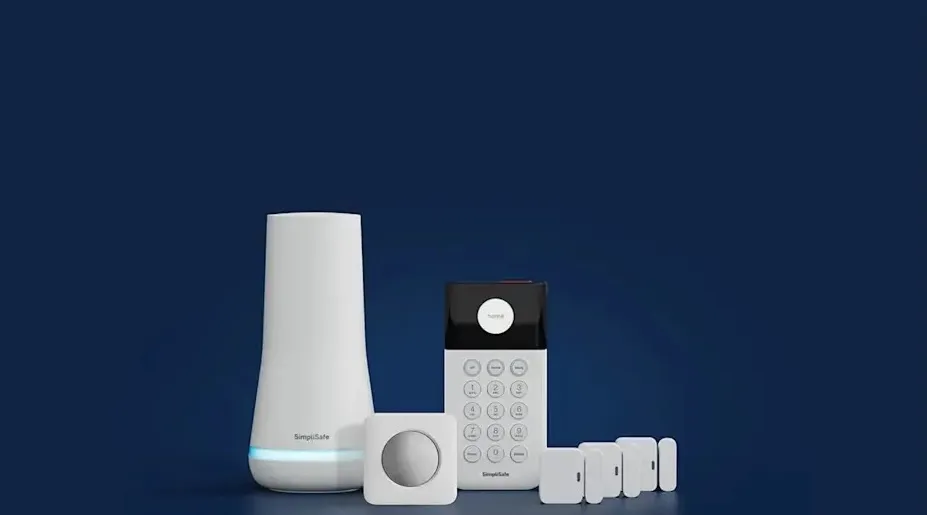
The basic SimpliSafe starter kit includes everything you need for a small apartment: a base station (the brains of the operation), a wireless keypad, a motion sensor, and an entry sensor for your door. The equipment packages typically start around $280, which might sound like a lot until you consider what you're getting.
Setup takes maybe 30 minutes, tops. You download the app, follow the instructions, stick the sensors where they need to go, and you're done. No electrician, no technician, no scheduling appointments around your work schedule. The sensors pair directly with the base station, and the app walks you through naming each one so you know exactly what triggered an alert.
The real magic happens with the monitoring options. You can self-monitor for free, which means the app alerts you when something happens and you decide what to do about it. Or you can opt for professional monitoring starting around $23 per month. With professional monitoring, if an alarm triggers and you don't respond, SimpliSafe's team will contact you—and if they can't reach you, they'll dispatch police to your address.
The Feature That Sealed the Deal for Me
What really sets SimpliSafe apart is their Active Guard monitoring feature. This isn't just someone watching camera feeds—it's proactive intruder deterrence. Their monitoring team can actually speak through your devices to warn off suspicious people, and they can share live footage with police if something goes wrong. According to the company, the average SimpliSafe customer stays with them for 10 years. That's not brand loyalty built on marketing—that's trust earned through reliability.
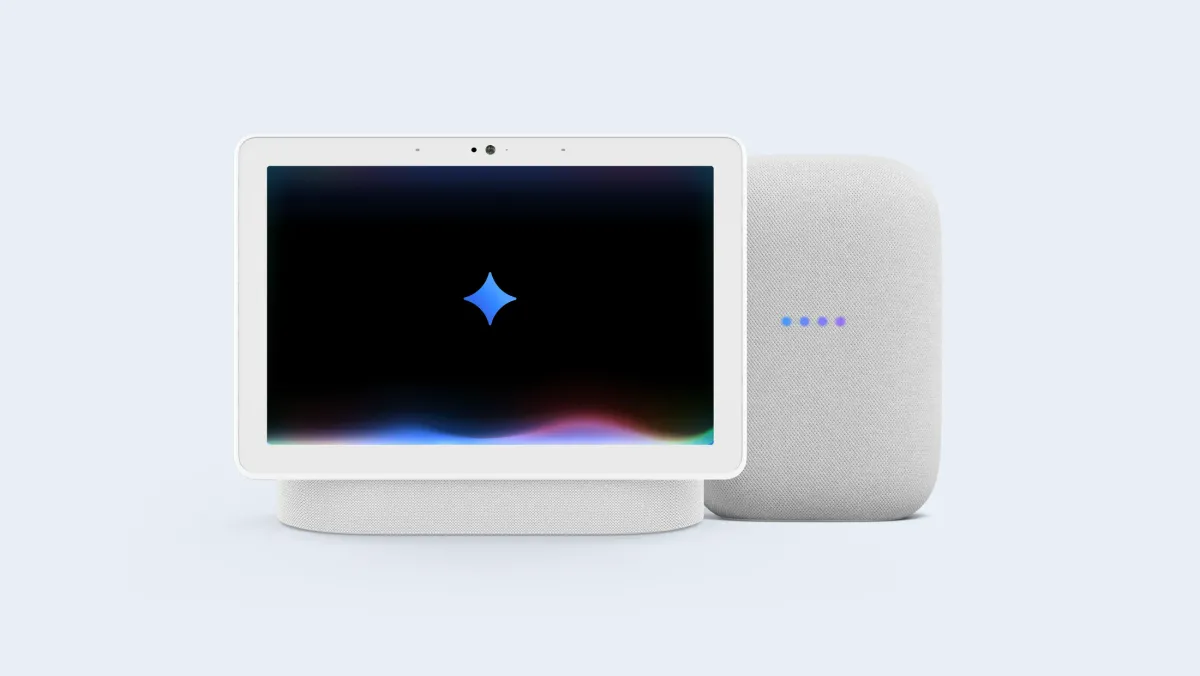
The system also integrates with Alexa and Google Assistant, so you can arm it with your voice when you're heading to bed or leaving for work. And because everything is wireless, you can expand the system as needed. Moving to a bigger place with more entry points? Just add more sensors. Getting a package theft problem? Add a video doorbell. The flexibility is genuinely impressive.
2. Smart Smoke and Carbon Monoxide Detector
Most apartments come with basic smoke detectors, but let me tell you about the 3 AM wake-up call that changed my opinion on "good enough" fire safety. I was cooking late at night (bad idea), set off the smoke alarm, and spent twenty minutes fanning it with a towel while my neighbors probably contemplated murder. That's when I realized that not all smoke detectors are created equal.
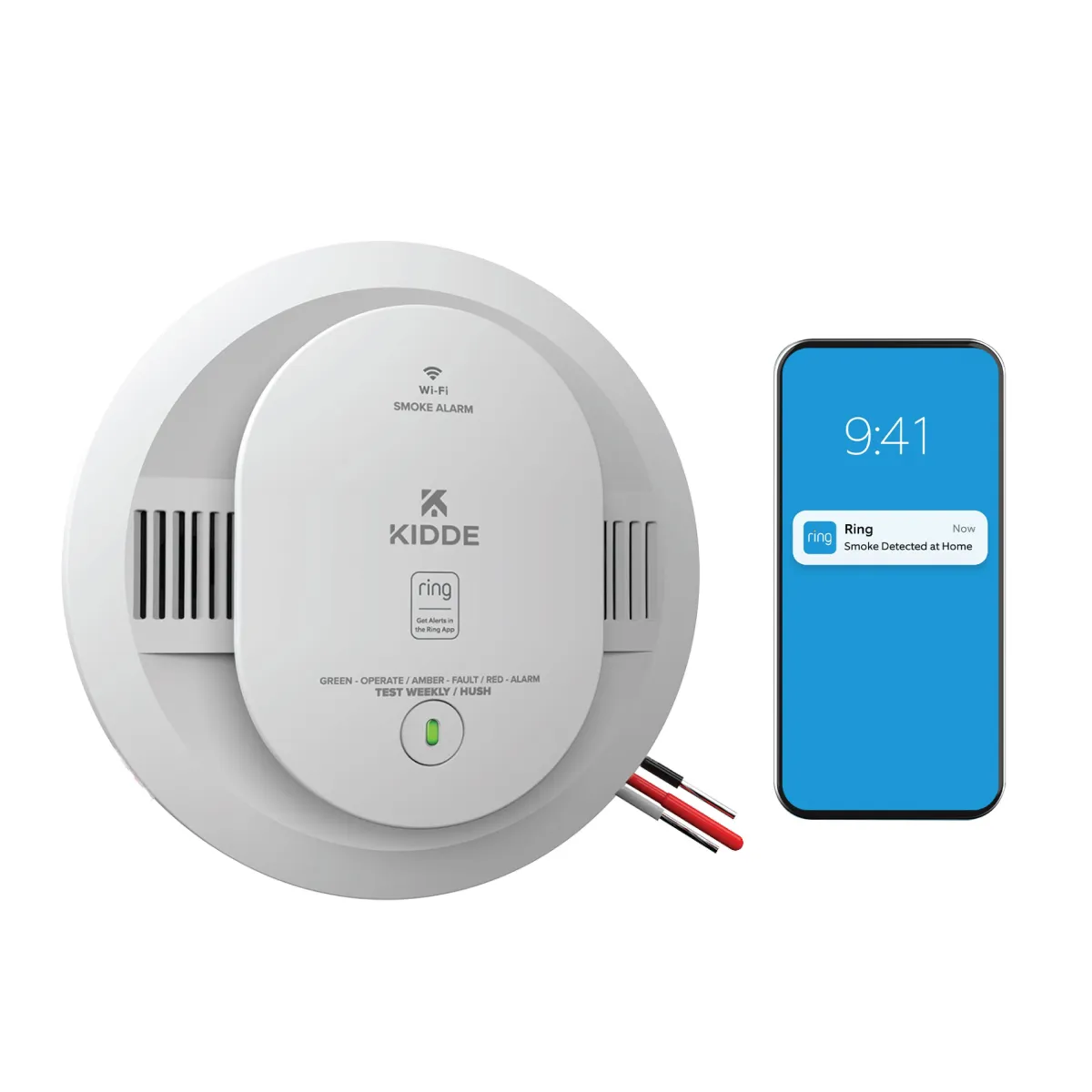
A smart smoke detector does everything a traditional one does, but with intelligence that actually helps instead of just screaming at you. The Kidde Smart Smoke and Carbon Monoxide Detector is one of the best options out there, and it addresses the two biggest problems with standard detectors: false alarms and "where is that beeping coming from?"
What Makes It Smart
First, the false alarm issue. Kidde's detector uses intelligent sensing technology that can differentiate between actual smoke emergencies and cooking smoke. It's not perfect—no detector is—but it dramatically reduces those annoying false alarms that make you want to rip the thing off the ceiling.
Second, and this is the game-changer: phone notifications. If the alarm does go off, you get an alert on your phone instantly. This matters for two reasons. If you're home, you know exactly which detector triggered (the app tells you). If you're not home, you know something's wrong and can call for help immediately instead of finding out hours later when you walk into a disaster.
Kidde recently enhanced their smart alarms with Amazon Ring integration, which means you can get notifications through the Ring app if you're already in that ecosystem. Everything talks to everything else, which is exactly what you want in an emergency.
The Carbon Monoxide Factor
Here's something nobody talks about with first apartments: carbon monoxide is called the silent killer for a reason. You can't see it, smell it, or taste it, and by the time you realize something's wrong, it might be too late. A combo smoke and CO detector gives you protection against both threats in one device.
The Kidde runs around $75, which is more expensive than a basic detector but infinitely cheaper than the alternative. Consider it the same category as insurance—you hope you never need it, but you'll be incredibly grateful if you do.
3. Robot Vacuum
I'm going to be honest with you: cleaning your apartment by yourself gets old fast. When you lived with roommates, someone was always vacuuming something. Now? It's all on you. And after a long day at work, the last thing you want to do is push a vacuum around your 600-square-foot apartment.
Enter the robot vacuum, possibly the greatest invention for solo living since the microwave. These little guys do the tedious work while you do literally anything else—cook dinner, watch TV, sleep, or just exist without thinking about the dust accumulating on your floors.
Why Eufy Is Worth Your Attention
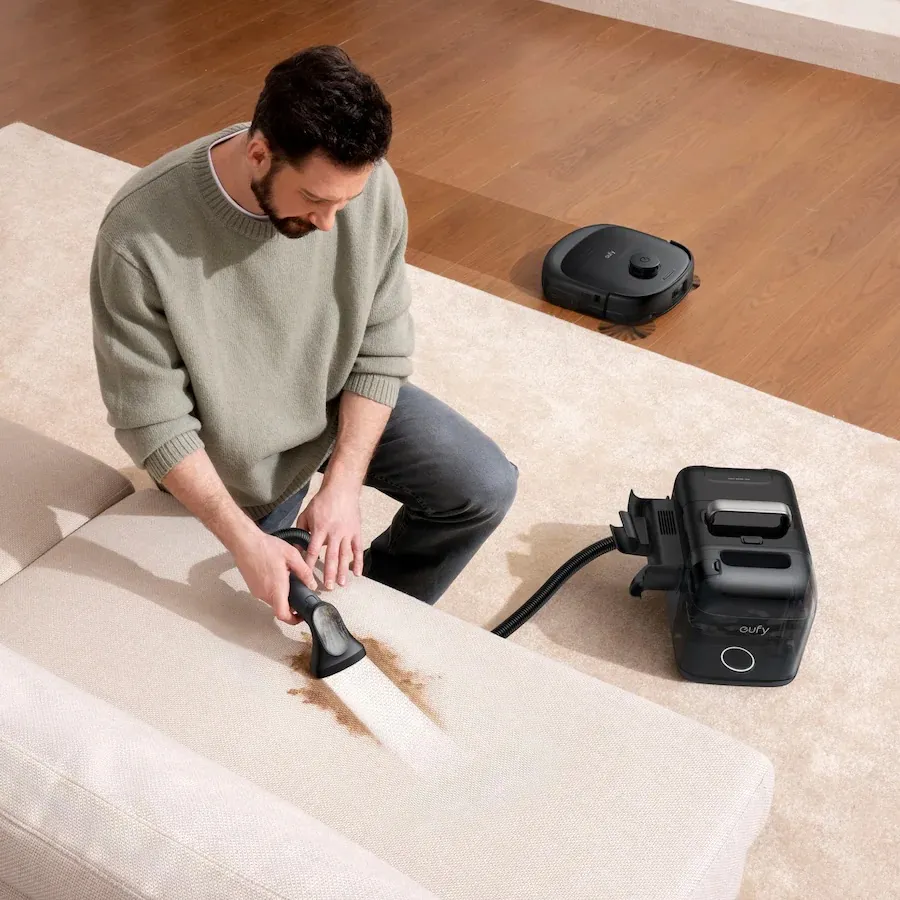
Eufy, a sub-brand of Anker, has built a reputation for robot vacuums that punch well above their price point. They're not the cheapest option, but they're not the most expensive either, and they consistently deliver solid performance without the reliability issues that plague some budget brands.
For a first apartment, I'd point you toward the Eufy L60. It uses LiDAR navigation, which means it actually maps your space and cleans in efficient patterns instead of bumping around randomly like a confused roomba from 2010. It delivers 5,000 Pa of suction power, which is plenty for hardwood, tile, and most carpets. And if you don't want to empty the dustbin constantly, you can get it with a self-emptying dock.
If you want to step up, the Eufy E28 is their current flagship model. It's pricier at around $1,400, but it includes a HydroJet mopping system, hot air drying for the mop pads, and automatic self-emptying. It even comes with a detachable portable deep cleaner that you can use on stairs, sofas, and other hard-to-reach spots. For someone who wants a complete floor care solution, it's pretty incredible.
Budget-Friendly Options
Not everyone has $1,400 to drop on a robot vacuum, and that's totally fine. The Eufy E20 3-in-1 runs around $650 and still gets the job done. It includes a detachable handheld unit that works as a standalone vacuum with a wand and roller brush—great for quick cleanups on furniture or car interiors.
If you want to go even more budget-friendly, the Eufy 11S Max is a solid entry-level option. It doesn't have smart mapping (it uses bounce-based navigation), but it's surprisingly good at cleaning, especially on hard floors. It's also one of the quietest robot vacuums available, which matters when you live in an apartment with thin walls.
The bottom line: a robot vacuum won't replace deep cleaning entirely, but it will keep your floors looking presentable between those deeper sessions. And trust me, coming home to clean floors without lifting a finger is one of those small luxuries that makes apartment life so much better.
4. Air Purifier
Here's something nobody tells you about apartment living: you're sharing air with your neighbors in ways you probably don't want to think about. Every time someone on your floor decides to make curry at midnight or smoke on their balcony, there's a decent chance you're going to smell it. And if you live in a city? The pollution factor adds another layer to the air quality problem.
Opening your windows sounds like a solution until you realize that city windows often just let more pollution in. What you really need is a way to filter the air inside your apartment, and that's where a good air purifier comes in.
What to Look for in an Apartment Air Purifier
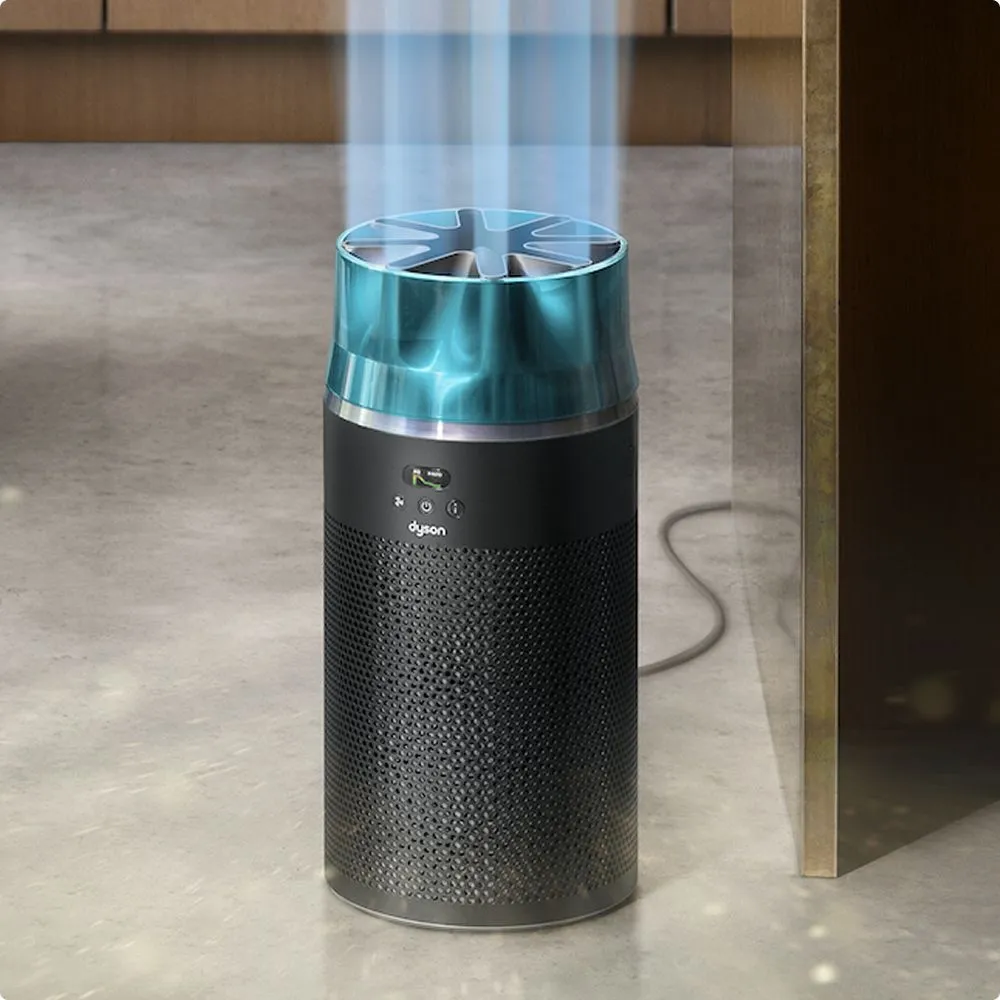
Size matters, but not in the way you might think. You want a purifier that's powerful enough to actually cycle the air in your room but compact enough to fit in a small space without becoming an eyesore. Noise level is equally important—you'll probably run this thing constantly, and a loud purifier becomes incredibly annoying incredibly fast.
The Dyson HushJet Purifier hits all these marks. Yes, it's on the pricier side at around $350, but Dyson has earned its reputation for a reason. The "Hush" in the name isn't marketing speak—this thing is genuinely quiet, even on higher settings. And the filter lasts up to five years, which means you're not buying replacement filters every few months like with cheaper models.
Smart Features That Actually Matter
The Dyson connects to an app that lets you track your indoor air quality in real-time. You can see exactly what pollutants are floating around your apartment and how well the purifier is handling them. It sounds gimmicky until you actually start paying attention and realize how much stuff is in your air that you didn't know about.
Air purifiers are especially valuable if you have allergies, asthma, or pets. They capture dust, pet dander, pollen, and other particles that can trigger symptoms. Some people notice a difference within days of running a quality purifier consistently.
One more thing: air purifiers can help with that "apartment smell" that builds up over time. You know what I'm talking about—that vague stuffiness that happens when windows stay closed for too long. A good purifier keeps the air feeling fresh even when you can't ventilate naturally.
5. Hatch Restore 3 Sunrise Alarm Clock
Let me paint a familiar picture: your phone alarm goes off at 6:30 AM. It's that aggressive default tone that feels like an auditory assault. You fumble in the dark, probably knock something off your nightstand, squint at a blindingly bright screen, and start your day already stressed and annoyed.
There has to be a better way, right? There is, and it involves rethinking the entire concept of how we wake up.
How Sunrise Alarms Work
A sunrise alarm clock mimics natural dawn by gradually increasing light intensity before your actual alarm time. The science behind it is solid: your body produces cortisol (the hormone that helps you wake up) in response to light exposure. By simulating sunrise, you're essentially telling your brain to start the wake-up process naturally instead of shocking it awake.
The Hatch Restore 3 has become the gold standard in this category, and after testing it for months, I understand the hype. Released in January 2025, it builds on the success of the popular Restore 2 with improved usability and an expanded feature set.
What the Hatch Restore 3 Actually Does
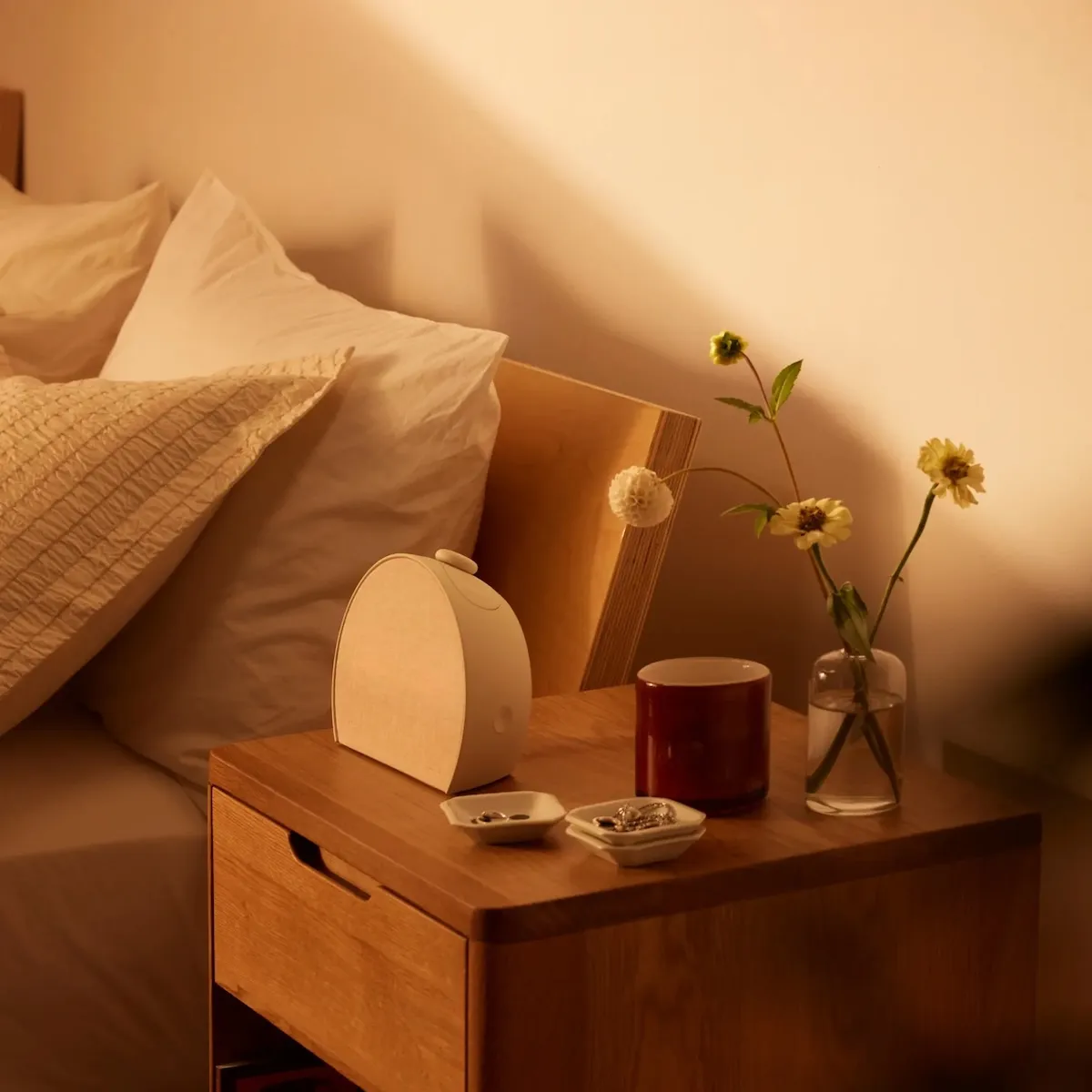
The Restore 3 operates as three things in one: a sunrise alarm clock, a sound machine, and a smart bedside light. You program your wake-up time, and about 30 minutes before (or whatever duration you prefer), the light starts gradually brightening. By the time your alarm sound kicks in—which can be anything from gentle chimes to birdsong—you're already partially awake and much more ready to face the day.
But the Restore 3 isn't just about mornings. It also has a "wind down" feature for bedtime. You can program it to emit a warm red glow with calming sounds to signal your brain that it's time to start preparing for sleep. The idea is to replace the blue light of your phone screen with light that actually supports healthy sleep rhythms.
The big improvement in the Restore 3 is the physical controls. Previous versions required using the app for most functions, which kind of defeats the purpose of reducing phone usage before bed. The new version has intuitive buttons on top—pause, swap, and a main multifunctional button for start/stop/snooze. You can adjust everything without ever touching your phone.
The Subscription Question
Hatch offers a premium subscription called Hatch+ for $5 per month or $50 per year. It gives you access to an expanded library of sleep sounds, guided meditations, bedtime stories, and other content. Is it necessary? Honestly, no. The free version works perfectly well as a sunrise alarm and sound machine. But if you struggle with sleep anxiety or want more variety in your wind-down routines, the subscription adds genuine value.
The Restore 3 retails for $170, which isn't cheap for an alarm clock. But consider what you're getting: better mornings, better sleep routines, and a legitimate excuse to leave your phone in another room at night. For many people, that's worth far more than the price tag.
6. White Noise Machine
Let me tell you about my upstairs neighbor from my first apartment. I'm fairly sure he was either a professional bowler practicing his form at 2 AM or conducting some kind of furniture-moving experiment that required hourly repetitions. The point is, apartments are noisy. You hear everything—footsteps, conversations, TV through the walls, street sounds, that one dog that barks every time a leaf falls.
If you're a light sleeper or just someone who appreciates actual quiet, a dedicated sound machine is going to change your life.
Why Yogasleep Has Dominated This Category
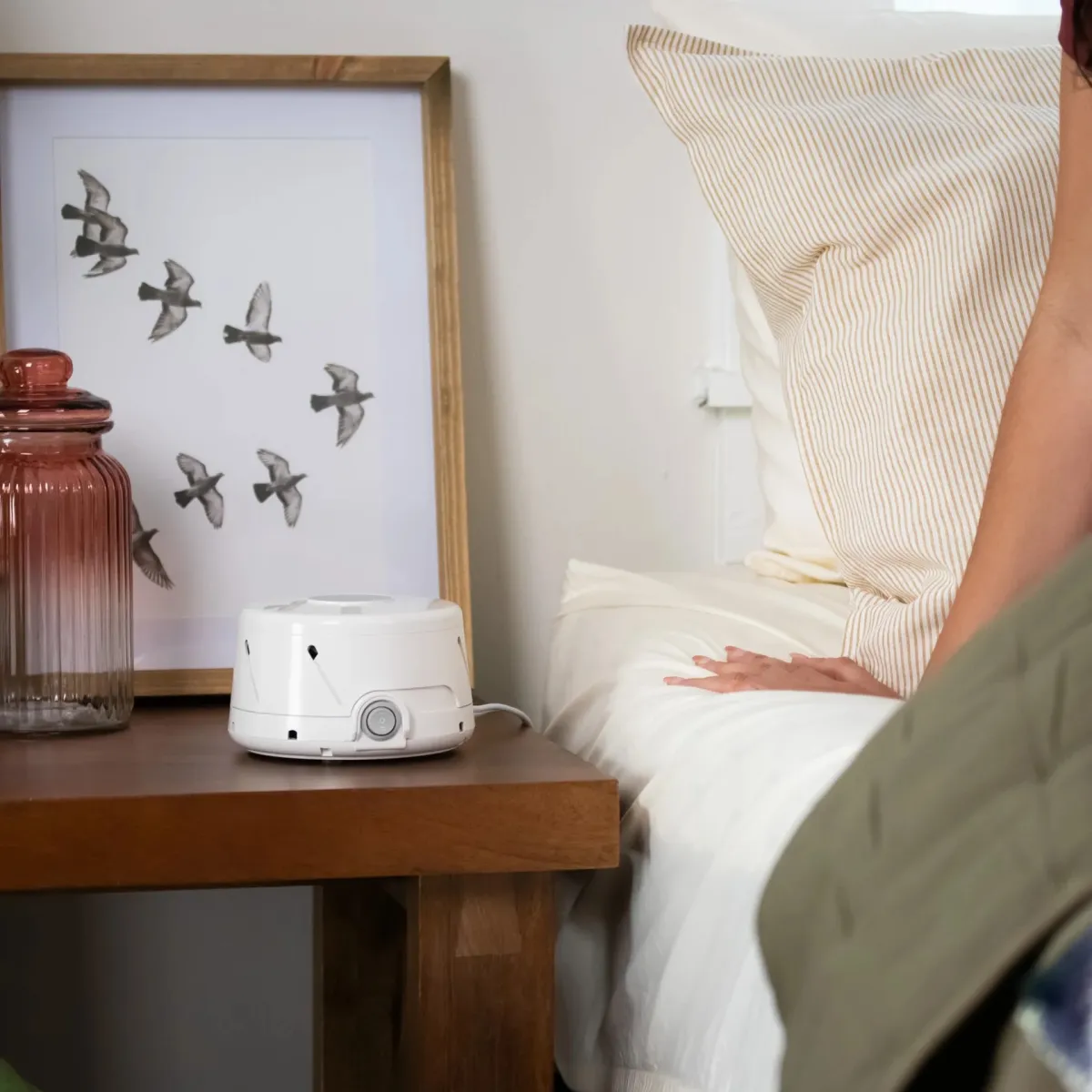
Yogasleep (formerly Marpac) has been making white noise machines for decades, and they've earned their reputation through consistent reliability. Unlike apps or random YouTube videos of "relaxing sounds," Yogasleep machines produce actual white noise—that consistent, non-repeating sound that masks other noises without becoming a distraction itself.
The Yogasleep Dohm is their classic mechanical model, using an actual fan motor to produce noise rather than digital loops. Some people swear by it for exactly this reason—mechanical white noise has a different quality than recorded or synthesized sounds. However, the electronics-free approach means fewer features and settings.
For more flexibility, their electronic models offer multiple sound options while maintaining the quality that built the brand's reputation. You can choose between different types of noise (white, pink, brown) and adjust volume and tone to find exactly what works for you.
Beyond Sleep: Focus and Work
Here's something I didn't expect: white noise machines are incredible for working from home. If you're trying to concentrate in an apartment where you can hear your neighbor's phone calls or the traffic outside, consistent background noise helps your brain filter out those distractions.
I keep mine on during work hours now, not just sleep time. It creates a consistent acoustic environment that helps me focus regardless of what's happening in the building around me.
At around $55, the Yogasleep is one of the most affordable quality-of-life upgrades you can make for apartment living. It's one of those things you don't realize you need until you have it—and then you can't imagine going back.
7. Philips Hue Smart Lights
Walk into any high-end hotel room and notice how the lighting makes you feel. It's not an accident—professional designers know that lighting completely transforms a space. The same room can feel cold and institutional under harsh overhead lights or warm and inviting with properly placed, properly colored light sources.
In your first apartment, you're probably stuck with whatever lighting fixtures the landlord installed, which is usually "builder-grade bright and unflattering." Smart lights let you take control of your space without changing any fixtures or doing any electrical work.
The Philips Hue Ecosystem
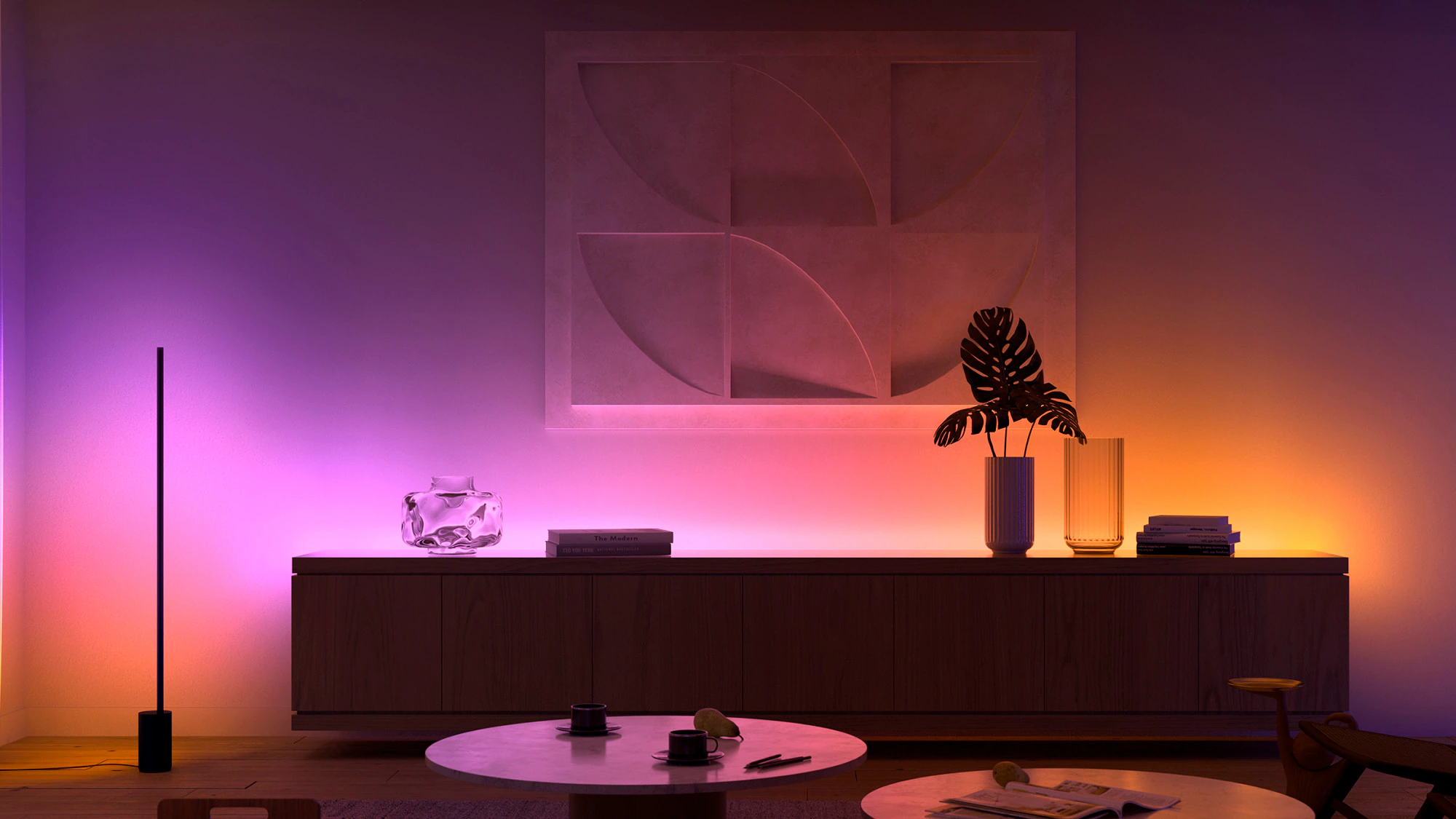
Philips Hue has become the standard for smart lighting, and it's maintained that position by consistently delivering quality products that work reliably. The bulbs just screw into your existing sockets—table lamps, floor lamps, overhead fixtures, whatever you've got. Once connected, you can control them from your phone, your voice assistant, or through automation.
The color capabilities are genuinely impressive. Each bulb can produce millions of colors, from pure white at various temperatures to deep saturated hues. Want your living room to feel cozy? Set the lights to a warm 2700K. Need to focus on work? Cool it down to daylight temperatures. Having friends over? Set the scene with something more ambient.
Getting Started: The Starter Kit Approach
The most economical way to get into Philips Hue is through their starter kits, which include the Hue Bridge (the hub that controls everything) plus several bulbs. The Essential starter kit with four full-color bulbs and a Bridge runs around $150 when it's not on sale, though prices fluctuate and sales happen regularly.
You can also just buy individual bulbs if you want to start smaller. A two-pack of color bulbs runs around $50. However, you'll need the Hue Bridge eventually to unlock the full feature set—without it, the bulbs work via Bluetooth with limited range and functionality.
The Features That Actually Get Used
Schedules are the killer feature for me. I have my lights programmed to gradually brighten in the morning (working alongside the Hatch), dim in the evening, and turn off completely at bedtime. When I'm traveling, I set them to turn on and off at random times so it looks like someone's home.
Voice control is also more useful than I expected. When your hands are full of grocery bags, being able to say "turn on the kitchen lights" as you walk in is genuinely convenient. Hue works with Alexa, Google Assistant, and Apple HomeKit, so whatever ecosystem you're already in, it'll integrate seamlessly.
There's also a neat feature where you can upload a photo and the app creates a light scene based on the colors in that image. Sunset photo from your vacation? Now it's a lighting preset. It's a small thing, but it adds a fun personalization element.
8. Smart Plug With Dimming
If I had to pick one smart home device that offers the most value for the money, it would be smart plugs. They cost almost nothing compared to other smart devices, they work with things you already own, and they add convenience that you'll use every single day.
A smart plug turns any "dumb" device into a connected device. That lamp you bought at Target? Now it's a smart lamp that you can control from your phone or voice. Your fan? Schedulable. Your coffee maker? Can be turned on before you even get out of bed.
The Leviton D23LP
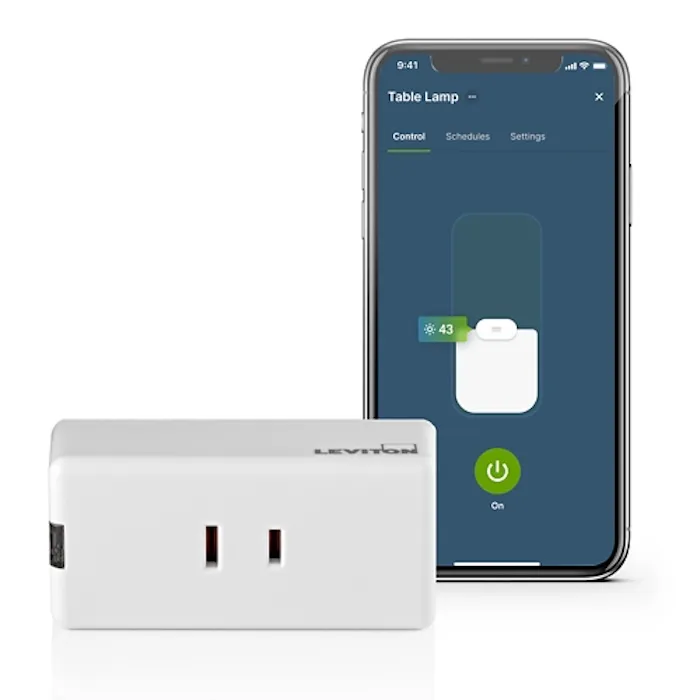
Most smart plugs just turn things on and off. The Leviton Decora D23LP adds dimming capability, which opens up a lot more possibilities. Any lamp plugged into it can now be dimmed without replacing the bulb or installing a wall dimmer. You can set it to 20% brightness for a night light effect or crank it up when you need full illumination.
At around $25, it's priced higher than basic on/off smart plugs but the dimming feature is worth the premium. It works with all the major smart home ecosystems—Amazon Alexa, Apple Home, and Google Home—and the My Leviton app is well-designed and reliable.
Practical Uses That Make Daily Life Better
Here are the ways I actually use smart plugs in my apartment. The lamp in my bedroom is on a schedule—it turns on at sunset and turns off at 11 PM every night, no matter what. My phone charger is plugged into a smart plug that I can turn off remotely to avoid overcharging. The fan in my living room can be controlled by voice when I'm comfortable on the couch and don't want to get up.
The energy monitoring feature on some smart plugs is also eye-opening. You can see exactly how much electricity individual devices are using, which helps identify energy hogs you might not have noticed.
Smart plugs are also useful for the "did I leave that on?" anxiety that hits you halfway to work. A quick check of the app, a tap to turn it off, and you can stop wondering.
9. Portable Projector
Here's a controversial opinion: for a first apartment, a good portable projector might be a better investment than a TV. Hear me out.
TVs are bulky. They need stands or wall mounting. They're a pain to move when you change apartments. And unless you're dropping serious money, the screen size is limited to whatever fits your budget and your space.
A portable projector, on the other hand, gives you massive screen possibilities (we're talking 100+ inches easily), stores away when you're not using it, and comes with you when you move. For small apartments where space is at a premium, this flexibility is huge.
What to Look for in a Portable Projector
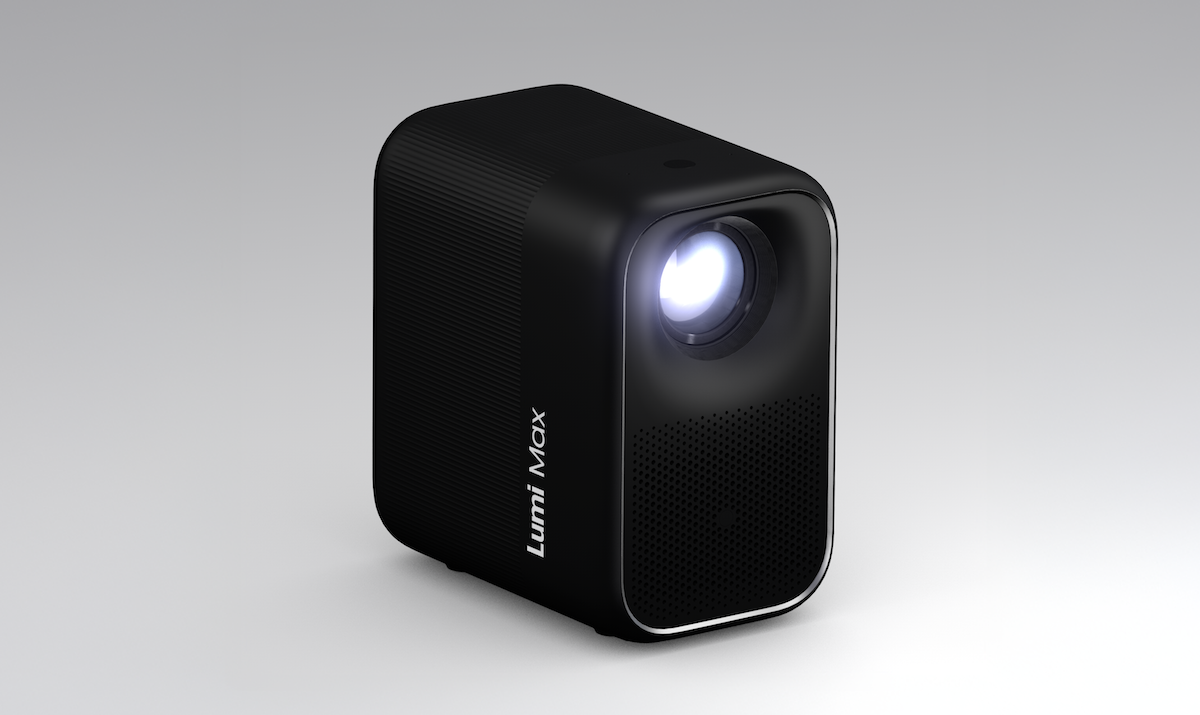
The key features you want are resolution (1080p minimum, 4K if budget allows), brightness (measured in lumens—more is better for rooms that aren't completely dark), and smart platform integration (Google TV, Roku, etc.).
Projectors running Google TV are particularly convenient because you get access to a massive app library—Netflix, Hulu, Disney+, YouTube, and thousands more—without needing to connect additional streaming devices. You sign in with your Google account, and all your subscriptions are right there.
Look for models that are genuinely compact and can stand upright on a table or shelf without needing a ceiling mount. Some projectors include carrying cases, which is great for movie nights at friends' places or outdoor screenings in the summer.
The Reality of Daily Use
I won't pretend projectors are perfect. You need a relatively dark room for the best picture quality, though modern projectors have gotten much better at handling ambient light. You'll also want a blank wall or a screen—textured walls or walls with noticeable color will affect the image.
But for movie nights? Gaming? Sports watch parties? A projector creates an experience that a 40-inch TV simply can't match. There's something special about having a massive image that fills your field of vision. It makes even ordinary Netflix binges feel like events.
Prices for quality portable projectors start around $300-400 for 1080p models with smart features. It's more expensive than a budget TV, but the flexibility and portability make it worth considering, especially if you expect to move in the next few years.
10. Ninja Air Fryer
Air fryers have been hyped for years now, but here's the thing: the hype is real. For apartment cooking—where kitchen space is limited, cleanup is annoying, and you're often cooking for one or two people—an air fryer is genuinely transformative.
The basic concept is simple: a powerful fan circulates hot air around your food, cooking it quickly and creating that crispy exterior you'd normally need deep frying to achieve. The result is food that tastes fried but uses a fraction of the oil. Frozen fries come out crispy. Chicken wings get that perfect crunch. Vegetables roast beautifully. And cleanup is just washing a single removable basket.
Why Ninja Dominates the Air Fryer Market
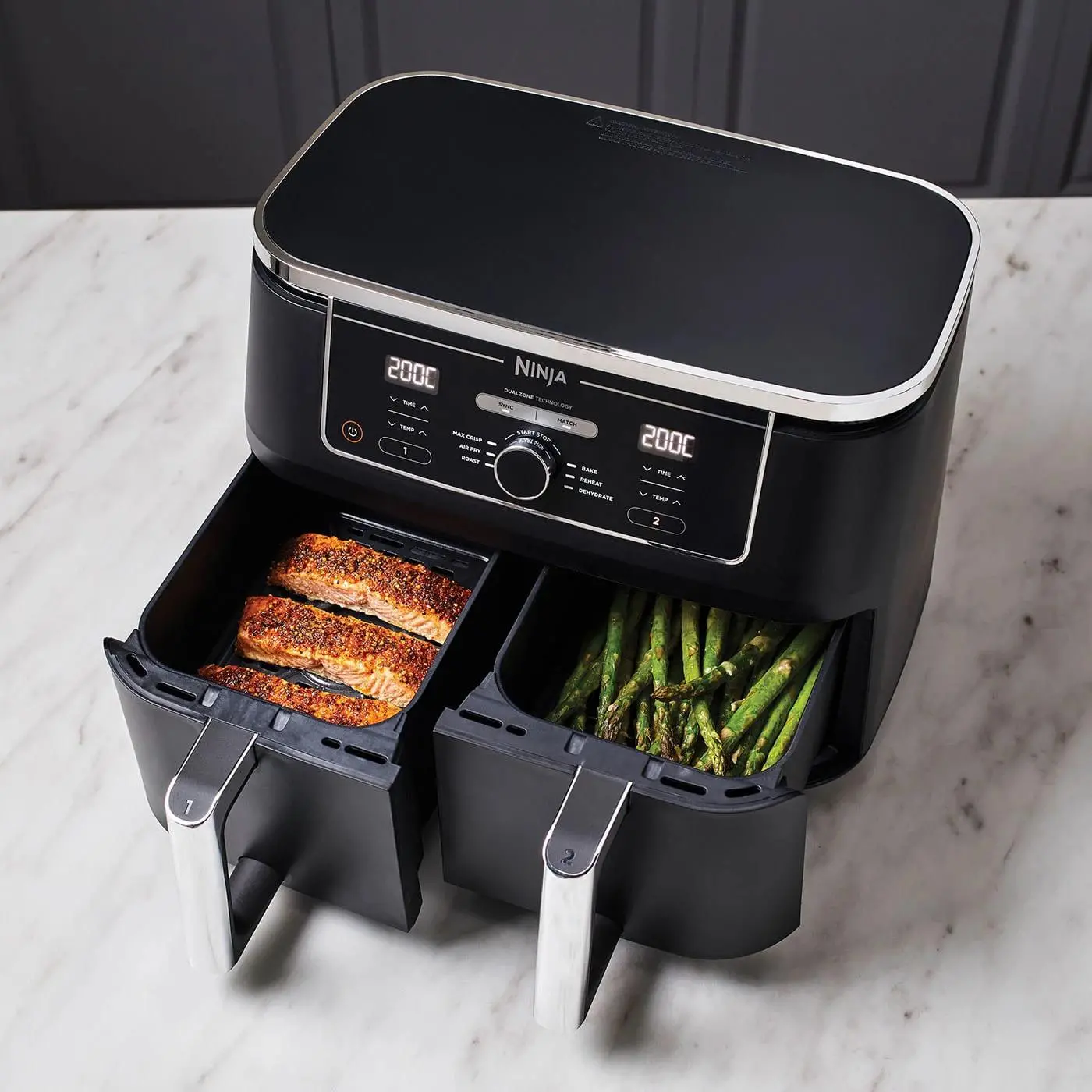
Ninja has become the go-to brand for air fryers, and after testing multiple models, I understand why. Their machines are robust, easy to use, consistently deliver good results, and the controls are intuitive enough that you don't need to read a manual.
For a first apartment, the Ninja AF101 (around $99 and often on sale) is probably the sweet spot. It has 4 quarts of capacity, which is perfect for one or two people. It does air frying, roasting, reheating, and dehydrating. It's compact enough to fit on a small counter or store in a cabinet. And the non-stick basket makes cleanup genuinely easy.
If you want more capacity or dual-basket cooking (to make proteins and vegetables at the same time), the Ninja Foodi DZ201 or DZ401 offer that capability in a slightly larger footprint.
What You'll Actually Cook
Let me be real: you're going to use this thing more than you expect. Frozen foods that would be soggy in the microwave come out crispy in the air fryer. Leftover pizza reheats perfectly. Vegetables that would be a chore to roast in a full-size oven cook in 15 minutes.
For someone cooking alone in a small kitchen, the air fryer often replaces the need to preheat a full oven. It reaches temperature in about a minute, uses less energy, and doesn't heat up your apartment the way an oven does—a genuine consideration when you're paying for AC in a studio during summer.
The Ninja Air Fryer is one of those purchases that pays for itself in both convenience and the money you'll save by cooking at home instead of ordering takeout. When making a quick, delicious meal is this easy, you're more likely to actually do it.
Honorable Mentions: A Few More Worth Considering
While these ten gadgets cover the essentials, a few more items deserve quick mentions.
A portable Bluetooth speaker makes your apartment feel more alive. Playing music while cooking, cleaning, or just hanging out transforms the atmosphere in ways that phone speakers can't match.
A quality surge protector is boring but essential. Apartments often have limited outlets, and protecting your electronics from power surges is worth the small investment.
A key finder like Tile or AirTag saves sanity when you're running late and can't remember where you dropped your keys. In a small apartment where there aren't many places things could be, you'd be surprised how often you still lose them.
And finally, a simple first aid kit is something everyone should have and most people don't. You don't need anything fancy—basic bandages, antiseptic, pain relievers, and a few other essentials. When you need it, you'll be glad it's there.
How to Prioritize Your Purchases
Not everyone can buy all ten of these gadgets at once, and that's okay. If I had to suggest a priority order based on immediate impact, here's how I'd rank them.
Start with safety: the smoke detector and security system give you peace of mind from day one. These aren't glamorous purchases, but they're foundational.
Next, tackle daily convenience: the air fryer and robot vacuum will immediately change how much time you spend on cooking and cleaning. These are the purchases you'll use every single day.
Then improve your living environment: the air purifier, smart lights, and sound machine make your apartment feel like a comfortable home rather than just a place you sleep.
Finally, add the quality-of-life upgrades: the sunrise alarm, smart plugs, and projector enhance your daily experience in ways that, while not essential, make life genuinely better.
Of course, your priorities might be different based on your specific situation. If you're in a loud building, the sound machine might jump to the top. If you struggle with waking up, the Hatch is a no-brainer. Use this list as a starting point and adjust based on what matters most to you.
Frequently Asked Questions
What's the most important gadget to buy for a first apartment?
A smoke and carbon monoxide detector should be your first priority, even if your apartment already has basic detectors. Safety comes before convenience. After that, a security system like SimpliSafe provides peace of mind that's invaluable when you're living alone for the first time. From a daily use perspective, an air fryer will likely get the most use—it makes cooking so easy that you'll actually want to do it.
How much should I budget for apartment gadgets?
You can set up a well-equipped first apartment with smart gadgets for around $1,000-1,500 total, spreading purchases over several months. Prioritize the essentials first (safety devices, basic kitchen appliances) and add quality-of-life upgrades as your budget allows. Many of these items go on sale during Prime Day, Black Friday, and other shopping events, so patience can save you significant money.
Are smart home devices worth it for renters?
Absolutely. The best smart home devices for renters are specifically designed to be portable and non-permanent. SimpliSafe uses adhesive mounting, smart plugs just plug into outlets, and smart bulbs screw into existing fixtures. When you move, everything comes with you. The key is choosing devices that don't require permanent installation or modifications to the apartment.
What's the best robot vacuum for a small apartment?
For small apartments, the Eufy L60 or the simpler Eufy 11S Max are excellent choices. The L60 offers LiDAR navigation and smart mapping in a compact package, while the 11S Max provides solid cleaning at a much lower price point. Both are quiet enough for apartment living and effective on the hard floors common in apartments. If you have carpet, look for models with at least 2,000 Pa suction power.
Do I really need an air purifier in an apartment?
If you live in a city with air quality concerns, have allergies, or share a building where cooking smells and other odors travel between units, an air purifier makes a noticeable difference. It's not strictly essential for everyone, but many people find that consistent use improves their sleep quality, reduces allergy symptoms, and keeps their apartment smelling fresh. Consider it a health investment rather than a luxury.
Is the Hatch Restore 3 worth the subscription cost?
The Hatch Restore 3 works perfectly well without the Hatch+ subscription ($5/month or $50/year). The free version gives you sunrise alarm functionality, basic sound machine features, and the ability to customize your wake-up and wind-down routines. The subscription adds a larger library of sounds, guided meditations, bedtime stories, and other content. If you're primarily interested in the sunrise alarm feature, you don't need the subscription.
What's the best air fryer for cooking for one person?
The Ninja AF101 is ideal for single-person cooking with its 4-quart capacity. It's affordable (around $99), compact enough for small kitchens, and handles single portions perfectly. The controls are simple, cleanup is easy, and it has all the functions you'll actually use: air fry, roast, reheat, and dehydrate. For larger meals or cooking multiple items at once, consider stepping up to a dual-basket model like the Ninja DZ201.
How do Philips Hue lights work without a hub?
Philips Hue bulbs can work via Bluetooth without the Hue Bridge, but with significant limitations. Bluetooth mode limits you to about 10 bulbs, only works when you're within Bluetooth range (about 30 feet), and doesn't support schedules, automations, or remote access when you're away from home. For the full smart lighting experience—especially in an apartment where you'll want automation and voice control—the Hue Bridge is worth the investment.
Can I install SimpliSafe if I'm renting?
Yes, SimpliSafe is specifically designed for renters. All sensors attach with adhesive strips—no drilling, screwing, or permanent modifications to your apartment. When you move, you peel off the sensors, reset the system at your new address, and you're good to go. The month-to-month monitoring plans mean no long-term contracts, and you can cancel anytime without penalty.
What's the best way to reduce noise in an apartment?
A combination of approaches works best. A white noise machine like the Yogasleep creates consistent background sound that masks intrusive noises. Soft furnishings (rugs, curtains, upholstered furniture) absorb sound and reduce echoes. Weatherstripping around doors and windows helps block external noise. And if you have noisy neighbors above you, talking to them directly (politely) often helps more than any gadget.
Wrap up: Making Your First Apartment Feel Like Home
Moving into your first apartment is a milestone, and the space you create there will shape your daily life in ways both big and small. The right gadgets don't just add convenience—they help you feel comfortable, safe, and in control of your environment.
You don't need everything on this list to have a great first apartment. Start with what matters most to you, add things gradually as budget allows, and don't feel pressured to turn your place into a smart home overnight. The goal isn't to have the most gadgets—it's to have the right ones that actually improve your life.
And remember: the best apartment setup is one that supports how you actually live. If you never cook, maybe the air fryer isn't your priority. If you sleep like the dead, the sunrise alarm might not be necessary. Use this guide as a starting point, adapt it to your needs, and enjoy the process of making your first apartment truly yours.
Related Articles
 Dani
Dani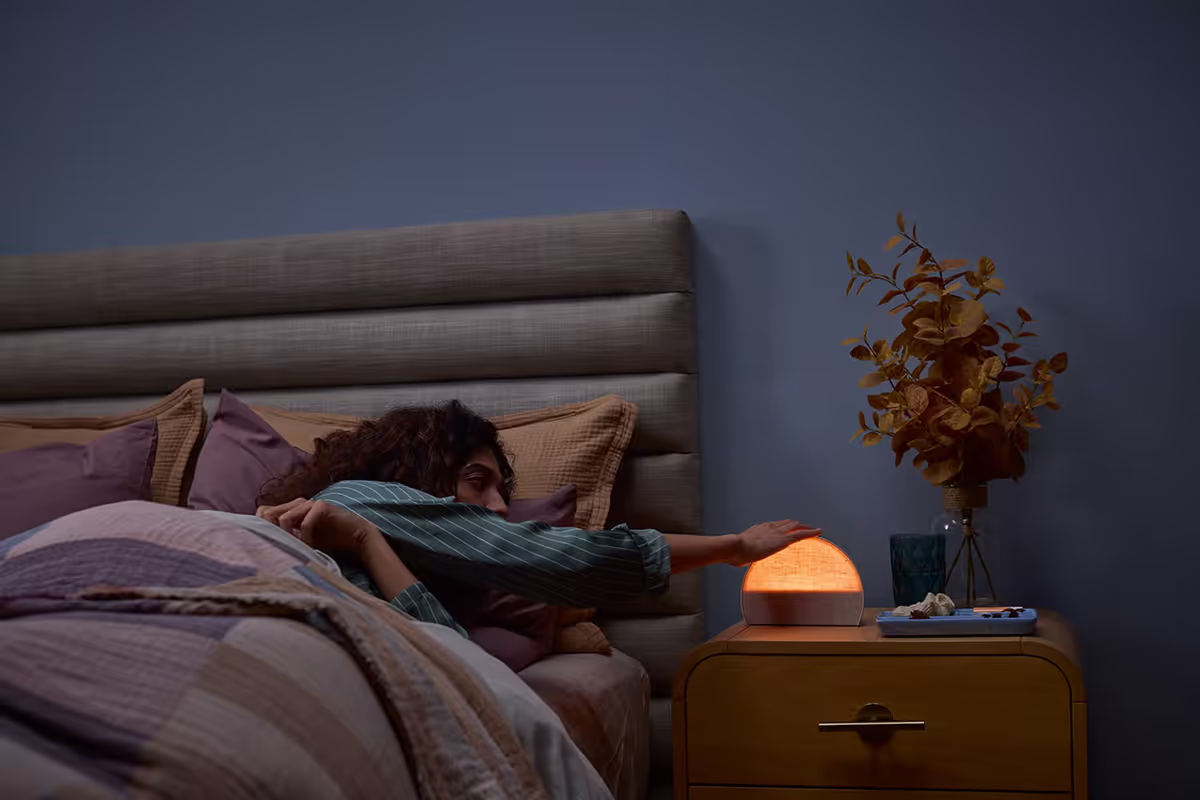
 Dani
Dani
 Mark
Mark