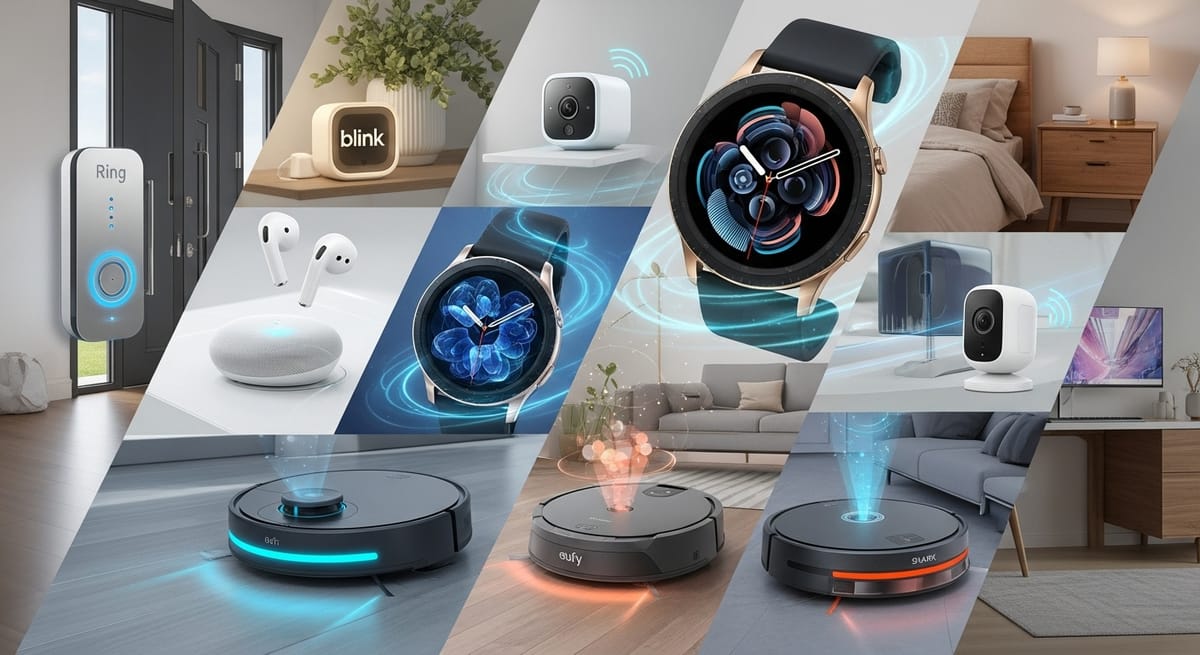
Look, I need to tell you something right off the bat: I've wasted a lot of money on tech gadgets over the years. Like, embarrassingly large amounts. You know those people who buy every new thing that comes out, convinced it'll change their lives? Yeah, that was me. My closet is basically a graveyard of "revolutionary" devices that promised the world and delivered... well, nothing much.
But here's the thing—after testing dozens of AI-powered gadgets over the past year, some of them actually live up to the hype. Not all of them, mind you. Some are absolute garbage dressed up in fancy marketing. But a handful? They're genuinely game-changing. And since I've already spent thousands of dollars figuring out which is which, I figured I'd save you the trouble.
So grab a coffee (or whatever you drink while reading way-too-long product reviews), and let me walk you through the ten AI gadgets that are actually worth your money. These aren't coming in some distant sci-fi future—they're here now, and by 2026, trust me, everyone you know will be using them.
1. HiDock P1: The Earbuds That Make You Look Like You Have Your Life Together
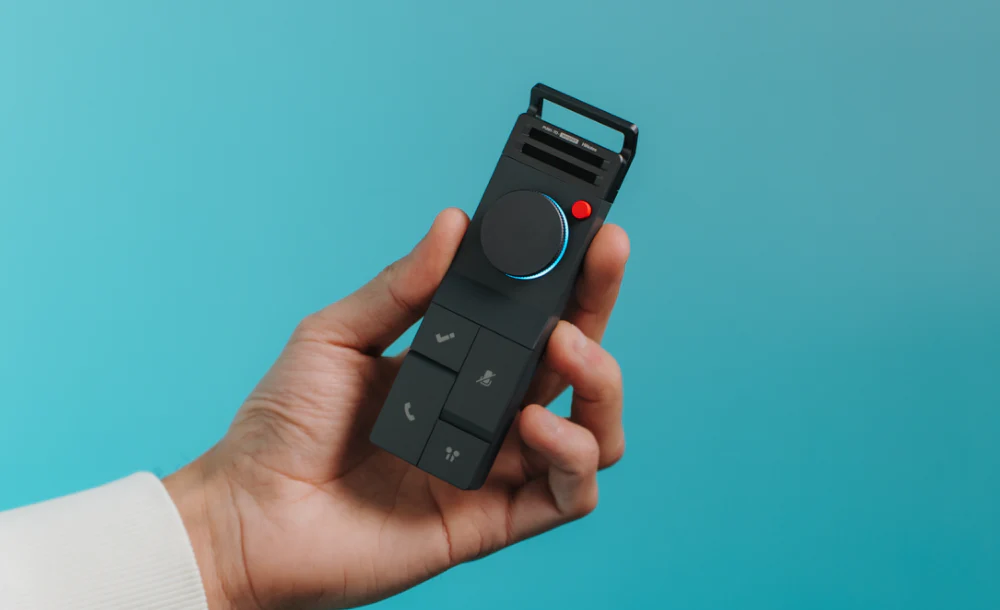
Remember those meetings where someone says something important and you're frantically scribbling notes while trying to maintain eye contact? Or that brilliant podcast you were listening to where they mentioned an amazing book recommendation, but you can't remember the title? Yeah, me too.
I bought the HiDock P1 earbuds six months ago, and I'm not exaggerating when I say they've basically become my external brain. These aren't just regular Bluetooth earbuds with some gimmicky AI feature slapped on—they're legitimately transformative.
Here's what they actually do: They record everything you hear, transcribe it in real-time, summarize it, and—this is the killer feature—translate it on the fly. I tested them at a conference where half the presentations were in languages I don't speak. The translation wasn't perfect, but it was good enough that I could follow along and actually learn something instead of just nodding politely.
The Mistakes I Made (So You Don't Have To):
First off, don't buy them thinking they'll replace your nice audio headphones. The sound quality is good, not great. I made the mistake of trying to use them exclusively for music, and honestly, my old Bose headphones still sound better for that. These are for when you need to be productive, not when you're trying to appreciate the subtle nuances of your favorite album.
Second mistake: I initially didn't use the organizational features. The app creates searchable transcripts of everything, but I ignored that for the first month like an idiot. Once I started actually using the search function, I found notes from conversations I'd completely forgotten about. It's like having a photographic memory, except it actually works.
Who These Are Actually For:
Students, hands down. If I'd had these in college, I would've gotten way better grades. Also brilliant for anyone who attends lots of meetings (the transcripts are searchable, which means you can find that thing your boss mentioned three weeks ago), journalists, or anyone learning a new language.
At around $200-250, they're not cheap. But here's my honest take: If you spend more than 10 hours a week in meetings, lectures, or conversations where you need to remember details, these will pay for themselves in saved time within a month. If you mostly use earbuds for commuting music? Skip them and save your money.
2. DJI Flip: The Drone That Finally Doesn't Make You Look Like a Pretentious YouTuber
I've owned three drones before the DJI Flip. Two are gathering dust in my closet, and one is at the bottom of a lake (long story, involves overconfidence and wind). The problem with drones has always been that they're either professional-grade equipment that requires a truck to transport, or they're toys that take garbage footage.
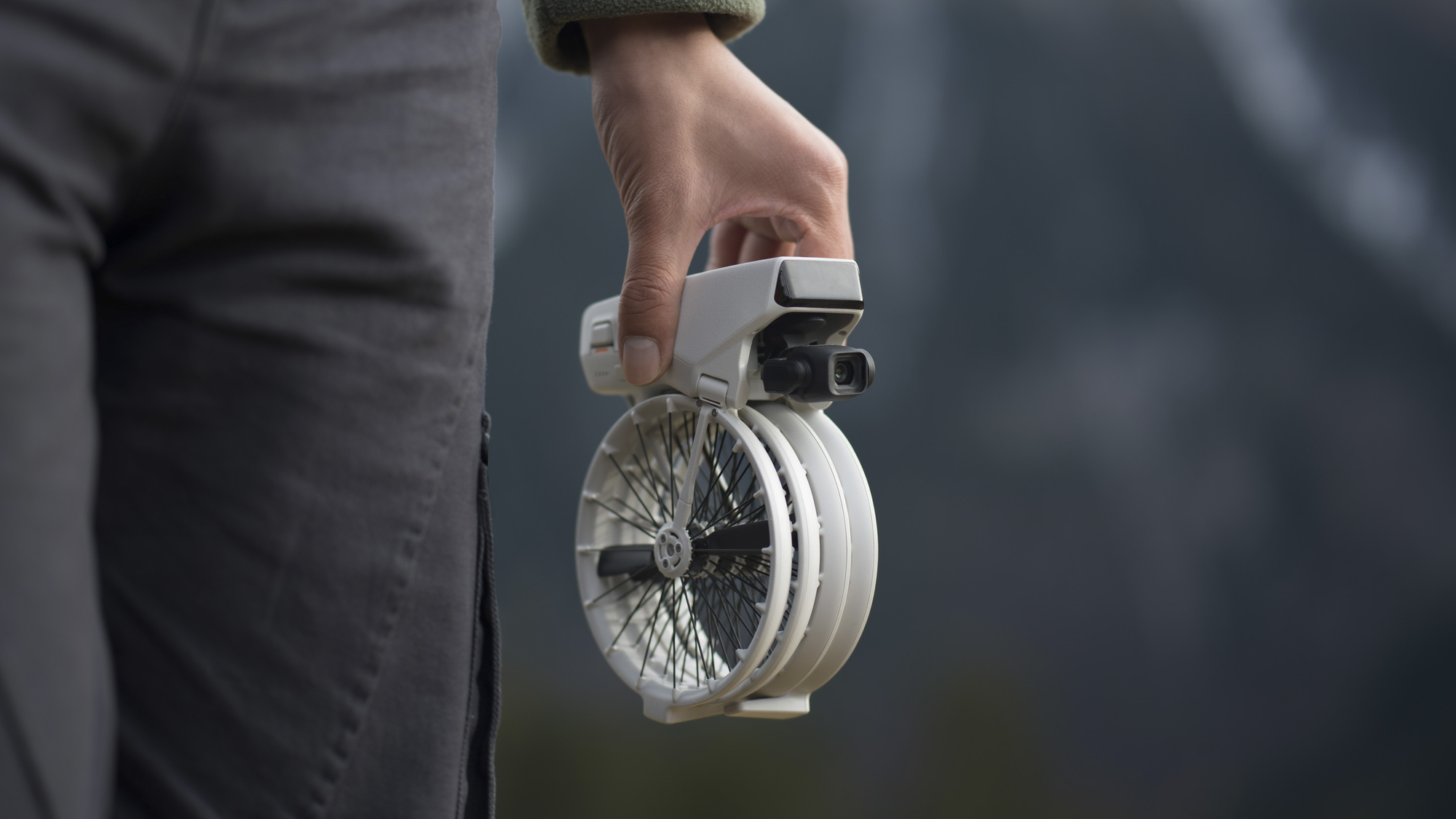
The DJI Flip is the first drone I've used that actually makes sense for normal humans. It folds up small enough to fit in a backpack, shoots legitimately good 4K footage, and—here's the AI magic—it's smart enough that I haven't crashed it yet. Trust me, for someone with my track record, that's revolutionary.
The "cinematic AI tracking" sounds like marketing fluff, but it's genuinely impressive. I tested it while mountain biking (because I apparently haven't learned my lesson about expensive electronics near danger), and it kept me in frame through some pretty dense tree coverage. The footage actually looks professional, which is wild because I am very much not a professional.
The "no registration required" thing is clutch, by the way. With my previous drones, I had to register with aviation authorities, which was a bureaucratic nightmare. The DJI Flip is light enough that in most countries, you skip all that paperwork.
I didn't buy extra batteries initially. Each battery gets you about 20-25 minutes of flight time, which sounds like a lot until you're actually using it. You'll spend 5 minutes getting the perfect shot, and before you know it, the low battery warning is beeping. Spend the extra $100 on two spare batteries from day one. Trust me.
This is an expensive hobby gadget, probably running $600-800 depending on the package. Only buy it if you actually plan to use it regularly. If you're thinking "oh, I'll take it on vacation once a year," you're going to feel pretty silly about spending that much money. But if you're into content creation, travel frequently, or have kids who'll think you're the coolest parent ever (don't underestimate this motivation), it's fantastic.
3. Halo Modular Air Duster: The Gadget I Didn't Know I Needed Until I Used It
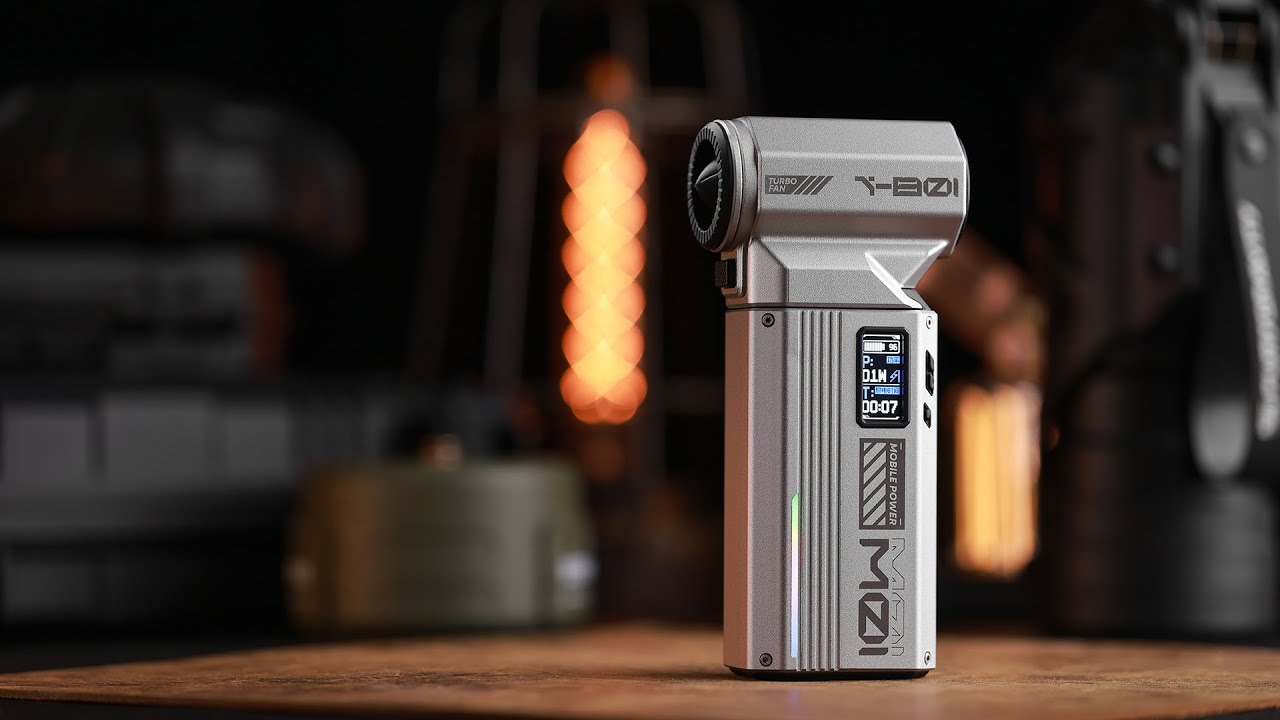
When I first heard about a "smart air duster," I literally laughed out loud. Like, what's next, AI-powered paper clips? But I got one as part of a review bundle, and now I use it multiple times a day. This is the most unexpectedly useful thing I've bought in years.
The Halo spins at 90,000 RPM (which is an absolutely insane number) and creates enough force to clean out keyboards, camera equipment, and all the random dust that accumulates around your desk. But here's where it gets interesting: It's modular, so it also works as a surprisingly powerful USB fan, an emergency phone charger, and—I kid you not—there are attachments that turn it into other things.
I've replaced like four different devices with this thing. I used to have a separate keyboard cleaner, a desk fan for hot days, and a power bank for my phone. Now it's just this one cylindrical device that does everything. It sounds ridiculous, I know, but the convenience factor is real.
The battery life is pretty good—maybe 45 minutes of continuous use on high power, which is way more than you'll need at once. It's also surprisingly quiet compared to compressed air cans. And unlike those cans, you're not buying and throwing away propellant constantly, which makes it more economical over time.
It's not cheap for what amounts to a fancy air blower—probably around $80-120. If you're someone who cleans your electronics once a year whether they need it or not, this is overkill. But if you're a photographer, gamer, or work from home with multiple devices, you'll use it constantly.
4. Moonside Star Bulb: Making Your Home Look Expensive For Surprisingly Little Money

Smart lighting has been around forever, right? Philips Hue, LIFX, all those brands. I've tried most of them. The Moonside Star Bulb is different in a way that's hard to explain until you see it in person.
It has 96 individually controllable LED zones. That's not a typo—ninety-six. What this means in practice is that instead of your whole bulb being blue or red or whatever, you can have gradients, patterns, and effects that actually look like professional lighting design instead of like a college dorm room.
I put one in my home office, and video calls suddenly look way more professional. You can create a gentle sunset effect behind you, or a subtle blue accent light, or whatever matches your vibe. Colleagues have literally asked if I hired a lighting designer.
The voice control works perfectly with Alexa and Google Home. The time-of-day automation is clutch—I have mine gradually transition to warmer colors as evening approaches, which has genuinely helped with my sleep quality (yes, I sound like a wellness influencer, but it's true).
The app is... complex. There are approximately eight million customization options, which is great if you love tinkering, but overwhelming if you just want your lights to work. Spend an hour when you first get it setting up presets for different times of day and activities. After that, you mostly use voice control or automation and never think about it.
My Advice:
Start with one or two bulbs in key locations—your main living space and bedroom, probably. See if you actually use the features. If you do, gradually expand. I know people who've spent $500 outfitting their whole house with smart bulbs and then only use the on/off function, which is like buying a sports car to drive to the mailbox.
Each bulb is probably $40-60, which is pricey but not insane. The real value is in the mood control—if you frequently work from home, do video calls, or just want your space to feel more intentional, they're worth it.
5. Chill Shark: The Cold Plunge Setup That Doesn't Require Remodeling Your Bathroom
Cold plunge therapy has become this huge thing in the health and wellness world. Every podcast bro and biohacker won't shut up about it. And look, the science actually does support the benefits—better recovery, improved mood, enhanced immune function, all that jazz.
But commercial cold plunge tubs cost like $5,000-$10,000. And they're massive. And you need special electrical work. It's basically a whole thing that most people can't justify.
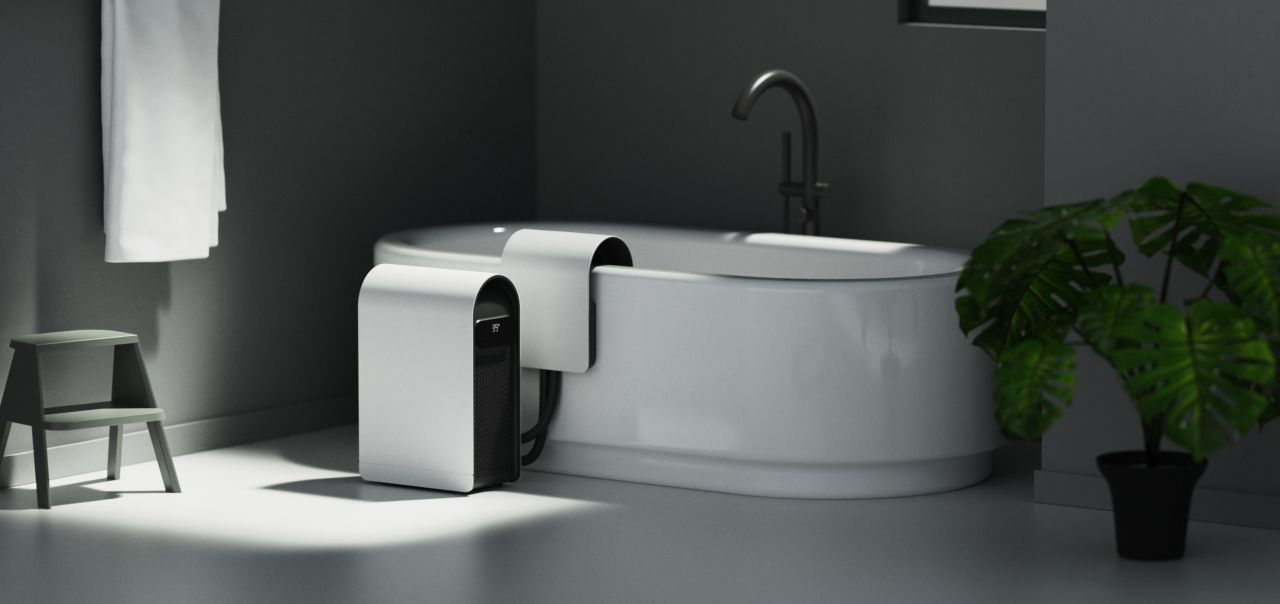
The Chill Shark is brilliantly simple: It's a device that turns any bathtub into a precision-controlled cold plunge. You fill your tub with water, drop this thing in, set your target temperature on the app, and it chills the water down. No installation, no renovation, no explaining to your partner why you need to build a dedicated cold plunge room.
I've been using it three times a week for four months. The temperature control is accurate within about half a degree, which matters more than you'd think. The difference between 50°F and 45°F is significant when you're submerging your body.
The recovery benefits are real—I notice less muscle soreness after hard workouts, and I genuinely feel more alert on mornings when I do a cold plunge. It's not magic, but it's measurably helpful.
This costs around $800-$1,200 depending on the model. That's a lot of money for deliberate discomfort. Only buy this if you're actually committed to using it regularly. If you're thinking "oh, that sounds healthy, I should try that," you won't use it enough to justify the cost.
Also, it takes about 45 minutes to chill a standard bathtub, so you need to plan ahead. You can't wake up and decide to do a cold plunge in five minutes. Minor inconvenience, but worth knowing.
6. Circular Ring 2: The Health Tracker That Doesn't Announce You're Tracking Your Health
I've tried every fitness tracker: Fitbit, Apple Watch, Garmin, all of them. They all have the same issue—they're obvious. You're wearing this chunk of technology on your wrist, and it's constantly visible. For some people, that's fine. For me, it always felt performative, like "look at me tracking my wellness!"
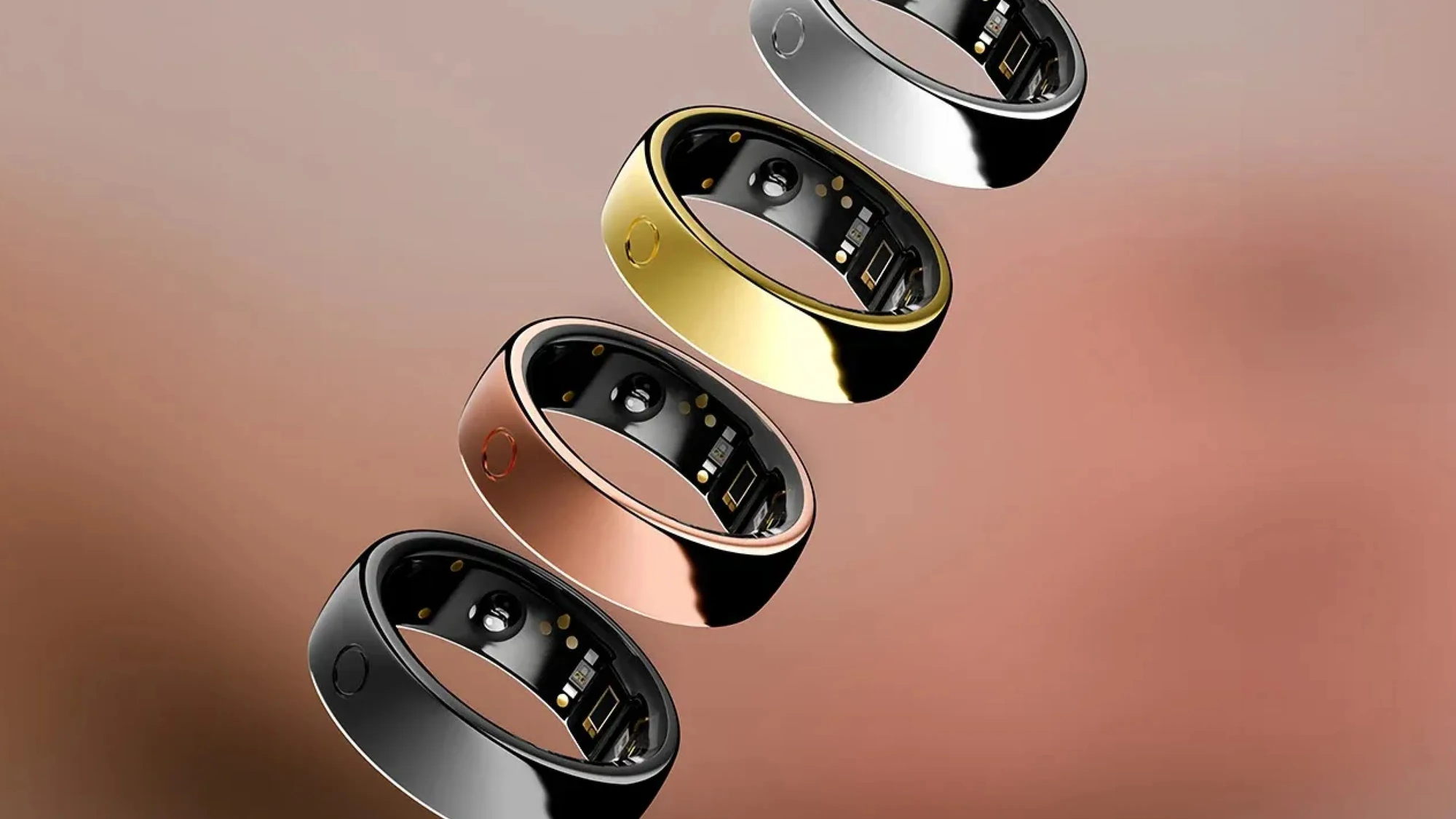
The Circular Ring 2 weighs less than a gram. It looks like a minimalist ring. Nobody knows it's tracking anything unless you tell them. This matters more than I expected it to.
What It Actually Does:
It monitors sleep quality with shocking accuracy. I compared it against my Apple Watch for a week, and the sleep stage data was nearly identical. But the ring is way more comfortable to sleep in than a watch.
The oxygen monitoring has detected a couple of instances where my blood oxygen dropped during sleep, which apparently can be a sign of sleep apnea. I followed up with my doctor (yes, I'm that person now), and while I don't have full sleep apnea, I do have some minor breathing irregularities that we're now addressing. Would never have known without the ring.
Heart rate variability tracking for stress management, automatic activity detection, and the battery lasts like 10-12 days on a charge. That last part is huge—I can actually wear it continuously without worrying about charging it every night.
The Downsides:
It's waterproof, which is great, but the sizing has to be exactly right. Too loose and you get inaccurate readings; too tight and it's uncomfortable. They have a sizing kit you should definitely use before ordering.
Also, while it tracks activity, it's not a replacement for a sports watch if you're seriously into specific activities like running or cycling. This is for general health monitoring, not detailed workout analytics.
The Investment:
Around $300-$400, which seems like a lot for a ring until you realize you'll probably wear it every single day for years. Compare that to an Apple Watch you'll replace in 2-3 years for $400+, and the economics make more sense.
If you're curious about your health metrics but don't want to look like a tech enthusiast, or if you hate wearing watches, this is perfect.
7. Dr. Cushion: The Smart Mattress That Made Me Realize My Mattress Was Terrible
A "smart mattress" sounds like peak unnecessary technology. Like, it's a mattress. You lie on it. How complicated can this be?
Turns out, pretty complicated. And the difference between good sleep and bad sleep affects literally everything else in your life, so maybe having some AI optimization makes sense.
What This Actually Does:
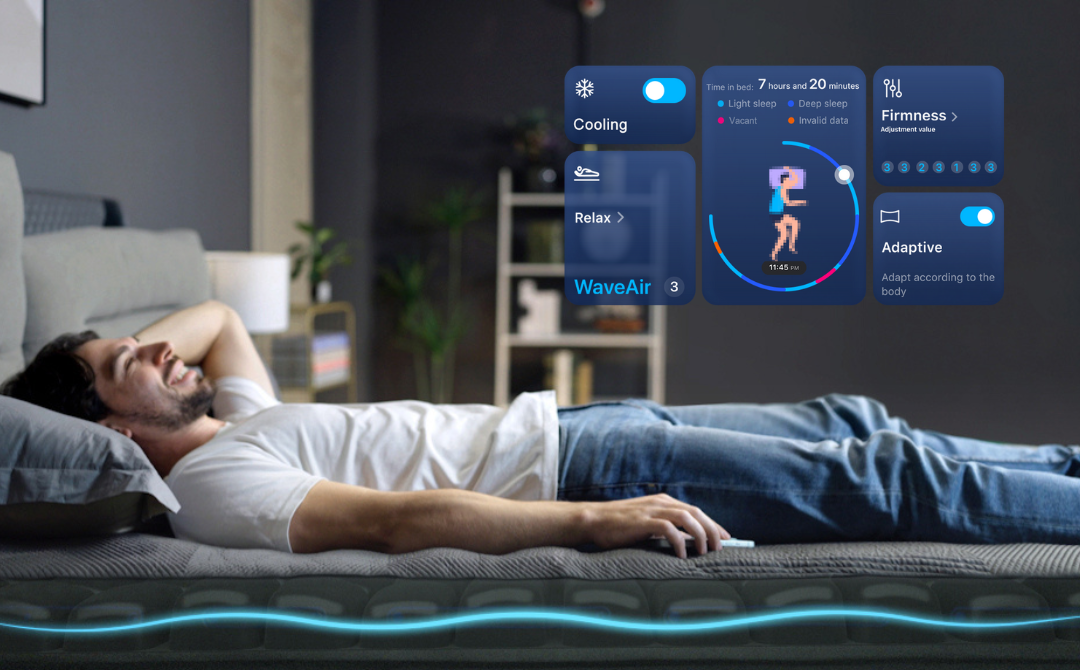
The Dr. Cushion isn't a complete mattress—it's more like an intelligent mattress topper system that goes on top of your existing mattress. It monitors your sleeping position in real-time and makes micro-adjustments to support and temperature.
The cooling feature is the first thing you notice. If you tend to sleep hot (like me), this is transformative. It automatically adjusts temperature throughout the night based on your sleep stage. REM sleep happens at slightly cooler temperatures, and the system adjusts for that.
The gentle massage function for falling asleep sounded gimmicky, but it's actually nice. It's not like a massage chair—it's subtle wave-like movements that help you relax. I fall asleep faster now, measurably.
The wake-up feature uses gentle movements instead of an alarm. This is hit-or-miss—sometimes it works great, sometimes I need the backup alarm. Your mileage may vary.
The Problem:
This is expensive. Like, really expensive. We're talking $2,000-$3,000 depending on size. That's "I am taking my sleep very seriously" money.
Also, it requires setup. There are sensors, connections, calibration. It's not plug-and-play. Budget a couple of hours for setup and another week for the system to learn your patterns.
My Honest Recommendation:
Only consider this if you:
- Already have a decent mattress
- Have the budget where $2,500 won't hurt
- Have tried everything else for sleep improvement (better pillows, room darkening, white noise, etc.)
- Are willing to commit to letting the system learn your patterns for 2-3 weeks before judging it
If you're looking for a magic bullet to fix terrible sleep caused by stress, screen time, or poor habits, this won't solve that. But if you're already doing the basics right and want optimization, it's remarkable.
8. Maddo Dynamic Smart Blinds: The Home Upgrade That Sounds Boring But Isn't
I know, I know. We're talking about AI-powered gadgets and I'm including... window blinds? Bear with me.
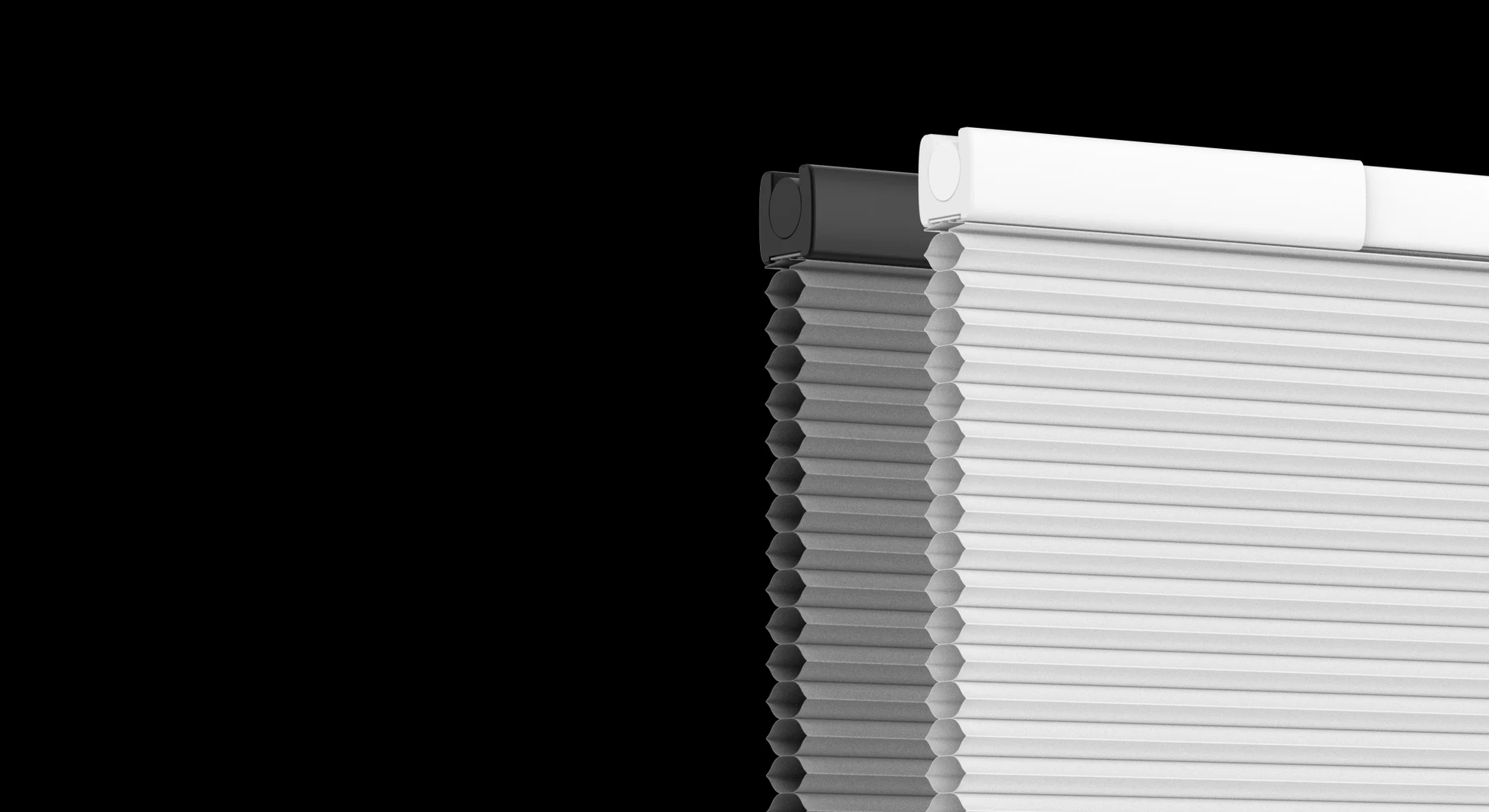
Smart home stuff often fails because it requires complicated installation, professional electricians, or running new wiring. The Maddo blinds are completely solar-powered and require zero installation beyond the basic mounting. No wires, no drilling holes for power, nothing.
The Intelligence:
They adjust automatically based on: time of day (closing at sunset, opening at sunrise), sun intensity (closing during the hottest part of the day to keep your home cooler), and weather forecasts (opening on overcast days to let in more light).
This saves on energy costs—my summer cooling bills went down noticeably because the blinds automatically close during the afternoon heat. It also means I wake up to natural light instead of an alarm, which is surprisingly pleasant.
Full integration with smart home systems means you can create scenes like "movie mode" (all blinds close, lights dim) or "good morning" (blinds open, lights gradually increase) with voice commands or automation.
The Installation:
This is where Maddo wins—each blind took me maybe 20 minutes to install, and I'm not handy. The solar panels are small and unobtrusive. The motors are quiet. It just works.
The Calculation:
Each window is probably $200-$350 depending on size. If you're doing a whole house, this adds up fast. I started with just my bedroom and main living area (three windows total) to test them out. Loved them enough that I'm gradually doing the whole house.
The solar charging means maintenance is essentially zero—I haven't had to think about them after installation. They just do their thing.
Who Benefits Most:
People in very sunny climates will see the biggest energy savings. Anyone who works from home and deals with glare issues will love the automatic adjustment. And honestly, anyone who's ever forgotten to close their blinds before leaving for vacation and come home to a sun-damaged, overheated house.
9. Looi: The Desktop Robot That's More Useful Than It Has Any Right To Be
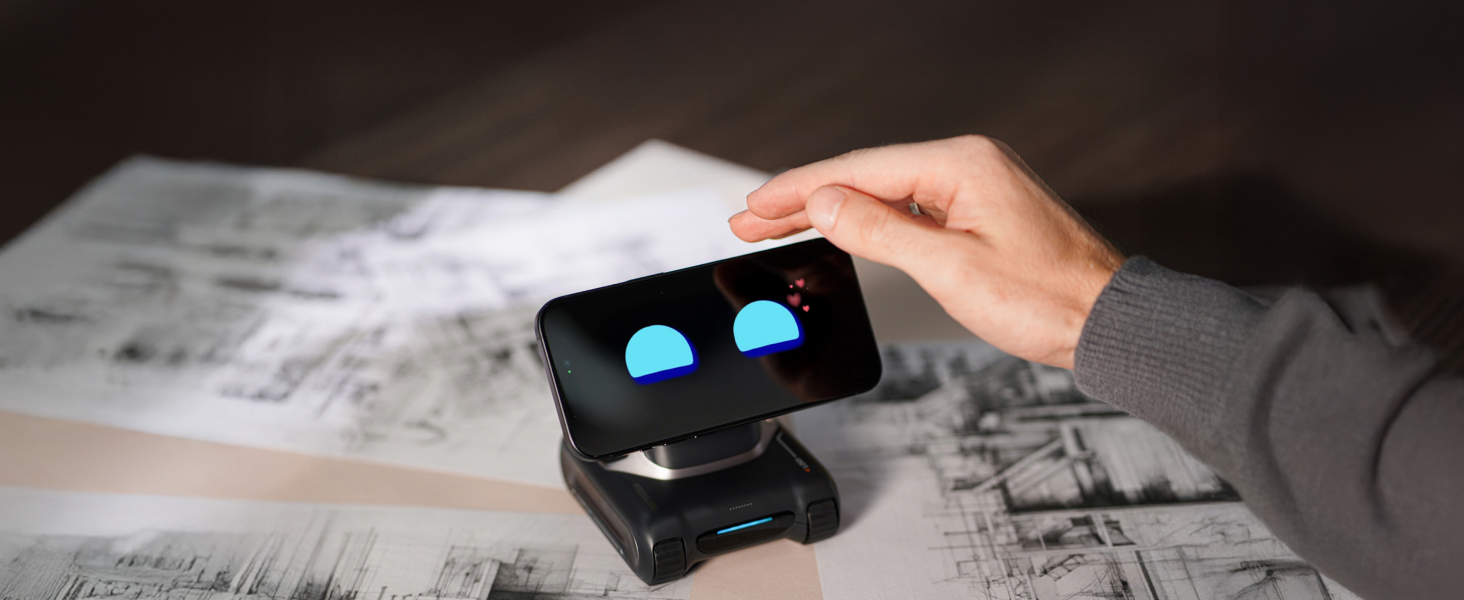
When someone says "desktop robot," you probably imagine either a useless toy or something from a sci-fi movie. Looi is neither. It's small—fits in your hand—but it's legitimately useful in ways that surprised me.
What It Replaced:
I used to have: a timer for productivity techniques, a task manager app, a calendar with reminders, a smart home control hub, and a desktop organizer. Looi consolidates all of this into one device that's actually easier to interact with than multiple apps.
The AI proactivity is what makes it different. Instead of you having to remember to check your calendar, it tells you when your next meeting is. Instead of you having to set timers, it reminds you to take breaks based on your work patterns. It's like having an assistant who's actually paying attention.
The Learning Curve:
The first week is admittedly annoying. It's learning your patterns, asking questions, making wrong assumptions. But after about two weeks of use, it becomes eerily accurate. It knows when I typically take lunch, when I'm usually deep in focus work, when I tend to get distracted.
The Interface:
The small display is surprisingly usable. The physical interactions (you can pick it up, rotate it, tap it) are way more intuitive than I expected. Voice control works perfectly for quick commands.
Pricing Reality:
This is probably $300-$400, which seems absurd for what's essentially a very smart task manager. But if you value productivity and you're currently managing your life across six different apps, the consolidation and proactive features are genuinely worth it.
I've been more on top of my schedule, missed fewer deadlines, and taken more regular breaks since getting this. Those benefits are hard to quantify, but they're real.
Skip This If:
You're great at managing your time already, you don't like the idea of having "another device" on your desk, or you're generally resistant to AI assistants. This is for people who need help staying organized and don't mind a physical device being part of that solution.
10. Halliday Glasses: The Future That Finally Doesn't Look Stupid
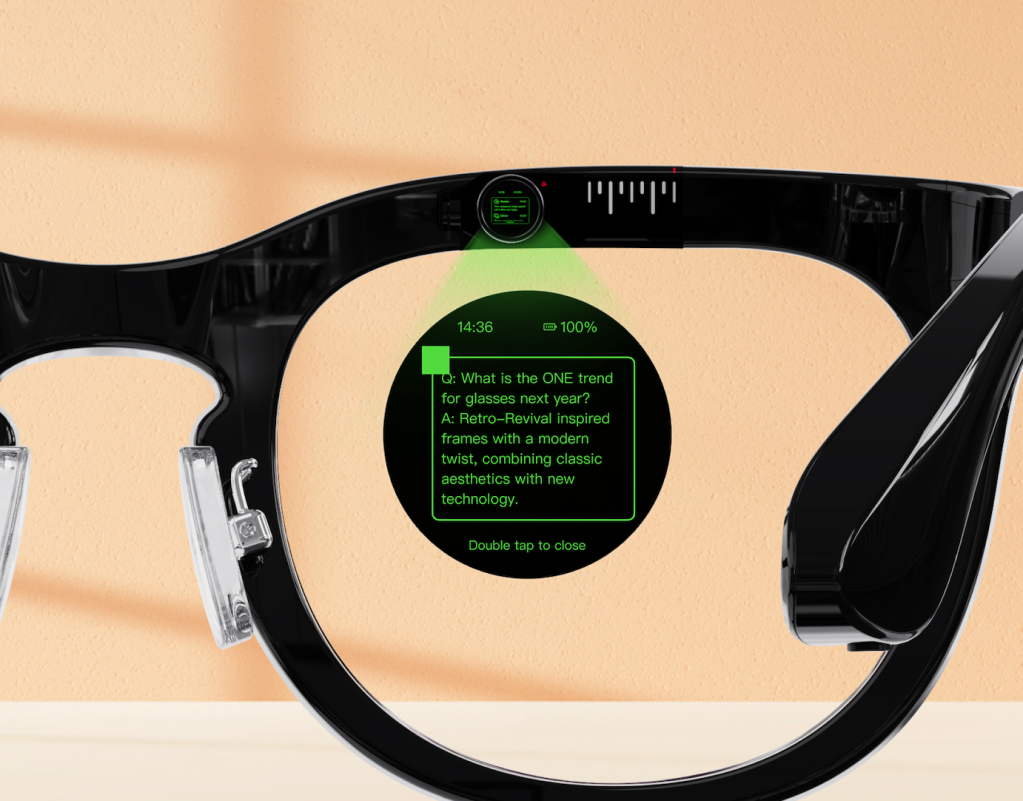
Remember Google Glass? Looked ridiculous, made everyone around you uncomfortable, and didn't really work that well anyway. Smart glasses have been "the next big thing" for like a decade, but they've all failed because they looked like tech demos, not actual eyewear.
The Halliday Glasses are the first smart glasses I've seen that you could wear to a business meeting without looking like you're cosplaying a cyborg. They look like normal, slightly minimalist glasses. The optical module is the smallest ever made, which means the display is invisible to everyone else.
What They Actually Do:
Proactive information display is the killer feature. When you're looking at a restaurant, reviews pop up. When someone mentions a name you should remember, their last interaction is displayed. When you're reading something in another language, translation appears in your peripheral vision.
The "no rainbow effects" thing sounds technical, but it matters—previous smart glasses always had this visual artifacting that was distracting. Halliday solved that, so the display genuinely looks natural.
The Reality:
These are expensive as hell—probably $800-$1,200. And they're absolutely not for everyone. If you wear prescription glasses, there are options, but they're more complicated and expensive.
The battery life is about 4-6 hours of active use, which means you're charging them daily. They're not all-day wear devices yet.
Who This Is For:
Early adopters who are comfortable being the person with weird tech. People whose work involves lots of information retrieval (salespeople, consultants, anyone who needs quick facts at their fingertips). And honestly, people who just think this stuff is cool and want to experience the future now.
My Take:
I use these maybe 2-3 days per week when I know I'll benefit from the information access. They're not my daily glasses yet, but as the tech improves, I can see that changing. This is version 1.0 of something that will be ubiquitous in five years.
FAQ
What are the best AI gadgets to buy in 2025-2026?
The top AI gadgets worth your money include: HiDock P1 earbuds for real-time transcription and translation, DJI Flip drone with intelligent tracking, Circular Ring 2 health tracker, Halliday smart glasses with AR display, Dr. Cushion smart mattress topper, Moonside Star Bulb with 96 controllable LED zones, Looi desktop AI robot assistant, Maddo solar-powered smart blinds, Chill Shark portable cold plunge device, and Halo Modular Air Duster.
Are AI earbuds with real-time translation worth it?
Yes, if you regularly attend meetings, lectures, or conferences—especially in multiple languages. The HiDock P1 earbuds ($200-250) provide real-time transcription, on-the-fly translation, and searchable summaries of everything you hear. They pay for themselves within a month if you spend 10+ hours weekly in situations requiring detailed note-taking. Keep in mind they're optimized for productivity, not audiophile-quality music listening.
What is the best beginner drone with AI features?
The DJI Flip stands out as the best AI drone for beginners. It's compact enough to fit in a backpack, shoots professional-quality 4K footage, and features smart tracking that keeps subjects in frame automatically. At under 250g, it skips registration requirements in most countries. Budget $600-800 plus $100 for extra batteries—each battery only provides 20-25 minutes of flight time.
Do smart health rings work as well as smartwatches?
For sleep and general health monitoring, yes. The Circular Ring 2 matches smartwatch accuracy for sleep stages, heart rate, and blood oxygen tracking. Advantages include 10-12 day battery life, discreet appearance, and superior comfort during sleep. However, smart rings lack detailed workout analytics—if you need specific running or cycling metrics, a dedicated sports watch is still better.
Are smart mattresses actually worth the money?
Smart mattress systems like Dr. Cushion ($2,000-$3,000) are worth it only if you've already optimized other sleep factors (room darkness, temperature, no screens before bed) and want further improvement. They automatically regulate temperature based on sleep stages, offer gentle massage for falling asleep, and provide smart wake-up features. Expect a 2-3 week learning period before the AI fully adapts to your patterns.
What smart home gadgets save the most energy?
Maddo Dynamic Smart Blinds deliver noticeable energy savings by automatically closing during peak heat hours and adjusting based on weather forecasts. They're solar-powered with zero wiring required, costing $200-$350 per window with about 20 minutes installation time each. Users in sunny climates report measurably lower cooling bills during summer months.
Is a portable cold plunge device effective?
Portable devices like the Chill Shark ($800-$1,200) effectively turn any bathtub into a precision cold plunge with temperature accuracy within half a degree. Users report reduced muscle soreness and increased alertness with regular use. The main limitation: it takes about 45 minutes to chill a standard bathtub, so spontaneous cold plunges aren't possible.
Are smart glasses practical for everyday use yet?
Smart glasses are becoming practical but aren't quite ready for all-day wear. Halliday Glasses ($800-$1,200) offer useful features like proactive information display, real-time translation, and contextual data—all while looking like normal eyewear. However, 4-6 hour battery life means daily charging, making them best for specific use cases rather than replacing regular glasses entirely.
What's the best AI productivity gadget for remote workers?
The Looi desktop robot ($300-$400) excels for remote workers struggling with time management. It consolidates timers, task management, calendar reminders, and smart home controls into one proactive assistant. After a two-week learning period, it accurately predicts your work patterns and reminds you of meetings, breaks, and deadlines without manual input.
Which AI gadgets should students buy first?
Students should prioritize the HiDock P1 AI earbuds ($200-250). They record lectures, provide real-time transcription, create searchable notes, and translate foreign language content on the fly. The ability to search through weeks of recorded conversations and lectures transforms studying efficiency. This single purchase delivers the highest return on investment for academic performance.
How much should I budget for AI gadgets in 2025?
Budget depends on your priorities. Essential tier: $200-400 for one high-impact device like AI earbuds or a health ring. Mid-range setup: $800-1,500 for 2-3 devices covering productivity and health. Full smart home integration: $3,000-5,000+ including smart mattress, blinds, lighting, and wearables. Start with one device that solves your biggest pain point before expanding.
Do AI gadgets actually improve productivity or are they just hype?
Some deliver measurable results, others don't. AI earbuds with transcription save hours of note-taking weekly—that's quantifiable. Smart rings providing sleep data help optimize rest, indirectly boosting focus. Desktop AI assistants reduce missed deadlines and forgotten tasks. However, gadgets like smart lighting or air dusters are convenience upgrades, not productivity tools. Buy based on specific problems you need solved, not impressive feature lists.
Final Thoughts: What's Actually Worth Your Money?
Look, I've just thrown a lot of information and price tags at you. Let's bring this back down to earth.
If you're trying to decide where to spend your money, here's my honest prioritization:
Buy First: HiDock P1 earbuds if you're a student or attend lots of meetings. The productivity gains are immediate and measurable.
Buy If You Can: Circular Ring 2 if you care about health monitoring but hate wearing watches. Moonside Star Bulb if you work from home or do video calls.
Buy If Money's Not Tight: DJI Flip if you'll actually use it for content creation. Chill Shark if you're committed to cold therapy.
Buy If You're Serious: Dr. Cushion if sleep optimization is genuinely important to you and you've tried everything else. Looi if you struggle with productivity and organization.
Buy If You're An Enthusiast: Halliday Glasses if you want to experience the future now and don't mind being that person. Maddo blinds if you're doing a smart home setup anyway.
Maybe Skip: Halo Modular Air Duster unless you're a gadget person or really need those specific use cases.
The most important thing I've learned from testing all this stuff: Don't buy technology because it's impressive. Buy it because it solves a specific problem you actually have. I've wasted too much money on gadgets that seemed amazing in the review but never actually fit into my real life.
These ten devices? They've all earned their place in my daily routine. They solve real problems in ways that feel natural after the initial learning curve. That's the difference between good AI gadgets and expensive paperweights.
The future is weird and full of devices that sound ridiculous until you use them. A ring that monitors your health? Blinds that think for themselves? A desktop robot assistant? Five years ago, I would've laughed at all of this. Now I use these things every day and wonder how I managed without them.
Welcome to 2026. Your wallet's going to hate it, but your future self will thank you.
Related Articles:
 Dani
Dani
 Dani
Dani
 Mark
Mark