Nobody is impressed anymore when you say you made a prototype with AI. Everyone has seen stunning UI generated in an hour. Everyone has watched demos that look flawless on the first screen and completely fall apart on the second. The novelty has worn off. The bar has moved.
The questions that matter now aren't "Does it work?" but rather: How was it built? Is it consistent? Can it scale? Will someone be able to continue from this in a month?
What separates amateur experiments from professional output isn't the ability to generate screens — any junior designer can prompt their way to a nice-looking interface by lunchtime. The real skill is taking an idea and turning it into something that feels like an actual product.
What Vibe Coding Actually Means for Designers
Vibe coding is not "learning to code." It's also not classic no-code in the way we understood that term five years ago.
At its core, vibe coding is a workflow where you describe intent and AI translates it into output – screens, flows, states, sometimes data, sometimes actual code. You're having a conversation about what you want to build, and the AI is doing the heavy lifting of implementation.
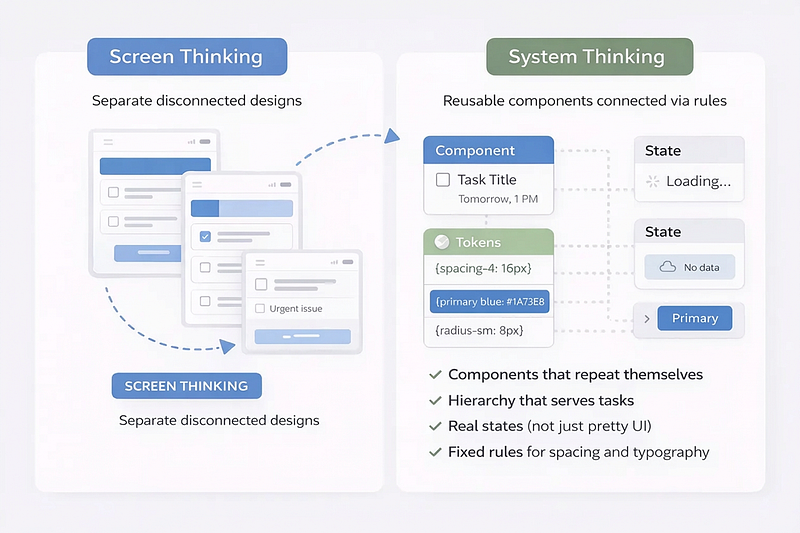
Good vibe coding forces designers to shift from thinking in "screens" to thinking in "systems." This is a fundamental mindset change. Instead of crafting individual artboards, you're now responsible for components that repeat themselves, hierarchy that serves actual user tasks, real states (not just the pretty happy-path version), fixed rules for spacing and typography, and screens that feel like one unified product rather than a collection of disconnected pages.
The designers who thrive in this environment are the ones who already understood that design is about decisions, not decorations. AI can generate pixels all day long. What it cannot do – at least not reliably – is make consistent, principled choices about how a product should feel and behave across every possible state and interaction.
That's your job. And it's more important now than ever.
How Designers Are Measured Now
If you want to work properly with vibe coding, you need to measure every tool and every output by the same six questions. These aren't arbitrary, they're the difference between something that impresses in a demo and something that actually ships.
- Speed to demo. How quickly can you go from an idea to something you can show to stakeholders? This matters for validation, for momentum, for keeping projects moving forward.
- Design system fidelity. Does the output respect your existing system? Does it use your components, your tokens, your naming conventions? Or is it inventing new patterns that will create inconsistency downstream?
- Component consistency. When you generate a button in one place, does it look and behave the same as buttons elsewhere in the product? Are interactions handled uniformly?
- States and behavior. Does the AI understand that every screen has multiple states – loading, empty, error, success? Or does it just give you the ideal scenario and leave you to figure out the edge cases?
- Path to continuation. If you hand this to another designer or a developer next month, can they pick up where you left off? Is the code readable? Is the structure logical? Or is it a tangled mess that nobody can maintain?
And finally, data connection. Can you hook this up to real information, or is it permanently locked to placeholder content?
Any tool that scores poorly on these dimensions might be fun for exploration but isn't suitable for serious product work. Keep these questions in mind as we discuss specific tools and workflows.
The Biggest Advantage of 2026: When Your Tools Finally Talk to Each Other
The transformation happening right now isn't really about which tool is smartest. It's about whether your tools work like a team.
This is where MCP (Model Context Protocol) enters the picture and changes everything.
MCP is a connection layer that allows AI tools to work with your actual sources of truth instead of making educated guesses. Anthropic open-sourced this protocol in late 2024, and adoption exploded through 2025. By now, every major AI IDE and many design tools support it, including Cursor, VS Code, Windsurf, and importantly, Figma itself.
Here's what MCP means in practical designer terms: instead of every AI tool starting from zero and trying to "understand" your design by looking at screenshots or guessing at structure, it can receive real context — your actual components, your auto layout rules, your variables and tokens, your system naming conventions, your existing code project structure, the rules you've already established.
Without context, AI guesses. It says "I think this is an H1" or "I think the spacing is 16px" or "I think this is a primary button." These guesses might be right. They might be wrong. Either way, you're building on a foundation of assumptions.
With real context through MCP, AI knows. It says "This is your system's H1" and "This is your spacing token" and "This is your existing Button/Primary component."
The connections that actually make a difference are straightforward.
This is why the Figma MCP server, released in beta, matters so much for design-to-code workflows. It allows coding tools to read selected layers, access component details, variant information, layout constraints, design tokens, and asset references. Screenshot-based approaches cannot capture this structured data. MCP can.
The Three Layers of Vibe Coding
Before you ask "What's the best tool?" you need to ask a better question: What stage am I working in right now?
Vibe coding happens across three distinct layers, and confusing them is one of the most common mistakes designers make.
- Layer one is exploration. This is where you run experiments, create variations, generate quick demos. You're not trying to build anything real yet —you're trying to find the right direction. Speed matters more than polish. Quantity of ideas matters more than quality of execution.
- Layer two is MVP. Now you're building something small but working. Real flows, real interactions, basic data connections. This isn't a throwaway prototype anymore, it's a version of the product that someone could actually use, even if roughly.
- Layer three is engineering. This is about quality, consistency, cleanliness, proper components, Git version control, the ability for others to continue your work. This is where demos become products.
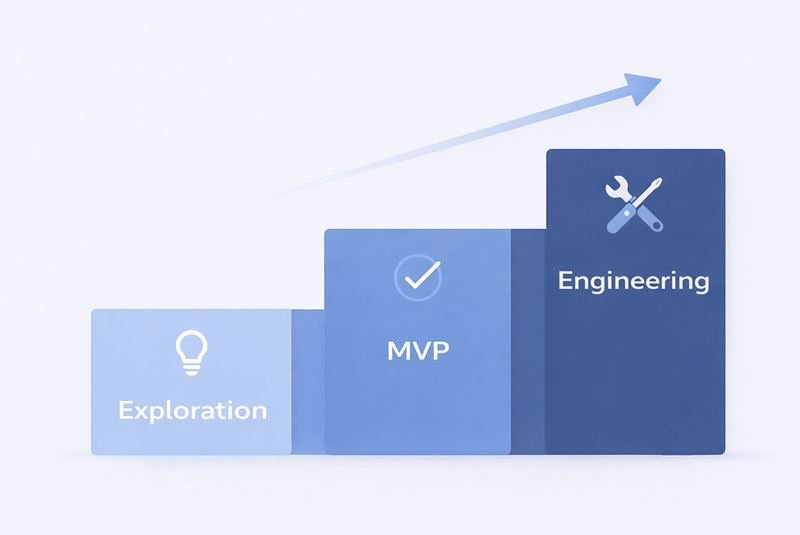
Most tools are great at layer one or layer two. The real advantage in 2026 is bringing work to layer three without losing your mind or starting over from scratch. Understanding which layer you're in determines which tools make sense and what standards to hold yourself to.
The Tools That Actually Matter
Think like a small studio: pick tools based on the job at hand, then move forward. Different tools excel at different stages, and the most effective designers learn to move between them fluidly.
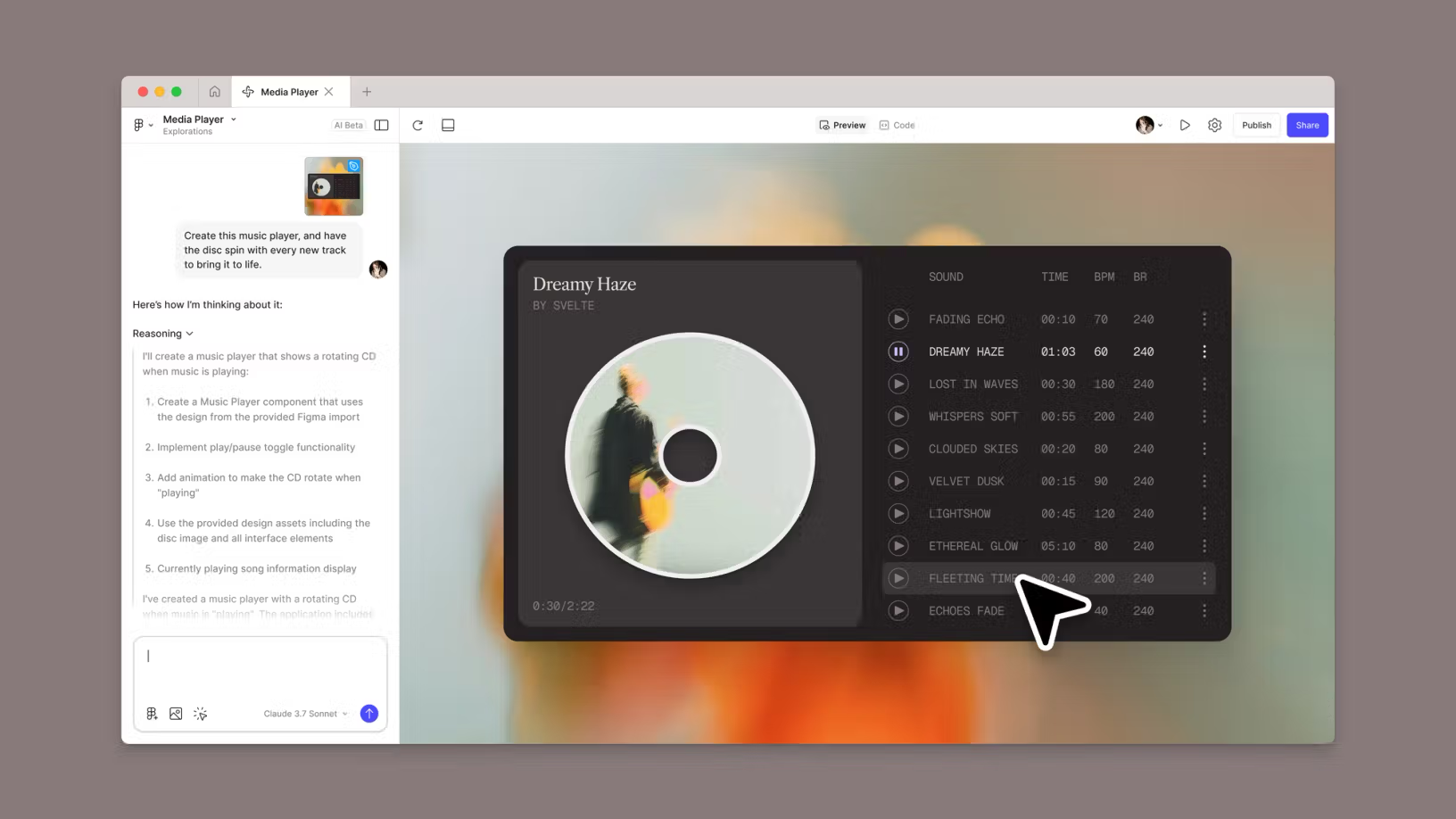
Figma Make is the most natural tool for designers because it starts from your language and your existing design files. Launched in 2025 as Figma's response to the vibe coding movement, it lets you describe an idea or pick an existing design, and it generates working code. The mental model is familiar — you're still thinking like a designer, but now your designs can actually run.
Figma Make is best for the transition from layer one to layer two. Its strengths are the native Figma flow, fast iteration, and familiar mental model. The limitation is that things can get messy without system discipline. If you're not careful about maintaining consistency, you'll end up with a working prototype that violates its own design system in subtle ways.
Lovable has become almost synonymous with vibe coding for many designers. The platform achieved remarkable growth — reportedly going from zero to $20 million in annual recurring revenue in just sixty days, the fastest growth in European startup history. It's excellent when you need a working MVP with logic and data.
Lovable is best for layer two work. Its strengths are full-stack generation, data integration through native Supabase support, and extremely fast MVP velocity. The limitations are less control over pixel-perfect visual details and code that can become difficult to maintain as the application grows complex. For quick testing and small apps, it's exceptional. For larger projects, you'll likely need to graduate to other tools.
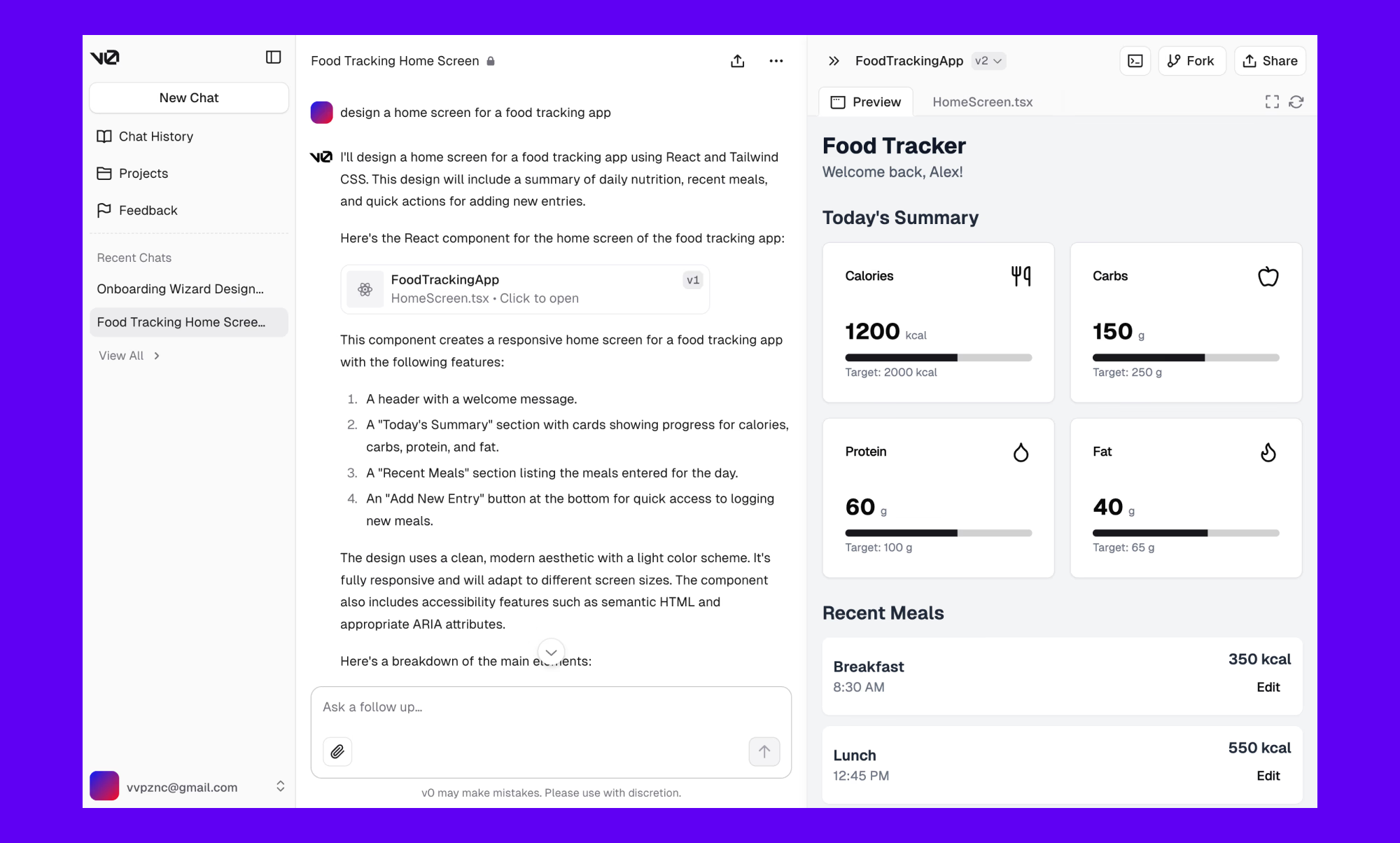
v0 by Vercel focuses on generating clean React components with a production-ready feel. It's tightly integrated with the Next.js and Vercel ecosystem, which is both a strength and a constraint depending on your stack.
v0 is best for the transition from layer two to layer three. Its strengths are high-quality code output, a component-driven structure, and the ability to upload Figma designs or screenshots for image-to-code conversion. The limitations are that it's frontend-only — no backend or database generation — and requires some technical comfort to customize deeply. If you're already in the Vercel ecosystem, it's a natural choice.
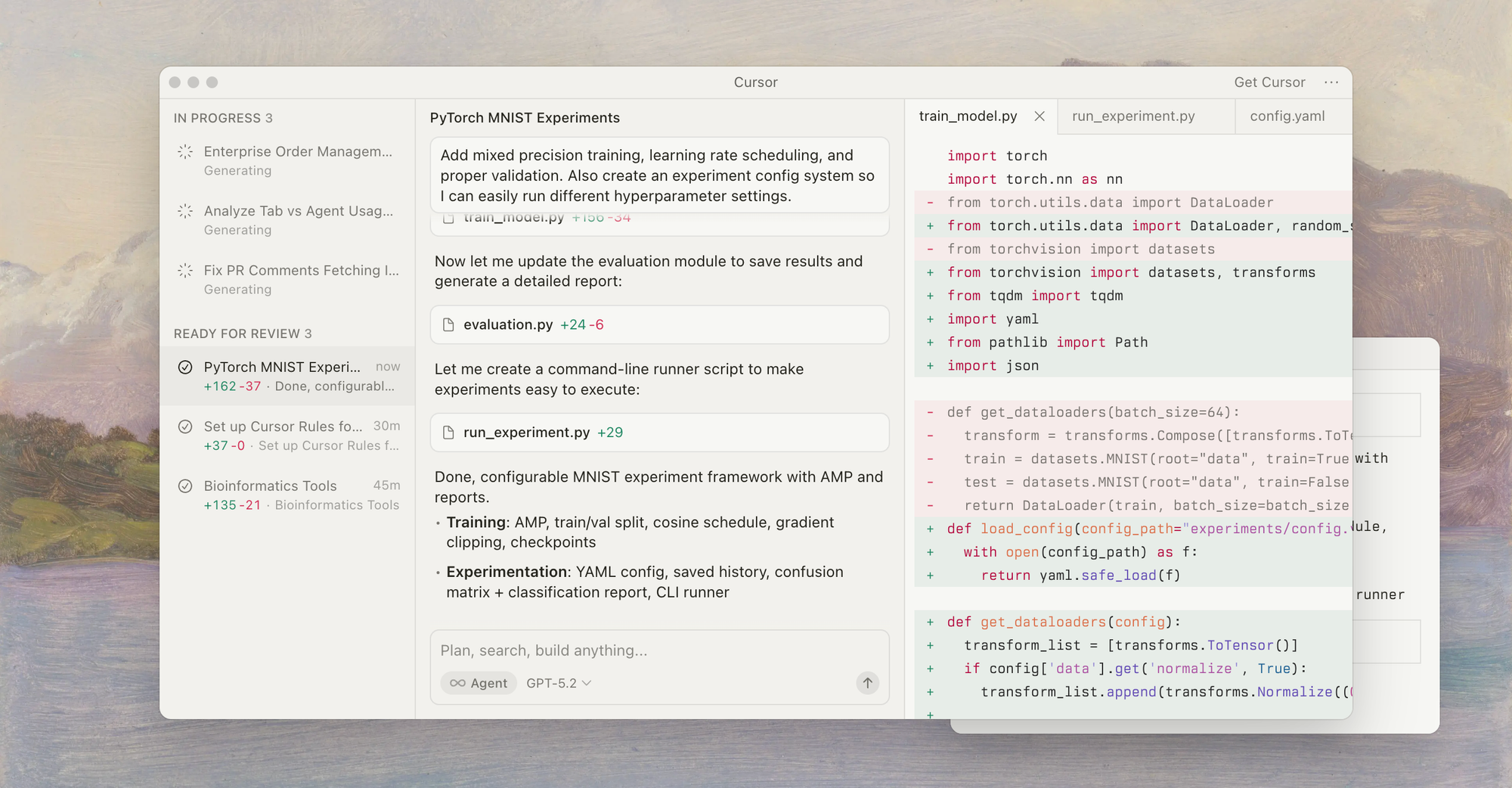
Cursor is where everything becomes real. It's an AI-powered code editor built on VS Code that combines advanced autocomplete, code-aware chat, and an agent that can apply edits across your codebase. This is where you achieve polish, consistency, unified components, and code that others can continue from.
Cursor is best for layer three. Its strengths are full IDE capabilities, deep codebase understanding, and precise control over implementation. The limitations are a steeper learning curve and the requirement for at least basic coding literacy. You don't need to write code from scratch, but you must be able to read structure and understand what the AI is doing.
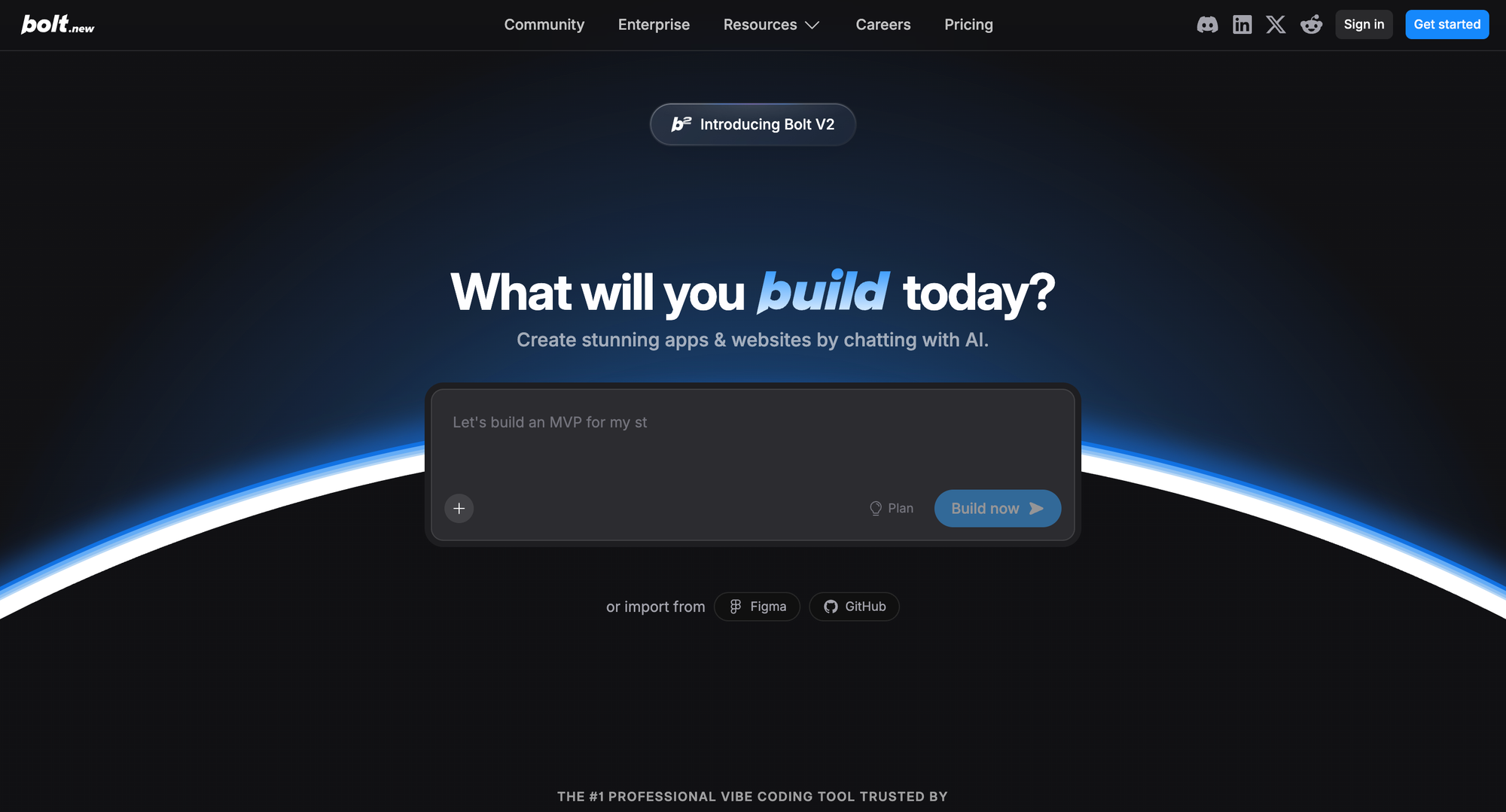
Bolt is a great exploration tool for finding direction fast without commitment. Its WebContainer technology runs full Node.js environments in the browser — no installation, no local setup. Perfect for hackathons, demos, or situations where you need to test an idea before investing real time.
Bolt is best for layer one. Its strengths are super-fast prototyping and zero setup friction. The limitation is that it's not designed for production. When you need to fix something under the hood or refactor a component, the tool can struggle — users report burning through credits trying to fix problems that require structural changes rather than patches.
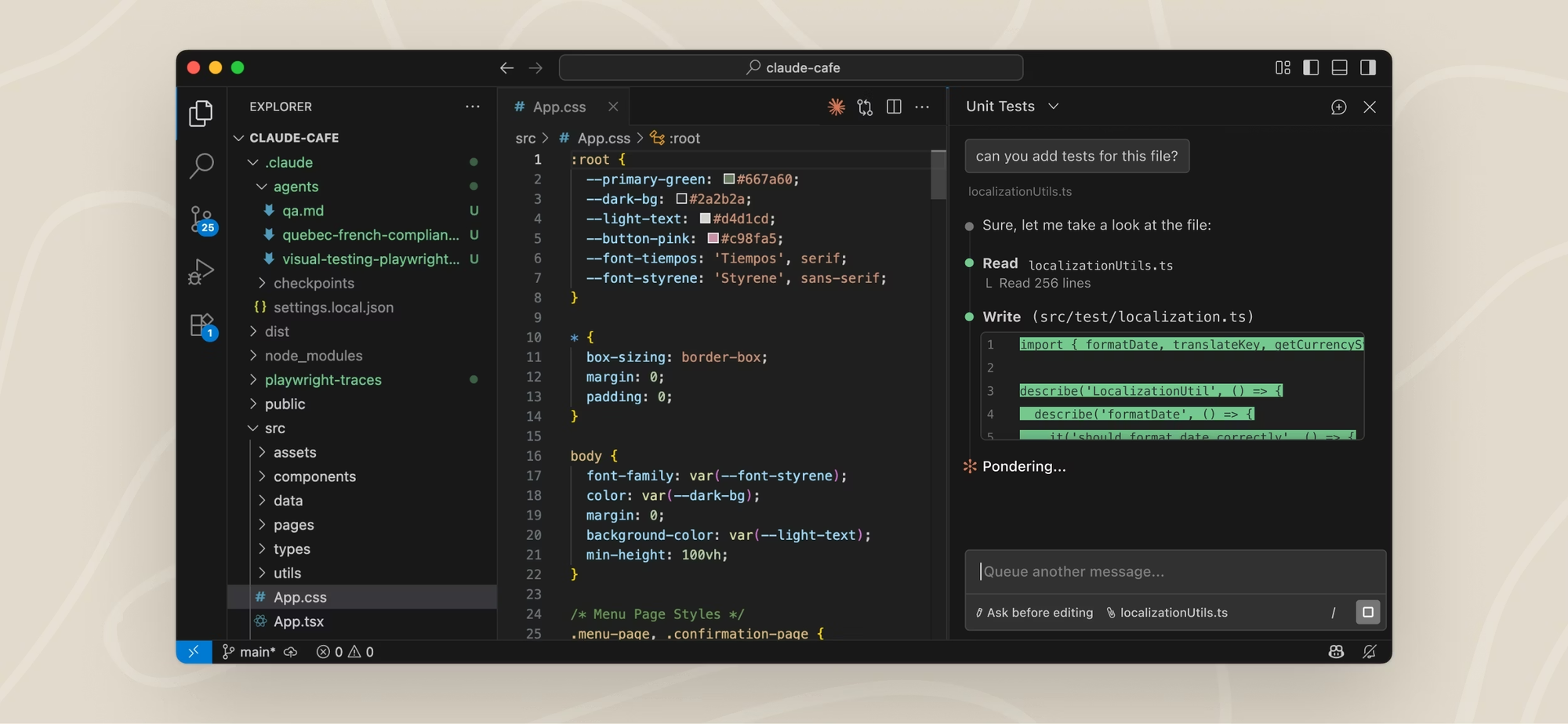
Claude Code works well for cleanup, refactoring, structure improvement, and reducing chaos in AI-generated code. When you've got a working prototype that needs to be cleaned up before handoff, it can intelligently improve code quality while maintaining functionality.
The Right Pipelines for Different Situations
The biggest mistake is choosing one tool and locking into it forever. The right approach is to move between stages, using each tool for what it does best.
If you have a detailed design system and need pixel-perfect implementation, use the Figma-first route:
If you need something functional quickly with real flows and data, use the fast MVP route:
If you're still exploring and need validation fast before committing to a direction, use the direction-finding route:
The key insight is that these aren't competing tools – they're different stages in a process. Designers who try to do everything in one tool inevitably hit frustrating limitations. Designers who understand the pipeline move smoothly from exploration through production.
How to Achieve Maximum Precision Without Fighting AI
Here's a truth that takes most designers too long to learn: precision doesn't come from longer prompts. Precision comes from clearer rules.
If you want output that feels like the same product across every screen and interaction, you need to establish constraints that AI can follow consistently.
Pick one screen that perfectly represents your system — the typography, the spacing, the component usage, the overall feel. Use this as the reference point for everything else. When you ask AI to generate new screens, reference this golden example explicitly.
Don't let AI invent components. This is critical. Always reference real components by their actual names. Say "Use Button/Primary" instead of "Make a blue button." Say "Use Card/Elevated" instead of "Create a container with a shadow." When you let AI describe components in natural language, it will happily create new variations that look similar but aren't actually the same thing.
Introduce states early. Loading, error, empty, success – from day one, every screen needs to account for these states. Don't wait until "later" to add error handling. If you generate screens without considering states, you'll end up retrofitting them awkwardly rather than building them in from the start.
Work with tokens, not aesthetic descriptions. Say "Use spacing-4 (16px)" instead of "Add some space." Say "Use color-text-secondary" instead of "Make it lighter gray." When you use tokens, the AI can apply your actual system values. When you use descriptions, it guesses.
Do final polish where you have full control. Usually that's Cursor, where you can manually adjust CSS, tweak interactions, and ensure everything is exactly right. The earlier stages are for getting close. The final stage is for getting perfect.
The Biggest Danger: Letting AI Replace Your Designer Brain
The most common bug in vibe coding isn't technical. It happens in your head.
AI can generate something that looks good, works functionally, and runs fast. At that moment, it becomes dangerously easy to say "I trust it" and stop thinking like a designer. When that happens, you've stopped designing and started approving.
The symptoms appear fast. Visual hierarchy that doesn't support the user's task but "looks fine" in isolation. Spacing inconsistencies that slowly creep between screens. Components that look similar but aren't actually the same thing. A product that feels like a collection of pretty screens rather than a coherent system.
There's an even deeper layer to this problem. AI will generate a solution even when it has no idea whether that solution makes sense from a UX perspective. It's not worried about edge cases, cognitive load, emotional context, or user mental models. It's simply committed to giving an answer because that's what it's designed to do.
That's why your job stays critical. For every screen, every interaction, every decision, you need to ask yourself: Why is this element here? Does it support the task, or is it just filling space? Is the sequence logical, or does it just "flow visually"? What happens before this screen, after this screen, and in the edge cases? Would you defend this choice in a user interview?
AI is the intern. You're the lead. The intern runs fast and produces lots of work. You decide what ships. When you maintain this dynamic, vibe coding amplifies your capabilities. When you lose it, vibe coding produces mediocre work at scale.
Common Pitfalls (And How to Avoid Them)
After watching hundreds of designers adopt vibe coding, certain mistakes appear again and again.
- Trying to make everything at once. The temptation is to describe your entire app and let AI generate it all. This always fails for anything beyond trivial projects. Instead, build one complete flow before moving to the next. Make sure each piece works properly before adding more complexity.
- Expecting AI to "just know" your intentions. AI is powerful but not psychic. Be explicit about your system every single time. Even if you mentioned your design tokens in a previous session, mention them again. Context windows have limits, and AI forgets.
- Treating demos as finished products. It's easy to fall in love with something that looks good in a demo. But demos hide problems. Ship demos by all means, but build for continuation. Ask yourself whether someone else could pick up this work tomorrow.
- Promising to "fix consistency later." Consistency is far easier to maintain than to retrofit. When you notice inconsistencies, fix them immediately. When you defer them, they multiply.
- Refusing to understand the code at all. You don't need to write code. But you absolutely must be able to read the structure. You need to know where components live, how styles are organized, what happens when you click a button. Without this understanding, you can't direct AI effectively and you can't catch problems before they become expensive.
If You Had to Pick Just Two Tools
If you're starting today and want the simplest setup that still gets real results, here's the recommendation: Figma Make and Cursor.
Figma Make is the fastest way to go from idea to living demo without switching mental models. You stay in Figma's world, you think like a designer, but now your designs can run.
Cursor is where demos become a product foundation – consistent components, real structure, continuation-ready code. It's where you go when you're serious about what you're building.
The other tools have their places. Lovable is excellent for rapid full-stack prototyping. v0 is great for high-quality React components. Bolt is perfect for quick exploration. But if you're choosing a minimal toolkit to cover most situations, Figma Make plus Cursor handles about 80% of what designers need.
The Bottom Line
The advantage of a designer in 2026 isn't knowing one more tool. It's knowing how to produce output that's fast, precise, consistent, and feels like a real product.
AI can generate UI all day long. But only a designer can build a system with direction, rules, and logic. Only a designer can maintain the through-line that makes a product feel coherent across every screen and interaction. Only a designer can say "this works but it's wrong" and know why.
Tools used to be isolated islands. Now they're starting to understand each other through protocols like MCP. When tools stop guessing and start working from shared context, vibe coding stops being magic and starts being a craft.
The designers who will thrive aren't the ones generating the most screens. They're the ones building real products that solve real problems with real consistency. They understand that AI is the most powerful design assistant ever created — but it's still an assistant.
Frequently Asked Questions
What is vibe coding for designers?
Vibe coding is a workflow where designers describe their intent in natural language, and AI translates it into working output — screens, flows, interactions, sometimes complete applications with data and backend functionality. Unlike traditional coding, you're not writing syntax. Unlike classic no-code tools, you're not constrained to predefined templates. You're having a conversation about what you want to build, and AI handles the implementation. The key shift for designers is thinking in systems rather than screens.
Do I need to learn to code to use vibe coding tools?
You don't need to write code from scratch, but you should be able to read and understand code structure. This means knowing where components live, how styles are organized, and what happens when interactions fire. Without this basic literacy, you can't effectively guide AI or catch problems before they become expensive. Think of it like learning to read architectural drawings — you don't need to be an architect, but you need to understand what you're looking at.
What's the difference between Figma Make, Lovable, v0, and Cursor?
These tools serve different stages in the design-to-production pipeline. Figma Make generates working code from your existing Figma designs, staying closest to the designer mental model. Lovable creates full-stack MVPs with database and authentication, ideal for rapid prototyping. v0 by Vercel specializes in high-quality React components with Tailwind CSS, perfect for frontend-focused work. Cursor is a full IDE that gives you precise control over code, best for final polish and production-ready output. Most effective workflows use multiple tools for different stages.
What is MCP and why does it matter for designers?
MCP (Model Context Protocol) is a standard that allows AI tools to access real context from other applications rather than guessing. For designers, this means AI can read your actual Figma components, tokens, and design system rules rather than approximating from screenshots. When Cursor connects to Figma via MCP, it knows your Button/Primary component exists and can use it correctly. Without MCP, AI invents its own interpretations that may look similar but aren't consistent with your system.
How do I maintain design system consistency when using AI tools?
Start every session by establishing your system rules explicitly. Reference components by their actual names rather than descriptions. Use design tokens instead of aesthetic language. Create a "golden screen" that perfectly represents your system and reference it when generating new screens. Build incrementally and check consistency after each addition rather than generating everything at once and trying to fix inconsistencies later.
What's the best vibe coding tool for someone just starting out?
For designers new to vibe coding, Figma Make offers the gentlest learning curve because it works within the familiar Figma environment. You can also try Bolt for quick, zero-setup exploration, it runs entirely in the browser and requires no technical configuration. Once you're comfortable generating basic prototypes, move to Lovable for more complete applications, and eventually to Cursor when you're ready for production-quality output.
Can I use vibe coding tools to build production applications?
Yes, but with important caveats. Tools like Lovable and v0 can generate code that runs in production, but you'll likely need to refine it in an environment like Cursor before it's truly production-ready. AI-generated code often needs cleanup for maintainability, proper error handling, and edge case coverage. The tools are excellent for getting 80% of the way there quickly, the remaining 20% requires human judgment and refinement.
How do vibe coding tools handle responsive design and different screen sizes?
Most modern vibe coding tools handle basic responsive layouts reasonably well, but you'll often need to specify breakpoints and behaviors explicitly. When generating screens, include responsive requirements in your prompts. Don't assume AI will automatically create appropriate mobile, tablet, and desktop variations. Check generated output across screen sizes and iterate on responsive behaviors specifically.
What happens to the code when I want to move between tools?
GitHub integration is essential for moving between tools. Most vibe coding platforms can push to GitHub, and Cursor (being a full IDE) works with any repository. A common workflow is generating an MVP in Lovable, pushing to GitHub, then opening the project in Cursor for refinement.
How much do vibe coding tools cost?
Pricing varies significantly. Cursor offers a free tier with a paid individual plan at $20/month. Lovable starts at around $25/month for meaningful usage. v0 has a free tier with premium features requiring payment. Bolt starts around $20/month. Most tools use credit or usage-based systems, so costs can spike with heavy use. For professional design work, expect to budget $50-100/month across tools, though exact costs depend on usage patterns.
Will vibe coding replace designers?
No. Vibe coding changes what designers do, not whether they're needed. AI can generate UI, but it cannot make consistent, principled decisions about how a product should feel and behave. It doesn't understand user mental models, emotional context, or business constraints. The designers who thrive with vibe coding are those who focus on direction, systems, and judgment, letting AI handle execution while they handle decisions.
What's the biggest mistake designers make with vibe coding?
The biggest mistake is treating AI output as finished work rather than a starting point. When something looks good at first glance, it's tempting to accept it and move on. But AI doesn't consider edge cases, consistency with the broader system, or whether the design actually serves user needs. The most successful designers maintain their critical eye regardless of how the work was generated, asking "Is this right?" rather than just "Does this work?"
Related Articles
 Mark
Mark
 Dani
Dani
 Mark
Mark