AI in filmmaking is no longer something that belongs to the future or to speculative industry panels – it is already embedded in real production workflows. While discussions about whether AI will replace artists are still circulating online and at conferences, most working filmmakers have shifted their focus toward a far more practical and grounded question: which AI tools actually save time, money, and effort during production?
Interesting Engineering recently put together a curated list of AI tools that filmmakers are actively using today, as part of their everyday production pipelines. These are not theoretical use cases or polished concept videos designed to impress investors; they are tools that handle real, often unglamorous tasks such as creating concept art, building storyboards, generating video sequences, cleaning up audio, composing music, and producing or modifying voice work.
This distinction is crucial, because these tools are not positioning themselves as replacements for cinematographers, editors, composers, or sound designers. Instead, they take over the repetitive, time-consuming, and resource-heavy tasks that used to drain both budgets and schedules (generating dozens of visual concept variations, fixing poor-quality location audio, extending shots without reshoots, or matching lip sync for international releases).
What matters most is not the hype around AI, but the way filmmakers are quietly integrating these tools into their workflows to remove friction and speed up production. Below is an overview of the AI tools that filmmakers are actually using right now, in real projects, under real production constraints.
Nano Banana Pro (Gemini)
Google DeepMind released Nano Banana Pro in November 2025, built on top of Gemini 3 Pro, and for filmmakers its most compelling feature is the ability to maintain character consistency across multiple images and scenes. This is not a minor upgrade, but a direct solution to one of the most persistent problems in AI image generation for visual storytelling.
Earlier image generation models consistently failed at preserving the same character across different shots. You could generate a protagonist successfully in one image, but the moment you placed that character into a new scene or changed the camera angle, the face would subtly, and sometimes not so subtly – change. The result was a character who looked almost the same, but not enough to be usable for serious concept art or coherent storyboarding, making the entire process frustrating and unreliable.
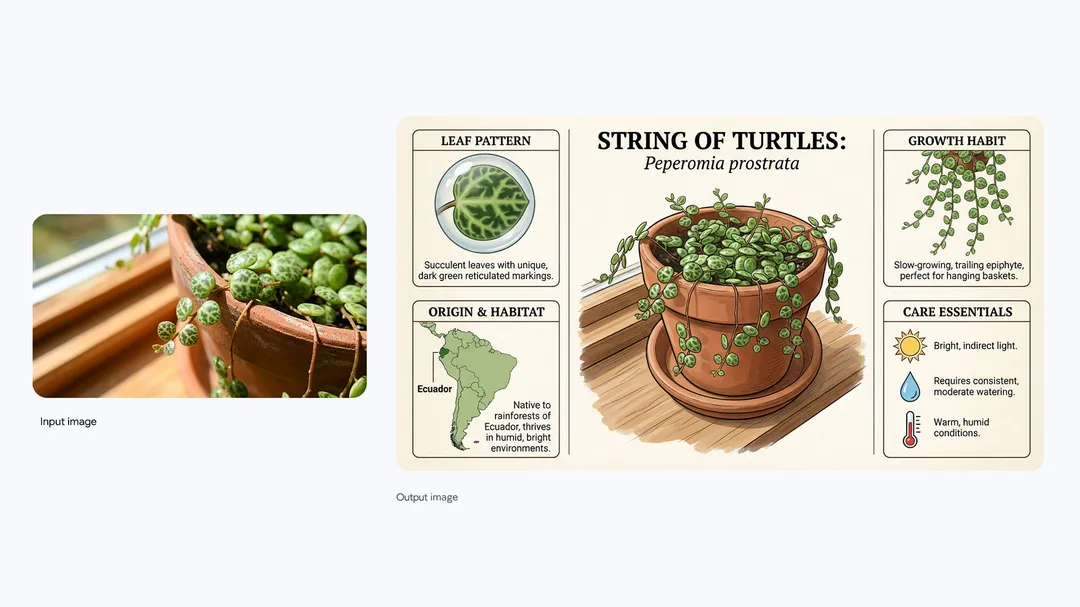
Nano Banana Pro addresses this issue through a structured reference system that allows creators to upload up to 14 reference images at once, including up to 5 images of human characters and 6 images of objects. The model effectively retains and applies the defining visual features of those references across multiple generations, allowing it to “remember” characters, props, and visual elements instead of reinventing them every time.
What makes this especially powerful for production workflows is the ability to load an entire visual style guide simultaneously. Filmmakers can provide logos, color palettes, character turnarounds, costume references, and product shots in a single session, and the model will maintain visual consistency across all generated images. This turns the tool from a random image generator into something much closer to a controllable pre-production assistant.
On the technical side, Nano Banana Pro supports output resolutions up to 4K with generation times under ten seconds, making it fast enough for real iterative work rather than one-off experiments. Text rendering is reliable across multiple languages, which is particularly useful for in-frame signage, posters, packaging, and background props that previously required manual fixes. The model also demonstrates a strong understanding of spatial relationships, lighting behavior, and basic causal logic before rendering, which significantly reduces visual errors that typically break immersion.
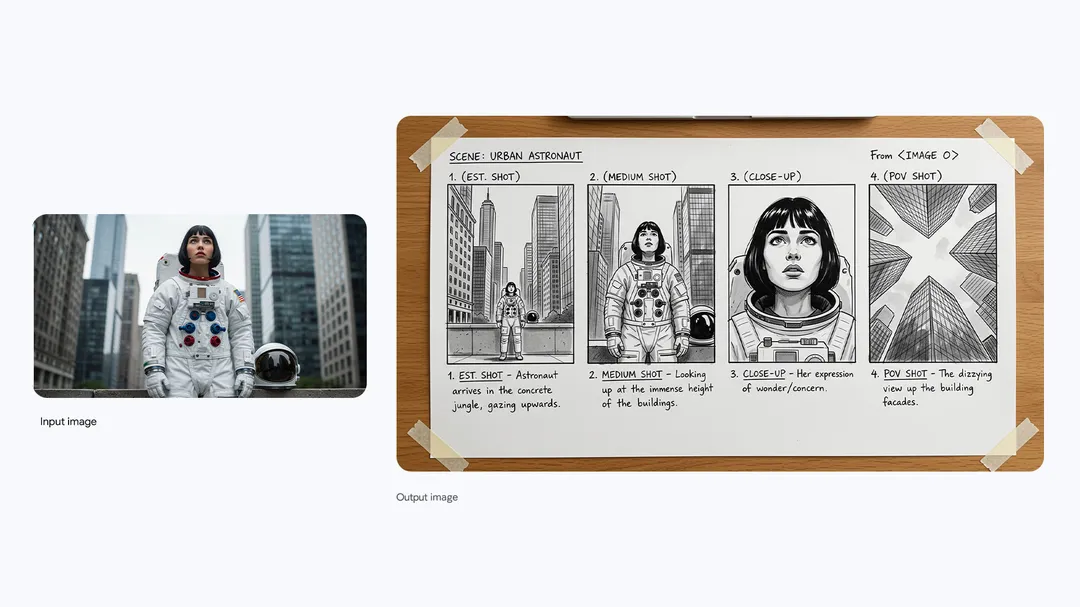
In practical terms, this changes what pre-production can look like. Filmmakers can now generate full storyboards where characters actually remain visually consistent across fifty or more shots, rather than drifting into slightly different versions of themselves. For concept art, it enables rapid exploration of environments, moods, and framing without resetting the character design every time, allowing creative teams to iterate faster while staying visually coherent from the very first pass.
Access: Available in Gemini app (select "Create images" with "Thinking" model), Google AI Studio, Vertex AI. Free tier has limited quotas; Google AI Plus/Pro/Ultra subscribers get higher limits.
ChatGPT / DeepSeek
Tools like ChatGPT and DeepSeek are now routinely used for script analysis, production breakdowns, location research, and early-stage schedule planning. Their value is not in producing final drafts or making creative decisions, but in accelerating the preliminary work that traditionally consumes an outsized portion of pre-production time and mental energy.
A location scout can describe the type of environment a scene requires and receive suggestions grounded in historical and contextual accuracy, reducing the need for hours of manual cross-checking. A production coordinator can input a draft shooting schedule and get a high-level logistics analysis that highlights potential conflicts, inefficiencies, or unrealistic timelines. A writer can use these tools to workshop dialogue, pressure-test scene logic, or verify whether certain phrases, terminology, or expressions would have been appropriate for a specific time period.
The real value here is not the idea of AI writing a screenplay on someone’s behalf. It is the presence of a tireless research assistant available at three in the morning, precisely when a filmmaker is stuck trying to determine whether a 1970s ambulance would realistically have a particular piece of equipment visible in the frame, or whether that detail would break historical credibility.
DeepSeek has gained attention primarily for its strength in reasoning-heavy tasks and its ability to handle longer context windows, which makes it particularly useful for complex breakdowns and multi-layered production questions. ChatGPT, meanwhile, remains the dominant general-purpose assistant and is widely adopted due to its reliability, versatility, and existing API integrations with various production and workflow tools.
In terms of access, ChatGPT offers a free tier alongside a Plus subscription priced at $20 per month, while DeepSeek positions itself with competitive pricing for API usage, making both tools accessible entry points for filmmakers looking to streamline research and planning without restructuring their entire workflow.
Midjourney
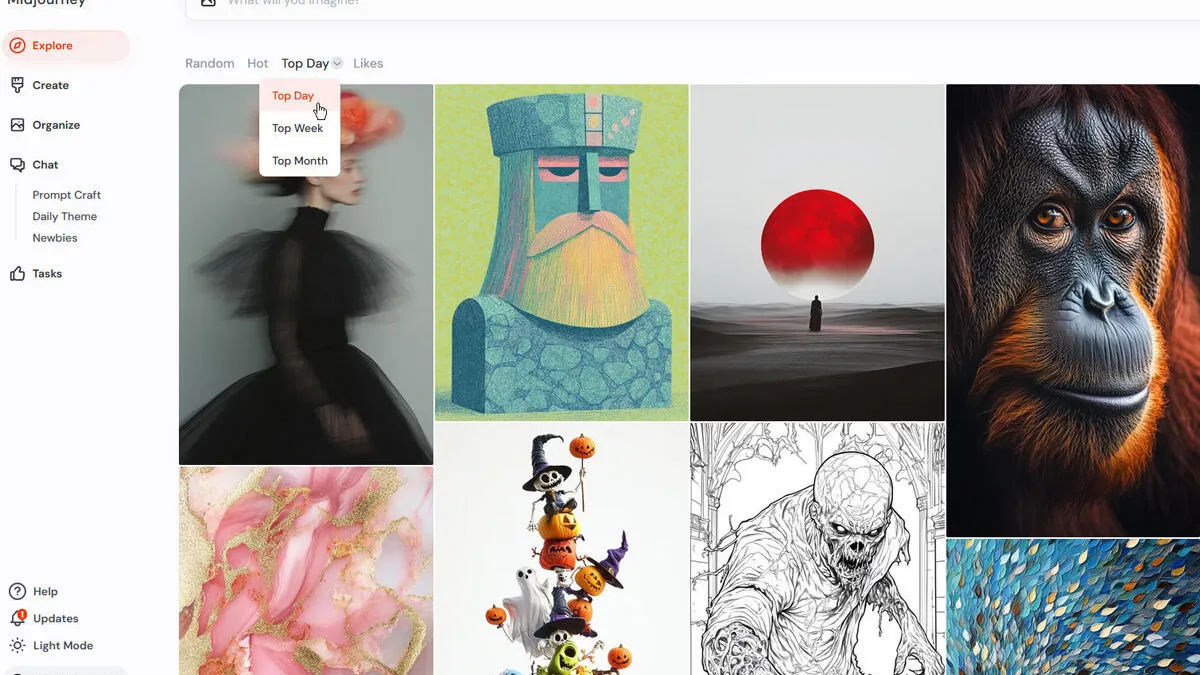
Midjourney continues to be the dominant tool for visual concept development in filmmaking, and it is increasingly being adopted for early animation tests as well. Rather than functioning as a generic image generator, the latest versions are tuned to the way working cinematographers and production designers actually think about images, with strong support for cinematic framing, lighting mood, and lens characteristics.
When a shot is described using film-specific terminology, such as focal length, camera height, depth of field, or lighting direction – the resulting images tend to reflect those choices with surprising accuracy. This makes Midjourney especially valuable during early visual exploration, where communicating intent clearly matters more than achieving final polish.
For production designers, Midjourney significantly accelerates the process of generating set concepts compared to traditional workflows. A single prompt can produce multiple variations that explore different visual approaches to the same environment, allowing teams to compare options side by side rather than committing to a single direction too early. Directors can also use these generated images as visual references when communicating with their crew, replacing or supplementing the practice of pulling stills from other films that may only partially match the intended look.
The platform’s animation capabilities have also improved in a meaningful way. Short motion tests now allow filmmakers to prototype scenes, blocking, and camera movement before committing time and budget to full production. While the output is not intended for final use, it is more than sufficient for testing timing, composition, and overall visual rhythm at an early stage.
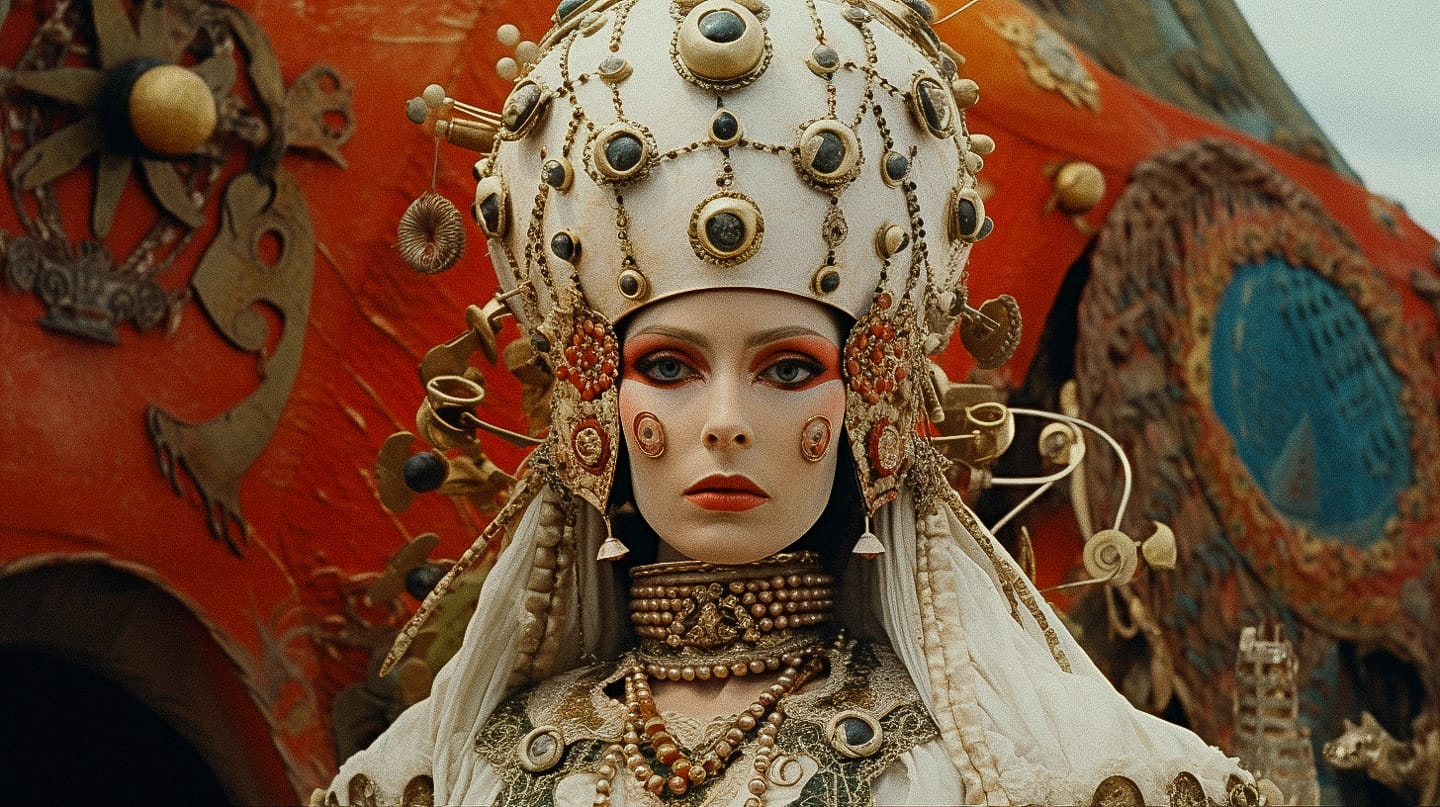
Another key advantage is Midjourney’s ability to maintain stylistic consistency across a project. Filmmakers can generate a core visual concept in a specific style and then reference that image in subsequent generations, ensuring that new assets remain visually aligned with the original direction. This helps maintain coherence across concept art, storyboards, and exploratory animation tests.
In terms of pricing, Midjourney offers a Basic plan at $10 per month for up to 200 generations, a Standard plan at $30 per month that includes approximately 15 hours of fast generations, and a Pro plan at $60 per month with around 30 hours of fast generation time. Annual subscriptions are available at a discounted rate, making the tool accessible across a wide range of production scales.
Veo 3.1 / Flow (Google)
Google’s Veo 3.1, accessed through the Flow filmmaking tool, represents one of the most explicitly filmmaker-oriented approaches to AI video generation currently available. Rather than positioning itself as a general-purpose video generator, the system is clearly designed around real production workflows and the practical needs of directors, editors, and pre-production teams.
The key differentiator is native audio generation, which fundamentally changes how AI-generated video can be used. Veo 3.1 produces clips with synchronized sound effects, ambient environmental audio, and spoken dialogue that includes accurate lip sync, all generated in a single pass. Earlier video generation tools typically produced silent footage, forcing filmmakers to rebuild the entire sound layer separately, but Veo 3.1 treats audio and visuals as a single, integrated output from the start.
Flow’s interface reinforces this production-first mindset by offering tools that map directly to how filmmakers already work. The “Frames to Video” feature converts storyboard frames or static reference images into motion, making it possible to test pacing and shot continuity early in the process. “Ingredients to Video” allows creators to combine reference images of characters, objects, and environments into a single coherent scene, while “Extend” enables existing clips to be continued up to a total length of 148 seconds, or just over two and a half minutes, without restarting the generation process from scratch.
What truly separates Flow from competing platforms, however, is its post-generation editing capability. With tools like “Insert,” filmmakers can add new elements into an existing scene, while “Remove” allows unwanted objects to be eliminated using context-aware filling that preserves visual continuity. Beyond simple fixes, users can also adjust camera angles, modify lighting conditions, or even change character wardrobe after a clip has already been generated, bringing the experience closer to iterative editing rather than one-shot generation.
Since its launch, Flow has been used to generate more than 275 million videos, suggesting rapid adoption beyond experimental use cases. An update released in October 2025 further improved texture realism and narrative control, addressing two of the most common weaknesses of earlier AI video models. Output is available at 720p or 1080p resolution at 24 frames per second, with individual segments typically ranging from four to eight seconds, which can then be extended to build longer sequences.
In terms of pricing, Google AI Pro is available at $19.99 per month and includes approximately 90 monthly generations using Veo 3.1 Fast or around 10 generations with the full Veo 3.1 model. For heavier usage, Google AI Ultra is priced at $249.99 per month and offers substantially higher generation limits, positioning it for studios or teams integrating AI video generation more deeply into their workflows.
Sora 2
OpenAI released Sora 2 in September 2025, describing it as the “GPT-3.5 moment for video,” a claim that signals not just incremental improvement but a transformative step in AI-driven filmmaking. Unlike earlier models that focused primarily on visual fidelity, Sora 2 introduces advanced physics simulation, which allows generated content to respect the real-world behavior of objects and characters. Whereas previous video generators would often “cheat” reality to satisfy prompts — for example, a basketball player might miss a shot but the ball would magically teleport into the hoop — Sora 2 ensures that physical interactions are consistent and believable, with missed shots rebounding realistically and objects responding according to actual laws of motion.
Beyond realistic physics, Sora 2 also produces synchronized dialogue and sound effects natively, streamlining what has traditionally been a multi-step post-production process. Its Cameo feature further expands creative possibilities by allowing filmmakers or content creators to insert themselves, or any specific character, into generated scenes simply by uploading reference video and audio. Character consistency across shots has improved dramatically, making it possible to maintain a coherent visual identity for protagonists or key props across multiple clips, a challenge that has historically plagued AI video generation.
Depending on subscription tier, generated videos can reach 15 to 25 seconds in length, and a storyboard mode provides creators with granular scene-by-scene control, enabling iterative planning of sequences without losing coherence. The accompanying Sora app also functions as a social platform for sharing, remixing, and exploring AI-generated video content, which fosters both collaboration and rapid idea iteration.
The platform has already attracted significant industry attention: in December 2025, Disney announced a $1 billion investment in OpenAI specifically to enable Sora 2 to generate over 200 copyrighted characters, signaling the likelihood of major studio adoption in mainstream filmmaking.
In terms of pricing and access, Sora 2 is currently available through the ChatGPT Pro subscription. The default video length for all users is 10 seconds, with a 15-second option available broadly, and a 25-second maximum for Pro users utilizing the storyboard feature. Additional generations can be purchased as needed, providing flexible options for creators ranging from independent filmmakers to professional studios.
Kling
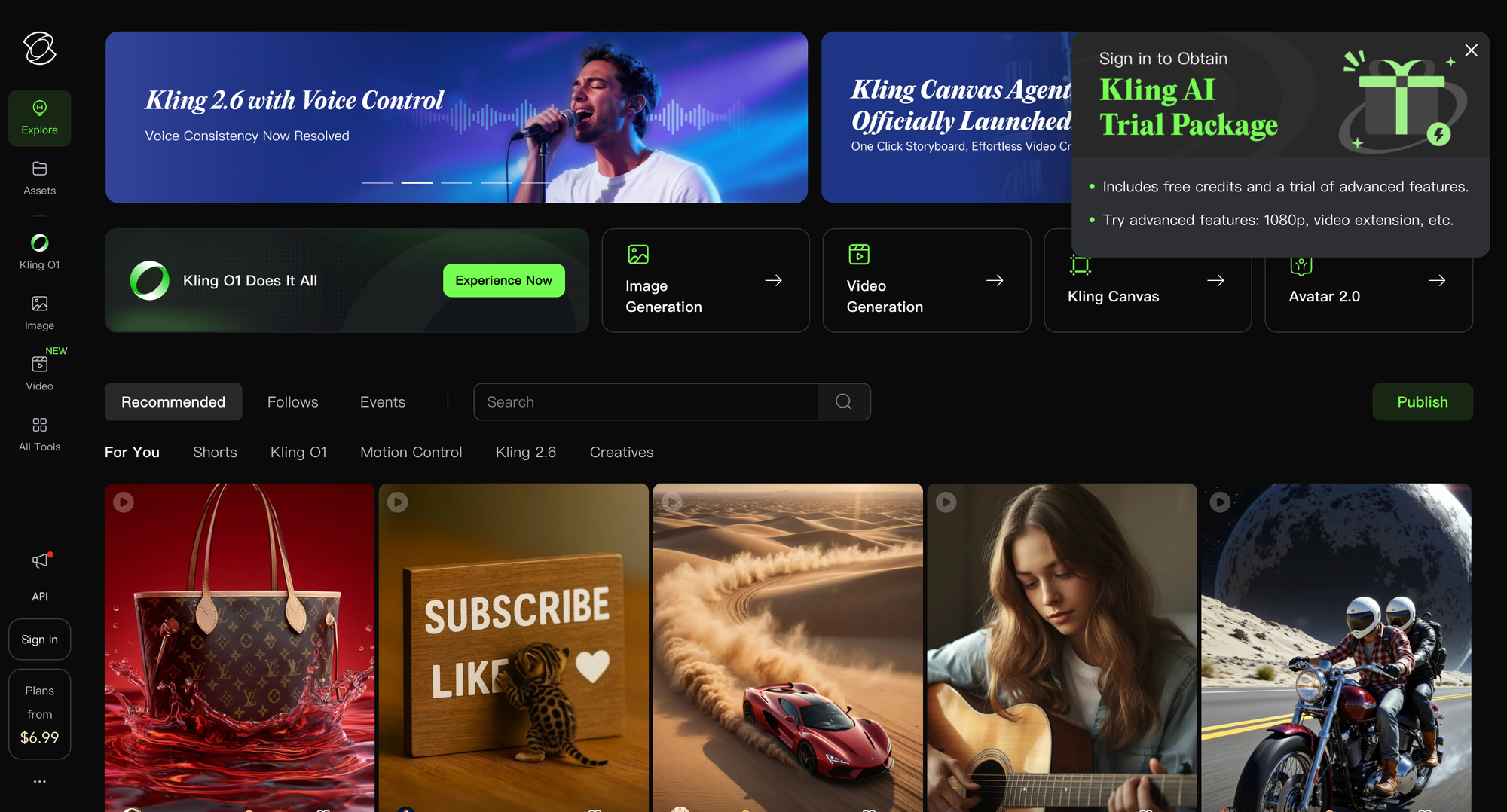
Kling, developed by the Chinese short-video platform Kuaishou, has rapidly gained global traction, attracting over six million users by focusing on motion quality and realism rather than flashy one-off effects. Its technical approach sets it apart from other AI video generators: the system first builds depth estimation, then tracks people, faces, and objects across frames, and finally uses this data to maintain frame-to-frame consistency. The result is far more naturalistic motion, with camera movements that feel organic, subjects that remain visually stable, and clothing, hair, and other dynamic elements shifting believably as scenes unfold.
The release of Kling 2.5 Turbo in September 2025 represented a major performance leap, delivering generation speeds roughly 60% faster than previous versions while reducing computational costs by approximately 62%. Output resolution reaches 1080p at 30–48 frames per second, and generated clips can be extended up to three minutes, giving creators much more flexibility for narrative or music-driven content.
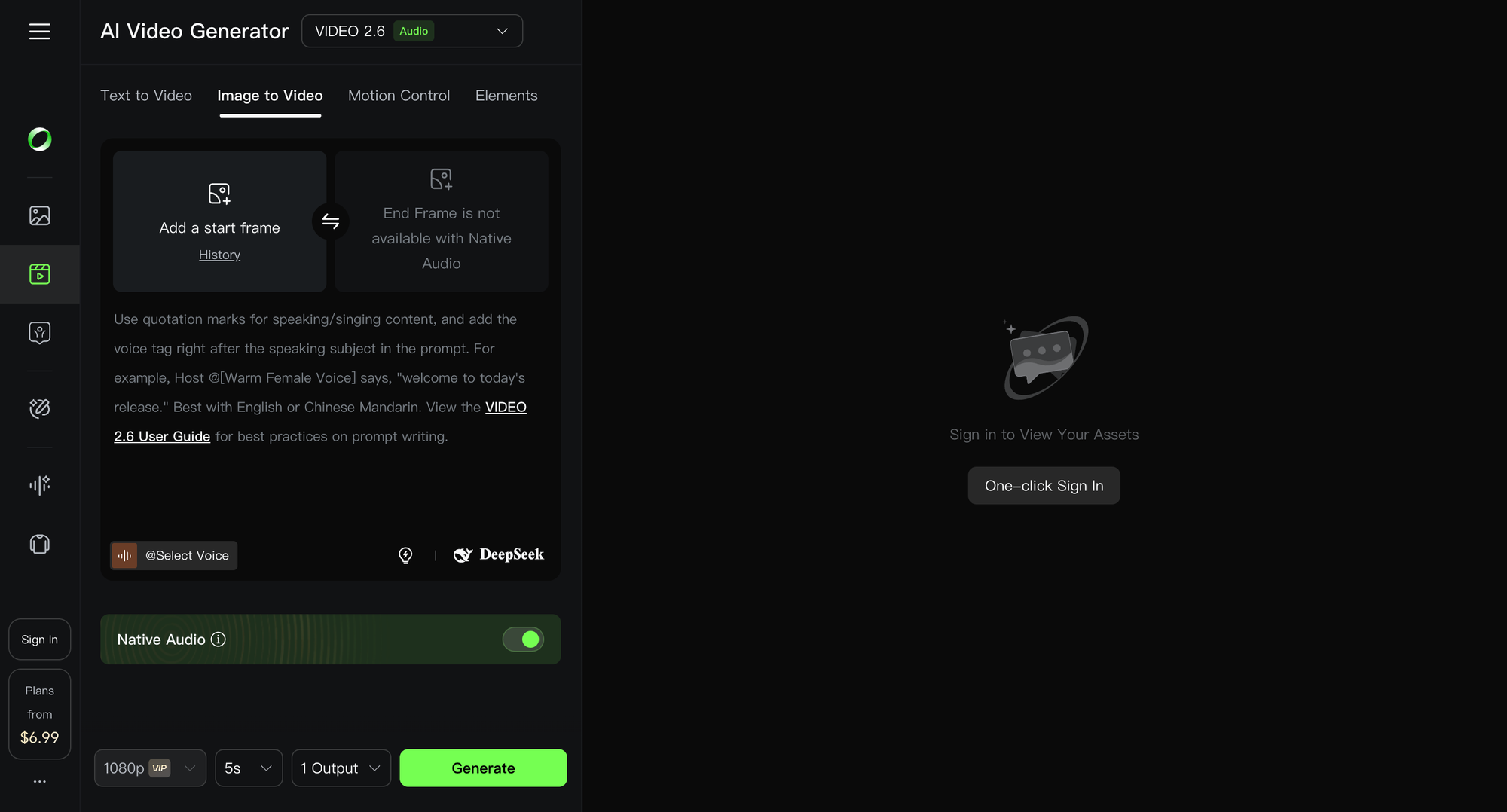
A key feature that addresses a persistent challenge in AI video generation is “Elements,” which allows users to maintain character consistency across multiple scenes. By uploading reference portraits of characters, Kling can “remember” these designs, ensuring that the same protagonists remain visually consistent across different shots, a problem that has historically frustrated filmmakers and content creators alike.
Kling 2.6, released in December 2025, further expanded creative control by introducing audio conditioning. Camera movements, cuts, and character motions now respond dynamically to music tempo or dialogue rhythm, allowing creators to generate sequences that feel intentionally edited to audio rather than randomly timed. This makes Kling particularly well-suited for music videos, short-form narrative content, or any project where rhythm and motion must align seamlessly.
In terms of access, Kling offers a free plan that provides 66 daily credits, making it accessible for experimentation and short-form content creation. Paid plans start at $6.99 per month ($6.60 annually) with credits consumed based on output resolution and scene complexity, providing an affordable entry point for creators seeking higher fidelity or longer videos.
Runway
Runway occupies a unique position in the AI filmmaking landscape, having been used on the Oscar-winning film Everything Everywhere All at Once and establishing a partnership with Lionsgate for previsualization and VFX work. Unlike tools that generate content from scratch, Runway combines AI generation with editing features that filmmakers genuinely need, making it as much a production assistant as a creative tool.
The release of Gen-4 in March 2025 marked a major improvement in character consistency across scenes, addressing a recurring challenge in AI-driven video workflows. Its Motion Brush feature allows creators to animate specific objects within a frame, while video inpainting enables the removal or replacement of elements without affecting surrounding visuals. Lip sync tools accurately match dialogue to on-screen faces, making generated or enhanced footage feel natural and production-ready.
Runway Aleph, launched in July 2025, takes this integration even further by offering a comprehensive editing environment that works directly on uploaded footage rather than generating content from scratch. Users can generate new camera angles, remove objects, adjust lighting, or relight scenes, all while preserving the integrity of the original footage. For filmmakers, this is a critical distinction: rather than replacing their work, Runway enhances it, accelerating processes that would traditionally require hours in compositing or VFX software.
The platform uses a credit-based system, charging per second of generation. Gen-4 runs cost approximately 10–15 credits per second for base generation, with 4K upscaling adding 2 credits per second. In practical terms, creating a 20-second 4K clip, including multiple iterations, consumes roughly 240 credits. This structure allows creators to manage costs while taking advantage of AI features that dramatically reduce production time — effects that might take hours in After Effects can be completed in 10–15 minutes using Runway.
Pricing is structured to accommodate both individual creators and studios, with a Standard plan at $12 per month and a Pro plan at $28 per month, with credits allocated based on subscription tier. This combination of speed, precision, and flexibility has positioned Runway as a go-to tool for filmmakers who need AI-assisted generation that integrates seamlessly with real footage rather than operating in isolation.
OpenArt.ai
OpenArt.ai addresses a very practical challenge in AI-assisted filmmaking: different models excel at different creative tasks, and maintaining separate accounts across multiple platforms can be cumbersome and time-consuming. Rather than forcing creators to jump between Midjourney, Stable Diffusion variants, and other specialized tools, OpenArt provides access to over 100 different models through a single, unified interface.
For filmmakers, this creates a flexible environment for experimentation. A director or concept artist can generate the same visual prompt across multiple styles — for example, using Midjourney-style models for cinematic concept art, photorealistic models for detailed environment studies, or anime-inspired models for stylistic exploration — without leaving the platform or interrupting their workflow. This ability to quickly test how different models interpret the same idea allows teams to evaluate options and converge on a creative direction far more efficiently than traditional methods.
The model library includes a wide range of tools, from standard Stable Diffusion variants to custom fine-tuned models and proprietary options developed specifically for certain visual tasks. Users can exercise granular control over generation parameters, often surpassing the level of flexibility available on individual model platforms, which gives filmmakers the ability to balance style, composition, and detail to their exact specifications.
In terms of pricing, OpenArt offers a free tier with limited generations, ideal for experimentation or small-scale projects. For more extensive usage, Pro plans provide broader access to the full model library, faster generation speeds, and priority in processing, making the platform suitable for teams working on professional concept art, storyboarding, and other pre-production tasks.
Suno
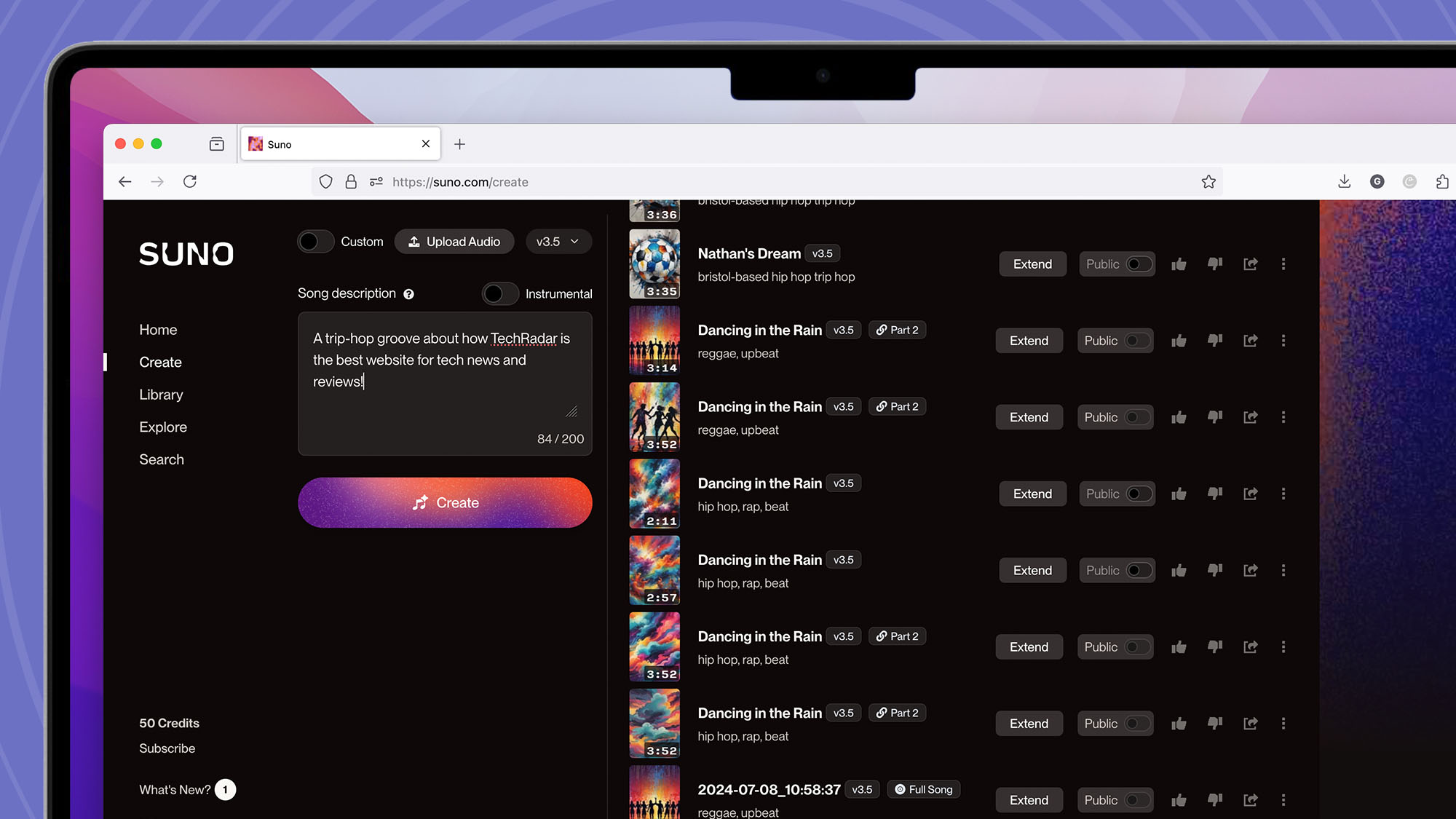
Suno is an AI tool that generates complete songs, including fully rendered vocals, directly from text prompts, offering filmmakers a powerful way to prototype soundtracks without immediately incurring composer fees or licensing costs. This capability is particularly valuable during pre-production and rough edits, where finding the right musical mood can be time-consuming and expensive.
Version 4.5, released in May 2025, significantly expanded the platform’s capabilities, supporting over 1,200 musical genres and offering improved vocal expressiveness. Tracks can be generated up to eight minutes long at 44.1 kHz studio quality, and creators can specify parameters such as mood, tempo, instrumentation, and even the emotional arc of the piece. This allows filmmakers to produce music that aligns precisely with the tone and pacing of their scenes, rather than relying on generic library tracks that may only roughly approximate the desired effect.
The workflow advantages are substantial. When a team needs temporary music for an edit, they can describe the scene and its emotional beats to Suno and receive a fully realized track that matches the intended atmosphere. These tracks can be shared with stakeholders to communicate the creative vision before committing to original composition, streamlining the approval process and reducing iteration time.
For final production, Suno can serve multiple roles. It can generate scratch tracks that composers later develop into fully orchestrated scores, or it can provide complete background music for projects where a dedicated composer or original scoring budget is not feasible. Pro and Premier plans include commercial rights, ensuring that generated music can be used safely in finished projects.
In terms of pricing, Suno offers a free tier for non-commercial use, allowing filmmakers to experiment and prototype without cost. Pro and Premier plans enable commercial licensing, granting full ownership of generated music and making the platform suitable for both independent creators and professional production teams.
Topaz Labs
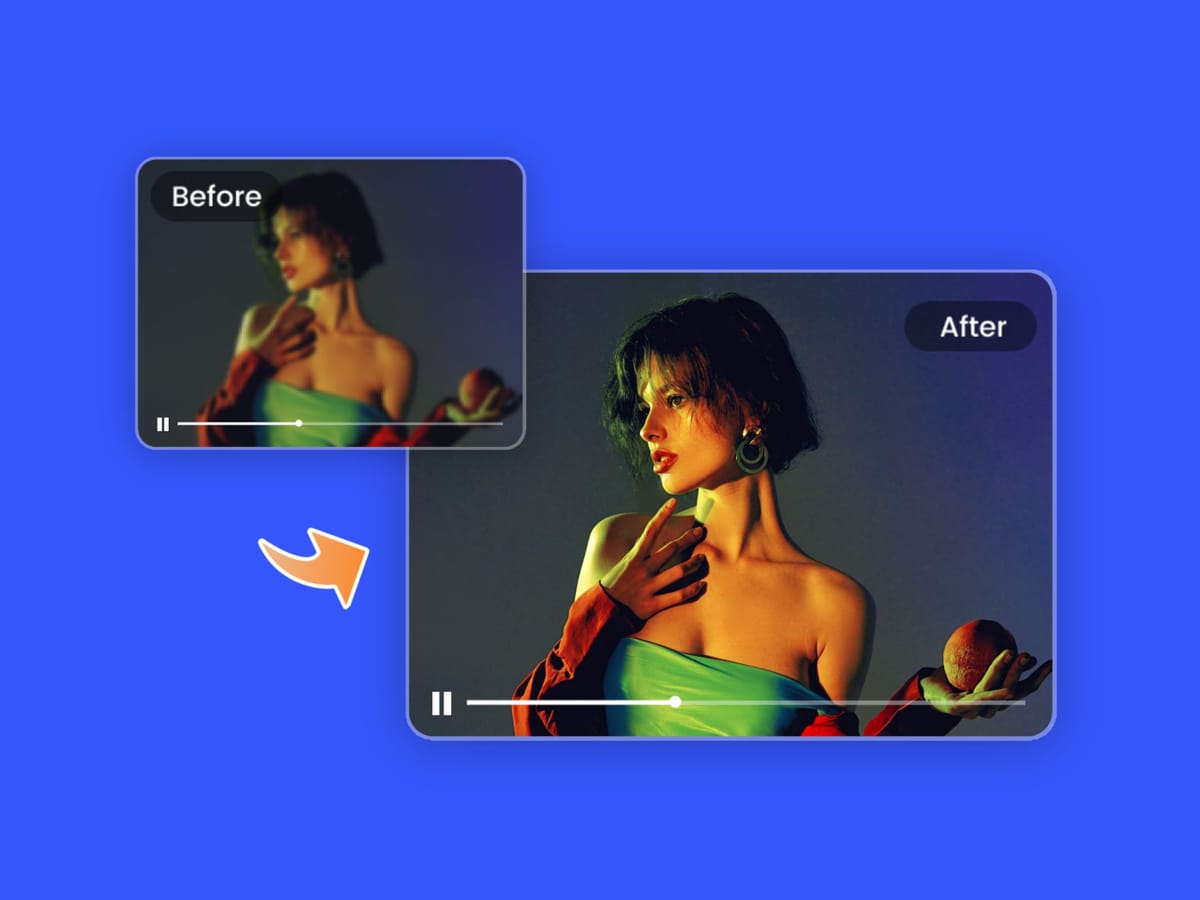
Topaz Video AI addresses a distinct challenge in filmmaking: improving and enhancing footage that already exists rather than generating content from scratch. The software offers a suite of tools that enable filmmakers to upscale video resolution from 1080p to 4K or even 8K while adding real detail instead of merely stretching pixels. Its denoising capabilities remove grain from low-light footage, stabilization corrects camera shake after filming, and frame interpolation produces smooth slow-motion by generating entirely new frames that never existed in the original footage.
For filmmakers working with archival material, smartphone recordings, or footage captured under difficult conditions, Topaz can recover a level of quality that traditional video software often cannot. The AI models powering these tools were trained on millions of video frames, allowing them to understand the natural behavior of motion, lighting, and fine detail, which makes enhancement feel realistic rather than artificially smoothed.
Specialized models within Topaz cater to specific needs: Proteus handles general enhancement, Iris focuses on recovering facial detail, Nyx excels at noise reduction, and Apollo and Chronos are optimized for frame interpolation tasks. As a practical example, upscaling a ten-minute 1080p video to 4K typically takes between 35 and 50 minutes on a mid-range GPU, demonstrating that while powerful, the process remains accessible to individual creators and small studios.
Topaz also offers Astra, a web-based tool designed specifically for AI-generated video. Astra allows users to upscale outputs from platforms like Sora or Veo to crisp 4K, with optional frame rate adjustments up to 120fps, effectively bridging the gap between AI generation and high-quality deliverables.
Topaz Video AI operates on a subscription model starting at $25 per month, following the company’s decision to discontinue perpetual licenses in October 2025. Existing perpetual license owners retain access to the versions they purchased, but new users now subscribe to maintain access to ongoing updates and enhancements.
ElevenLabs
ElevenLabs provides the voice layer that filmmakers increasingly rely on, offering realistic text-to-speech, voice cloning, and automated dubbing capabilities. The platform allows creators to generate high-quality synthetic voices with remarkable fidelity, capturing pitch, tone, accent, and rhythm from just a few minutes of audio samples. For filmmakers, this opens a range of practical possibilities: performing ADR without requiring actors to return to the studio, prototyping character voices early in production, or preserving performances that cannot be re-recorded for any reason.
The automated dubbing studio further expands these capabilities, translating and re-voicing video into 29 languages while maintaining the original speaker’s tone. Advanced lip-sync alignment significantly reduces the “dubbed” feel that has historically undermined international releases, and speaker recognition ensures that multi-character scenes preserve voice consistency and clarity.
In addition, ElevenLabs offers voice-changing tools that transform any recording into a different voice while maintaining timing, cadence, and emotional delivery. This feature is particularly useful for character prototyping, temporary voice casting, or exploring alternative vocal styles before committing to final performances.
In terms of pricing, ElevenLabs provides a free tier for basic experimentation and non-commercial use. The Creator plan costs $11 per month, Pro is $99 per month, and Scale is $330 per month, with enterprise pricing available for high-volume productions that require extensive dubbing, voice cloning, or TTS workflows.
Adobe Enhance Speech
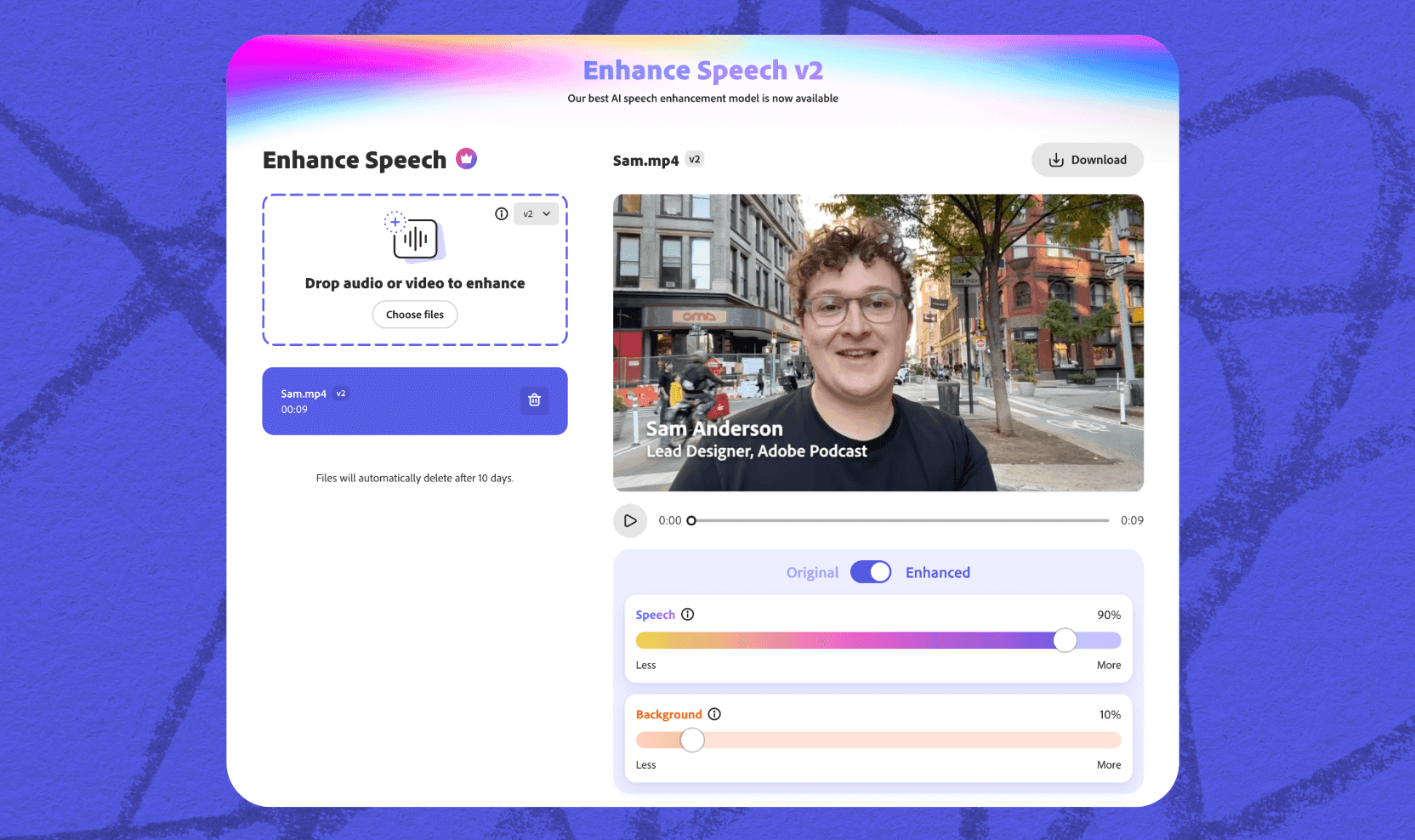
Adobe Enhance Speech, part of the Adobe Podcast suite, tackles one of the most common challenges in filmmaking: improving the clarity of recorded dialogue without the need for expensive studio post-production. For directors and sound editors working with location audio, it is not uncommon to have captured the perfect performance only to find the track marred by background noise, HVAC hum, or environmental interference that would traditionally require time-consuming cleanup or even ADR.
Enhance Speech addresses this problem with one-click processing that immediately improves vocal clarity while minimizing artifacts, effectively making professional-grade audio accessible to independent productions and smaller teams that lack dedicated post facilities.
The tool also supports multiple enhancement passes, allowing editors to iteratively refine recordings to achieve the best possible clarity without introducing unnatural sound. Its integration within Adobe’s broader ecosystem, particularly with Premiere Pro, ensures a seamless workflow for editors who already rely on Adobe Creative Cloud for video editing, enabling audio cleanup to occur in the same environment where video is being cut and color-corrected.
In terms of access, Adobe Enhance Speech is available through Creative Cloud subscriptions and standalone Adobe Podcast plans. A free web version also exists for basic enhancement, providing an entry point for creators who want to quickly clean up dialogue without committing to a paid subscription.
The Production Pipeline: How These Tools Work Together
While individual AI tools each bring unique capabilities, their true value emerges when integrated into a filmmaker’s workflow. In practice, working creatives combine these tools across every stage of production to save time, explore options, and maintain creative control.
- Pre-production concept phase: The process begins with script breakdowns using ChatGPT or DeepSeek, which help identify visual requirements, scene elements, and potential challenges. Midjourney then generates initial concept art, allowing the team to explore multiple visual directions quickly, while Nano Banana Pro refines selected concepts to maintain character consistency across storyboard frames. At this stage, directors and department heads can review a fully visualized vision of the project before committing resources to sets, props, or shooting schedules.
- Previsualization and planning: Once the creative direction is clear, tools like Veo 3.1/Flow or Runway generate motion tests of key sequences, giving filmmakers a sense of timing, camera movement, and scene composition. Simultaneously, Suno produces temporary music tracks aligned with the intended emotional beats, helping editors cut rough sequences that reflect pacing and rhythm. Stakeholders can then evaluate the story, approve sequences, or redirect production based on fully previsualized content rather than abstract descriptions or rough animatics.
- Production support: On set, AI continues to augment human creativity. Kling generates B-roll, establishing shots, or extended sequences that supplement the main footage, while Topaz Video AI improves reference footage or enhances behind-the-scenes smartphone captures. ElevenLabs can prototype voice casting or test dialogue delivery using cloned readings, reducing the need for repeated actor sessions and speeding up pre-shoot preparations.
- Post-production enhancement: After shooting, Adobe Enhance Speech cleans up location audio, removing environmental interference and improving vocal clarity. Topaz Video AI upscales and stabilizes footage that may have technical imperfections. Runway takes on VFX tasks that would otherwise require external vendors, while ElevenLabs provides automated dubbing for international distribution, maintaining consistent character voices across languages.
Technical Considerations for Production Use
File formats and pipeline integration
Most AI video generation tools export standard MP4 or MOV files that drop cleanly into professional editing environments like Premiere Pro, Final Cut Pro, or DaVinci Resolve. Native output resolution typically caps at 1080p, with higher resolutions achieved through upscaling workflows using tools such as Topaz Labs. Frame rates vary by platform and model, commonly ranging from 24fps for cinematic applications up to 60fps for smoother motion or digital-first content.
Runway and Adobe tools offer the tightest workflow integration, allowing direct handoff into Premiere Pro and After Effects without excessive format juggling. Other platforms require manual export and import, which is manageable but should be accounted for in production timelines.
Compute requirements and performance expectations
Cloud-based tools such as Veo, Sora, Kling, and ElevenLabs place minimal demands on local hardware. A stable internet connection is the primary requirement, as all generation occurs on provider servers. This makes them accessible to small teams and remote workflows.
Local processing tools, particularly Topaz Labs, have far higher hardware requirements. GPU performance is the main bottleneck: an NVIDIA RTX 3060 is the practical minimum, while RTX 3080-class cards or better are recommended for production-speed workflows. Working with 4K footage benefits significantly from 32GB of RAM or more. As a rough benchmark, processing a 10-minute video can take anywhere from 30 to 60 minutes depending on model choice, settings, and hardware.
Quality assurance and review processes
AI-generated content is not “fire and forget.” Every output requires human review. Common issues include temporal inconsistency, where objects subtly change between frames; physics violations, such as unnatural motion or incorrect object interaction; text rendering errors; and facial distortions that fall into uncanny valley territory.
Professional teams treat AI output like any other intermediate asset. Junior editors or assistants flag technical and continuity issues, while senior creatives decide what level of imperfection is acceptable based on context. What’s fine for internal previsualization may be unacceptable for client-facing or final delivery.
Versioning, documentation, and attribution
Track everything. Save prompts alongside outputs. Label which tool, model version, and settings were used. This documentation matters more than it might seem. It helps resolve rights and licensing questions, speeds up revision requests, and builds institutional knowledge about which approaches actually worked. Teams that treat AI generations as disposable quickly lose efficiency; teams that version and document them compound their gains over time.
FAQ
Are these tools replacing film crews?
No, these tools are not replacing film crews, nor are they designed to do so. Instead, they handle specific tasks that previously required expensive outsourcing or large amounts of manual, repetitive labor. Storyboard artists are still responsible for visual storytelling decisions, but AI tools can generate variations faster and help explore options more efficiently. Editors still make creative cuts and narrative choices, while AI simply provides more material to evaluate. The core skill remains human: knowing what to ask for, recognizing quality output, and deciding what actually serves the story.
Which tool should filmmakers try first?
The best starting point depends entirely on your immediate production need rather than curiosity about the technology itself. For pre-production concept work, tools like Midjourney or Nano Banana Pro are the most immediately useful. For video generation and previsualization, Veo 3.1 through Flow or Runway are better fits. Audio cleanup is most efficiently handled with Adobe Enhance Speech, while upscaling or restoring existing footage is best done with Topaz Labs. Most of these platforms offer free tiers or trials, making it easy to experiment before committing financially.
What’s the quality like compared to traditional methods?
Quality varies significantly depending on the application and expectations. Concept art generation produces work that is highly effective for its intended purpose, which is communicating ideas clearly to crew members and stakeholders rather than serving as final artwork. Video generation has not replaced cinematography, but it enables rapid prototyping of shots, pacing, and camera movement. Audio enhancement tools can approach professional quality in many scenarios, particularly for dialogue cleanup. None of these tools replace final production standards, but all of them significantly accelerate the process of getting there.
How are studios actually using these tools?
Studios are primarily using AI tools for previsualization and concept development rather than final output. Lionsgate has partnered with Runway for previz and VFX workflows. Disney announced a $1 billion investment in OpenAI to enable access to copyrighted characters in Sora 2. Google’s Flow platform has already generated more than 275 million videos. In practice, studios use these tools to test shots, explore visual directions, and communicate creative intent faster and more clearly than traditional methods allowed.
What about copyright and ownership?
Copyright and ownership rules vary by platform and subscription plan. Most paid tiers grant commercial rights to generated content, but terms differ and should be reviewed carefully for each use case. Ongoing lawsuits related to training data remain unresolved for some providers. In most jurisdictions, AI-generated content itself is not eligible for copyright registration, though it can still be used commercially under platform licenses.
How much do these tools cost for independent filmmakers?
Entry costs are relatively low compared to traditional production expenses. Midjourney starts at $10 per month, and Kling offers a free tier with 66 daily credits. NotebookLM and several other tools provide generous free access for experimentation. For professional independent productions, budgeting roughly $50–300 per month for the tools that provide the most workflow value is typically sufficient.
What hardware is required?
Most AI filmmaking tools are cloud-based and require nothing more than a stable internet connection. Topaz Labs is the primary exception, as it performs processing locally and benefits from a dedicated GPU, with an RTX 3060 or better recommended, along with at least 16GB of RAM. Tools like ElevenLabs and Adobe Enhance Speech run in a browser or lightweight desktop applications and do not require specialized hardware.
Are there ethical concerns filmmakers should consider?
Yes, and they should be taken seriously. Voice cloning requires explicit consent from the person whose voice is being used. Generated content involving real people raises deepfake concerns and should be disclosed appropriately. Most platforms have implemented safeguards and, in some cases, identity verification for sensitive features, but ethical responsibility ultimately rests with the filmmaker.
What’s coming next in AI filmmaking tools?
The most immediate developments include longer coherent video generation, which is currently capped at roughly one to three minutes but is improving rapidly. Better handling of multi-character scenes, more advanced audio-visual synchronization, and real-time generation for live production environments are also on the horizon. Deeper integration with traditional editing and post-production software is expected, and industry adoption will continue to accelerate as these capabilities mature.
How do you learn to use these tools effectively?
Most platforms provide documentation, tutorials, and example workflows, but real proficiency comes from experimentation. Prompt quality matters: specific, detailed descriptions consistently produce better results than vague requests. Film terminology often works particularly well, as many models are trained on video data and understand cinematic language. Over time, hands-on use reveals each tool’s strengths, limitations, and quirks.
Related Articles
 Dani
Dani
 Mark
Mark
 Dani
Dani