


The Hidden Crisis in Every AI Application
Every sophisticated AI application eventually crashes into the same invisible wall: context retrieval. You can build the most elegant prompt chains, fine-tune models to perfection, and architect flawless orchestration layers—but the moment your application needs to answer questions grounded in proprietary documents, the entire system's effectiveness hinges on a single capability: finding the right information at the right time.
This retrieval bottleneck has spawned an entire industry. Vector databases, embedding pipelines, chunking strategies, reranking models—the infrastructure required to connect language models to your actual data has become so complex that many teams spend more engineering hours on their retrieval stack than on the AI features they set out to build. A 2024 survey of production RAG systems revealed that organizations typically dedicate 40-60% of their ML engineering resources to maintaining retrieval infrastructure, with most teams managing separate services for document processing, embedding generation, vector storage, and similarity search.
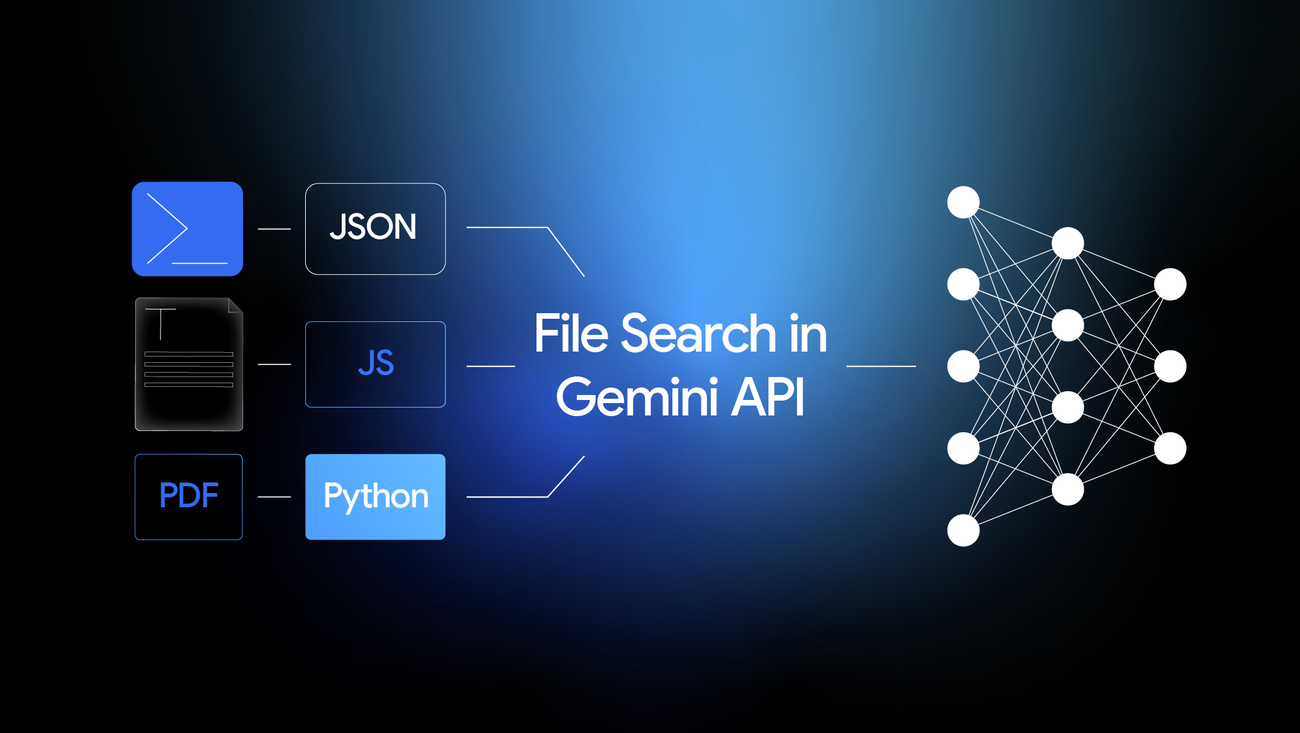
In November 2025, Google DeepMind launched something that fundamentally changes this equation: the File Search Tool, a fully managed retrieval-augmented generation system built directly into the Gemini API. Rather than requiring developers to assemble a constellation of services, File Search abstracts the entire retrieval pipeline into a single API endpoint—uploading documents, generating embeddings, storing vectors, and injecting relevant context all happen automatically within a generateContent call.
This isn't just a convenience feature. It represents a philosophical shift in how we architect AI applications: retrieval is becoming a native capability of the model API itself, not an external system you bolt on afterward.
What Google's File Search Tool Actually Is
At its core, File Search is a managed RAG-as-a-Service layer integrated directly into the Gemini API. When you upload documents to a File Search store, the system automatically processes them through a sophisticated pipeline: files are parsed, content is extracted (including OCR for scanned documents), text is segmented into optimal chunks, each chunk is converted into high-dimensional vector embeddings using Google's state-of-the-art gemini-embedding-001 model, and the resulting vectors are indexed in a specialized semantic search database maintained by Google's infrastructure.
When you subsequently call the Gemini API with the File Search tool enabled, the system transforms your query into an embedding, performs a similarity search against your stored document vectors, retrieves the most semantically relevant chunks, and injects them as context before generating a response. The model then produces an answer grounded in your specific documents, complete with citations pointing back to the source material.
The Problem It Solves
Traditional approaches to retrieval-augmented generation require developers to orchestrate multiple discrete systems:
Document Processing Pipeline: You need infrastructure to ingest files, extract text from various formats (PDF, DOCX, HTML), handle encoding issues, and manage document lifecycles.
Chunking Logic: Documents must be split into appropriately-sized segments. Too large and you waste context window; too small and you lose semantic coherence. This requires careful tuning of chunk sizes, overlap parameters, and boundary detection.
Embedding Generation: Each chunk needs to be converted into a vector representation. This means selecting an embedding model, managing API calls or hosting your own model, and handling rate limits and failures.
Vector Storage: You need a specialized database optimized for similarity search—Pinecone, Weaviate, Qdrant, Chroma, Milvus, or similar. Each has its own deployment model, scaling characteristics, and operational requirements.
Query Processing: At inference time, queries must be embedded using the same model, similarity searches executed against your vector store, results retrieved and formatted, and context assembled for the language model.
Reranking and Filtering: Raw similarity search results often benefit from additional refinement—cross-encoder reranking, metadata filtering, diversity sampling—adding another layer of complexity.
File Search collapses this entire architecture into two API calls: one to upload documents, another to query them. The system handles parsing, chunking, embedding, indexing, searching, and context injection automatically, within the same generateContent endpoint developers already use for standard Gemini completions.
Why Embeddings-Only Approaches Fall Short
Pure vector similarity search, while powerful, has fundamental limitations. Semantic similarity doesn't always correlate with relevance for a specific query. A user asking "What are the payment terms in our contract?" might get chunks about "payment processing systems" or "term sheets" that are semantically adjacent but practically useless.
Modern RAG systems address this through hybrid approaches combining vector search with keyword matching, multi-hop retrieval for complex queries, query decomposition to handle compound questions, and sophisticated reranking to promote genuinely relevant results. File Search integrates these techniques natively—when you make a query, Gemini can decompose it into sub-queries, perform multiple retrieval passes, and synthesize results before generating a response. This intelligence lives inside the API, not in your application code.
Core Features and Capabilities
Native Document Ingestion and Indexing
File Search accepts an extensive range of document formats without preprocessing. The system handles PDFs (including scanned documents via OCR), Microsoft Office formats (DOCX, XLSX, PPTX), plain text files, structured data (JSON, CSV, TSV), and virtually every common programming language file type—Python, JavaScript, TypeScript, Java, Go, Rust, C++, and dozens more.
The import process is straightforward. You create a File Search store (a container for your document embeddings), then upload files directly:
from google import genai
from google.genai import types
import time

client = genai.Client()

# Create a persistent store for your documents
file_search_store = client.file_search_stores.create(
    config={'display_name': 'technical-documentation'}
)

# Upload and index a document
operation = client.file_search_stores.upload_to_file_search_store(
    file='architecture-spec.pdf',
    file_search_store_name=file_search_store.name,
    config={'display_name': 'Architecture Specification v2.1'}
)

# Wait for indexing to complete
while not operation.done:
    time.sleep(5)
    operation = client.operations.get(operation)
Unlike temporary files uploaded through the standard Files API (which expire after 48 hours), data imported into a File Search store persists indefinitely until you explicitly delete it. This enables building durable knowledge bases that accumulate institutional knowledge over time.
High-Precision Semantic Search
File Search is powered by gemini-embedding-001, Google's latest embedding model. This model produces 3,072-dimensional vectors by default (with options to reduce to 1,536 or 768 dimensions for performance optimization), supports over 100 languages, and has achieved top scores on the Massive Text Embedding Benchmark (MTEB) for multilingual tasks.
The semantic search capability understands meaning rather than matching keywords. When a user asks "How do I reset the device?", the system retrieves relevant documentation even if the text uses phrases like "restore factory settings" or "perform a hard reboot." This semantic understanding extends across languages—a query in English can retrieve relevant passages from documents written in German, Japanese, or any of the 100+ supported languages.
Automatic Chunking and Vectorization
By default, File Search applies intelligent chunking strategies optimized for retrieval quality. Documents are segmented at natural boundaries—paragraph breaks, section headers, code block delimiters—with chunk sizes balanced to preserve semantic coherence while fitting within context constraints.
For applications requiring finer control, you can specify custom chunking parameters:
operation = client.file_search_stores.upload_to_file_search_store(
    file='technical-manual.txt',
    file_search_store_name=file_search_store.name,
    config={
        'display_name': 'Technical Manual',
        'chunking_config': {
            'white_space_config': {
                'max_tokens_per_chunk': 500,
                'max_overlap_tokens': 50
            }
        }
    }
)
Smaller chunks improve retrieval precision (finding the exact relevant passage) at the cost of context (surrounding information that helps interpretation). Larger chunks preserve more context but may include irrelevant material. The overlap parameter ensures that information spanning chunk boundaries isn't lost.
Integration with Multimodal Gemini Models
File Search works seamlessly with the full Gemini model family: Gemini 3 Pro Preview, Gemini 2.5 Pro, Gemini 2.5 Flash, and Gemini 2.5 Flash-Lite. You can choose models based on your latency, cost, and reasoning requirements—Flash for rapid responses at lower cost, Pro for complex reasoning tasks requiring deeper analysis.
Querying your documents is a single API call:
response = client.models.generate_content(
    model="gemini-2.5-flash",
    contents="What are the security requirements for API authentication?",
    config=types.GenerateContentConfig(
        tools=[
            types.Tool(
                file_search=types.FileSearch(
                    file_search_store_names=[file_search_store.name]
                )
            )
        ]
    )
)

print(response.text)
The model automatically determines when grounding is needed, retrieves relevant chunks, and synthesizes a response. For complex queries, it may decompose the question into sub-queries, perform multiple retrieval passes, and aggregate results before generating the final answer.
Built-In Citations
Every response includes grounding metadata specifying which document chunks informed the answer. This citation chain enables verification—users can trace claims back to source material, and applications can display references or link directly to original documents.
# Access citation information
print(response.candidates[0].grounding_metadata)
Citations are essential for enterprise applications where audit trails matter, legal and compliance scenarios requiring source documentation, research applications where provenance is critical, and customer-facing products where users want to verify information.
Low-Latency Querying
File Search is optimized for real-time applications. The retrieval infrastructure runs on Google's globally distributed systems, with query latencies typically in the tens of milliseconds even against large document collections. Combined with Gemini Flash models (which process requests in 1-2 seconds), the end-to-end response time remains acceptable for interactive use cases.
For stores under 20GB (Google's recommended limit for optimal latency), retrieval performance remains consistent regardless of query complexity. Larger stores may experience increased latency as the search space grows.
Scalability and Limits
File Search scales across multiple tiers based on your usage level. Individual files can be up to 100MB. Total store capacity ranges from 1GB (free tier) to 10GB (Tier 1), 100GB (Tier 2), and 1TB (Tier 3). Each Google Cloud project can maintain up to 10 separate File Search stores, enabling logical separation of document collections by use case, access level, or domain.
Storage utilization is calculated as approximately 3x your input data size, accounting for the original content plus generated embeddings. A 10GB document collection requires roughly 30GB of effective storage capacity.
Real-World Example: The Technical Documentation Assistant
Consider a scenario that plays out daily at thousands of organizations: a hardware manufacturer with 15 years of accumulated technical documentation—product manuals, installation guides, troubleshooting procedures, engineering specifications, field service bulletins. The collection spans 8,000 documents totaling roughly 2GB of mixed PDFs, Word documents, and legacy text files.
Before File Search, building a documentation assistant required:
- A document processing pipeline to extract text from heterogeneous formats
- Custom chunking logic tuned for technical content (preserving code blocks, tables, and structured procedures)
- An embedding service generating vectors for 50,000+ chunks
- A vector database (Pinecone, Weaviate, or similar) with appropriate indexing and scaling
- Query processing logic with semantic search, filtering by product line, and result ranking
- Integration code connecting retrieval results to the language model
This architecture typically required 2-3 months of engineering effort to build, plus ongoing maintenance as document formats evolved and the collection grew.
With File Search, the same capability emerges from a few hundred lines of code:
from google import genai
from google.genai import types
import os
import time

client = genai.Client()

# Create the documentation store
doc_store = client.file_search_stores.create(
    config={'display_name': 'product-documentation'}
)

# Upload all documents (simplified - production would batch this)
docs_directory = '/path/to/documentation'
for filename in os.listdir(docs_directory):
    filepath = os.path.join(docs_directory, filename)

    # Extract product line from filename or metadata
    product_line = extract_product_line(filename)

    operation = client.file_search_stores.upload_to_file_search_store(
        file=filepath,
        file_search_store_name=doc_store.name,
        config={
            'display_name': filename,
            'custom_metadata': [
                {'key': 'product_line', 'string_value': product_line},
                {'key': 'doc_type', 'string_value': classify_document(filename)}
            ]
        }
    )

    while not operation.done:
        time.sleep(2)
        operation = client.operations.get(operation)

# Query with product-specific filtering
def answer_technical_question(question, product_line=None):
    filter_expression = None
    if product_line:
        filter_expression = f'product_line="{product_line}"'

    response = client.models.generate_content(
        model="gemini-2.5-flash",
        contents=question,
        config=types.GenerateContentConfig(
            tools=[
                types.Tool(
                    file_search=types.FileSearch(
                        file_search_store_names=[doc_store.name],
                        metadata_filter=filter_expression
                    )
                )
            ]
        )
    )

    return {
        'answer': response.text,
        'sources': response.candidates[0].grounding_metadata
    }

# Example query
result = answer_technical_question(
    "What's the procedure for replacing the thermal paste on the Model X processor?",
    product_line="Model X"
)
A field technician can now ask "What's the torque specification for the mounting bolts on the 2019 compressor unit?" and receive an accurate answer with citations to the relevant service manual section—in seconds, from anywhere, without searching through 8,000 documents manually.
The infrastructure that would have required months of engineering and ongoing maintenance is now handled entirely by Google's platform. The development team can focus on building features that matter to users: conversational interfaces, integration with ticketing systems, analytics on common questions, multilingual support.
Internal Architecture: How File Search Works
Understanding File Search's architecture helps developers make informed decisions about when and how to use it. While Google hasn't published detailed implementation specifications, the system's behavior reveals its underlying structure.
Document Upload and Storage
When you upload a file to a File Search store, several processes execute in sequence:
Format Detection and Parsing: The system identifies the file type and applies appropriate extraction logic. PDFs are processed with both text extraction and OCR (for scanned pages), Office documents are parsed for content and structure, and code files are handled with language-aware processing.
Text Normalization: Extracted content undergoes normalization—encoding standardization, whitespace handling, special character processing—to ensure consistent downstream behavior.
Temporary File Creation: The raw document is stored temporarily (accessible via the Files API for 48 hours), while processed content moves to the persistent indexing pipeline.
The Indexing Pipeline
Document content flows through a multi-stage indexing process:
Chunking: Text is segmented according to the configured chunking strategy. The default uses whitespace-aware splitting with intelligent boundary detection—avoiding splits mid-sentence or mid-paragraph where possible. Configurable parameters (max_tokens_per_chunk, max_overlap_tokens) allow tuning for specific use cases.
Embedding Generation: Each chunk is processed by gemini-embedding-001, producing a 3,072-dimensional vector (or reduced dimension if configured). The embedding model captures semantic meaning—similar concepts produce similar vectors regardless of exact wording.
Vector Indexing: Embeddings are stored in a specialized vector database optimized for approximate nearest neighbor (ANN) search. Google's infrastructure likely uses some variant of hierarchical navigable small world (HNSW) graphs or similar high-performance indexing structures.
Metadata Association: Custom metadata (key-value pairs specified during upload) is stored alongside embeddings, enabling filtered searches that restrict results to documents matching specific criteria.
Query Processing and Ranking
When you call generateContent with the File Search tool enabled, a sophisticated query pipeline executes:
Query Understanding: The language model analyzes your query to determine what information is needed. For complex questions, it may decompose the query into multiple sub-queries.
Query Embedding: Each query (or sub-query) is converted to an embedding using the same model that indexed your documents, ensuring vector space alignment.
Similarity Search: The system performs ANN search against your File Search store, retrieving chunks whose embeddings are most similar to the query embedding. Metadata filters (if specified) constrain the search space.
Relevance Ranking: Retrieved chunks are ranked by relevance, considering semantic similarity scores, recency, metadata matches, and potentially cross-encoder reranking for precision.
Context Assembly: Top-ranked chunks are assembled into a context block and injected into the prompt alongside the user's original query.
Response Generation: The Gemini model generates a response grounded in the retrieved context, with citations linking claims to source chunks.
Security Boundaries
File Search stores are scoped to your Google Cloud project. Data isolation is maintained at the project level—your documents and embeddings are not accessible to other projects or users. All data is encrypted in transit and at rest using Google's standard security practices.
The temporary File objects (raw uploaded documents) are automatically deleted after 48 hours, while embeddings in File Search stores persist until you explicitly delete them. This separation ensures that you retain queryable knowledge without accumulating raw file storage.
Request/Response Lifecycle
A typical File Search-enabled request follows this flow:
- Client sends
generateContentrequest with File Search tool configuration - Gemini API receives request and identifies File Search tool invocation
- Query is embedded using
gemini-embedding-001 - Vector similarity search executes against specified File Search store(s)
- Top-k relevant chunks are retrieved and ranked
- Retrieved chunks are injected as context into the generation prompt
- Gemini model generates response with grounding metadata
- Response (including citations) is returned to client
The entire process typically completes in 1-3 seconds for Gemini Flash models, making it viable for interactive applications.
Advanced Capabilities
Multi-File Context Assembly
File Search can query across multiple stores simultaneously, enabling sophisticated knowledge architectures. You might maintain separate stores for product documentation, support tickets, and engineering specifications—then query all three to answer a complex question requiring context from multiple domains:
response = client.models.generate_content(
    model="gemini-2.5-pro",
    contents="What's causing the intermittent connectivity issues reported by customers, and what's the recommended fix?",
    config=types.GenerateContentConfig(
        tools=[
            types.Tool(
                file_search=types.FileSearch(
                    file_search_store_names=[
                        product_docs_store.name,
                        support_tickets_store.name,
                        engineering_specs_store.name
                    ]
                )
            )
        ]
    )
)
The model synthesizes information across all three sources, potentially correlating support ticket patterns with known engineering issues and documentation gaps.
Metadata Filtering
Custom metadata transforms File Search from a simple document search into a structured knowledge system. By tagging documents with relevant attributes—author, date, category, department, product line, document type—you enable precise queries that combine semantic understanding with structured filtering:
# Only search legal documents from the contracts category
response = client.models.generate_content(
    model="gemini-2.5-flash",
    contents="What are our liability limitations for enterprise customers?",
    config=types.GenerateContentConfig(
        tools=[
            types.Tool(
                file_search=types.FileSearch(
                    file_search_store_names=[legal_store.name],
                    metadata_filter='category="contracts" AND doc_type="enterprise"'
                )
            )
        ]
    )
)
Filter syntax follows AIP-160 standards, supporting equality, comparison, and logical operators for complex predicates.
Integration with Gemini Functions and Agents
File Search operates as a tool within Gemini's broader function calling framework. This enables agentic workflows where the model decides when to search documents, what queries to run, and how to integrate results with other capabilities:
tools = [
    types.Tool(
        file_search=types.FileSearch(
            file_search_store_names=[knowledge_base.name]
        )
    ),
    types.Tool(
        function_declarations=[
            create_ticket_function,
            send_notification_function,
            schedule_followup_function
        ]
    )
]

response = client.models.generate_content(
    model="gemini-2.5-pro",
    contents="A customer reports their dashboard isn't loading. Diagnose the issue, create a support ticket, and schedule a follow-up call.",
    config=types.GenerateContentConfig(tools=tools)
)
The model autonomously orchestrates multiple capabilities: searching documentation to diagnose the issue, creating a ticket via function call, and scheduling follow-up—all in a single interaction.
Cross-Modal Retrieval Potential
While File Search currently focuses on text-based retrieval, its integration with Gemini's multimodal architecture suggests future expansion. Documents containing embedded images are processed, with text extracted via OCR where applicable. As multimodal embedding models mature, we may see File Search evolve to support queries that retrieve content based on visual similarity or combined text-image semantics.
Retrieval Consistency and Verification
Built-in citations provide a verification mechanism that's often missing from custom RAG implementations. Every claim in a File Search-grounded response can be traced to specific source chunks, enabling:
- User-facing "View Source" functionality
- Automated fact-checking against retrieved passages
- Confidence scoring based on citation density
- Audit trails for regulated industries
This transparency is essential for enterprise adoption, where black-box responses create liability concerns.
Comparisons with Other Retrieval Approaches
Embedding-Only Vector Databases
Traditional vector databases (Pinecone, Weaviate, Qdrant, Chroma, Milvus) provide the storage and search layer for embeddings, but require you to build everything else: document processing, chunking, embedding generation, query orchestration, and integration with language models.
Where vector databases excel:
- Custom embedding models optimized for specific domains
- Fine-grained control over indexing parameters and search algorithms
- Complex query patterns (hybrid search, multi-stage retrieval, custom reranking)
- Large-scale deployments exceeding File Search's tier limits
- Scenarios requiring embedding inspection, debugging, or modification
Where File Search wins:
- Time to production (hours vs. weeks)
- Operational simplicity (zero infrastructure to maintain)
- Cost predictability (no vector database hosting fees)
- Integrated citations without custom implementation
- Automatic updates as Google improves underlying models
Manual RAG Setups
Building a RAG pipeline from components (LangChain + vector DB + embedding service + chunking logic + reranking) provides maximum flexibility but maximum complexity. You control every decision—which is valuable when you need specific behaviors, but costly when you just need "working RAG."
When to choose manual RAG:
- Hybrid search (combining semantic with keyword/BM25) is essential
- Custom reranking models significantly improve your use case
- You need to tune chunk sizes dynamically based on content type
- Embeddings must be inspectable or modifiable for debugging
- Advanced patterns like multi-hop retrieval or query decomposition require custom logic
- You're operating at scales beyond File Search limits
When File Search is sufficient:
- Standard document Q&A and knowledge base search
- Rapid prototyping to validate a concept
- Applications where Google's default chunking and ranking work well
- Teams without dedicated ML infrastructure expertise
- Cost-sensitive deployments where managed vector DB fees are prohibitive
Cloud Search Services
Elasticsearch and OpenSearch provide powerful search capabilities, including vector similarity (via k-NN plugins) alongside traditional full-text search. These systems excel at hybrid search patterns combining exact keyword matching with semantic similarity.
Elasticsearch/OpenSearch advantages:
- Battle-tested at massive scale
- Rich query DSL for complex search patterns
- Combined full-text and vector search in one system
- Self-hosting option for data sovereignty requirements
- Mature ecosystem of monitoring, alerting, and management tools
File Search advantages:
- No cluster management or operational overhead
- Native integration with Gemini models
- Automatic embedding generation (no separate pipeline)
- Built-in citations without custom implementation
- Significantly simpler developer experience
Cost and Complexity Analysis
| Approach | Setup Time | Monthly Cost (10GB, moderate usage) | Operational Burden |
|---|---|---|---|
| File Search | Hours | ~$50-100 (indexing + model usage) | Minimal |
| Pinecone + Custom Pipeline | 2-4 weeks | $200-500 (Pinecone + embedding API) | Medium |
| Self-Hosted Weaviate/Qdrant | 4-8 weeks | $100-300 (compute + embedding API) | High |
| Elasticsearch with Vector | 6-12 weeks | $300-600 (cluster + embedding API) | High |
File Search's pricing model is notably developer-friendly: storage and query-time embeddings are free. You pay only for initial indexing ($0.15 per million tokens) and standard Gemini model usage. For most applications, this represents a 50-80% cost reduction compared to managed vector database alternatives.
Practical Use Cases
Enterprise Knowledge Assistants
Internal knowledge bases—HR policies, IT procedures, company guidelines—are ideal candidates for File Search. Employees can ask natural language questions ("What's the process for requesting parental leave?") and receive accurate answers grounded in authoritative documentation.
Implementation pattern:
- Create stores organized by department or topic
- Tag documents with metadata (department, last-updated, policy-version)
- Build a chat interface using Gemini with File Search enabled
- Surface citations so employees can verify answers
- Monitor query patterns to identify documentation gaps
Customer Support Automation
Support organizations can ground AI responses in product documentation, knowledge base articles, and historical ticket resolutions. The combination of semantic search (understanding what customers actually need) and citation (providing verifiable answers) addresses the primary concerns with AI-powered support: accuracy and trustworthiness.
Key benefits:
- Reduced ticket escalation through accurate first-response answers
- Consistent responses across support channels
- Automatic citation of relevant documentation
- Analytics on common questions for documentation improvement
Legal and Compliance Document Analysis
Legal teams managing contract repositories, regulatory filings, and compliance documentation benefit from File Search's ability to surface relevant clauses across thousands of documents. Queries like "Find all indemnification clauses in our vendor contracts" or "What do our policies say about data retention?" return specific passages with citations.
Critical considerations:
- Use metadata filtering to scope searches appropriately
- Maintain version control through document metadata
- Leverage citations for audit trail requirements
- Consider Gemini Pro for complex analytical queries
Medical and Scientific Literature Review
Research organizations can build searchable repositories of papers, clinical guidelines, and study data. File Search's multilingual support enables queries across literature in multiple languages, while citations ensure research integrity by tracing claims to sources.
Codebase and Repository Search
File Search supports virtually all programming language file types, enabling semantic search across codebases. Developers can ask "Where is the authentication logic implemented?" or "Find examples of database connection pooling" and receive relevant code snippets with file references.
Considerations for code search:
- Consider smaller chunk sizes to preserve code block integrity
- Use metadata to tag files by module, service, or team
- Combine with function calling for automated code analysis workflows
RAG-Powered Product Features
Any product requiring document-grounded AI capabilities—research tools, educational platforms, content management systems—can leverage File Search to add intelligent search and Q&A without building retrieval infrastructure.
Setup Guide: Getting Started with File Search
Prerequisites
- A Google Cloud account with billing enabled
- A Gemini API key from Google AI Studio
- The Google GenAI SDK installed (
pip install google-genaifor Python ornpm install @google/genaifor JavaScript)
Step 1: Initialize the Client
from google import genai
from google.genai import types

# Initialize with API key (or use environment variable)
client = genai.Client(api_key="YOUR_API_KEY")
# Or set GOOGLE_API_KEY environment variable and omit api_key parameter
Step 2: Create a File Search Store
# Create a store with a descriptive name
store = client.file_search_stores.create(
    config={'display_name': 'my-knowledge-base'}
)
print(f"Created store: {store.name}")
Step 3: Upload and Index Documents
import time

# Upload a document directly to the store
operation = client.file_search_stores.upload_to_file_search_store(
    file='document.pdf',
    file_search_store_name=store.name,
    config={
        'display_name': 'My Document',
        # Optional: custom metadata for filtering
        'custom_metadata': [
            {'key': 'category', 'string_value': 'technical'},
            {'key': 'year', 'numeric_value': 2025}
        ],
        # Optional: custom chunking
        'chunking_config': {
            'white_space_config': {
                'max_tokens_per_chunk': 500,
                'max_overlap_tokens': 50
            }
        }
    }
)

# Wait for indexing to complete
while not operation.done:
    time.sleep(3)
    operation = client.operations.get(operation)

print("Document indexed successfully")
Step 4: Query Your Documents
response = client.models.generate_content(
    model="gemini-2.5-flash",
    contents="What are the main topics covered in my documents?",
    config=types.GenerateContentConfig(
        tools=[
            types.Tool(
                file_search=types.FileSearch(
                    file_search_store_names=[store.name]
                )
            )
        ]
    )
)

print(response.text)

# View citation information
if response.candidates[0].grounding_metadata:
    print("\nSources:")
    print(response.candidates[0].grounding_metadata)
Step 5: Query with Metadata Filters
response = client.models.generate_content(
    model="gemini-2.5-flash",
    contents="Summarize the technical documents from 2025",
    config=types.GenerateContentConfig(
        tools=[
            types.Tool(
                file_search=types.FileSearch(
                    file_search_store_names=[store.name],
                    metadata_filter='category="technical" AND year>=2025'
                )
            )
        ]
    )
)
Best Practices
Document Organization:
- Use meaningful display names that appear in citations
- Apply consistent metadata schemas across documents
- Consider separate stores for logically distinct document collections
- Tag documents with version, date, and category metadata
Chunking Strategy:
- Start with defaults and adjust based on retrieval quality
- Smaller chunks (300-500 tokens) for precise retrieval
- Larger chunks (800-1200 tokens) for more context per result
- Use overlap to prevent information loss at boundaries
Query Design:
- Be specific in queries to improve retrieval precision
- Use metadata filters to scope searches when appropriate
- For complex questions, consider breaking into sub-queries
- Leverage Gemini Pro for queries requiring deep reasoning
Common Errors and Solutions
"Store not found": Ensure you're using the full store name (e.g., fileSearchStores/abc123), not just the display name.
Indexing fails or times out: Check file format is supported and file size is under 100MB. For large documents, consider splitting into smaller files.
Poor retrieval quality: Try adjusting chunk sizes, adding more specific metadata, or rephrasing queries to be more precise.
Rate limiting: File Search shares rate limits with the broader Gemini API. Implement exponential backoff for production applications.
Limitations and Known Constraints
File Search is powerful but not unlimited. Understanding its constraints helps you design appropriate architectures.
File and Storage Limits
- Maximum file size: 100MB per document
- Store size limits by tier:
- Free: 1GB
- Tier 1: 10GB
- Tier 2: 100GB
- Tier 3: 1TB
- Stores per project: 10
- Stores per query: Up to 5 simultaneously
- Recommended store size for optimal latency: Under 20GB
Effective storage is approximately 3x input size (accounting for embeddings).
Format and Processing Limitations
- OCR quality varies with document scan quality
- Complex table structures may not preserve perfectly
- Heavily formatted documents (multiple columns, embedded objects) may chunk suboptimally
- No support for video, audio, or non-document binary files
Feature Constraints
- No custom embedding models: You must use
gemini-embedding-001 - Limited chunking strategies: Only whitespace-based configuration available
- No embedding inspection: You cannot view or modify stored embeddings
- No hybrid search controls: Cannot explicitly combine keyword and semantic search
- No custom reranking: Ranking algorithm is not configurable
Consistency and Freshness
- Indexing is asynchronous; newly uploaded documents aren't immediately queryable
- No streaming search (results arrive after full retrieval completes)
- Document updates require re-uploading (no incremental update)
- No change detection or automatic re-indexing
When Custom Vector Databases Are Still Necessary
Choose custom solutions when:
- You need embeddings from domain-specific or fine-tuned models
- Hybrid search (BM25 + vector) is essential for your use case
- You require sub-second latency that File Search can't guarantee
- Data residency requirements mandate specific geographic storage
- You need to inspect, debug, or modify embeddings directly
- Scale exceeds File Search tier limits
- Advanced patterns (multi-hop retrieval, custom reranking) are critical
Future Outlook and Predictions
File Search represents the beginning of a broader trend: retrieval becoming a native capability of language model APIs rather than an external service. Based on current trajectory and industry patterns, several developments seem likely.
Larger Index Scales
Current limits (up to 1TB in Tier 3) will likely expand as Google's infrastructure matures. Enterprise deployments managing tens of terabytes of documentation will eventually be addressable, potentially through dedicated enterprise tiers or custom agreements.
Streaming Search
As retrieval latencies decrease and context windows expand, we may see streaming retrieval patterns where results are surfaced incrementally during generation, enabling more responsive interfaces and allowing the model to request additional context mid-generation.
Enhanced Multimodal Integration
gemini-embedding-001 is text-focused, but Google's multimodal capabilities suggest eventual support for image embeddings, diagram understanding, and cross-modal retrieval. Searching for "the architecture diagram showing the authentication flow" could return visual content semantically matched to the query.
Direct Integrations with Google Workspace
File Search currently requires explicit document upload. Future integrations might enable direct indexing of Google Drive, Gmail, or Workspace documents, eliminating the upload step entirely and enabling truly seamless knowledge management.
Agentic Workflows with Persistent Memory
File Search stores could evolve into persistent memory systems for AI agents—not just retrieving pre-uploaded documents, but accumulating learned knowledge, past interactions, and extracted insights over time. Agents could autonomously manage their own knowledge bases, uploading relevant documents discovered during research tasks.
Fine-Grained Access Control
Enterprise adoption requires granular permissions—specific users seeing specific documents. Future versions may integrate with IAM systems to enable row-level (or chunk-level) access control, ensuring retrieval respects organizational permissions.
On-the-Fly Indexing
Currently, documents must be uploaded and indexed before querying. Future iterations might support just-in-time indexing, where documents are processed and searched within a single request—useful for ephemeral content or real-time data streams.
FAQ
What is Google's File Search Tool in the Gemini API?
Google's File Search Tool is a fully managed Retrieval-Augmented Generation (RAG) system built directly into the Gemini API. It automatically handles document parsing, chunking, embedding generation, vector storage, and semantic search—allowing developers to ground Gemini model responses in their own documents without building separate retrieval infrastructure. You upload documents, and File Search handles everything else.
How much does Gemini File Search cost?
File Search offers a developer-friendly pricing model: storage and query-time embeddings are completely free. You only pay $0.15 per million tokens for initial document indexing, plus standard Gemini model input/output token costs. For most applications, this represents a 50-80% cost reduction compared to managed vector database alternatives like Pinecone.
What file formats does Gemini File Search support?
File Search supports an extensive range of formats:
- Documents: PDF, DOCX, XLSX, PPTX, ODT
- Text: TXT, MD, HTML, RTF
- Data: JSON, CSV, TSV, XML
- Code: Python, JavaScript, TypeScript, Java, Go, Rust, C++, and 50+ other programming languages
Individual files can be up to 100MB in size, and scanned PDFs are processed with OCR.
How does File Search compare to Pinecone, Weaviate, or other vector databases?
| Aspect | File Search | Vector Databases (Pinecone, Weaviate, etc.) |
|---|---|---|
| Setup time | Hours | Weeks |
| Infrastructure | Fully managed | Self-managed or managed service |
| Custom embeddings | No | Yes |
| Hybrid search | Limited | Full control |
| Cost | Lower (free storage) | Higher (hosting fees) |
| Citations | Built-in | Custom implementation |
Choose File Search for rapid development and simplicity. Choose vector databases when you need fine-grained control over embeddings, retrieval algorithms, or hybrid search.
What are the storage limits for Gemini File Search?
Storage limits vary by usage tier:
- Free tier: 1GB
- Tier 1: 10GB
- Tier 2: 100GB
- Tier 3: 1TB
Each Google Cloud project supports up to 10 File Search stores. For optimal retrieval latency, Google recommends keeping individual stores under 20GB. Note that effective storage is approximately 3x your input data size due to stored embeddings.
Which Gemini models support File Search?
File Search works with:
- Gemini 3 Pro Preview — Latest capabilities
- Gemini 2.5 Pro — Complex reasoning tasks
- Gemini 2.5 Flash — Fast, cost-effective queries
- Gemini 2.5 Flash-Lite — Lightweight operations
Use Flash models for interactive applications requiring speed; use Pro models for analytical tasks requiring deeper reasoning across multiple documents.
Does Gemini File Search provide citations?
Yes, File Search automatically includes built-in citations with every response. The grounding_metadata in the API response specifies exactly which document chunks were used to generate the answer. This enables:
- User-facing "View Source" functionality
- Audit trails for compliance
- Fact verification against source material
- Confidence assessment based on citation density
Can I use custom embedding models with File Search?
No. File Search exclusively uses Google's gemini-embedding-001 model, which produces 3,072-dimensional vectors and supports 100+ languages with state-of-the-art performance on the MTEB benchmark. If domain-specific or fine-tuned embeddings are critical for your use case, you'll need to build a custom RAG pipeline with a vector database like Pinecone, Weaviate, or Qdrant.
How do I filter searches by document metadata?
Add custom metadata when uploading documents:
config={
    'custom_metadata': [
        {'key': 'category', 'string_value': 'contracts'},
        {'key': 'year', 'numeric_value': 2025}
    ]
}
Then filter queries using the metadata_filter parameter:
metadata_filter='category="contracts" AND year>=2024'
This enables scoped searches across specific document subsets.
What are the main limitations of Gemini File Search?
Key limitations to consider:
- No custom embeddings — Must use gemini-embedding-001
- Limited chunking options — Only whitespace-based configuration
- No hybrid search — Cannot combine keyword and semantic search explicitly
- No embedding inspection — Cannot view or modify stored vectors
- 100MB file limit — Large documents must be split
- No incremental updates — Must re-upload entire documents to update
- Tier-based storage limits — May not suit very large-scale deployments
For advanced RAG patterns or enterprise-scale deployments, custom vector database solutions may still be necessary.
Final Verdict
Google's File Search Tool represents a significant shift in how developers build AI applications that need to reason over documents. By abstracting the entire retrieval pipeline—parsing, chunking, embedding, indexing, searching, context injection—into a managed service integrated with the same API used for model inference, Google has eliminated one of the most substantial engineering burdens in production RAG systems.
Who Should Adopt File Search Now
Immediately adopt if you're:
- Building document-grounded AI features and want rapid time-to-market
- A small team without dedicated ML infrastructure expertise
- Prototyping RAG applications to validate concepts
- Operating within File Search's scale limits (most applications do)
- Cost-sensitive and deterred by vector database hosting fees
Evaluate carefully if you:
- Require custom embedding models for domain-specific performance
- Need hybrid search or advanced retrieval patterns
- Have data residency requirements incompatible with Google's infrastructure
- Operate at scales exceeding tier limits
- Require embedding inspection for debugging or compliance
Stick with custom solutions if you:
- Have already invested in mature, well-tuned retrieval infrastructure
- Need capabilities File Search doesn't offer and can't work around
- Face regulatory constraints preventing cloud-hosted document storage
How This Changes AI Application Architecture
File Search signals a future where retrieval isn't an add-on—it's a native model capability. Today's architecture pattern of "API call → vector database → embedding service → language model" is collapsing into "API call with documents attached."
This simplification has second-order effects:
Lower barrier to entry: Teams that couldn't justify the complexity of custom RAG can now ship document-grounded features in days.
Increased competition: When retrieval infrastructure isn't a moat, differentiation shifts to user experience, domain expertise, and creative application design.
Changed hiring requirements: You need fewer ML infrastructure engineers and more product-focused developers who can leverage managed services effectively.
Accelerated iteration: Without infrastructure constraints, teams can experiment more rapidly with document collections, metadata schemas, and retrieval patterns.
The Future of RAG is Native
For most of AI's recent history, retrieval-augmented generation has been a pattern—a way of combining separate services (embedding models, vector databases, language models) to achieve grounded responses. File Search hints at a future where RAG is simply how language models work, with document context as natural as prompt context.
We're witnessing retrieval transform from infrastructure to feature, from complexity to commodity. And for the vast majority of developers building AI applications, that transformation arrives not a moment too soon.
The Gemini API File Search Tool is available now through Google AI Studio and the Gemini API. For complete documentation, visit ai.google.dev/gemini-api/docs/file-search.


